Car Crash Simulation in Ansys Workbench
AIM: To simulate crash of a car in Ansys Workbench.
Objective:
To perform a parametric study using 3 different values of thickness for the car body and to analyse the total deformation and Equivalent stresses acting on the model.
Introduction:
A crash simulation is a virtual recreation of a destructive crash test of a car or a highway guard rail system using a computer simulation in order to examine the level of safety of the car and its occupants.
Crash test regulations have become more stringent, requiring a higher level of performance to achieve a good safety rating. For example, test speeds have been increased, and traditional automotive models were unable to handle this large amount of crash energy which leads to the collapse of the survival space and poor safety ratings. The study of the structure, materials and restraint systems in order to achieve five-star ratings needs to be increased and this is where crashworthiness simulation plays a vital role.
Procedure:
- After opening Ansys Workbench, use explicit dynamics as the mode of analysis for simulation.
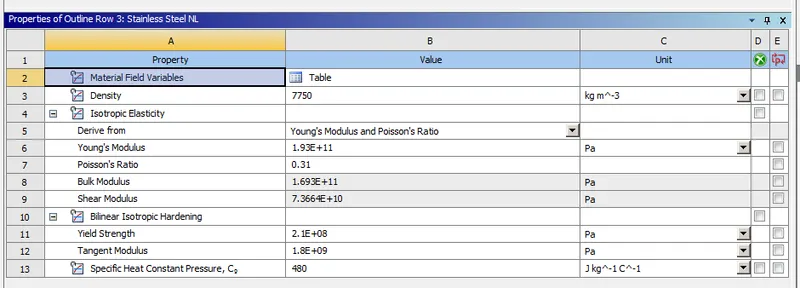
- Now, add stainless steel nonlinear material from the engineering data tab in project menu.
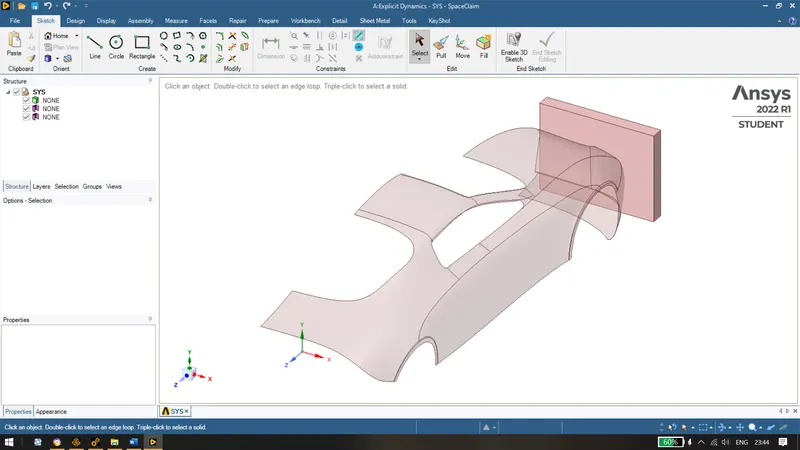
- Import the model provided and check the geometry in the Ansys Spaceclaim for any abnormalities.
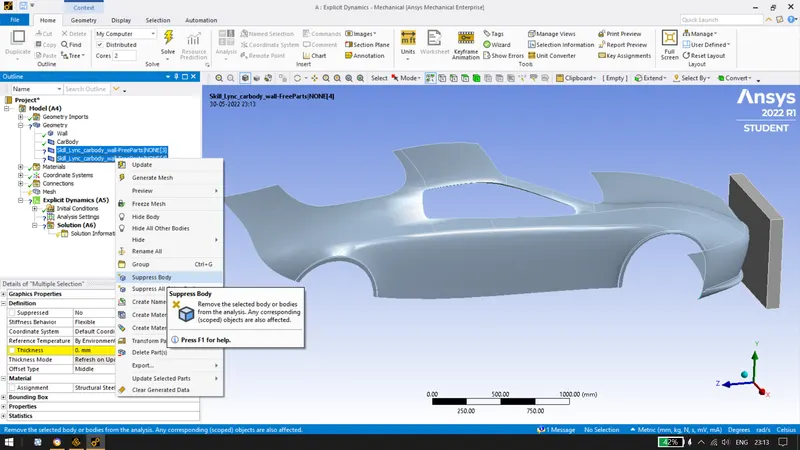
- Now in Ansys mechanical, Rename the two components as wall and car body. Then, Suppress the other two bodies for our simulation, since they are present and detected.
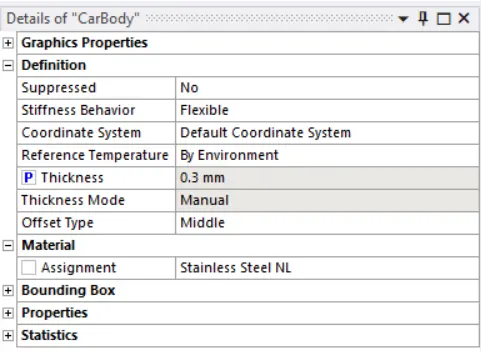
- Now, lets give the thickness of 0.3mm, turn on the paramteric study besides thickness and assign the material to the body.
- Now, delete the default contacts created by ansys because no contacts are required for the crash simulation.
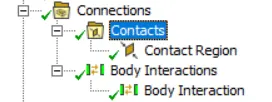
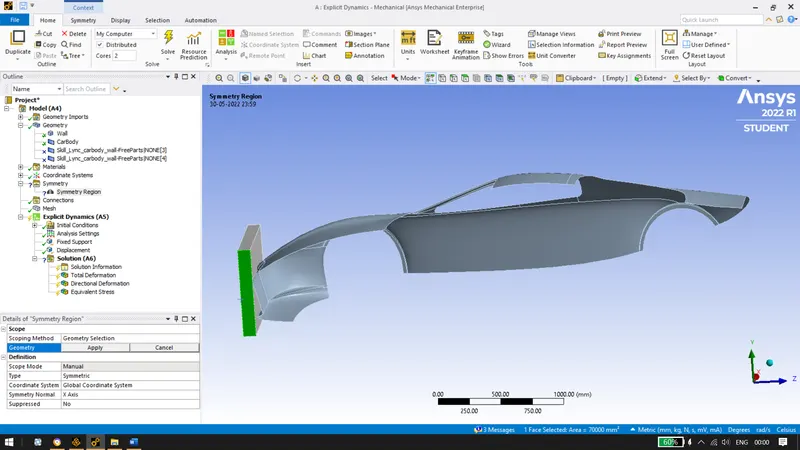
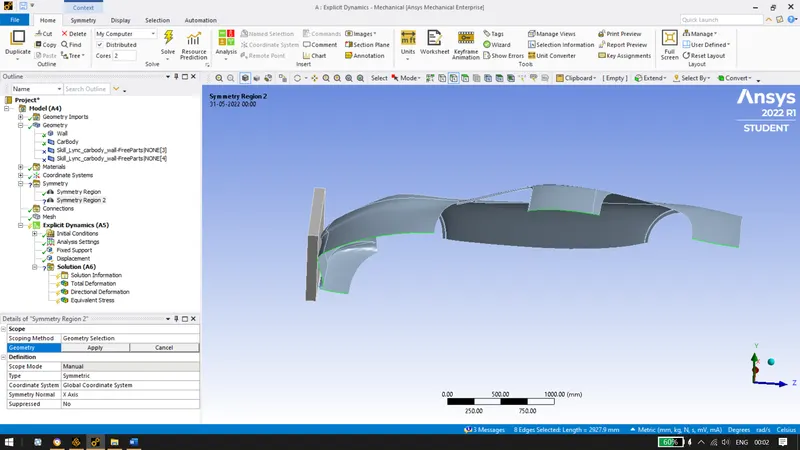
- Apply a symmetry for the whole component.
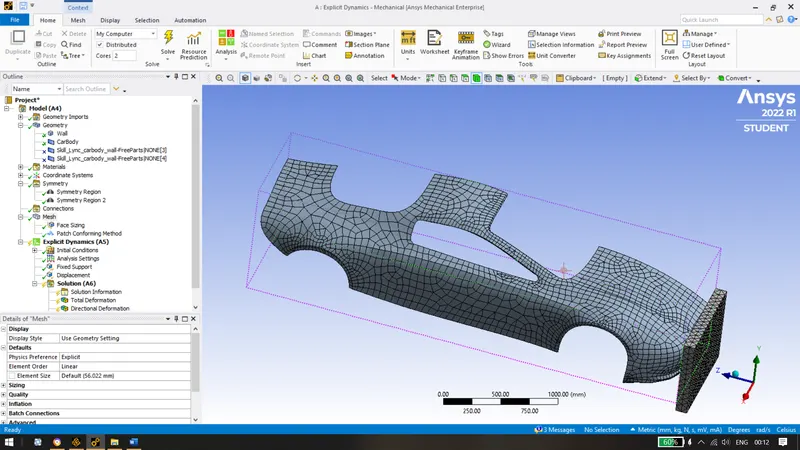
- Mesh the components with default element size, coarse the mesh at the back of the car by inserting sizing mesh for reducing computational time and also convert the wall into tetrahedron by using method.
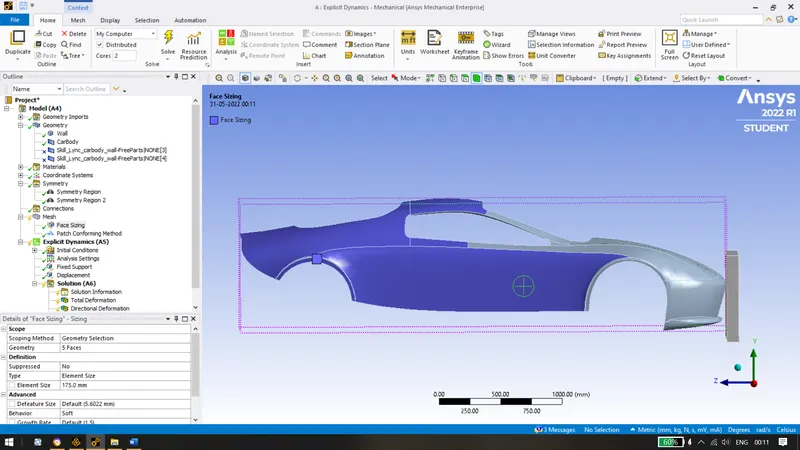
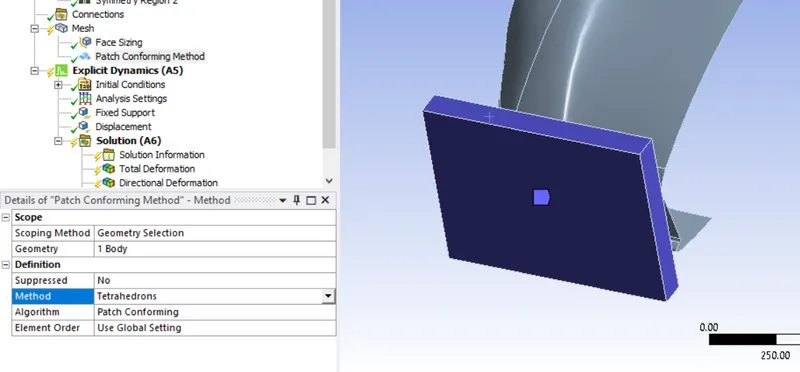
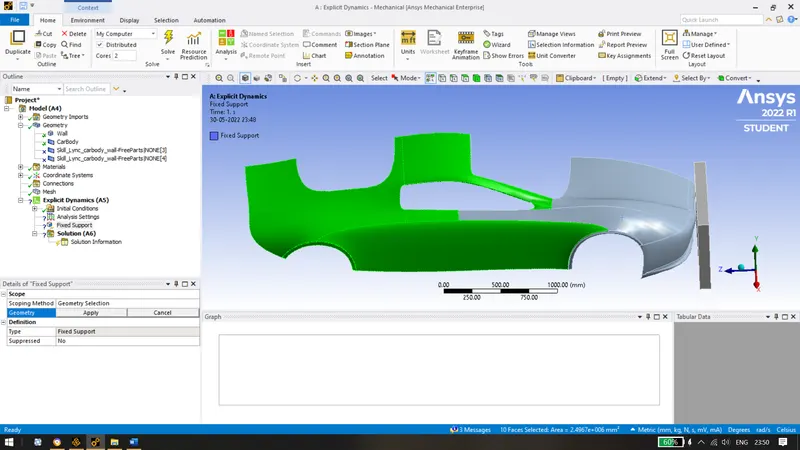
- Adding fixed support to the car body which which will not be coming in contact with the wall.
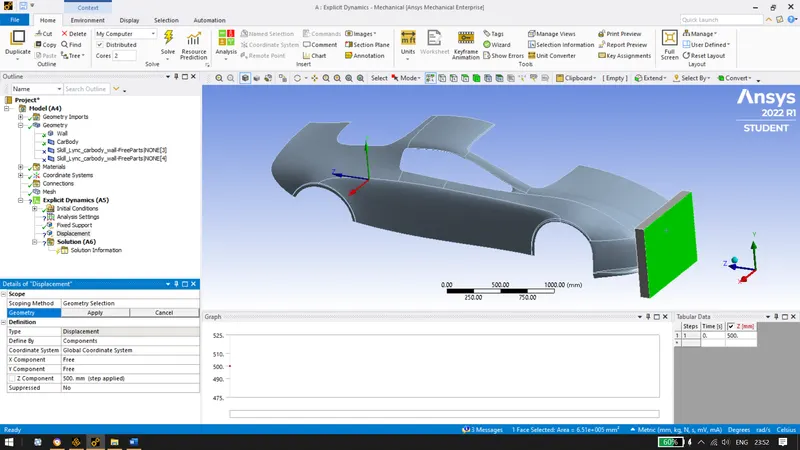
- Apply a displacement of 500mm to the wall in z direction.
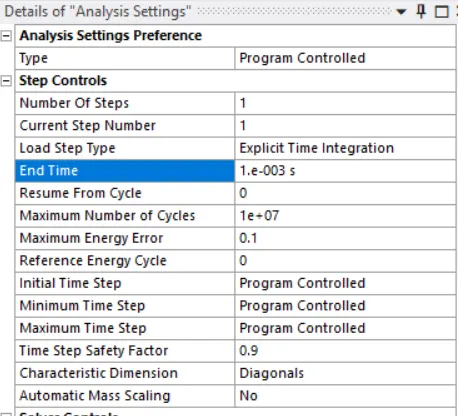
- Applying the analysis settings for 0.001 seconds.
- Insert Directional deformation, equivalent stress, equivalent elastic strain and equivalent stress.
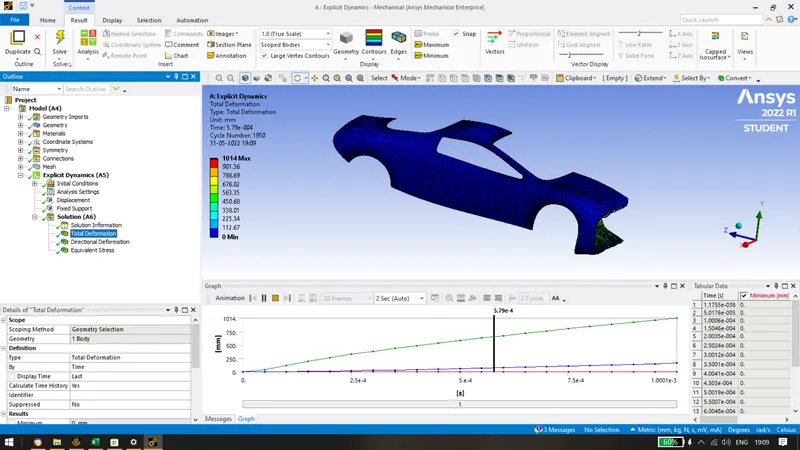
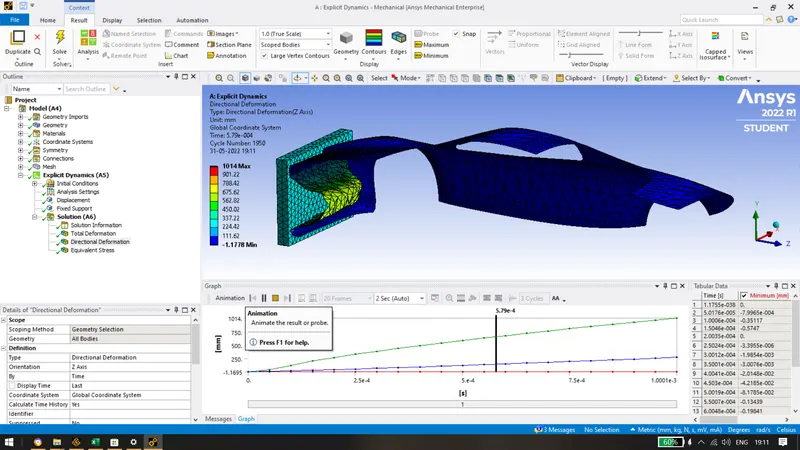
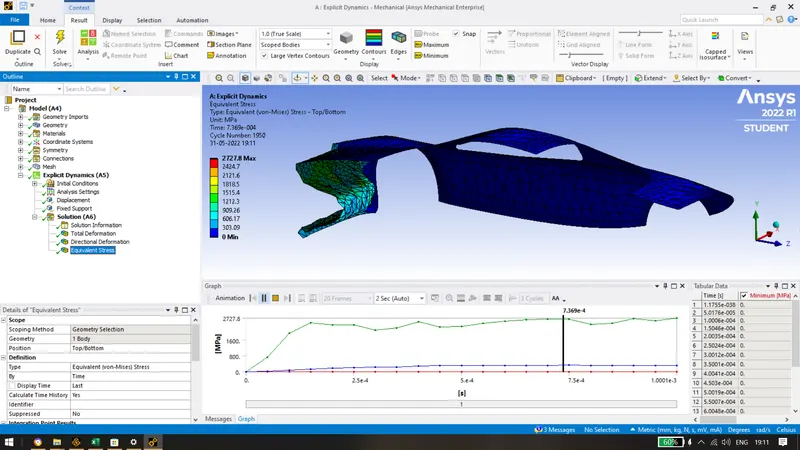
- Finally following solutions have been obtained after running the simulation for the crash of a car.
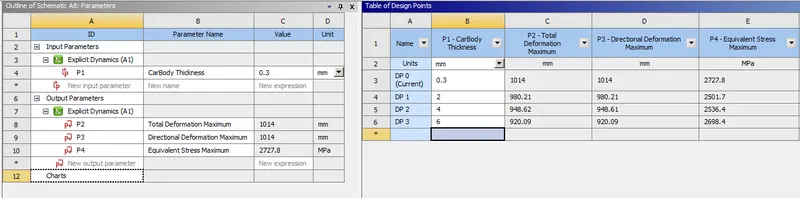
Total deformation and directional deformation of 1014mm was observed for 0.3 mm thickness.
Max Equivalent stress of 2727.8 was observed.
- Since, it's a parametric study, assigning input parameter as thickness as design points for 2mm, 4mm and 6mm. We obtain the following by giving the output parameters as Total deformation, directional deformation and equivalent maximum stress.
CONCLUSION:
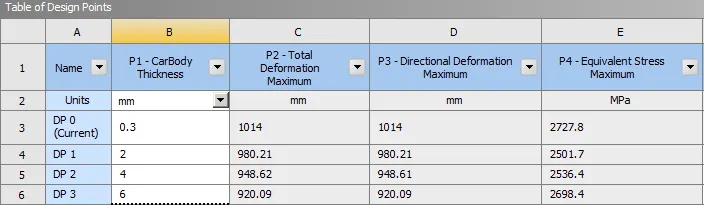
Above table shows that the after increasing the thickness of the car body, the deformation of the body keeps on decreasing. But there is a variation in equivalent stress. In terms of stress, 2mm thickness has least amount of stress developed with 2501 MPa. In terms of total deformation, 6mm thickness has lowest amount of deformation.
Depending upon our requirements, we can select the thickness. For eg. if we need least amount of deformation then we select thickness as 6mm.