3D Contacts
AIM :-
To set up 3D contact between the cam and the roller follower and to plot the y-displacement follower with respect to the cam.
CREATING AND DEFINING THE MODEL :-
The model file of the elliptical cam is opened.
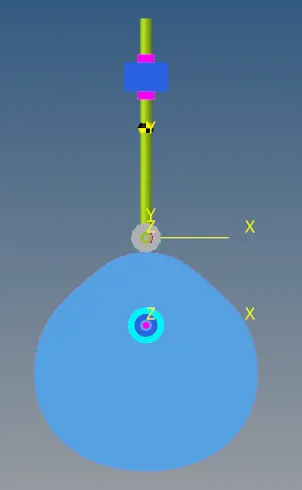
Curves for the cam and the roller follower are created. For the cam, the .csv file is loaded which is a spread sheet. Once the .csv file is loaded, the request and component of the x, y and z coordinates are defined where, for the z coordinate the request is block 1 and the component is column 3.

Similarly the curve for the roller follower is created, but the coordinates are defined as expressions as shown below.

The expressions used coordinates are,
x coordinate: 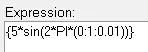
y coordinate: 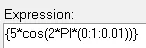
z coordinate: 
After creating the curves, markers for the cam and roller follower are created and defined.


The CVCV joint is then created by selecting the add advanced joints option. Once created it is then defined by selecting the body, curve and reference marker.

A motion is created at the cam pivot joint for the simulation. A displacement motion is selected.
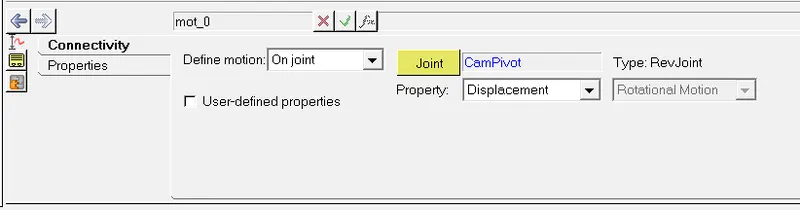
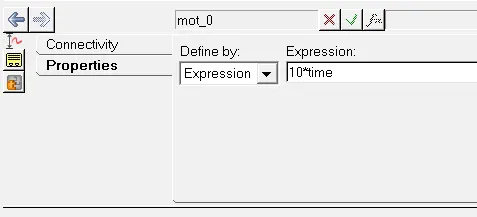
The motion property is defined as an expression which is 10*time.
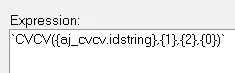
An output is created to plot the displacement of the follower. It is defined as an expression which is shown below.
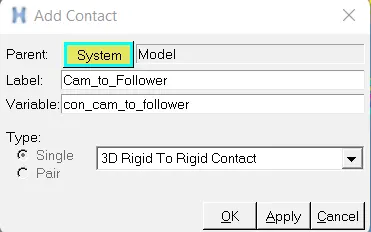
To create a 3D contact, the add contact option is selected where the variable is created and 3D rigid to rigid contact is selected.
After the contact is created, it is defined where the cam and the roller follower are selected as the I and J bodies respectively.

Once defined, the contact is represented on the model as shown below.
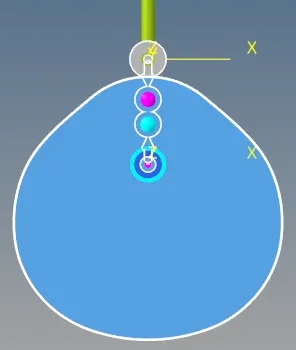
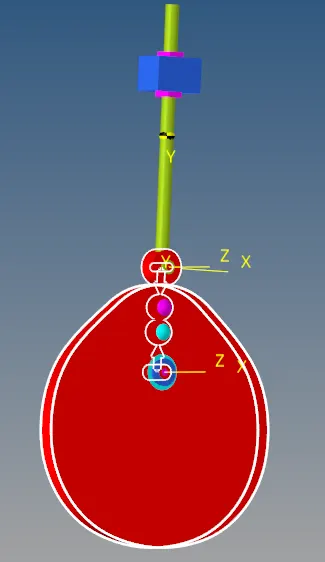
If the highlight contact side is selected under connectivity, the bodies in contact are highlighted in red as shown below.
RUNNING THE SIMULATION AND PLOTTING THE GRAPH :-
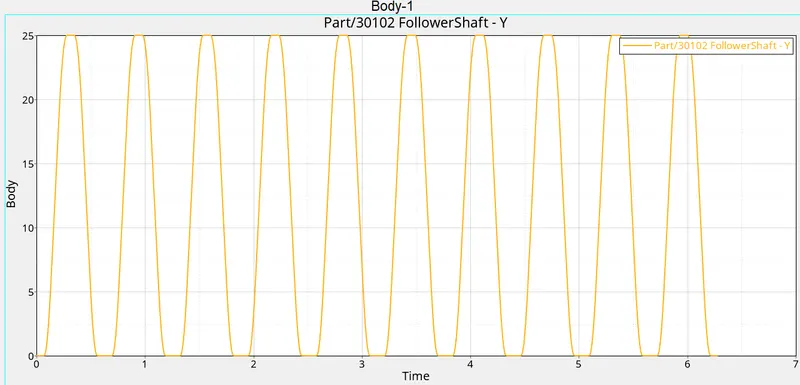
The simulation is run for 6.28s and the graph of the y-displacement of the follower with respect to the cam is plotted.