Week 1 : Exploring the GUI of GT-POWER
Exploring the GUI of GT Power
Aim:
To explore the GUI of GT-Suite and understand different settings available to run a simulation.
Setup and run a simulation for Charge air cooler (CAC)
Introduction:
GT-Suite is the industry-leading simulation tool with capabilities and libraries aimed at a wide variety of applications and industries. It offers engineers functionalities ranging from fast concept design to detailed system or sub-system/component analyses, design optimization, and root cause investigation
Multi-Physics Platform
The foundation of GT-SUITE is a versatile multi-physics platform for constructing models of general systems based on many underlying fundamental libraries:
- Flow library (any fluid, gas or liquid or mixture)
- Acoustics library (both non-linear and linear)
- Thermal library (all types of heat transfer)
- Mechanical library (kinematics, multi-body dynamics, frequency domain)
- Electric and Electromagnetic library (circuits, electromechanical devices)
- Chemistry library (chemical kinetics)
- Controls library (signal processing)
- Built-in 3D CFD and 3D FE (thermal and structural)
GT-SUITE is packaged in the form of three licensing options:
- GT-SUITE: contains all GT libraries and capabilities. The ideal choice for full vehicle design and analysis, GT-SUITE offers an all-inclusive package that provides an important cost advantage to users.
- GT-POWER: the industry-leading software for engine simulation with a detailed cylinder model and combustion analysis.
- GT-SUITEmp: serves as a multi-physics platform to construct models in a wide range of applications including Cooling Systems and Thermal Management, Vehicle and HEV Fuel Economy, Hydraulics and Pneumatics, and many more
Applications for each package are summarized in the following table
|
GT-SUITE |
GT-POWER |
GT-SUITEEmp |
|
Engine Performance and Acoustics |
Engine Performance and Acoustics |
|
|
Exhaust Aftertreatment |
Exhaust Aftertreatment |
Exhaust Aftertreatment |
|
Evaporative Emissions |
Evaporative Emissions |
Evaporative Emissions |
|
Cooling systems and Thermal Management |
Cooling systems and Thermal Management |
|
|
Air Conditioning/Waste Heat Recovery |
Air Conditioning/Waste Heat Recovery |
|
|
Fuel Injection |
Fuel Injection |
|
|
Hydraulics and Pneumatics |
Hydraulics and Pneumatics |
|
|
Lubrication Circuits |
Lubrication Circuits |
|
|
Vehicle and HEV Fuel Economy and Performance |
Vehicle and HEV Fuel Economy and Performance |
|
|
Transmission and shift quality |
Transmission and shift quality |
|
|
Cranktrain and Crankshaft Dynamics |
Cranktrain and Crankshaft Dynamics |
|
|
ValveTrain Kinematics and Dynamics |
ValveTrain Kinematics and Dynamics |
|
|
Timing and FrontEnd Drive Systems |
Timing and FrontEnd Drive Systems |
|
|
Battery Modelling – Electrical – Equipment |
Battery Modelling – Electrical – Equipment |
|
|
Controls |
Controls |
In addition to the above, GT also bundles various tools and models:
- GT-AutoLion– Integrate AutoLion battery models directly into GT-SUITE’s electrical and thermal domains
- GT-POWER-xRT – Tool dedicated to running detailed GT-POWER engine models on MiL/SiL/HiL platforms
- GT-SUITE-RT – Run GT-SUITE models on HiL platforms
- GT-Automation – A time-saving enterprise package that allows simulation engineers to write Python code to manipulate GT models programmatically
- GT-AutoLion-3D – A 3D battery modeling capability that allows battery cell designers and buyers to study important factors that determine a battery’s performance, capacity, and longevity.
- GT-TAITherm – Perform fast 3D cabin comfort analysis with a special version of TAITherm packaged directly inside GT-SUITE
- Advanced Combustion Toolset: A collection of productivity tools for combustion analysis that enable both increased model fidelity and faster runtimes
- GT-RealDrive: Simulate vehicle models on real-world routes including traffic density, traffic signals, and speed limits
- GT-CONVERGE – Built-in 3D CFD supporting co-simulation or stand-alone analysis, both transient and steady-state
- GT-SPACECLAIM – CAD model building and preparation
- GT-Linearization – Linearization of models for controls development
GT-SUITE includes important and valuable Productivity Tools that are included with all licenses at no extra cost.
GT- ISE: It is the main interface where models are built, simulation settings are declared, and simulations (both single and batch) are launched. It is an environment where various components are brought into a project map and connected together linking the entire model as a whole.
Gem3D: It is a 3D graphical pre-processor that combines building and importing tools used to create 1D GT-SUITE models from 3D geometries. For example, It can be used to build models from primitive components like pipes, flowsplits, shells, catalysts, pumps, etc. GEM3D Preprocessor | Gamma Technologies (gtisoft.com)
Cool3D: It allows for 3D model building and automatic meshing of underhood heat exchangers, fans and air space
VTDesign: It is a user-friendly interactive valve train design tool that powers engineers to develop quickly cam design, valve train layout and spring design.
GT-Spaceclaim: It is a 3D CAD tool included with GT-Suite for simplifying geometry to prepare a model for simulation. It has a built-in transition tool for importing common CAD formats into GT-Suite
GT-Post: It is a graphical interface that enables viewing and manipulating of the data collected from the simulation.
Location of particular flags:
Time-Control flag:
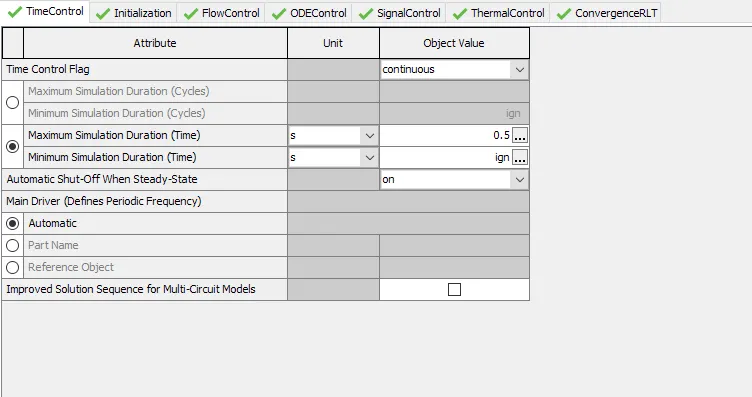
This folder is used to define the simulation duration and time-controlling variables. The attributes in this folder must be defined for all simulations. It defines the global simulation type with regard to time and it can be accessed through the Run Setup option available under the Home tab.
It can take one of the following options: Periodic and Continuous
Periodic indicates that the model contains at least one circuit which contains a periodic event (i.e. engine cylinder “cycle”) and therefore requires tracking of results with respect to angle over each cycle. Any model that includes an ' EngineCrankTrain', ' CrankAnalysis' , or ' EngineCrankShaft' part should use the periodic option. Note that the simulation duration for a periodic simulation can be specified in cycles or in time, whichever is most convenient.
Continuous indicates that the simulation includes no periodic event, and therefore has no need to track results with respect to a cyclic angle. This is the typical setting for models that contain only quasi-steady fluid circuits such as coolant or underhood air. The simulation duration for a continuous simulation is typically specified in time.
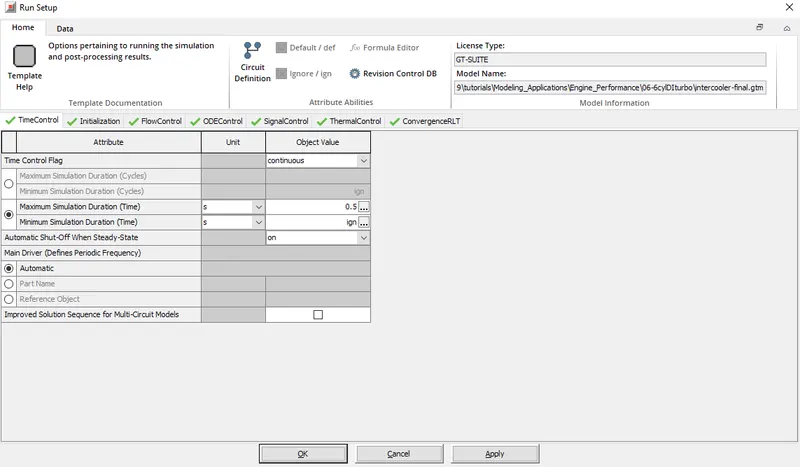
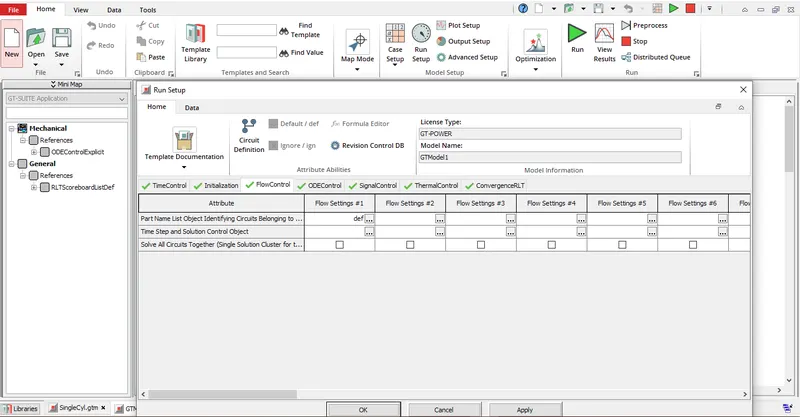
Time Step and Solution Control:
It is used to define the numerical parameters for the explicit, implicit or quasi-steady flow solver and it can accomplished by using a the following reference objects: ' FlowControlExplicit', ' FlowControlImplicit', or ' FlowControlQS'
If there are no flow circuits in the model, this attribute may be set to “ign” or left blank (which is a rare exception to the normal requirement in GT-SUITE that all cells must be filled).
This option can be found under the Flow control tab of the Run Setup Option, which is found under the Home tab of the GT-Suite GUI. The following figure shows the position of this option.
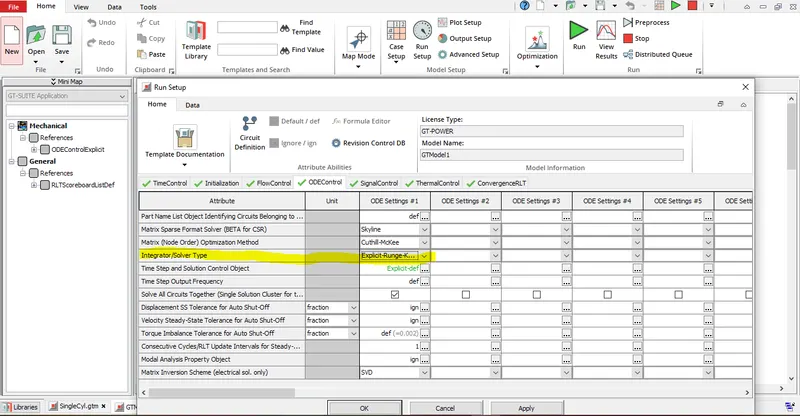
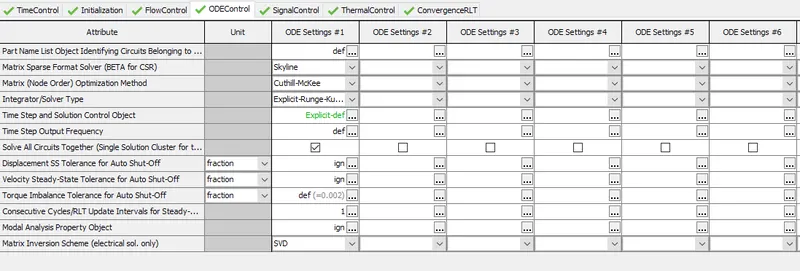
Integrator / Solver type:
Integrator/solver type used in the time-marching of all ODEs including mechanical, electrical and magnetic libraries. It commonly available options in GT-Suite are
Explicit-Adams-PECE: This integration scheme with variable order accuracy. This integrator is recommended for large non-stiff problems, problems with a high maximum time step which have different scales and real time applications. It requires a tuning process in order to optimize its functionality.
Explicit-Runge-Kutta: This integration scheme that is 5 th order accurate. This integrator is recommended for non-stiff problems.
Implicit-Trapezoidal; This scheme that is 2 nd order accurate. This integrator is recommended for moderately stiff problems.
Implicit-H.H.T.: This integration scheme that is 2 nd order accurate. This integrator is recommended for moderately stiff problems.
Implicit-Radau2: This integration scheme that is 3 rd order accurate. This integrator is recommended for stiff problems.
Implicit-Radau3: This integration scheme that is 5 th order accurate. This integrator is recommended for stiff problems.
Implicit-S.D.C.3: This integration scheme that is 5 th order accurate. This integrator is recommended for very stiff problems.
Intercooler Tutorial Settings:
In this section, the settings for the simulation of charge air cooler was observed and then a simulation was run.
The tutorial can be opened by following the step below:
Select File -> Tutorials -> Modelling Applications -> Engine Performance -> 06-6cylDIturbo and double click on the intercooler-final.gtm to open the intercooler tutorial.
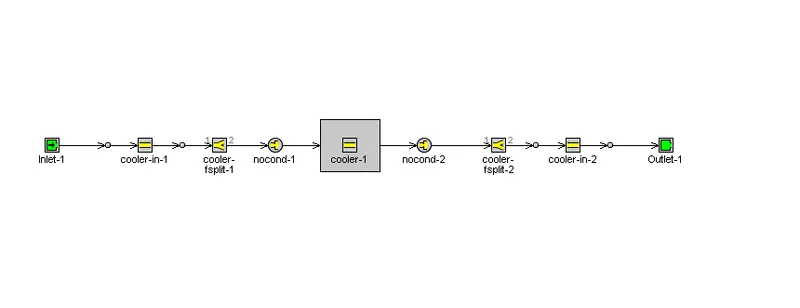
This tutorial has the following configurations:
Run Setup
Time Control
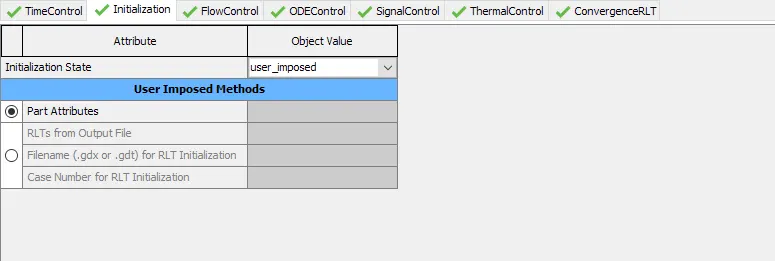
Initialization
Flow control

ODE control:
Signal control:

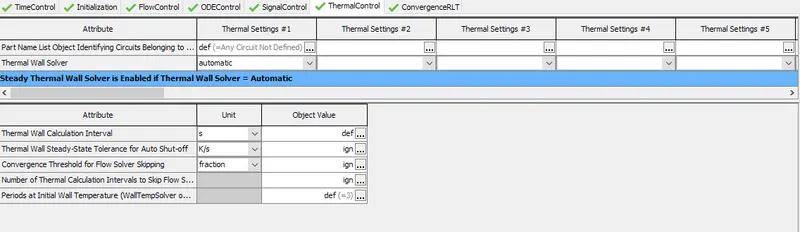
Thermal control:
ConvergenceRTL:
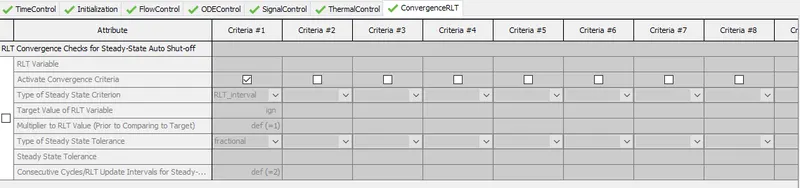
Advanced Settings:
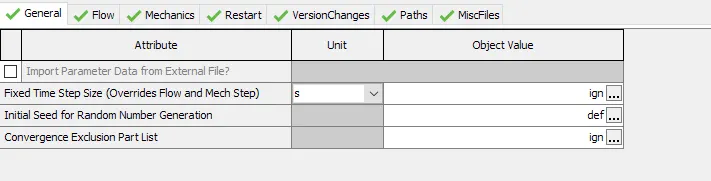
General:
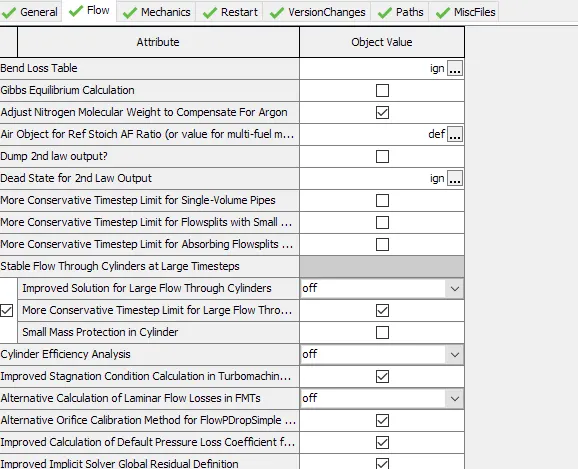
Flow
Mechanics:

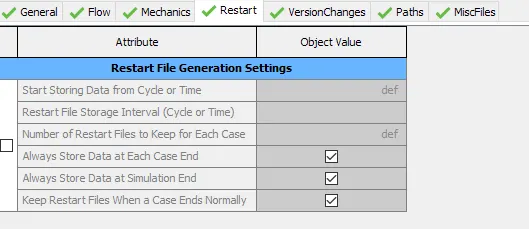
Restart:
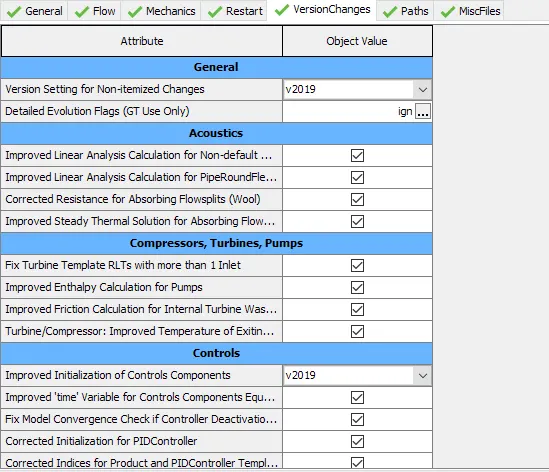
Version changes
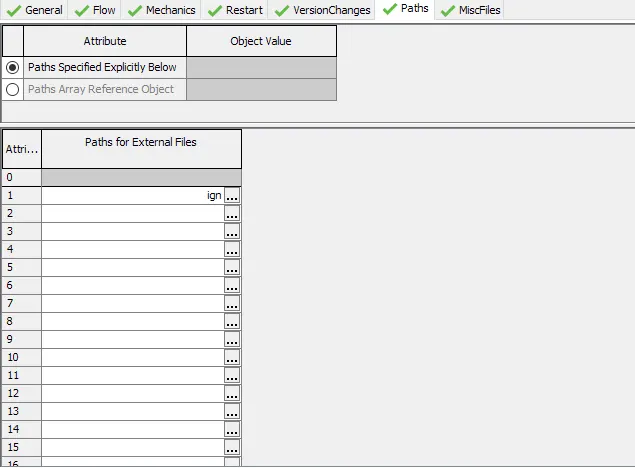
Path
Misc:

Plot Settings:
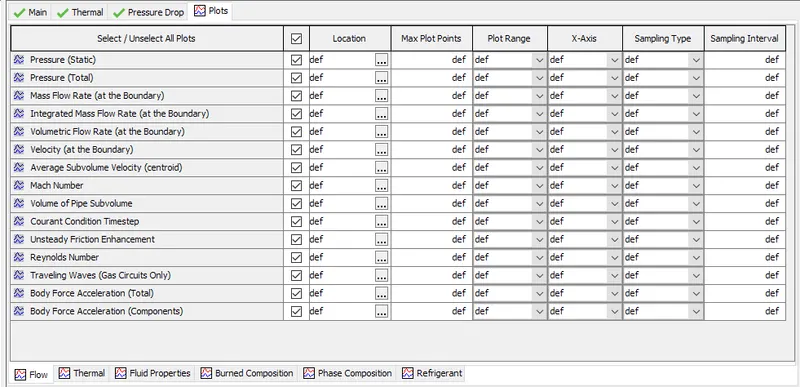
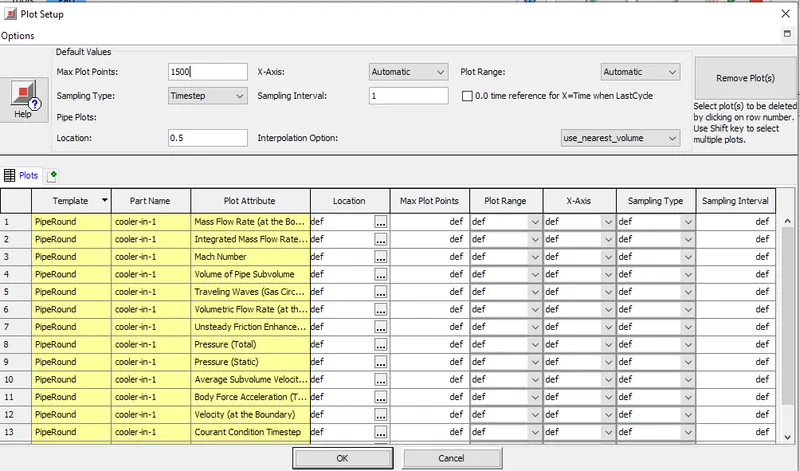
By default, this tutorial does not have any plots enabled, but we can enable the desired plots by selecting them in the individual part’s settings
Here, I selected the following plots of the cooler-in part
Output Settings:
Data Storage:
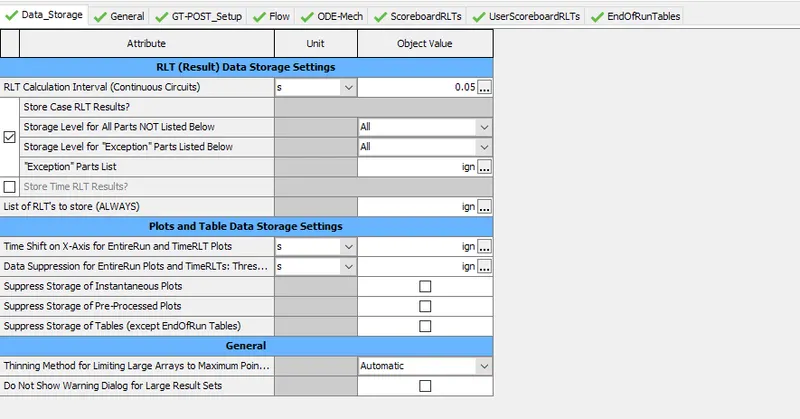
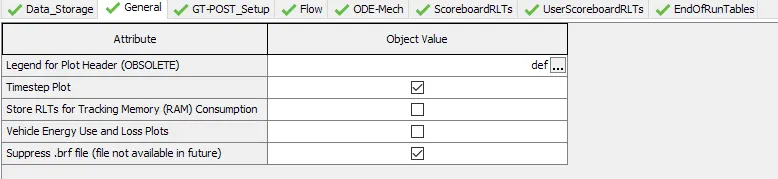
General:
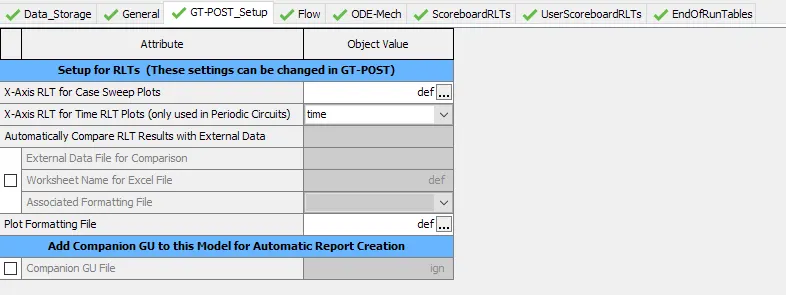
GT-Post setup
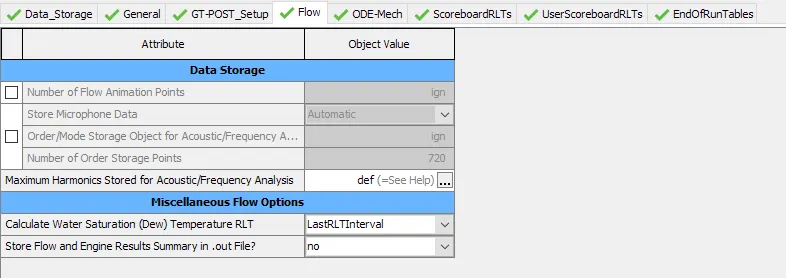
Flow:
ODE-Mech
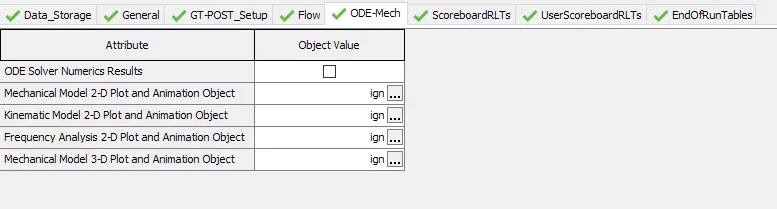
ScoreboardRLTs:
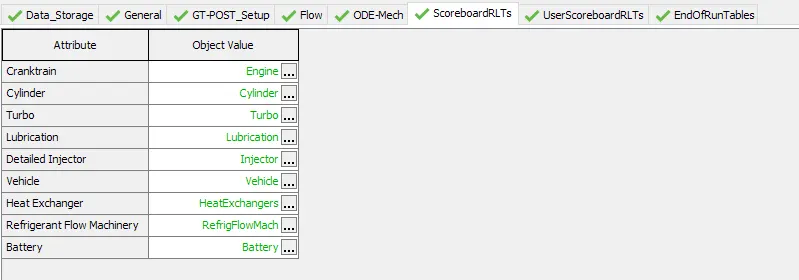
UserScoreboardRLTs:
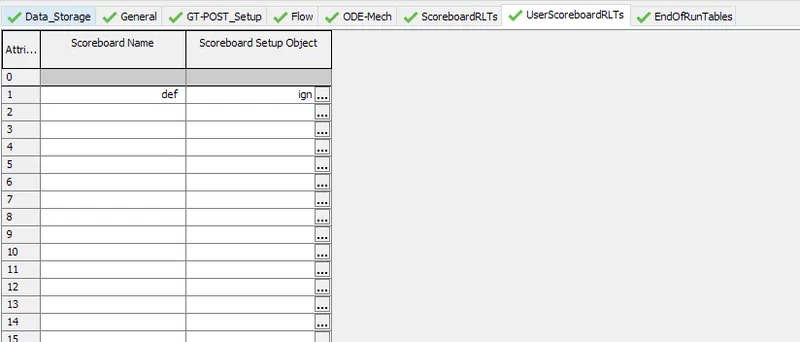
EndOfRunTables:
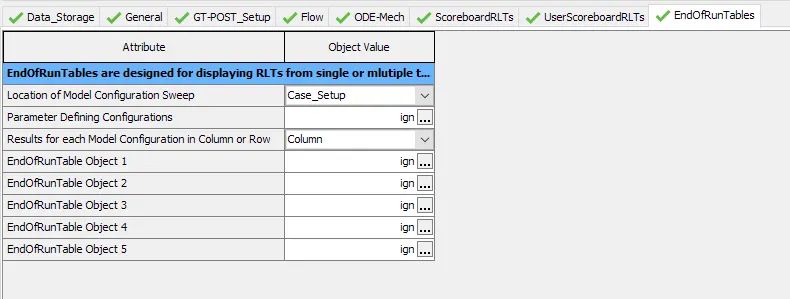
Results:
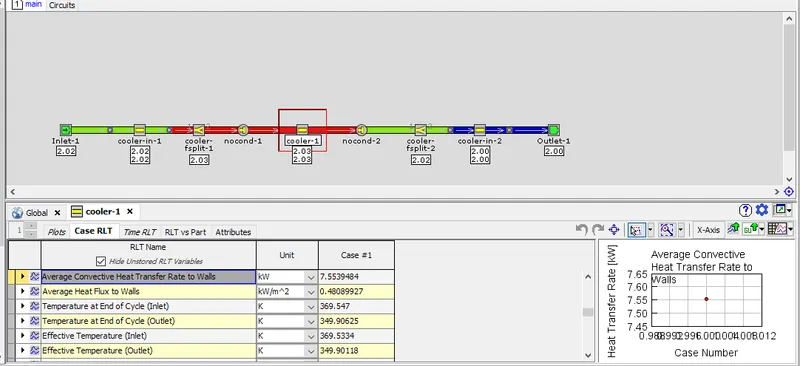
Average Heat Transfer to walls = 7.56 KW
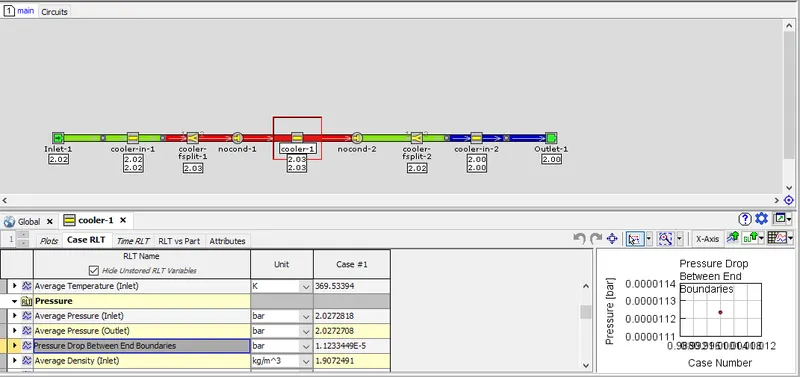
Pressure drop between the End boundaries = 1.123e-5 bar
Conclusion:
This is project, the GUI of the GT-Suite was explored and the different settings were studied. In the end, the tutorial case for the intercooler available in the GT-Suite library was simulated and the results were extracted.
References:
- GT-SUITE Overview | Gamma Technologies (gtisoft.com)
- Tutorials – GT-Suite