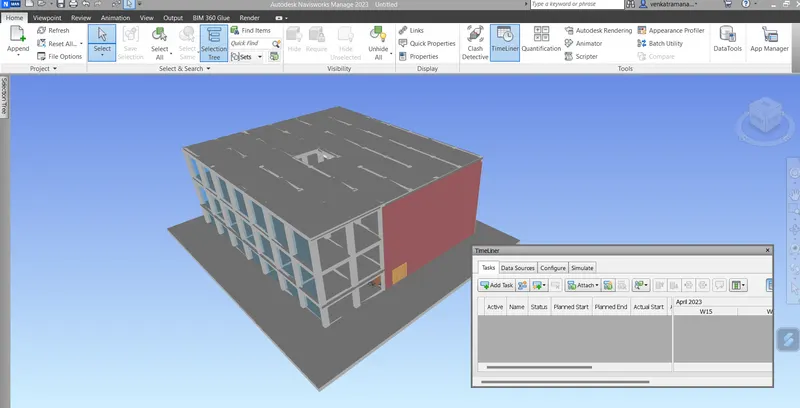
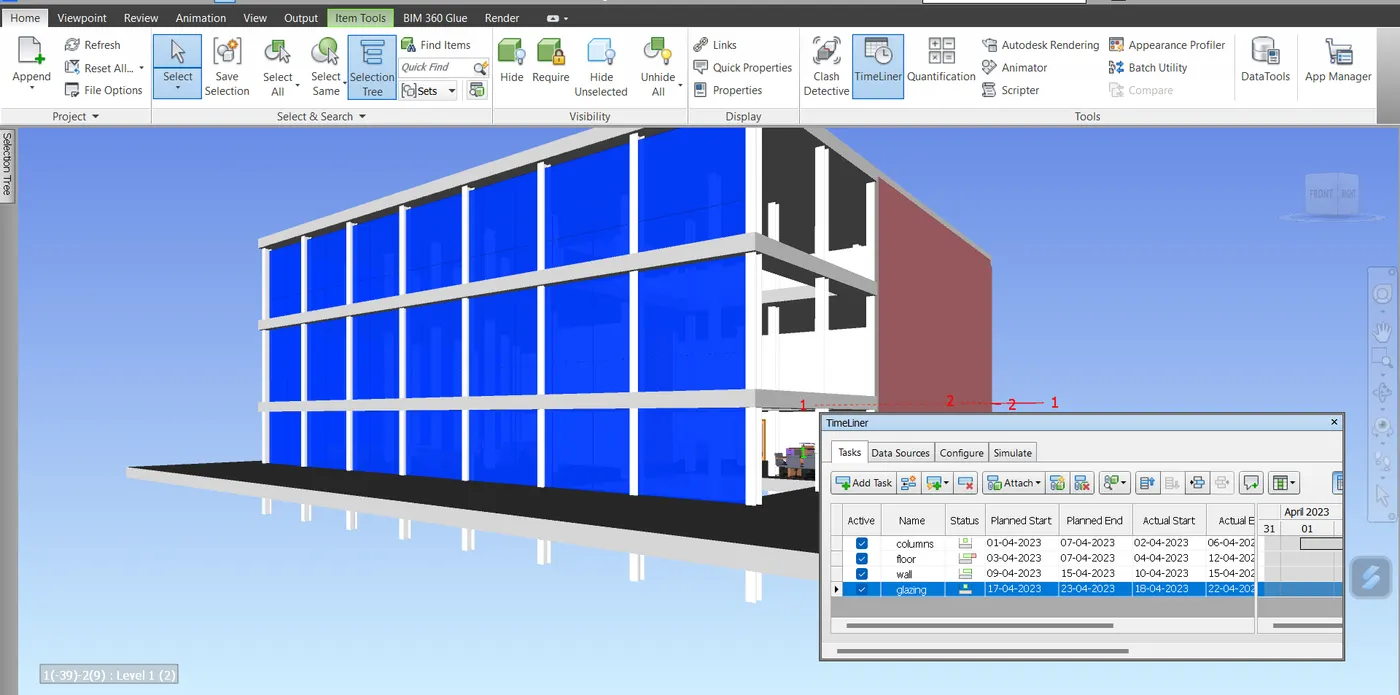
Usage of Navigation tool , Timeliner and Clash Detection test using Naviswork
1) Use the Architecture/ Structure Project file developed by you in Week 6 to 8. Export the Revit architecture and structure model to Navisworks Cache file following the export settings discussed in class
Usage of Navigation tool , Timeliner and Clash Detection test using Naviswork
Introduction:
Naviswork is a 3D design review package for Microsoft windows. It is used primarily in construction industries to complement 3D design packages such as Autodesk Revit, AutoCAD etc.. Naviswork allows users to open and combine 3D models; navigate around them in real-timeand review the model using a set of tools including comments, redlining, viewpoint and measurements. A selection of plug-ins enhances the package adding inetrference detection, 4D time simulation, photorealistic rendering and PDF-like publishing.
Naviswork has a number of built-in functionalities:
- Roamer- The core part allows users to open models from a range of 3D design and laser scan forats and combine them into a single3D model. Users can anvigate around the model in real-time and review the model with a rangeof mark-up tools.
- Publisher: This allows users to publish the complete 3D model into a single NWD file that can be freely opened by anyone using Freedom, a free viewer.
- Clash Detective: A functionality to enable interference detection. This means users can select parts of the model and look for places where the geometry conflicts. This is for finding faults in the design.
- Renderer: With the Renderer , users canapply materials and lighting to the model and produce photo realistic images and animations.
- Quantification: By "taking off" the model, users can automatically make material estimates, measure areas and count building components.
- Timeliner: Adds 4D simulation so the user can link geometry to times and dates and to simulate the construction or demolition of the model over time. Also links with project scheduling software to import task data.
- Animator: A feature that allows the users to animate the model and interact with it.
- Scripter:This allows the user to setup a collection of actions that he/she want to happen when certain events conditions are met.
1.
Aim:
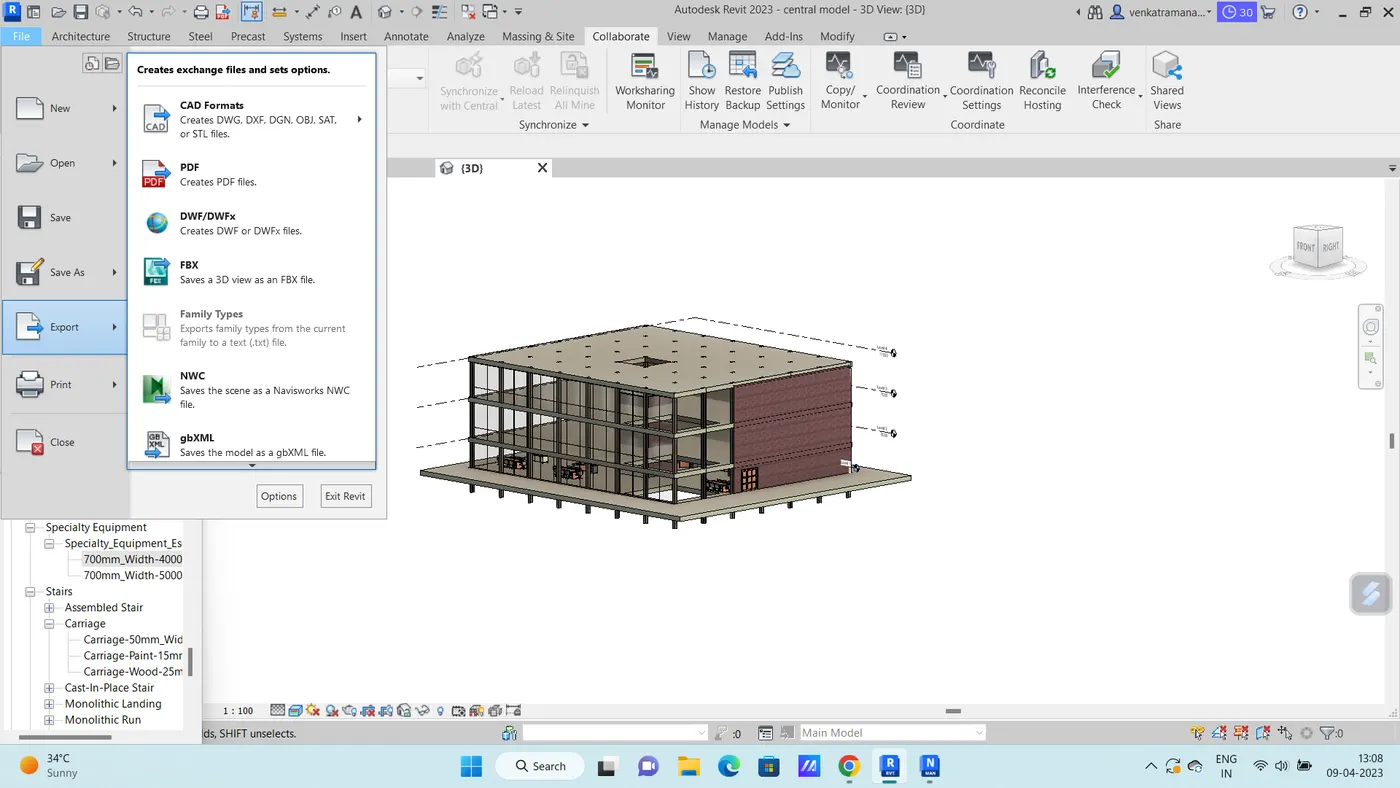
To export the Revit architecture and structure model created in week 6 challenge to Navisworks Cache file following the export settings.
Procedure:
- Initially Open the Autodesk account and download the Naviswork Manage software.
- Now, open the Architectural model created in week 6 challenge in the Revit software.
- Then go to File --> Export --> NWC file.
2.
Aim:
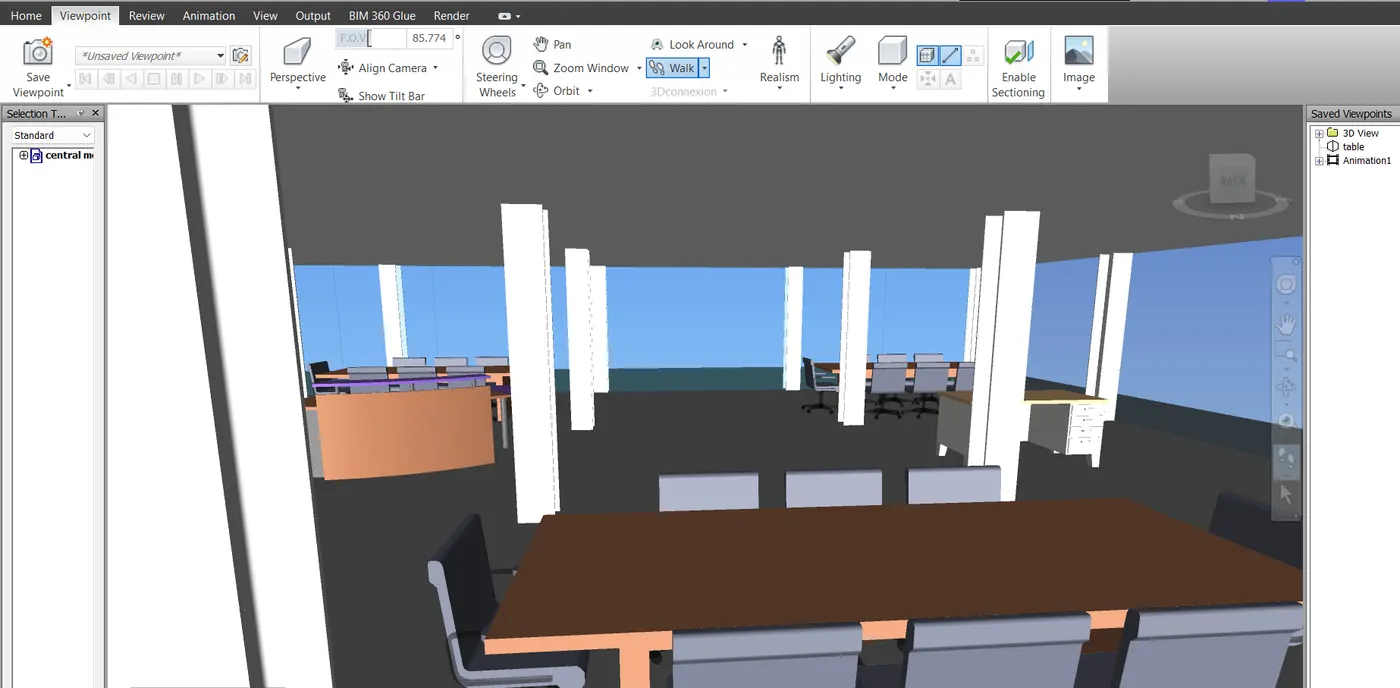
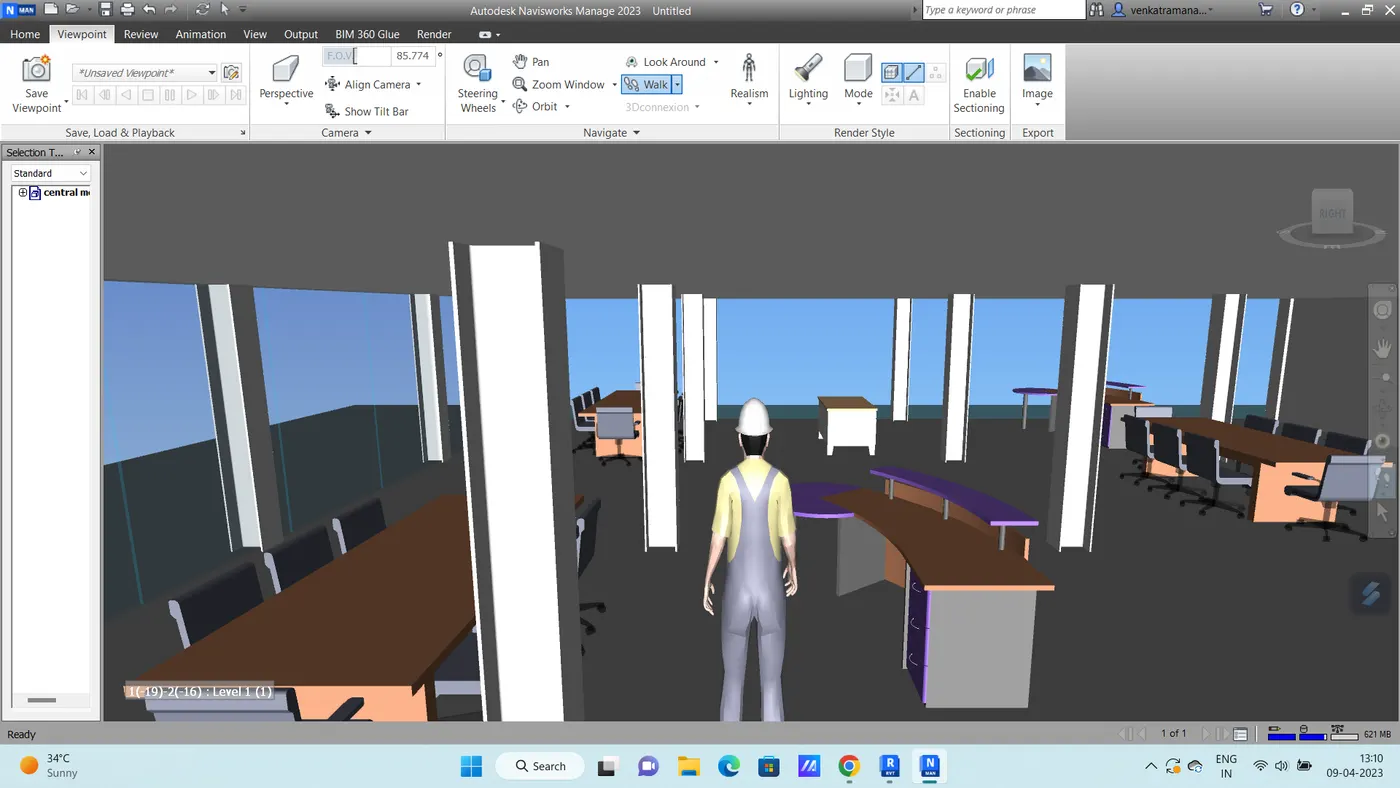
To use navigate tool to walk around the model and walk through the rooms created and record your moving as animation in your Navisworks file.
Procedure:
- Initially open the architecture file in the Naviswork.
3.
Aim:
To use Realism feature to walk through the model and record moving as animation in Navisworks file.
Procedure:
- In the Naviswork software under the Viewport tab go to Realism and in realism choos third person.
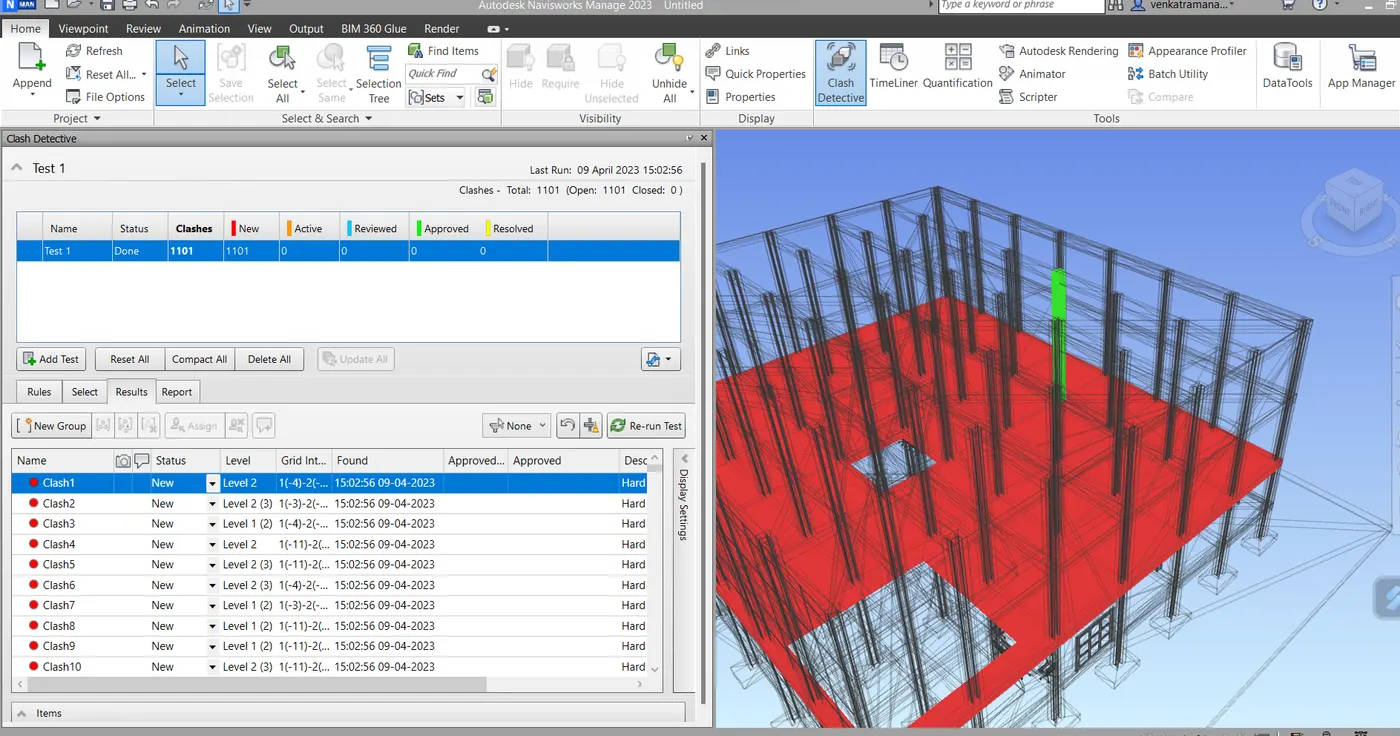
4) Embed both architecture and structure *.nwc file to your Navisworks file. Create a clash detection test between the two models
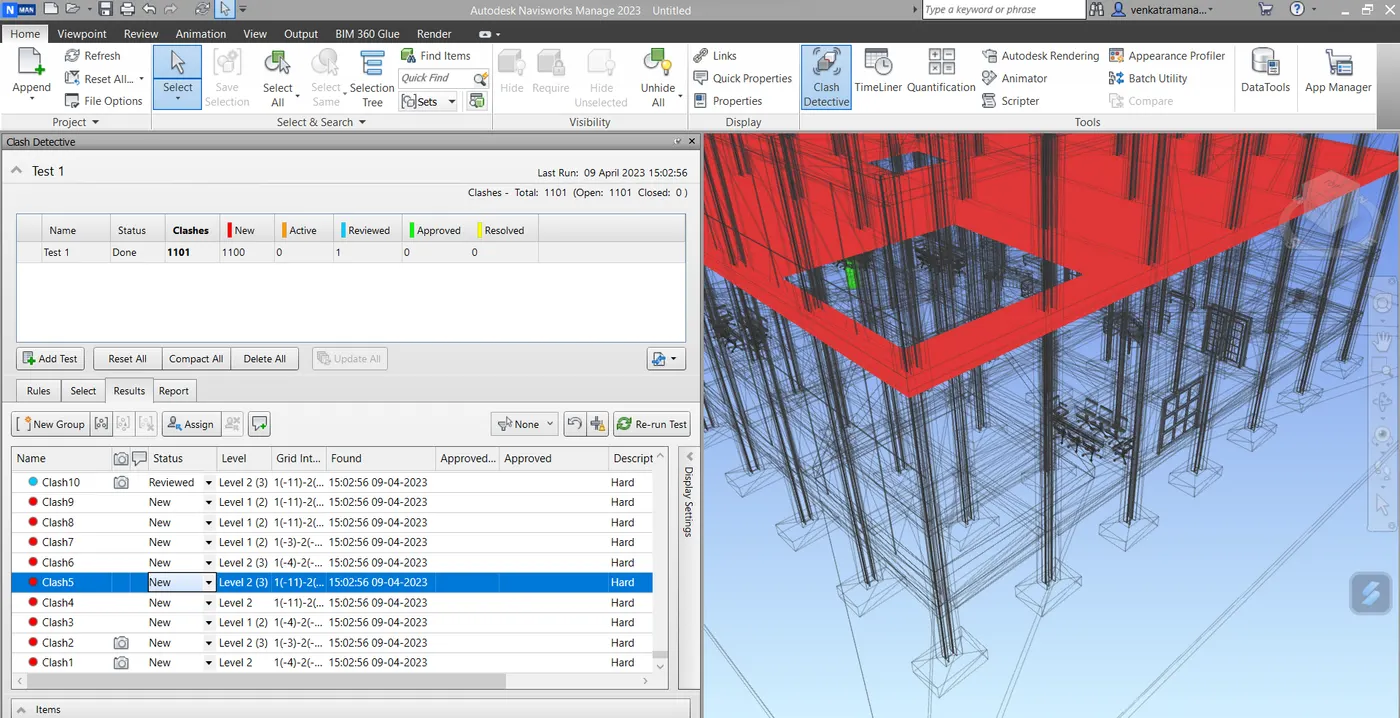
a. Run the Clash Detection Test
b. Study the clashes between the two models
c. List which of the clashes could be approved
d. List which of the clashes could be neglected ( will be taken care later)
e. List which of the clashes can be resolved
f. Save the results after color coding the clashes to the Navisworks file
g. In case of resolution annotate the clash and save the view to defined views in
5. Using the Timeliner feature in Navisworks prepare a schedule for the project developed in week 6 to 8 by adding reasonable assumptions for task start date and end date and simulate the task completion as a visual simulation. Record it and save the timeline simulation to Navisworks file
Aim:
To use the Timeliner feature in Navisworks to prepare a schedule for the project developed in week 6 to 8 by adding reasonable assumptions for task start date and end date and simulate the task completion as a visual simulation.
Procedure:
- Initially open the structural model in the revit.
- Then go to file menu --> Export --> NWC file.