Tool Test-2
Aim:
For the given Intake Manifold component, check for the geometrical errors and mesh the Surfaces with the given 2D element Quality criterias given below.
Objectives:
|
S.No |
Quality Criteria |
Value |
|
1 |
Target/Average length |
3 |
|
2 |
Minimum Length |
1 |
|
3 |
Maximum Length |
5 |
Using the tetra elements to mesh the Volumes defined in the model and check for the below quality after Volume meshing.
|
S.No |
Quality Criteria |
Value |
|
1 |
Tet collapse |
0.2 |
Procedure:
- Import the model to Ansa workbench.
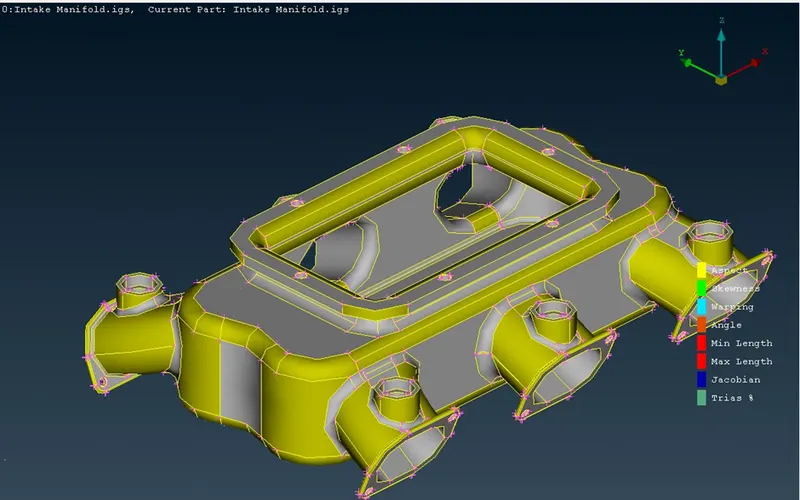
- To check geometry errors and conduct a geometry check.
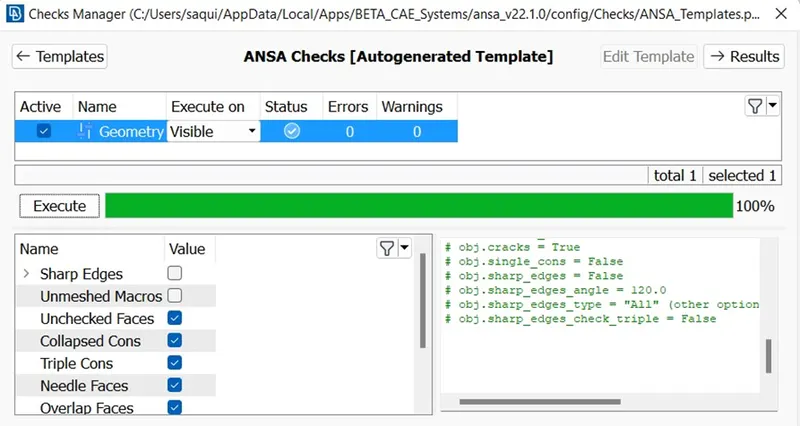
- We do a geometry check on the model shown above by going to tools check> geometry. We get few error.
- We can fix those error automatically using Ansa fix right click and select all click on fix geometry.
- The errors will be gone.
- We need to set perimeter and macro length for the model to check the accuracy of the design.
- We fix the cons using TOPO selecting the model and middle click to clear topology.
- Setting the quality criteria for the model.
- Quality criteria is already given by instructor as given.
Meshing the surface:
- Before meshing we can set new perimeter and macro length to the target length specified to the parameters.
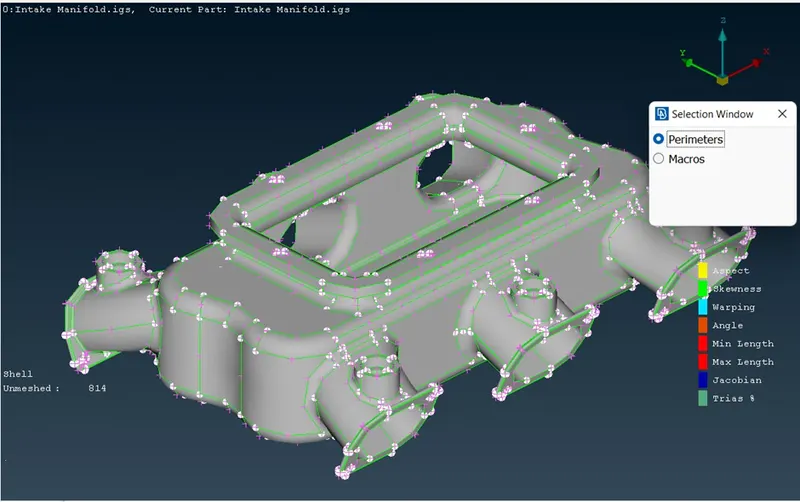
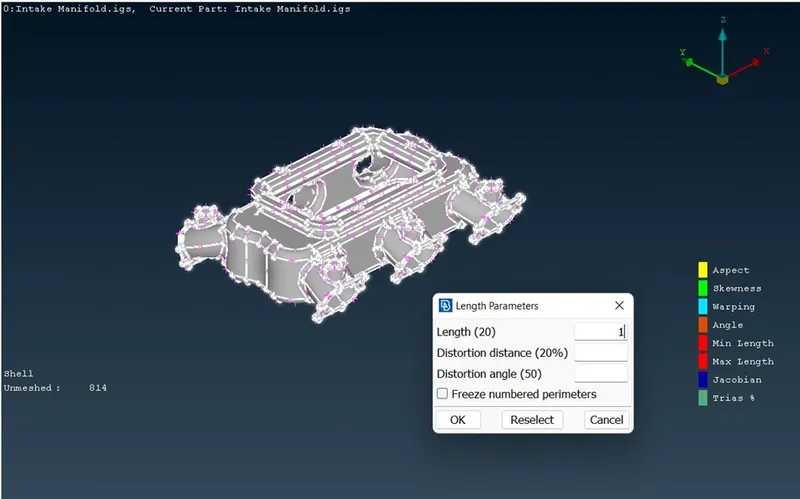
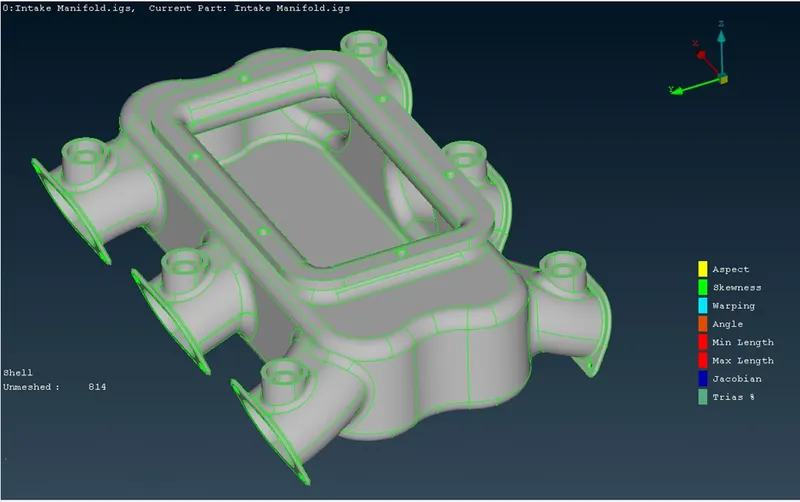
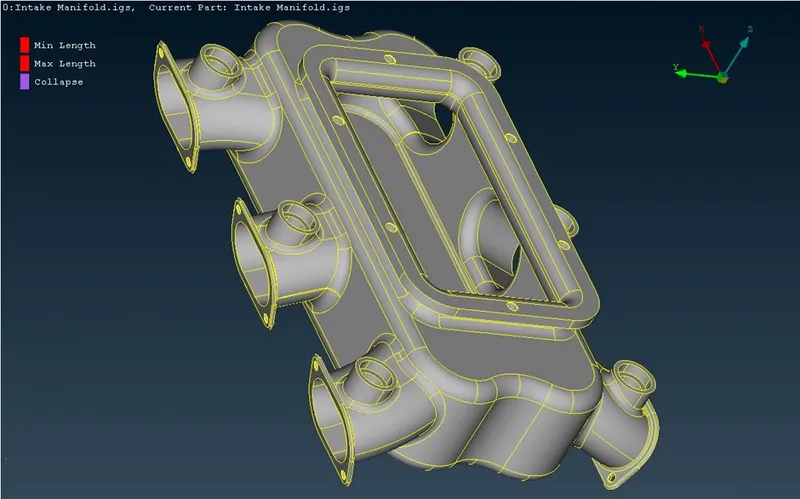
- We do a geometrical check and proceed after fixing the errors the meshing can be done by following Mesh module mesh generation> sopt mesh > select tria or ortho tria mesh is used to curve features and tria mesh is used in less complicated areas.
- We can fix the elements not satisfying the quality criteria by using reconstruct method or by MV free option.
- After clearing all the quality criteria of the element, we can go for volume meshing.
Volume Meshing:
- Now going for the volume meshing we need to define the model using the define option.
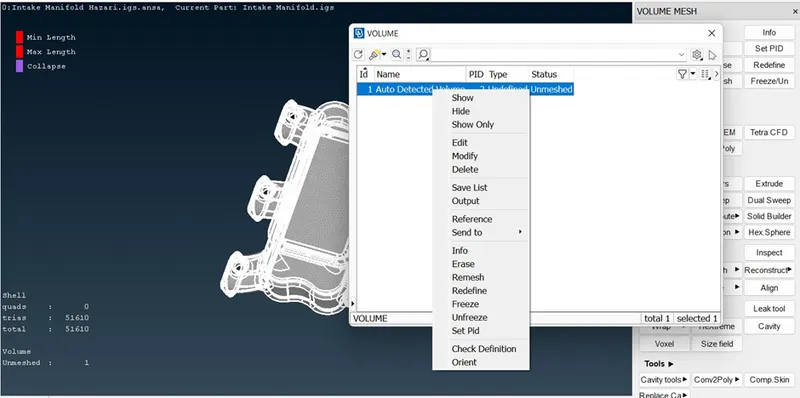
- After defining we can go to list and right click and click remesh option.
- After doing re-mesh we can see the volume is generated in the holo model.
- The model is now Terta meshed Solid.
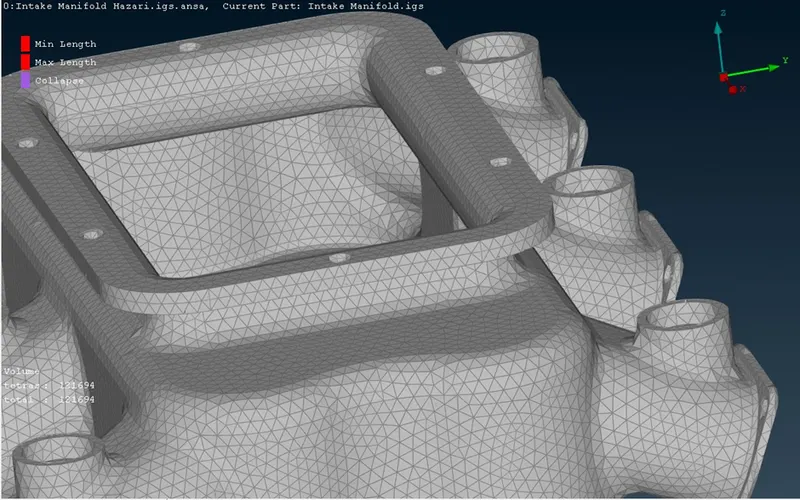
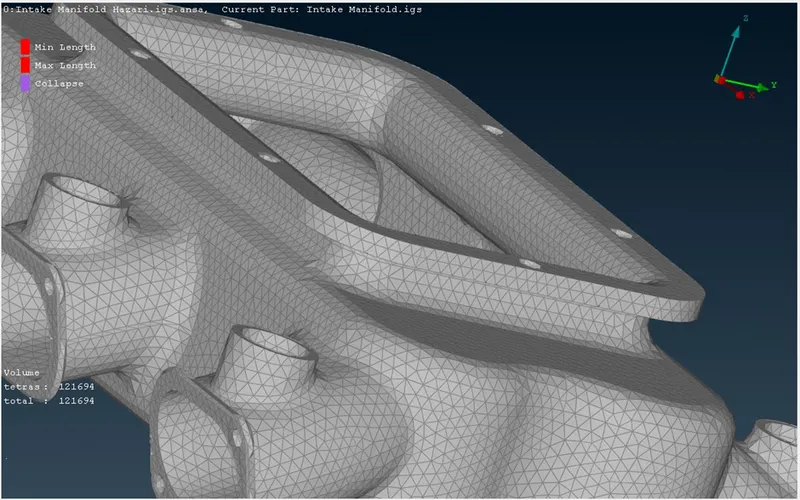
- Using the bound option to see the model clearly.
- We can switch off the CAD and geometry.
- Only volume will appear.
- Now by defining the quality criteria of the SOLID mesh we can see some solids not satisfying the quality test. Those are called tets.
- We can fix the quality by using Fix quality option selecting the solid to be fix and middle click.
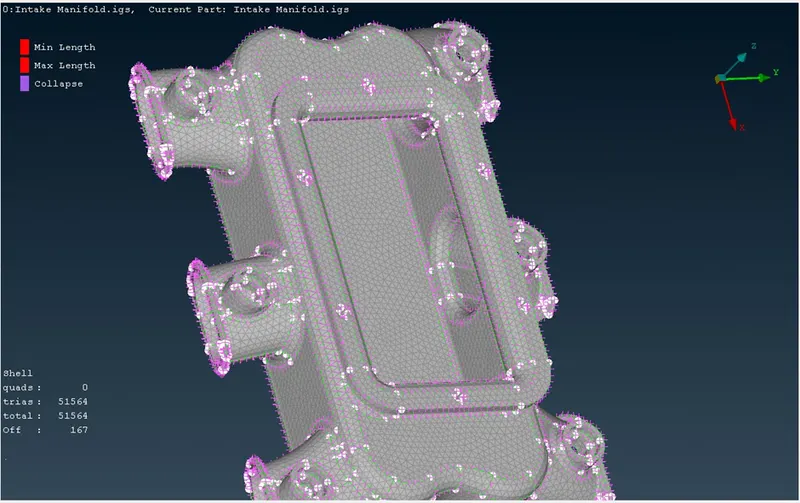
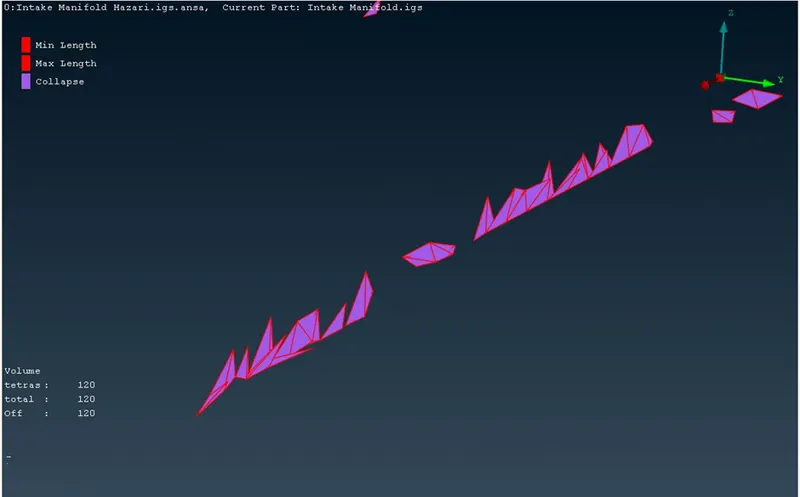
- Or WE can use MV free to fix the surface it’s the best option in which no tets of extended part will be shown.
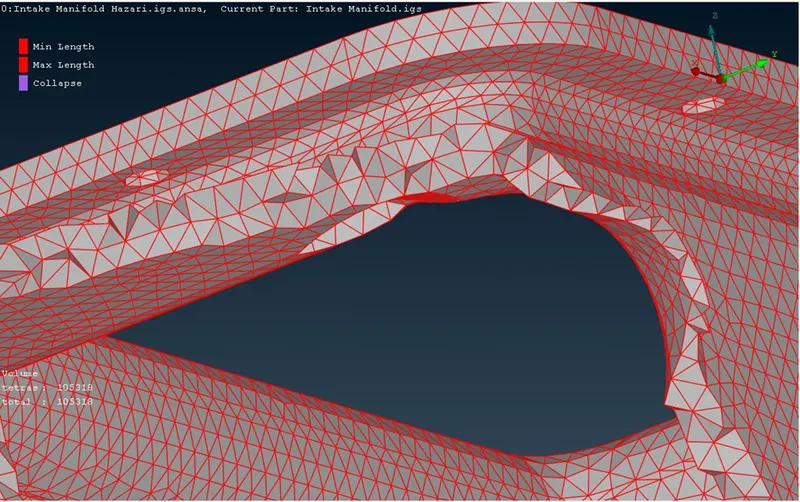
- We used the bound option to bound the solid and take a clear look to our Tetra rapid model.
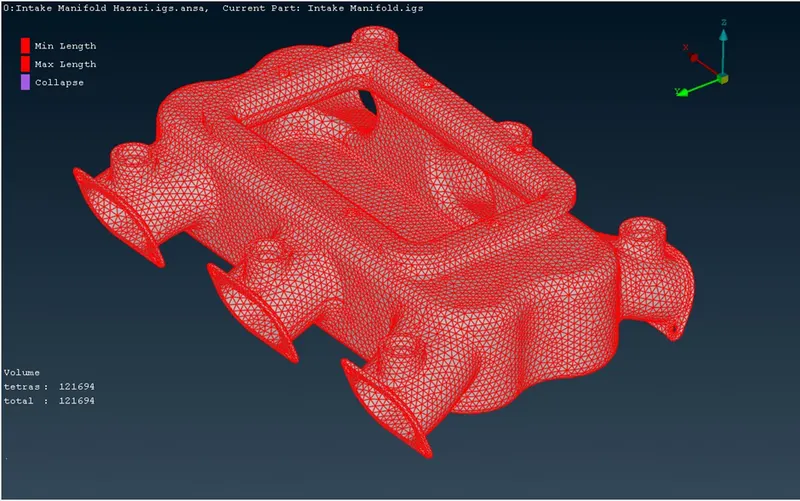
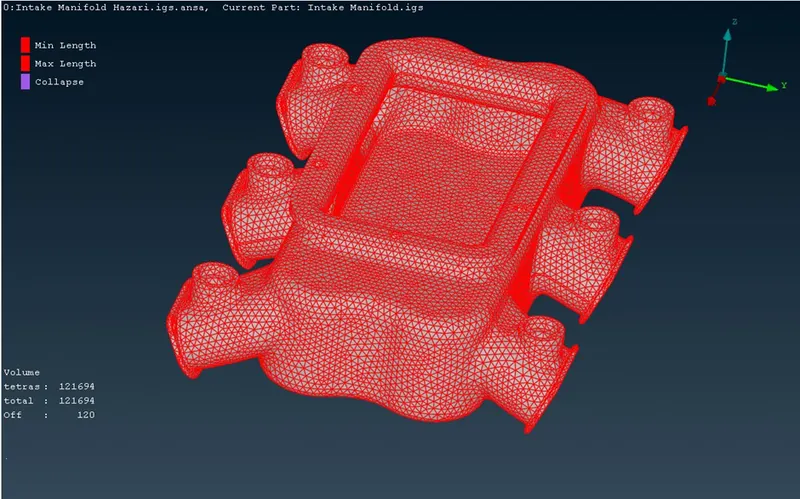
Conclusion:
The geometry check has been run on the intake manifold model and the errors are fixed. The surface mesh has been created and all the OFF elements are solved and fixed. The Volume mesh type tetra Rapid has been run on the volume of the model and all the failing elements have been fixed and solved. The model satisfied all the mesh parameters and the quality criteria.