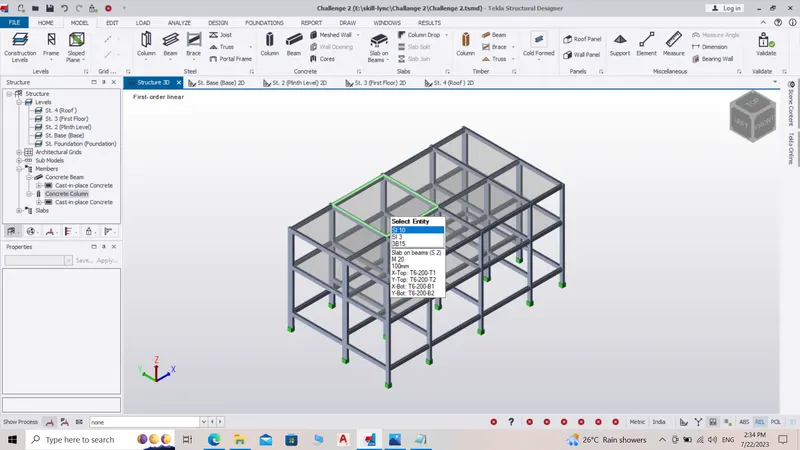
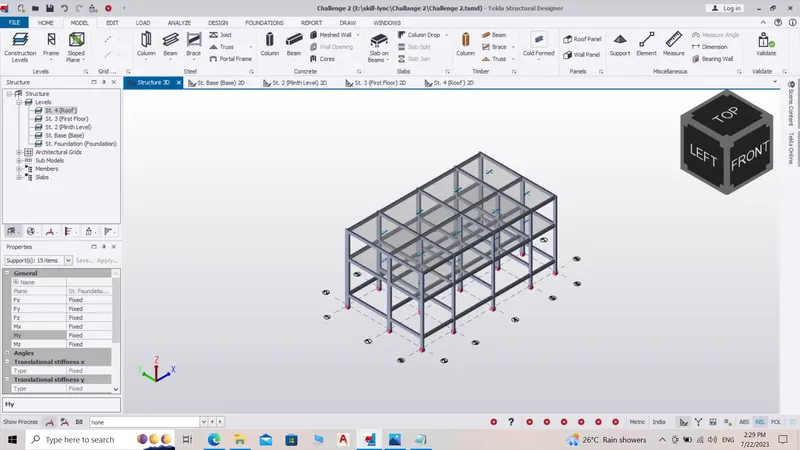
To Model a RC residential structure using TSD
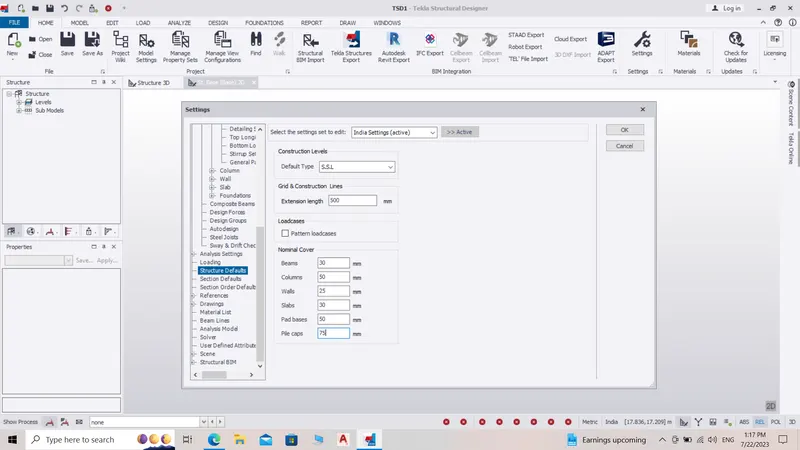
1. Setup model for RC building design and based on following parameters for cover :-
Step :-
1) Open project file -
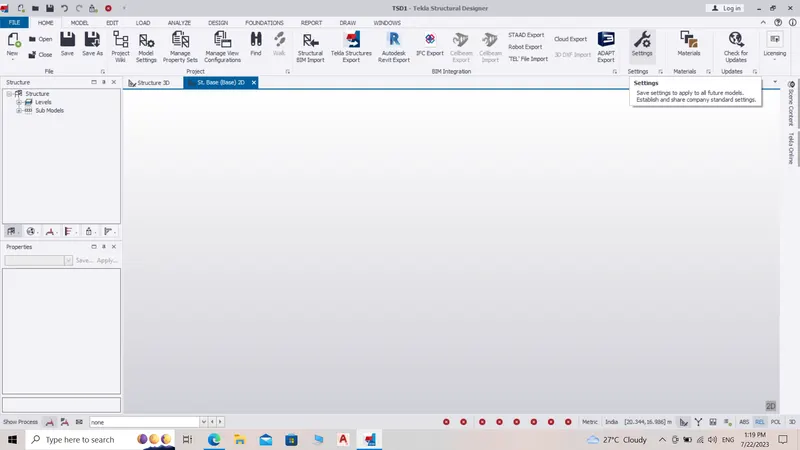
2) Click on home and go to setting -
3) Click on structure defaults, Change the default covers and click ok :-
2. Model grids as per the attachment 2,2.1 and 2.2 :-
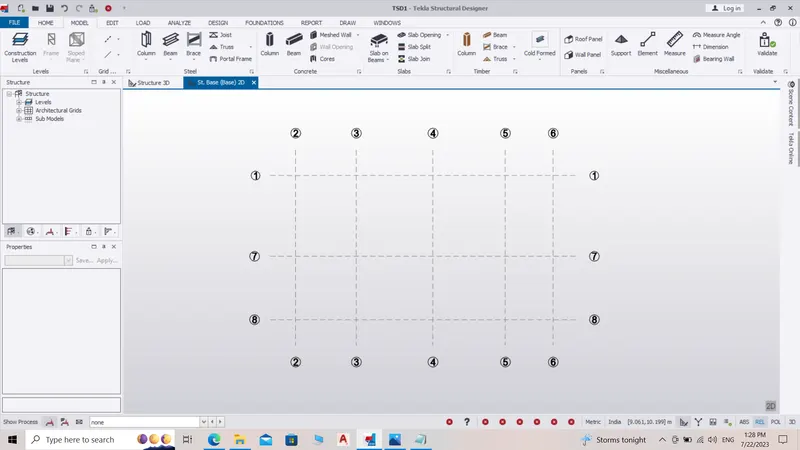
3. Study the layout and write a summary for general arrangement of the structure :-
Columns must be placed after thoroly studing the plan, following factors must be considered while finalizing the position of columns -
a) Center to center distance between 2 columns.
b) Span of beam.
c) Dimensions of column.
d) Architectural asthetics of the room or building.
4. Model RC columns, beams and slabs as per your general arrangement :-
Steps : -
a) Setup levels for building.
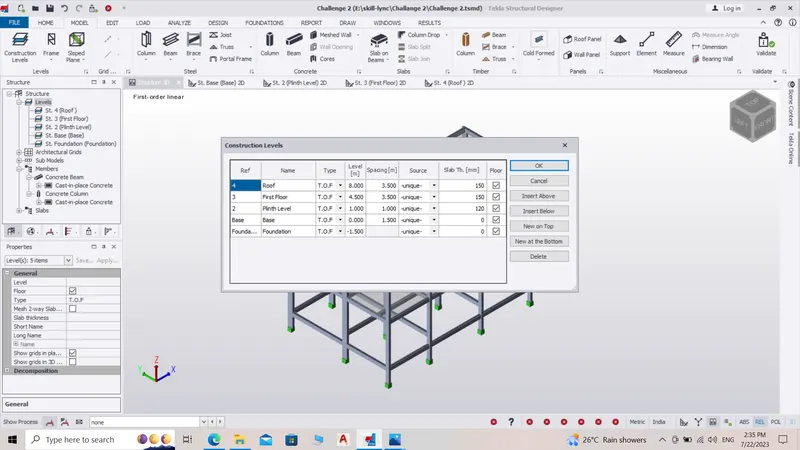
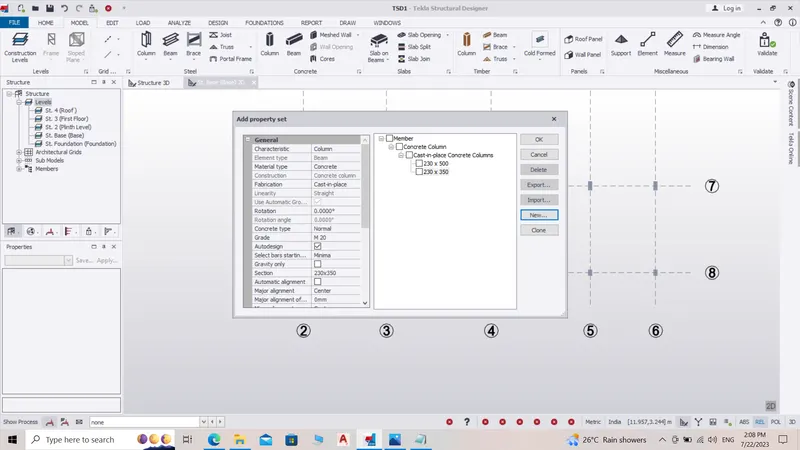
b) Create property set for columns and plant them.
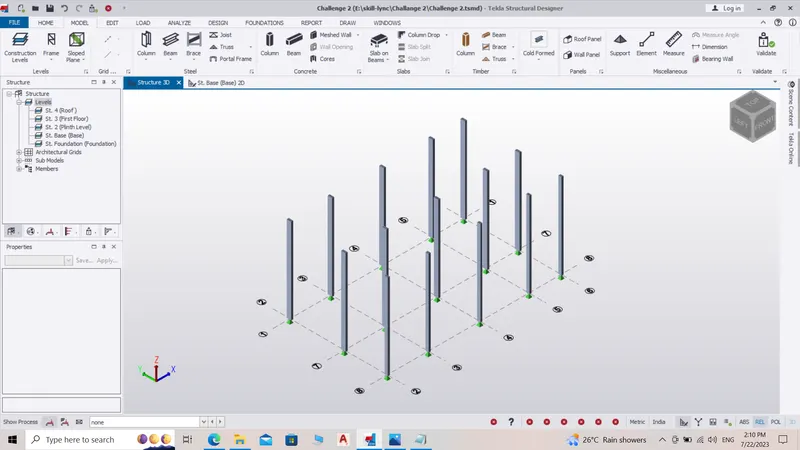
c) Create property set for beams and plant them.
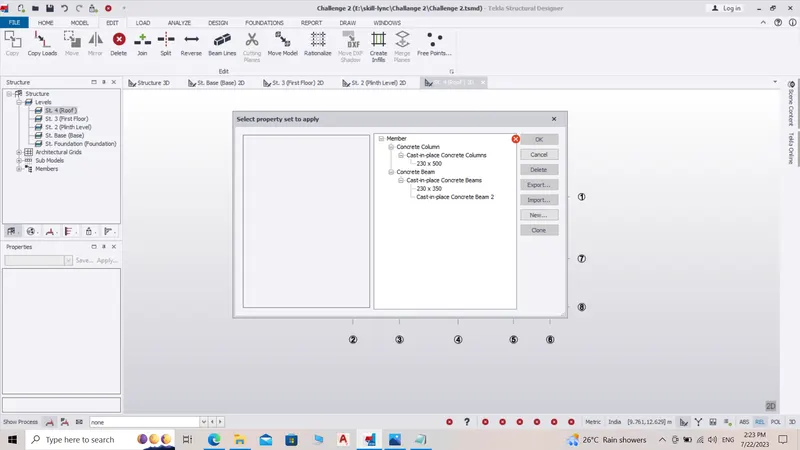
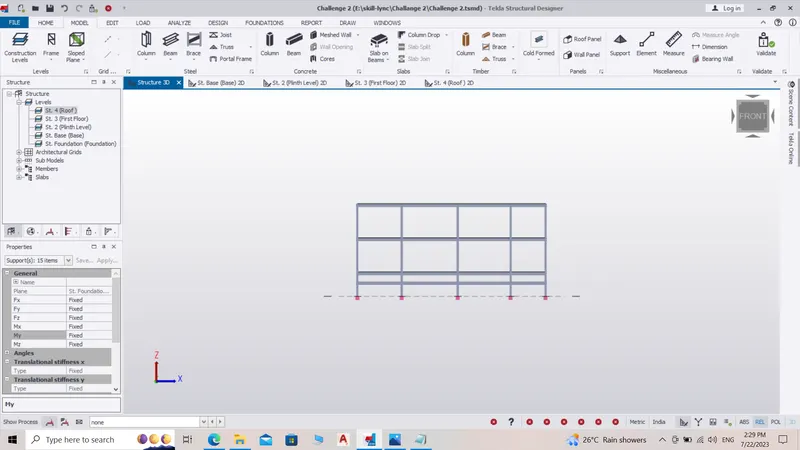
c) Create property set for slab and plant them.