To Design RC column and beam for RC residential structure using TSD
Question.Based on the analysis design RC column and beam.
Solution:
AIM: To design the RC column and beam in the TSD software.
PROCEDURE:
- The very first step in order to design the RC column and beam first we need to open the previous assignment.
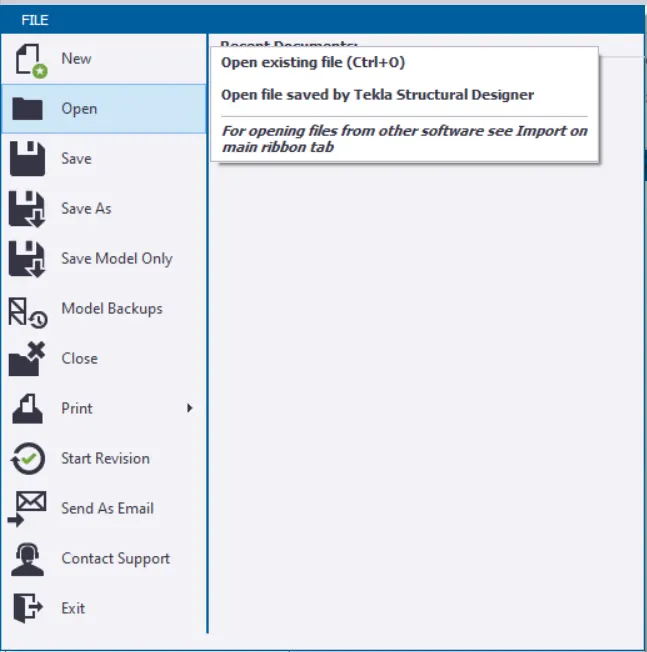
- And in order to open the file go to the File tab click on that tab then there will be a drop-down list and in that list there will be an option named as the Open just click on that option just as shown in the below given image:
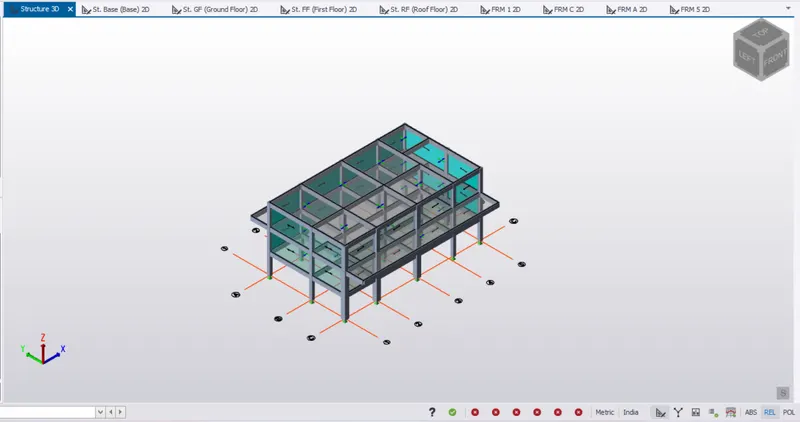
- Open the previous assignment just as shown in the below given image:
Column Design:
- First of all we will be designing the columns in the TSD software.
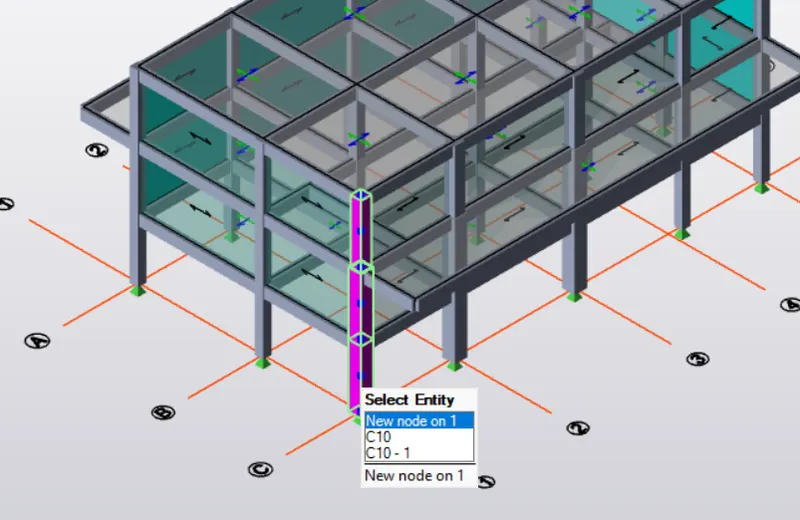
- In order to design the column, first select column which we are going to design. So select the column as shown in the below given image:
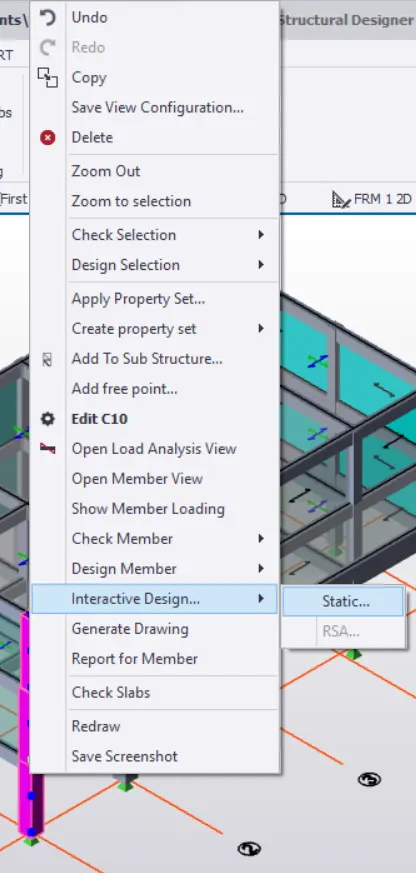
- After that right -click, after that there will be a drop-down list and in that list there will be an option named as the Interactive Design just click on that option after that there will be another drop-down list and in that list there will be an option named as the Static click on that option just as shown in the below given image:
- Now there will be a dialouge box named as the Interactive column design.
- In that dialouge box, as we can see there are multiple errors in the column design, so first of all let's resolve those errors first just as shown in the below given image:
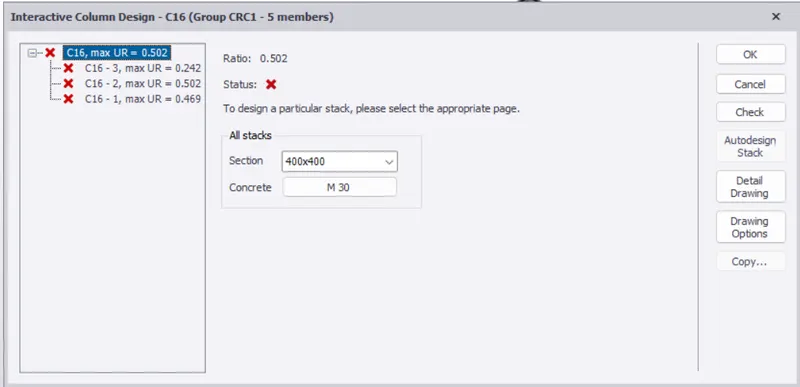
- Now select the column which we want to design then there will be another dialouge box named as the Column Interactive Design as we can see below:
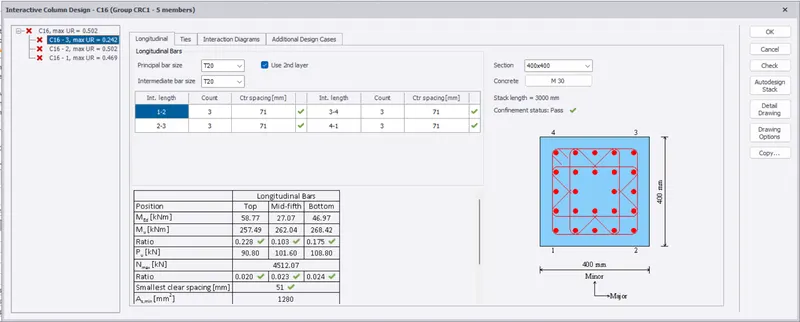
- In that dialouge box there will be an option Longitudinal in that space check whether there are any errors or not if yes then resolve them after checking the section of the column or the longitudinal bars etc.
- Now after resolving the errors we can see in the below image that the errors in the Column (C16-3) there are no errors just as we can see in the below given image:
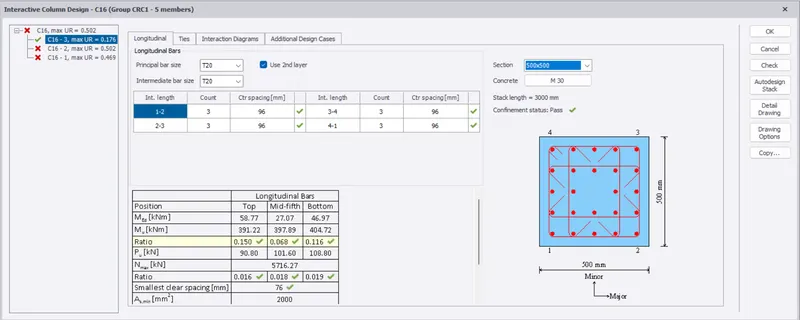
- In the similar manner, resolve all the errors in the other columns also.
- In the below image we can see that there are no further errors in the remaining columns:
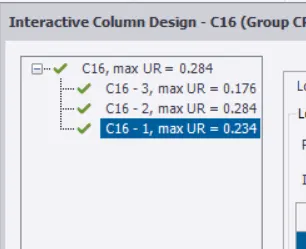
- Now do the same procedure in order to design the other RC columns.
- Next we will be designing the RC beams.
RC Beam Design:
- The very first step in order to design the RC column and beam first we need to open the previous assignment.
- And in order to open the file go to the File tab click on that tab then there will be a drop-down list and in that list there will be an option named as the Open just click on that option just as shown in the below given image:
- Open the previous assignment just as shown in the below given image:
Beam Design:
- Next we will be designing the beam in the TSD software.
- In order to design the beam, first select beam which we are going to design. So select the beam as shown in the below given image:
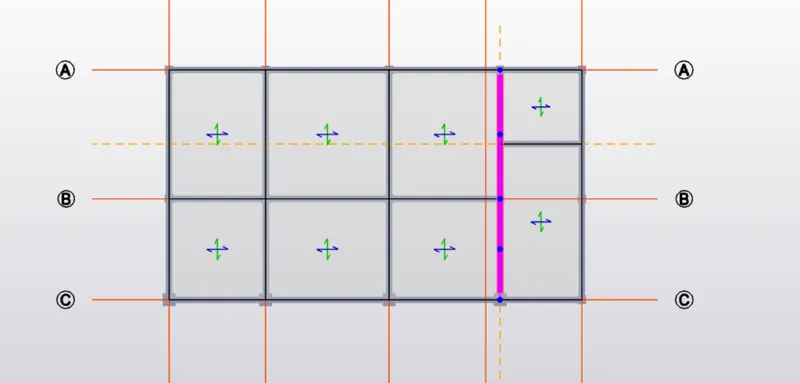
- After that right -click, after that there will be a drop-down list and in that list there will be an option named as the Interactive Design just click on that option after that there will be another drop-down list and in that list there will be an option named as the Static click on that option just as shown in the below given image:
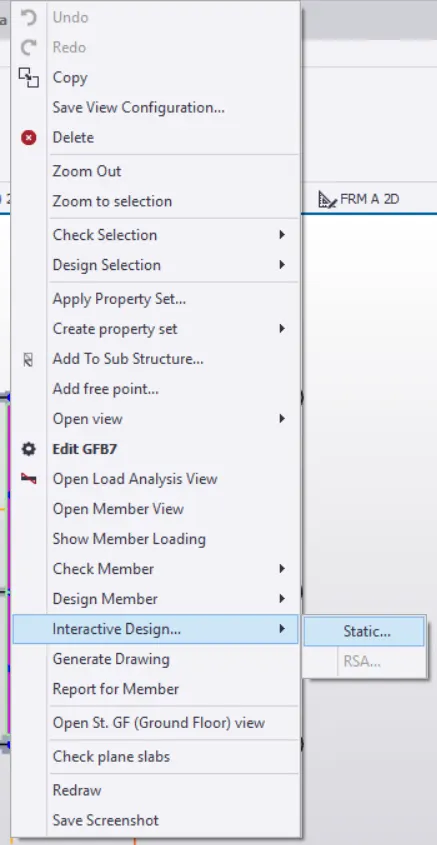
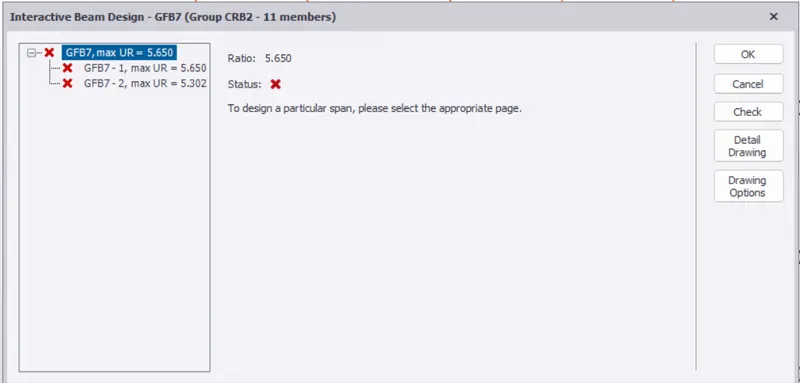
- Now there will be a dialouge box named as the Interactive beam design.
- In that dialouge box, as we can see there are multiple errors in the beam design, so first of all let's resolve those errors first just as shown in the below given image:
- Now select the beam which we want to design then there will be another dialouge box named as the Interactive Beam Design as we can see below:
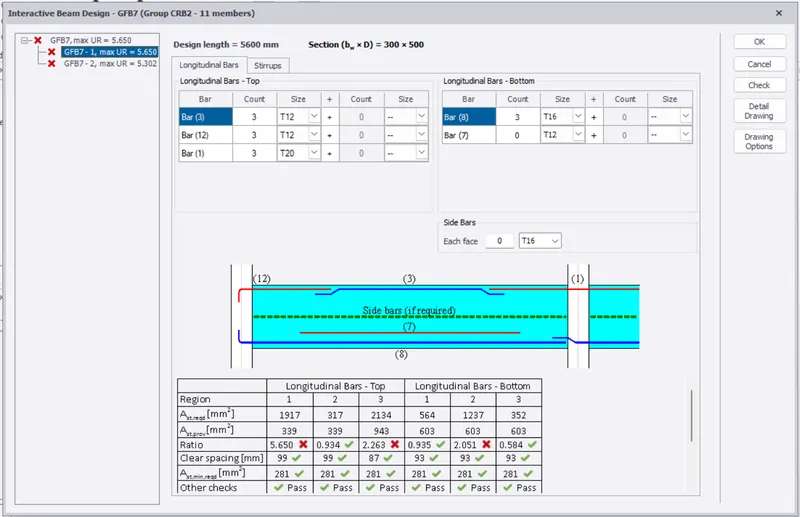
- In that dialouge box there will be an option Longitudinal in that space check whether there are any errors or not if yes then resolve them after checking the section of the beam or the longitudinal bars etc.
- Now after resolving the errors we can see in the below image that the errors in the Beam (GFB7) there are no errors just as we can see in the below given image:
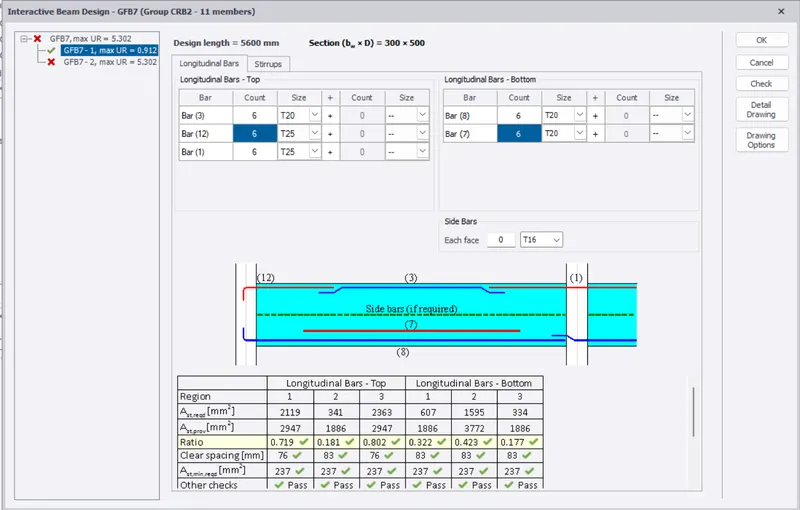
- In the similar manner, resolve all the errors in the other beams also.
- In the below image we can see that there are no further errors in the remaining beams of that group:
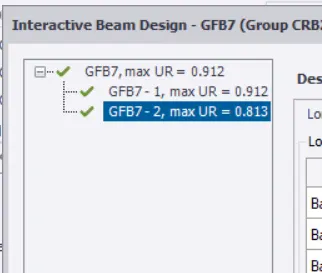
- Now do the same procedure in order to design the other RC beams.