Structural analysis of a buidling using Robot Structural Analysis
1) What are HVAC systems? Why are they essential in the modeling of buildings.
- HVAC Systems:
HVAC stands for Heating, Ventilation, and Air Conditioning. HVAC refers to the different systems used for moving air between indoor and outdoor areas, along with heating and cooling both residential and commercial buildings
This system is responsible for heating and cooling your home and includes products like furnaces, air conditioners, heat pumps as well as ductwork, thermostats and other home comfort controls.
- Here are the some of the top reasons why buisness owners opt to have relisble HVAC system in place for their office building,
Basically, HVAC means the various systems and types used for moving air between different indoor and outdoor spaces. In addition to that, HVAC also offers heating and cooling in both residential and commercial buildings. HVAC systems ensure the air quality of a building.
The main purposes of a Heating, Ventilation and Air-Conditioning (HVAC) system are to help maintain good indoor air quality through adequate ventilation with filtration and provide thermal comfort. HVAC systems are among the largest energy consumers in schools.
- HVAC systems control the overall climate in the building. They also make the proper adjustments whenever we experience changes in outdoor temperature. During the winter season, the HVAC systems (mainly the boilers or heaters) work to keep the indoor temperature at a comfortable level. In hotter times of the season, the HVAC systems regulate air temperature by providing the necessary cooling to keep the entire building comfortable.
- Having a comfortable office climate increases the level of productivity and increases morale amongst the workers and employees. If you let your people work in settings conducive for work, they will surely be motivated to perform better because they feel good in their work environment. No employee will enjoy working in an office where it is freezing, or in an office where you frequently have to ignore your perspiration just to focus on your computer screen. Having a proper HVAC system installed is guaranteed to make your employees happy, hence, giving you better work results in return.
- HVAC systems not only regulate the temperature inside the building, they also improve the quality of air. The quality of air pertains to humidity, and a typical HVAC system will reduce the amount of humidity in the air so your workers and employees can continue enjoying a cozy and pleasant atmosphere at work.
- Proper HVAC systems are a worthy investment for any business or building owner because it gives you energy savings. HVAC systems today are automated, which means you no longer have to manually adjust the temperature settings or the time settings of each machine. Given that your entire HVAC system operates in an automated system, proper adjustments will be made right when they are needed. This makes your energy consumption more efficient as it gets rid of energy wasted on improper settings.
Automated HVAC systems can also tell when your workers or employees are no longer in the building. It will then automatically decrease the amount of energy used to maintain proper indoor temperatures.
- Another important contribution HVAC systems have on the workplace is that it is believed to also lower the attrition rate of employees. Studies on corporate workplace behavior and employee motivations suggest that workers are more enticed to keep coming to work if their office is properly cooled and/or heated. Having the proper temperature at work is seen to be one of the most understated factors for building a solid team at work.
2) From week 7 assignment, based on the building designed use the same Revit file to design a HVAC system for each floor to cover the topics included in the class.
a. Typical HVAC unit includes Distribution center
b. Collector
c. Ducts
d. Blower
Based on the layout choose appropriate ducts and elevation using property browser and assign the components to appropriate groups to complete modeling of the HVAC unit.
AIM :
To Design HVAC system for each floor based on the building designed,
INTRODUCTION :
HVAC stands for Heating, Ventilation, and Air Conditioning. HVAC refers to the different systems used for moving air between indoor and outdoor areas, along with heating and cooling both residential and commercial buildings
This system provides heating and cooling to residential and commercial buildings. You can find HVAC systems anywhere from single-family homes to submarines where they provide the means for environmental comfort.
PROCEDURE :
STEP 1:
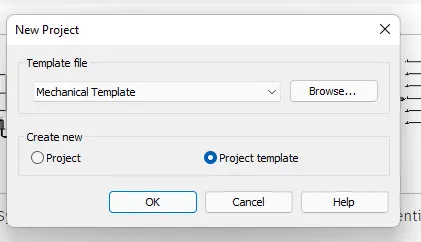
- First we open the new project with the mechanical template as shown in below
STEP 2:
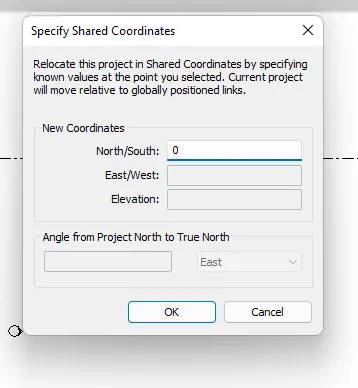
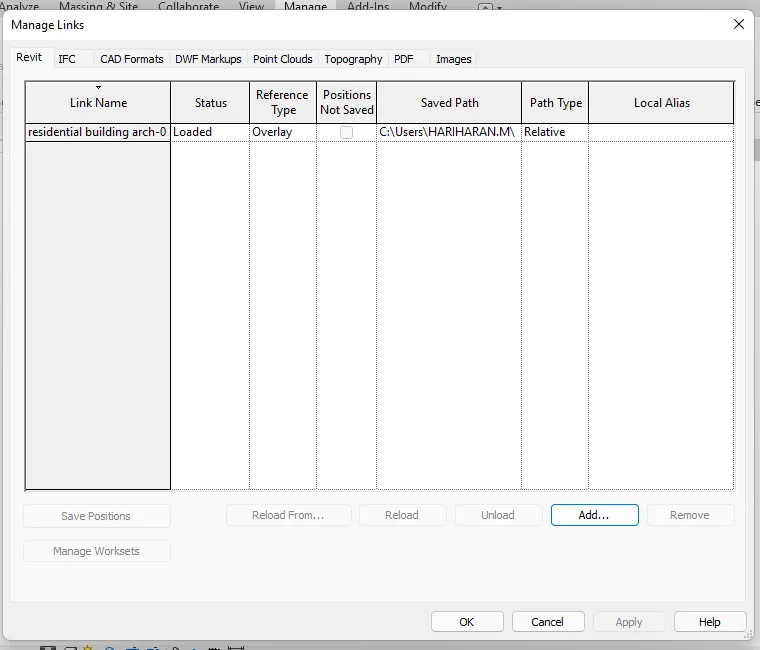
- After opening the new project , we use manage link toolbar to link previous project in the new project as shown below,
- Next the previous project is linked to the mechanical project.
STEP 3:
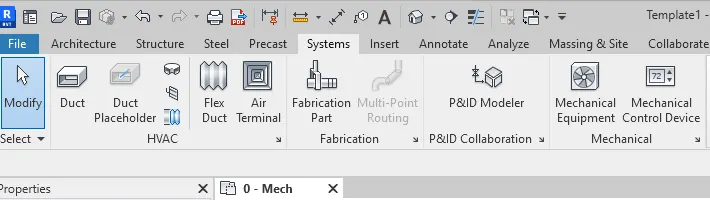
- Next we provide air terminals and the mechanical equipment in the building , as shown below
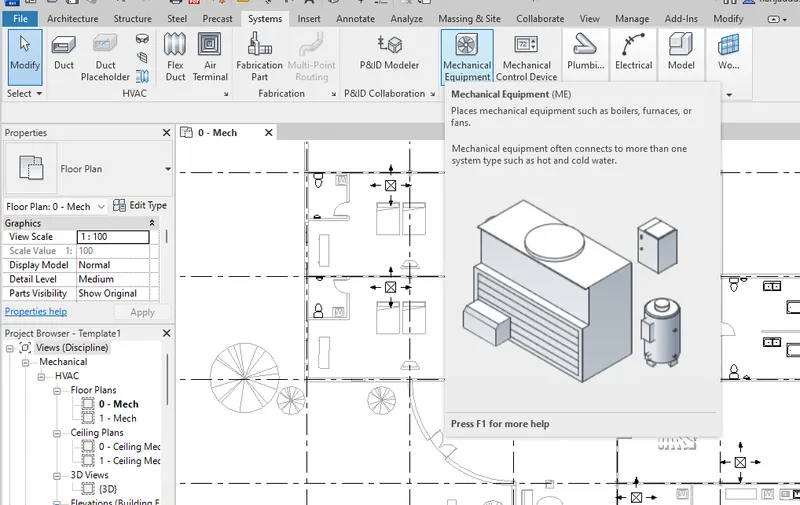
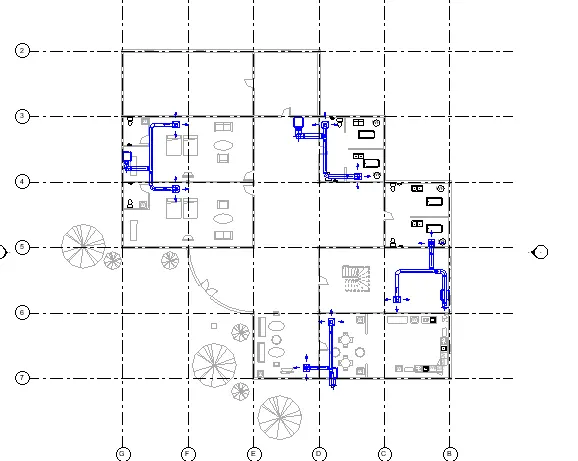
STEP 4:
- Next we turn into the 3dimensional model , as shown below
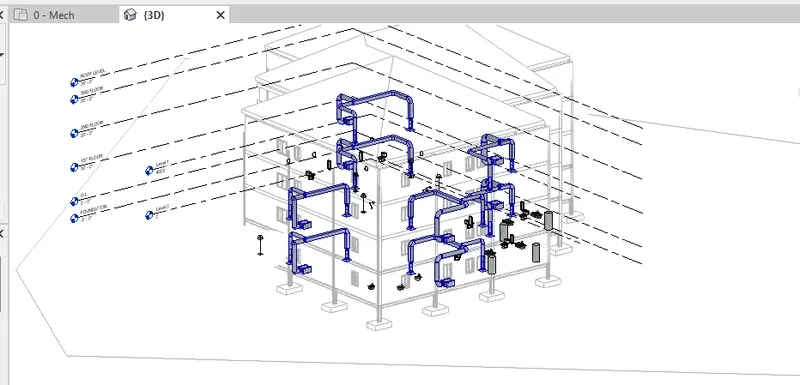
RESULT :
HVAC System has been suceesfully designed for each floor based on building design,
3) Use the add-ins tab to load plug-ins for robot structural analysis to your Revit software
AIM :
To Load plug-ins for robot structural anlysis for revit sofware using the add -ins tab
INTRODUCTION :
Robot Structural Analysis Professional is structural load analysis software that verifies code compliance and uses BIM-integrated workflows to exchange data with Revit. It can help you to create more resilient, constructible designs that are accurate, co-ordinated and connected to BIM
PROCEDURE :
STEP 1:
- First we click on the auto desk app store , as shown below
- after clicking this , the autodesk store website will be opened
- Next download the structrural analysis toolkit 2019 from the auto desk appstore
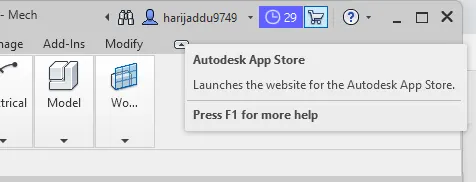
STEP 2:
- After installing structural anlysis toollkit, open the revit sofware
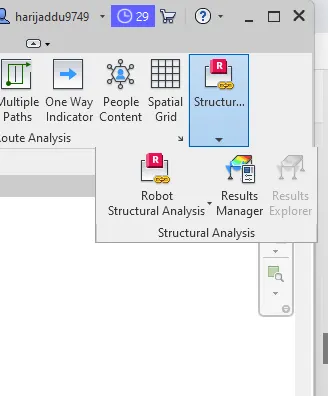
- Then open the analyze tool bar , The robot structural analysis options will appears @ the right side corner as shown below
RESULT :
The Robot structural analysis is successfully installed from the Auto desk app store.
4) Why do we need to assess buildings/analyze while modeling elements? Does design affect modeling in anyways?
Structural analysis is the determination of the effects of loads on physical structures and their components. Structures subject to this type of analysis include all that must withstand loads, such as buildings, bridges, aircraft and ships.
Building analysis starts with an on-site inspection carried out by our building specialists. This records the age, construction and condition of structural components, and establishes their remaining life span and likelihood of failure
- Equilibrium of the Structure.
- Compatibility of the Structure.
- Force Displacement Requirements
Structural analysis is defined as the prediction of structures' behavior when subjected to specified arbitrary external loads. Types of structures: Structural members can be classified as beams, columns and tension structures, frames, and trusses.
Structural Analysis is particularly important for structural engineers to ensure they completely understand the load paths and the impacts the loads have on their engineering design.
Provides Analysis of the Structure
Civil engineers are required to perform a thorough and detailed analysis of the structure with respect to the principles of the structural design. This helps to ensure that the new structure meets up all the necessary safety criteria and design codes
The design model is an abstraction of the implementation of the system. It is used to conceive as well as document the design of the software system. It is a comprehensive, composite artifact encompassing all design classes, subsystems, packages, collaborations, and the relationships between them.
5) From the structural model developed in week 6 and 7, export the complete analytical model to robot structural analysis.
a. List your assumptions on what boundary conditions will be realistic for the analysis approach
b. Use the design standards to decide what loads must be applied to floorings based on the type of structure decided
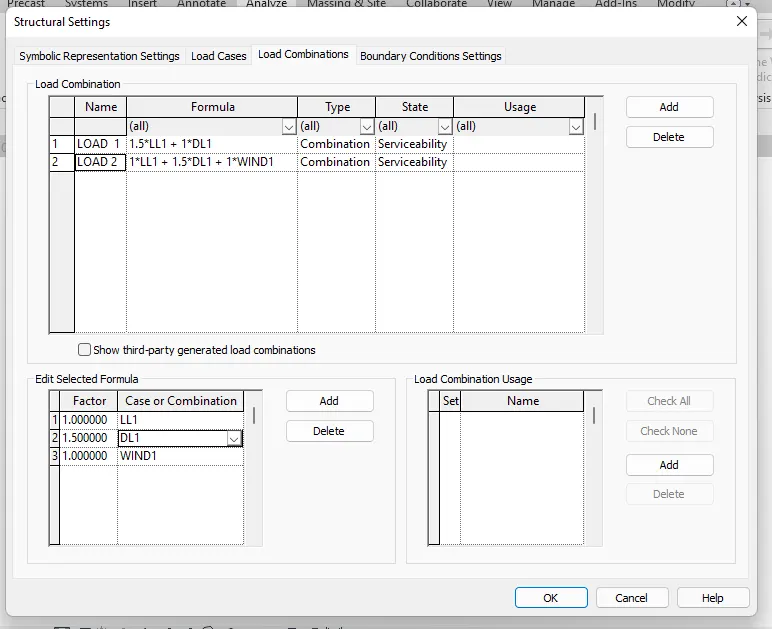
c. List the load combinations and include them in the analysis model
d. Analyze the building and report the following results
i. Maximum Moment in each floor for all Load Combinations
ii. Maximum Displacement in each floor for all Load combinations
iii. Lateral Displacement in building for all Lateral Load combinations
e. After analysis, do you think you have a better approach or idea in modeling structural members?
AIM :
To export the complete analytical model to robot structural analysis from the structural model developed in week 6 & 7
INTRODUCTION :
Robot Structural Analysis Professional is structural load analysis software that verifies code compliance and uses BIM-integrated workflows to exchange data with Revit. It can help you to create more resilient, constructible designs that are accurate, co-ordinated and connected to BIM
PROCEDURE :
STEP 1:
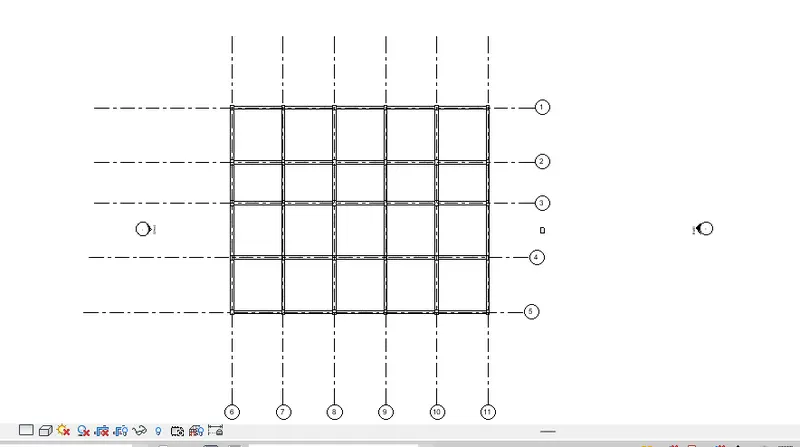
- First we have to opened the structural model
- Next we opened the structural settings in the manage tool bar , as shown below
STEP 2:
- Next we add the boundary conditions to the anlytical model , as shown in the below fig.
- Next we apply the loads to the analytical model using the load option in the analyze tool bar , as shown below.
STEP 3:
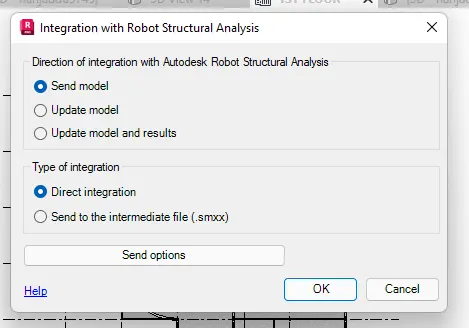
- Next we have to export to the compete analytical model to the robot structural anlysis using the robot structural analysis option in the analyze tool bar , as shown in the below fig.
STEP 4:
- After selecting the robot structural analysis option the new tab will be visible and click on the ok button as shown in the below fig,
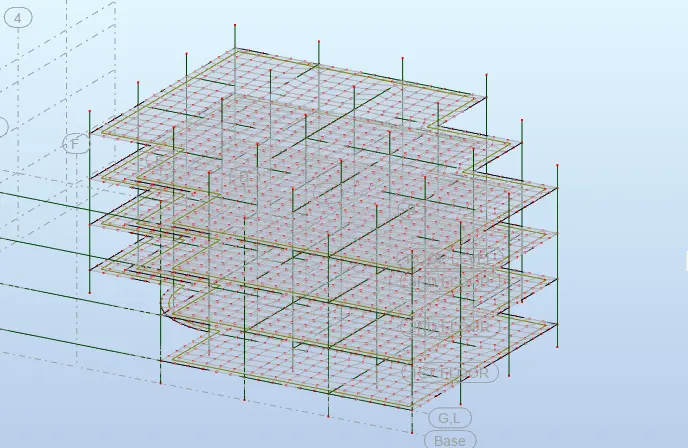
STEP 5:
- Here there is an error of exporting analytical model to robot structural analysis as shown below,
- now i can't able to export analytical model to the robot strutural analyzis
- and the result manager is also getting an error , as shown in the below fig.
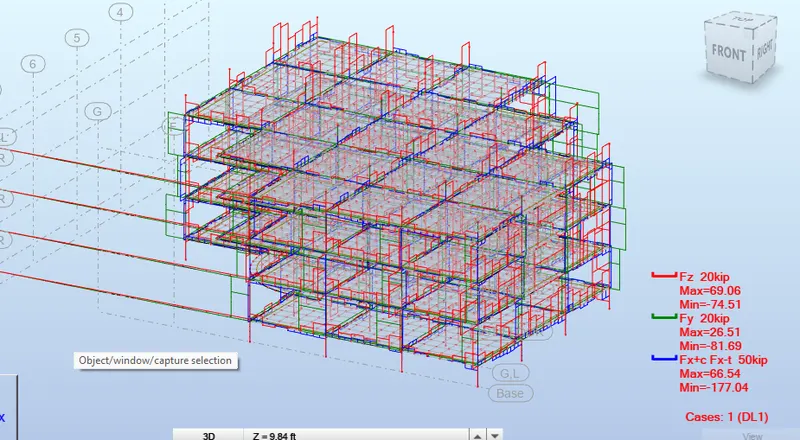
RESULT :
6) What is energy analysis and why do we need to consider it while modeling in Revit?
How does the factor of sustainability improve the quality of your design?
Energy analysis:
Use Revit models with Insight to analyze the energy performance of your designs. With energy optimization techniques, you can analyze your Revit model as you work on the design. The earlier you use optimization techniques, the more impact you can have on the overall energy performance.
Whether used for new construction or major renovations, energy modeling gives building owners a good indication of how a building will perform, and how they can improve operations
Perform energy analysis on the building design through all stages, from the earliest conceptual phase through detailed design, to ensure that you are constantly working towards the most energy efficient building possible
Energy simulation can help you analyze the movement of energy in, out, and through the rooms and volumes in a building model. This information can help designers make better informed, cost-effective decisions that improve the performance and reduce the environmental impact of buildings.
Whole building energy simulation measures expected energy use (fuel and electricity) based on the building's geometry, climate, building type, envelope properties, and active systems (HVAC & Lighting). It takes into account the interdependencies of the building as a whole system.
To perform whole building energy simulation for your Revit models, use Energy Analysis for Autodesk® Revit®. This add-in connects the design power of Revit to the analysis power of Autodesk Green Building Studio.
Green Building Studio is Autodesk's core whole building energy simulation engine. This flexible cloud-based service uses the DOE2 simulation engine. It allows you to run building performance simulations to optimize energy efficiency and to work toward carbon neutrality earlier in the design process. Green Building Studio helps extend your ability to design high performance buildings at a fraction of the time and cost of conventional methods.
Use Energy Analysis for Autodesk® Revit® to perform energy simulation for conceptual forms and detailed architectural models created in Revit. Use the simulation results to understand building energy use. Then iterate the designs to improve their sustainability ratings.
The energy model created from the Revit building model can be displayed in Revit, so you can view and validate the energy model used for analysis. The energy model can also be exported to third-party applications for further analysis in a variety of common formats: gbXML, DOE2, and EnergyPlus.
Rapid urbanization has resulted in exploitation of the available energy resources. Greenhouse emissions due to the maximum usage of the mechanical system for active cooling of the building has created greater impact on our fragile ecosystem. This was an eye-opening situation for people all around the world, thus promoting energy-efficient solutions for the buildings. Envelope systems pose a great scope to reduce the energy consumption and consequently improve building efficiency. It is not yet known in what way building envelope design measures are to be selected and the performance in hot and humid climates.
Sustainable design seeks to reduce negative impacts on the environment, and the health and comfort of building occupants, thereby improving building performance. The basic objectives of sustainability are to reduce consumption of non-renewable resources, minimize waste, and create healthy, productive environments.