Drafting of various geometries using Chamfer, Fillet tool in AutoCad
AIM:
To draw drafting of various geometries using chamfer, fillet tool in autocad
commands used :
- line
- circlr
- chamfer
- fillet
- mirror
- trim
- move
- rotate
- annotate
Procedure :
- new sheet - units - decimal precision - 0.00 - meter - ok
- limits - 0,0 and 420,297
- zoom all
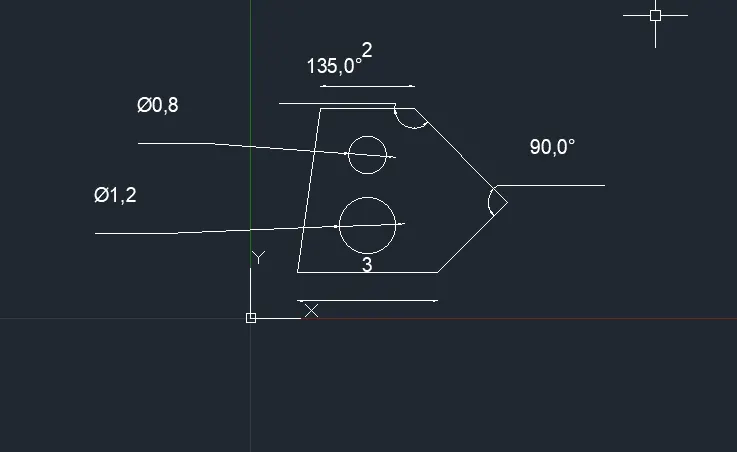
- select line command and draw length as per shown fig.
- draw first circlr and second circle as per shoen in fig using draw tool.
- annotate and give dimensions to all the line segments and circle segments.
- new sheet - archietectural - precision - 0'0 - feet - ok
- limits - 0,0 and 12",9"
- zoom all
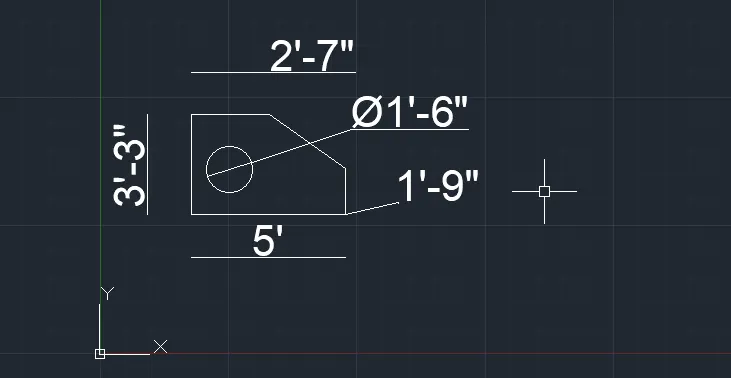
- select line tool and draw length as shown in fig.
- annotate and given dimensions to all the line segments.
- new sheet - archietectural - precision - 0'0 - feet - ok
- limits - 0,0 and 12",9"
- zoom all
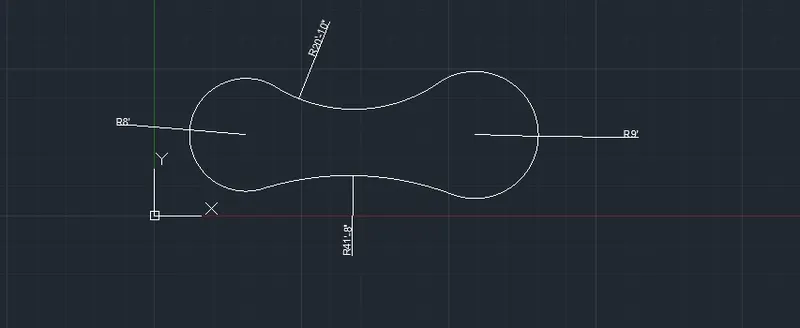
- select circle tool and draw the circlr as per given
- annotate and given dimensions to all the line segments.
- new sheet - units - decimal precision - 0.00 - meter - ok
- limits - 0,0 and 420,297
- zoom all
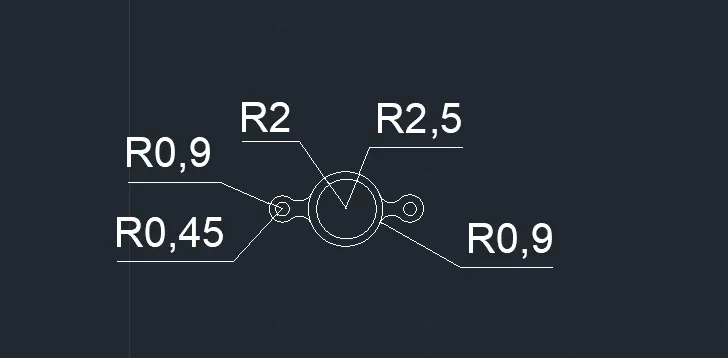
- select line command and draw length as per shown fig.
- draw first circlr and second circle as per shoen in fig using draw tool.
- annotate and give dimensions to all the line segments and circle segments.
- new sheet - units - decimal precision - 0.00 - meter - ok
- limits - 0,0 and 420,297
- zoom all
- select line command and draw length as per shown fig.
- using chamfer has drawn below
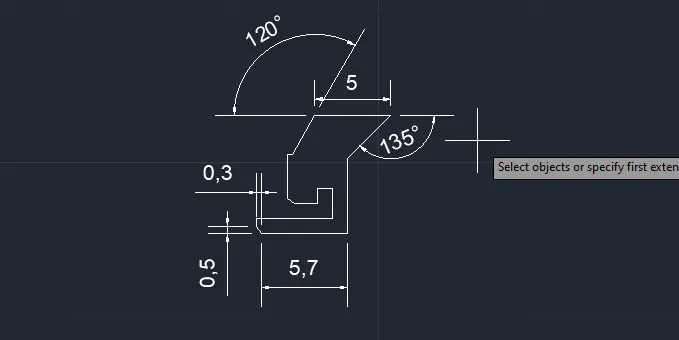
- new sheet - units - decimal precision - 0.00 - meter - ok
- limits - 0,0 and 420,297
- zoom all
- select line command and draw length as per shown fig.
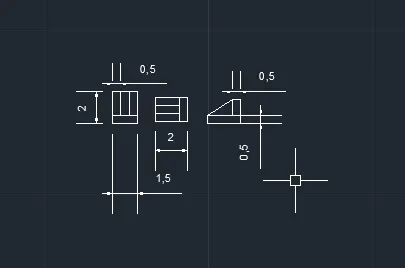
- new sheet - archietectural - precision - 0'0 - feet - ok
- limits - 0,0 and 12",9"
- zoom all
- select line tool and draw length as shown in fig.
- annotate and given dimensions to all the line segments.
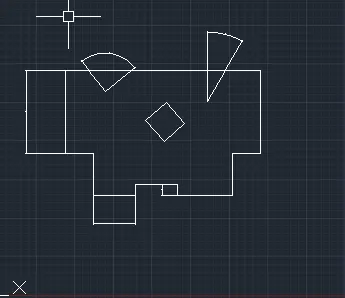
RESULTS:
The given geometries are drafted using chamfer, fillet, circle and line tool in autocad in accurate measurement.