Section Modulus calculation and optimization
Aim:
The aim is to calculate the section modulus of the hood model and to adjust the hood cross-section such that the Section modulus is increased.
Theory:
Section Modulus:
Section modulus is a geometric property for a given cross-section used in the design of beams. Other geometric properties used in design include area for tension, radius of gyration for compression, and moment of inertia for stiffness. The Section modulus is defined as
`S = I/y`
Where
S = Section Modulus
I = Moment of Inertia
y = Distance from the neutral axis to any given part.
Inertia:
Inertia is the resistance of any physical object to any change in its velocity. This includes changes to the object’s speed or direction of motion. It helps to keep moving in a straight line at a constant speed when no forces act upon them.
Procedure:
Case-1: Section Modulus of the Original Hood Model
- Creating the Intersection:
- After opening the file, go to the hood model and click on the Intersect option.
- Select the Outer hood panel and the plane in which you want to create the intersection.
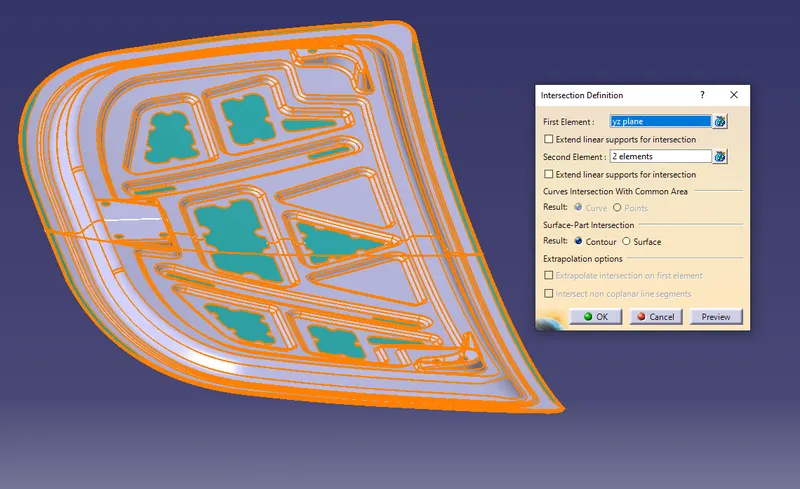
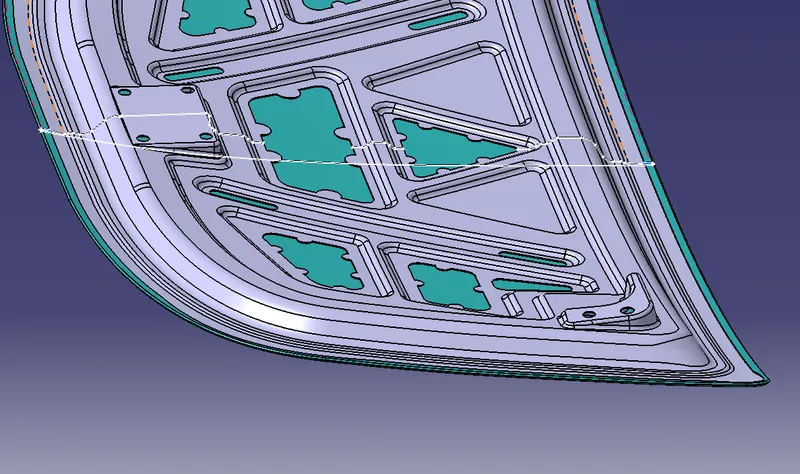
- Now, select the inner panel and repeat the process again. The Inner and outer panels are created.
- The outer body of the intersection is extracted and then the gap is filled using the line command and then joining the surfaces.
- A closed body boundary is formed.
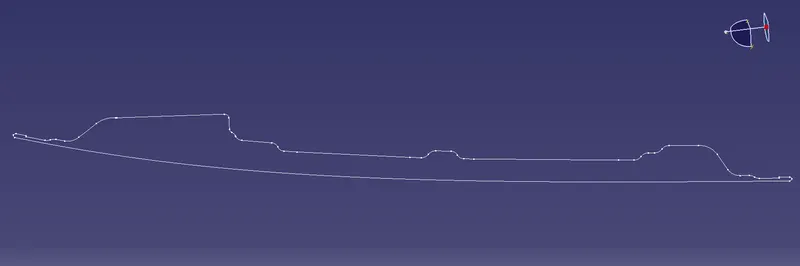
- Filling the Surface:
- After the closed boundary is formed, create the surface using the boundary.
- Once the surface is formed, Inertia needs to be calculated for the created sectioned surface.
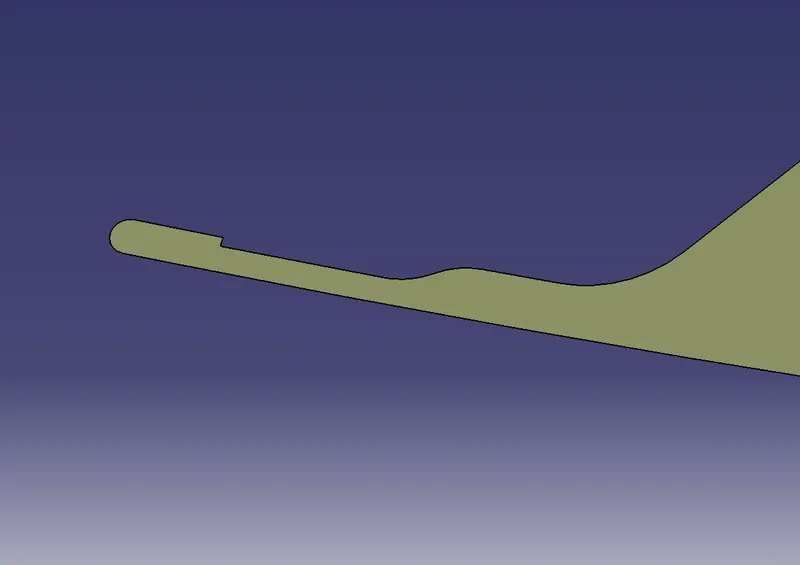
- Measuring Inertia:
- To measure the Inertia of the surface, Click on the Measure Inertia Value and select the Measure Inertia 2D option.
- Now, select the surface and Note down the Principal Moment ‘M1’ value.
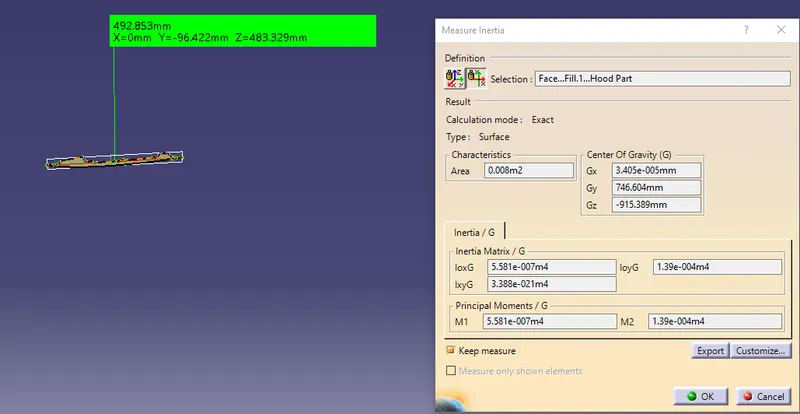
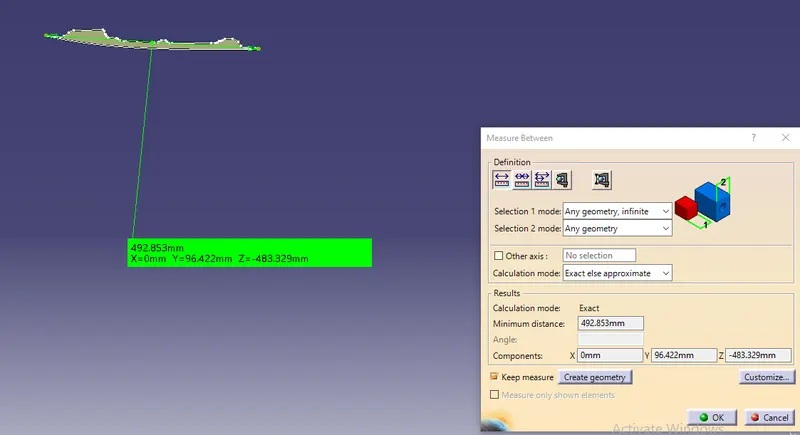
- After noting the inertia value, select the measure option to check the length.
- Select the points from the extreme ends of the surface and note down the readings.
Case-2: Section Modulus for the Hood Model after offsetting the distance of 0.5mm in the inner panel.
- Extracting the Intersection:
- Since there is already an intersection part of the combined surface.
- Extract the outer boundaries separately.
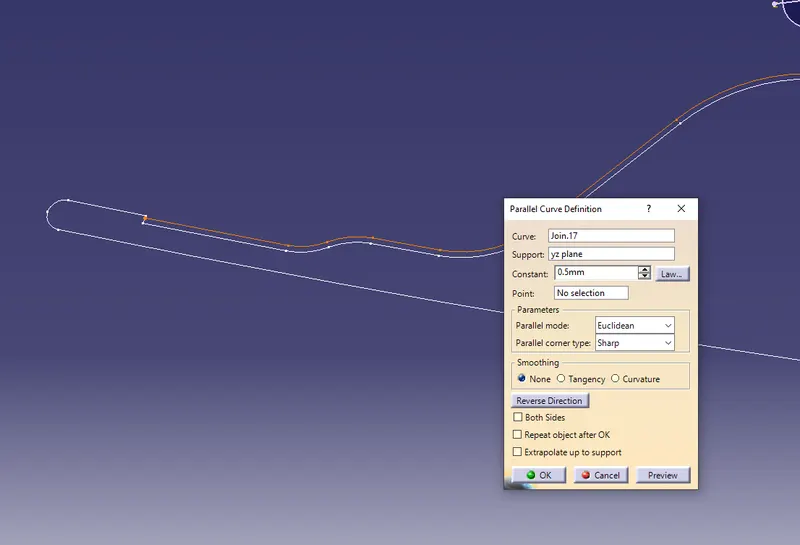
- Offsetting the Line:
- Offset the inner panel line which is touching the hemmed region to 0.5mm upwards.
- Joining the surface:
- Since the elements are not connected, the lines must be joined.
- Use the join option to join those lines.
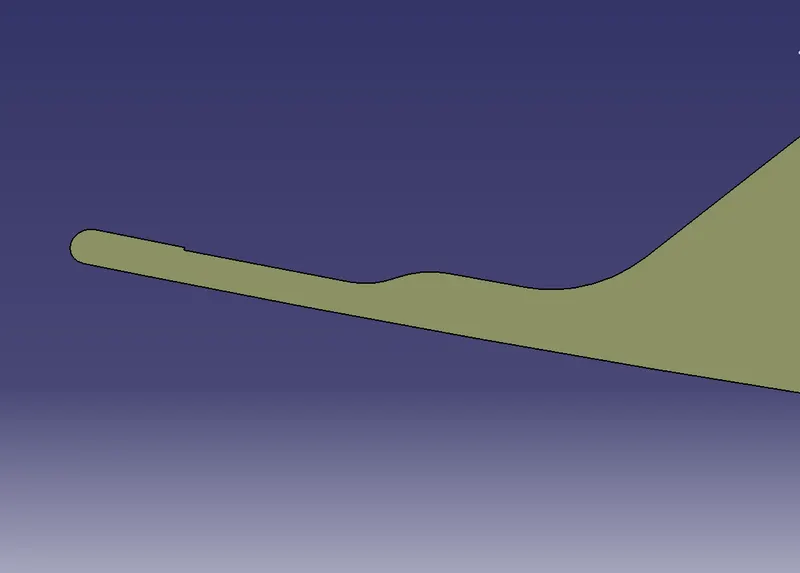
- Filling the surface:
- After the closed boundary is formed, create the surface using the boundary.
- Once the surface is formed, Inertia needs to be calculated for the created sectioned surface.
- Measuring Inertia Value:
- To measure the Inertia of the surface, Click on the Measure Inertia Value and select the Measure Inertia 2D option.
- Now, select the surface and Note down the Principal Moment ‘M1’ value.
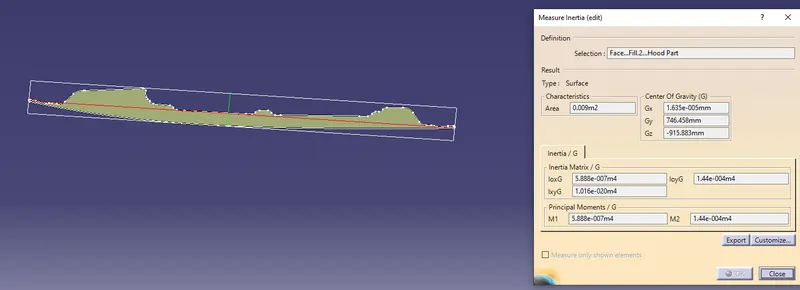
- After noting the inertia value, select the measure option to check the length.
- Select the points from the extreme ends of the surface and note down the readings.
Calculation:
For Case-1:
Section Modulus:
Note the “I” values noted as 5.581e-007
The value needs to be converted into mm.
`∴I=558100 " " mm^4`
Now, the value of “y” can be calculated by dividing the length of the surface at the extreme ends by 2.
y = `"Length"⁄2= (492.853 )⁄2=246.4265 " "mm`
Now, Substitute the values in the above equation.
`S= 558100/492.853=2264.7726 " "mm^3`
For Case-2:
Section Modulus:
Note the “I” values noted as 5.888e-007
The value needs to be converted into mm.
`∴I=588800 " " mm^4`
Now, the value of “y” can be calculated by dividing the length of the surface at the extreme ends by 2.
y = `"Length"⁄2= (492.853 )⁄2=246.4265 mm`
Now, Substitute the values in the above equation.
`S= 588800/492.853=2389.353 " " mm^3`
Results:
The Section modulus is calculated at both the cases and the values are noted below.
|
|
Moment of Inertia “I” (`mm^4`) |
Length of the section (mm) |
y=`"Length"⁄2` (mm) |
Section Modulus “S” (`mm^3`) |
|
Case 1 |
558100 |
492.853 |
246.4265 |
2264.7726 |
|
Case 2 |
588800 |
492.853 |
246.4265 |
2389.353 |
The table above shows that the value of the Section modulus increases with an increase in the surface area which increases the strength of the component but there’s an issue as it increases the manufacturing cost.