Radar Mast & Final Assembly of Yacht
MODELLING AND VISUALIZATION OF AN YACHT USING SOLIDWORKS
Objective:
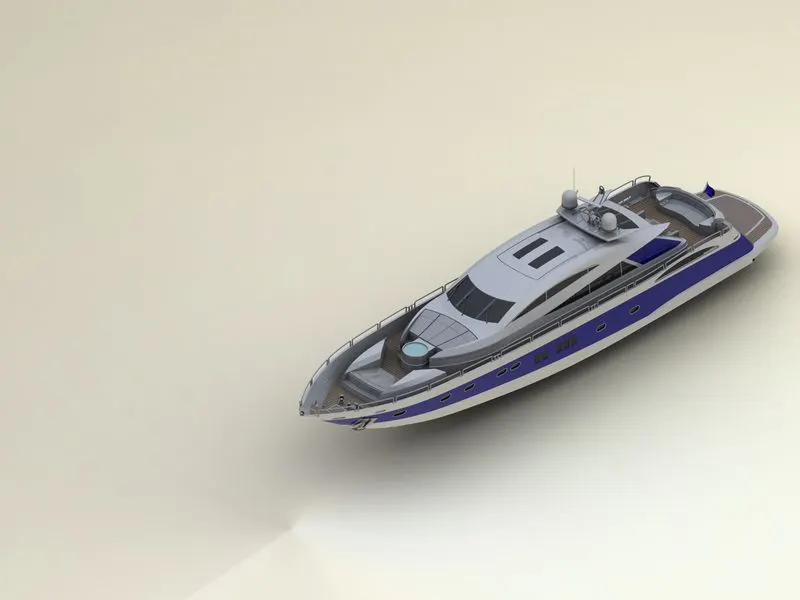
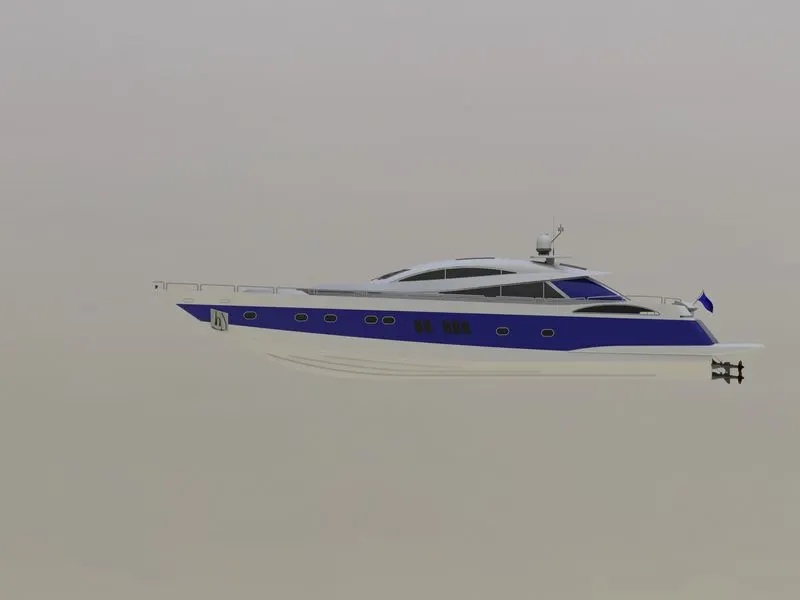
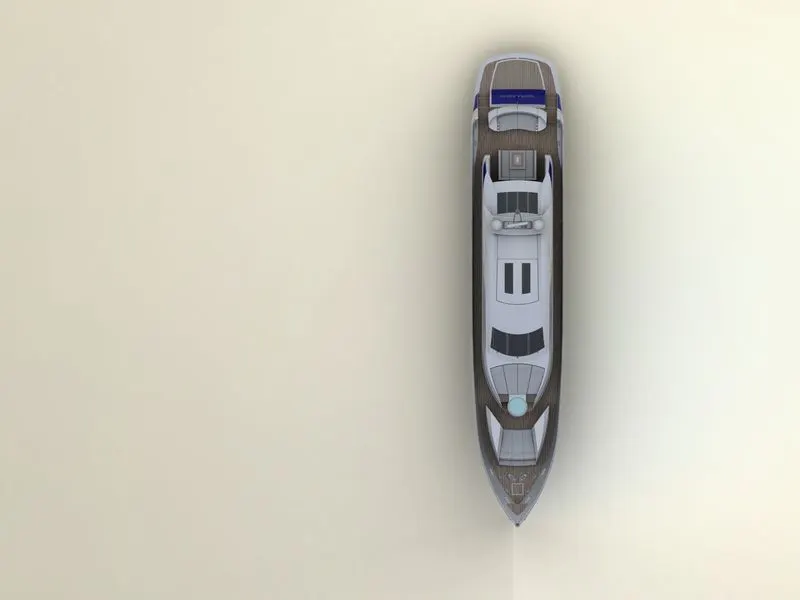
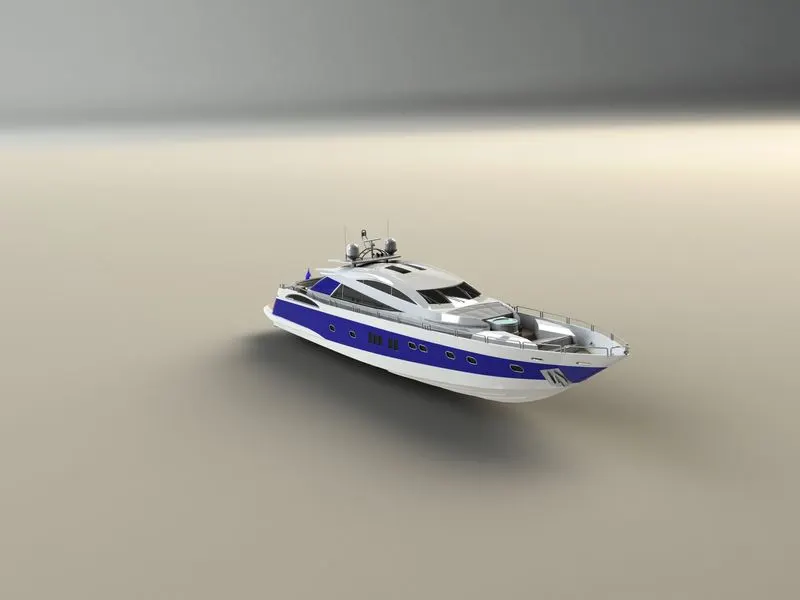
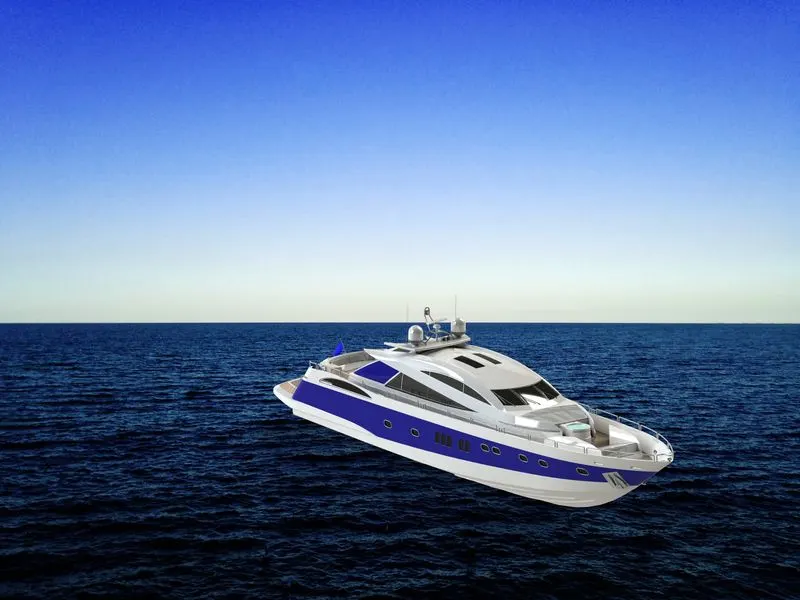
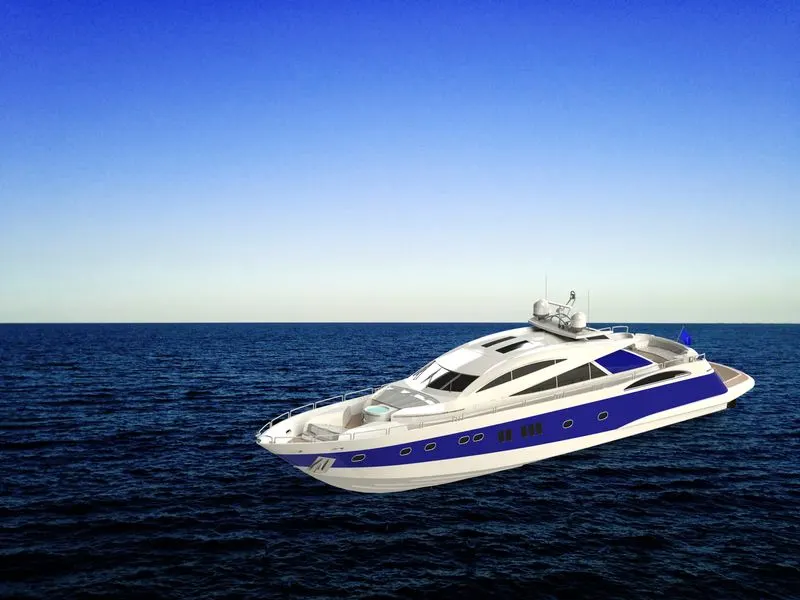
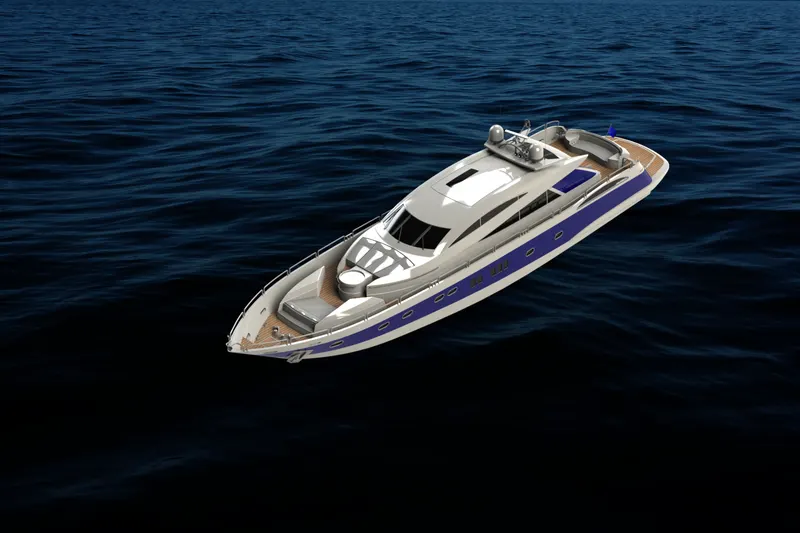
The main objective of this project is to model the required parts for the Yacht, assemble all the parts and render the assembled yacht with the help of solidworks visualize.
Introduction:
Solidworks is a software which is used for planning, grabbing in visual ideas, modelling, feasibility, assessment, prototyping, and project management. This software is used in designing and building of mechanical, software and electrical elements. This gives us more efficiency in building any part and brief idea of how the final element will be the end product. We use solidworks software to design each part required for the Yacht, then the assembly is made simple using the same solid works software, for rendering purpose, the solidworks visualize software is used where it helps in rendering the assembled Yacht in a smooth way.
Design methodology/approach:
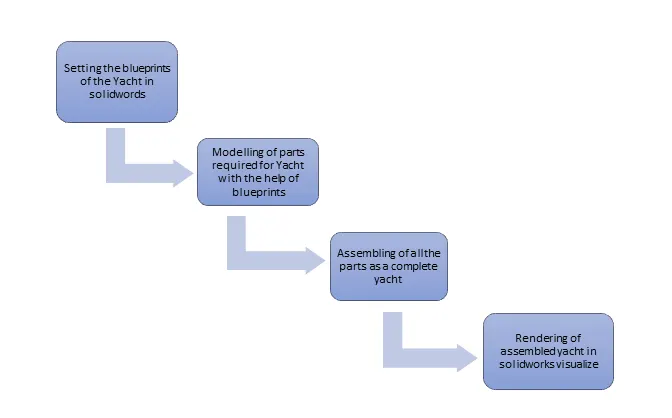
Description:
Hull:
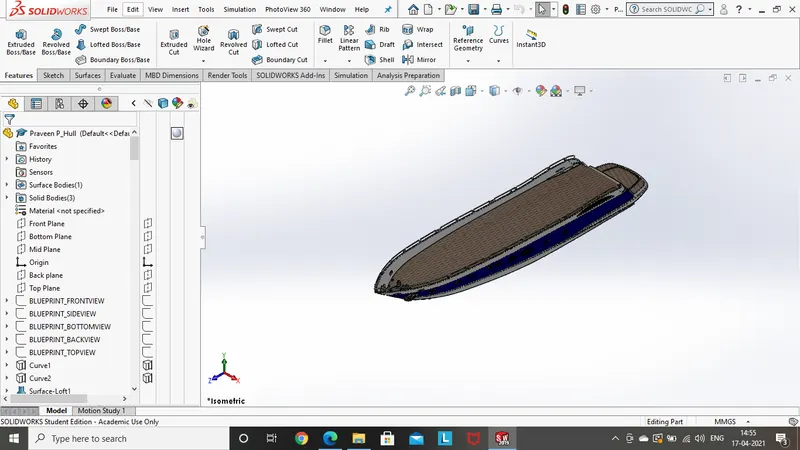
Features and tools used while designing Hull:
- 2D Sketch
- 3D sketch
- Surface loft
- Surface trim
- Surface extrude
- Knit surface
- Filled surface
- Shell
- Extruded boss
- Fillet
- Chamfer
- Offset entities
- Convert entities
- Projected curve
- Create plane
- Revolved boss
- Swept boss
- Extruded cut
- Combine
- Linear pattern
- Trim entities
- Mirror
- Composite curve
- Split line
- Dome
- Helix curve
2D Sketch:
It gives us a 2D representation of the part to be built in different planes with the help of different sketch tools like lines, circle rectangle, spline, arc, straight slots and so on. Later the sketch will be taken out to build a 3D part
3D sketch:
This adds a new 3-dimensional sketch or edits an existing 3D sketch.
Surface loft:
This creates a lofted surface between two or more profiles.
Surface trim:
This trims a surface where one surface intersects with another surface, a plane, a sketch.
Surface extrude:
This tool helps us create an extruded surface.
Knit surface:
This combines two or more adjacent, non-intersecting surfaces together.
Filled surface:
This constructs a surface patch within a boundary defined by existing model edges, sketches or curves.
Shell:
This feature removes material from a solid body to create a thin-walled feature.
Extruded boss:
This feature is used to produce a 3D structure with the 2D sketch, this can be changed to required direction and dimensions also.
Fillet:
This feature creates a rounded internal or external face along one or more edges in solid or surface feature.
Chamfer:
This feature is also as same as fillet but here there are options to create angle and distance as required at the edges.
Extruded cut:
This feature cuts the solid model by extruding a sketched profile in one or two directions.
Create plane:
This feature helps us to create a new plane at the required position with the help of some options and dimensions.
Offset entities:
It adds sketch entities by offsetting faces, edges, curves or sketch entities at a specified distance
Convert entities:
It converts selected model edges or sketch entities into sketch segments.
Projected curve:
It is used to project a curve in case of a complicated curve which cannot be created using single plane, it can only be created with the help of multiple planes, and finally the required curve can be projected.
Create plane:
This feature helps us to create a new plane at the required position with the help of some options and dimensions.
Revolved boss:
This feature is used to produce a revolved body to the part by the available 2D sketch, it can also be restricted to some required angles.
Swept boss:
This feature sweeps a closed profile along an open or closed path to create a solid feature.
Linear pattern:
This feature is used to create more number of instances to the same body with some distance between them and number of instances can also be selected.
Combine:
This feature is used to combine the body’s all together so the design gets smooth view and it can also be differentiated for some specified parts
Trim entities:
This feature is used to trim of the portion which is not required in the sketch.
Mirror:
This feature is used to get the same surface or body on the other side, the reference can used as a plane or line, the modelling is made easier with help of this option.
Composite curve:
This feature helps us to attach the two broken curves together so that the part is made easier to design.
Split Line:
This projects a sketch to cure or planar faces, creating multiple separate faces
Dome:
This feature is used to produce a smooth round finish at the end of the part surface.
Helix Curve:
This adds a helix or spiral curve from a sketched circle.
Superstructure:
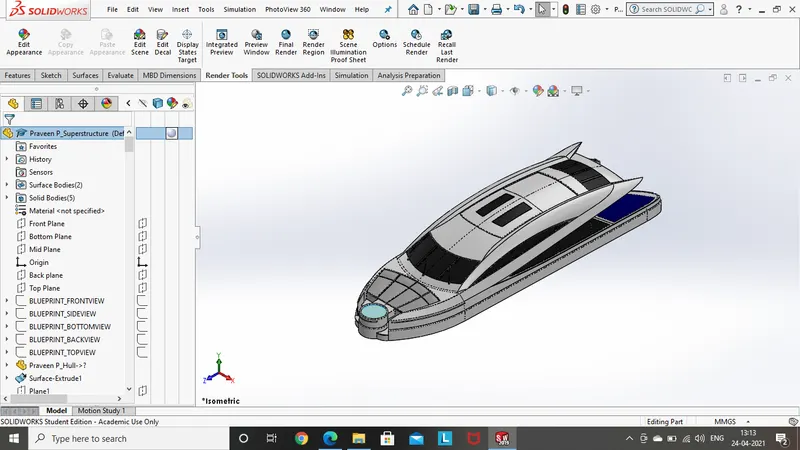
Features and tools used while designing Superstructure:
- 2D Sketch
- 3D sketch
- Surface extrude
- Surface sweep
- Knit surface
- Ruled surface
- Offset entities
- Convert entities
- Projected curve
- Create plane
- Extruded boss
- Swept boss
- Extruded cut
- Surface trim
- Surface loft
- Surface extend
- Fillet
- Chamfer
- Combine
- Trim entities
- Mirror
- Split line
- Linear pattern
- Dome
Ruled surface:
This insert ruled surfaces from the edges.
Extend surface:
This extends the edge, multiple edges or the face on the surface based on end conditions and extension type.
Front seat:
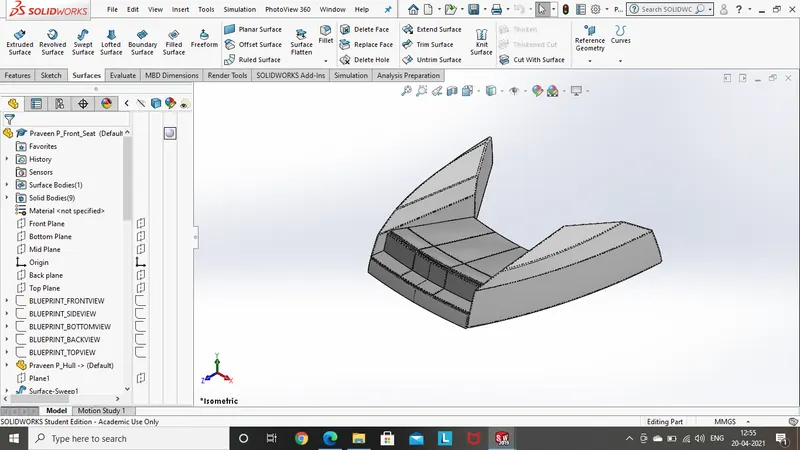
Features and tools used while designing front seat:
- 2D Sketch
- 3D sketch
- Offset entities
- Convert entities
- Create plane
- Revolved boss
- Extruded cut
- Fillet
- Chamfer
- Combine
- Trim entities
- Mirror
- Dome
- Surface sweep
- Surface extrude
- Surface trim
- Surface loft
- Surface knit
Surface sweep:
This creates a surface feature by sweeping and open or closed profile along an open or closed path.
Middle seat:
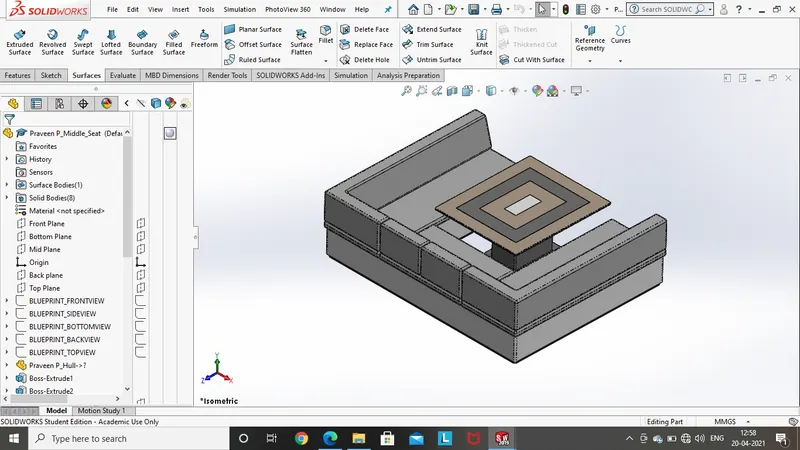
Features and tools used while designing middle seat:
- 2D Sketch
- 3D Sketch
- Offset entities
- Convert entities
- Create plane
- Extruded boss
- Revolved boss
- Extruded cut
- Fillet
- Chamfer
- Combine
- Trim entities
- Mirror
- Revolved cut
Rear seat:
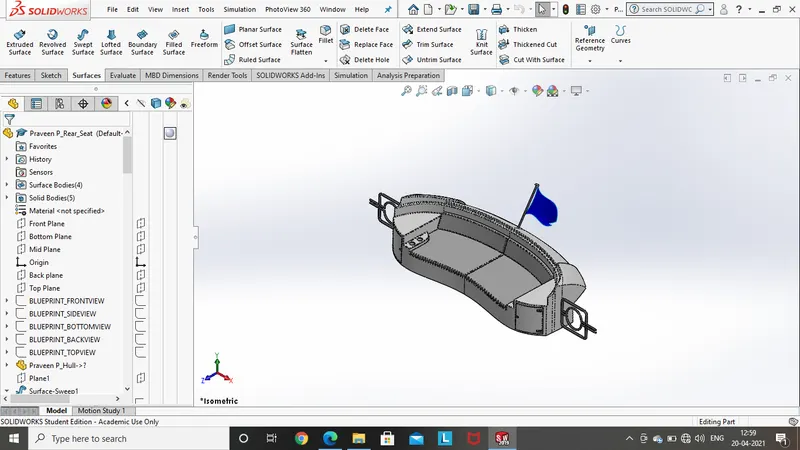
Features and tools used while designing rear seat:
- 2D Sketch
- 3D Sketch
- Surface sweep
- Surface trim
- Surface knit
- Surface extend
- Surface loft
- Surface offset
- Offset entities
- Convert entities
- Create plane
- Extruded boss
- Revolved boss
- Extruded cut
- Fillet
- Chamfer
- Combine
- Trim entities
- Mirror
Propeller:
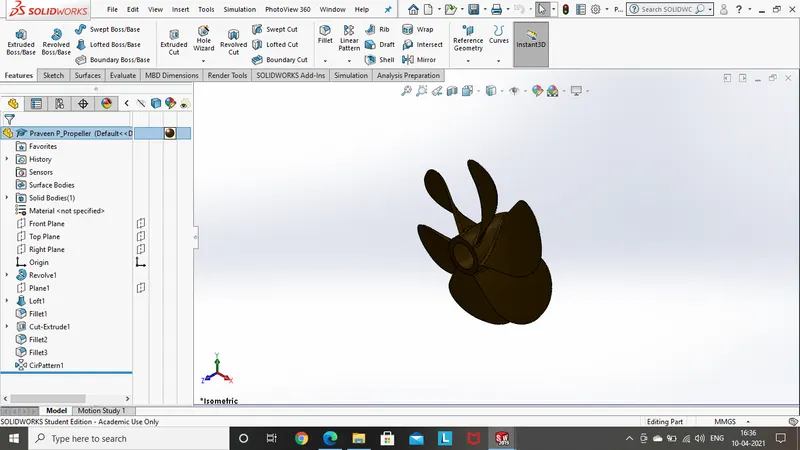
Features and tools used while designing propeller:
- 2D Sketch
- Offset entities
- Convert entities
- Extruded boss
- Revolved boss
- Lofted boss
- Fillet
- Trim entities
- Circular pattern
Circular pattern:
This creates more no number of instances like features, faces and bodies in the circular path.
Radar mast:
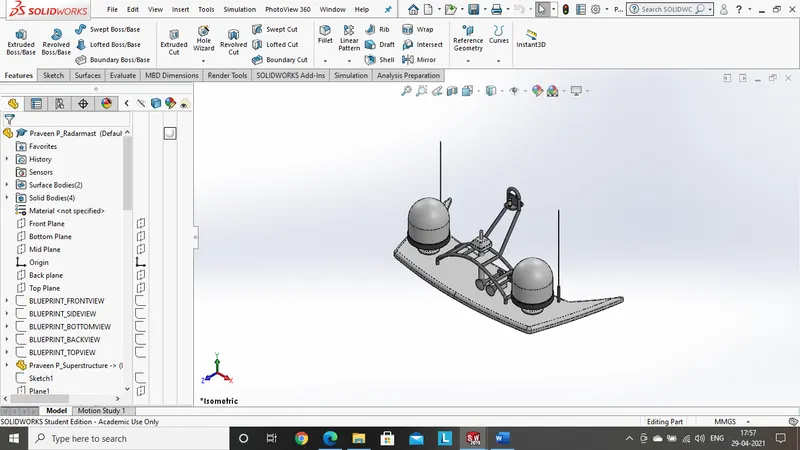
Features and tools used while designing Radar mast:
- 2D Sketch
- 3D sketch
- Offset entities
- Convert entities
- Extruded boss
- Revolved boss
- Swept boss
- Fillet
- Trim entities
- Dome
- Create plane
- Shell
Radar:
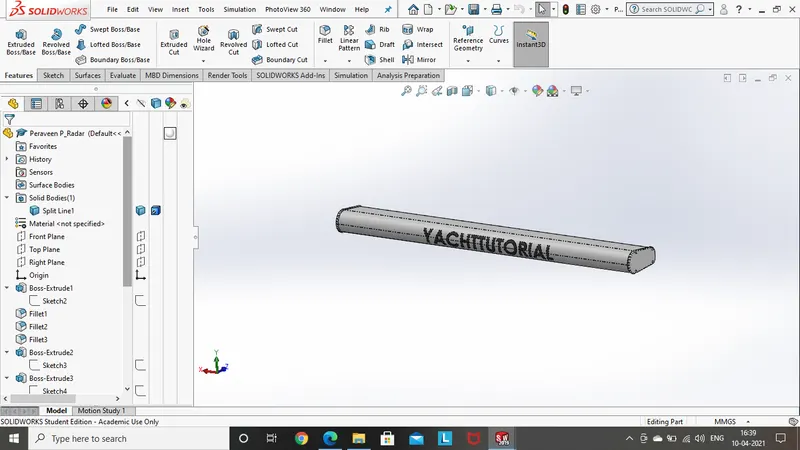
Features and tools used while designing radar:
- 2D Sketch
- Sketch driven pattern
- Split line
- Offset entities
- Convert entities
- Create plane
- Extruded boss
- Extruded cut
- Fillet
- Chamfer
- Trim entities
- Mirror
- Dome
Garage door:
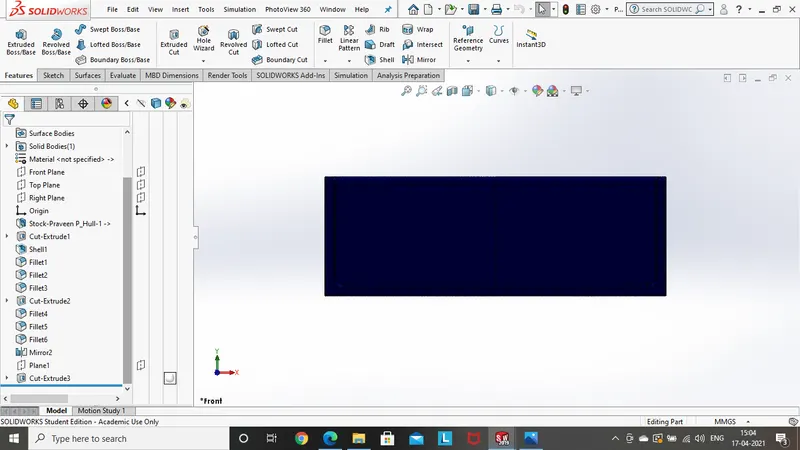
Features and tools used while designing garage door:
- 2D Sketch
- Offset entities
- Create plane
- Convert entities
- Extruded cut
- Fillet
- Trim entities
- Mirror
- Shell
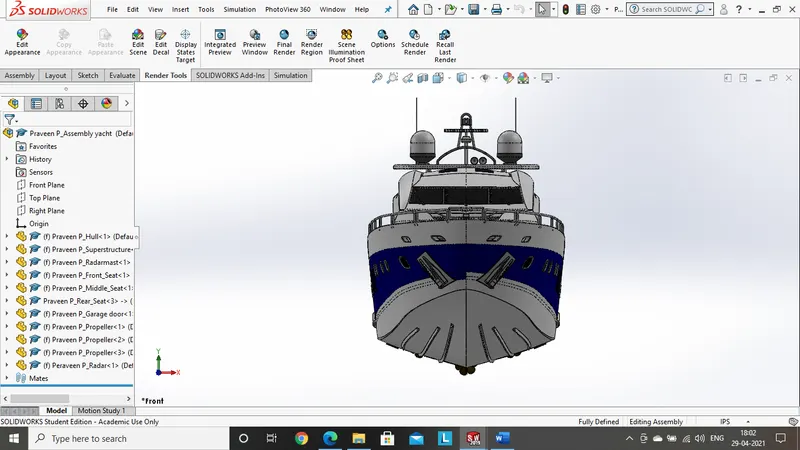
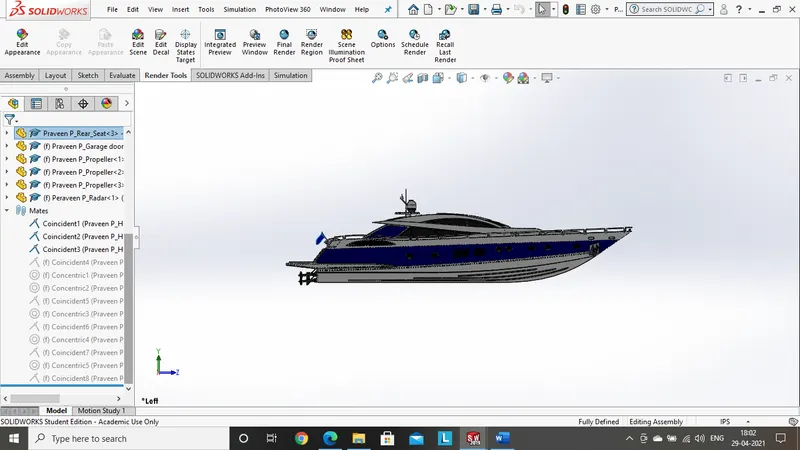
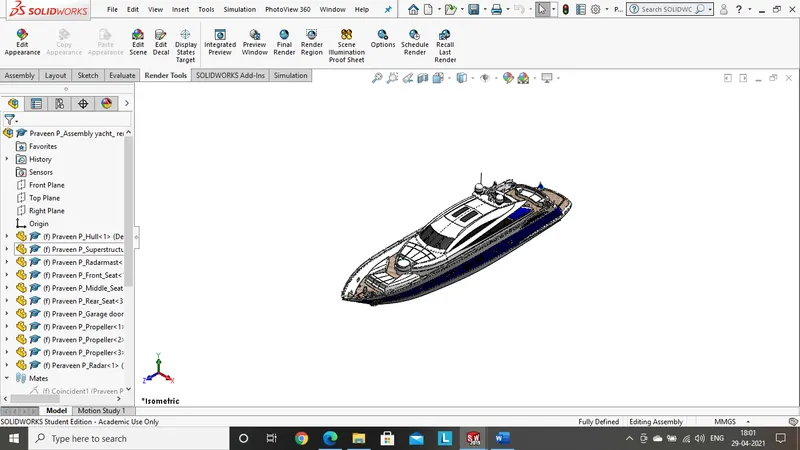
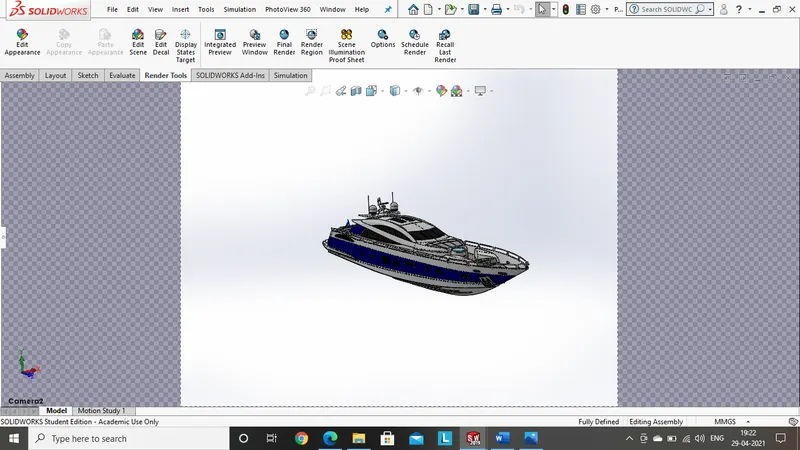
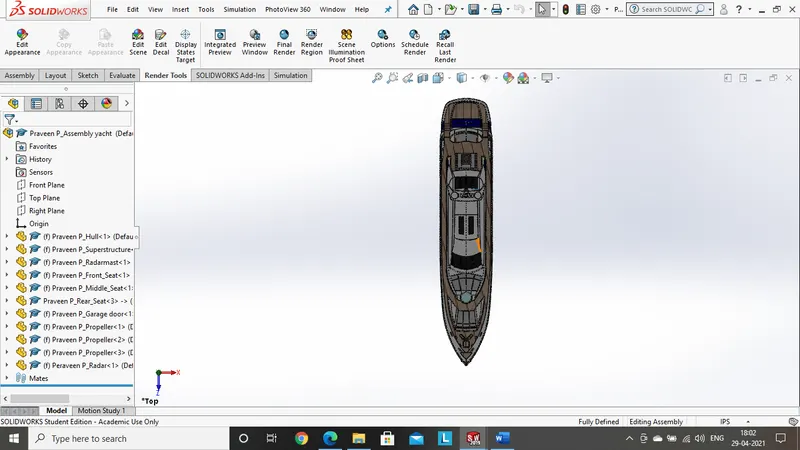
Assembly model of the Yacht:
Front view:
Left side view:
Right side view:
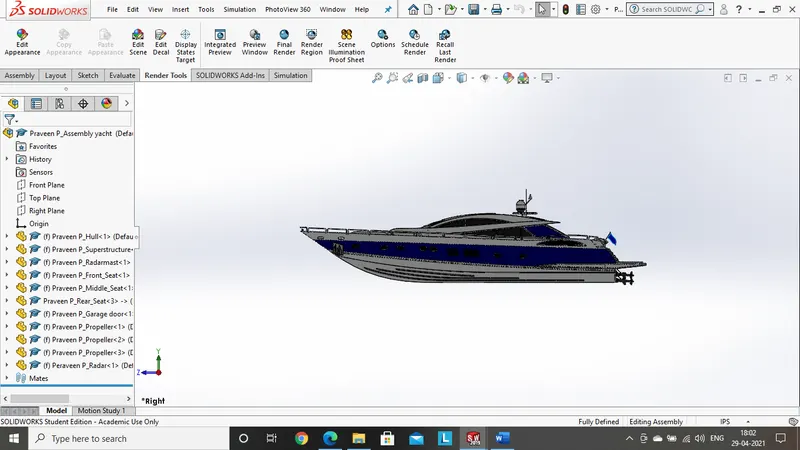
Isometric view:
Camera view:
Top view:
Perspective view:
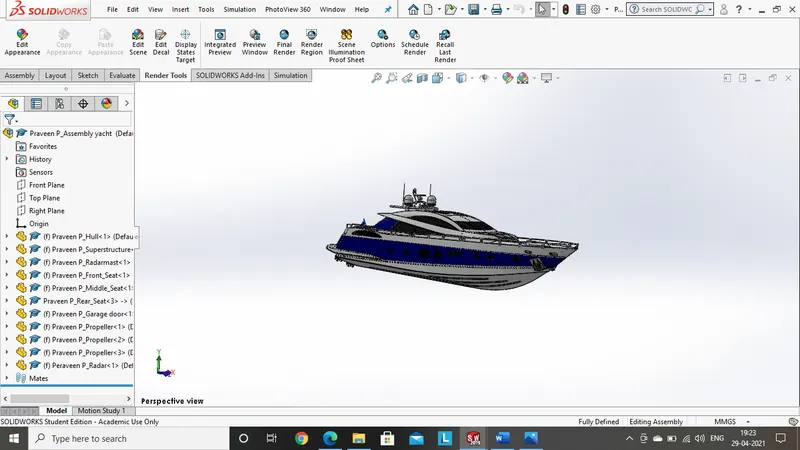
Rendering:
Solidworks rendering:
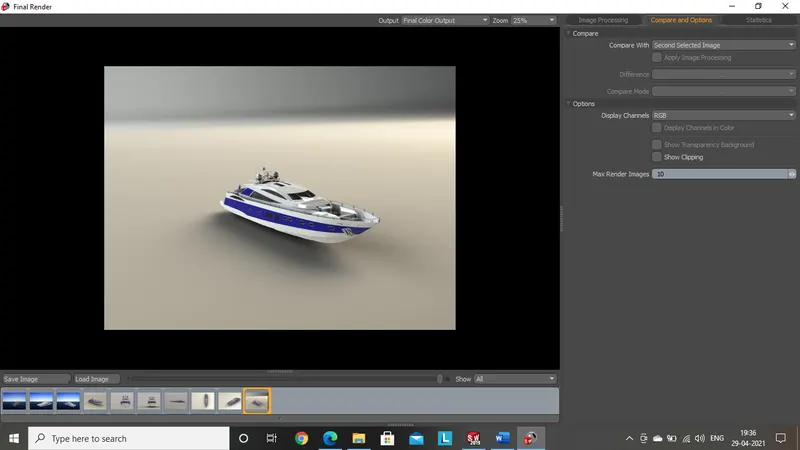
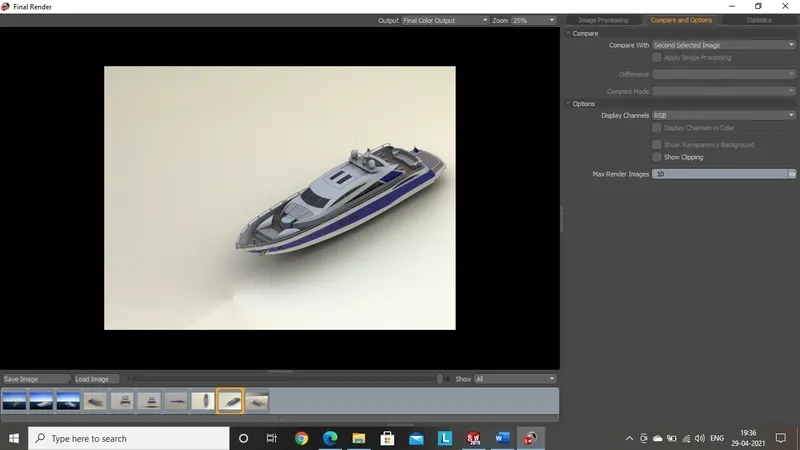
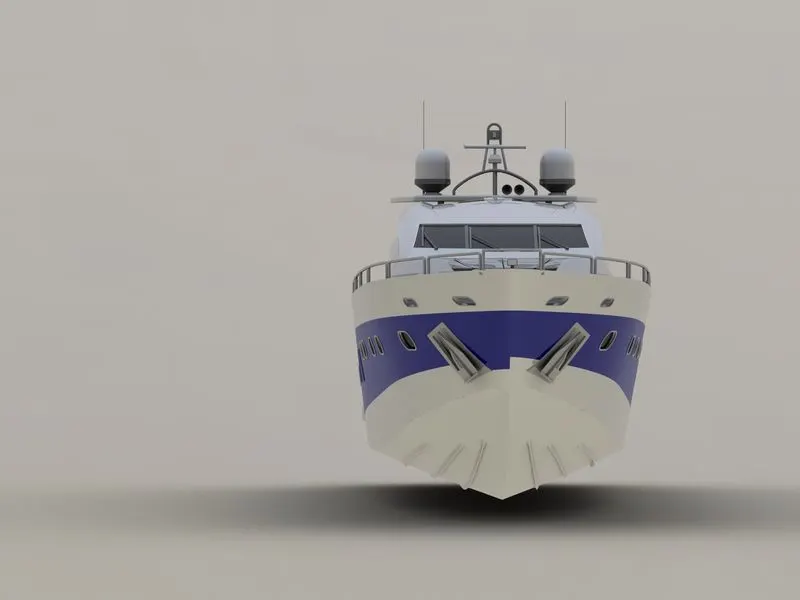
Solidworks visualize:
Conclusion:
- Each part has been built separately, to learn the complete procedure of creating a part
- Assembly is also learnt by assembling all the parts together with some assembly tools.
- This model is built to learn the standard tools used in solidworks and solidworks visualize
- The final rendering is executed to get the final model of the Yacht in various scenes.