Radar Mast & Final Assembly of Yacht
MODELLING OF YACHT
INTODUCTION
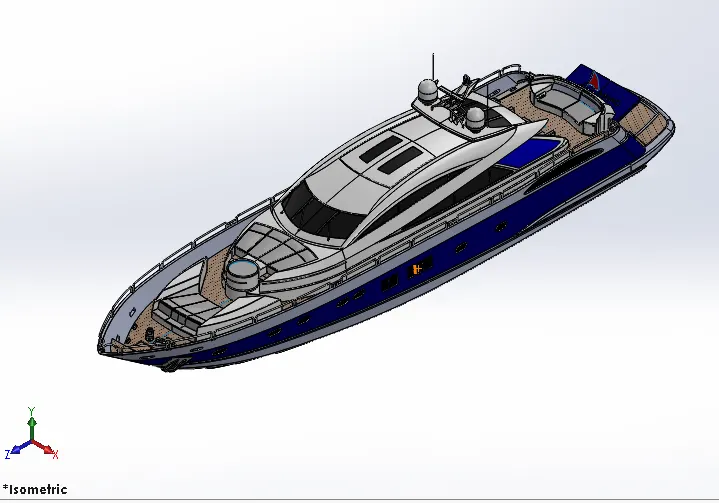
Predator is a superyacht built in 2008 at the Dutch shipyard Royal De Vries Aalsmeer. The interior design of the Predator was done by Bannenberg Designs and the exterior by De Voogt Naval Architects.
SOFTWARE
SolidWorks was developed by MIT graduate Jon Hirschtick and was bought by Dassault Systems in 1997. The software now encompasses a number of programs that can be used for both 2D and 3D design. It a solid modeling computer-aided design and computer-aided engineering, is one of the most popular software options for mechatronics engineers
OBJECTIVE
- Blueprint setup
- Modelling of propellers, radars
- Modelling of the hull, garage doors
- Modelling of rear seats. middle seats, front seats.
- Creation of the superstructure
- Final assembly model of the Predator Yacht
FLOWCHART
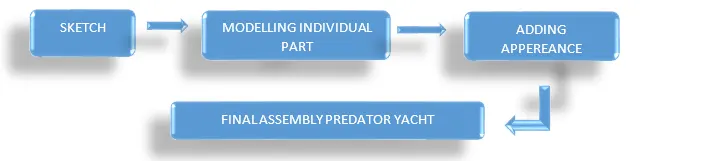
FEATURES USED TO CREATE
- SKETCH
It is used to represent 2D sketch for convertion of 3D model. By using sketch entities like line, circle, fillet, chamfer, trim, mirror etc.
- EXTRUDE BOSS
It is used to convert 2D sketch to solid body, when the sketch is complete closed. We can also convert a line into a solid body by giving thickness.
- EXTRUDE CUT
It is same as extrude boss but it is used to remove material from solid body to get desire model
- LOFT
The loft feature in SolidWorks allows you generate complex geometry in a single feature. It does this by interpolating surfaces between various cross-sections of a model. These cross-sections can be sketches, faces, or edges. In the loft interface, these cross-sections are considered
- LOFT SURFACE
Loft surfaces are surfaces generated by multiple 3D curves or existing edges creating a smooth tangency between the selected curves. Match points are created between each selection denoting the orientation and path of the loft surface
- DOME
It is a curved formation or structure. It is shaped like half of a sphere
- FILLET
Fillet rounds edges at a specified radius. It is used to create sharped edges into round edges. It gives life time to the product by reducing the chances of cracks
- SPLIT
It is used to create multiple parts from an existing part.
- OFFSET
Offset entities takes a copy of your existing geometry, model face or surface and copies it at an offset. Instead of recreating, you can use this to quickly
- APPEARANCE
An appearance defines the visual properties of a model, including color and texture. Appearances do not affect physical properties, which are defined by materials. Every material is assigned a default appearance that emulates the look of the material contents
- TRIM
The Trim tool is mainly used for removing unwanted parts or portions from your design
- REVOLVE
Revolves add or remove material by revolving one or more profiles around a centerline. You can create revolved boss/bases, revolved cuts, or revolved surfaces. The revolve feature can be a solid, a thin feature, or a surface
- DYNAMIC MIRROR
Select the dynamic mirror entities tool to first select the entity about which to mirror, and then sketch the entities to mirror
- PATTERNS
Pattern tool allows you to create patterns along the line or curve. To define the pattern, you can use any sketch segment, or the edge of a face (solid or surface), that lies along the plane. You can base your pattern on an open curve, or on a closed curve, such as a circle.
- SHELL
The shell tool hollows out a part, leaves open the faces you select, and creates thin-walled features on the remaining faces
- CHAMFER
The chamfer tool creates a beveled feature on selected edges, faces, or a vertex
- PLANE
It helps to design a sketch in a distance, angle from the origin
- MOVE/COPY BODIES
It is useful when a part is needed to be shown in multiple configurations. It takes a body, copies it, and moves it to the desired location
- PROJECT CURVE
A sketch projected to a model face or surface, or from sketched lines on intersecting planes
- COMPOSITE CURVE
It helps to convert two different lines into a single line and also help to join the broken curves
- SWEEP
It creates a base, boss, cut, or surface by moving a profile (section) along a path, according to these rules: The profile must be closed for a base or boss sweep feature; the profile may be open or closed for a surface sweep feature. The path may be open or closed.
- CONVERT ENTITIES
It allows users to make a copied projection of a given sketch, face, or set of edges onto the active sketch plane
DESIGN OF INDIVIDUAL PARTS OF YACHT
PROPELLER
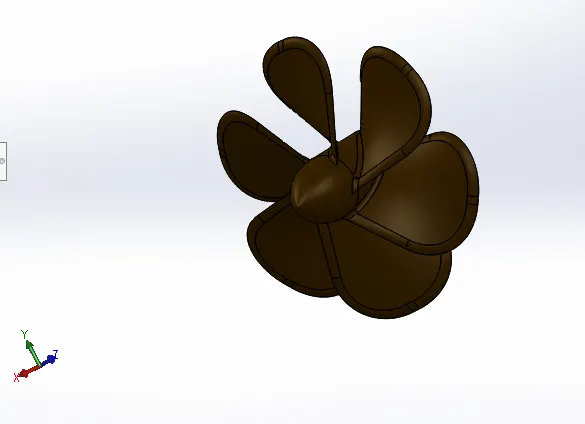 |
FEATURES · Sketch · Revolve · Loft · Fillet · Extrude Cut · Cricular Pattern · Appearance |
Creating sketch profiles with fully constrain on Desire planes. To complete modelling Propeller, by using features step by step and finishing with adding appearance to get realistic view
RADAR
|
|
FEATURES · Sketch · Extrude · Fillet · Extrude Cut · Sketch Driven Pattern · Mirror · Split Line · Appreance |
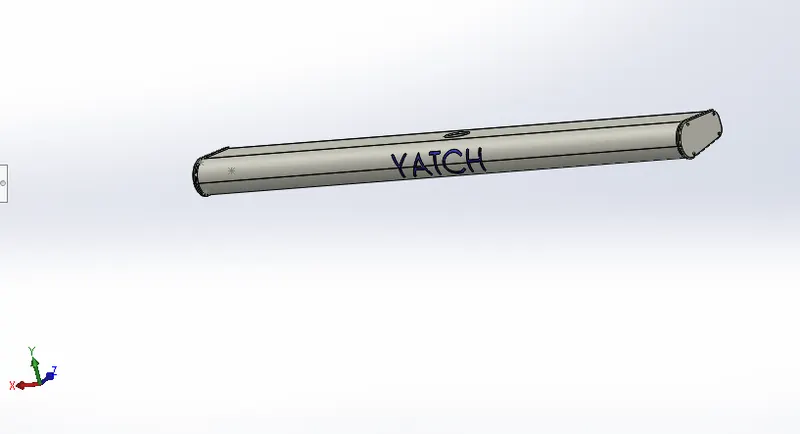
Creating sketch profiles with fully constrain on Desire planes. To complete modelling Propeller, by using features step by step and finishing with adding appearance to get realistic view
HULL
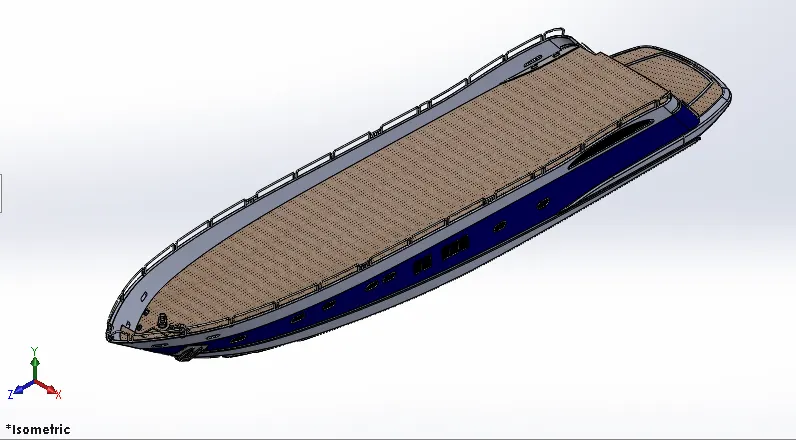 |
FEATURES · Sketch · Extrude Cut · Projection Curve · Chamfer · Surface Loft · Liner Pattern · Surface Trim · Sweep · Surface Knit · Fillet · Surface Fill · Revolve · Shell · Dome |
Creating sketch profiles with fully constrain on Desire planes. To complete modelling Propeller, by using features step by step and finishing with adding appearance to get realistic view
GARAGE DOOR
|
FEATURES · Sketch · Mirror · Extrude Cut · Shell · Appearance · Fillet |
Creating sketch profiles with fully constrain on Desire planes. To complete modelling Propeller, by using features step by step and finishing with adding appearance to get realistic view
FRONT SEAT
|
|
FEATURES · Sketch · Surface Loft · Surface Sweep · Knit · Surface Extrude · Chamfer · Surface Trim · Revolve · Fill · Extrude Cut · Patterns · Appearance |
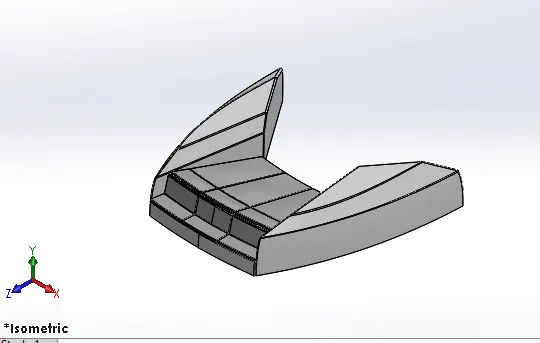
Creating sketch profiles with fully constrain on Desire planes. To complete modelling Propeller, by using features step by step and finishing with adding appearance to get realistic view
MIDDLE SEAT
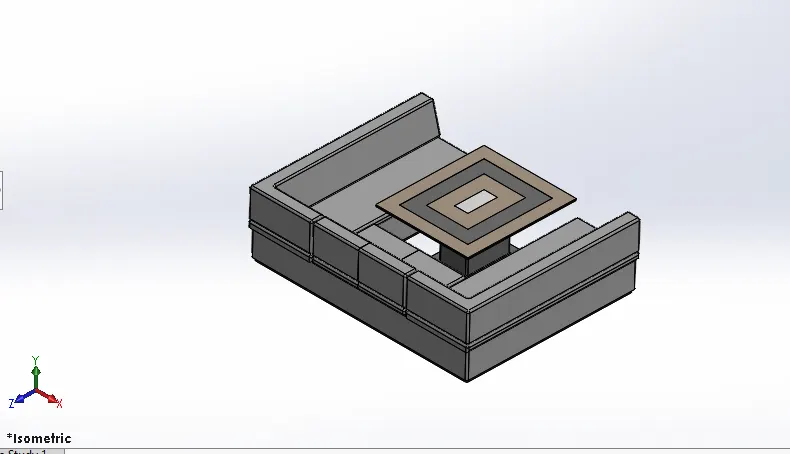 |
FEATURES · Sketch · Extrude Cut · Extrude · Appreance · Chamfer · Fillet · Mirror |
Creating sketch profiles with fully constrain on Desire planes. To complete modelling Propeller, by using features step by step and finishing with adding appearance to get realistic view
REAR SEAT
|
|
FEATURES · Sketch · Surface Extrude · Sweep · Surface Loft · Offset · Chamfer · Surface Trim · · Surface Knit · Surface Extend |
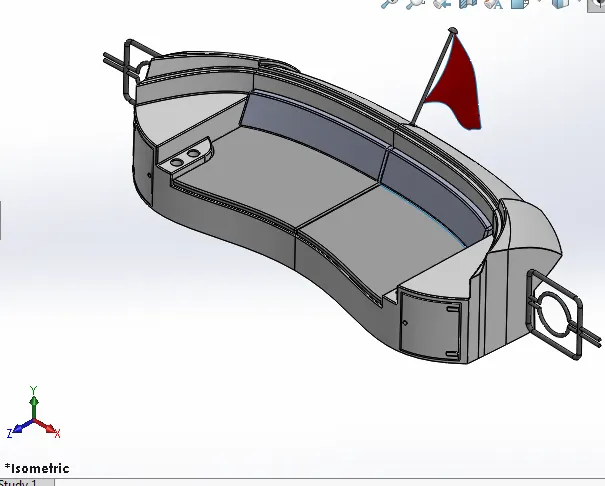
Creating sketch profiles with fully constrain on Desire planes. To complete modelling Propeller, by using features step by step and finishing with adding appearance to get realistic view
Superstructure
|
|
FEATURES · Sketch · Delete Face · Surface Extrude · Extend · Sweep · Knit · Fillet · Trim · Loft · Fill |
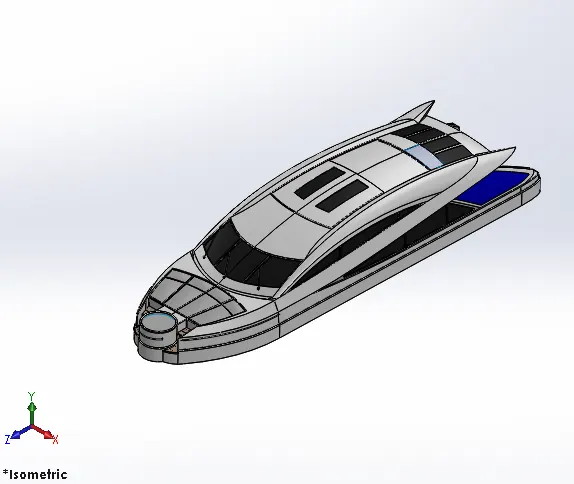
Creating sketch profiles with fully constrain on Desire planes. To complete modelling Propeller, by using features step by step and finishing with adding appearance to get realistic view
RADAR MAST
|
|
FEATURES · Sketch · Revolve · Fillet ·Appreance · Extrude · Trim · Sweep · Mirror · Dome |
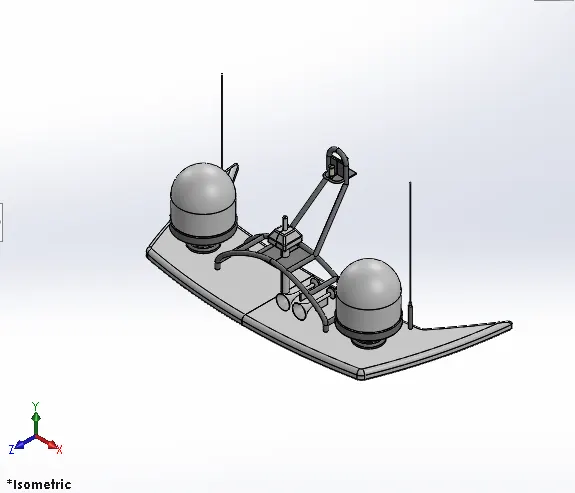
Creating sketch profiles with fully constrain on Desire planes. To complete modelling Propeller, by using features step by step and finishing with adding appearance to get realistic view
ASSEMBLY
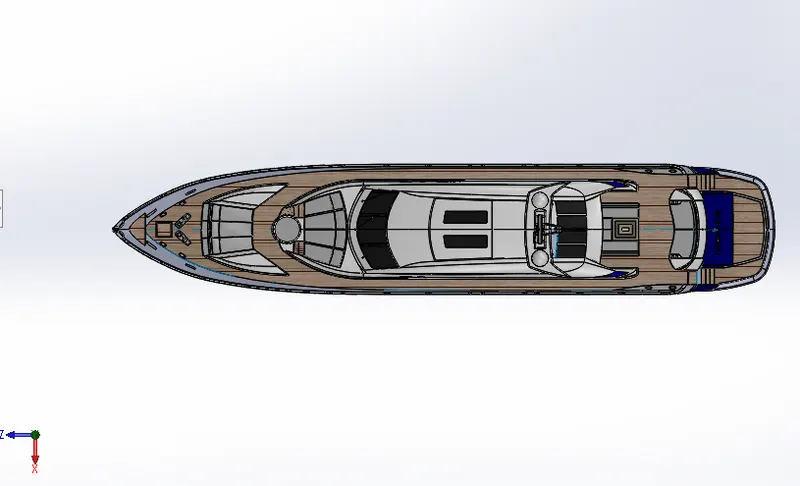
TOP VIEW
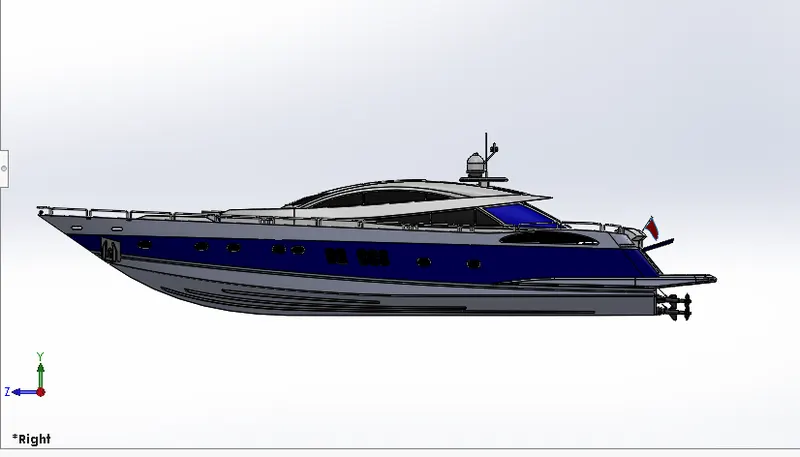
SIDE VIEW
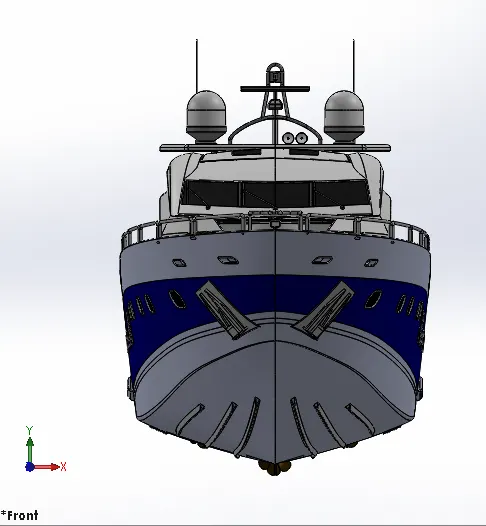
FRONT VIEW
MATEFEATURES
Mates create geometric relationships between assembly components. As you add mates, you define the allowable directions of linear or rotational motion of the components. You can move a component within its degrees of freedom, visualizing the assembly's behavior.
CONCLUSION
- Blueprint setup
- Modelling of propellers, radars, hull, garage doors
- Modelling of rear seats. middle seats, front seats.
- Creation of the superstructure
- Final assembly model of the Predator Yacht