Project
Carry out a system-level simulation of an all-terrain vehicle.
BAJA ATV model is the system-level simulation of an All-Terrain Vehicle in Matlab which is consisted of the main blocks like throttle and brake input signal builder, Generic Engine, Engine Sensor, CVT block, CVT ratio signal builder, simple fix gear ration block & vehicle body. 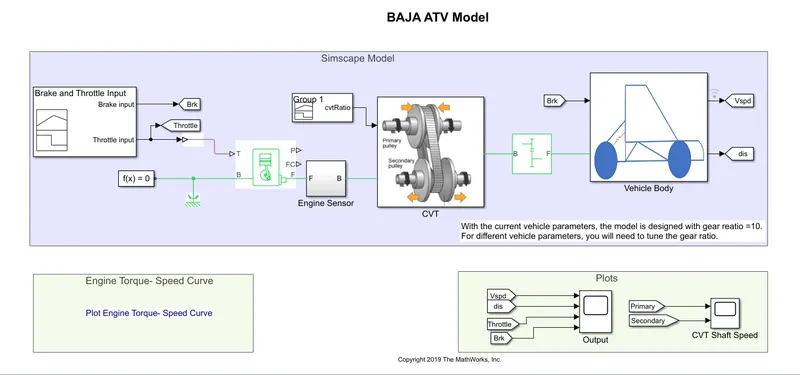
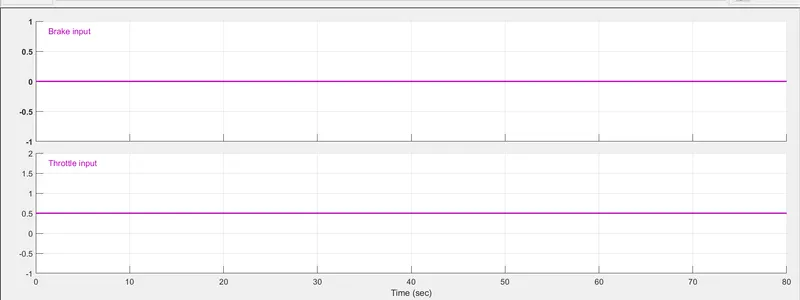
Here, the signal builder is used to create input signals for brake, throttle, and CVT ration.
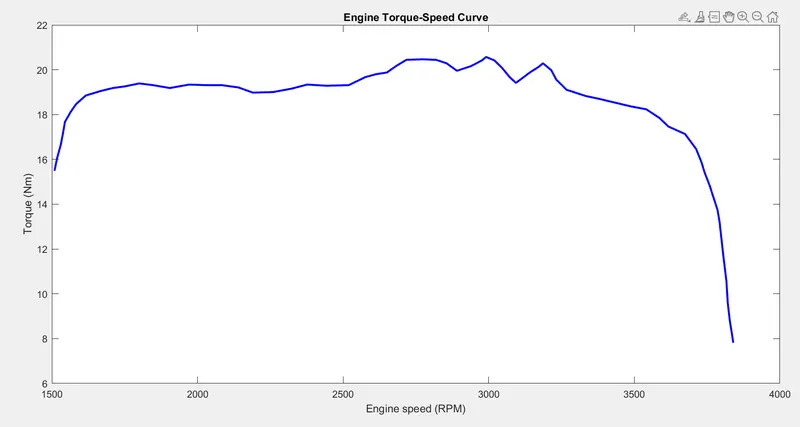
The generic engine speed vs torque characteristic depends upon the input vector data the throttle controls the speed of the vehicle and the vehicle changes the response of the engine with respect to the speed vs torque characteristic input data. the plot of the same is as below.
The engine sensor senses the RPM of the engine shaft
CVT block is called continuously variable transmission.
CVT is the mechanism by which we can change the gear ratio. In this case, we do not use fixed dimensional gears. Here, we use conical shape gear whose diameter can be varied. for software purposes, we change the gear ratio using the signal builder block.
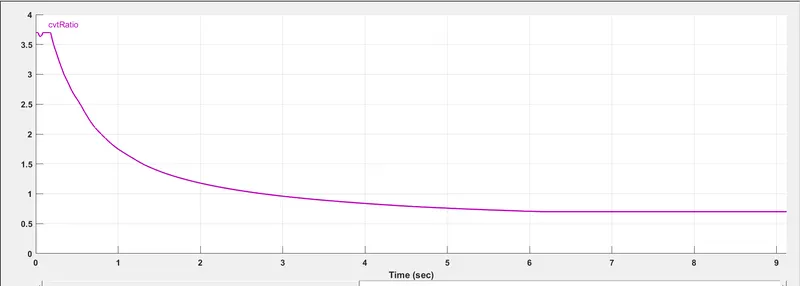
The block diagram of the CVT block is as below.
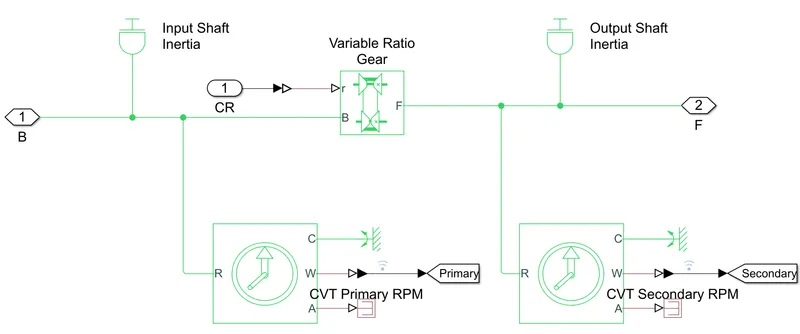
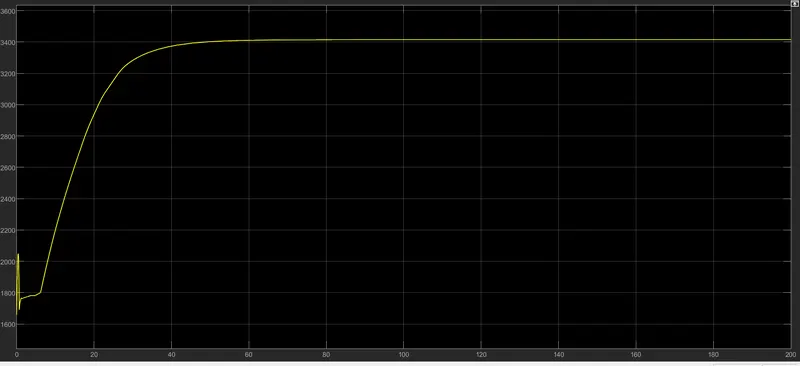
Here, we use a variable ratio gear block which fed with the input from the CVT ratio signal builder. the shaft speed is connected from the engine sensor to the CVT block. input and output shaft inertia is provided here and the input and output CVT shaft RPM can be observed from the plot.
The vehicle body is consist of a double shoe brake, Wheels, rotational free ends, and a Vehicle body block. we have also considered the wind velocity and inclination factors.
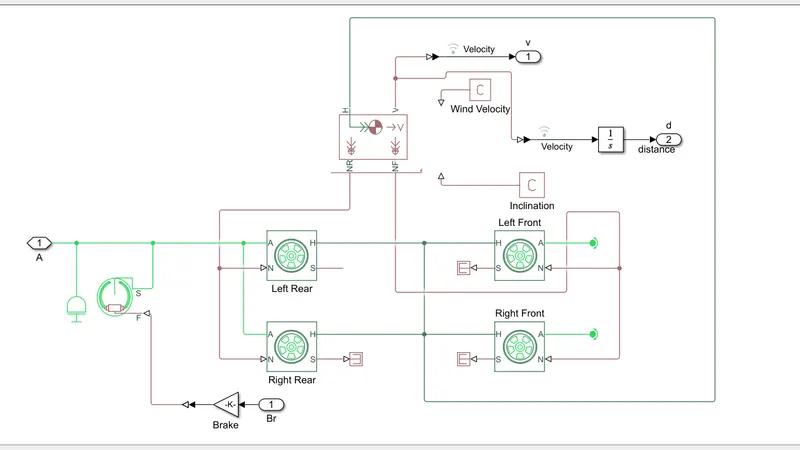
the brake input is given from the signal builder to the double shoe brake which is connected to the main shaft. the main shaft is connected with the rear wheels and the front wheels are kept rotationally free. the wheel force is connected from the wheel block to the vehicle body block along with inclination and wind velocity inputs. the output of velocity and distance is fed to scope which can be observed with respect to throttle and brack input as per the below plots.
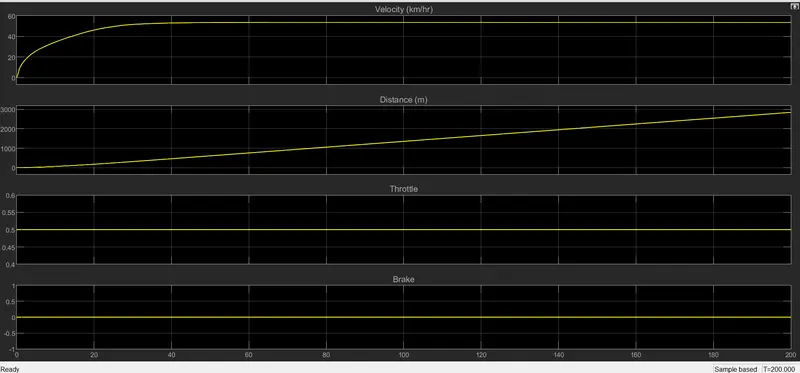
Here, we can see the throttle is kept on 0.5 based on that vehicle archives velocity and distance in an exponential manner.
the above simulation was done with the help of a signal builder but in the same way, we can use throttle input and brake input as a variable input by using a knob. we can see the schematic diagram below.
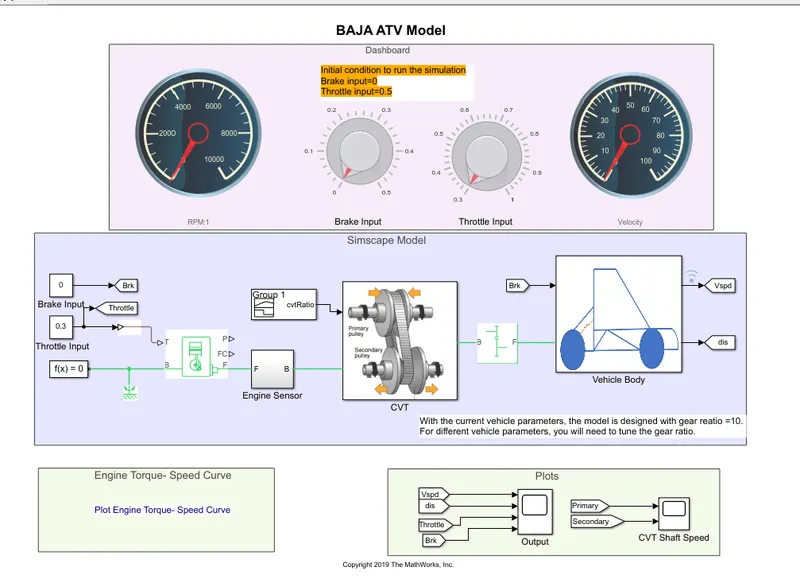
In this case, we can see the signal builder is replaced with constant inputs with a knob(slider). In the first case, to run the simulation we kept throttle input at 0.5 and brake input at 0. but in this case, we need to follow initial conditions = brake input should be zero, and throttle input must be 0.5 to run the vehicle.
by considering the input conditions all other blocks and settings are the same as in the first case. therefore by varying the throttle and brake inputs we can see the changes in the system.
Throttle and brake input plot is as below
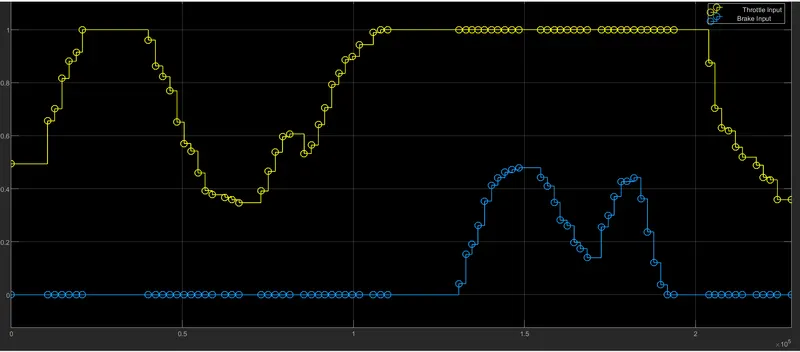
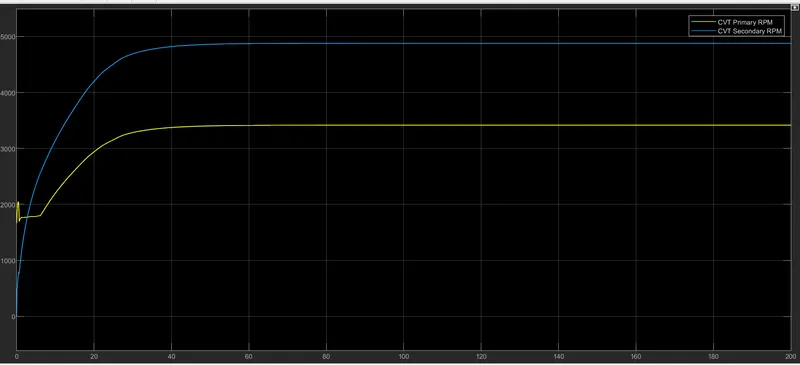
based on inputs we can observe CVT primary and secondary plots.
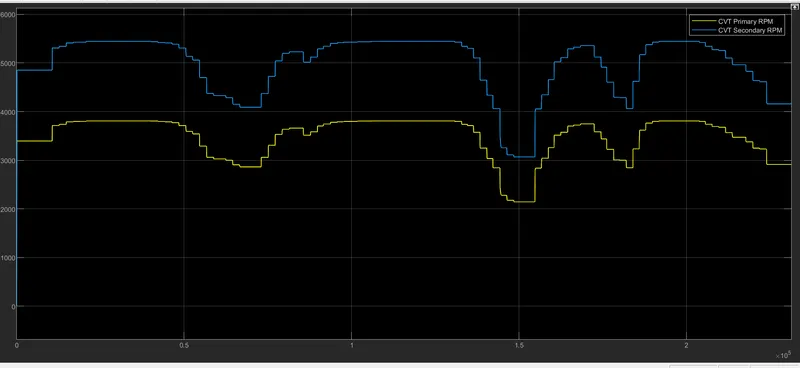
From the above plot, we can observe the change in gear ratio resulting in primary to secondary shaft speed. the shaft speed at the secondary side of CVT is more than the shaft speed at the primary side.
the secondary side shaft speed is fed to the vehicle body.
Now we can observe the change in velocity with respect to throttle and brake input. accordingly, the distance covered by vehicle with respect to time can also be seen under the below plot.
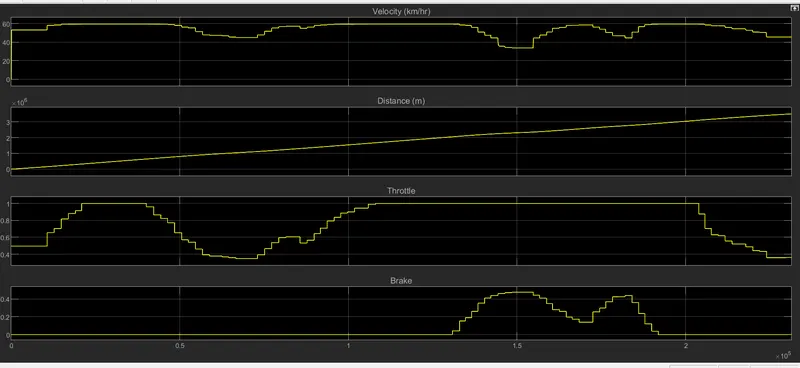
based above result, the speed of a vehicle increases by increasing throttle input accordingly the distance also changes. same way by applying a brake we can observe the dip in the velocity plot means vehicle velocity gets reduced but not to zero because the throttle input is high. this is how a real ATV can be simulated using MATLAB.
Thank you Skill Lync Team...