Project 4
#Import necessary modules
import cv2
import numpy as np
from PIL import Image
import matplotlib.pyplot as plt
from scipy import spatial
import math
import warnings
warnings.filterwarnings("ignore")
#cv2.cvtcolor is a fucntion To convert BGR image to Gray
def gray_image(image):
return cv2.cvtColor(image, cv2.COLOR_BGR2GRAY)
# cv2.gaussianblur is a function to processing the Gaussian filter on Gray Image
def gaussian_smoothing(image, filter_size, sigma):
return cv2.GaussianBlur(image, (filter_size, filter_size), sigma)
#cv2.canny is a function to detect edges using Canny Edge Detector
def edge_detection(image, low_threshold, high_threshold):
return cv2.Canny(image, low_threshold, high_threshold)
#To find just region of interest in the image
def ROI_image(image):
height = image.shape[0]
width = image.shape[1]
image = np.array(image, dtype=np.float32)
polygon_coords = np.array([(0, height), (0, round(height/1.25)), (round(width/2),round(height/2)),(width, height)])
mask = np.zeros((height, width))
masked_image = cv2.fillPoly(mask, [polygon_coords], 255)
masked_image = np.array(masked_image, dtype=np.float32)
return cv2.bitwise_and(image, masked_image)
#cv2.HoughLinesP is a function to find hough lines using hough transformation
def hough_transformation(reg_of_int_img):
image = cv2.convertScaleAbs(reg_of_int_img)
return cv2.HoughLinesP(image, 1, np.pi/180, 50, None, 0, 1000)
# for getting the perticular co-ordinates of lines for the respective lane
def get_coordinates(image, parameters):
slope, intercept = parameters
if slope<0:
y1 = image.shape[0]
y2 = int(y1*(3/5))
x1 = np.clip(int((y1-intercept)/slope), 0, image.shape[1])
x2 = int((y2-intercept)/slope)
else:
y1 = image.shape[0]
y2 = int(y1*(3/5))
x1 = int((y1-intercept)/slope*0.98)
x2 = int((y2-intercept)/slope)
return np.array([x1, y1, x2, y2])
# defining the slope and intercept to find coordinates for left lines and right lines we use below code fucntion
def average_slope_intercept(image, lines):
left_lines = []
right_lines = []
#firstly for the loop is to attain slope and intercept
for line in lines:
x1, y1, x2, y2 = line[0][:]
params = np.polyfit((x1,x2), (y1,y2), 1)
slope = params[0]
intercept = params[1]
if slope<0:
left_lines.append((slope, intercept))
else:
right_lines.append((slope, intercept))
# for finding the respective left Line COordinates
left_line_coords = []
for line in left_lines:
if line[0]>-0.1:
continue
left_line_coords.append(get_coordinates(image, line))
# for finding the respective right line coordinates
right_line_coords = []
for line in right_lines:
if line[0]<0.2:
continue
right_line_coords.append(get_coordinates(image, line))
# getting left lines and right lines using cosine distance and
#to eliminate crackline in the middle of road
final_left_lines = []
final_right_lines = []
cosine_dist = []
#if both curves have same slope
if len(left_line_coords)==0 or len(right_line_coords)==0:
if len(left_line_coords)==0:
lines = right_line_coords
else:
lines = left_line_coords
if len(lines)<=2:
return np.array(lines)
#claculating cosine distance between left lines and right lines
for l in lines:
for m in lines:
cosine_dist.append(spatial.distance.cosine(l, m))
cosine_dist = [item for item in cosine_dist if not(math.isnan(item))]
threshold = np.percentile(cosine_dist,85)
#filtering lines based on threshold and cosine distance with 85 percentile
for left in lines:
for right in lines:
dist = spatial.distance.cosine(left, right)
if dist>threshold and len(final_left_lines)==0:
final_left_lines.append(list(left))
final_right_lines.append(list(right))
continue
if dist>threshold:
if list(left) not in final_left_lines and list(left) not in final_right_lines:
final_left_lines.append(list(left))
if list(right) not in final_right_lines and list(right) not in final_right_lines:
final_right_lines.append(list(right))
#Finding average of lines
left_line = np.average(np.array(final_left_lines), axis=0)
right_line = np.average(np.array(final_right_lines), axis=0)
return np.array([left_line, right_line])
else:
#keeping farthest lines and removing others to eliminate crack lines
for left in left_line_coords:
for right in right_line_coords:
cosine_dist.append(spatial.distance.cosine(left, right))
cosine_dist = [item for item in cosine_dist if not(math.isnan(item))]
threshold = np.percentile(cosine_dist,85)
#threshold filtering
for left in left_line_coords:
for right in right_line_coords:
dist = spatial.distance.cosine(left, right)
if dist>threshold and len(final_left_lines)==0:
final_left_lines.append(list(left))
final_right_lines.append(list(right))
continue
if dist>threshold:
if list(left) not in final_left_lines:
final_left_lines.append(list(left))
if list(right) not in final_right_lines:
final_right_lines.append(list(right))
left_line = np.average(np.array(final_left_lines), axis=0)
right_line = np.average(np.array(final_right_lines), axis=0)
return np.array([left_line, right_line])
#function to draw lines on lanes either side of the road
def draw_lane_lines(image, lines, color=[0, 0, 255], thickness=10):
line_image = np.zeros_like(image)
for line in lines:
x1, y1, x2, y2 =line
if line is not None:
cv2.line(line_image, (int(x1),int(y1)), (int(x2),int(y2)), color, thickness)
return cv2.addWeighted(image, 0.8, line_image, 1.0, 1.0)
#Function to perform above functions on the image and find lanes
def lanes(image):
#gray image
gray_im = gray_image(image)
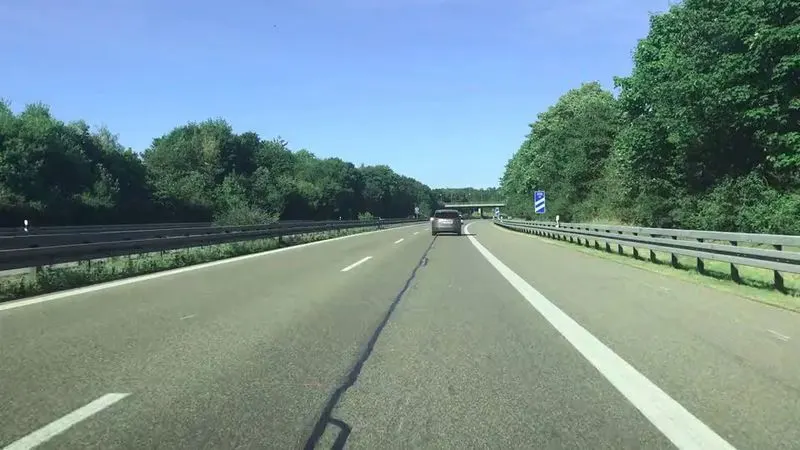
fig.1:- first frame image
#Gaussian Filtering or smoothing
gaussian_im = gaussian_smoothing(gray_im, 5, 5)
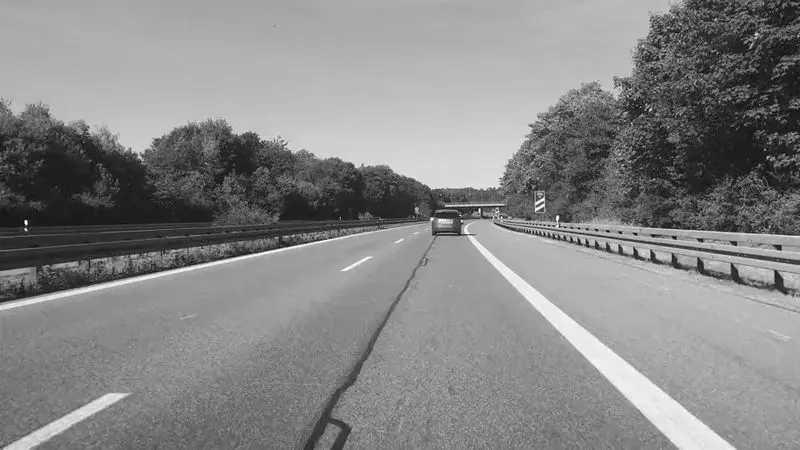
fig.2:- gaussian image
#Canny edge detection
edgy_im = edge_detection(gaussian_im, 50, 150)
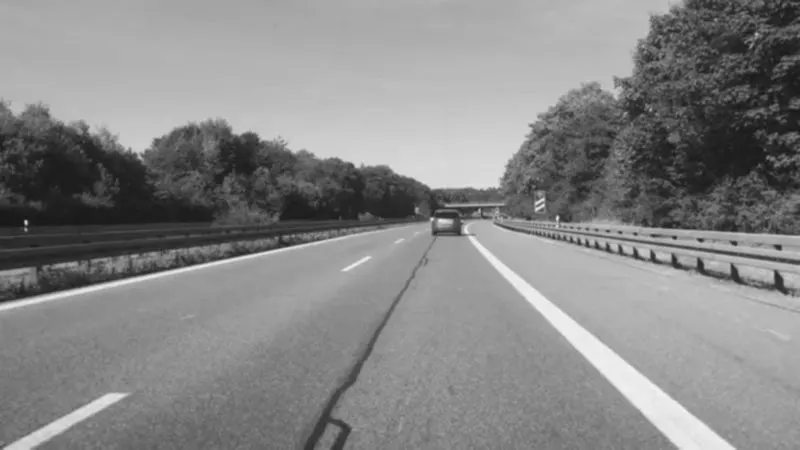
fig.3:- canny edge detection image
#region of interest
roi_im = ROI_image(edgy_im)
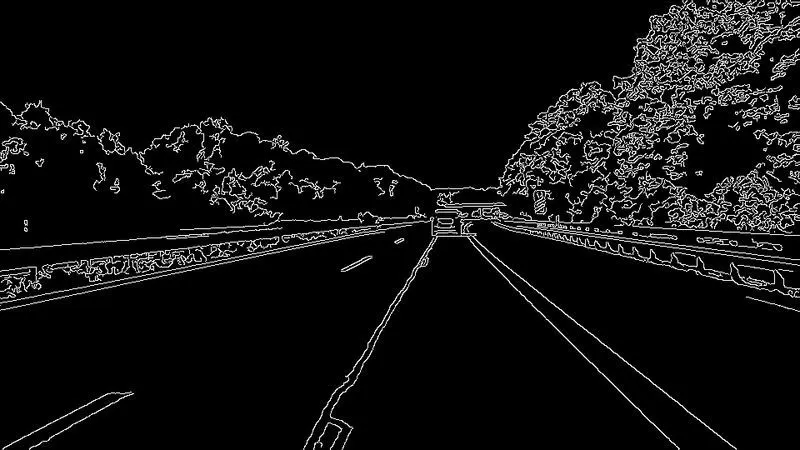
fig.4:- ROI image
#To get hough lines
hough_lines = hough_transformation(roi_im)
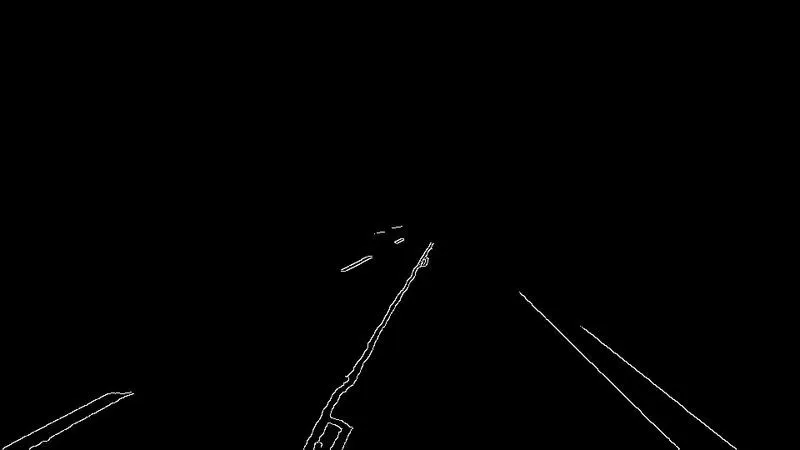
fig.5:- hough transformation image
#to get left and right lines
lines = average_slope_intercept(roi_im, hough_lines)
threshold = spatial.distance.cosine(lines[0], lines[1])
#to draw lanes using above lines
draw_lanes = draw_lane_lines(image, lines,[0, 0, 255], 10)
return threshold, draw_lanes
#Applying above functions on Input given Video to detect lanes
#to read the input video
video = cv2.VideoCapture('lane.mp4')
#to check fps of video
fps = video.get(5)
#checking total number of frames
frame_count = video.get(7)
#obtaining frame size information
frame_width = int(video.get(3))
frame_height = int(video.get(4))
frame_size = (frame_width,frame_height)
#writing lane marked images into a video file
output = cv2.VideoWriter('Lane_output.avi',cv2.VideoWriter_fourcc('M','J','P','G'), 20, frame_size)
#loading each frame
while(video.isOpened()):
ret, frame = video.read()
if ret == True:
threshold, final_image = lanes(frame)
if 0.2<=threshold<=0.303:
output.write(final_image)
cv2.imshow("output",final_image)
k = cv2.waitKey(20)
if k ==113:
break
else:
continue
else:
break
NOTE:- the following gdrive link contains the output video of lane detection
https://drive.google.com/file/d/19gMnYKiSVKQYNGdPPiodBGx2UegY_Nja/view?usp=sharing