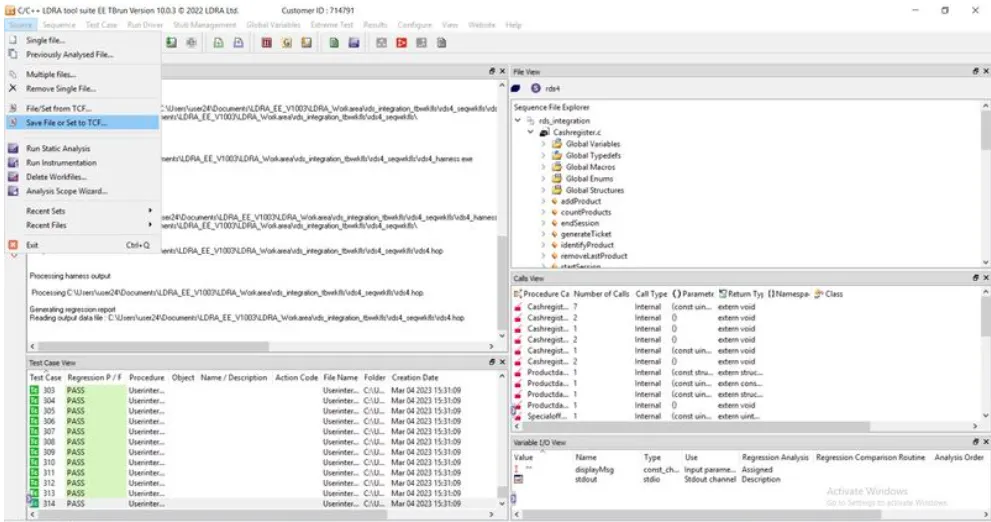
1. Static Code Review Analysis
Because we are using only one .c file namely Ggroceries.c (path: Documents-> LDRAEE -> LDRA_Workarea-> Examples-> C_tbrun_examples-> Ggroceries.c) for testing, it is known as Unit Testing. Here I am going to perform the static code review analysis under both the Black Box and White Box Tests.
| 1. |
Used SoftEther VPN and skill-lync remote desktop connection to access the LDRA tool. |
| 2. |
10.0.3 version of LDRA Tool is used |
| 3. |
After opening the LDRA tool go with the default setting by clicking on the black triangle at the top of the rightmost border column. |
| 4. |
Clicking on the Source Tab and choosing the single source file option to select the .c source file to be tested i.e. Ggroceries.c |
| 5. |
Path of selecting the .c source file --> LDRA_Workarea-> Examples-> C_tbrun_examples-> Ggroceries.c |
| 6. |
Then firstly selected the sequence rds by clicking on the Sequence tab and then New sequence. |
| 7. |
Checking the Sequence box in the Sequence File explorer under the File View window to be white (or Black) for White Box Test (or Black Box Test). |
| 8. |
Then click on Source Tab and select the Run Static Analysis for White Box Test (or Black Box Test) to be performed. |
| 9. |
Then the White Box Test (or Black Box Test) Report is generated. |
| 10. |
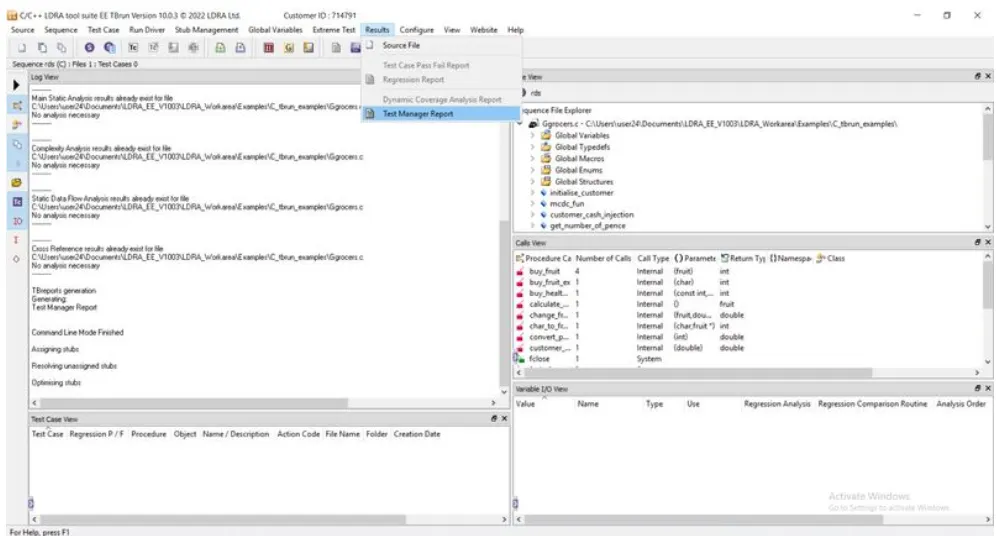
Test Report is collected by clicking on the Results Tab and selecting the Test Manager Report (Report will be popped out).
|
| |
StatiWhite Box test and Black Box test Reports are attached here in PDF format.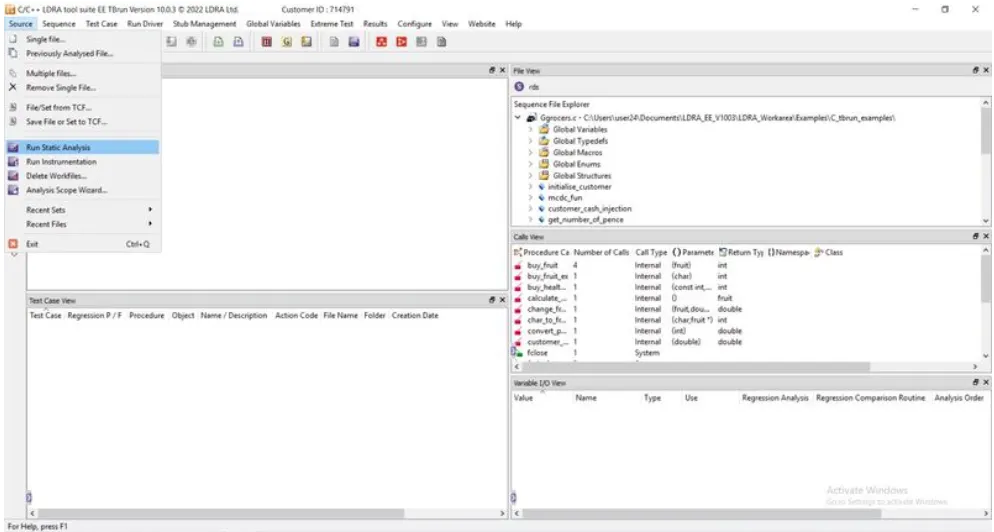
1. Integration Testing
Because we are going to use more than one .c source file for testing, it is known as Integration Testing. Here integration testing is performed under the Black Box and White Box Tests conditions.
- Used SoftEther VPN and skill-lync remote desktop connection to access the LDRA tool.
- 10.0.3 version of LDRA Tool is used
- After opening the LDRA tool go with the default setting by clicking on the black triangle at the top of the rightmost border column.
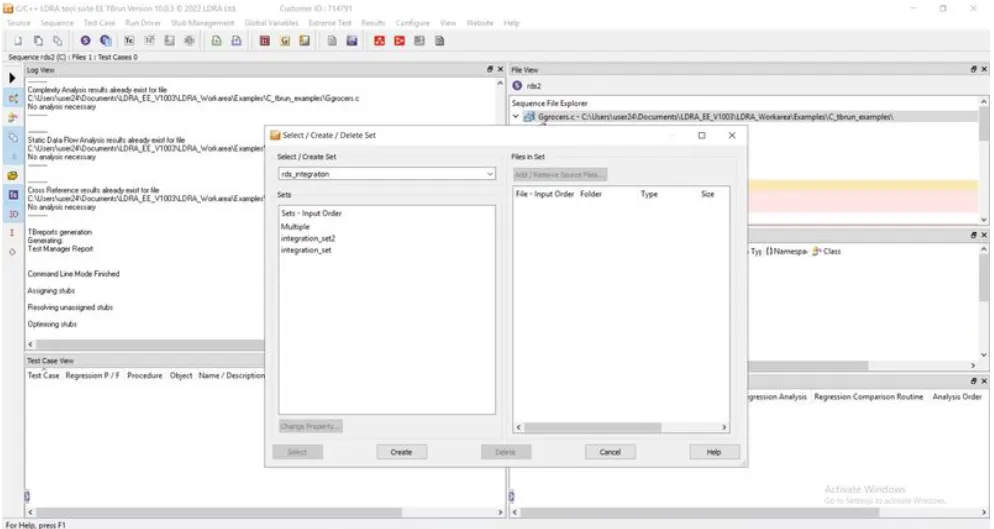
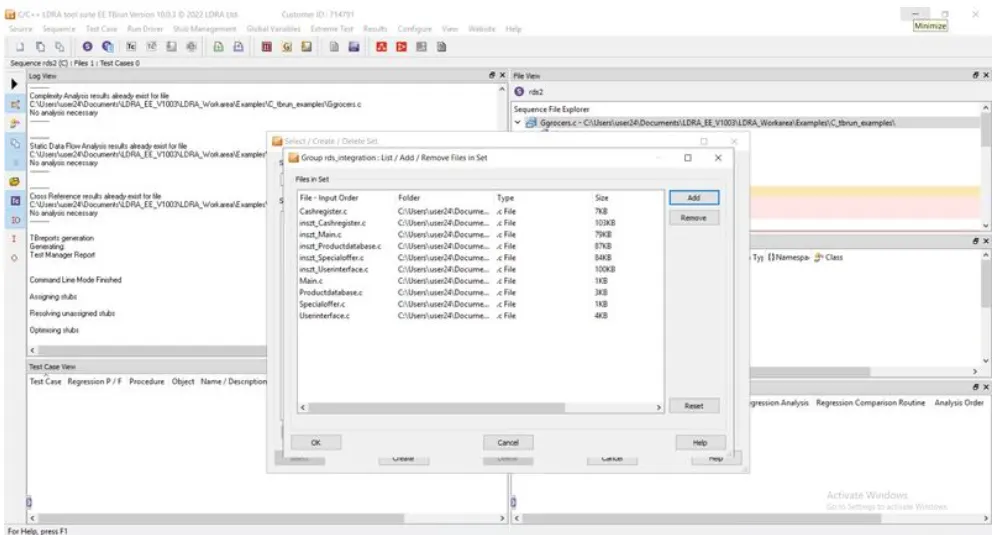
- Clicking on the Source Tab and choosing the Multiple files...option to create a set or system of more than one .c source files
- Adding the multiple .c source file for integration testing -->c:\**\LDRA_workarea\Examples\Toolsuite\Cashregister_6.0\ ** (selecting All files from here) and creating a system.
- Then firstly selected rds4 by clicking on the Sequence tab and then New Sequence.
- Checking all the sequence box(because many .c files are there) in the sequence File explorer under the File View window to be white (or Black) for White Box Test.
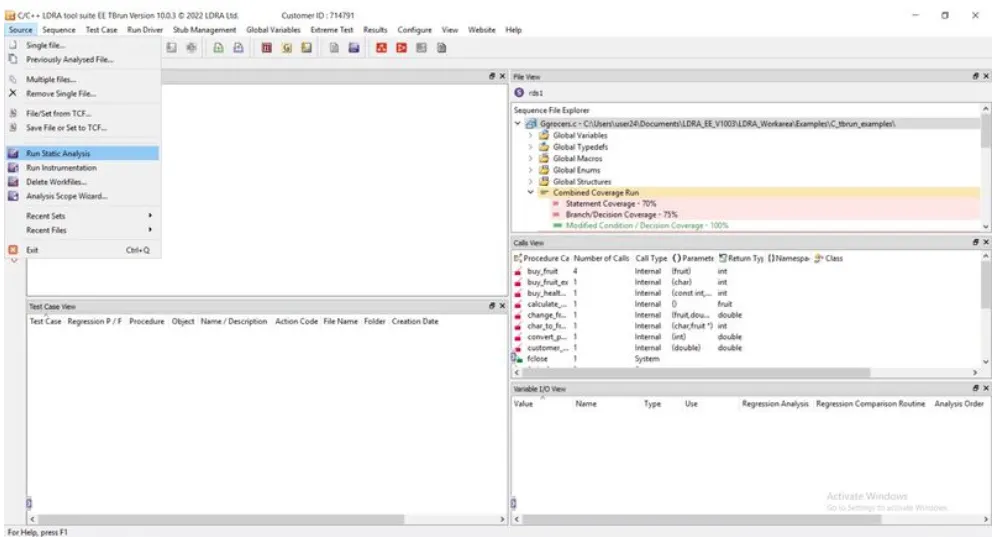
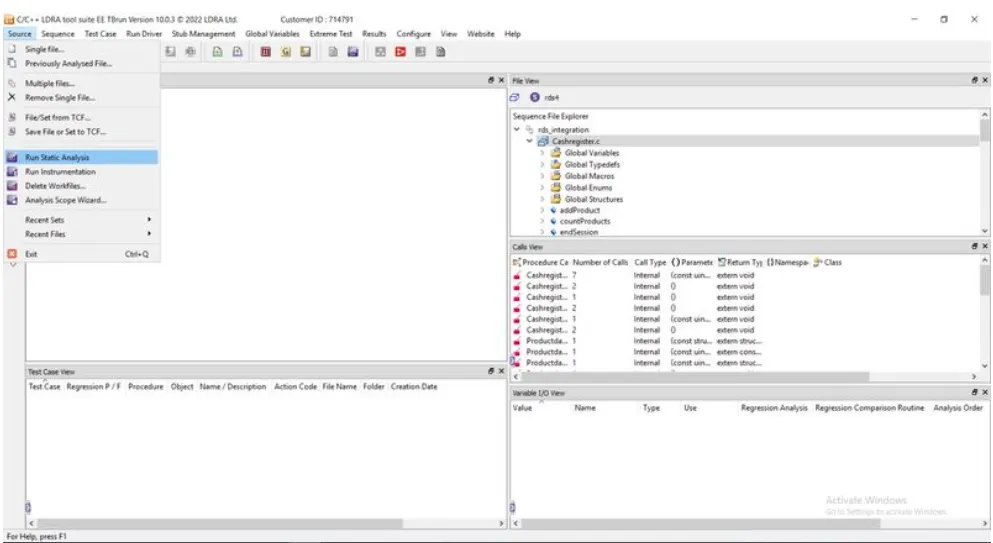
- Then click on Source Tab and select the Run Static Analysis for White Box Test (or Black Box Test) to be performed.
- Afterwards go to Configure Tab --> Analysis configuration option --> static options--> press Find/create button--> goto the files or folder (Cashregister_6.0) path to create the sysearch.dat file in selected path/location. The same thing should be done for the Macros tab.
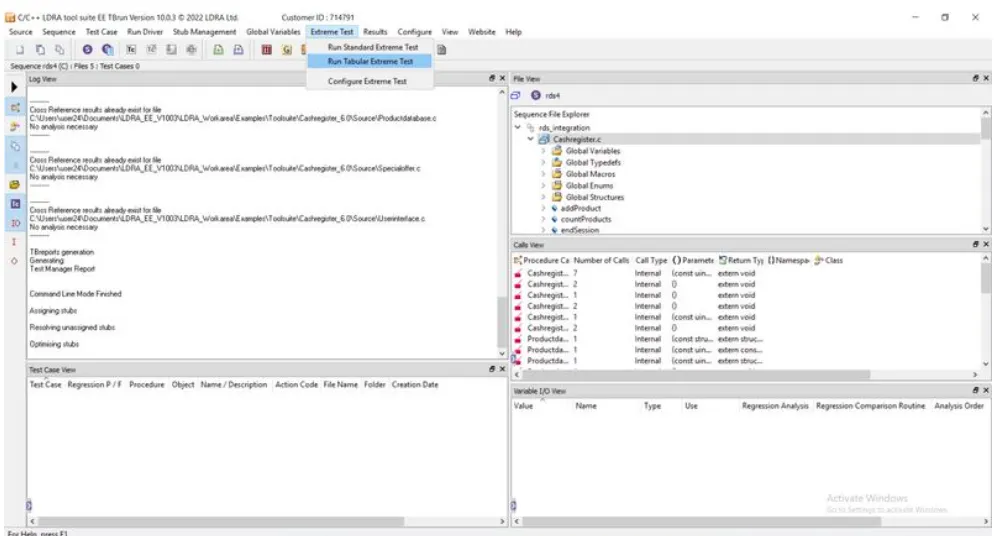
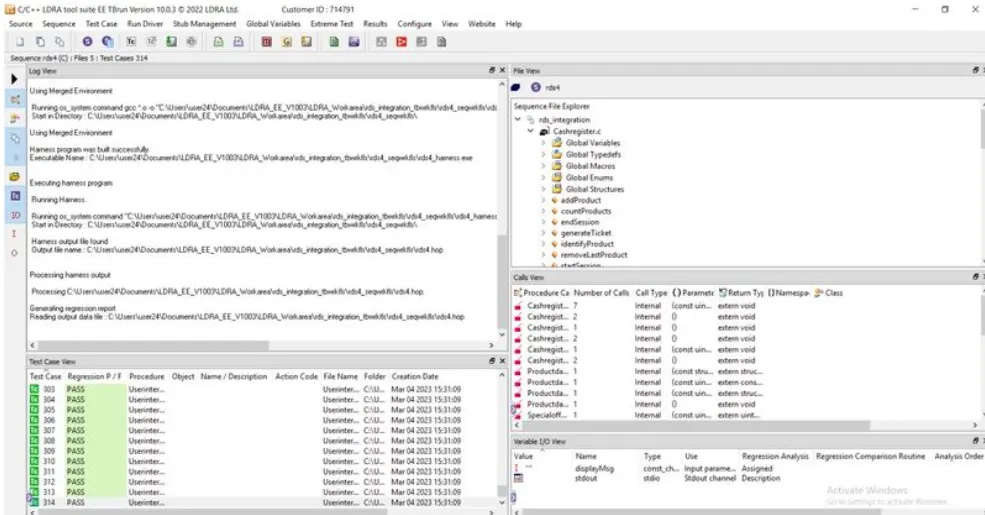
- Go to the Extreme Test Tab to select the Run Tabular extreme test case for Automation Unit Testing (All Test cases are created automatically. (Performed under both White Box and Black Box ).
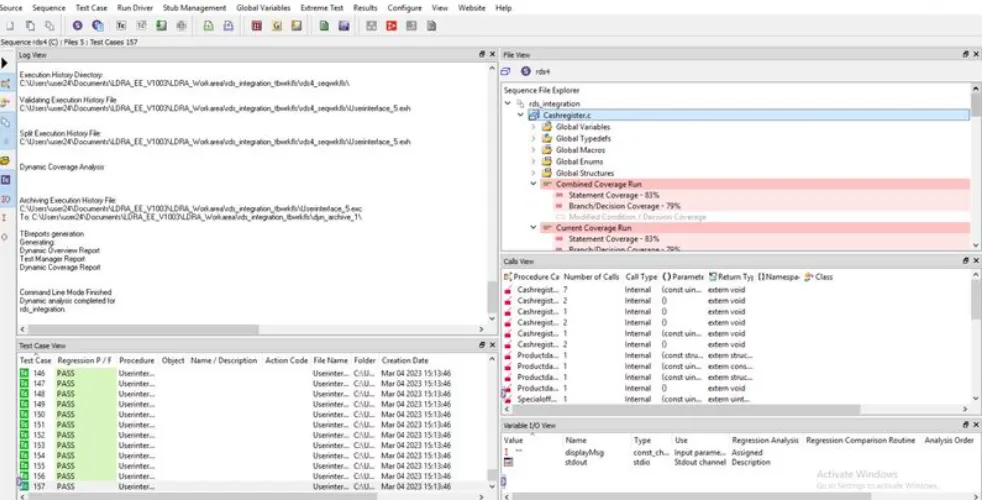
- The final report of this Automation testing is available on the Results Tab go to the tab to select the Regression report. This Integration Automation Testing Reports are attached here in PDF format.
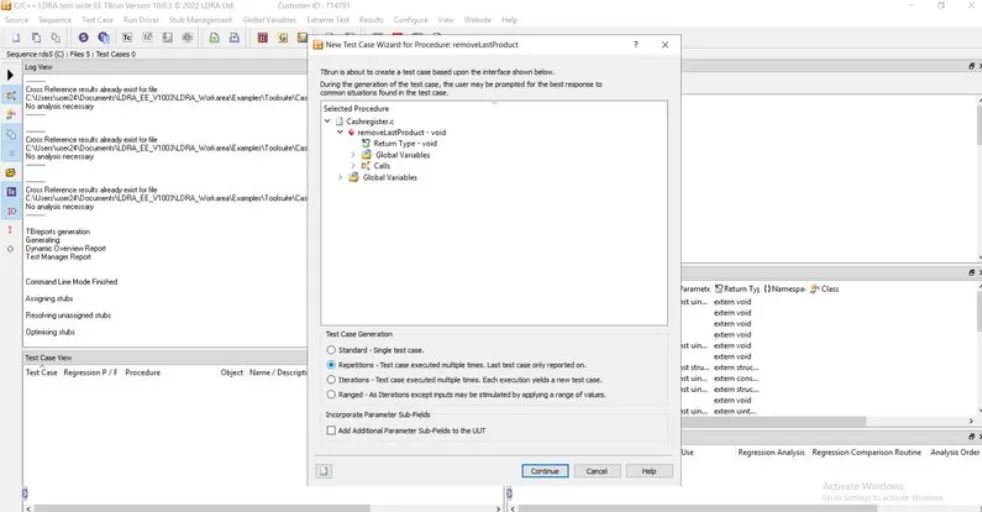
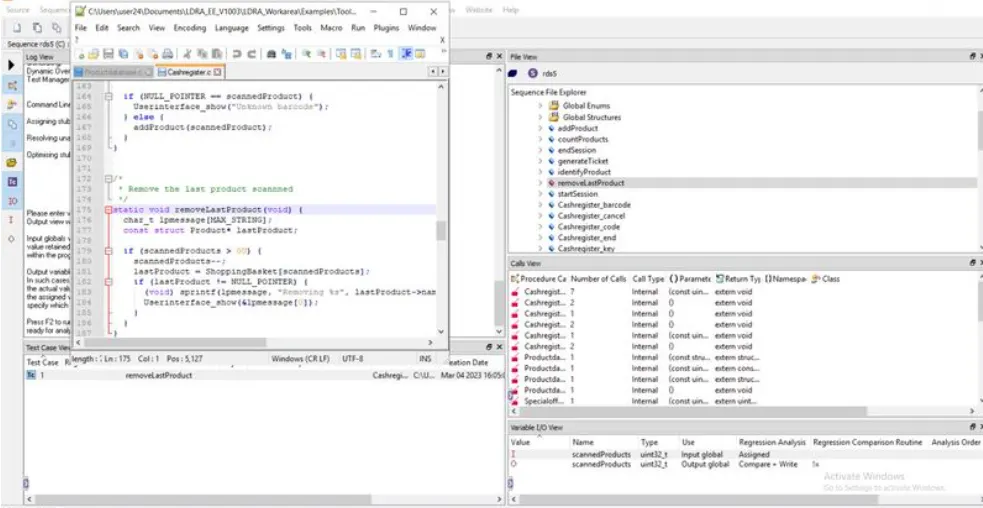
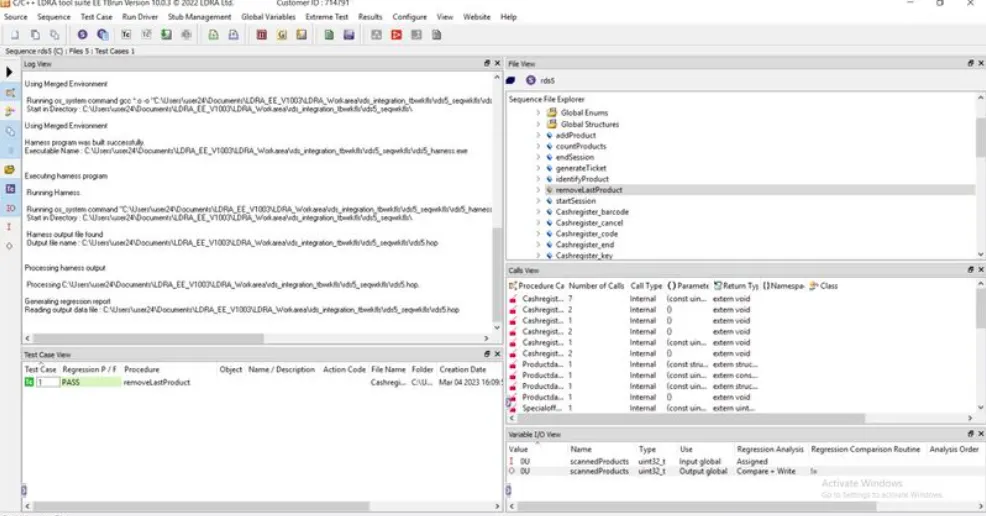
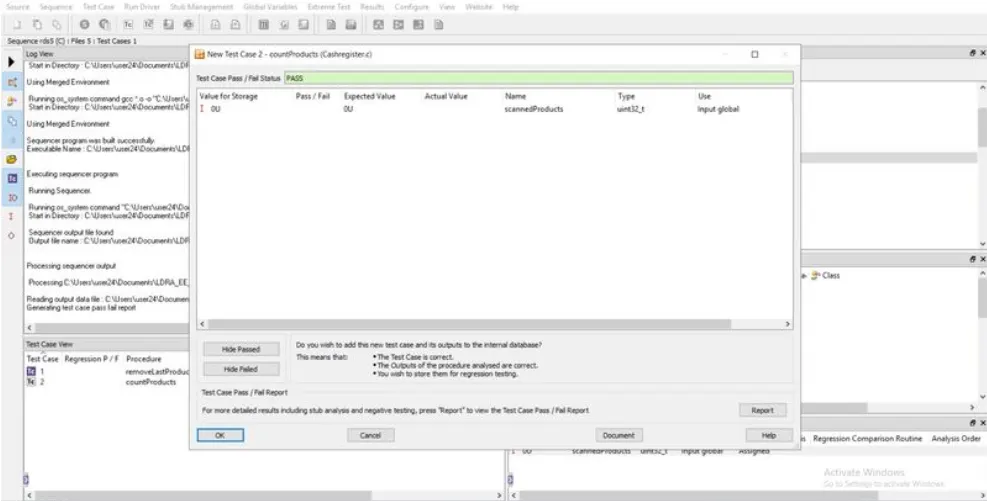
- For manual integration testing, restart with step no:8. 1. Test cases are generated by clicking on Test Case Tab and selecting the Create NewTest Case.
- Then select the function and complete the important selection per the need.
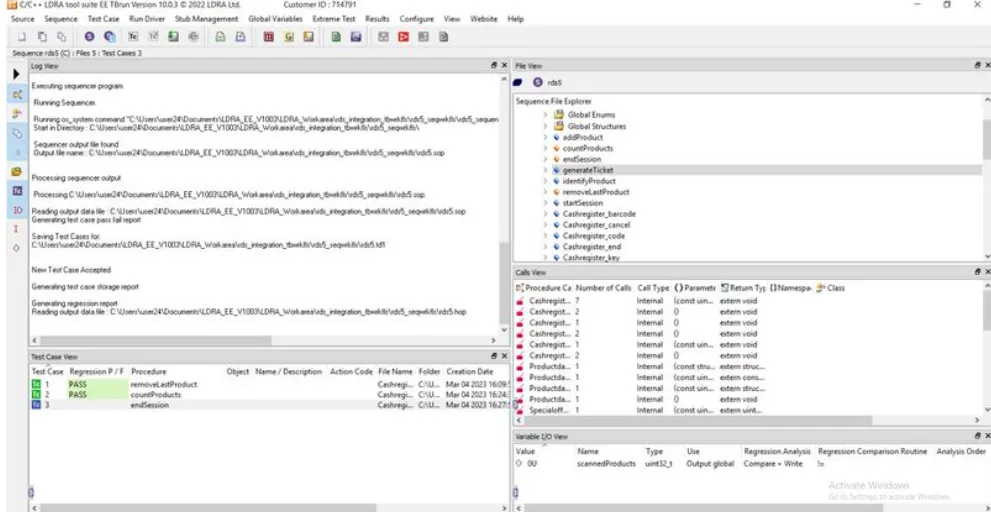
- Give the input and output values from the Variable I/O view window and click on Run Driver Tab for manual testing repeat the process by selecting the different functions .
- This Manual testing report is available on the Results Tab go to the tab to select the Regression report.
- To store the test cases in TCF format, go to Source Tab and select the Save File or set to TCF...then give the path or location with file name to the test cases set (filename.tcf). The file is attached here in .tcf format .
|