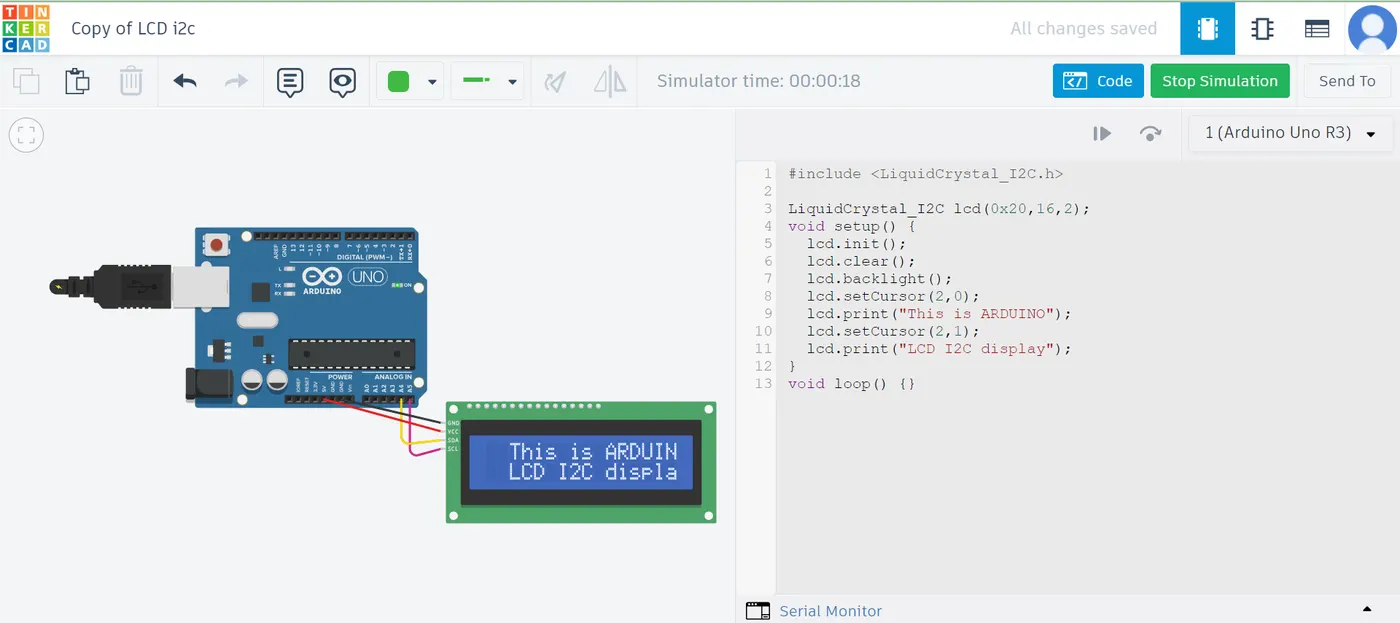
Project 1 - Interfacing a 16*2 LCD with Arduino using I2C protocol
Interfacing a 16*2 LCD with Arduino’s
CIRCUIT DESIGN:
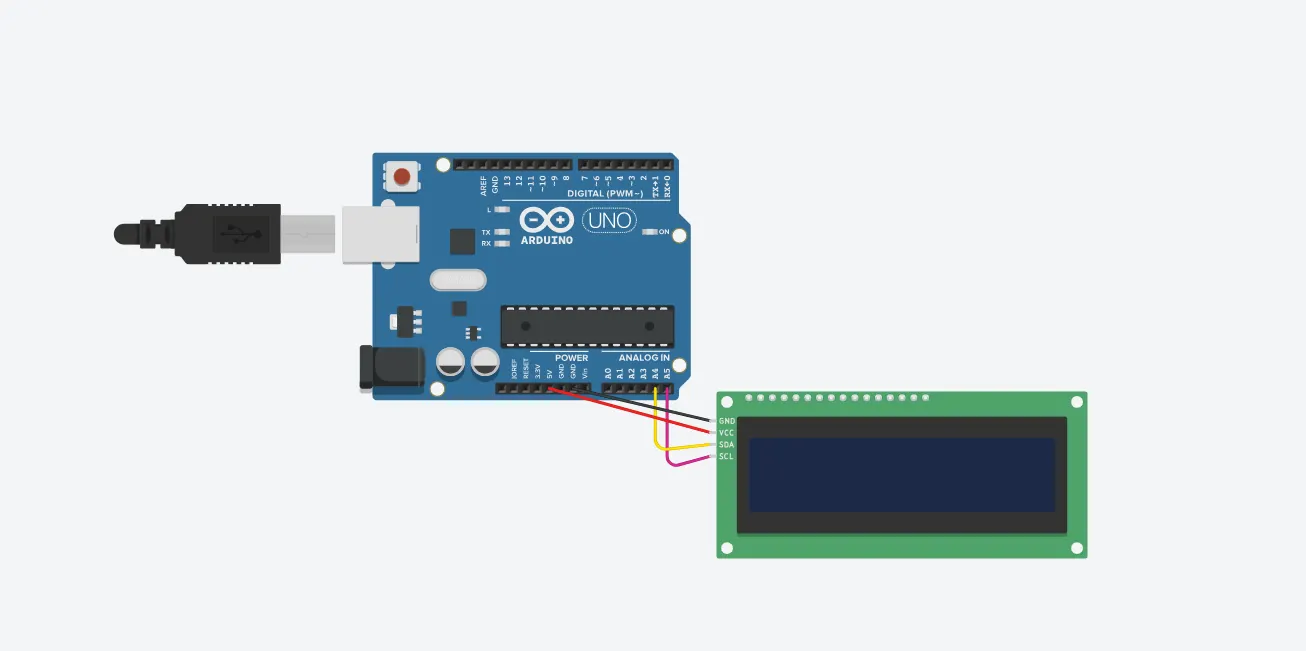
MASTER CODE:
#include <Wire.h>
void setup() {
Serial.begin(9600);
Serial.println("\nI2C Scanner");
Serial.println("Scanning...");
byte device_count = 0;
Wire.begin();
for (byte address = 1;
address < 127; address++ ){
Wire.beginTransmission(address);
if (Wire.endTransmission() == 0) {
// Serial.print ("Found address: ");
Serial.print("I2C device found at address 0x");
Serial.print(address, HEX);
Serial.println(" !");
device_count++;
delay(1);
}
}
Serial.println ("Done.");
Serial.print ("Found ");
Serial.print (device_count);
Serial.println (" device(s).");
}
void loop() {}
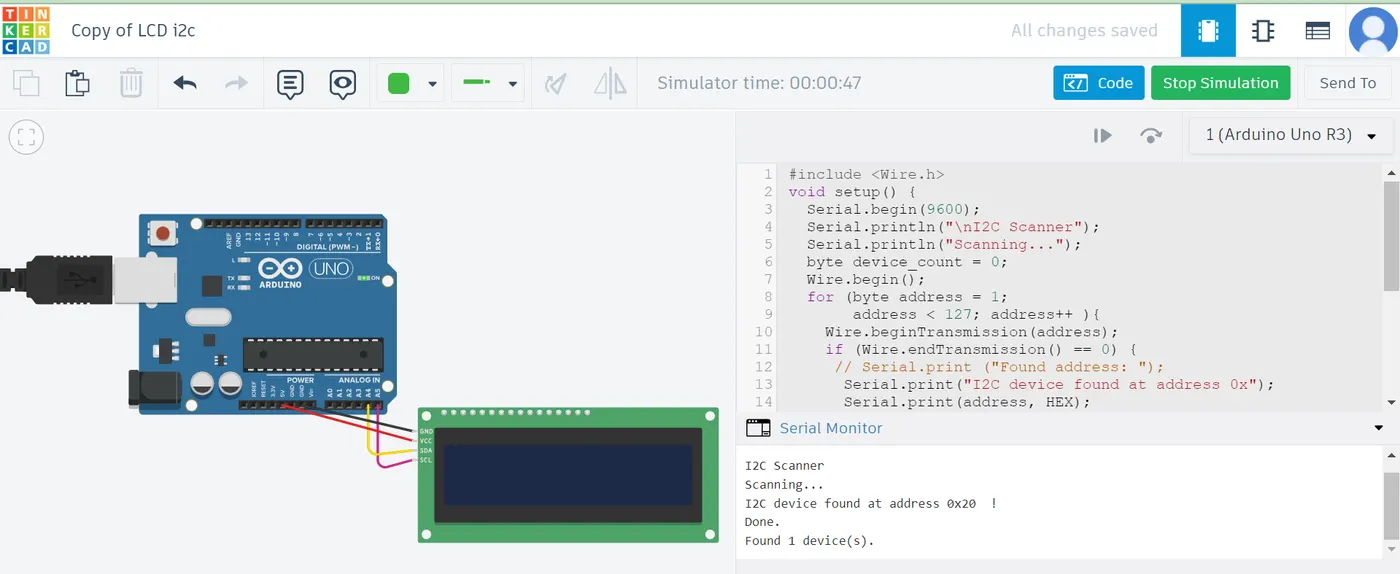
From above simulation we have to note the Address of I2C LCD (Here ....0x20) to run the LCDdisplay.
Code to display in I2C LED:
SLAVE CODE:
#include <LiquidCrystal_I2C.h>
LiquidCrystal_I2C lcd(0x20,16,2);
void setup() {
lcd.init();
lcd.clear();
lcd.backlight();
lcd.setCursor(2,0);
lcd.print("This is ARDUINO");
lcd.setCursor(2,1);
lcd.print("LCD I2C display");
}
void loop() {}