Project 2 - V&V SW Analysis II
- Perform Static Code Review Analysis for “C:\**\LDRA_workarea\Examples\C_Testbed_examples\Testrain\Testrain.c” Generate Code review reports and upload them.
Solution:
Static Code Analysis: In this software will check various fatal run-time errors without executing code. Out of bound array index, division by zero, uninitialized data variables, illegal dereferenced pointers, integer overflows, etc. are checked under this along with violation with CERT-C and MISRA-C standards.
Firstly we will go to Source --> Single File --> Run Static Analysis
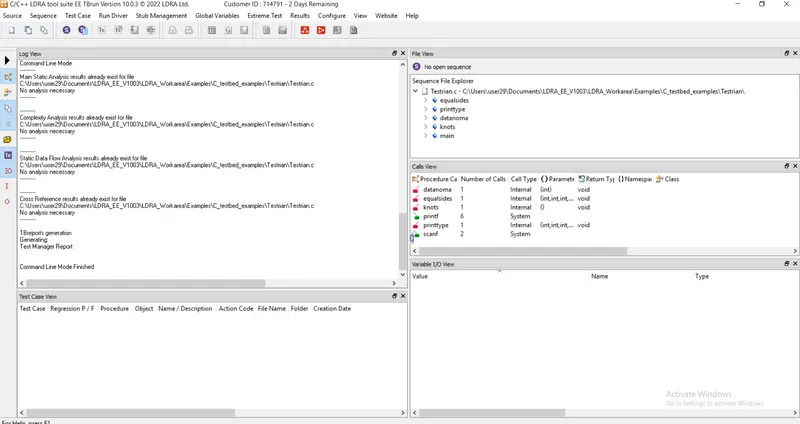
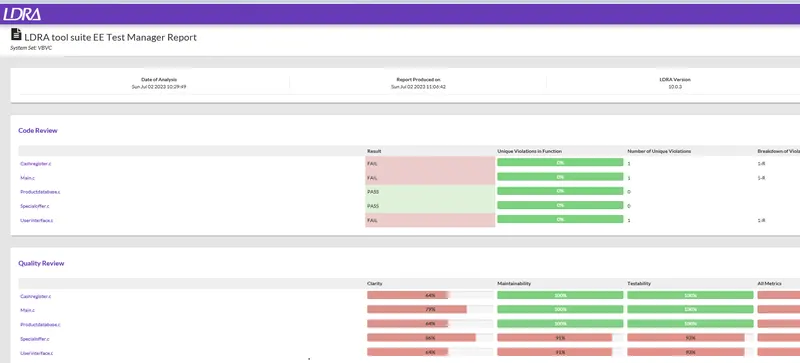
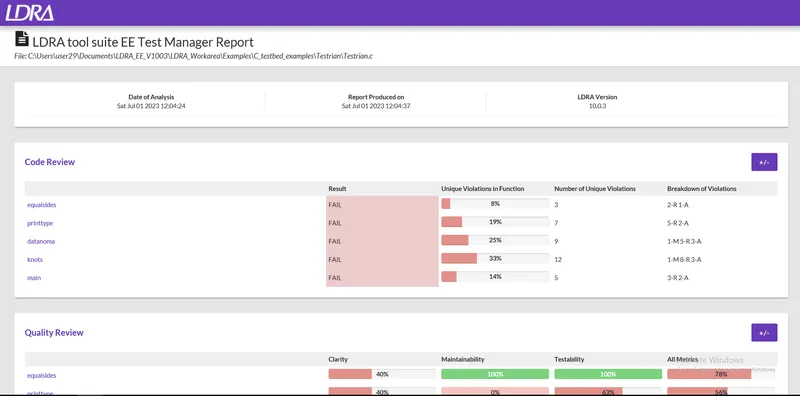
Now go to Results --> Test Manager Report
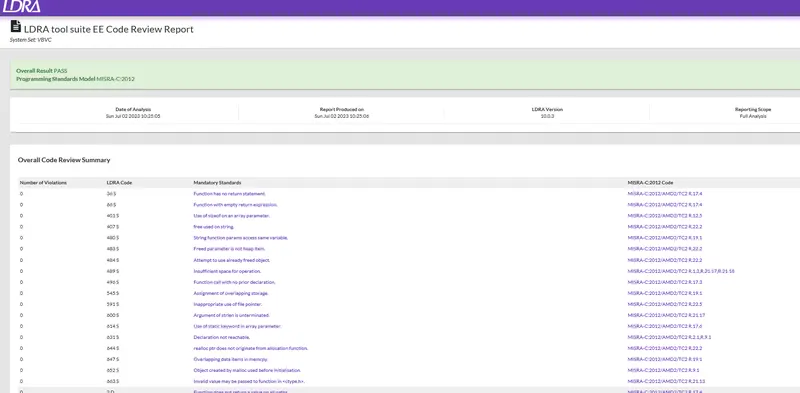
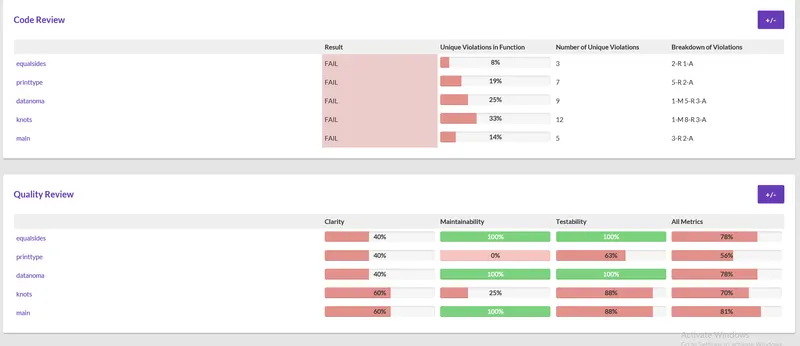
There we can see Code Review Analysis, all violations.
------------------------------------------------------------------------------------------------------------------------------------------------------------------------------------------------------------------------------------------------------------
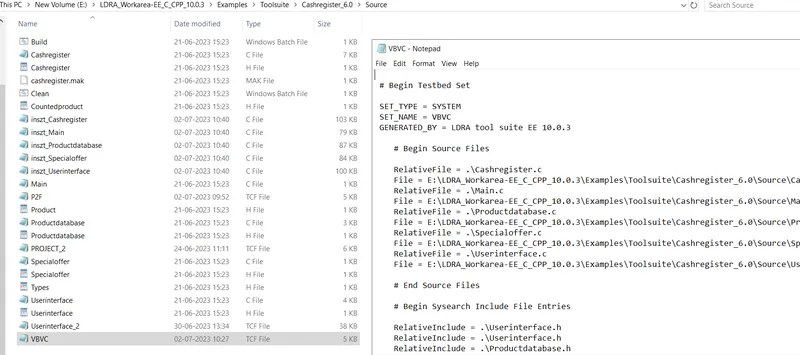
- Perform Integration testing by including all the .C files available in the folder location C:\**\LDRA_workarea\Examples\Toolsuite\Cashregister_6.0\ ** A)Create the test cases manually as well as automatically using TBExtreme and upload the reports. B)store the test cases as .tcf file. Upload the location image where the .tcf file is stored.
Solution:
Integration Testing: It is the next level of Testing after the unit test. We have different .c, .h files for a project so when we test a single file then it is called a unit test but when we have to test all files of a project in accordance with others means a function call in 1 file and it may define in another file so here in integration testing we don't stub that function but it actually calls and execute function entirely and return output as per function in this way single test case will be navigating through multiple files so finally we check that all files are working with each other as per requirements without any trouble.
OR
Testing of two or more “.c” files combined is called Integration testing. If two “.c” files are integrated (for example), one function calls in file 1 has its definition in file 2, then while integration testing, we don’t stub that function and gets the actual value from executing the function in the second file.
- Top-Down Testing: The process of breaking down the system to develop deep into subsections is then refined in greater detail.
- Bottom-Up Testing: Basic blocks from greater components that give rise to complex systems.
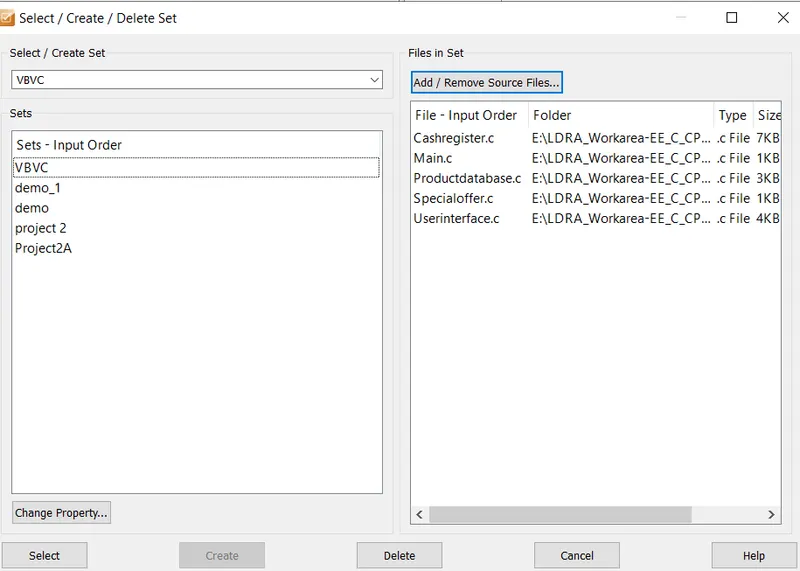
1. Firstly we will create set : Source --> Multiple Files --> Set name --> create --> system --> add --> navigate and choose all files you want --> ok
2. Go to Configure --> Analysis Configuration Options -->Static Options -->Include file( Find/create) -->sysearch --> select Macros ( Find/create) --> sysppvar --> ok
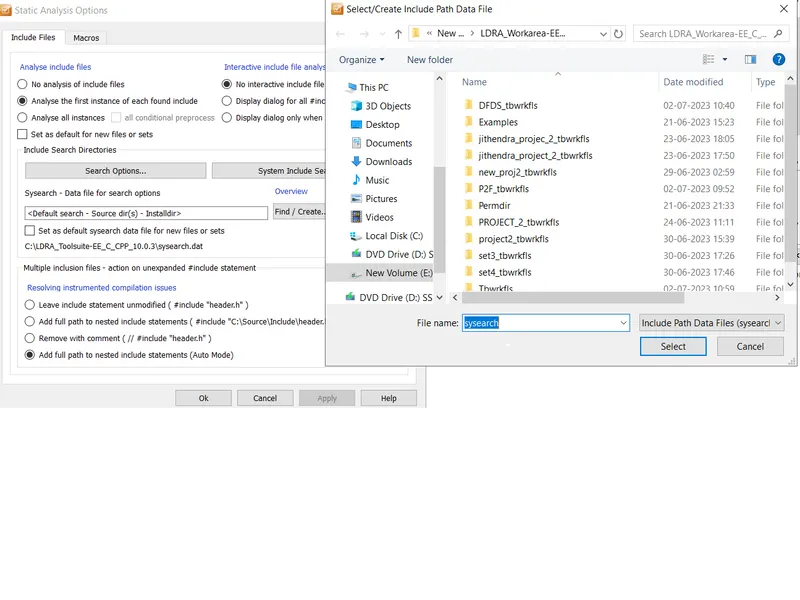
3. Source --> Run Static Analysis
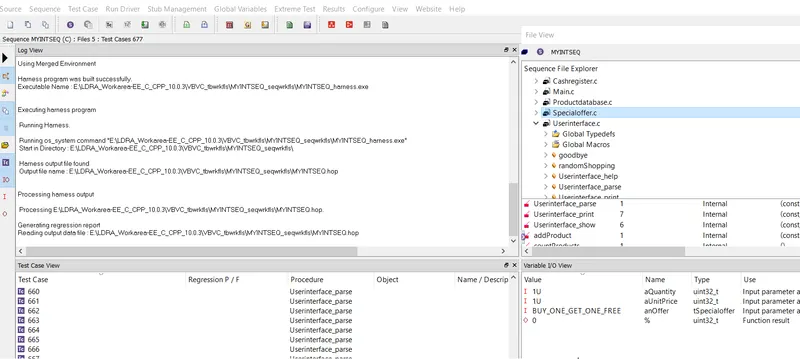
4. Create Sequence --> write manual test case, Go to Extreme Test --> Run Tabular Extreme for the whole file
5. Source --> Save File/Set to TCF.
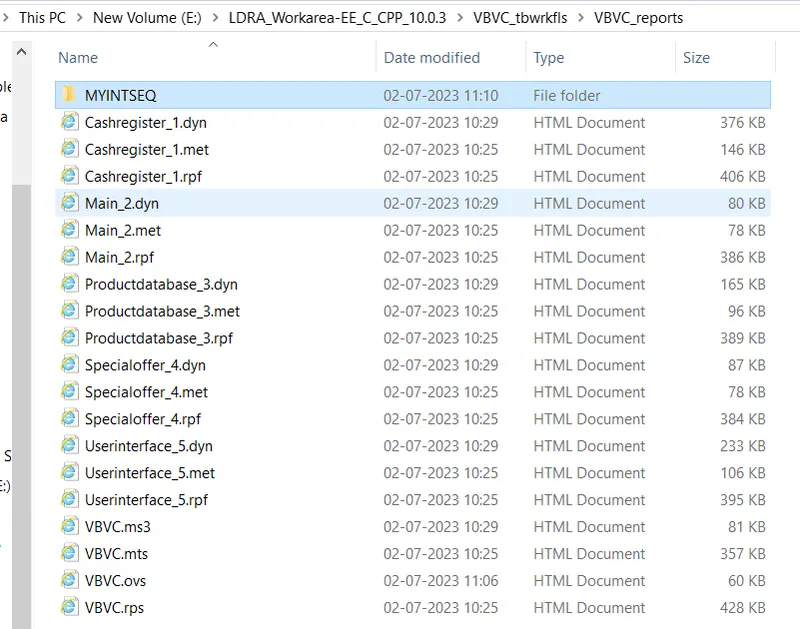
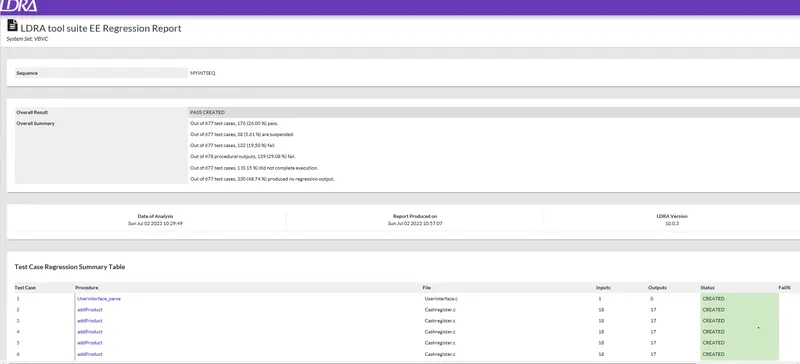
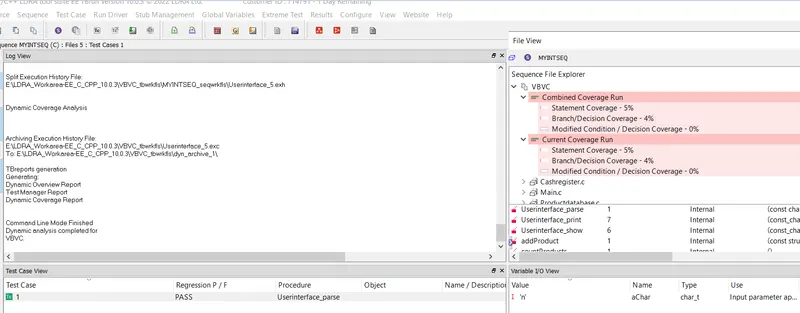
6. Results --> test manager report, dynamic coverage analysis, regression reports.