Project 2 Thermal modeling of battery pack
1)AIM
To simulate the thermal effects and compare life cycle performance at various temperatures, charge & discharge rates for a 10 cell series lithium ion battery model, using MATLAB.
2)objective
To analyze temperature and life cycle parameters of the 10 cell series battery pack.
- Connect 10 cells in series analyze the response to a cyclic charge and discharge source.
- Change the ambient temperatures of the battery pack and compare the performances.
- Add the fading parameters of the battery and analyse the performance after each charge/discharge cycle
3)Theory
now a days lithium ion battery are mostly used in electric vehicles we must know its charge and discharge rates to operate this batterys in efficient manner and with out damage when this batterys in operation this temperature of it must be kept in limit we simulate the thermal effect of this cell , by knowing the how much temp rise take place we can provide efficient cooling to the batterys so that the life cycle of the battery increases we will see a model on this issue below and explaination as follows
cells connected in series and one of the cell is faulty so what will be thermal effect . This example shows how to simulate a battery pack consisting of multiple series-connected cells in an efficient manner. It also shows how a fault can be introduced into one of the cells to see the impact on battery performance and cell temperatures. For efficiency, identical series-connected cells are not just simply modeled by connecting cell models in series. Instead a single cell is used, and the terminal voltage scaled up by the number of cells. The fault is represented by changing the parameters for the Cell 10 Fault subsystem, reducing both capacity and open-circuit voltage, and increasing the resistance values.
MODELING AND SIMULATION
The numerical analysis proposed here consisted of a parameter estimation / validation stage, and a simulation stage. During parameter estimation, a discharge profile was iteratively simulated and its results compared with experimental data. The ECM was created using SimscapeTM blocks and SimscapeTM language. The drawing shown in Figure 4 represented the circuit diagram with a single RC block. Each of the circuit elements was a subsystem consisting of custom electrical blocks, and blocks to calculate the properties of the circuit element.
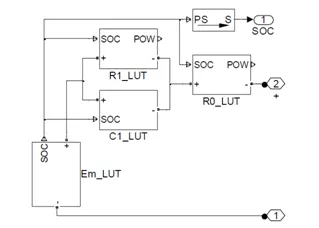
Figure 3: Simscape Equivalent Circuit Model
- Output Analysis
1 Temperature Analysis
The battery performance parameters like Voltage, SOC has to be analysed at different temperatures.
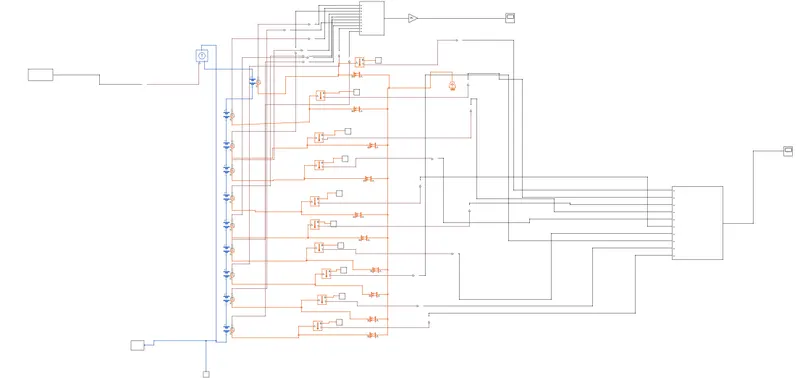
Figure shows the battery pack model with 10 cells connected in series. All these cells are connected such that it can transfer heat by convection. The ambient temperature can be changed to different values to analyse the battery pack performance at different temperatures.
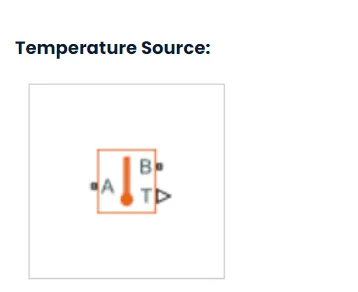
The Temperature Sensor block represents an ideal temperature sensor, that is, a device that determines the temperature differential measured between two points without drawing any heat.
Connections A and B are thermal conserving ports that connect to the two points where temperature is being monitored. Port T is a physical signal port that outputs the temperature differential value.
The block positive direction is from port A to port B. The measured temperature is determined as T = TA – TB.
This block represents an ideal energy source in a thermal network that can maintain a constant absolute temperature at the port regardless of the heat flow rate.
This block is used for ambient temperature which we can set and check results .
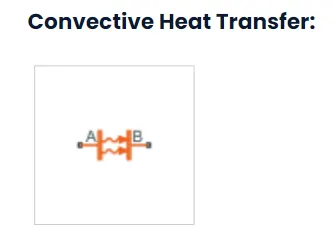
This block models heat transfer in a thermal network by convection due to fluid motion. The rate of heat transfer is proportional to the temperature difference, heat transfer coefficient, and surface area in contact with the fluid.
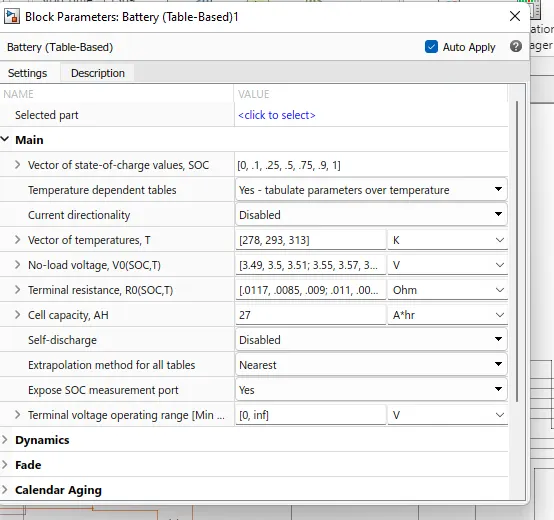
fig-battery(table-based)
Battery (Table-Based)
Library:
Simscape / Electrical / Sources
The Battery (Table-Based) block represents a high-fidelity battery model. The block calculates no-load voltage as a function of charge level and optional temperature using lookup tables and includes several modeling options:
- Self-discharge
- Battery fade
- Charge dynamics
The Battery (Table-Based) block has four modeling variants, accessible by right-clicking the block in your block diagram and then selecting the appropriate option from the context menu, under Simscape > Block choices:
- Uninstrumented | No thermal port — Basic model that does not output battery charge level and simulates at a fixed temperature. This modeling variant is the default.
- Uninstrumented | Show thermal port — Model with exposed thermal port. This model does not output internal charge level of the battery.
- Instrumented | No thermal port — Model with exposed charge output port. This model uses a fixed temperature throughout the simulation.
- Instrumented | Show thermal port — Model that lets you output internal charge level of the battery. Both the thermal port and the charge output port are exposed.
The instrumented variants have an extra physical signal port that outputs the internal state of charge. Use this functionality to change load behavior as a function of state of charge, without the complexity of building a charge state estimator.
The thermal port variants expose a thermal port, which represents the battery thermal mass.
The battery equivalent circuit is made up of the fundamental battery model, th
fig .singal builder
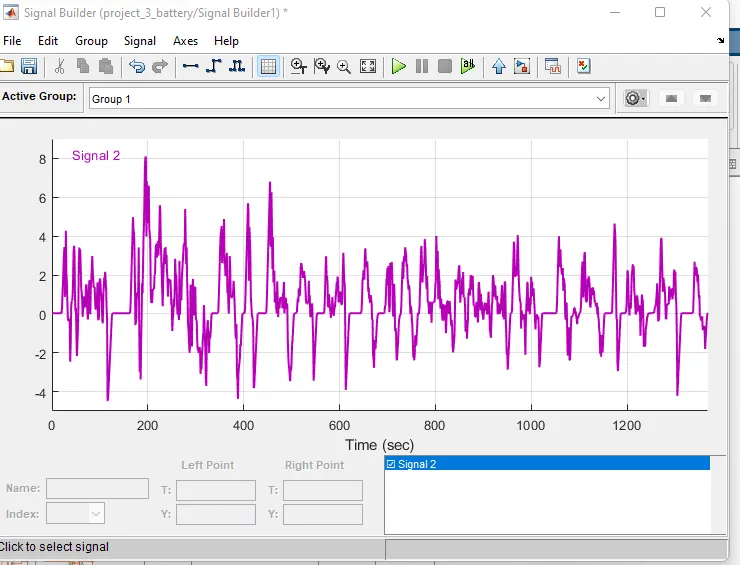
fig.soc of battery
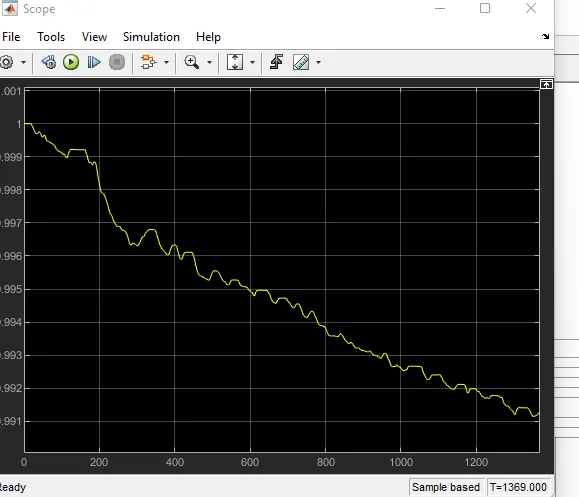
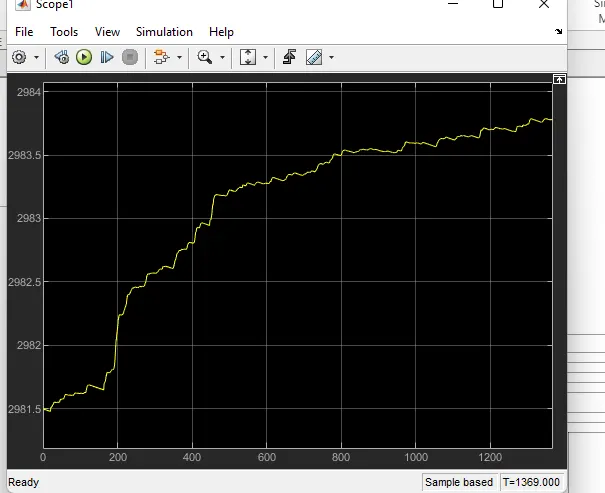
fig.temperature of battery
.