Project-2-Meshing of Door Inner Panel Challenge
Aim : TO MESH THE GIVEN COMPONENT WITHE FOLLWING QUALITY CRITERIA AND ACHIVE GOOD MESH FLOW.
Follow the Quality Criteria and mesh the following component and assign thickness:
Target Element Length = 4 Units
| S.N | Quality Criteria | Value |
| 1 | Aspect Ratio | 5 |
| 2 | Skewness | 45 |
| 3 | Warping | 15 |
| 4 | Taper | 0.5 |
| 5 | Min. Length | 2 Units |
| 6 | Max. Length | 6 Units |
| 7 | Min angle Quad | 45 |
| 8 | Max angle Quad | 135 |
| 9 | Min angle Tria | 20 |
| 10 | Max angle Tria | 120 |
| 10 | Tria % | 10 |
Objectives :
- To check the geometrical errors in the CAD model.
- To check the CAD Topology and CAD Clean Up.
- To extract the Mid surface for all components of the CAD model and assign thickness to the mid surface.
- To achive mention qualitiy criteria and features of the model have to be captured properly with good mesh flow.
- To mesh the each mid surface for better mesh flow.
- To write a detailed report on meshing of hood challenge.
- To mention the result which gives a best mesh flow of the CAD model.
Procedure :
Toplogy Cleanup :
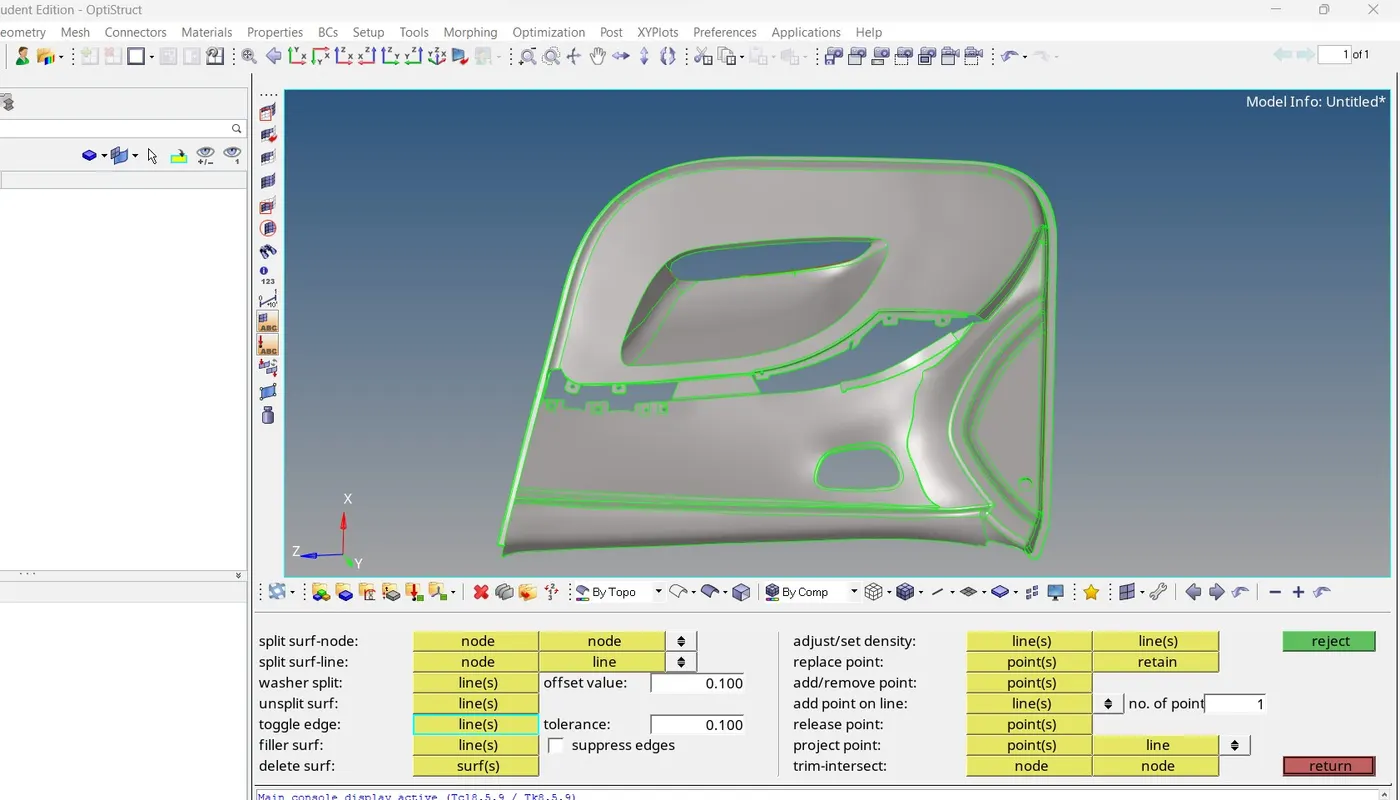
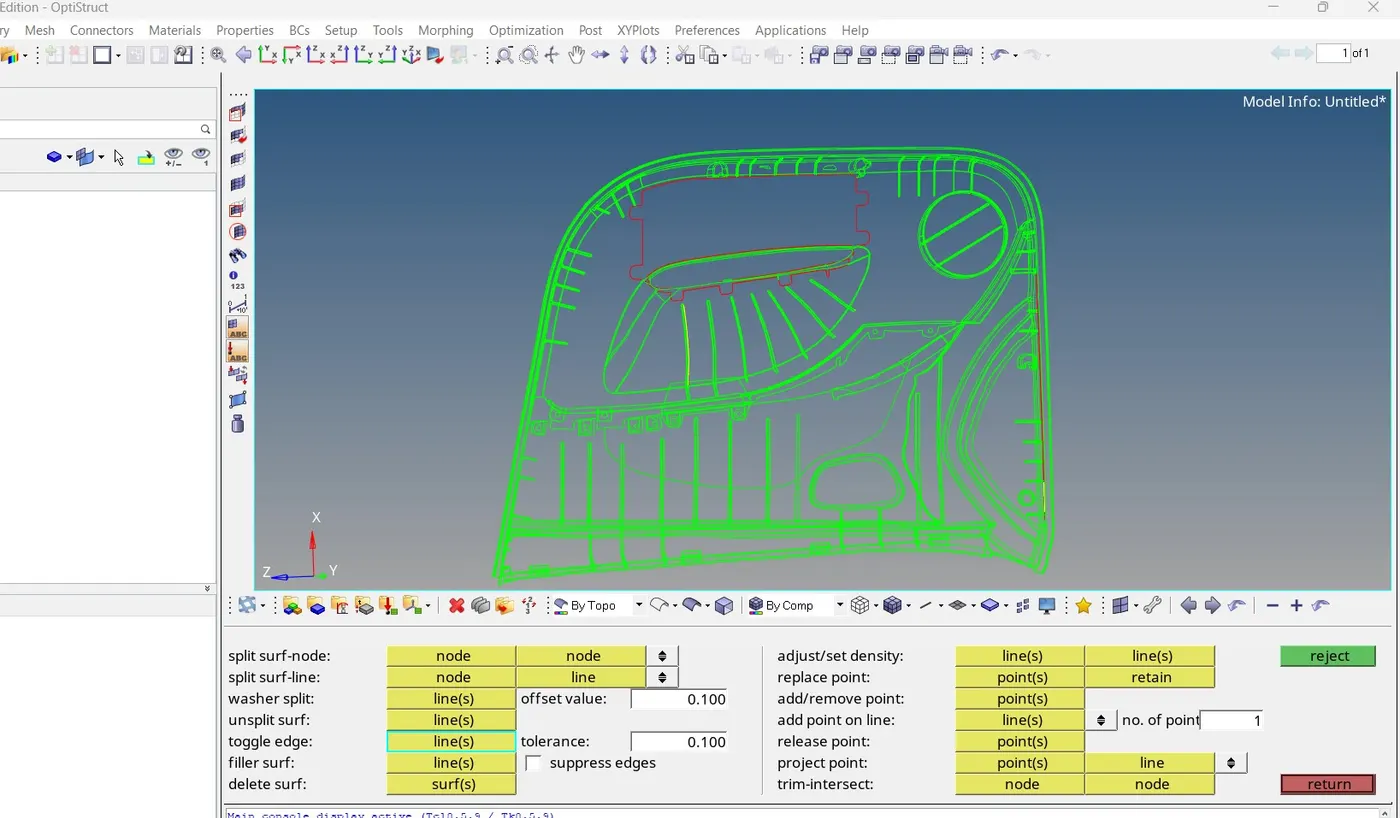
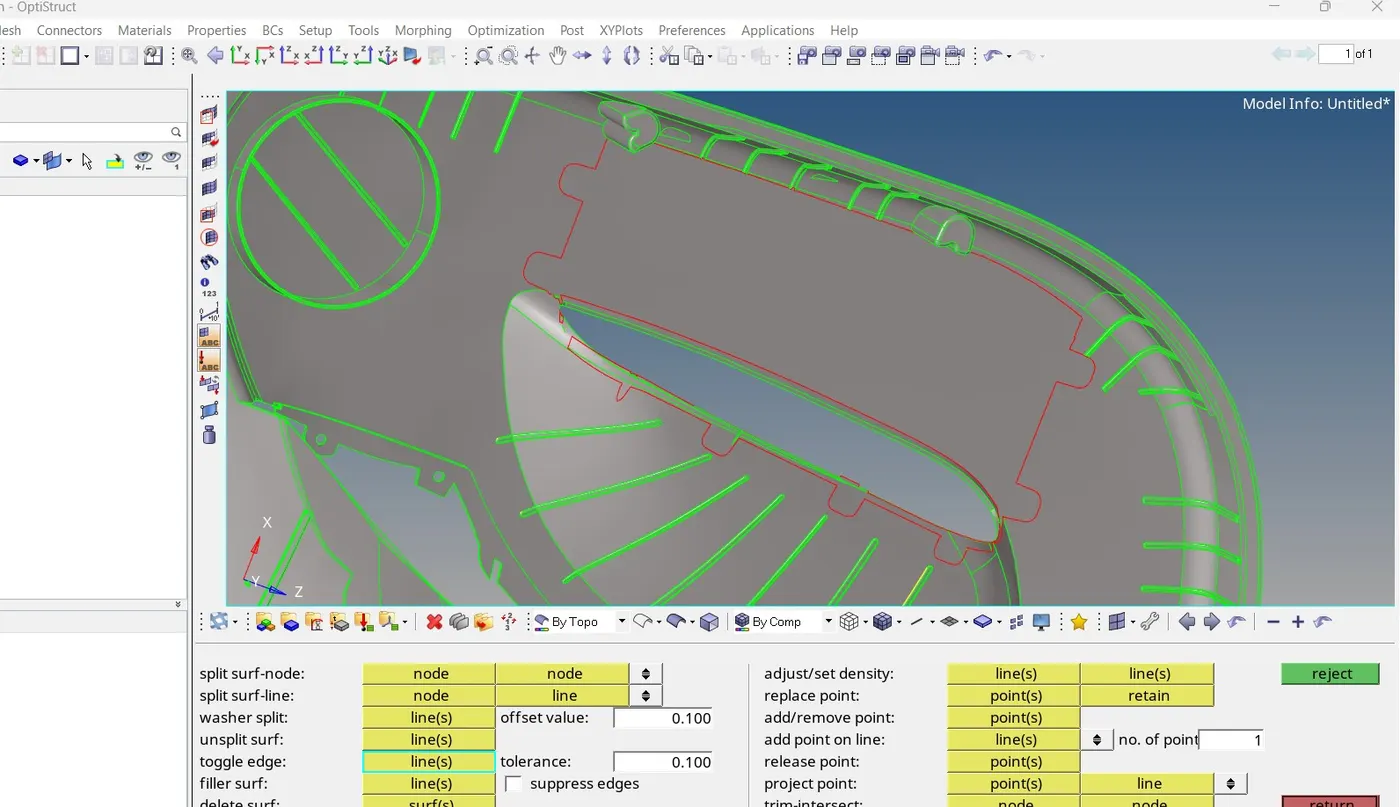
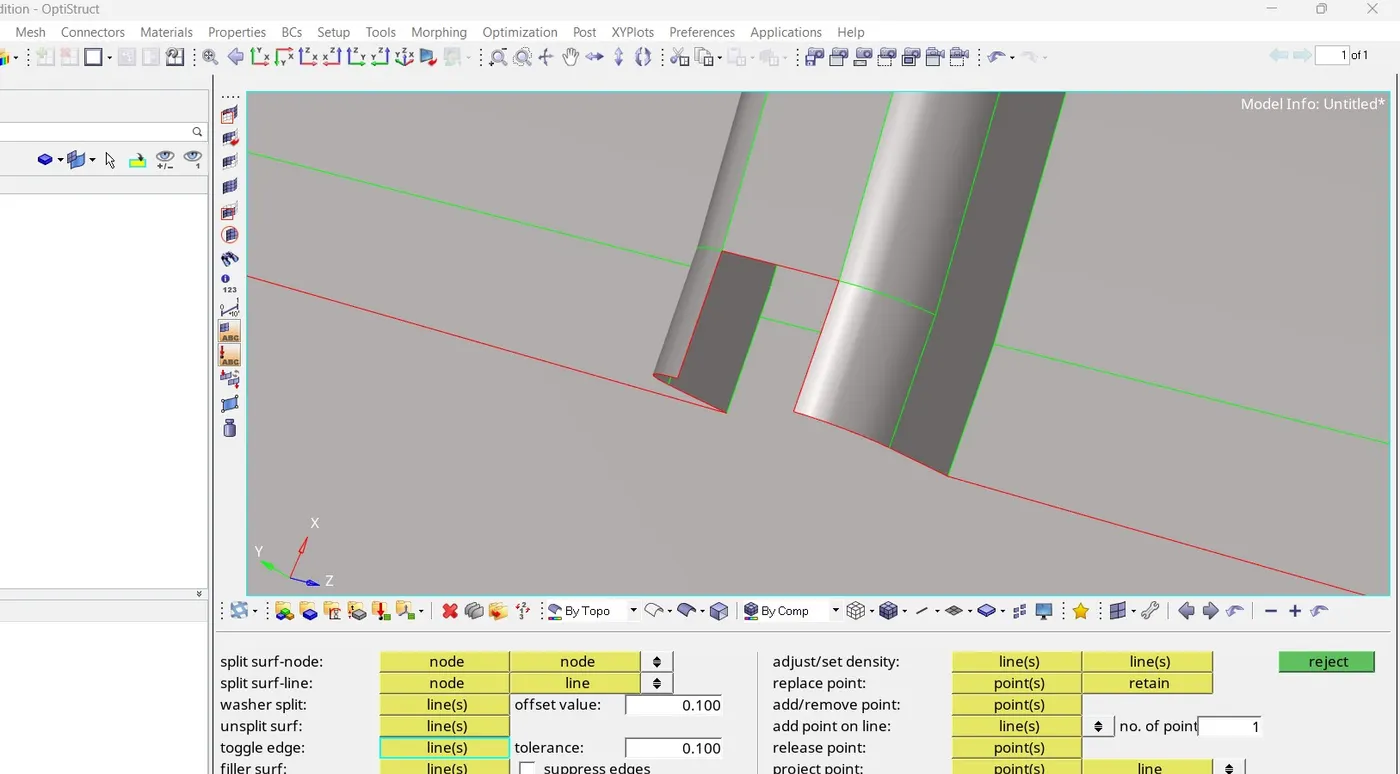
The first time to import the CAD model in the hypermesh then the model shows in the graphical region and here we orient the model . Toppology means how elements are bounded and connected to each other.We check compitability of grafics card for hypermesh means nodes and ponint visible or not when moving the model in the graphical area.Edge are of three types single ,double and triple surface sharing . Free edge means that edge which share only one surface,shared edge are that edge which share two surface, T JUNCTION EDGE are that which share three surface.T junction edge is a type of geometrical errors beacause it shares three surface which cause geometry incompitency in the model so it is required to remove from geometry for topology cleanup.some times small entites can be cause a problem if we have small face with sharp edge then surface may be failed for quality criteria therefore check our CAD model for every small entities remove before create a mesh for correct and efficient setup of our simulation required right topology.when we check the geomety then we find out free,shared, t junction edge and fix with a manually with the quick edit tools and apply quick edit tools for to correct the surface ,also increase the edge resolution to know actual gemetry of model.
Midsurface Extraction :
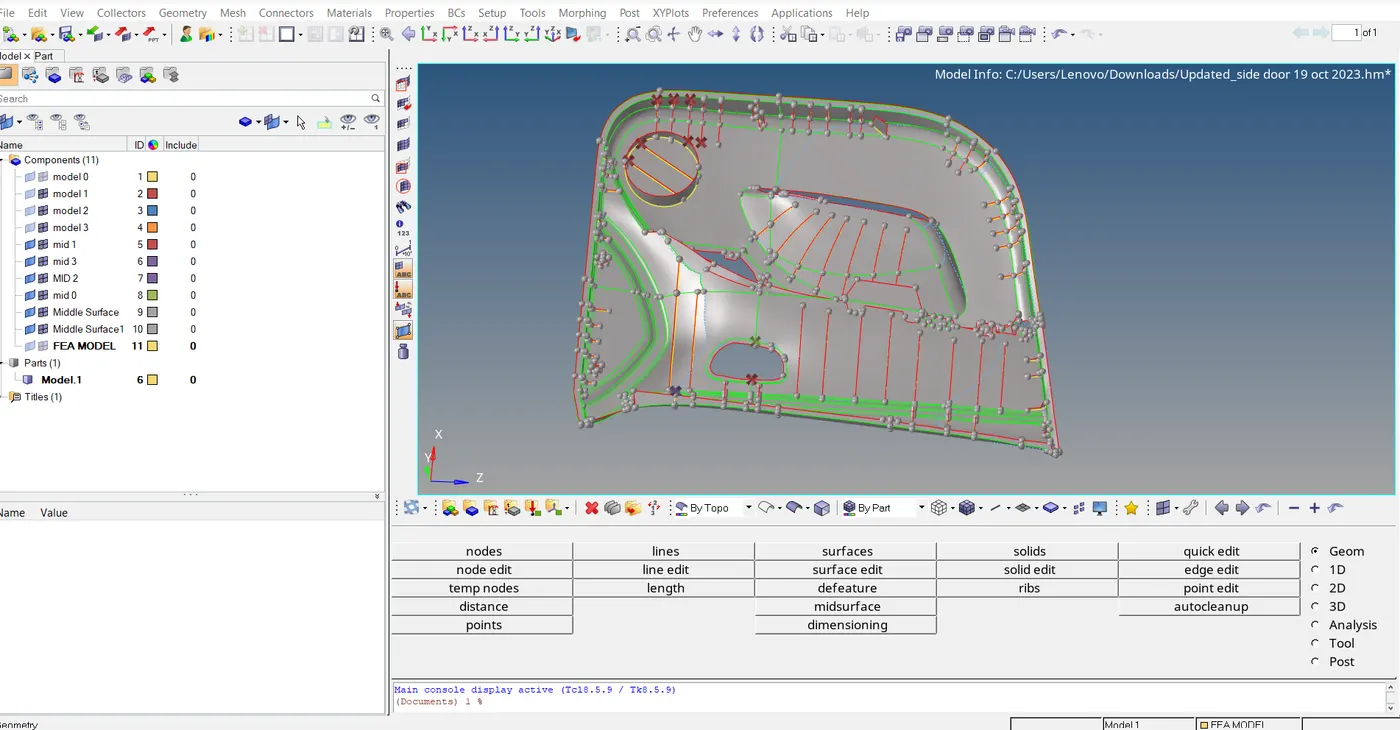
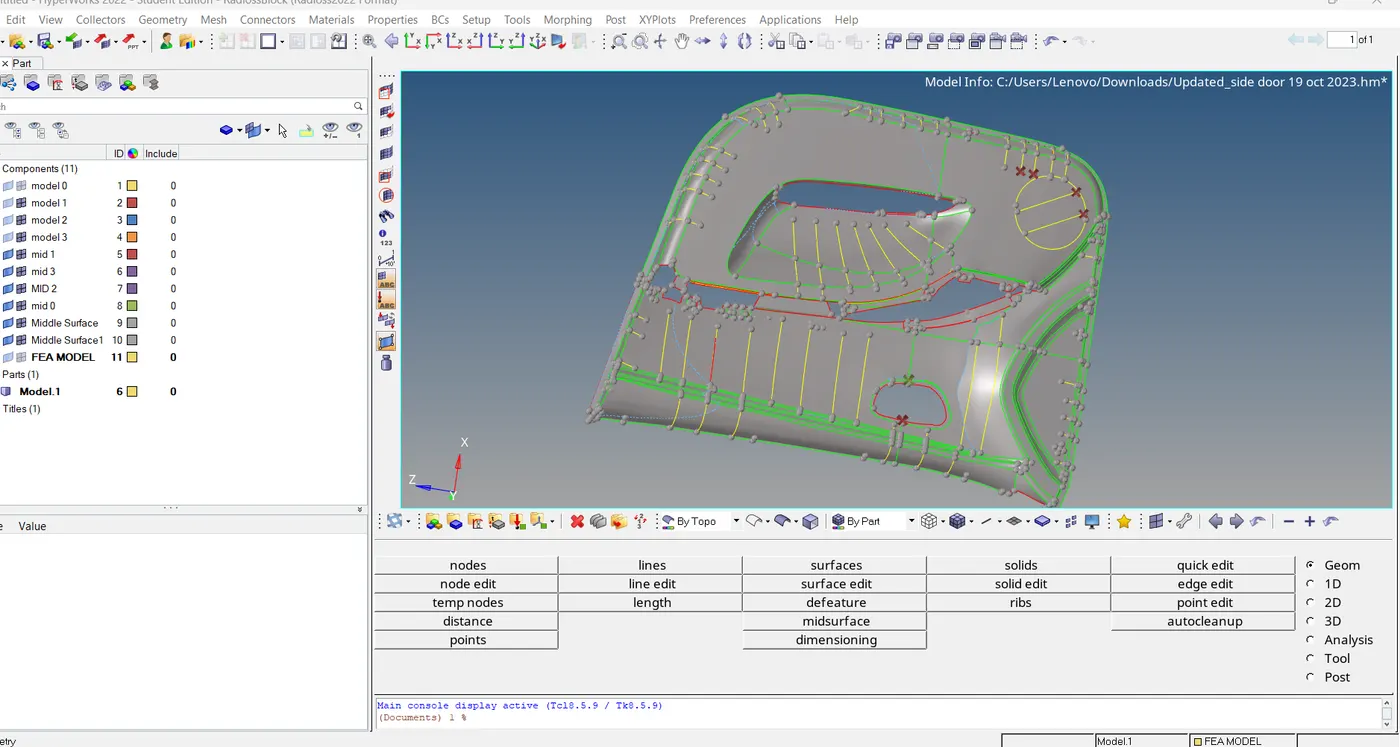
After geometry cleanup or Topology cleanup then we go for create a midsurface for meshing. First of all we measure the thickness of the CAD model at diffrent part of the model if thickness is uniform through out the model so it is a sheet metal component or the thicness is less than 6mm or thickness is varrying then it is a plastic component. Midsurface means the conversion of 3d model into 2d or create a surface between two surfaces.There are diffrent metod of create midsurface.
1.Manual Midsurface Generation 2. Automatic Midsurface Generation 3.Semi Automatic Midsurface Generation
4. Meshing:
After creating a midsurface we go for geometry checks of midsurface and assign a PID for midsurface hence our model is ready for meshing .Before meshing we set up Mesh parameter and Quality criteria Which provided for specific model.Mesh is a network that formed of cells and points.It can have any shape and anyused to solve by partial diffrential equation .Each cell of mesh represents an individual solution for entire mesh.in FEA allowed us for mixed type of mesh ,cell and unstructured meshing.General in meshing we used best mesh and mixed type TRIA and QUARD element for meshing.After creating a mesh shows a good mesh flow if mesh have some issue then we go for mesh improvements we have many tools and rules for creatingand improve the mesh.
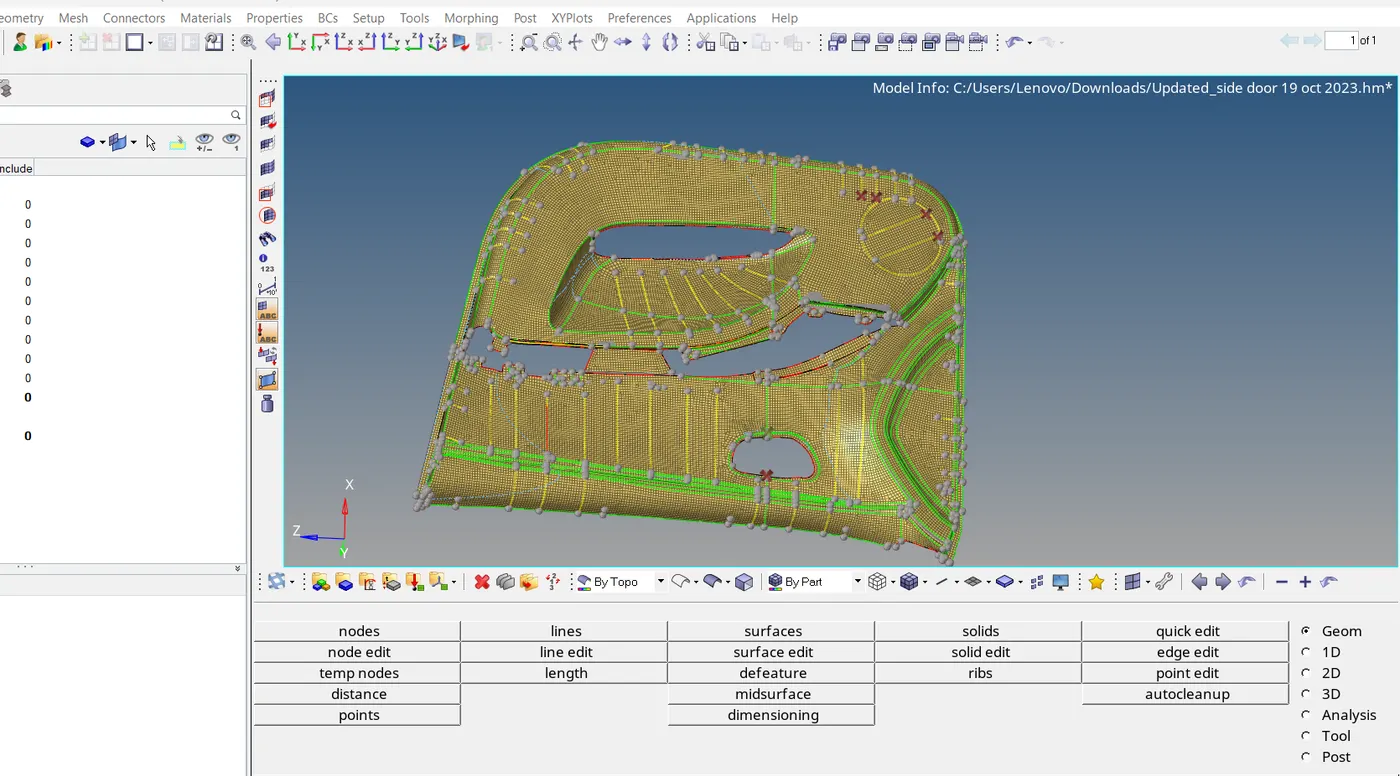
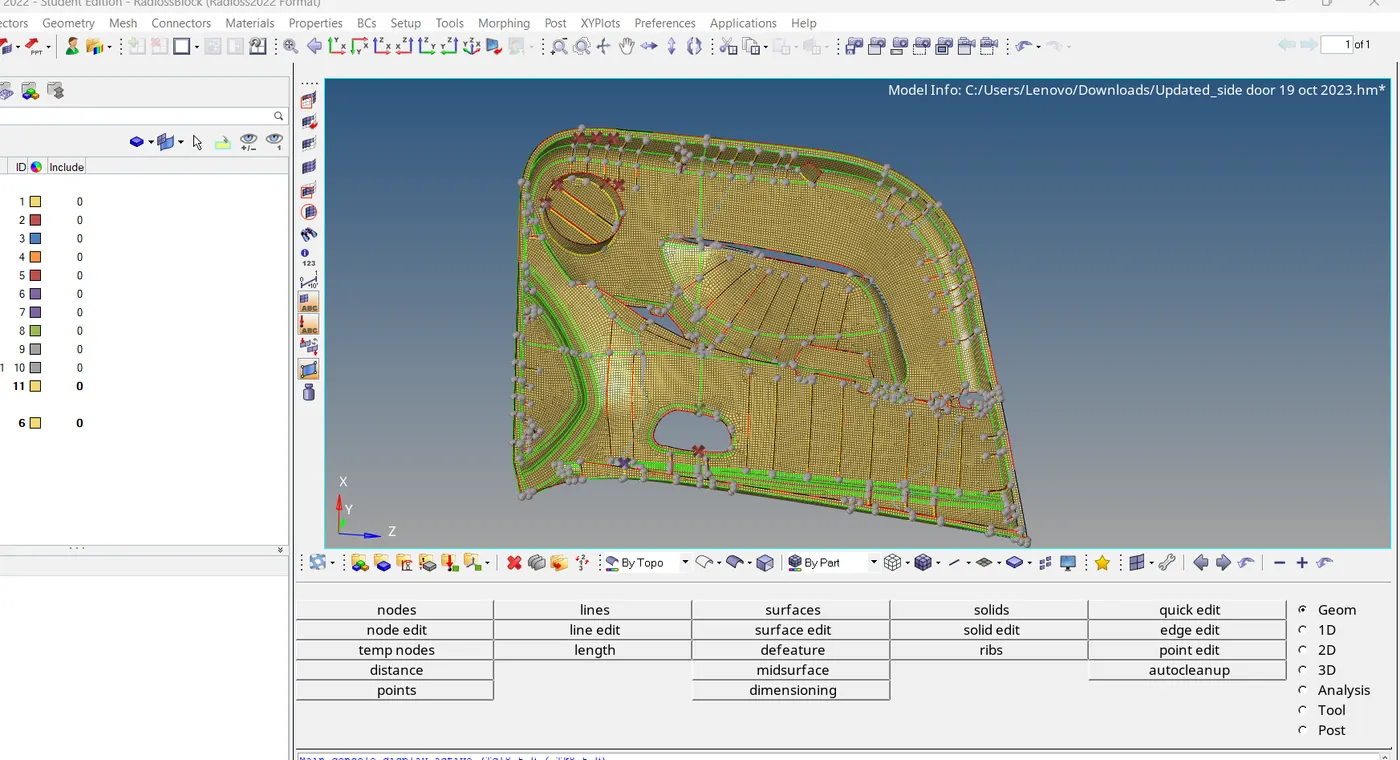
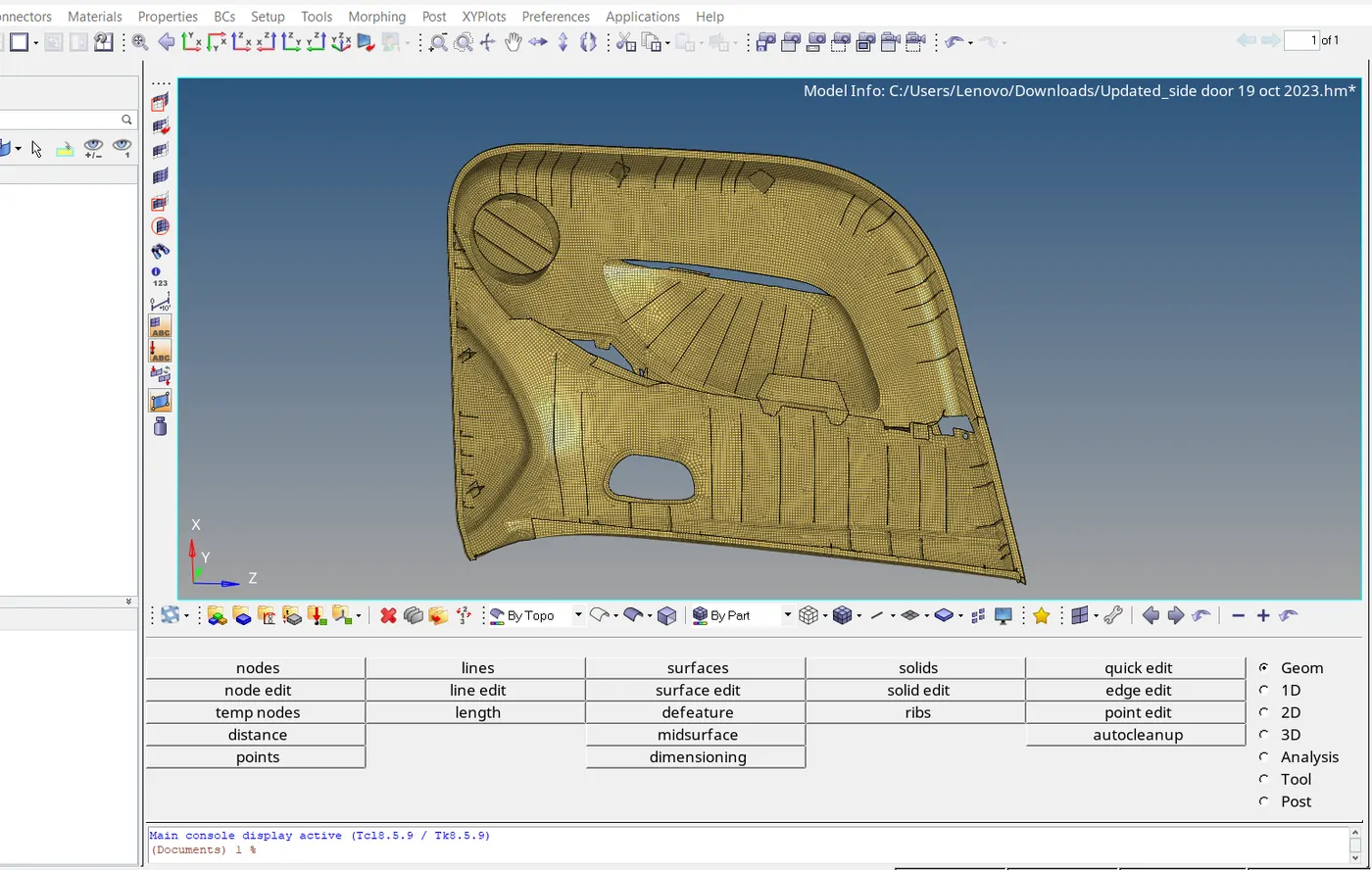
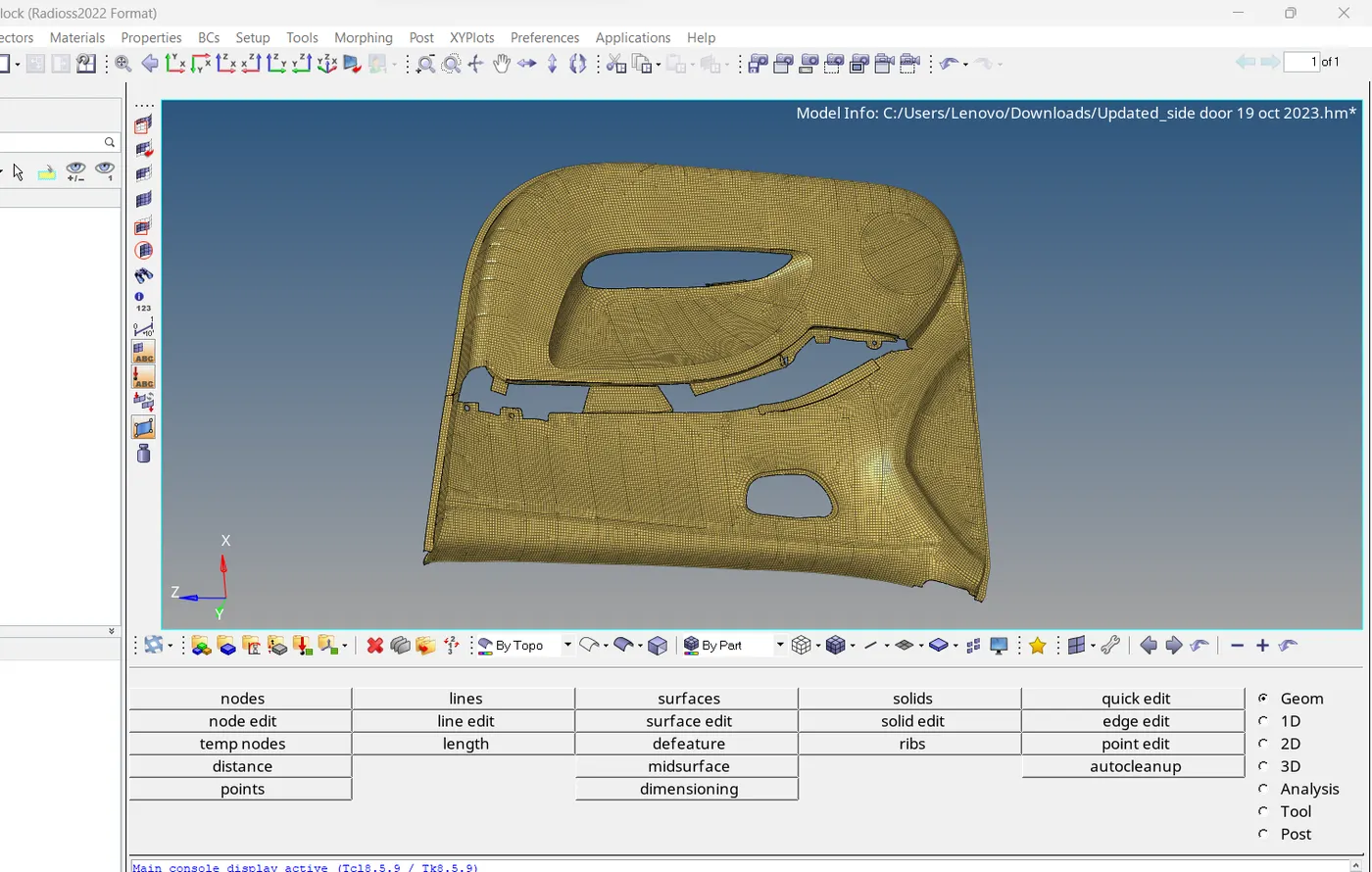
5.Result: We achive the target mesh parameter and quality criteria we have no off elements which failing for quality criteria and mesh flow is good.
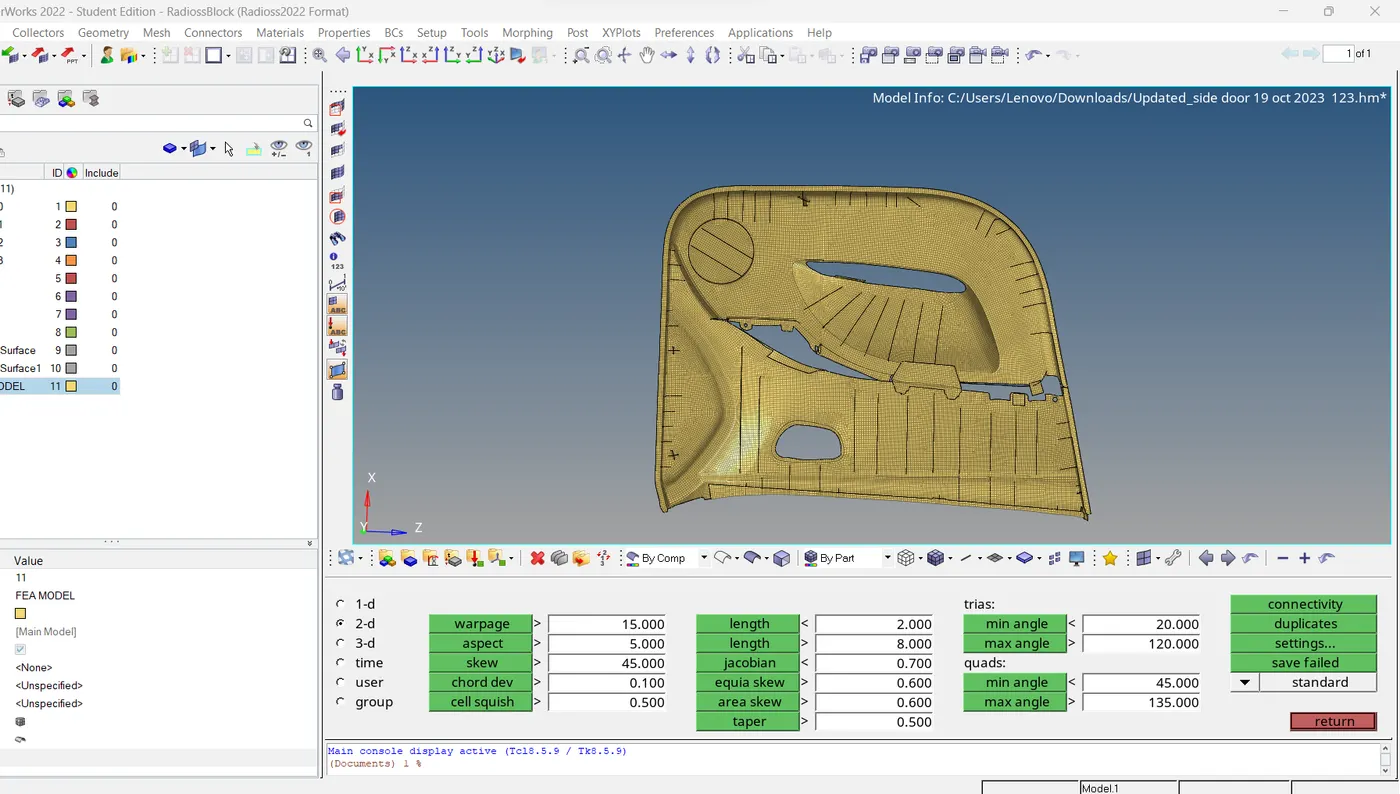
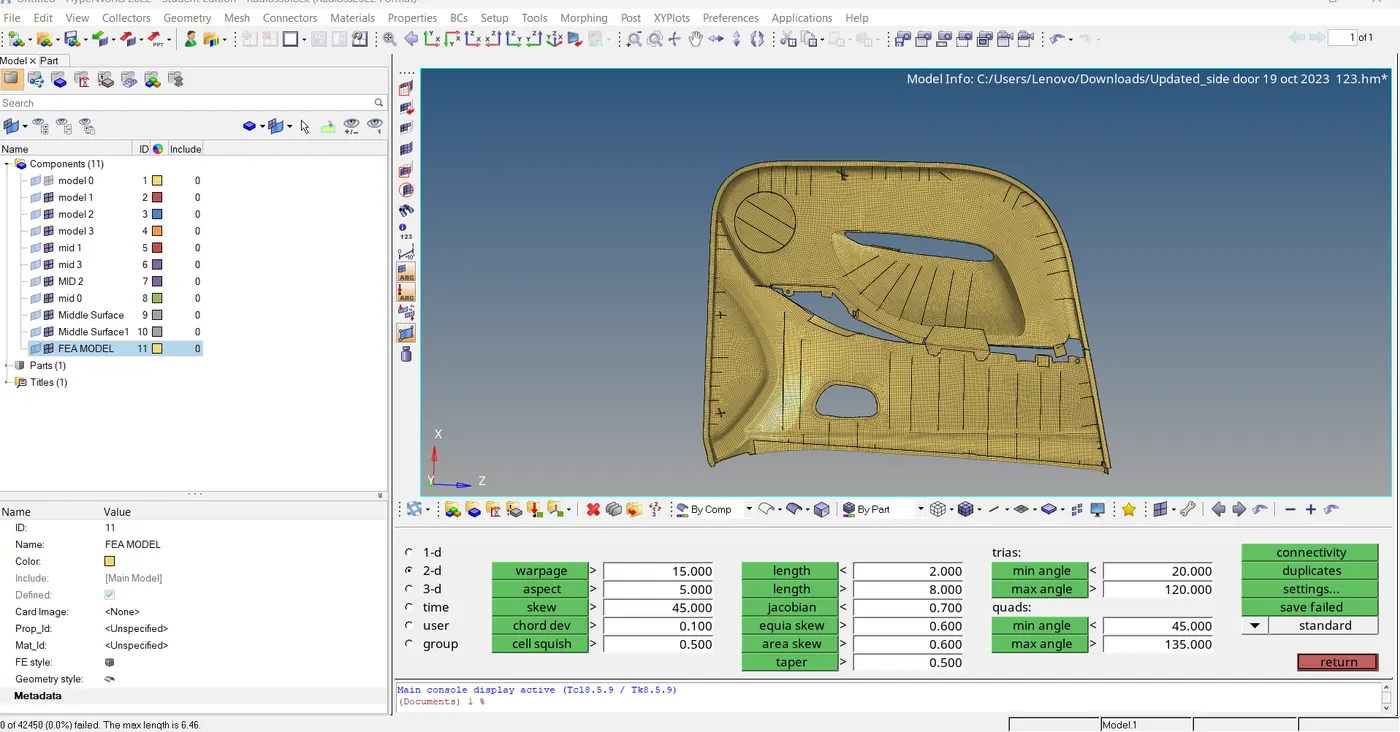 5. Conclusion : for the given door inner panel model we extract the mid surface and follow all given qualirty criteria given in challenge and assign the thickness to the fea model.
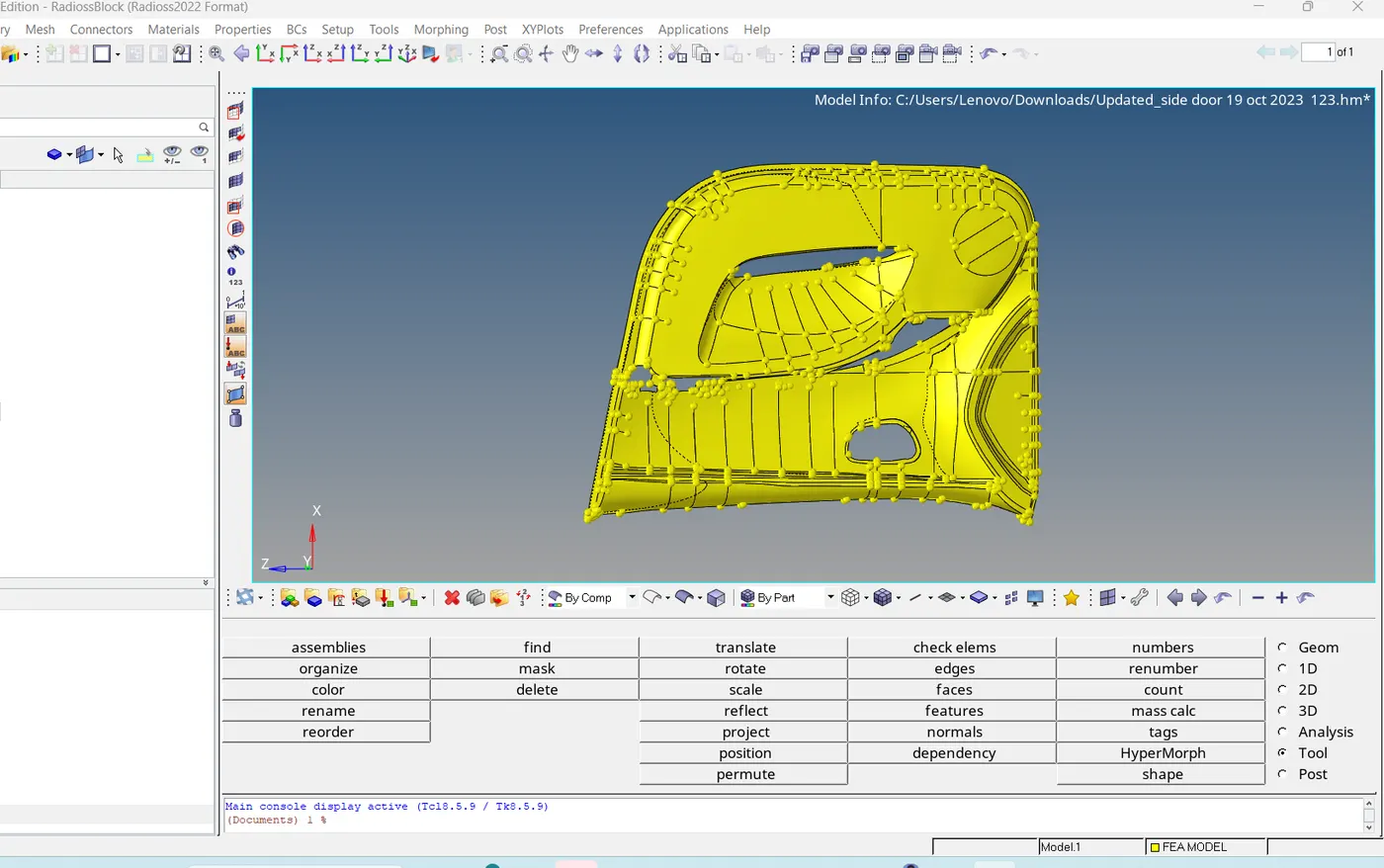
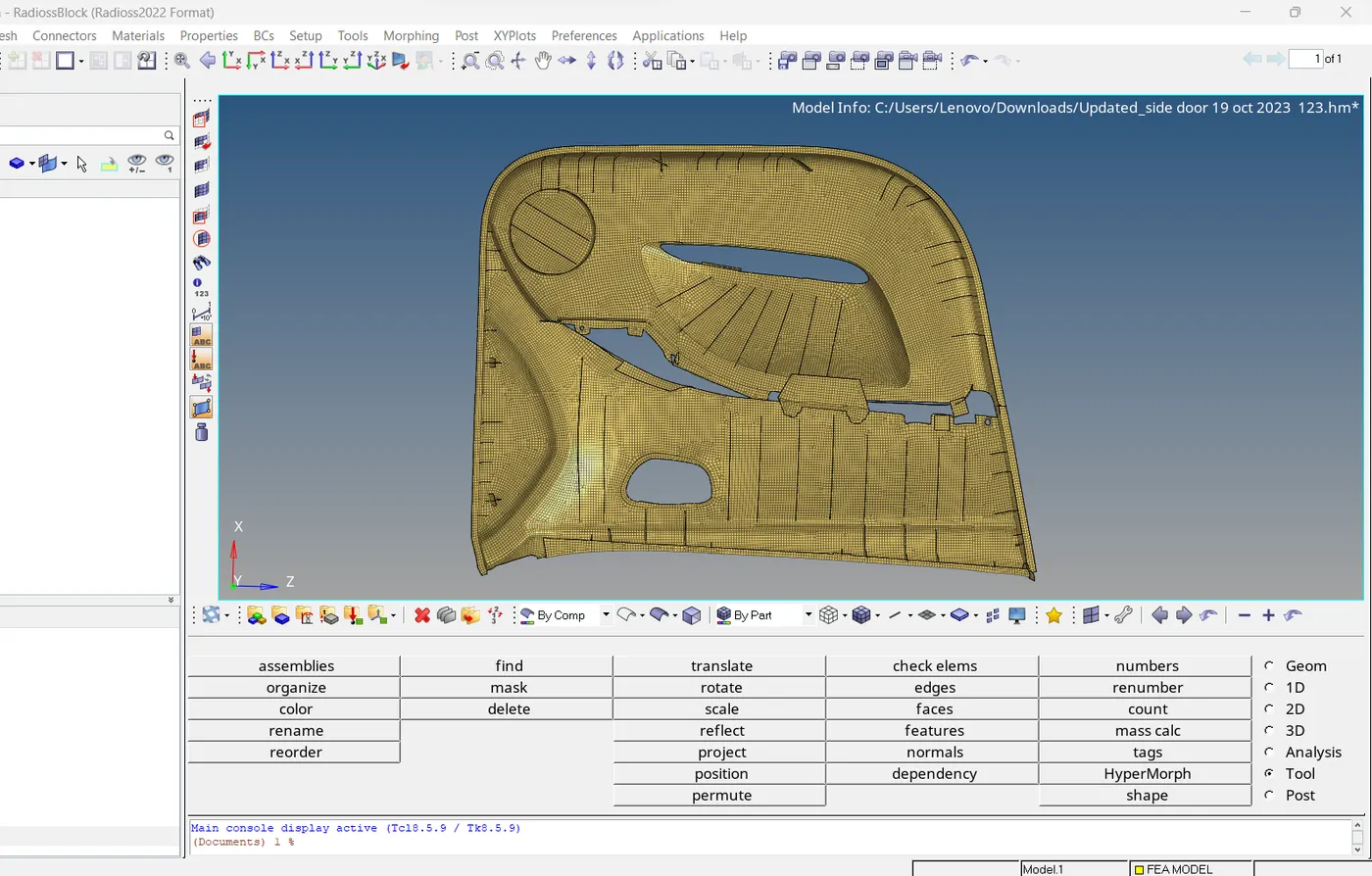 MY MODEL GIVEN LINK IS GIVEN BELOW : https://drive.google.com/file/d/19xSlCIfXokdYm9hud7Gk-xB_6PSzYbx3/view?usp=sharing