Project 2 - Measuring the distance of an object using ultrasonic sensor and also smoothen the sensor data using moving average filter
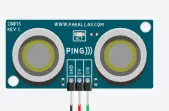
There are many types of Arduino distance sensors, but in this project we have used the HC-SR04 to measure distance in range of 2cm-400cm with an accuracy of 3mm. The sensor module consists of an ultrasonic transmitter, receiver and control circuit. The working principle of ultrasonic sensor is as follows:
1. High level signal is sent for 10us using Trigger.
2.The module sends eight 40 KHz signals automatically, and then detects whether pulse is received or not.
3.If the signal is received, then it is through high level. The time of high duration is the time gap between sending and receiving the signal.
Distance= (Time x Speed of Sound in Air (340 m/s))/2
code
#include <LiquidCrystal.h>
const int numReadings = 10; // Number of readings to average
int readings[numReadings]; // Array to store sensor readings
int index = 0; // Index for the current reading
int total = 0; // Total sum of readings
int inches = 0; // Distance in inches
int cm = 0; // Distance in centimeters
LiquidCrystal lcd(12, 11, 5, 4, 3, 2); // LCD display object
void setup() {
lcd.begin(16, 2); // Initialize LCD display with 16 columns and 2 rows
lcd.print("New String !!!"); // Display a string on the LCD
Serial.begin(9600);
pinMode(7, INPUT);
}
void loop() {
lcd.clear(); // Clear the LCD display
cm = 0.01723 * readUltrasonicDistance(7); // Read distance from the ultrasonic sensor in centimeters
// Update the array with the latest reading
total = total - readings[index];
readings[index] = cm;
total = total + readings[index]; // Add the new reading to the total sum
index = (index + 1) % numReadings; // Move to the next index or wrap around to 0 if the end is reached
// Calculate the average distance
cm = total / numReadings; // Calculate the average in centimeters
inches = cm / 2.54; // Convert centimeters to inches
Serial.print("cm: "); // Print label to the serial monitor
Serial.print(cm); // Print the distance in centimeters
lcd.setCursor(0, 0); // Set the LCD cursor to the first column of the first row
lcd.print("cm: "); // Display label on the LCD
lcd.setCursor(4, 0); // Set the LCD cursor to the fifth column of the first row
lcd.print(cm); // Display the distance in centimeters on the LCD
Serial.print("inch: "); // Print label to the serial monitor
Serial.println(inches); // Print the distance in inches
lcd.setCursor(0, 1); // Set the LCD cursor to the first column of the second row
lcd.print("inch: "); // Display label on the LCD
lcd.setCursor(6, 1); // Set the LCD cursor to the seventh column of the second row
lcd.print(inches); // Display the distance in inches on the LCD
delay(250); // Delay
}
long readUltrasonicDistance(int pin) {
pinMode(pin, OUTPUT); // Set the pin as output
digitalWrite(pin, LOW); // Set the pin to low
delayMicroseconds(2); // Delay for 2 microseconds
digitalWrite(pin, HIGH); // Set the pin to high
delayMicroseconds(10); // Delay for 10 microseconds
digitalWrite(pin, LOW); // Set the pin to low
pinMode(pin, INPUT); // Set the pin as input
return pulseIn(pin, HIGH); // Measure the pulse duration and return the result
}