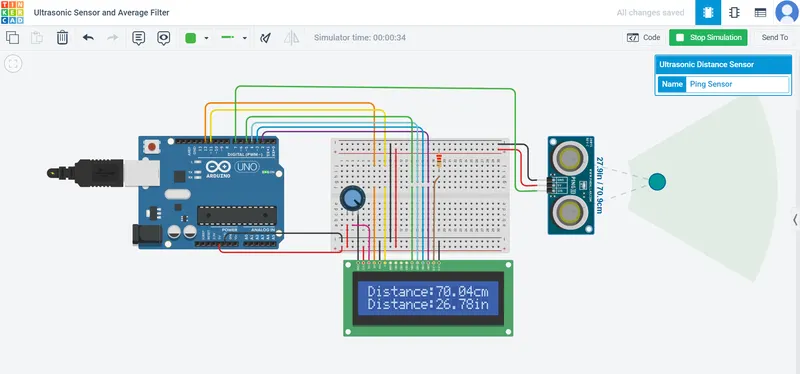
Project 2 - Measuring the distance of an object using ultrasonic sensor and also smoothen the sensor data using moving average filter
Project 2 :
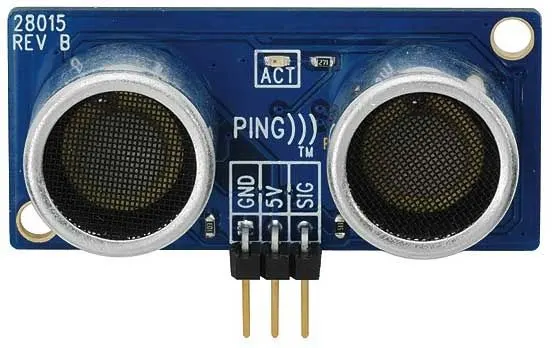
AIM : In this project the implementation of code for “Measuring distance of an object using ultrasonic distance sensor (28015 Ping) and also smoothen the sensor data using moving average filter”.
Key Highlights of the Project:
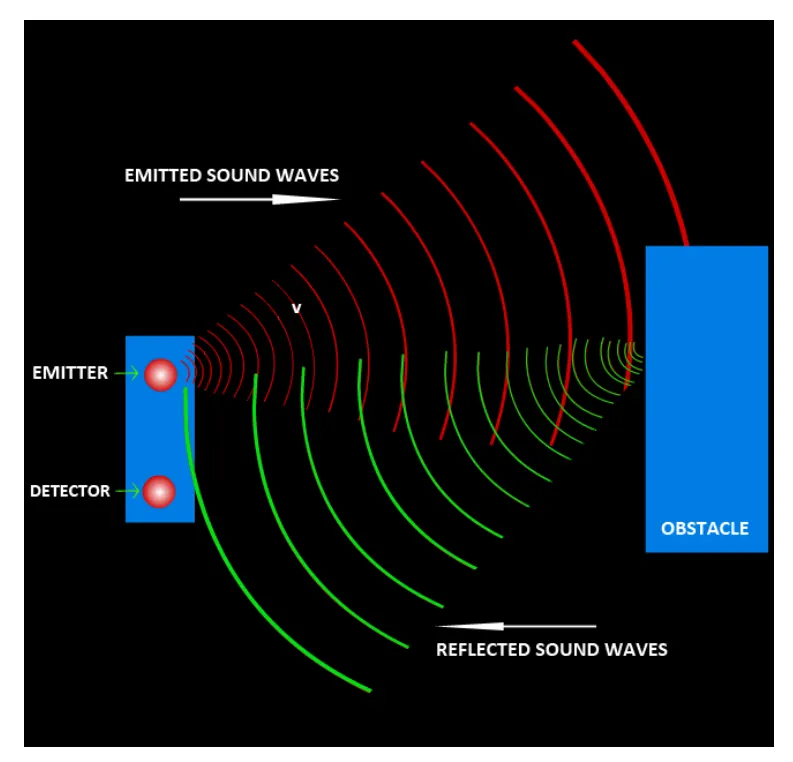
- Measuring the distance travelled by the wave to the object and gets bounced back from the object to sensor.
- Smoothening the sensor data by moving average filter technique, the filter has a window of certain size. That window determines that how many data the filter can take.
What is Ultrasonic Sensor ?
An ultrasonic sensor is an electronic device that measures the distance of a target object by emitting ultrasonic sound waves, and converts the reflected sound into an electrical signal. Ultrasonic waves travel faster than the speed of audible sound (i.e. the sound that humans can hear). Ultrasonic sensors have two main components: the transmitter (which emits the sound using piezoelectric crystals) and the receiver (which encounters the sound after it has travelled to and from the target).
#include <LiquidCrystal.h>
const int dataPin = 7;
LiquidCrystal lcd(12,11,5,4,3,2);
long time ;
float inches;
float cm;
float sum = 0;
float avg ;
void setup() {
Serial.begin(9600); // initializing serial communication:
lcd.begin(16,2); // For setting the LCD display
}
void loop() {
// establish variables for duration of the ping sensor , and the distance result
// in inches and centimeters:
pinMode(dataPin, OUTPUT);
digitalWrite(dataPin, LOW);
delayMicroseconds(5);
digitalWrite(dataPin, HIGH);
delayMicroseconds(20);
digitalWrite(dataPin, LOW);
pinMode(dataPin, INPUT);
time = pulseIn(dataPin, HIGH);
// convert the time into a distance
cm = time*0.034/2;
inches = time*0.013/2;
lcd.setCursor(0,0);
lcd.print("Distance: ");
lcd.setCursor(9,0);
lcd.print(cm);
lcd.setCursor(14,0);
lcd.print("cm");
Serial.print("Distance: ");
Serial.print(cm);
Serial.println(" cm");
lcd.setCursor(0,1);
lcd.print("Distance: ");
lcd.setCursor(9,1);
lcd.print(inches);
lcd.setCursor(14,1);
lcd.print("in");
Serial.print("Distance: ");
Serial.print(inches);
Serial.println(" in");
delay(1000);
}