Project 2 - Development of TFT Cluster Speedometer Software Component
Development of TFT Cluster Speedometer Software Component
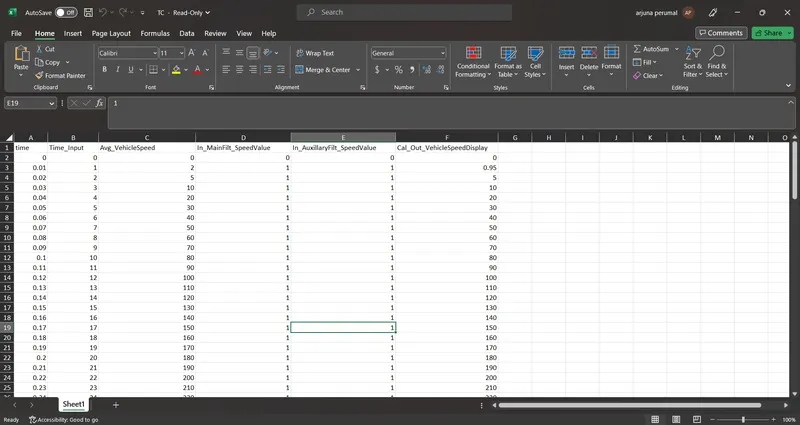
Cluster Instrument receives the signals from other ECU via CAN bus interface. It also receives commands from the driver via steering wheel buttons. The signals are then processed by the Cluster ECU, after which the Cluster ECU may send the vehicle information to the LCD or light the LEDs and so forth, according to the results. Therefore, the Cluster ECU can be viewed as a carrier of the information flow.
Requirements:
1.1 Calculating TFT Display Speed
|
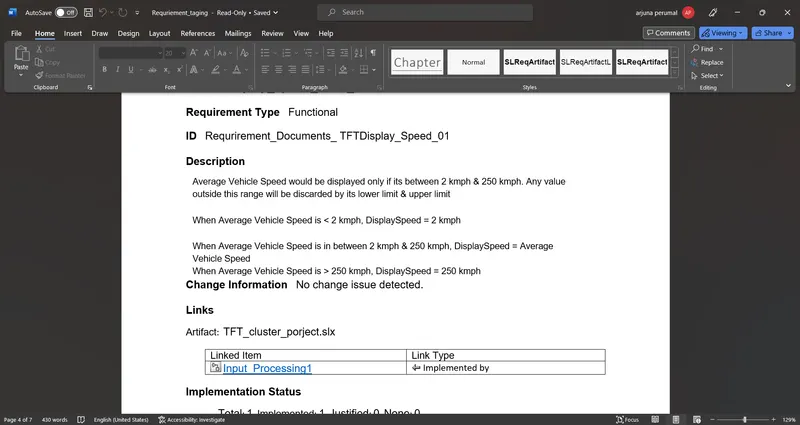
Average Vehicle Speed would be displayed only if its between 2 kmph & 250 kmph. Any value outside this range will be discarded by its lower limit & upper limit |
|
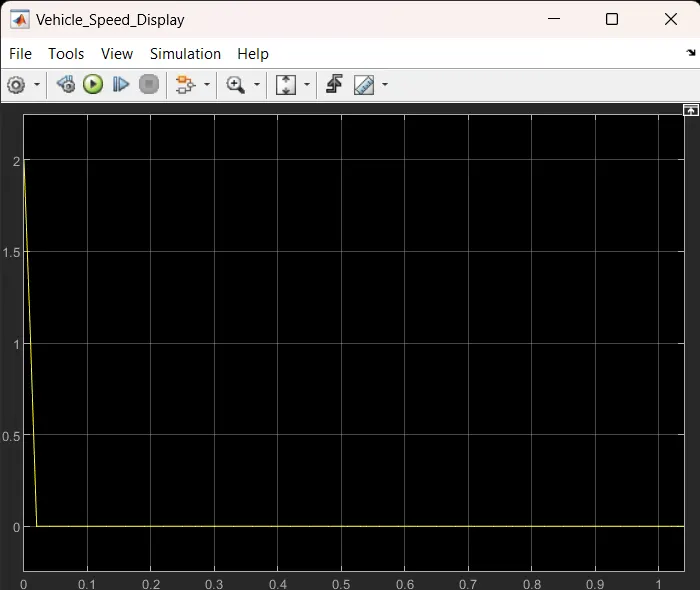
When Average Vehicle Speed is < 2 kmph, DisplaySpeed = 2 kmph |
|
When Average Vehicle Speed is in between 2 kmph & 250 kmph, DisplaySpeed = Average Vehicle Speed |
|
When Average Vehicle Speed is > 250 kmph, DisplaySpeed = 250 kmph |
1.2 Main Data Filtering
|
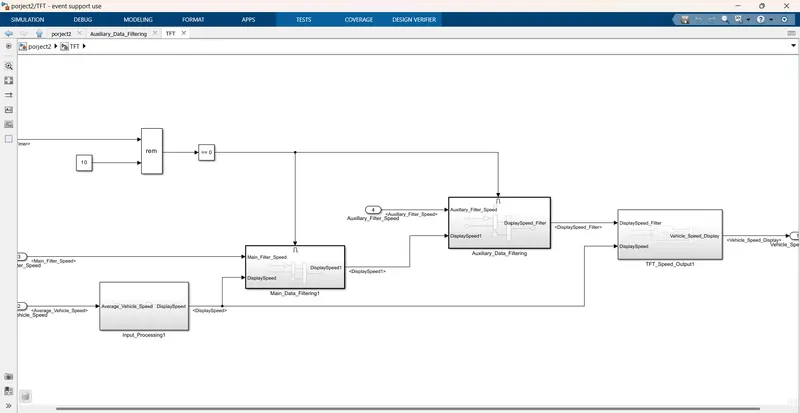
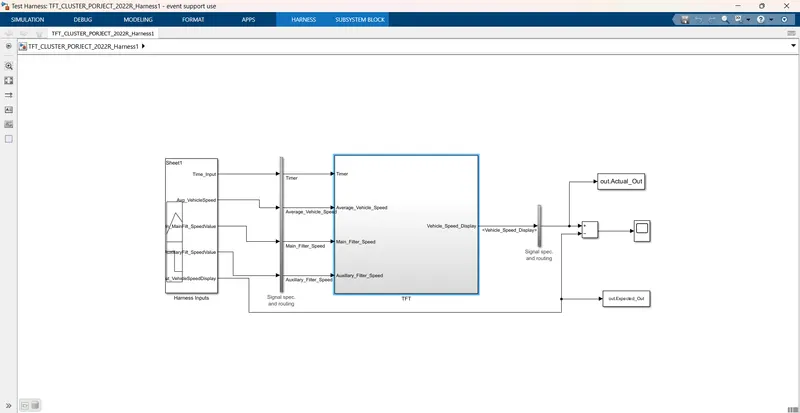
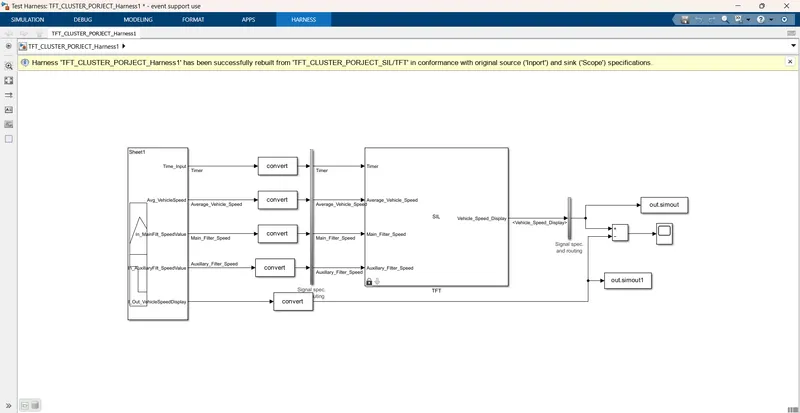
Main Data Filtering subsystem will be activated for every 10th millisecond |
||||||
|
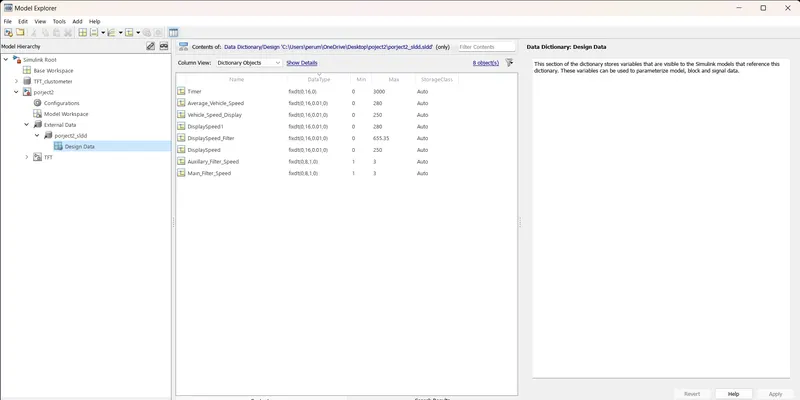
DisplaySpeed1 (t) = ((DisplaySpeed (t) x 0.65)/ Main Filter Speed Value) 0.05 |
1.3 Auxiliary Data Filtering
|
Auxiliary Data Filtering subsystem will be activated for every 10th millisecond |
|||||||
|
DisplaySpeed_Filter (t) = ((DisplaySpeed1 (t) x 0.78)/ Auxillary Filter Speed Value) - 0.03 |
1.4 TFT Speed Output
|
If |(DisplaySpeedFilter - DisplaySpeed)| > 1.5 |
|
{ |
|
Vehicle Speed Display = DisplaySpeed |
|
} |
|
else |
|
{ |
|
Vehicle Speed Display = DisplaySpeed Filter |
|
} |
POLYSPACE BUG FINDER:
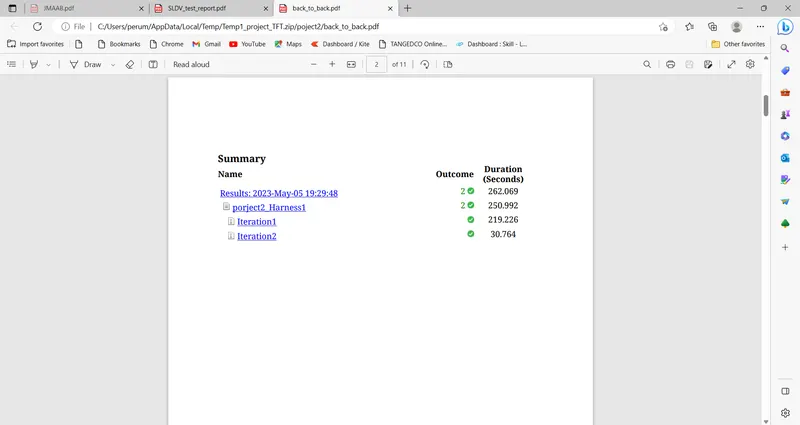
In C and C++ embedded sofware polyspace bug finder detects run time errors softwre concurrency issuse data security vulnerabilities and other flows.
polyspace bug finder analyses software contorl and data flow behaviouer using static analysis techinques including semantic analysis.
it allow you to triage and fix bug early in the development process by highlighting defect as soon as detected.
polyspace bugg finder checks for MISRA C and MISRS C++ compliance as well as AUTOSAR C++I4,CERT C, CERT C++
and cutom nameing convention.
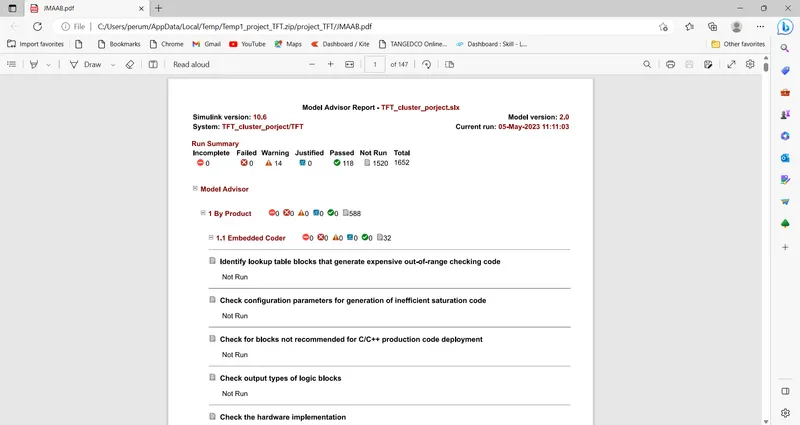
it generates bug report code rule violation report,and code quality metrics report.
POLYSPCE BUG FINDER TOOLS:
go to matlab and click the apps,
select the polysace and go to bug finder'
go to the seting configer tham.
start and new project and given porject name click to next.
porject source file ertw file and click next and finsh check box,
go to configer seting select target &compiler and traget processor type X86-64,
coding standards &code metring select MISRA C2004,
selsct the claculated code matrics,
reporting go to generat report,
All the seting done offter save the polyspace,
run the bug finder,