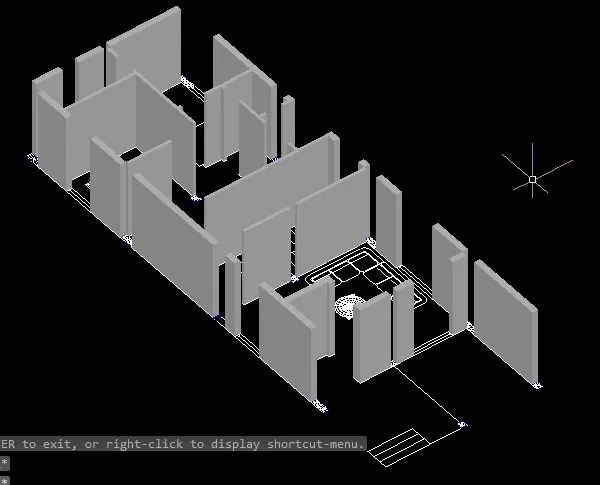
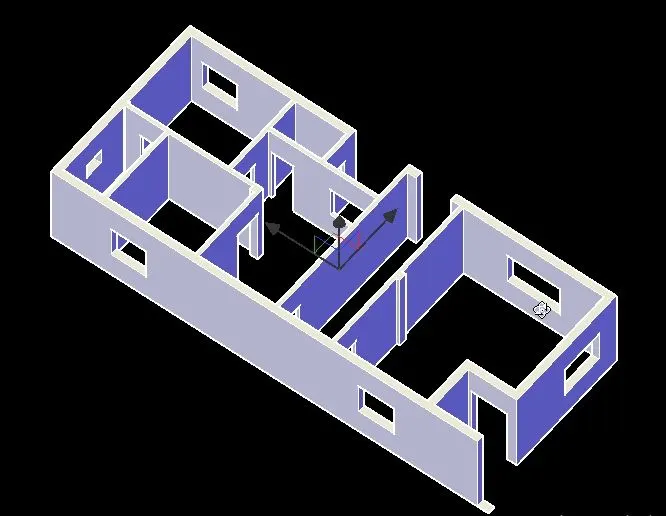
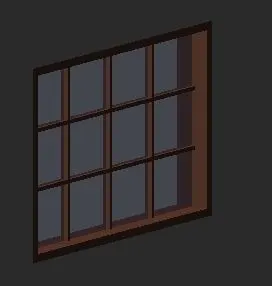
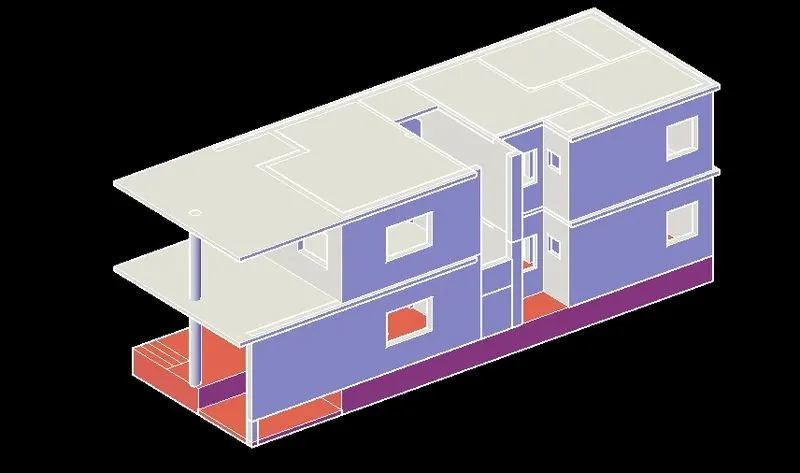
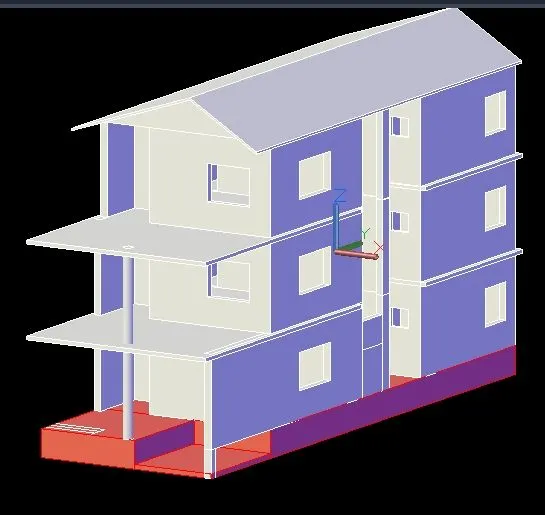
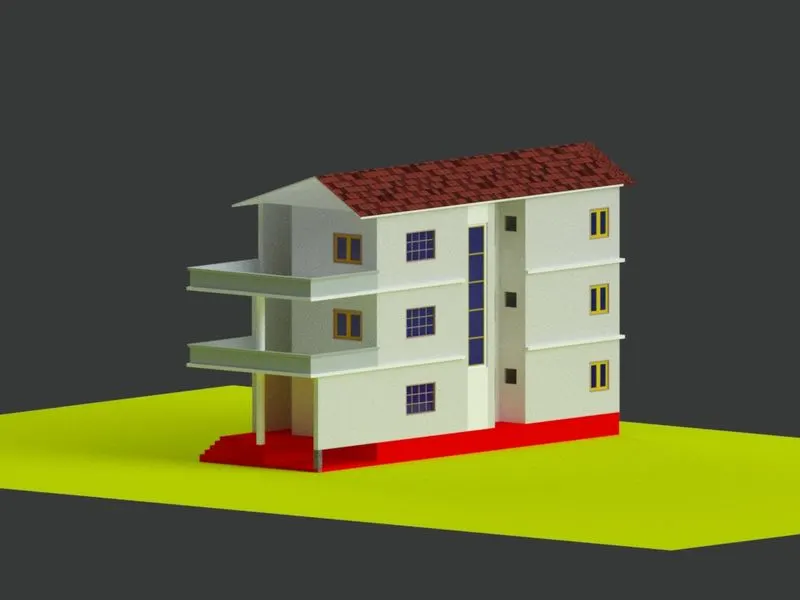
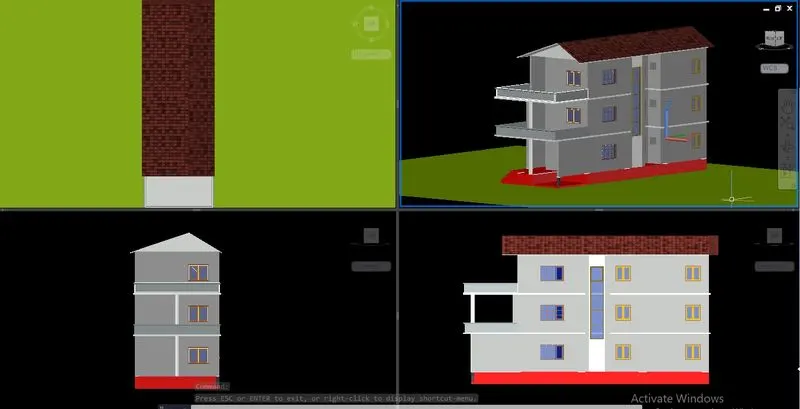
Create a 3 dimensional model of the residential building with a rendered view. AIM: To create a 3 dimensional model of the residential building To create a rendered view of the developed model. To use materials and light setting. Procedure: Here in the project we are going to create a 3d model of a residential…
Upendrakumar Sunkappa
updated on 05 Nov 2022
Project Details
Leave a comment
Thanks for choosing to leave a comment. Please keep in mind that all the comments are moderated as per our comment policy, and your email will not be published for privacy reasons. Please leave a personal & meaningful conversation.
Other comments...
Read more Projects by Upendrakumar Sunkappa (27)
Understanding the concepts on Degrees of Freedom
Question 1: A five storey structure with 5 translational DOF is shown here. Each storey has mass ‘m’. The eigenvalue problem has been solved and the 5 periods of vibration Tn and their corresponding mode shapes, φn has been derived.
21 Mar 2023 02:33 AM IST
Structural dynamics
1. Differentiate Static analysis and Dynamic analysis with proper representing picture. Static Analysis: Static analysis of structures considers static loads acting on the structure such as dead,live load which does not vary with time and are not considered to be sudden. In static analysis stiffness matrix alone…
22 Feb 2023 04:40 PM IST
Identification of Cracks
1.What is the mode of failure or damage of the beams in the figure above? Would you characterize the case as damage or as a failure? Are the damages repairable? Elaborate Answer: a. The above image shows a Damage at the Beam-column joint. It is clearly observed that the Damage is more for the part of Beam. The Damage…
21 Feb 2023 12:16 PM IST
Project 2
1. Design a Warehouse Building located in Chennai using STAAD Pro Connect Edition. The specification must be as follows: Width 30m Length50m Eave Height 9m Bay spacing 6m Soil type Medium Safe Bearing Capacity 200 kN/m2 Roof slope 1 in 12 Assume suitable sections for structural elements. Follow IS800:2007, IS1893 and IS…
12 Jan 2023 12:24 PM IST
Project 1
1. Design a multi-storey Residential Building located in Bangalore using STAAD Pro Connect Edition. The specification must be as follows: Building floors G + 6 + R Plan dimension B = 25m , L = 16m Storey Height h = 3.5m Soil Hard soil Use Residential Purpose Safe Bearing Capacity 180 kN/m2…
01 Jan 2023 10:15 AM IST
Week 2 Challenge
1. 1. How will you assign Circular section to column? Open STADD Pro Software. Create two nodes in vertical direction since it is a column. Then go to properties and create new property. Select circular and give the diameter. Then press ok. The property will be created. Then select the property and use curser to…
18 Dec 2022 02:57 PM IST
Week 1 Challenge
1. Write the steps involved to upload a .std file through web mail? Steps involved to upload a .std file through web mails are as follows; Open the STAAD pro software and locate the share option available on the introduction screen. After clicking on the share button, select send mail option. Then,…
17 Dec 2022 03:38 AM IST
Usage of Navigation tool , Timeliner and Clash Detection test using Naviswork
1) Use the Architecture/ Structure Project file developed by you in Week 6 to 8. Export the Revit architecture and structure model to Navisworks Cache file following the export settings discussed in class Aim: Using the Architecture/ Structure Project file developed and exporting the Revit architecture and…
13 Dec 2022 04:27 AM IST
Creating Conceptual mass in REVIT and Creation of Sinusoidal curve and a Parametric stadium using Dynamo
Creating Conceptual mass in REVIT and Creation of Sinusoidal curve and a Parametric stadium using Dynamo Introduction: Dynamo is an open source visual programming language for Revit, written by designers and construction professionals. Its a programminglanguage that allows you to type lines of code; while…
08 Dec 2022 06:49 PM IST
Creating Architectural and Structural model with 3D rendering using REVIT
Q1) AIM: Select the type of structure you want to build from one of the three below: a. Multi-Unit Residential Apartment b. Office Buildings c. School. ANS) OFFICE BUILDING Q2) AIM : Assume…
05 Dec 2022 04:03 AM IST
3D Creation of Celing, Roof, Architectural plan, Structural plan, Sectional view, Elevation view and Camera specific view for a house plan using REVIT
1) Based on the project saved from Week 3, proceed from the First Floor Level. Model a Ceiling from the architecture tab above the walls at the first-floor level. AIM:- To model a Ceiling from the architecture tab above the walls at the first-floor level. INTRODUCTION:- …
25 Nov 2022 03:03 PM IST
Project 2_Creating a 3D rendered model for a Residential Building in AutoCad
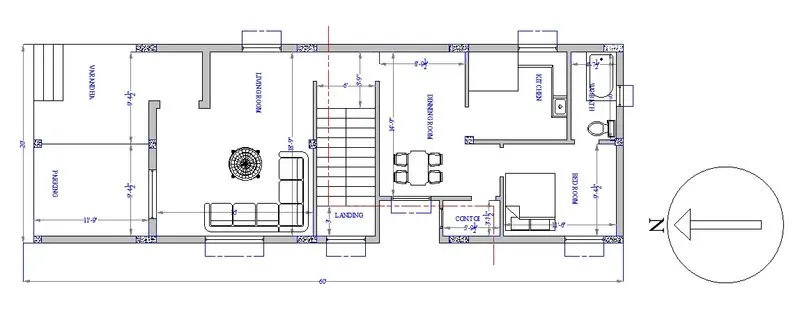
Create a 3 dimensional model of the residential building with a rendered view. AIM: To create a 3 dimensional model of the residential building To create a rendered view of the developed model. To use materials and light setting. Procedure: Here in the project we are going to create a 3d model of a residential…
05 Nov 2022 11:39 AM IST
Creating 3D Isometric view of various structural elements in AutoCAD
1. Create a 3D Isometric View of the building with plan and elevation given. AIM:- To create a 3D isometric view of the given building with plan and elevation. INTRODUCTION:- An isometric drawing is a 3D representation of an object, room, building or design on a 2D surface. One of the defining…
03 Nov 2022 09:36 AM IST
Creating various 3D Models like Furniture, Footing, Girder, Column drop with panel and Gable Wall in AutoCad
1. Create a 3D Furniture element as shown in the Figure. Assume dimensions that are missing. AIM: To create a 3D model of the Furniture element as per the given drawing INTRODUCTION: 3D modeling in AutoCAD includes 3D solids, surfaces, meshes, and wireframe objects. Types of 3D Models: …
21 Oct 2022 06:32 AM IST
Creation of Multiple viewports, Scaling the drawing and setting in Template in AutoCad
INTRODUCTION:- A drawing template file is a drawing file that has been saved with a . dwt file extension, and it specifies the styles, settings, and layouts in a drawing, including title blocks. The default drawing template files are provided as samples. Efficiency is also gained through template files because…
17 Oct 2022 06:57 AM IST
Creating Kitchen layout, Hatching of Architectural elements and sectional view of an Industrial Building in AutoCad
Aim: To Create the Kitchen Layout and to Also, use proper dimension techniques to dimension the kitchen layout. Also, insert text wherever required. All dimensions are in mm. Procedure:- step 1:- units are set to mm limits and limax are also set zoom comand is also used Steps for drawing Below Counter Plan…
11 Oct 2022 06:01 AM IST
Creating Bar Bending schedule, Different Door types, and Creation of standard drawing templates using AutoCad
Q1 Aim:To create the templates using autocad command and tools as per drawing required. Introduction: Create the templates as shown in Figures. Take the size of the title block as per industry standards or you can assume it as per the size of the paper. Use text and attributes wherever required. After creating…
11 Oct 2022 05:51 AM IST
Project 1 _Creating an Architectural plan for the provided plot size and develop relevant basic structural drawings
AIM:To Design and Draft a layout of a residential building with plot size (18.3 m x 6 m) Commands Used: xl offset trim Extension ADC (design centre ) line rectangle lt (linetype) arc Procedure: step 1: In the command prompt type Units >meters In the command prompt type limmax >100,100 In…
06 Oct 2022 05:33 AM IST
Creating a Wardrobe detailed drawing, Floor Plan, Kitchen Layout and Column Detail using AutoCad
Q1 Step1: The plan of the wardrobe is drawn with the help of horizontal and vertical construction lines. The doors of these cabinets are drawn with the help of arc and line command as shown in the figure. Step2: The front elevation of the same is drawn of the same size and with the help of line command it is achieved. …
19 Sep 2022 03:57 PM IST
Creation of Column Schedule and Drawing Template using AutoCad
AIM: To create a column schedule as given in figure by using AutoCAD Introduction:The column schedule is created by the help of line tool. Specification of the column schedule wrriten by the text command. The step-by-step procedure are as followed and result shown by the diagram …
01 Sep 2022 03:40 PM IST
Creating a Residence Layout, Seating plan, Toilet and Utility room plan using AutoCad
Q1) AIM: To draw the given residential plan with the details given. INTRODUCTION: Residential Layout is ideal for students and practitioners of urban design, planning, engineering, architecture and landscape seeking a comprehensive guide to the theory and practice of designing and laying out residential areas.…
08 Aug 2022 02:36 PM IST
Drafting of various geometries using Chamfer, Fillet tool in AutoCad
AIM : To draw the given drawing using AutoCAD software PROCEDURE STEP 1 : • In the command prompt type Units and select decimal unit STEP 2: •In the command prompt type PL (Polyline) In the command prompt specify start point 1,1 In the command prompt type @3<0 In the command prompt type @2.12 <45 In…
29 Jul 2022 01:21 AM IST
Creating a Floor plan, Footing detail and Isometric view using AutoCad
AIM: To Creating a Floor plan, Footing detail and Isometric view using AutoCAD. INTRODUCTION: The main objective of this assignment is to get in touch with various tools in AutoCAD like the rectangle, polylines, modifications tools like copy, move, offset and modes like snap mode and ortho mode. These…
18 Jul 2022 02:13 PM IST
Creation of geometries by Coordinate system methods using AutoCad
TASK: Create the geometries from Pl to P2 using all the coordinates system methods. You need to use the Line tool to create the geometries. Where required you need to use the circle tool. Please read the drawings and find out the missing dimensions before working on the sketches. Note: Use the Imperial Template and…
12 Jul 2022 02:50 PM IST
Sketch a G+1 residential plan according to Vaastu Shastra and Calculation of Loads as per IS code
Aim - To sketch a G+1 floor residential plan according to vastu Shastra and to list down the names of structural drawings required to be provided to the site for construction. To assume the size of structural elements (Column, Beam, slab etc) and to calculate the loads from the members as per IS code. Dimensions of…
27 Jun 2022 06:03 AM IST
Project on Concrete Mix Design for various grades of Concrete
Mix design for M35 grade concrete with fly ash. STEP 1- Stipulation for proportion • Grade of design - M35 • type of cement - OPC 43 taken from the IS 8112 • Type of mineral admixture - fly Ash • Maximum nonimal size of3 aggregate - 20MM •Minimum cement…
10 Jun 2022 03:05 AM IST