Project 2 - Create a report using PowerQuery, Macro VBA, List Functions and Data Validation functions for Data Reporting of Supply Chain Management companies
Google Drive link for the attachment
https://docs.google.com/spreadsheets/d/1dhzqr592VFYPxflhAuPIIu6Prh6XZSmH/edit?usp=sharing&ouid=117357878417282517095&rtpof=true&sd=true
Gender Ratio of Applicants
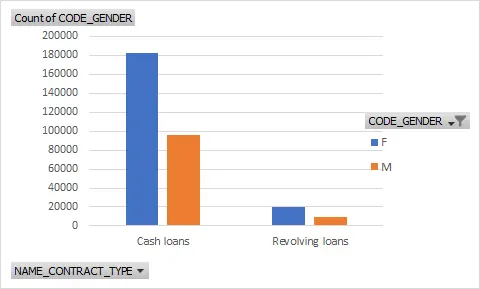
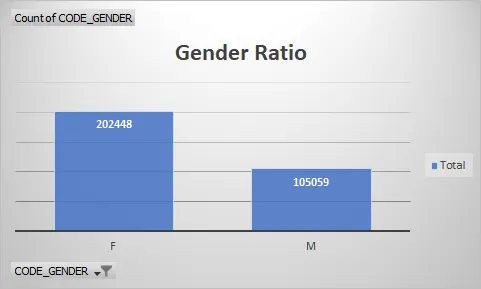
Car Owner/ Non-Owner Ratio
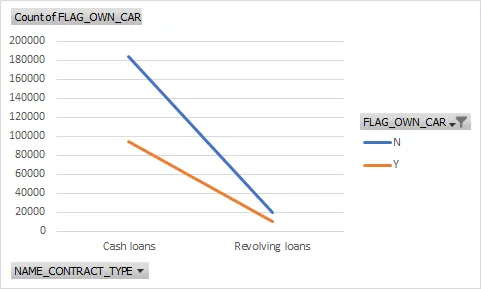
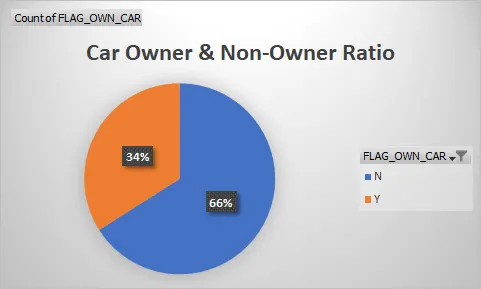
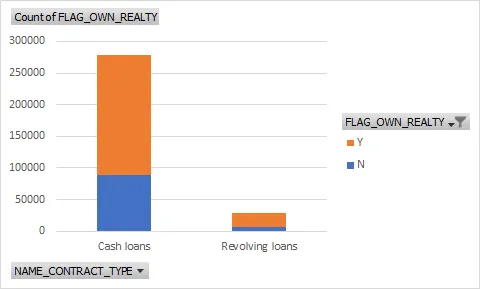
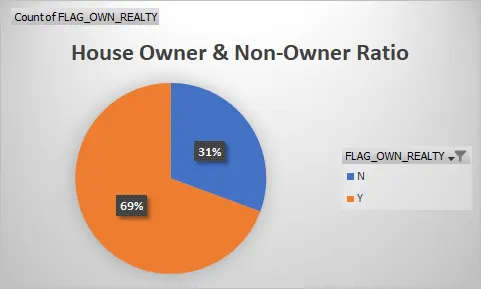
House Owner/ Non-Owner Ratio
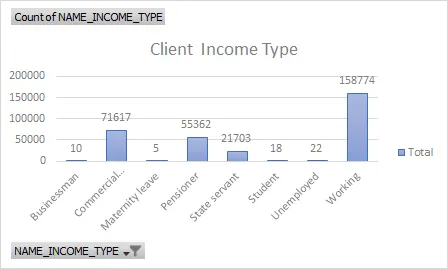
Client Income Type
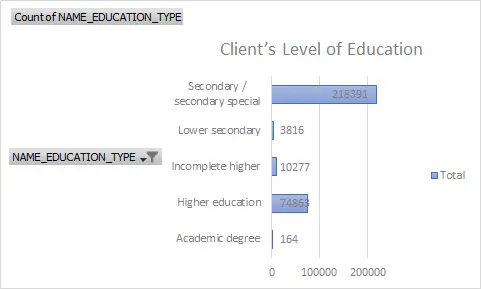
Client’s Level of Education
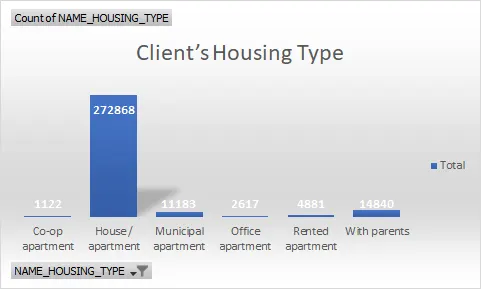
Client’s Housing Type
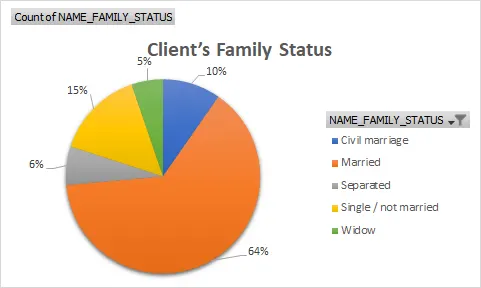
Client’s Family Status
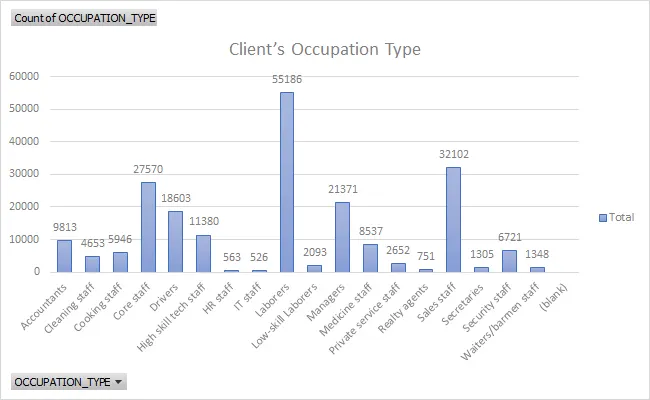
Client’s Occupation Type
Data Summary of All Female Client’s for Income and Loan Amount using New Functions
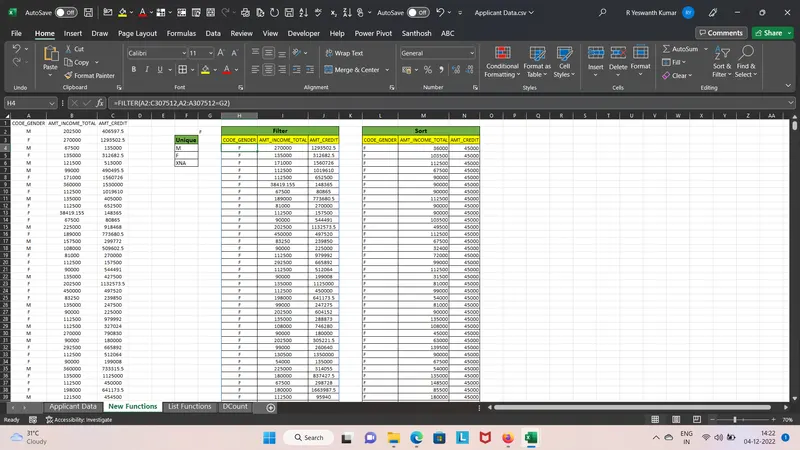
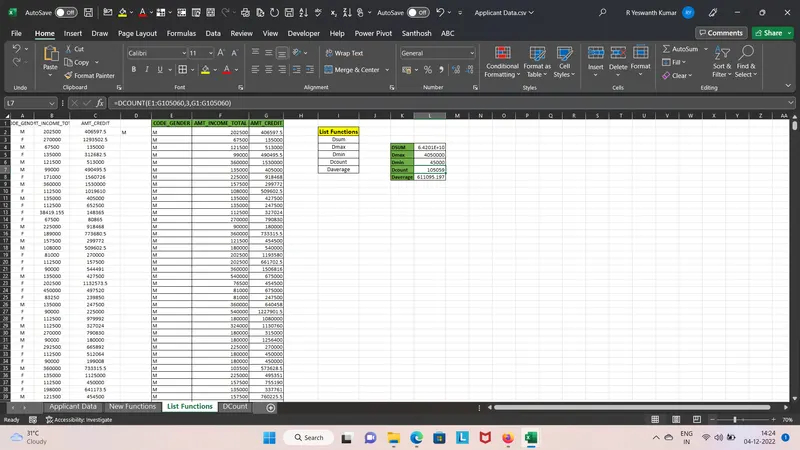
Data Summary of All Male Client’s for Income and Loan Amount using List Functions
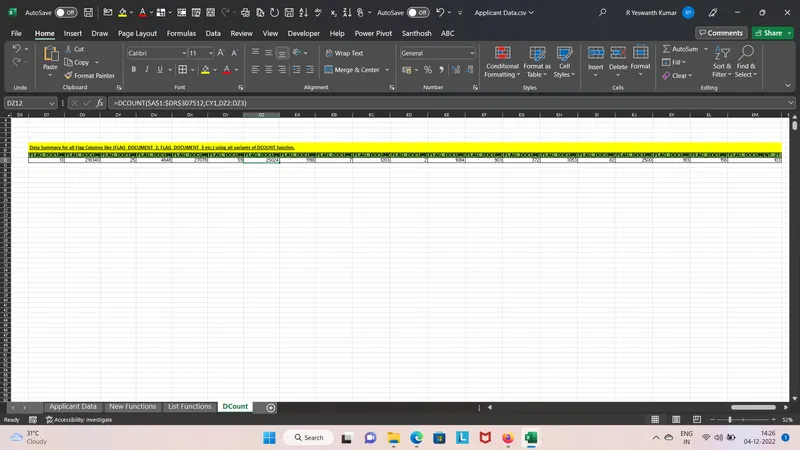
Data Summary for all Flag Columns like (FLAG_DOCUMENT_2, FLAG_DOCUMENT_3 etc.) using all variants of DCOUNT function.
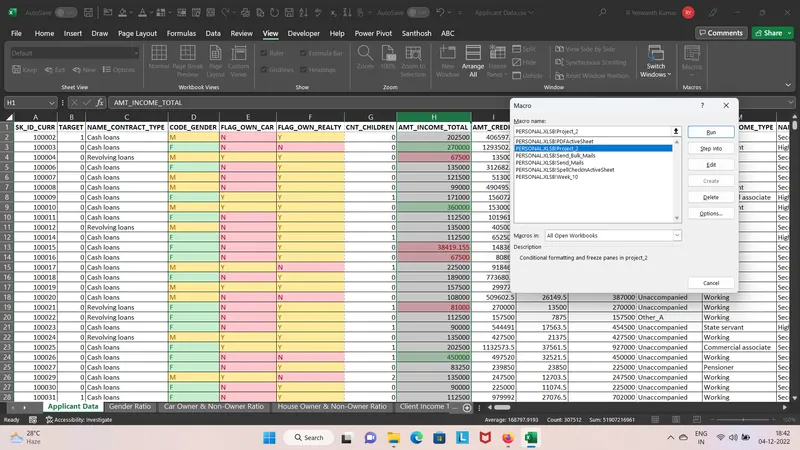
Create a Macro for Data Formatting (Conditional Formatting, Freezing Panes) of workbook as same will be applied to the data of next quarter
Create VBA Code to convert selected data into pdf from applicant data
Sub PDFActiveSheet()
Dim wsA As Worksheet
Dim wbA As Workbook
Dim strName As String
Dim strPath As String
Dim strFile As String
Dim strPathFile As String
Dim myFile As Variant
On Error GoTo errHandler
Set wbA = ActiveWorkbook
Set wsA = ActiveSheet
strPath = wbA.Path
If strPath = "" Then
strPath = Application.DefaultFilePath
End If
strPath = strPath & "\"
strFile = strName & ".pdf"
strPathFile = strPath & strFile
myFile = Application.GetSaveAsFilename _
(InitialFileName:=strPathFile, _
FileFilter:="PDF Files (*.pdf), *.pdf", _
Title:="Select Folder and FileName to save")
If myFile <> "False" Then
wsA.ExportAsFixedFormat _
Type:=xlTypePDF, _
Filename:=myFile, _
Quality:=xlQualityStandard, _
IncludeDocProperties:=True, _
IgnorePrintAreas:=False, _
OpenAfterPublish:=False
MsgBox "PDF file has been created: " _
& vbCrLf _
& myFile
End If
exitHandler:
Exit Sub
errHandler:
MsgBox "Could not create PDF file"
Resume exitHandler
End Sub
Check Spelling mistakes in the workbook using VBA Code
Sub SpellCheckInActiveSheet()
ActiveSheet.CheckSpelling
End Sub