Project 2 Adaptive Cruise Control
Aim: To develop an MBD-compliant Adaptive Cruise Control feature as per the provided requirement document using MATLAB Simulink
Objectives:
- Developing Adaptive Cruise Control feature as per the Requirement Document using MATLAB Simulink.
- Follow all the MBD-related processes: Requirement Tagging & Traceability, SLDD creation, Configuration Parameter changes, Model Advisor check & Code Generation.
- In Configuration Parameters: enable “Support Floating Numbers” under Code Generation settings.
- Use Embedded Coder to generate the code.
- If choosing code generation, Storage class for Input signals: ImportedExtern; Storage class for Output signal: Export to File; Storage class for local signals: localizable; Storage class for calibration signals: Const.
- Choose sample time for all signals as 0.01s
DESCRIPTION:
1) SLDD file creation
- Create a blank Simulink model and save it
- Create a new SLDD file and link it to the model by saving it in the same directory as of the model
- Go to model explorer > Open design data from model folders and subfolders > create signals and constants required
- Add signal and constant parameters as specified in the document
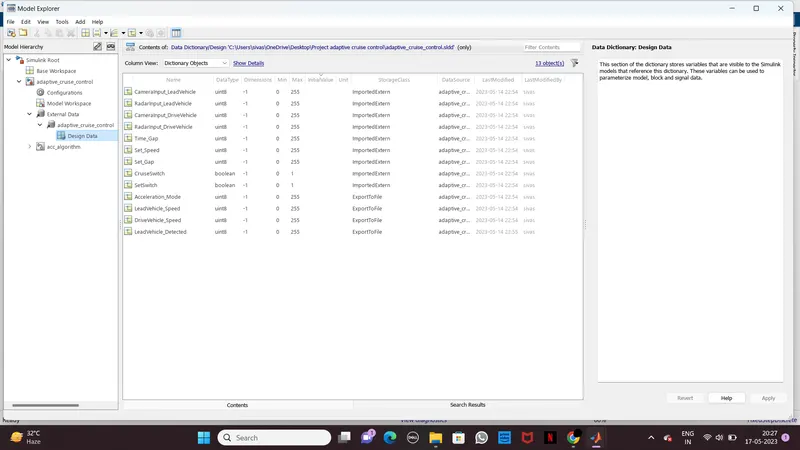
-
2) Creating Simulink model of ACC algorithm
- We start modeling the algorithm by creating a subsystem named Adaptive_Cruise_Control_Mode with 9 input parameters and one output parameter which is the final vehicle acceleration response
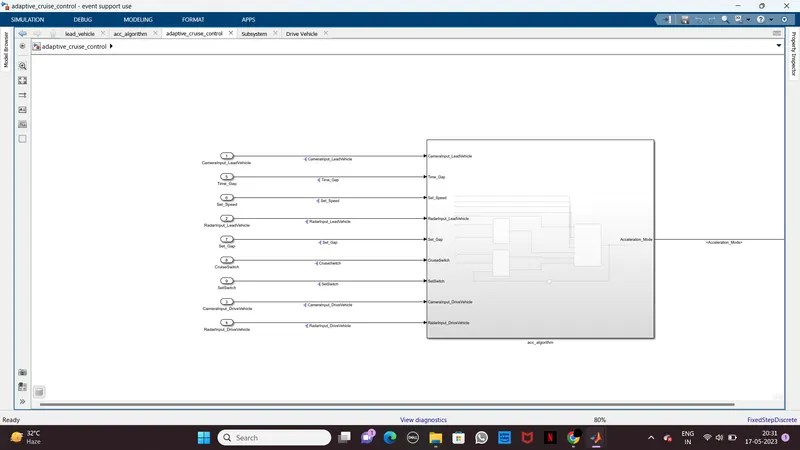
Three more subsystems are created for the three provided requirements namely Lead_Vehicle, Drive_Vehicle, and ACCAlgorithm
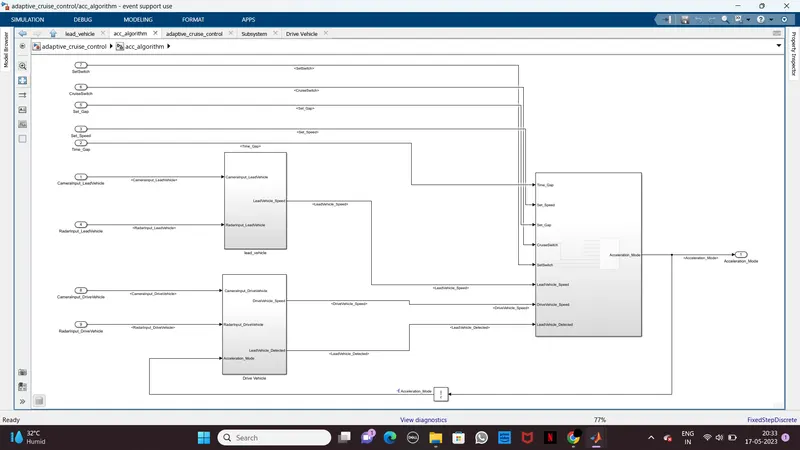
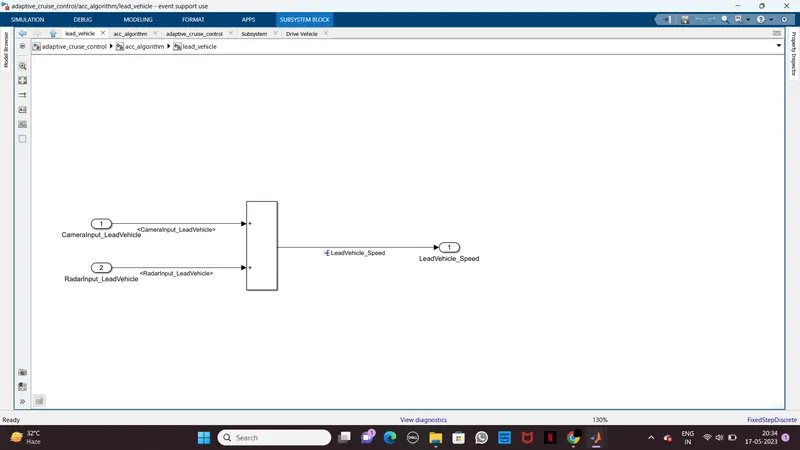
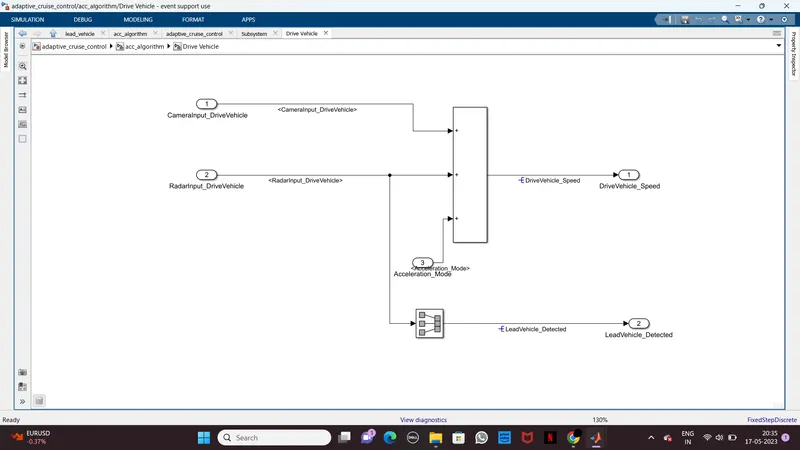
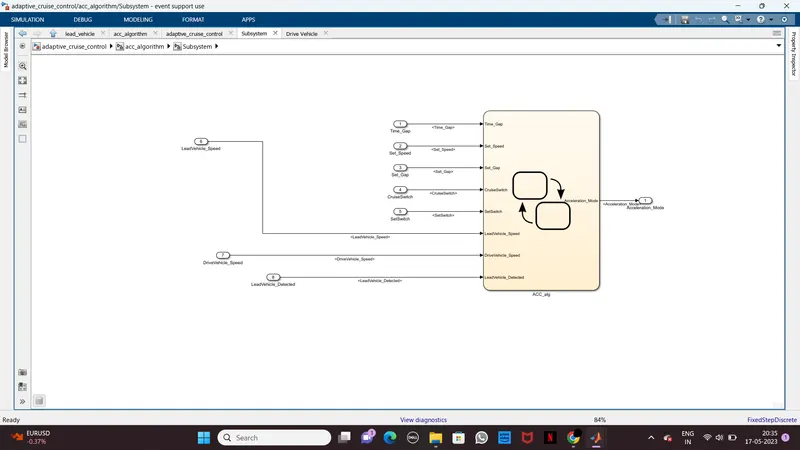
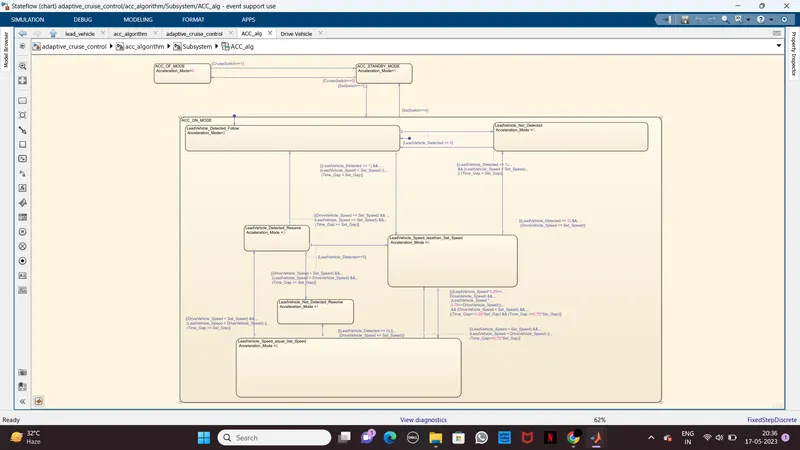
- Simulink blocks used:
- Subsystem
- Add block
- Signal conversion
- Chart
- Inport and outports
Result:
- The adaptive cruise control is modeled in Simulink as per the given requirements and MBD guidlines
- Performed requirement tagging on the requirement subsystem blocks
- Solver and code generators are configured
- SLDD file is created and linked to the model also the signals are resolved and propagated
- Model advisor report is generated and verified
- C-code for the model is generated and attached