Project 2 Adaptive Cruise Control
AIM:
1.The aim of this project is to developed a system in automobile to help the drivers while driving for long distance travel and in traffic situation.
Description:
1.We have three requirement for the model.The model should should satisfy all the requirement ask.
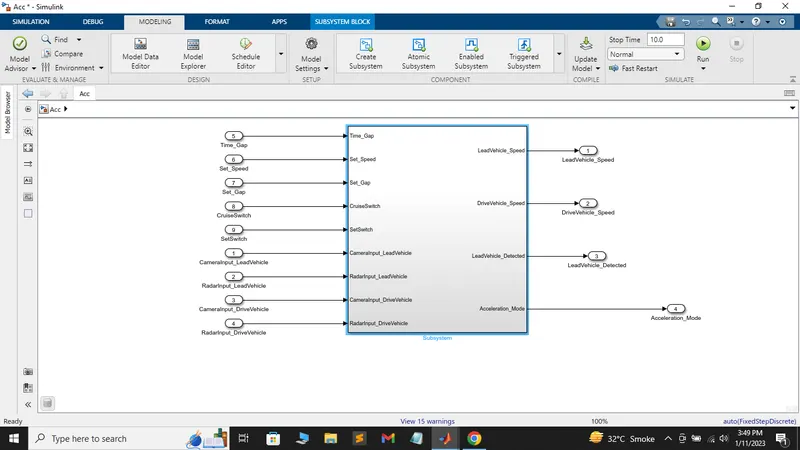
This is the finished model of Adaptive Cruise Control.
follow is the step by step procedure we have taken to build this model.
1.Requirement1: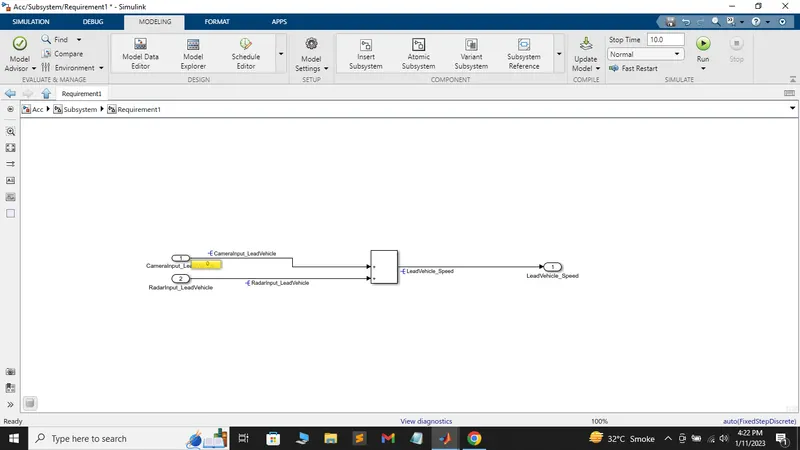
In this requirement we have to input value (CameraInput_LeadVehicle,RadarInput_LeadVehicle)and one output value (LeadVehicle_speed).We have done a simple sum of the both input in this requirement and the output is LeadVehicle_speed.We have made a subsystem of this procces and named it as requirement1.
2.Requirement2:
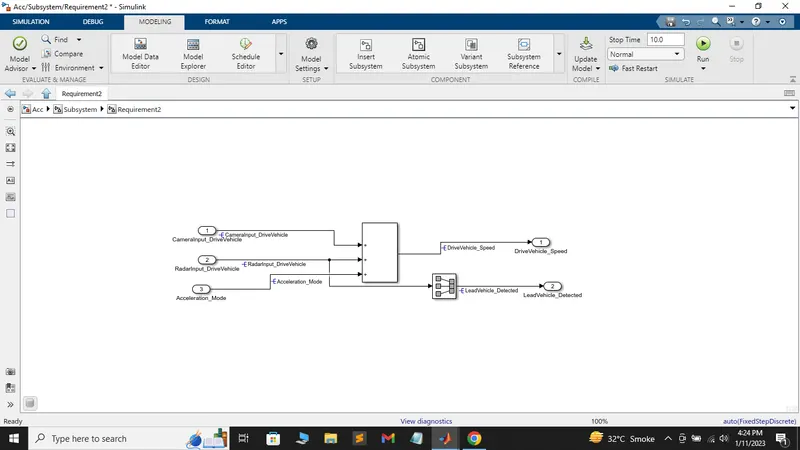
In this requirement we have 3 inputs(CameraInput_DriveVehicle,Radarinput_DriveVehicle,Acceleration_Mode) and two outputs(DriveVehicle_Speed,LeadVehicle_Detected).First all the input are sum together and the output of this sum is called DriveVehicle_Speed.Acceleration_mode is provided from output of the state flow and after a unit delay.
Now the two requirement are completed.And we allot the respective name to subsystem
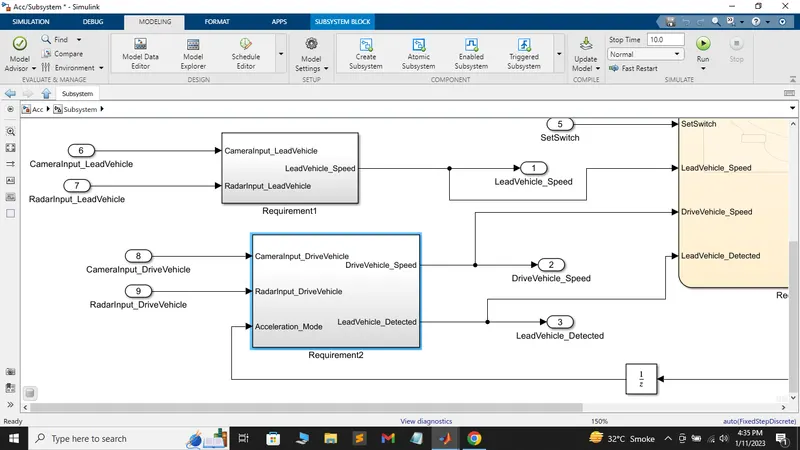
Now for requirement 3:
We are going to make a state flow chart for this requirement the chart has 8 input and 1 output(Acceleration_Mode)
Inputs signal:
1.Time_Gap
2.Set_Speed
3.Set_Gap
4.CruiseSwitch
5.SetSwitch
The 6 input is the output of requirement1
6.LeadVehicle_Speed
last 2 input is the output of requirement2
7.DriveVehicle_Speed
8.LeadVehicle_Detected
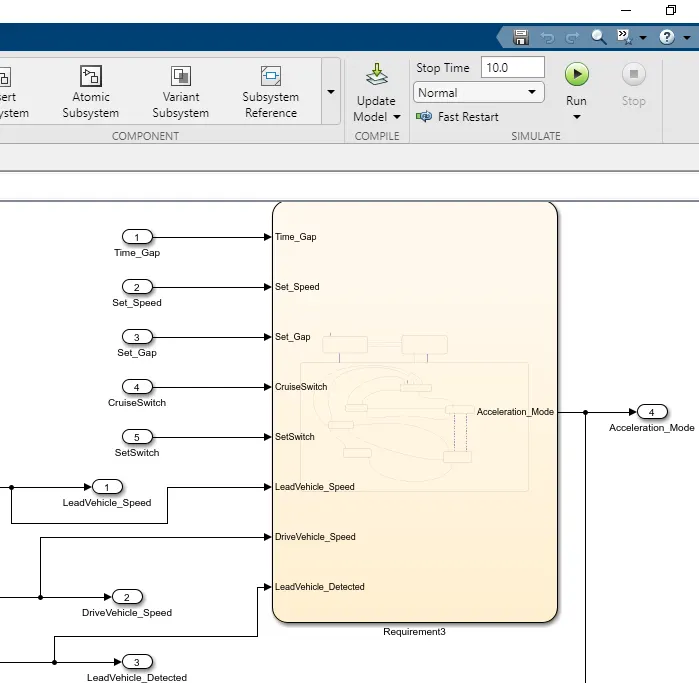
Now we have 3 mode in requirement3
1.ACC_OFF_MODE
2.ACC_STANDBY_MODE
3.ACC_OFF_MODE
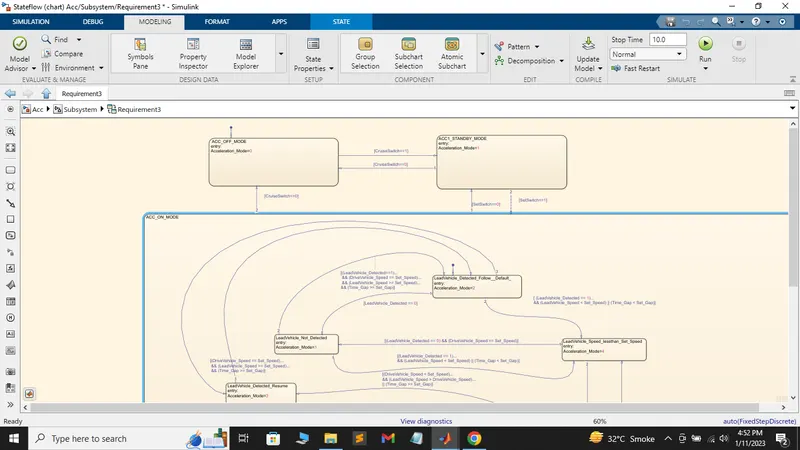
1.ACC_OFF_MODE
Acceleration_Mode=0
- This state is governed by input signal CruiseSwitch.
- If CruiseSwitch is equal to 1, state ACC STANDBY mode will get activated. If CruiseSwitch is equal to 0, state ACC OFF mode will get activated, from either ACC ON mode or ACC STANDBY mode
2.ACC_STANDBY_MODE
Acceleration_mode=1
- This state is governed by both input signals CruiseSwitch & SetSwitch.
- If CruiseSwitch is equal to 1, state ACC STANDBY mode will get activated. If CruiseSwitch is equal to 0, state ACC OFF mode will get activated, from either ACC ON mode or ACC STANDBY mode
- If SetSwitch is equal to 1, state ACC ON mode will get activated. If SetSwitch is equal to 0, state ACC STANDBY mode will get activated.
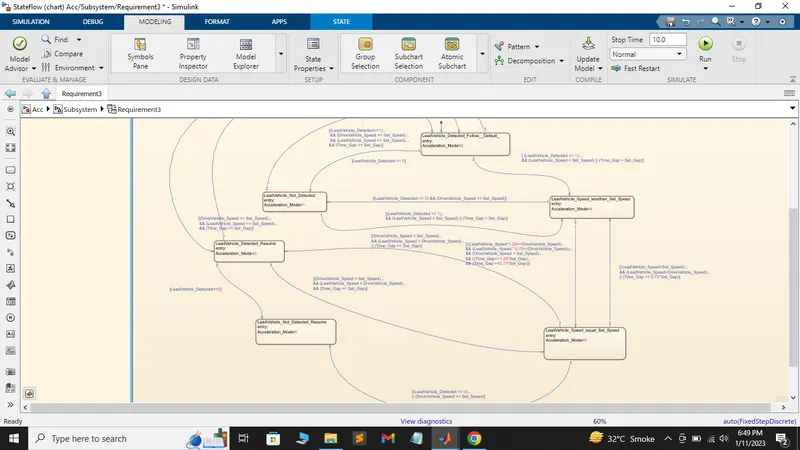
3.ACC_ON_MODE
There is again 6 subsystem in this mode.
a.LeadVehicle_Detected_Follow (Default)
b.LeadVehicle_Not_Detected
c.LeadVehicle_Detected_Resume
d.LeadVehicle_Not_Detected_Resume
e.LeadVehicle_Speed_lessthan_Set_Speed
f.LeadVehicle_Speed_equal_Set_Speed
All the logic for this subsystems are provided in requirement and we have to created the flow following that
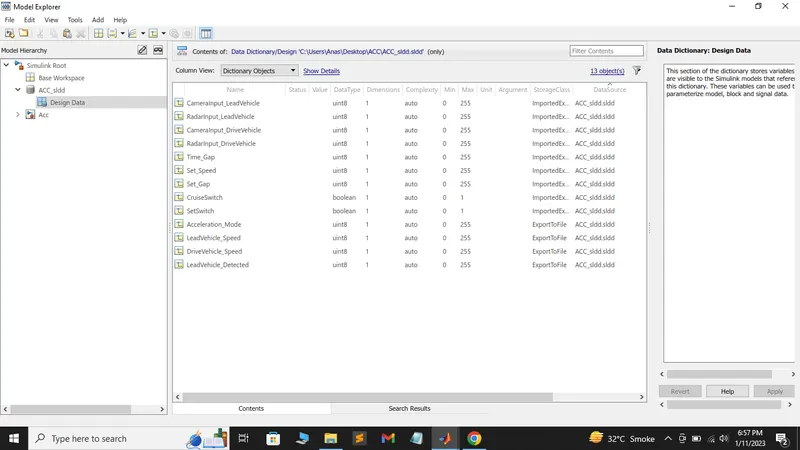
Now all the requirement of the model is satisfy we are going to make the sldd for this model.All the input signal will have ImportedExtern as storage class and all the output will have Export to file as storage class.The sample time for all signal will be 0.01.And link the sldd to the model
After making sldd check your model see if its working.If the model runs fine then we will change some in configuration parameters.
1.Go to code generation in configuration parameter and change the system target file to ert.tlc.
2.Then go in interface in code generation enable the (floating-point number) in this setting.
3.In solver change it fixed step and discrete.
After doing all this change run model advisor report for this model.
In model advisor report solve as many warning you can and there should not any error in the model.
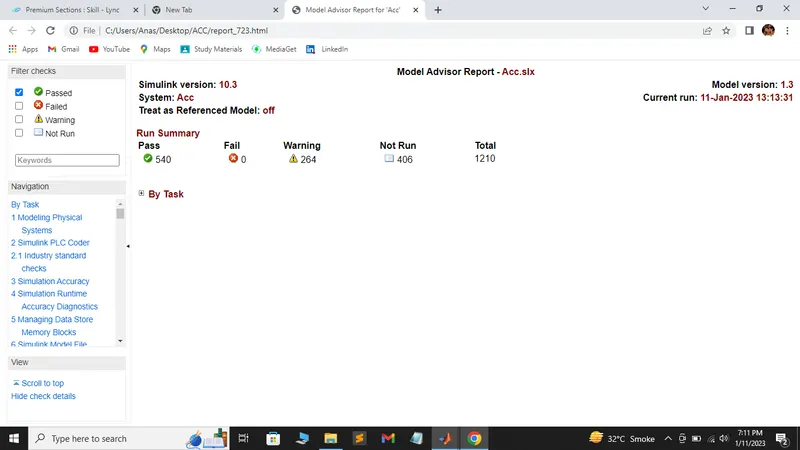
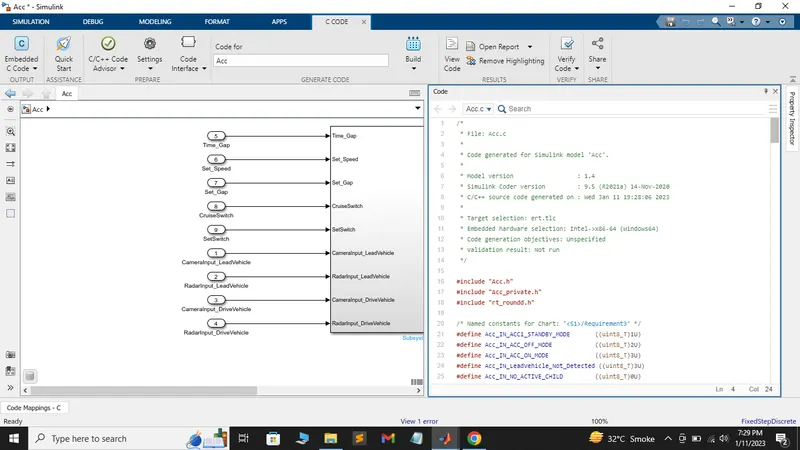
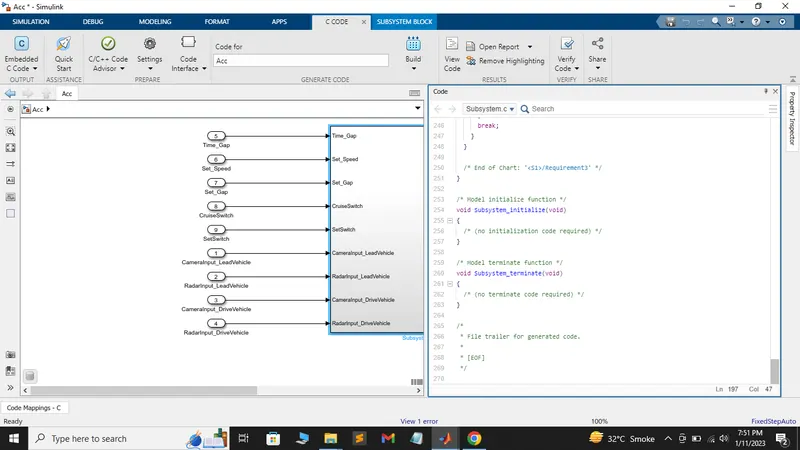
After generating model advisor report we will build the code for this model.
Code generation step
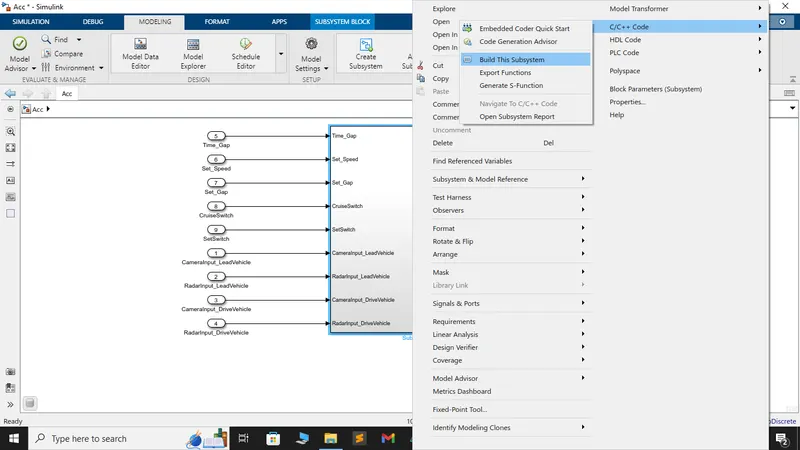
1.Go to top model and right click on subsystem and go C/C++ code and select build this subsystem
2.Then a window will open for building the subsystem select build in this prompt window.