Project 2 Adaptive Cruise Control
Procedure
1.As per gievn details create the Requirement 1 ,2 &3
2.In Requirement 3-a,b &c blocks need to creat
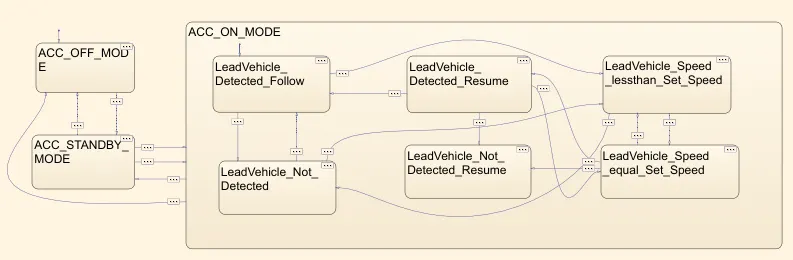
3.In Requirement 3c-(i) to (vi) need to create with stateflow as per the given condition
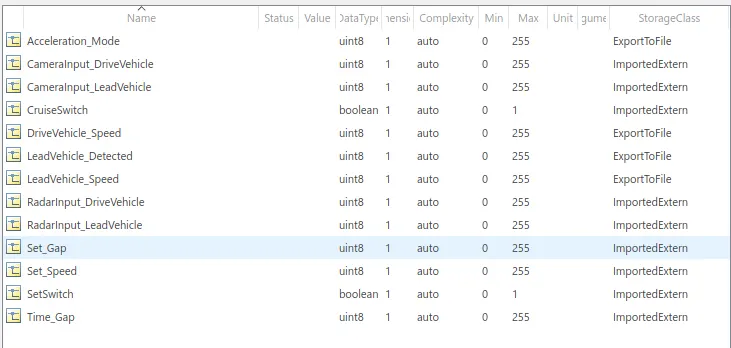
4.Create SLDD file as per the given Input & output signals.
5.Propagete all the signals
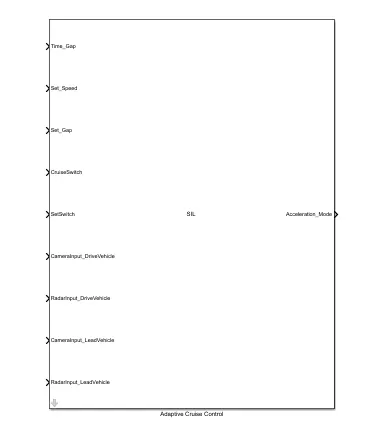
6.In Configuration parameter select Solver , Code generator & Coverage
7.Treate the system as atomic and build the s-function and create SIL file
8.In Model Advisor check the MAB standards
9.Requirement Tagging also need to done.
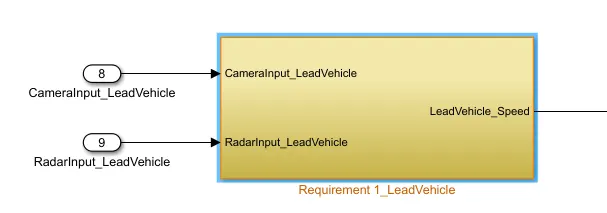
Requirement 1– Lead Vehicle:
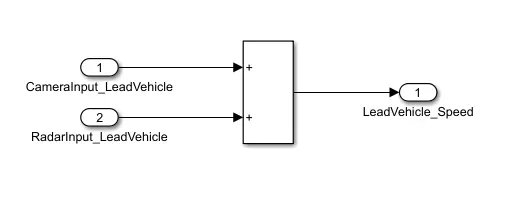
Requirement 2 – Drive Vehicle: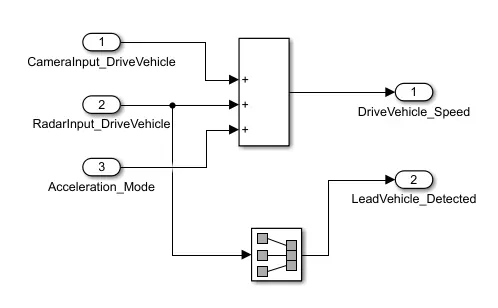
Requirement 3c – ACC ON MODE state logic:
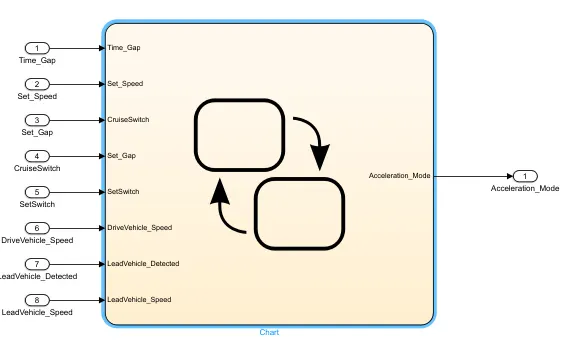
Requirement 3c (i) to (vi)
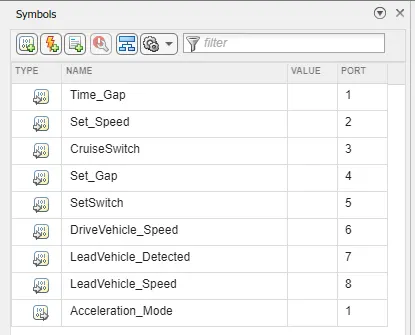
Symbol Panel:
SLDD Files:
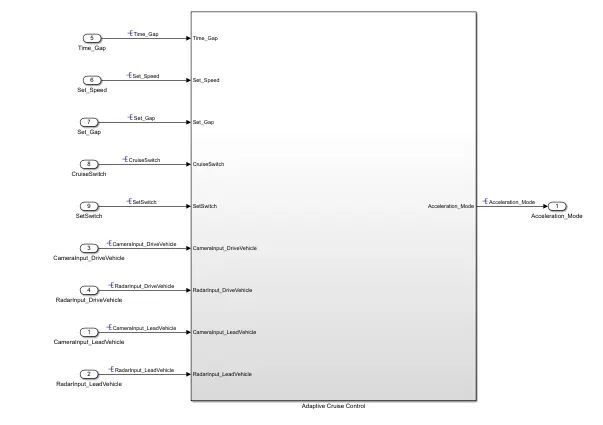
ADAPTIVE CRUISE CONTROL
C-CODE:
/*
 * Event Support License -- for demonstration use and event support.  Not
 * for government, research, commercial, or other organizational use.
 *
 * File: ert_main.c
 *
 * Code generated for Simulink model 'Adaptive'.
 *
 * Model version                  : 1.15
 * Simulink Coder version         : 9.7 (R2022a) 13-Nov-2021
 * C/C++ source code generated on : Thu Dec 29 22:58:13 2022
 *
 * Target selection: ert.tlc
 * Embedded hardware selection: Intel->x86-64 (Windows64)
 * Code generation objectives: Unspecified
 * Validation result: Not run
 */

#include <stddef.h>
#include <stdio.h>            /* This example main program uses printf/fflush */
#include "Adaptive.h"                  /* Model header file */

/*
 * Associating rt_OneStep with a real-time clock or interrupt service routine
 * is what makes the generated code "real-time".  The function rt_OneStep is
 * always associated with the base rate of the model.  Subrates are managed
 * by the base rate from inside the generated code.  Enabling/disabling
 * interrupts and floating point context switches are target specific.  This
 * example code indicates where these should take place relative to executing
 * the generated code step function.  Overrun behavior should be tailored to
 * your application needs.  This example simply sets an error status in the
 * real-time model and returns from rt_OneStep.
 */
void rt_OneStep(void);
void rt_OneStep(void)
{
  static boolean_T OverrunFlag = false;

  /* Disable interrupts here */

  /* Check for overrun */
  if (OverrunFlag) {
    rtmSetErrorStatus(Adaptive_M, "Overrun");
    return;
  }

  OverrunFlag = true;

  /* Save FPU context here (if necessary) */
  /* Re-enable timer or interrupt here */
  /* Set model inputs here */

  /* Step the model */
  Adaptive_step();

  /* Get model outputs here */

  /* Indicate task complete */
  OverrunFlag = false;

  /* Disable interrupts here */
  /* Restore FPU context here (if necessary) */
  /* Enable interrupts here */
}

/*
 * The example main function illustrates what is required by your
 * application code to initialize, execute, and terminate the generated code.
 * Attaching rt_OneStep to a real-time clock is target specific. This example
 * illustrates how you do this relative to initializing the model.
 */
int_T main(int_T argc, const char *argv[])
{
  /* Unused arguments */
  (void)(argc);
  (void)(argv);

  /* Initialize model */
  Adaptive_initialize();

  /* Attach rt_OneStep to a timer or interrupt service routine with
   * period 0.01 seconds (base rate of the model) here.
   * The call syntax for rt_OneStep is
   *
   *  rt_OneStep();
   */
  printf("Warning: The simulation will run forever. "
         "Generated ERT main won't simulate model step behavior. "
         "To change this behavior select the 'MAT-file logging' option.\n");
  fflush((NULL));
  while (rtmGetErrorStatus(Adaptive_M) == (NULL)) {
    /*  Perform application tasks here */
  }

  /* Terminate model */
  Adaptive_terminate();
  return 0;
}

/*
 * File trailer for generated code.
SIL FILE
TAGGING