Project 2 Adaptive Cruise Control
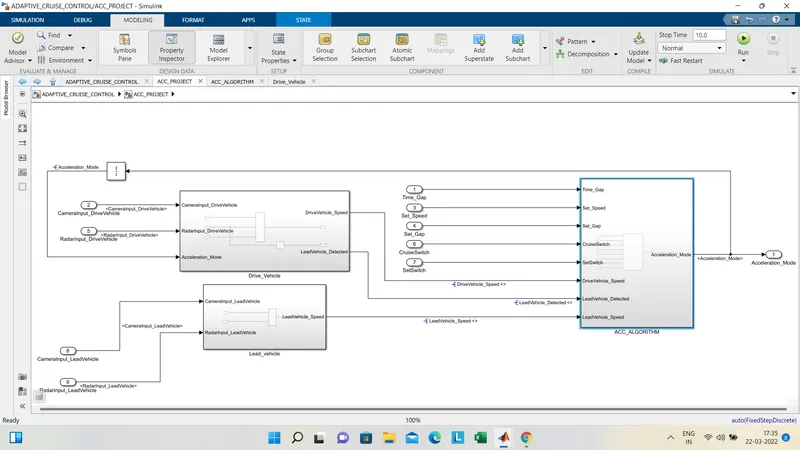
in the main project there are 3REQUIREMENTS as per the given requitement we have to build the model and generate the code , below is following steps which the model has been build
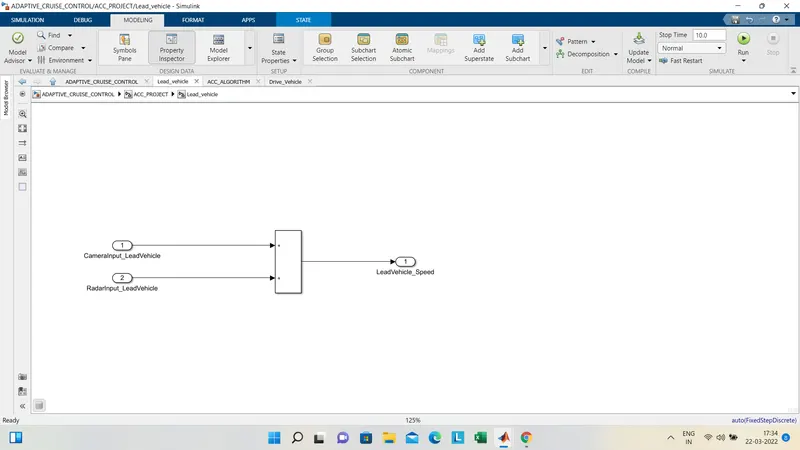
1.requirement1:
in this camerainput signal of lead vehicle and radar input signal of lead vehicle is taken and doing the summation the lead vehicle speed output is given
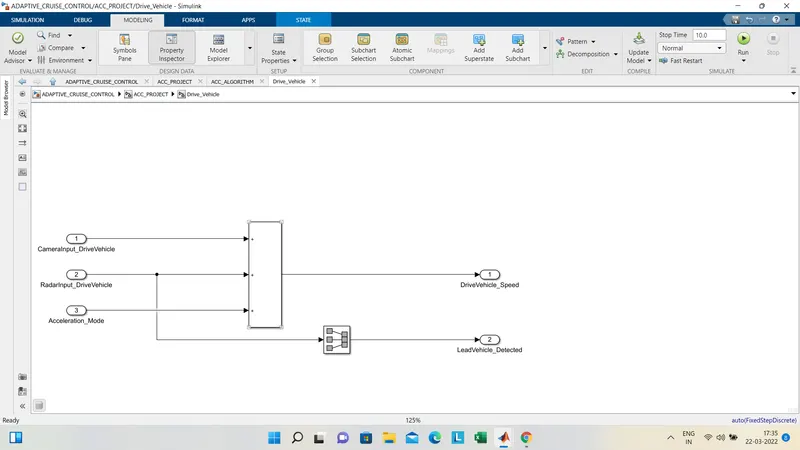
2.requirement 2:
in this the drive vehicle camera input signal and drive vehicle radar input signal is taken and for the feedback the aaceleration mode input is alsop taken and where as the for renaming the radarinput drive vehicle signal the signal conversion block is used and the lead vehicle detected and thje drive vehicle speed is is trhe output
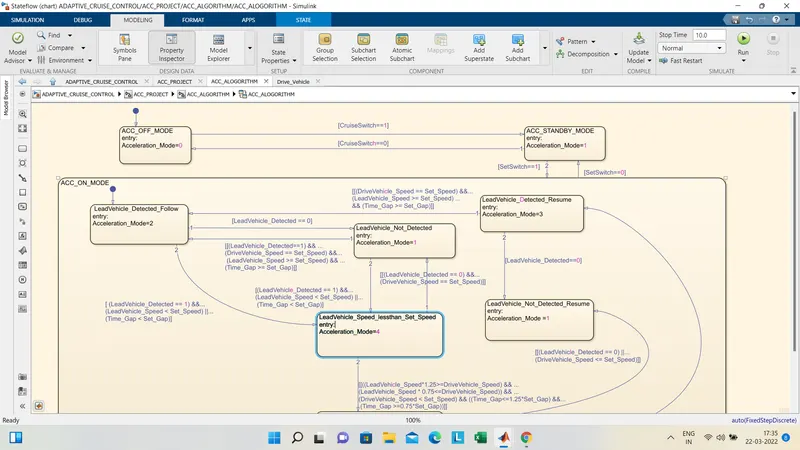
3.requirement 3:
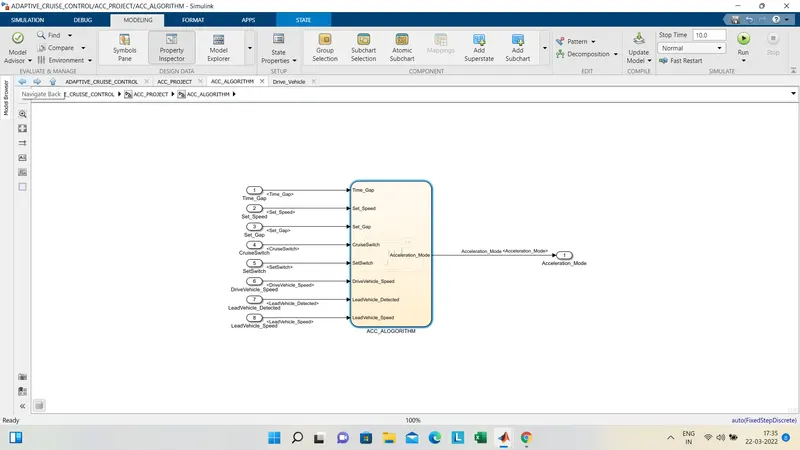
in this the main ACC algorithm is made for the working of ACC by using state flow blocks the conditions are mentioned and there are 6substates used in this requirement we have to create the different states for the given requirement and the transition conditionn should be also mentinoed
the main agenda is for ACC_ON MODE , ACC_OFF MODE, ACC_STAND BY MODE.
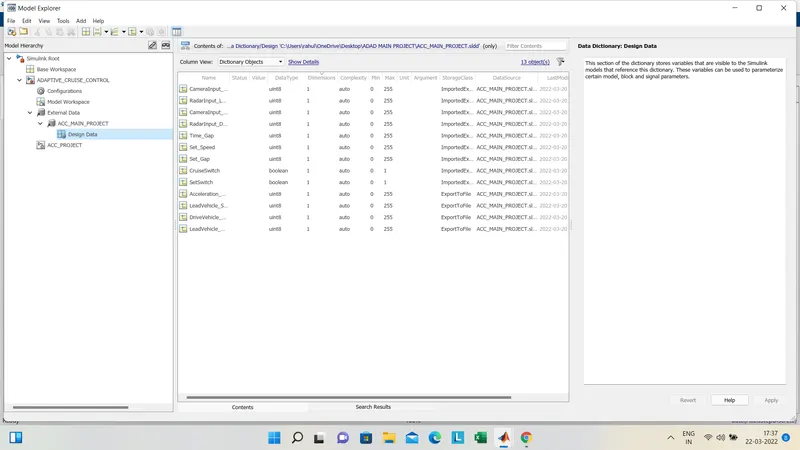
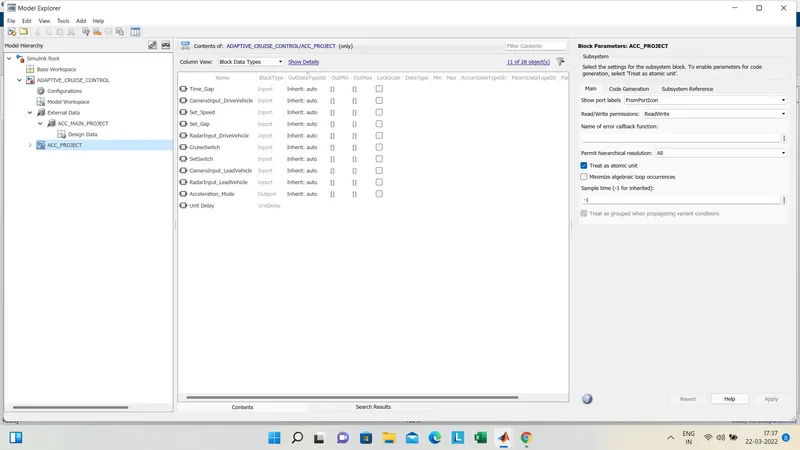
the SLDD file should be created for the data given as per given in the project requirement and also the stateflow input and datas should be also mentioned in the model explorer and the subsystem is created
then we should do the requirememnt tagging for each model build from the word doc which we have created
we have propogate and resolve each and every input and output sinals in the subsytem .
after this we should do model advisor check for the build model for the MAB so that it will check the fail errors and the warrnings , so we can generate the report hnece
next we have to go to model settings and change the solver details and code genration settings .
then after that we have to generate the C code for the build model , in my case i have done the code generayion using SIL
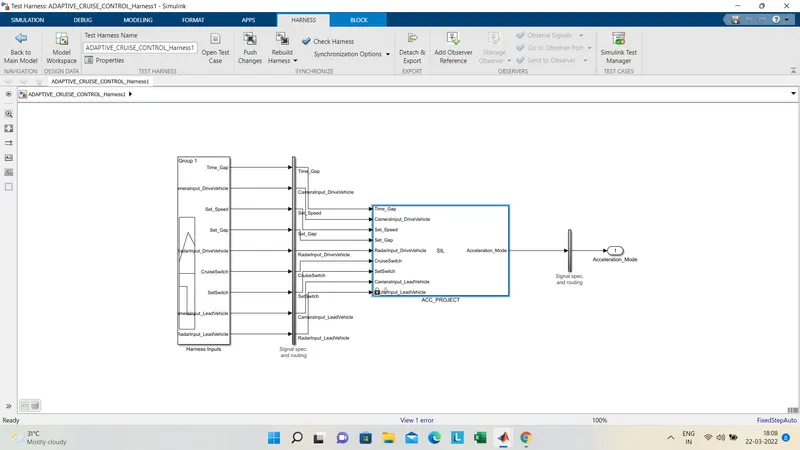
on the main project susbssytem we have right click and create the test harness then we have change the advance properties changes to sil mode and then choose input to signal builder and we can click ok so that the build test harnees code will generate amnd the c code model will open
the c code model and the c code will be saved inn our main project folder as rtw
this is how the project is been done the zip file and the scrrenshots has been attached for your refence.