Project 2
Project – 2
Meshing and connecting the suspension system
Aim :
To generate mesh according to the type of component and connect the components of the suspension system.
Abstract:
The given suspension system has many solid and sheet metal components which are to be meshed as per their properties and the given quality criteria. The meshed components should be connected where ever the bolt and weld connections needed.
Methodology:
- Check for any kind of geometrical errors for each component and fix the errors if needed.
- Perform a topo cleanup for the isolated component and generate mesh for that component.
- Mesh type must be done according to the property of the component i.e., sheet metal or solid material.
- After meshing all the components connect them as per the given bolt provisions and welds to attach any to sheet metal components.
- After meshing the components convert the sheet metal components to solid metals to resemble the thickness of the original component.
Introduction:
Suspension is the system of tires, tire air, springs, shock absorbers, and linkages that connects a vehicle to its wheels and allows relative motion between the two. Suspension systems must support both road holding/handling and ride quality, which are at odds with each other. The tuning of suspensions involves finding the right compromise. The suspension needs to keep the road wheel in contact with the road surface as much as possible because all the road or ground forces acting on the vehicle do so through the contact patches of the tires. The suspension also protects the vehicle itself and any cargo or luggage from damage and wear. The design of the front and rear suspension of a car may be different.
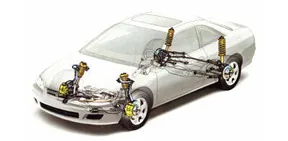
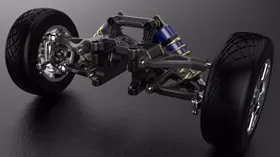
Fig 1: connection of suspension system Fig 2: real-life suspension system
to the cabin
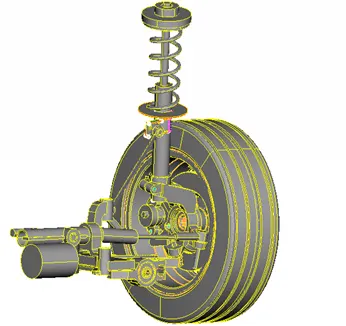
Fig 3: Suspension system in the given model
Procedure:
- Mentioning the PIDs to each component (with their respective thickness if needed) should be done first before starting the meshing process.
- The quality criteria for meshing the system are different for different types of components. So the components are to be isolated individually as per the quality criteria.
- The quality criteria for different components are as given below.
- Quality criteria for tyre and Rim (Volume mesh – tria elements):
|
S. No |
Quality Criteria |
Value |
|
1. |
Target/ Averge Length |
6.5 |
|
2. |
Minimum Length |
5 |
|
3. |
Maximum length |
10 |
|
4. |
Skewness |
45 |
|
5. |
Tet-Collapse |
0.2 |
Table 1: Quality criteria for tyre and rim
- Quality criteria for Other components (Volume Mesh – tria elements):
|
S. No |
Quality Criteria |
Value |
|
1. |
Target/ Average Length |
4 |
|
2. |
Minimum Length |
2 |
|
3. |
Maximum length |
6 |
|
4. |
Skewness |
45 |
|
5. |
Tet-collapse |
0.2 |
Table 2: Quality criteria for other components
- Quality criteria for mid surfacing:
|
S. No |
Quality criteria |
Value |
|
1. |
Target/ Average Length |
4 |
|
2. |
Minimum Length |
2 |
|
3. |
Maximum Length |
6 |
|
4. |
Aspect |
3 |
|
5. |
Warpage |
15 |
|
6. |
Skewness |
45 |
|
7. |
Jacobian |
0.7 |
|
8. |
Maximum Quad Angle |
45 |
|
9. |
Minimum Quad Angle |
135 |
|
10. |
Minimum Tria Angle |
30 |
|
11. |
Maximum Tria Angle |
120 |
|
12. |
Tria Percentage |
15 |
Table 3: Quality criteria for mid surface
- Tyre and rim:
- Start the process by isolating the tyre and rim components and mention the quality criteria and mesh parameter values as shown in table 1.
- Isolate any one component and check for any geometrical errors and fix the errors if needed.
- Perform topo cleanup according to the quality criteria.
- Set the mesh type as tria in mesh parameters and start meshing the surface of the particular component.
- Fix all the off elements if formed by using the correction tools in the mesh deck.
- After fixing the off elements start volume meshing the meshed model by manually defining the component in the volume mesh deck.
- The defined component will be listed as unmeshed material in the list option.
- Right-click the list name and select remesh and choose the option rapid mesh.
- The volume mesh will be created inside the defined component.
- Follow the above steps for the remaining components.
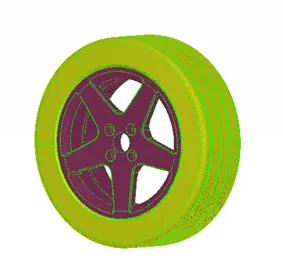
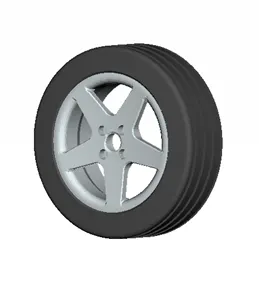
Fig 4: Surface mesh Fig 5: volume mesh
- Other components:
- The remaining components which are non-uniform and having a thickness more than 5mm are considered as solids and are to be volume meshed.
- Enter the Quality criteria and mesh parameters as mentioned in table 2.
- Follow the steps as done for the tire and rim components and fix all the off elements.
- The meshed components are created as shown below.
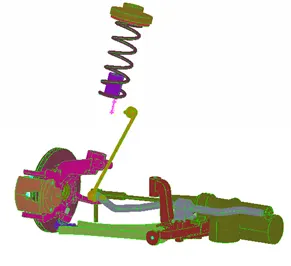
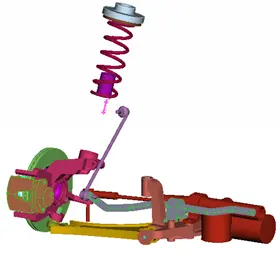
Fig 6: surface meshed components Fig 7: Volume meshed components
- Mid surface:
- Isolate the components which are less than 5mm in thickness.
- Check the geometrical errors and fix them if needed.
- Enter the Quality criteria and mesh parameters as mentioned above in table 3.
- Change the mesh type to mixed.
- Before meshing the component perform topo clean up if needed.
- Start meshing the component by using option casting in mid surfacing option.
- Enter the values for meshing using the cast option and run the process
- Remove the off elements using the correction option in the mesh deck.
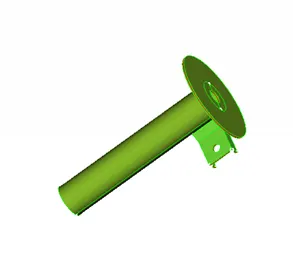
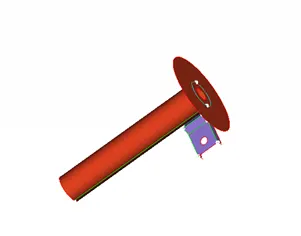
Fig 8: Parent geometry Fig 9: Child geometry
- Connecting the components:
After meshing the suspension system, the components are to be connected so that the system may not fail while performing a simulation. The following steps are to be followed for connecting the component:
- Isolate any component which has provesion to connect the components with bolts and nuts.
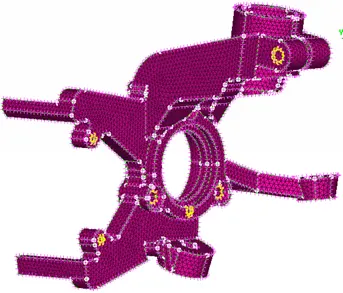
Fig 10: Random component with bolt connection provision
- Generate a 1 Dimensional master node connections using the option RBE2 (Rigid body element form 2) in the nasteran deck. The RBE 2 Connection is formed by selecting the slave nodes around the hole required and a Connection ID must be created in the Model browser.
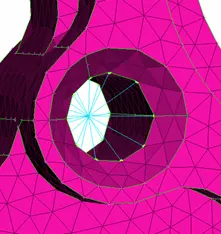
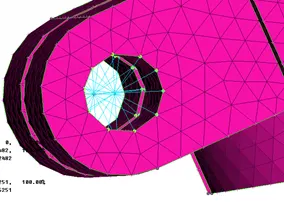
Fig 11: RBE 2 connection Fig 12: RBE 2 connections for bolt connection
- Connect the 1D connections for the remaining components.
- Start connecting the components with each other using the two-node option in the RBE2. The two-node RBE2 is used by seleting any two nodes in a component. For the bolt connections, two master nodes are selected and the rigid connection is formed between two components as bolt connection as shown below.
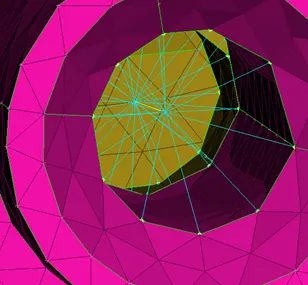
Fig 13: Two node RBE 2 connection of two components
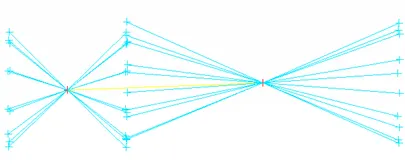
Fig 14: The yellow line represents the two-node RBE2 connection between the master nodes
The two-node and many nodes connections can also be used for a direct connection between two components for a rigid support as shown below.
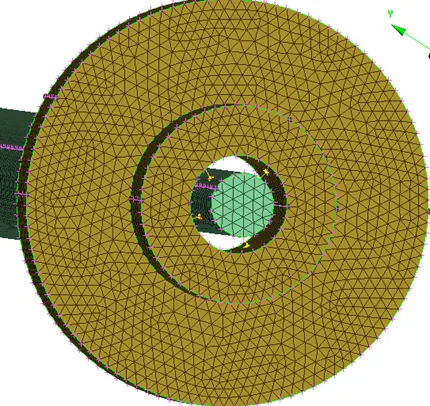
Fig 15: Direct connection between two components using two-node RBE2
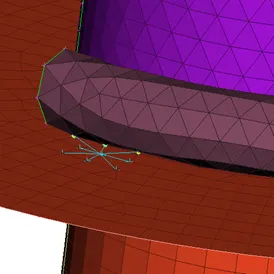
Fig 16: Direct connection between two components using many nodes RBE2
- After connecting the system a mirrored geometry must be reflected on the other side so that the total system looks completed as shown above in fig 2.
- So the reflection is done by using the option transfer in utilities. Select the copy option in the transfer and select the total geometry in entity mode.
- After selecting the model, select the symmetry option and select three random nodes at the end of the component, where the software calculates the nodes' positions in X, Y, Z
- After the selection of nodes, select apply to run the process. It may take a few minutes to create a mirrored geometry.
- After the creation select finish to end the process and therefore the total suspension system is completed.
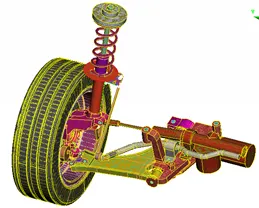
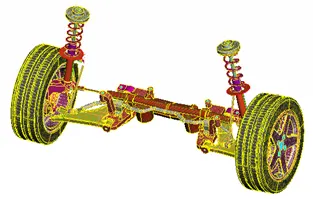
Fig 17: Single-sided geometry Fig 18: Mirrored geometry
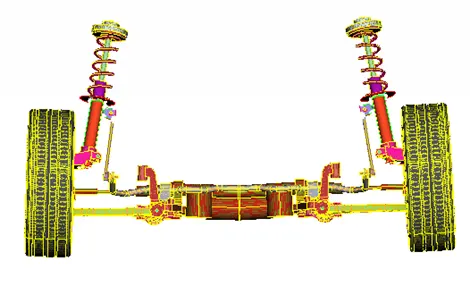
Fig 19: Total suspension system.
Result:
Thus the meshing and connecting the given suspension system is completed and is ready for simulation.
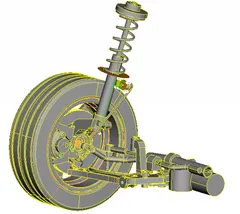
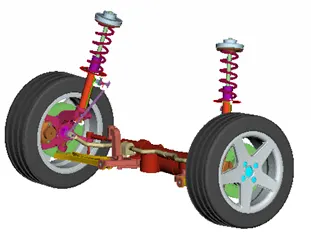
Fig 20: Given geometry Fig 21: Meshed and connected geometry
Learning outcomes:
- Learned to generate solid mesh without collapsing off elements.
- Learned to give rigid connections.
- Learned to given better topo cleanup in critical areas.
- Learned to generate a reflection to complete the geometry.
Conclusion:
The above project draws the following conclusion:
- The total number of shell elements for the tire and rim are 202888 and the volume elemnts are 424360.
- The total number of shell elements for other components are 424102 and the volume elements are 4166200.
- The shell elements for the mid surface are 7684.
https://drive.google.com/file/d/1oGtP-v5CgWAw_kEnWWwvoh3cfmLTV9KZ/view?usp=sharing