Project 2
Using open5gs, an open source EPC and 5G platform in order to create and test of varios scenarios in LTE.
Prerequesites:
PC compatibility is an issue in itself in order to make mongodb work. My CPU was an AMD 5600G which failed to get mongodb to work. Status check gives you coredump in reponse which a fairly common issue.
https://www.mongodb.com/community/forums/t/status-of-mongod-returns-core-dump/130769
So I had to switch over to my intel laptop to get this to work, install VM and then Ubuntu 22.04 on it.
Steps to install mongodb that is provided in the project are obsolete right now. open5Gs provides the right methodology to install mongodb.
https://open5gs.org/open5gs/docs/guide/02-building-open5gs-from-sources/
Following these days my mongodb was properly installed followed by open5gs.
Tests performed:
First after every reboot of your VM make sure to put this on to your terminal before conducting the tests in order to create IPs for all the network nodes. In order to prevent typing it all over again I just downloaded a shell script of this because of lack of scripting knowledge. Just run the shell script after every reboot.
$ sudo ip tuntap add name ogstun mode tun
$ sudo ip addr add 10.45.0.1/16 dev ogstun
$ sudo ip addr add 2001:db8:cafe::1/48 dev ogstun
$ sudo ip link set ogstun up

Caution: not doing this results in core dumping. Solving the issue has been addressed by Katharina Kohls in her trubleshooting part of testing with 5GS on her blog.

https://kkohls.org/guides_open5gs.html
Following commands were run to perform an attach procedure followed by a handover and then a VolLTE voice call. Running wireshark before running any of them is a must.
#./build/tests/attach/attach
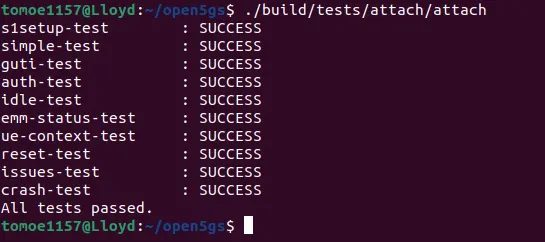
Similarly, capturing this while running wireshark in back ground I followed the subsequent tests that were to be conducted. I captured them consecutively to avoid any repetition and issues.
<!-- [if gte mso 9]><xml>
#./build/tests/handover/handover
<!-- [if gte mso 9]><xml>
#./build/tests/volte/volte
I have attached the log file ( .pcapng file) of the captured packets.
Attach Analysis:
1.s1setup request
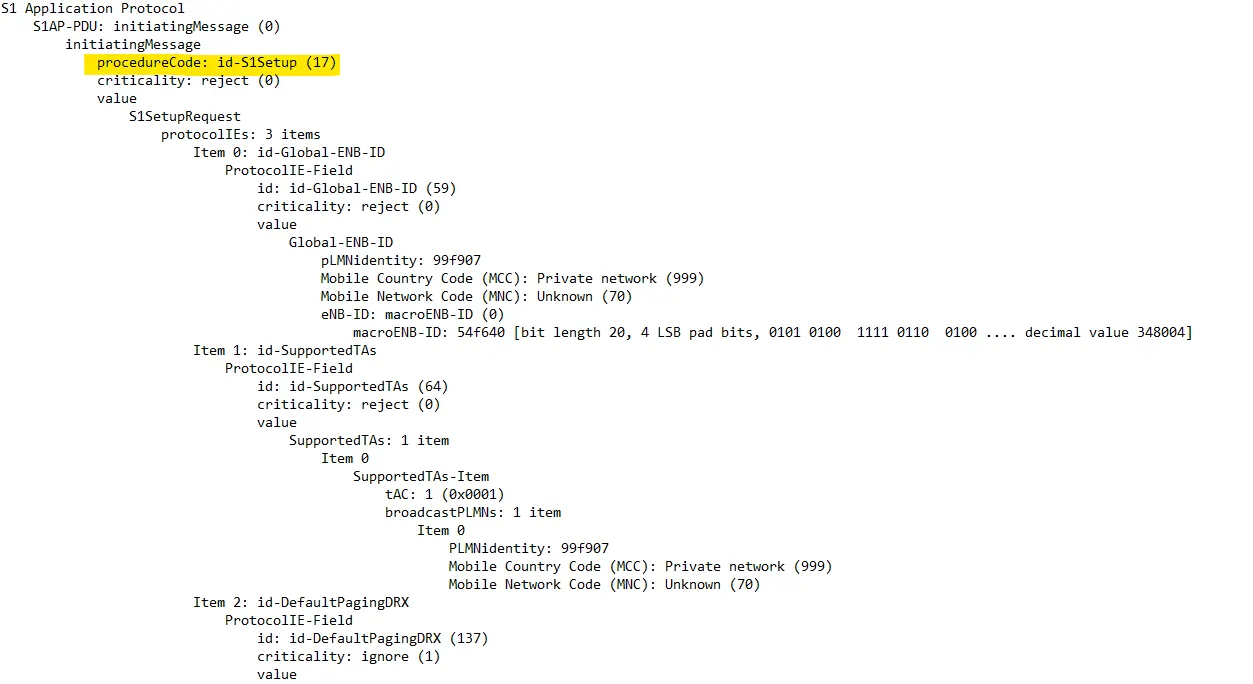
Looking at the protocol IEs we observe every information that's provided to the network to identify the device and send a setup to connect to the network.
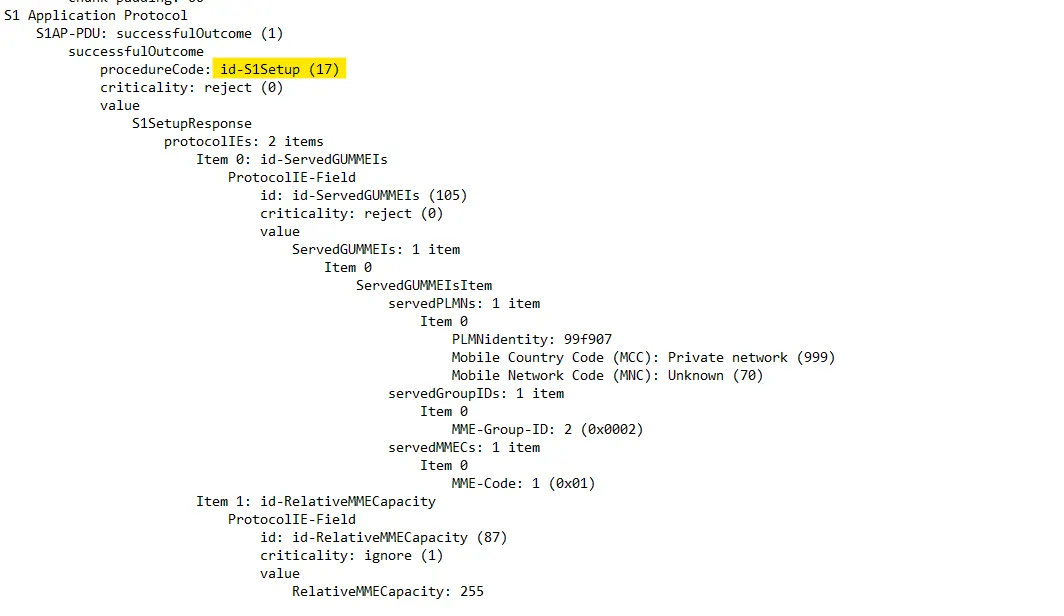
2.s1ap Response
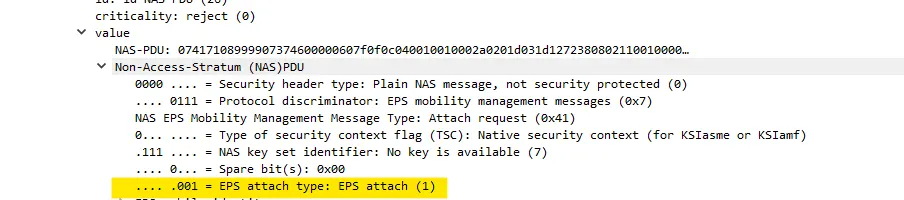
3.Attach
filtered out attach packets and saved it to a different log file to understand the process. It is followed by a normal detach.
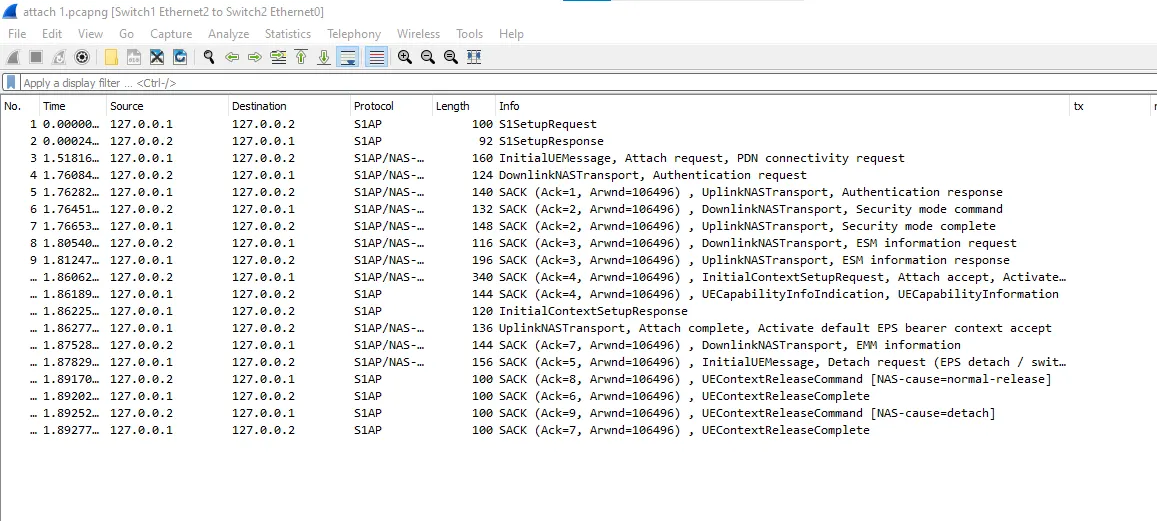
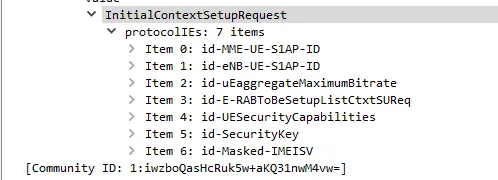
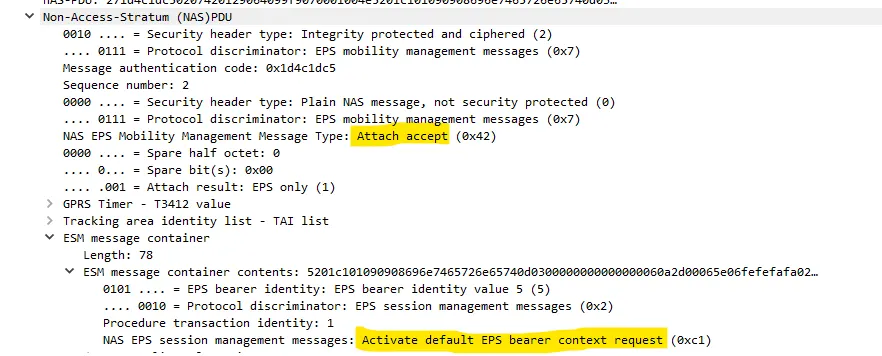
4.Receive Initial Context Setup Request + Attach Accept + Activate Default Bearer Context Request
This is received from network to the UE
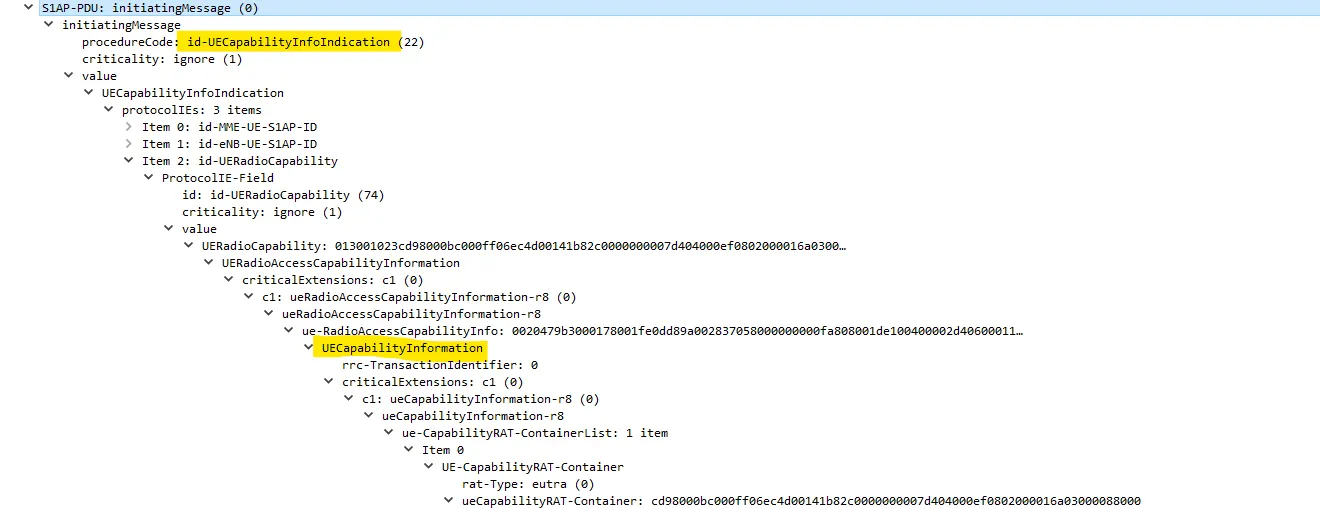
UE Capability Info
Sent from UE to the network

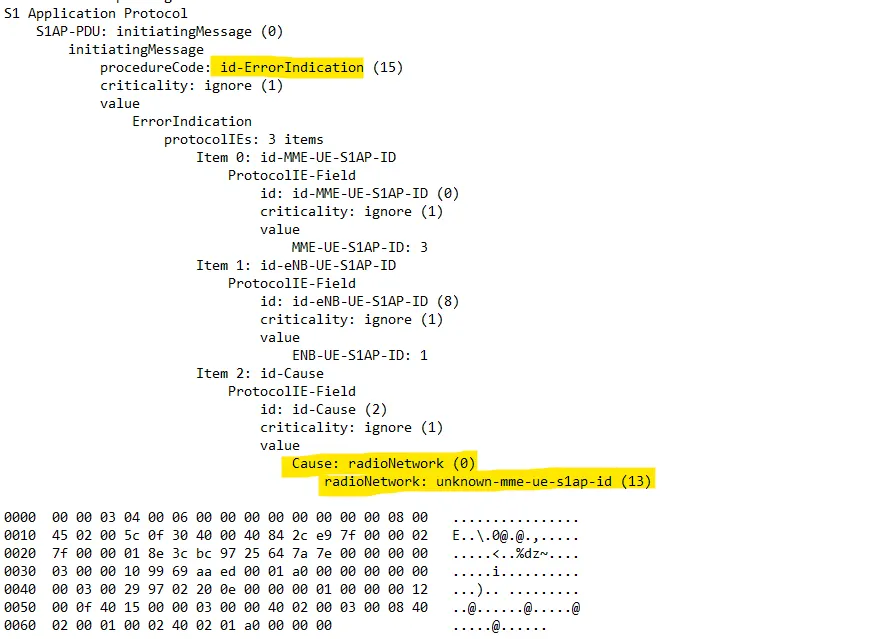
6.Error indication from EPC
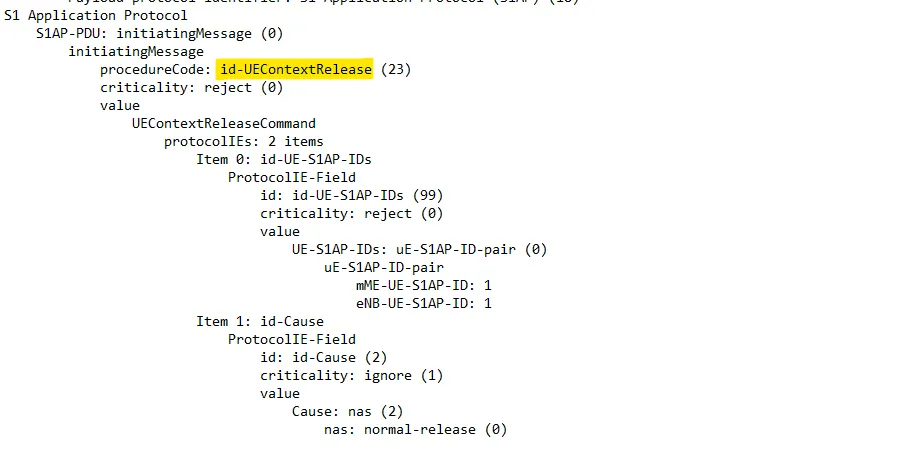
7.UE context release
Normal release
UE context release command
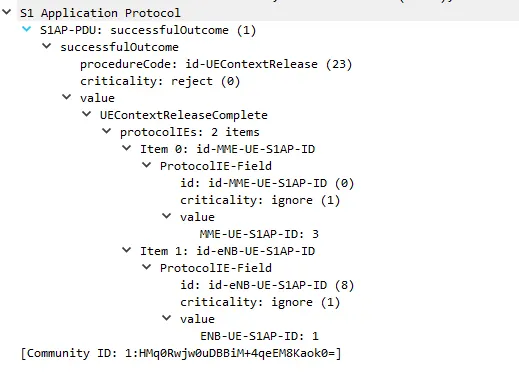
8.UE context release complete
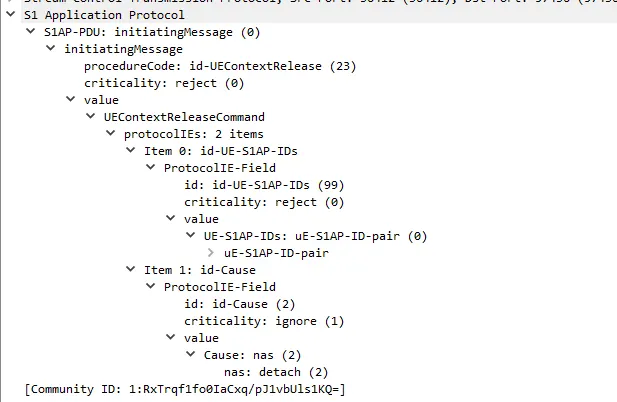
9.Release due to NAS detach
UE context release request due to user inactivity
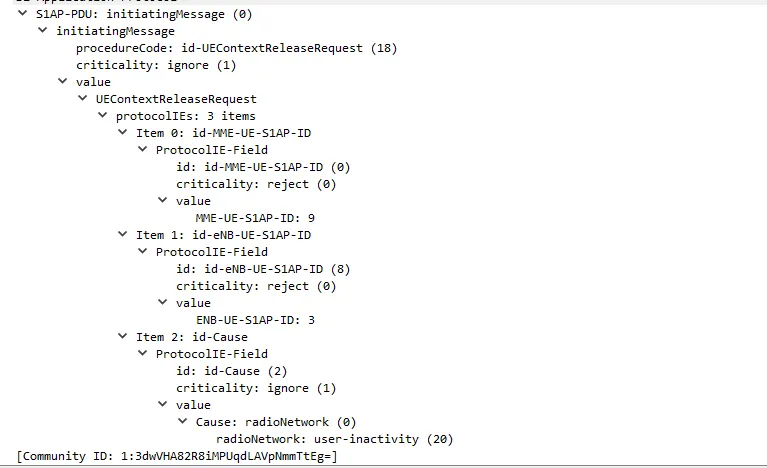
followed by command(a normal release) and request complete messages
10TAU request and accept

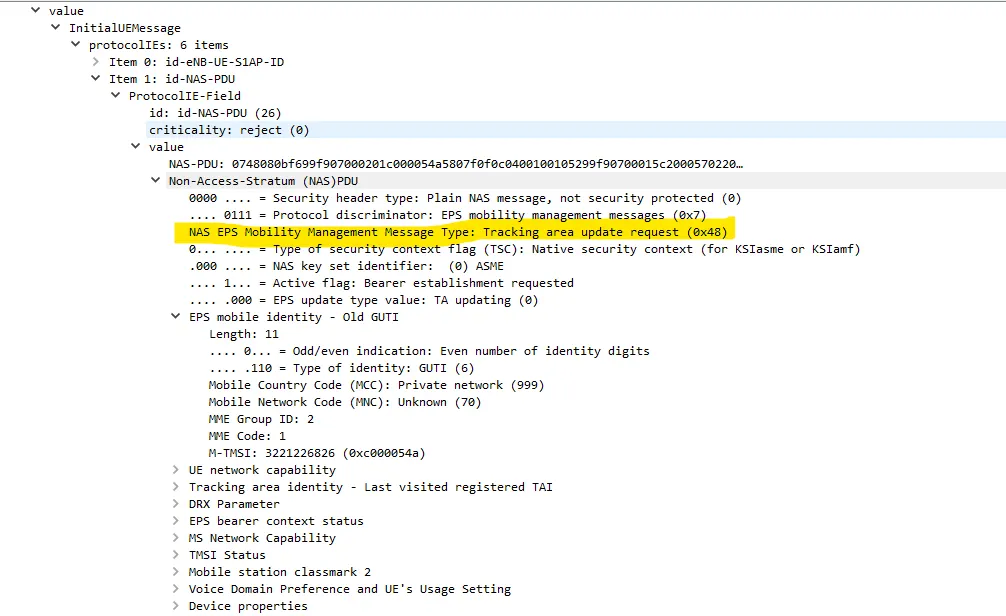
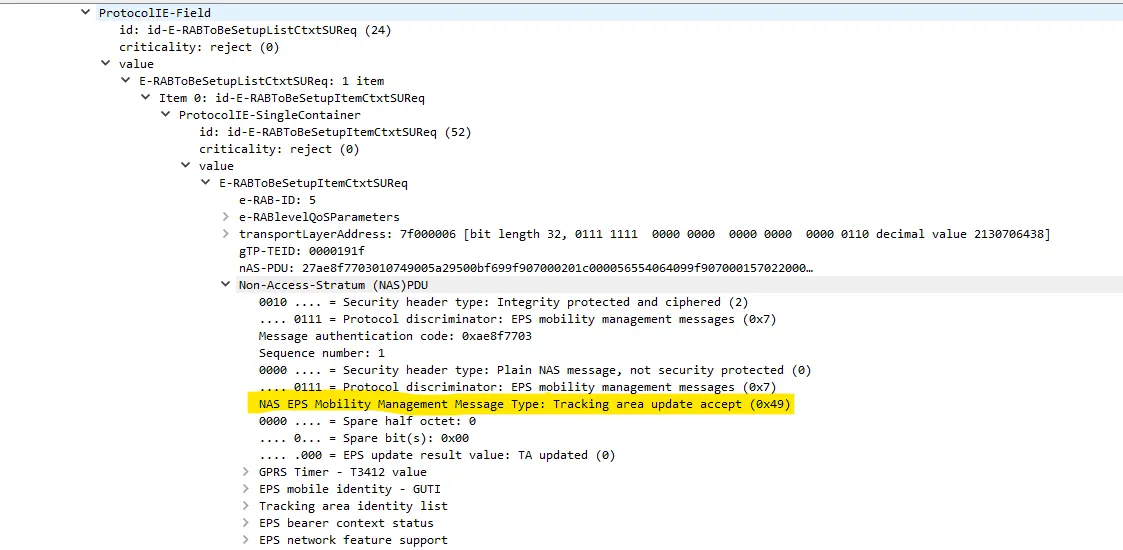
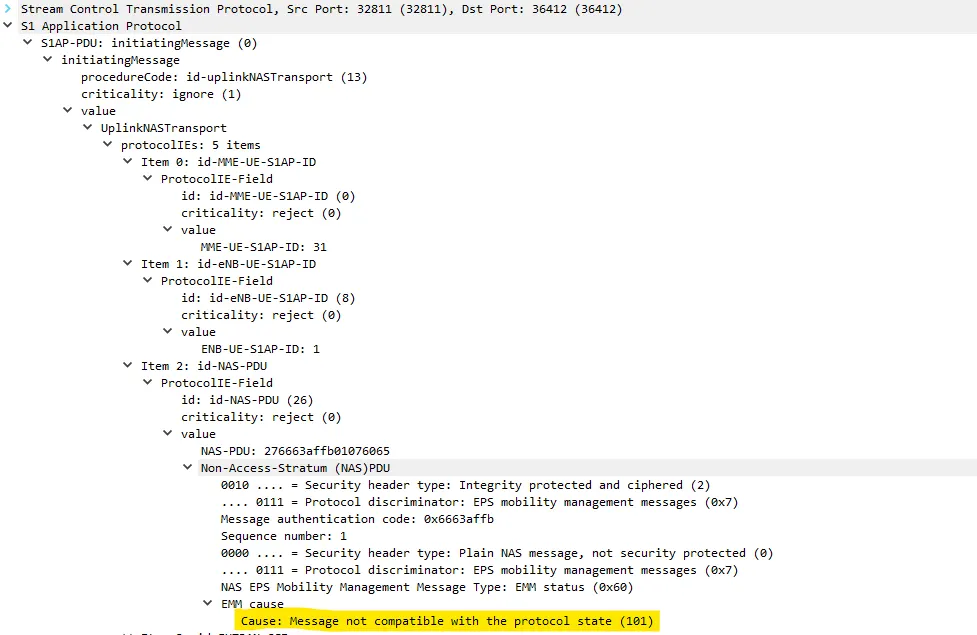
11.UE Context Release Command because of EMM Status from UE with cause "ESM_CAUSE_MESSAGE_NOT_COMPATIBLE_WITH_PROTOCOL_STATE"
<!-- [if gte mso 9]><xml>
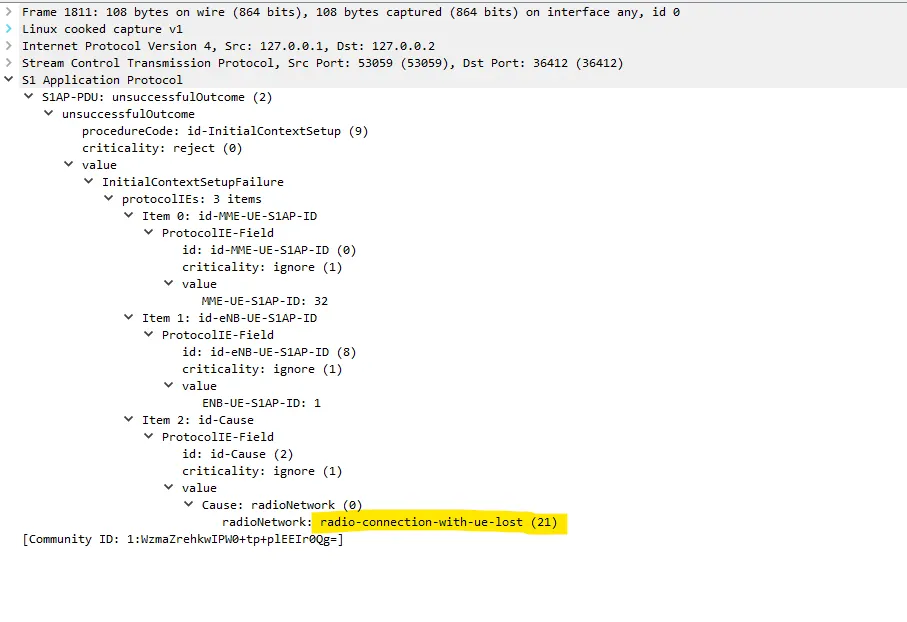
Initial context setup failure with cause "S1AP_CauseRadioNetwork_radio_connection_with_ue_lost" received from UE, causing ue context release
Handover test:
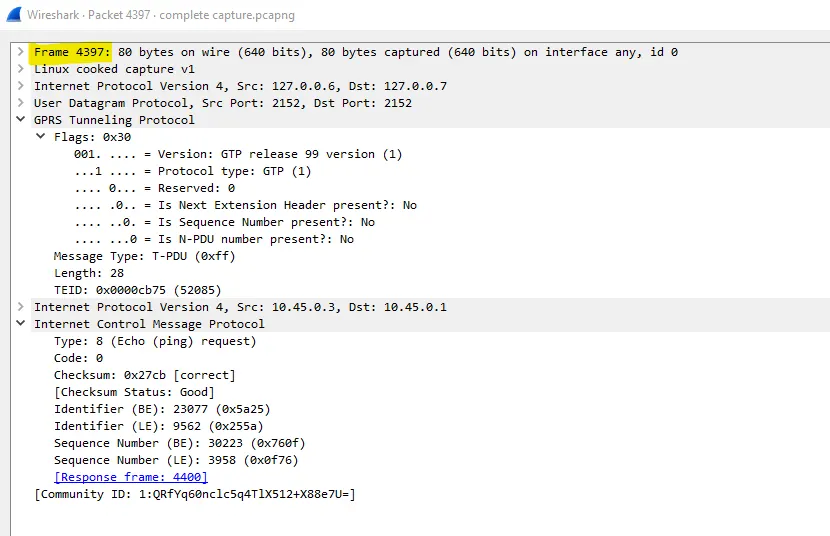
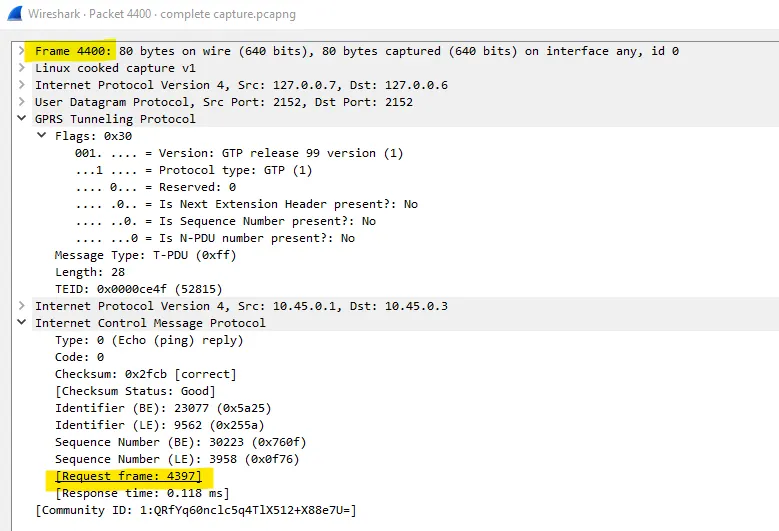
For GTP-U ICMP request and response I created a filter s1ap || gtp
GTP-U ICMP request
GTP-U ICMP response
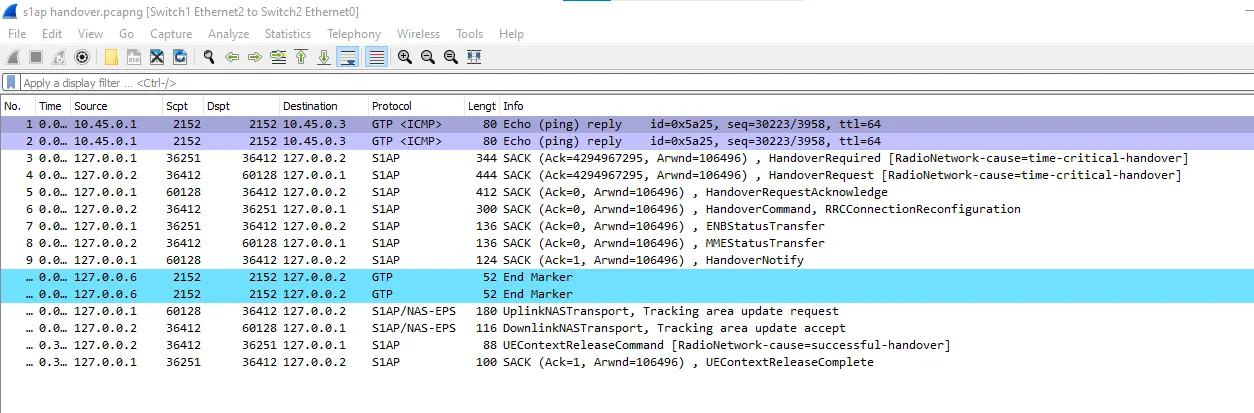
S1ap Handover
Handover cancel and acknowledgement
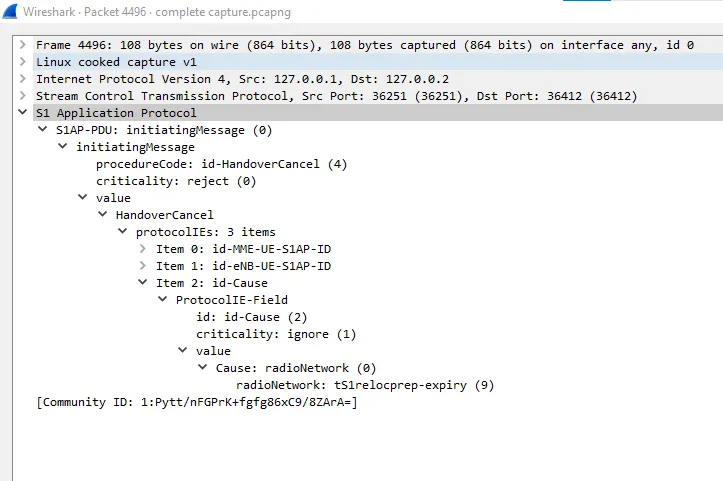
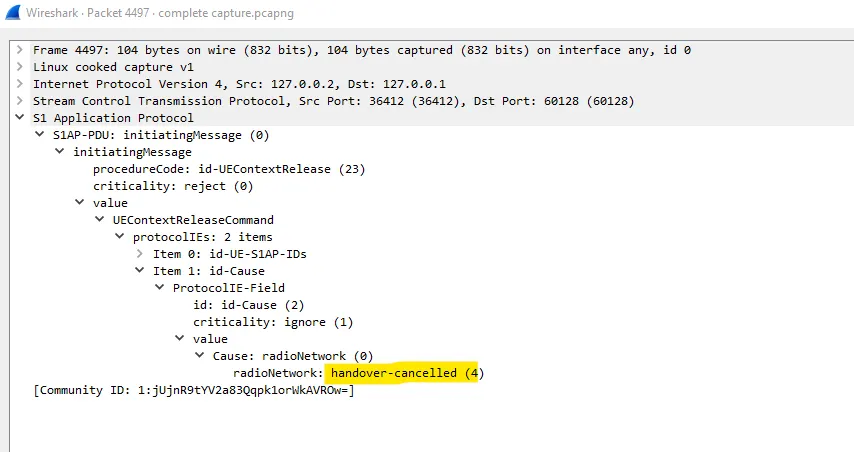
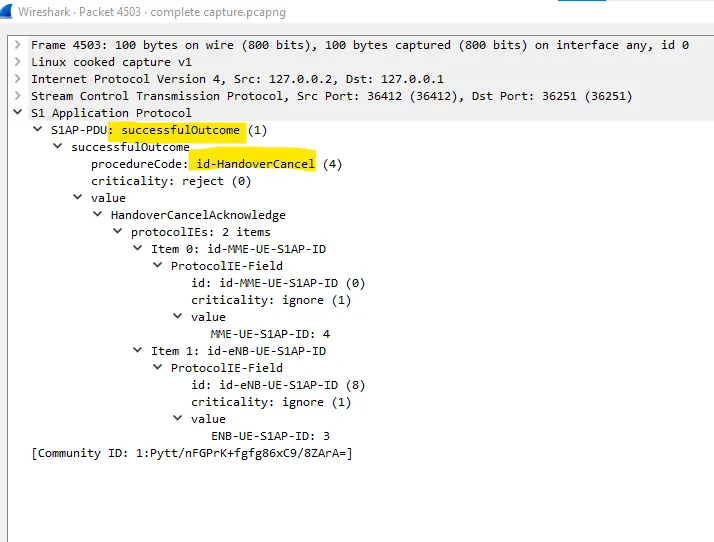
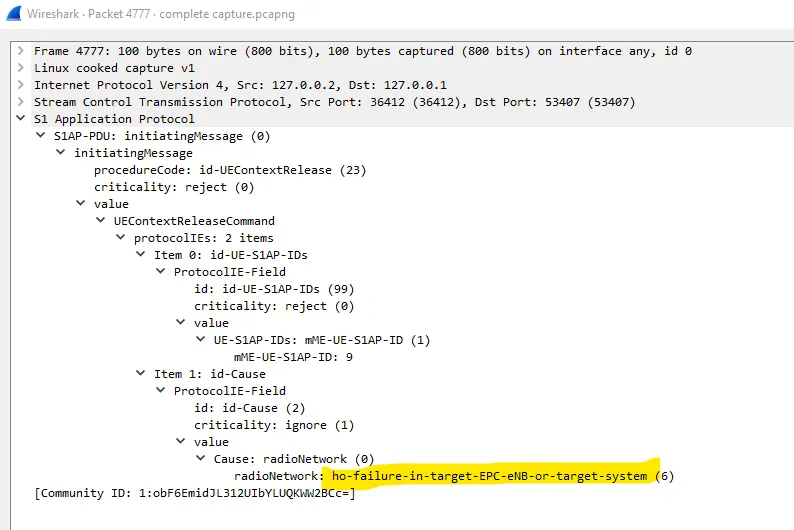
Handover failure
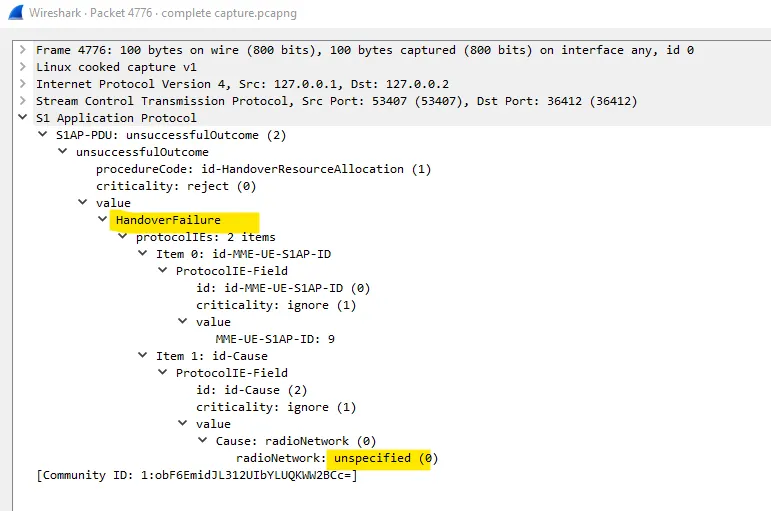
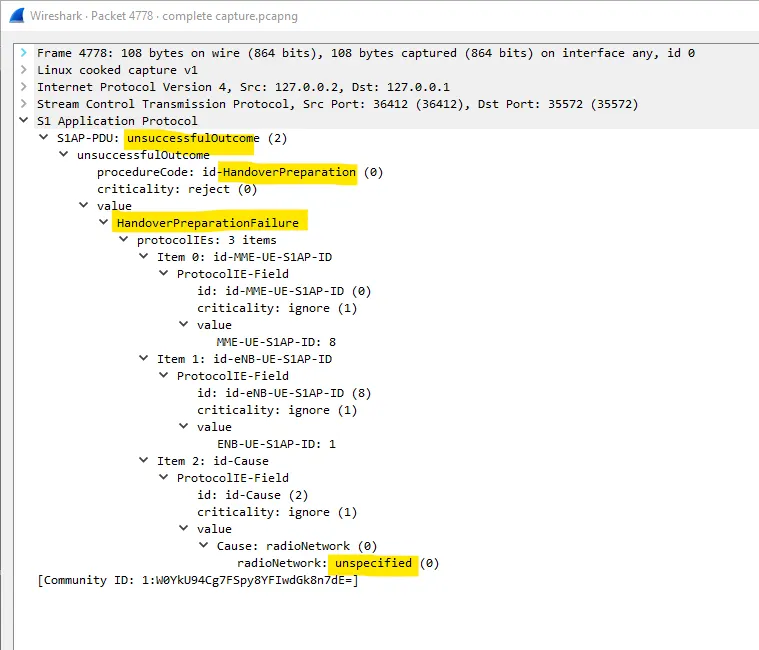
Handover preparation failure
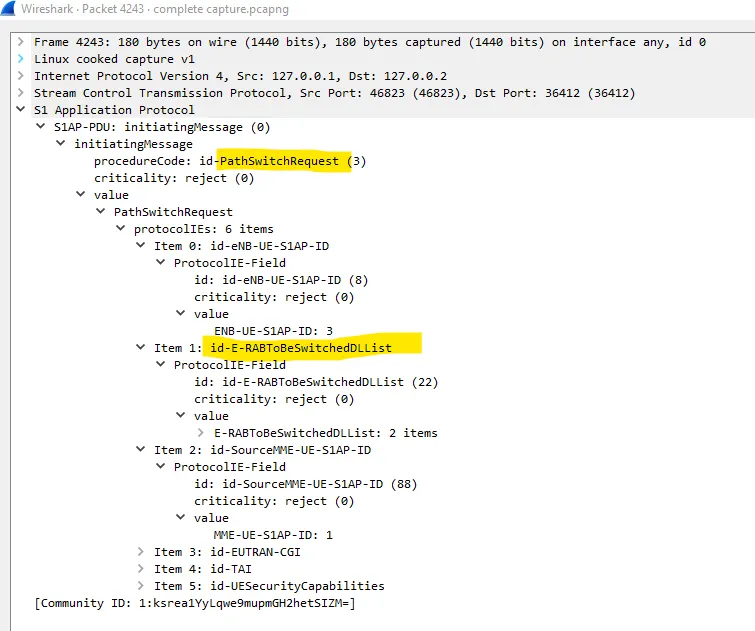
Path switch request
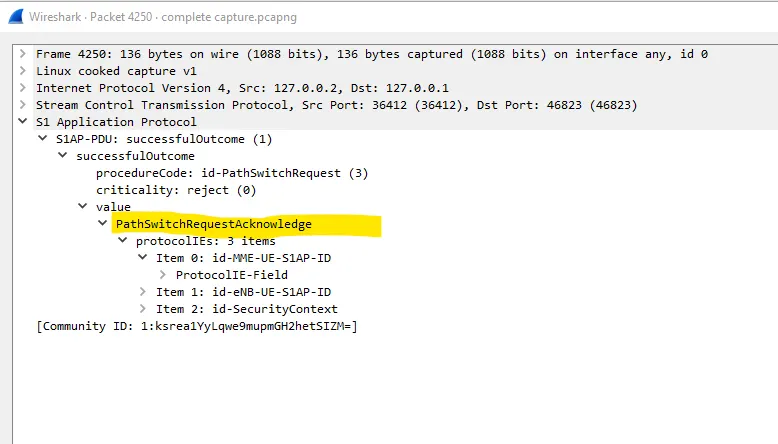
Path switch request acknowledgement
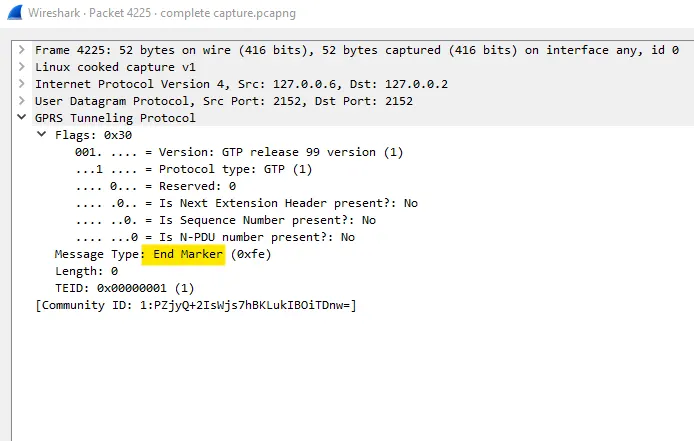
END marker
This will be found on GTP
Volte test :
1.Activate Dedicated EPS bearer context request and context accept
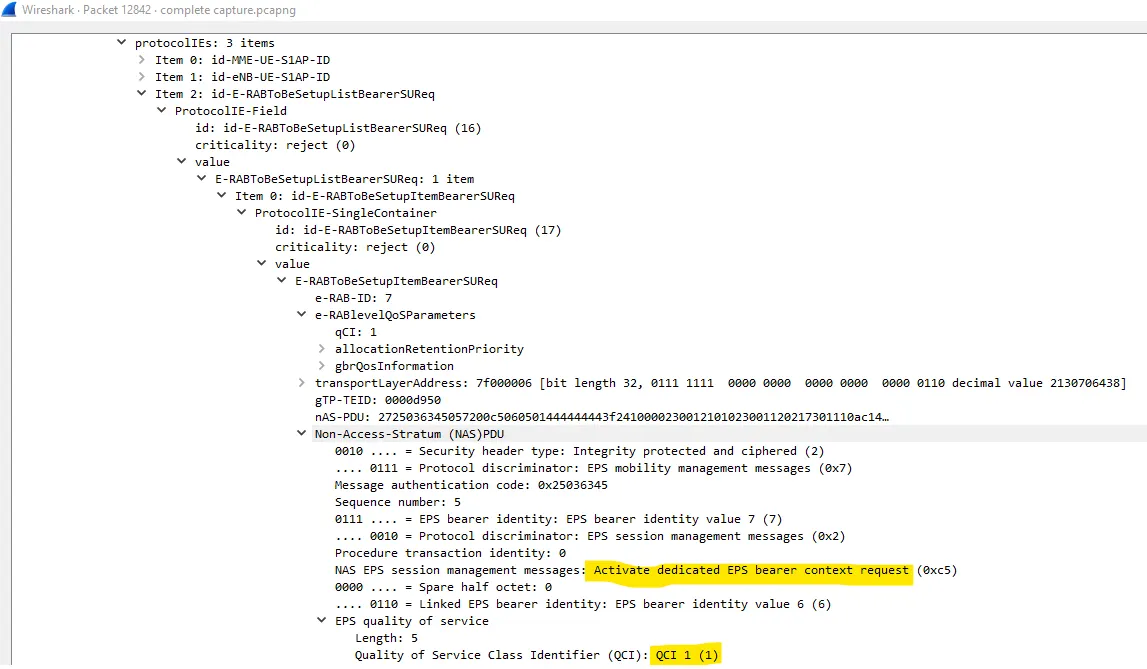
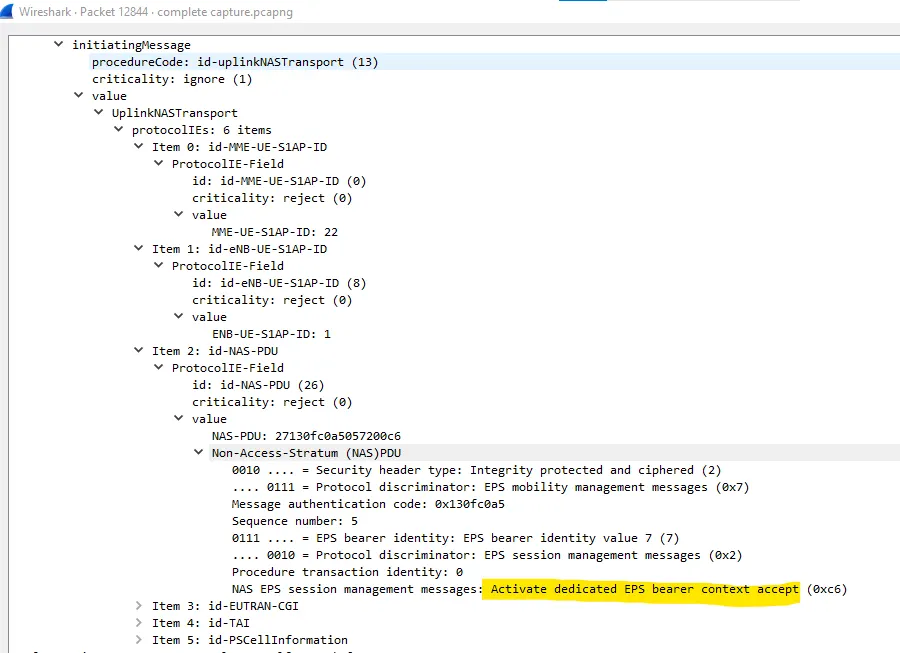
2. PDN connectivity request with IMS PDN and QCI 5.
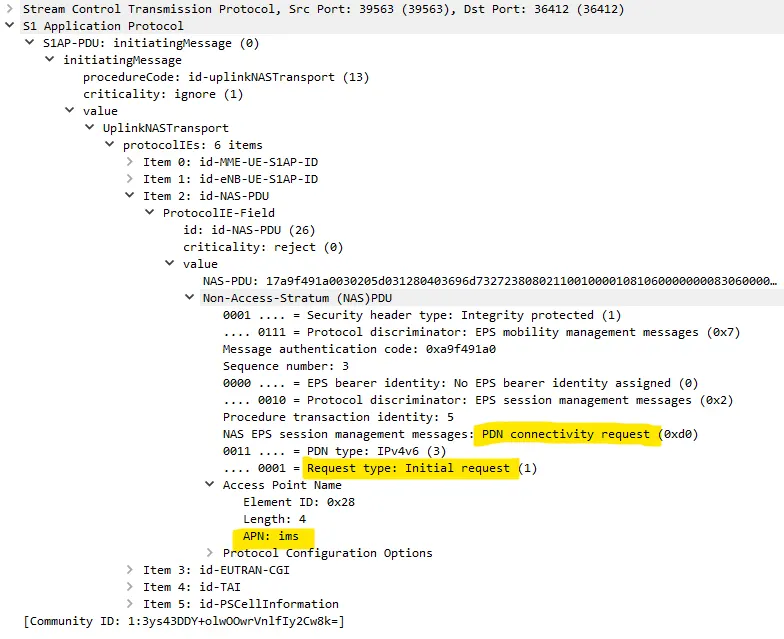
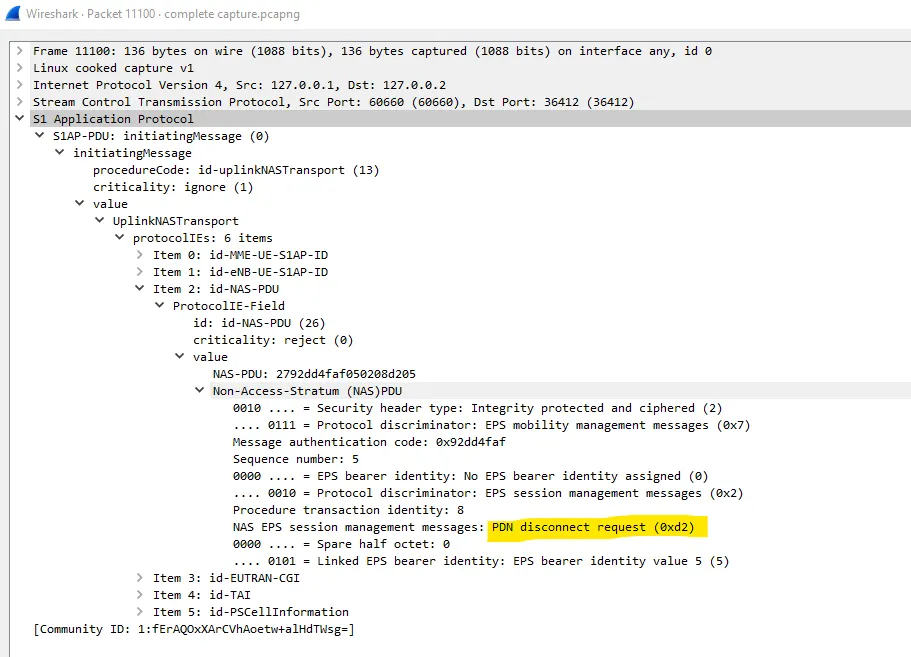
3.PDN Connectivity Reject with IMS2 PDN and QCI = 9
Here, APN set in PDN connectivity request is ims2 which is not recognised by the Network and hence a PDN connection reject is sent.
Test setup should be showing me RTP packets to see aar_audio application test and aar_video application test. Theirs lack of knowledge on the procedure so it's not in the captured logs.