Project 10
Mask R-CNN
Mask R-CNN is an architecture used for instance segmentation. Instance segmentation by definition involves two processes Object Detection and Semantic Segmentation. Mask-RCNN uses Faster RCNN for Object Detection and a Fully Convolutional Network(FCN) for Semantic Segmentation.
A new python file called track.py was added to the code repository, and the following code was inserted into it.
import sys
import os
import random
import math
import numpy as np
import skimage.io
import matplotlib
matplotlib.use('TkAgg')
import matplotlib.pyplot as plt
# %matplotlib inline
# from pycocotools import coco
from samples.coco import coco


class InferenceConfig(coco.CocoConfig):
    # Set batch size to 1 since we'll be running inference on
    # one image at a time. Batch size = GPU_COUNT * IMAGES_PER_GPU
    GPU_COUNT = 1
    IMAGES_PER_GPU = 1


def main():
    print('track.py of mask-rcnn called.')

    try:
        from mrcnn import utils
        from mrcnn import model as modellib
        from mrcnn import visualize1

        from samples.coco import coco
        print(f'primary import done')
    except Exception as ie:
        raise ImportError(f'Import Error occurred. Error: {ie}')

    exec_path = sys.path[0]
    print(exec_path)
    root_dr = os.path.join(exec_path, f'samples')
    model_dr = os.path.join(root_dr, "logs")

    # Local path to trained weights file
    COCO_MODEL_PATH = os.path.join(root_dr, "mask_rcnn_coco.h5")
    # Download COCO trained weights from Releases if needed

    # Directory of images to run detection on
    img_dr = os.path.join(root_dr, "images")

    config = InferenceConfig()
    config.display()

    # An object of the model class is created in the inference mode.
    # The trained weights are loaded into the object
    model = modellib.MaskRCNN(mode="inference", model_dir=model_dr, config=config)
    model.load_weights(COCO_MODEL_PATH, by_name=True)

    print(os.getcwd())

    with open(exec_path + '/coco.names', 'r') as f:
        class_names = [line.strip() for line in f.readlines()]

    import cv2
    image = cv2.imread(exec_path + "/traffic.png")
    image = cv2.cvtColor(image, cv2.COLOR_BGR2RGB)

    # Run detection
    results = model.detect([image], verbose=1)

    # Visualize results
    r = results[0]

    print('class IDs', r['class_ids'])

    # use the new visualise method implemented
    visualize1.display_instances(image=image, boxes=r['rois'], masks=r['masks'], class_ids=r['class_ids'],
                                class_names=class_names, scores=r['scores'])


if __name__ == '__main__':
    main()
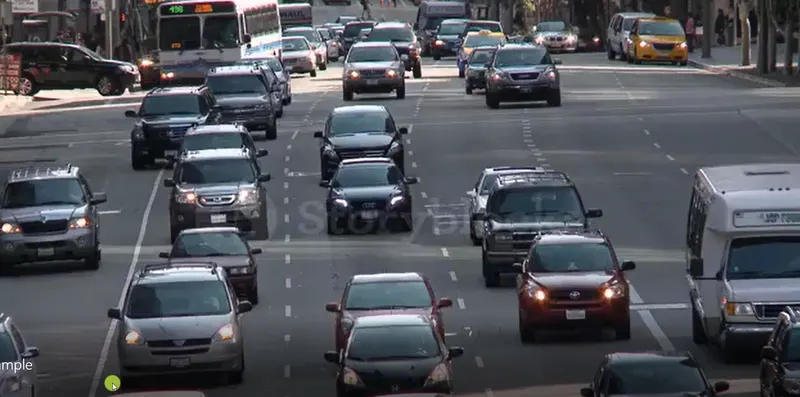
The Input Image passed to the script is attached below:
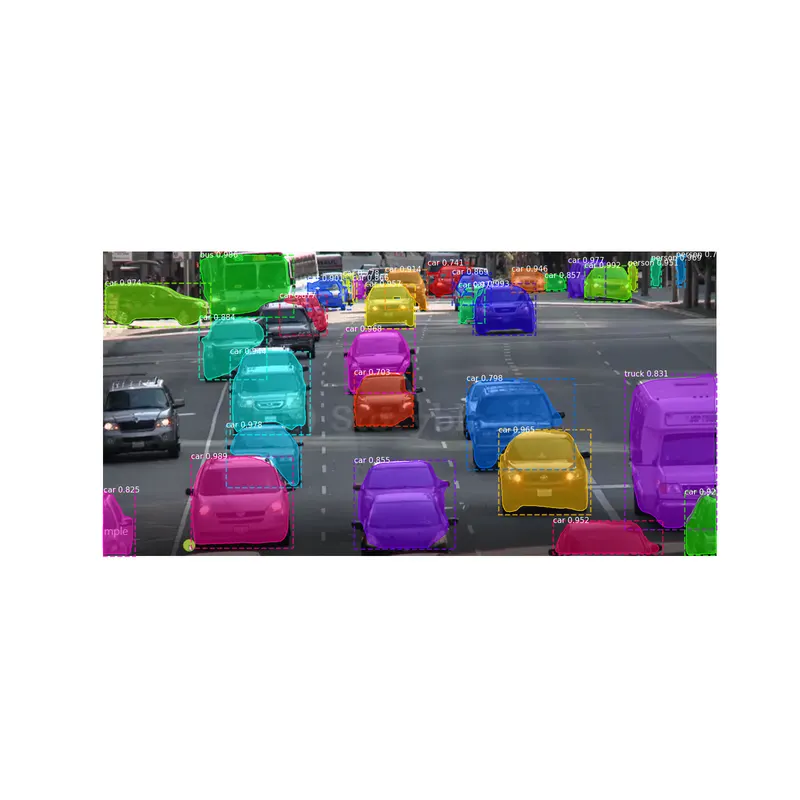
The Output Image on which the instance segmentation is done is attached below: