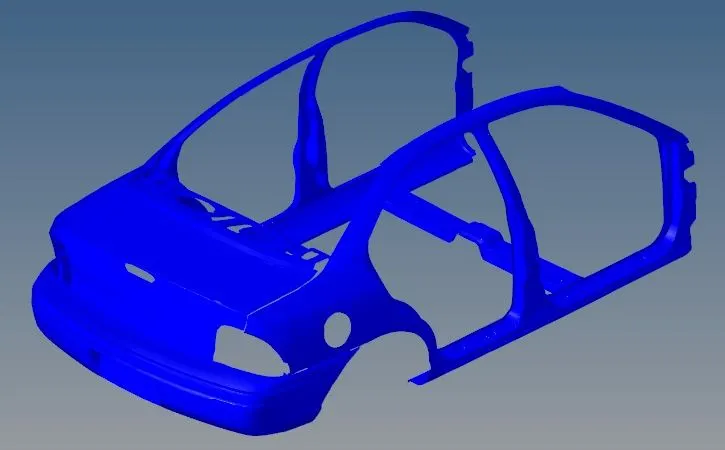
Project 1
- Script a function to perform image rotation by deriving the rotation matrix for a 140-degree rotation angle.
The function used to perform the rotation operation is done using the following function.
def rotate_image(image: ndarray, angle:int , scale:int = 1) -> ndarray:
    """
    :param image - An ndarray representing the image read using cv2.imread()
    :param angle - An int representing the angle through which to rotate the image.
    :param scale - An int representing the scaling factor which can be inputted to the cv2.getRotationMatrix2D() so that
                   the rotation matrix generated also has scaling component in it. Default value is 1 meaning no
                   scaling is done.
    :returns - The ndarray representing the image rotated by the angle specified using :param angle.
    """
    image_height, image_width = image.shape[:2]
    centre_image = (image_width/2, image_height/2)
    rotation_matrix = cv2.getRotationMatrix2D(centre_image, angle, scale)
    rotated_image = cv2.warpAffine(image, rotation_matrix, (image_width, image_height))
    return rotated_image
In the function above, the cv2.warpAffine() is used to perform the rotation operation. Since the rotation operation is an affine transformation, ie it is a convolution operation of a filter\kernel applied over the image, a rotation matrix needs to be generated.
The rotation matrix used for this convolution operation is calculated using the cv2.getRotationMatrix2D().
The arguments passed to this function are
- image - An n-dimensional array representing the image read using cv2.imread()
- angle - An integer representing the angle through which to rotate the image.
- scale - An int representing the scaling factor which can be inputted to the cv2.getRotationMatrix2D() so that the rotation matrix generated also has a scaling component in it. The default value is 1 meaning no scaling is done.
The function returns An n-dimensional array representing the image rotated by the angle specified.
The output of the above function when passed the image provided is attached below: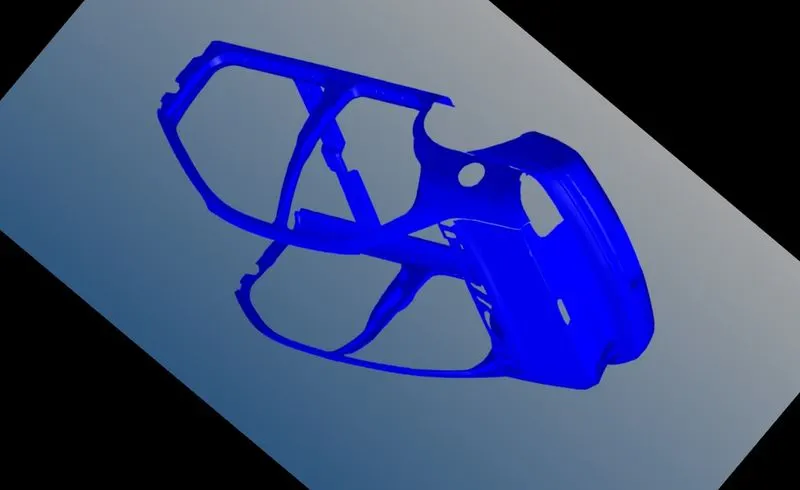
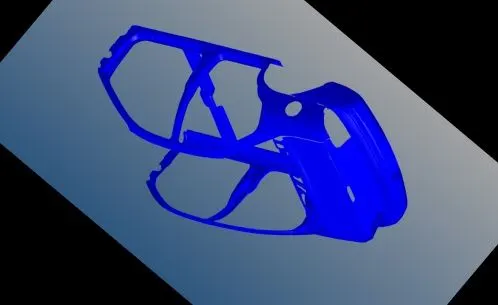
- Now on the rotated image perform a scaling operation which reduces the size of the image by 50% of the original size
The function used to perform the scaling is given below:
def scale_image(image: ndarray, scaling_percentage: int, method_number:int = 0) -> ndarray:
    """
    :param image - An ndarray representing the image.
    :param scaling_percentage - An int representing the percentage to which the image is to be scaled.
    :param method_number: An int representing the index of the an array containing the various methods
                          that can be used to resize the image.
    :returns - The ndarray representing the image scaled to the specified percentage using :param scaling_percentages
    """
    methods = [cv2.INTER_NEAREST, cv2.INTER_LINEAR, cv2.INTER_AREA, cv2.INTER_CUBIC, cv2.INTER_LANCZOS4]
    resize_method = methods[method_number]
    img_height, img_width = image.shape[:2]

    # The dimensions of the scaled image is calculated dividing the percentage by 100 to get the scaling factor.
    # The scaling factor is multiplied by the original image dimensions to obtain the dimensions of the scaled image
    # which is the given percentage of the original image.

    scaled_height = int((scaling_percentage / 100) * (img_height))
    scaled_width = int((scaling_percentage / 100) * (img_width))
    scaled_img_dimensions = (scaled_width, scaled_height)

    scaled_img = cv2.resize(image, scaled_img_dimensions, resize_method)
    return scaled_img
The inputs to this functions:
- image - An n-dimensional array representing the image.
- scaling_percentage - An int representing the percentage to which the image is to be scaled.
- method_number: An int representing the index of the array containing the various methods that can be used to resize the image.
The function returns an n-dimensional array representing the image scaled to the specified percentage.
The dimensions of the scaled image are calculated by:
- Dividing the scaling percentage by 100. This gives the scaling factor.
- The scaling factor calculated in the previous step is multiplied by the corresponding dimensions of the original image.
- The dimensions calculated above are the dimensions of the image which correspond to the given percentage of the original image dimensions.
The output of the above function is given below:
- Take the original image and perform the cropping operation manually which focuses on the subject of the input image
The function used to crop operation is given below:
def crop_image(image: ndarray, crop_dims: List[int]) -> ndarray:
    """
    :param image - An ndarray representing the image.
    :param crop_dims - A List of 4 int. The first two elements of the array are the start and end pixel of croping in the height axis.
                 The second two elements of the array are the start and end pixels of croping in the width axis.
    :returns - An ndarray representing the cropped image.
    """
    img_height, img_width = image.shape[:2]
    h_s, h_e, w_s, w_e = crop_dims
    height_dimns = [h_s, h_e]
    width_dimns = [w_s, w_e]

    # The crop dimensions are normalised to max height and max width respectively of the original image.
    np.clip(height_dimns, a_min=0, a_max=img_height)
    np.clip(width_dimns, a_min=0, a_max=img_width)

    cropped_img = image[height_dimns[0]:height_dimns[1], width_dimns[0]: width_dimns[1]]
    return cropped_img
The function accepts two arguments as input:
- image - An n-dimensional array representing the image.
- crop_dims - A List of 4 integers. The first two elements of the array are the start and end pixels of cropping in the height axis(y-axis). The second two elements of the array are the start and end pixels of cropping in the width axis(x-axis).
The function returns an n-dimensional array representing the cropped image.
In the function, the numpy.clip() function has been used to normalise the dimensions of the crop. The max that the crop dimension is supposed to have is the current dimension of the image.
The crop_dims array suited for the given image was calculated using trial and error as [100, 550, 150, 875].
The output of the above function when passed the given image and the array of [100, 550, 150, 875] is: