Project 1-Meshing of Rear Wheel Holder challenge
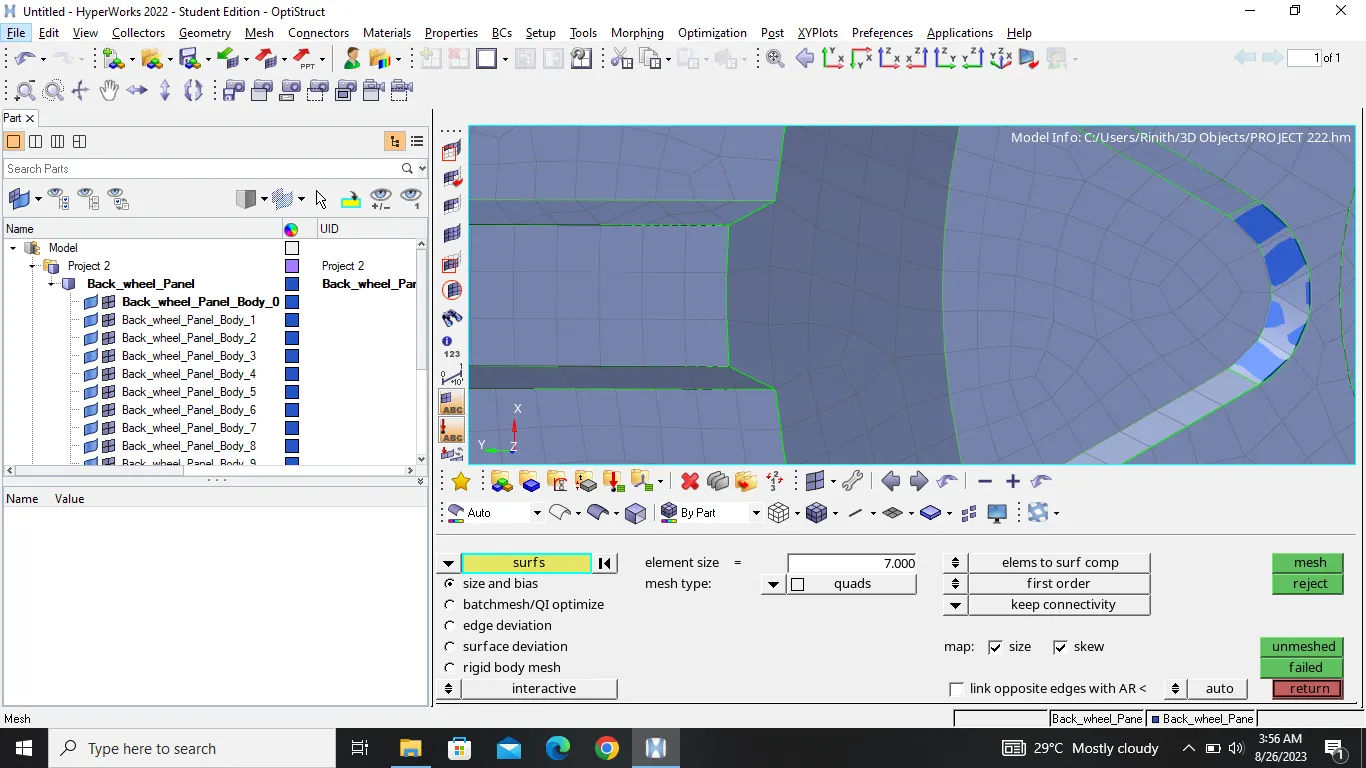
In my student version of hypermesh software I cant able save the model with 5mm element size , maximum nodes are exceeding the limit . So I mesh it with 7 mm element size�
�
OBJECTIVE
�
�
�To generate the midsurface of given component and mesh at the good quality at the element size 7mm, then satisfy the given quality criteria.
�
PROCEDURE
�
�
�
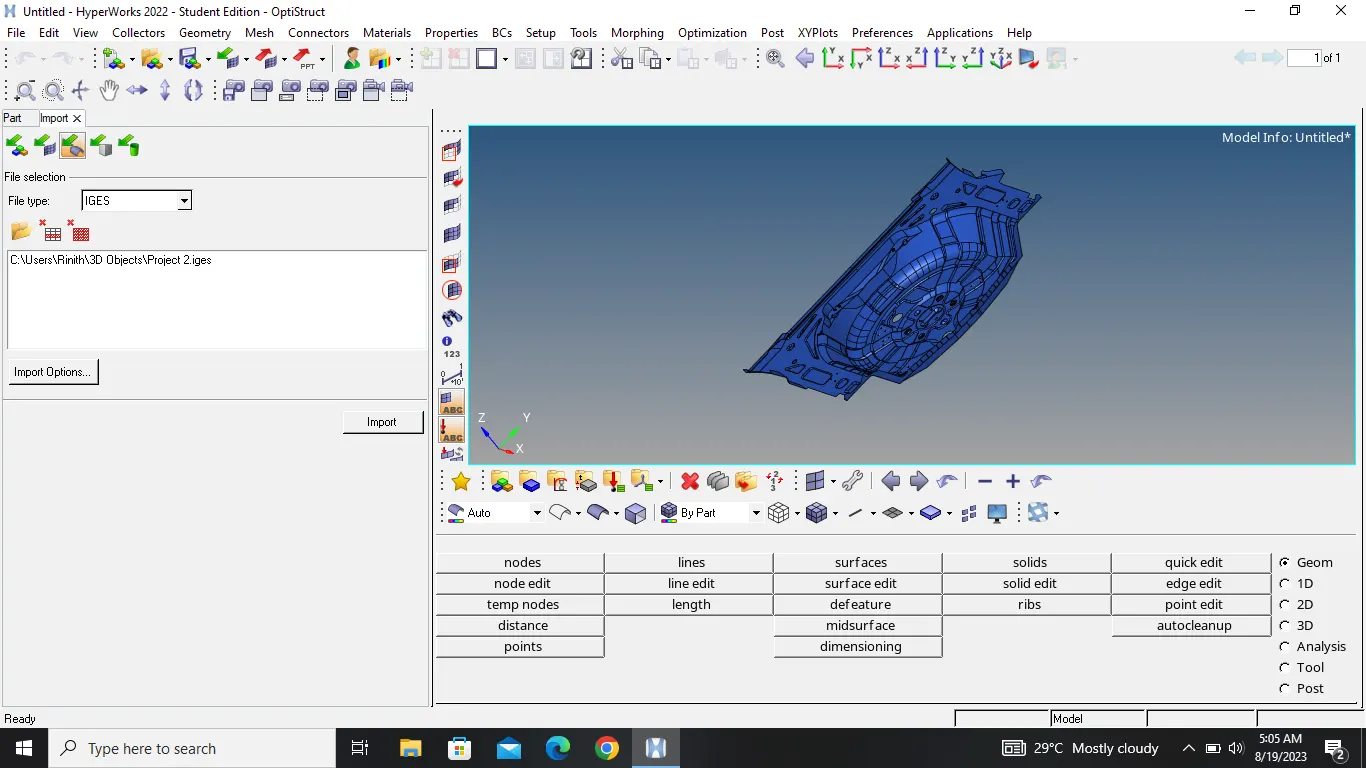
Import IGES model and check the all component are perfect.
�
2.Then check the model have any issues and take over the geomentry cleanup.
�
�
�
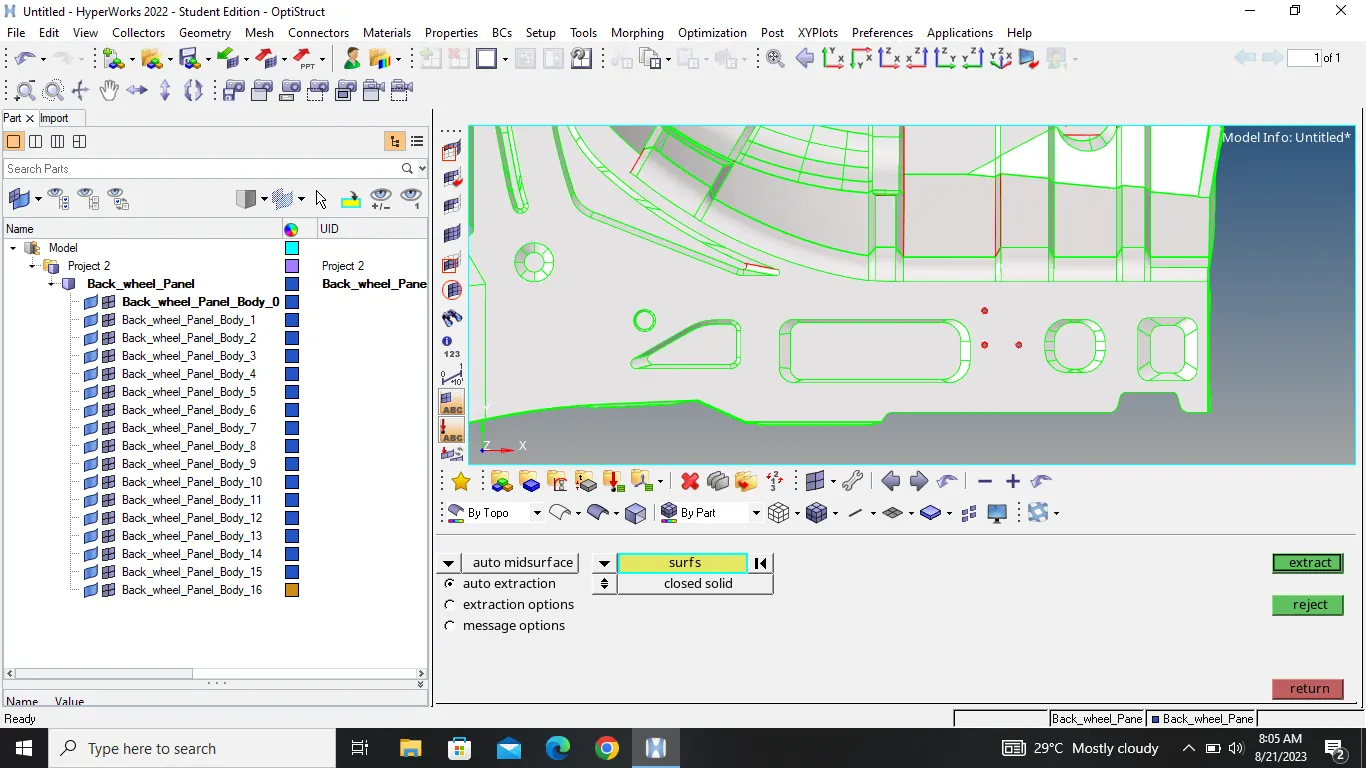
3.After the geometry cleanup create the midsurface perfectly.
�
�
�
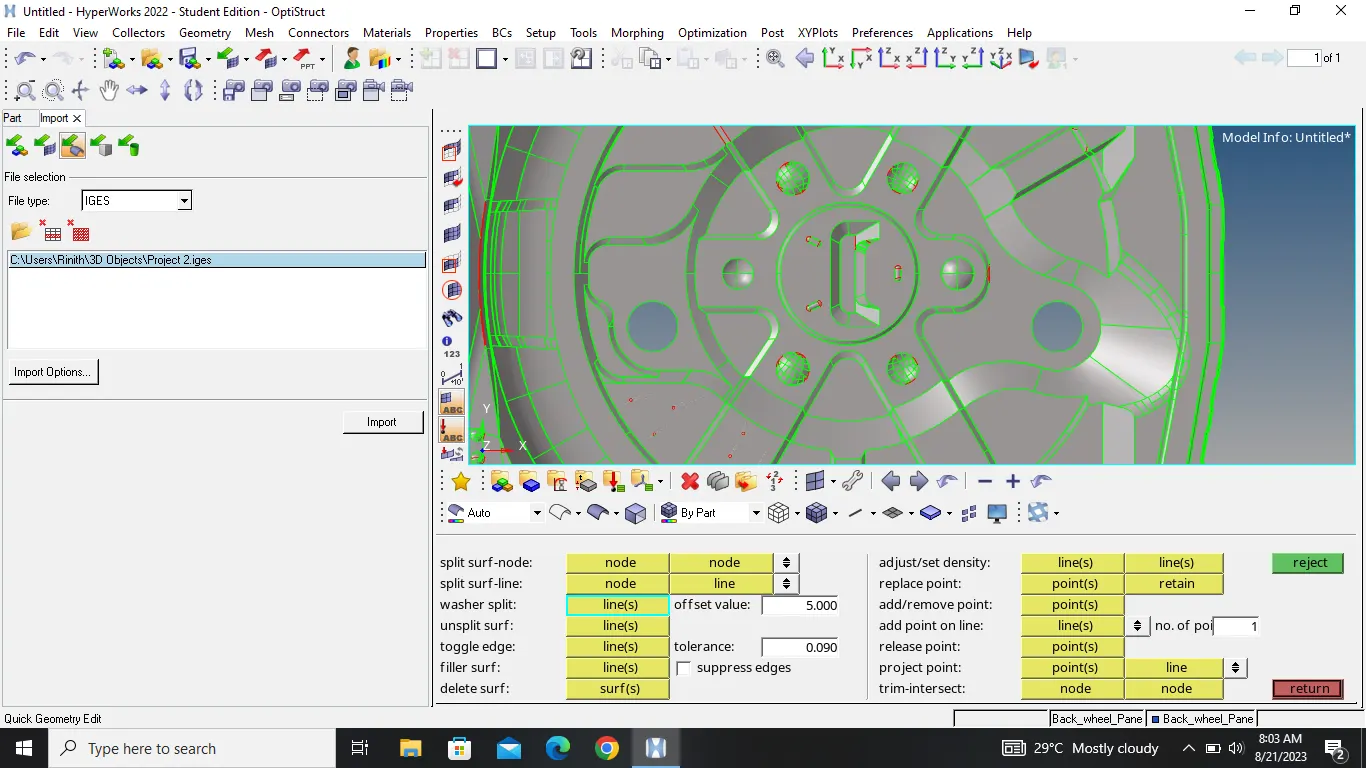
4.Check the model has any free edges or missing surface and solve it with help of quick edit tools.
�
�
�
5.Then go to the mesh part we have perfect symmetric component so reduce the time of meshing mesh one part is enough
�
�
�
6.After meshing half part then correct the mesh surface with help of align nodes and remesh.
�
�
�
7.go and check quality criteria with help of quality index then clen them seperatly.
�
�
�
8.Take idividual clean so use the mask tool.
�
�
�
9.After satisfy the quality criteria with no error ready to refelct another surface.
�
�
�
10.Then use te refelect option reflect mesh another surface.
�
�
�
�
�
�Find the geometrical error and clean with the help of quick edit tools
�
�
�
�
Create midsurface
�
�
�
�
�Set the washer split at specific surface
�
�
�
�
�
�
�Meshing part try to get a clean meshing
�
�
�
�
�
�
�
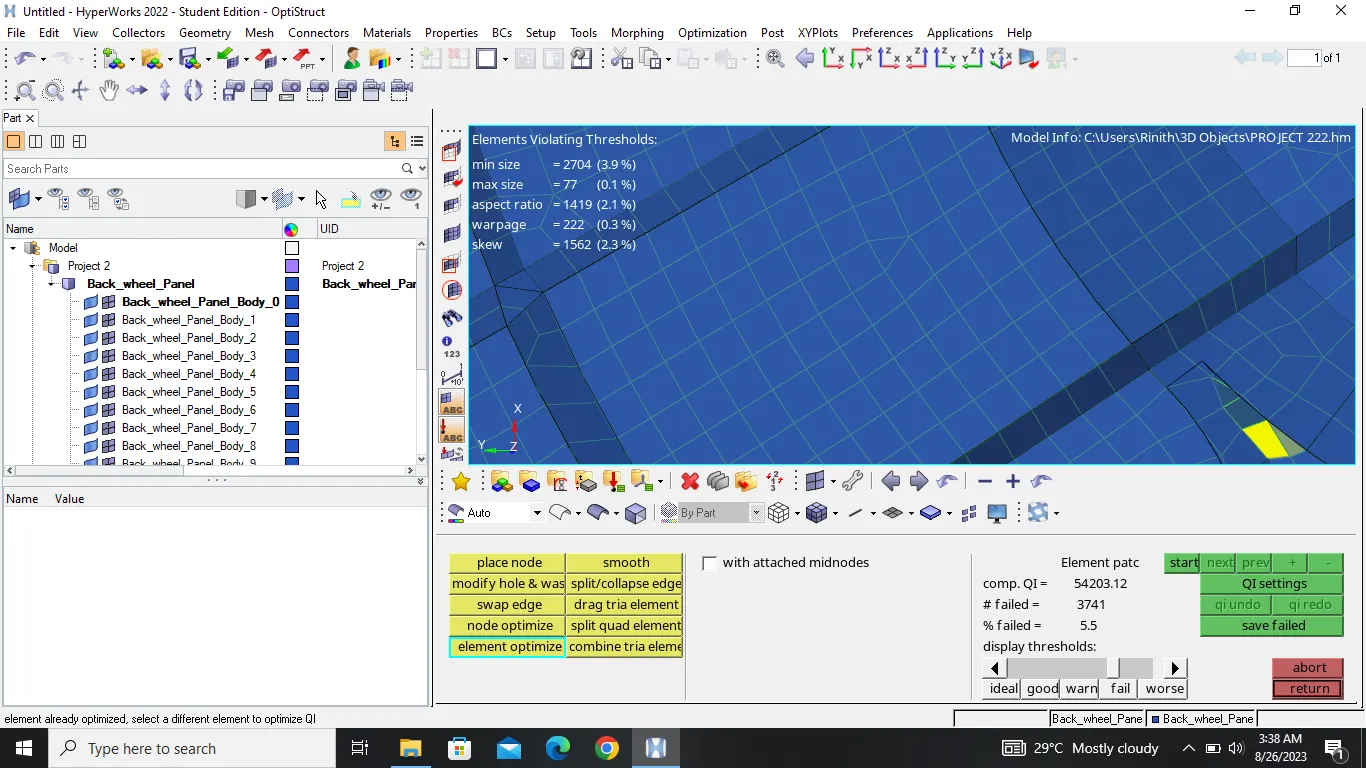
�After the proper meshing go to the quality criteria must satisfy given condition so
�
�
�
2D>QUALITY INDEX> CLEAR TOOL OR QL SETTING
�
�
�
�
�
�
�
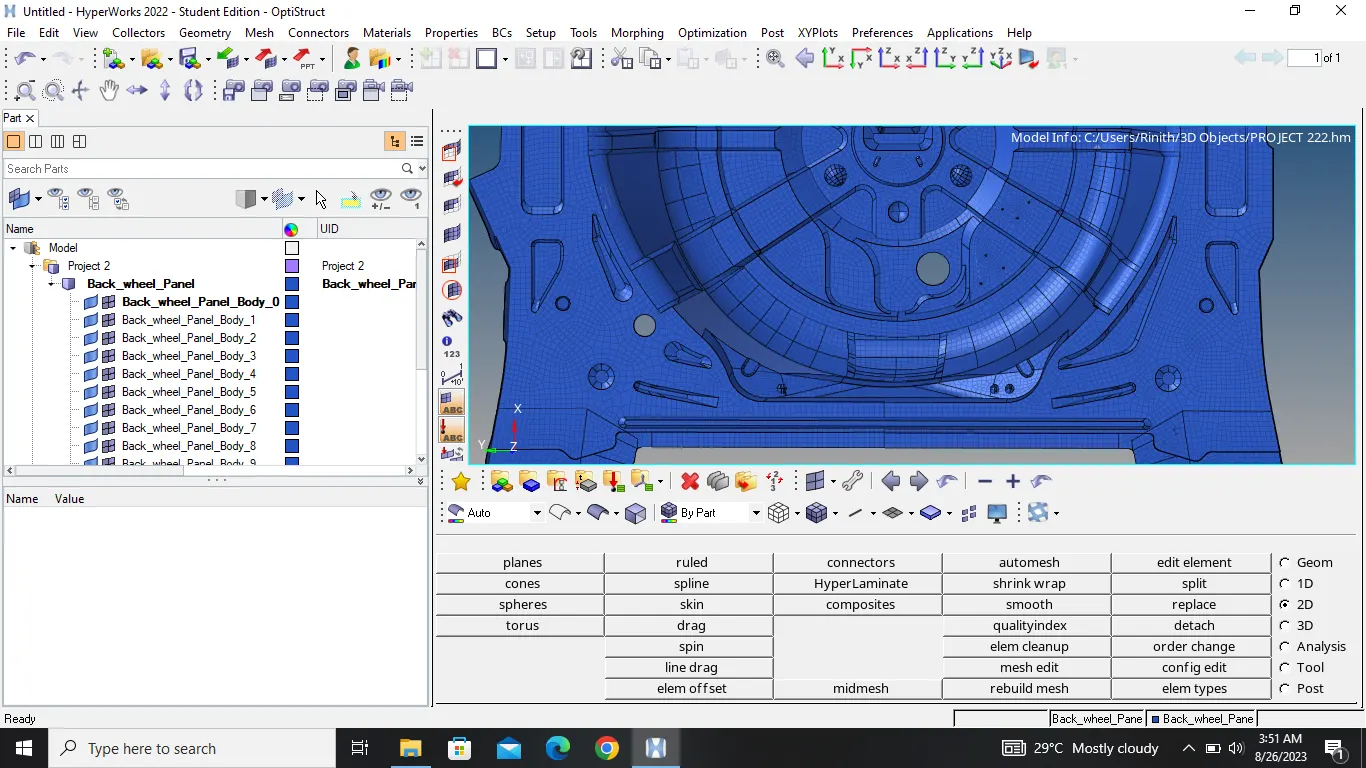
�After satisfy the all condition of quality criteria condition go to the TOOLS>REFELECT>CHOOSE WANTED PLANE
�
�
�
�
�CONCLUSION
�
�
�
� The output finaly satisfy the condition of the quality criteria.