Project 1 - Meshing of Floor Panel
Aim : To Generate Mesh on given Component With less trial concentration & Achieving all quality criteria.
Objective : The Given Sheetmetal Trim Component can be meshed by following below steps using ANSA
1) Define the Topology to correct the geometry by using Topo Modules.
2) Extract Mid surface Where mesh to be generated on and Set PID give it a property & material
3) Generate Mesh on Mid Geometry - use Mesh models such as classic or Shell mesh
4) Set Release the mesh Which will be our FEM model for the given CAD component & which will be solved & preprocessed.
1) Define the Topology to correct the geometry by using Topo Modules.
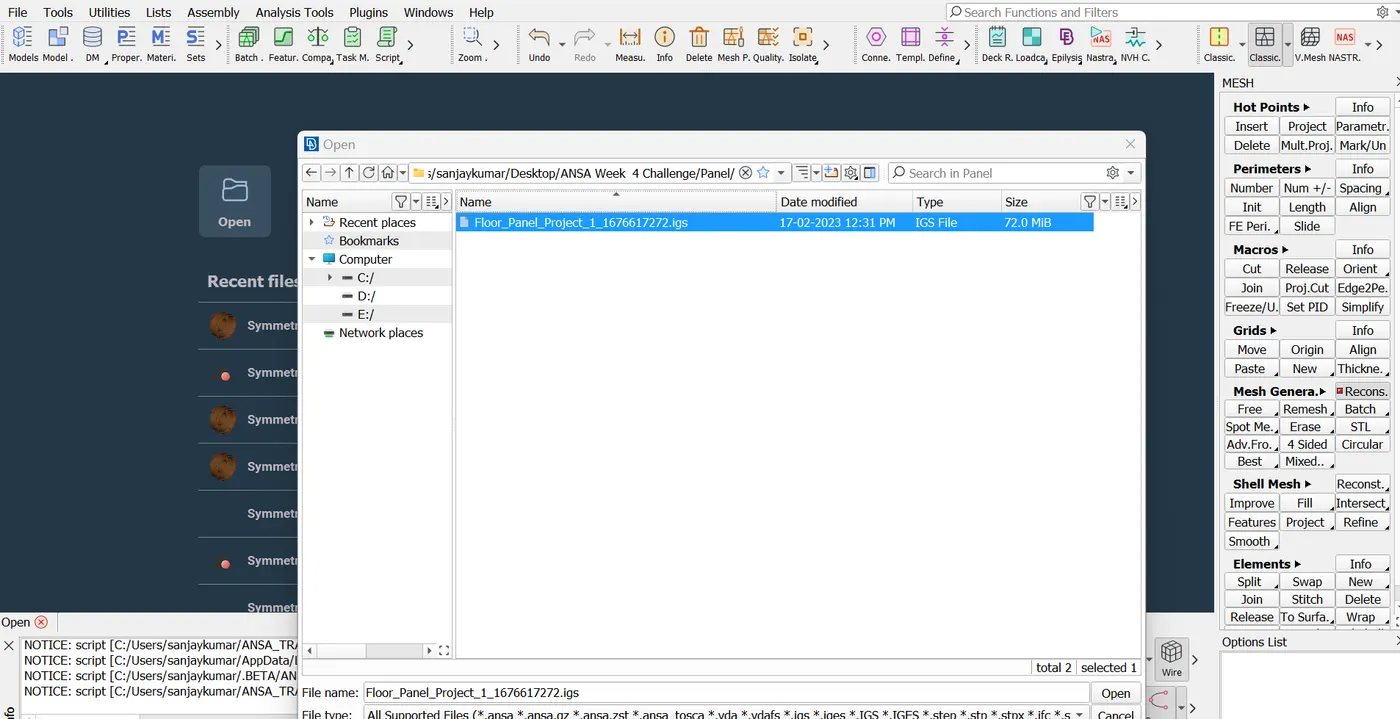
a) Launch ANSA Tool and in file section click open locate the CAD file IGS/Step files & select click on open
Load CAD model into software will be read as ANSA model once it has read by ANSA, perform Below operations
b) After model load into ANSA, it would look as below.
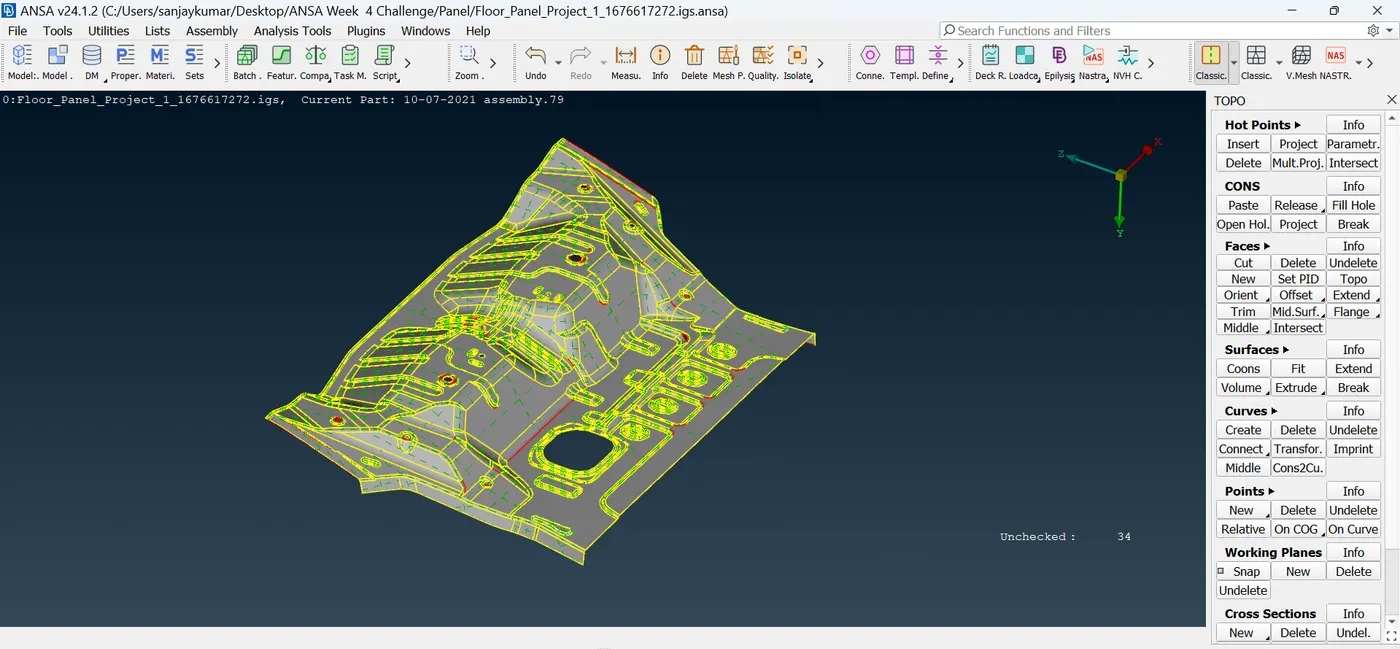
c) Define Topo by using topo modules & Its Options such as CONS, FACES, SURFACES, HOT POINTS, CURVES
There Will be Missing Surfaces, Undefined Cons, Repeated CONS, Damaged Entities those can be remodified & Defined
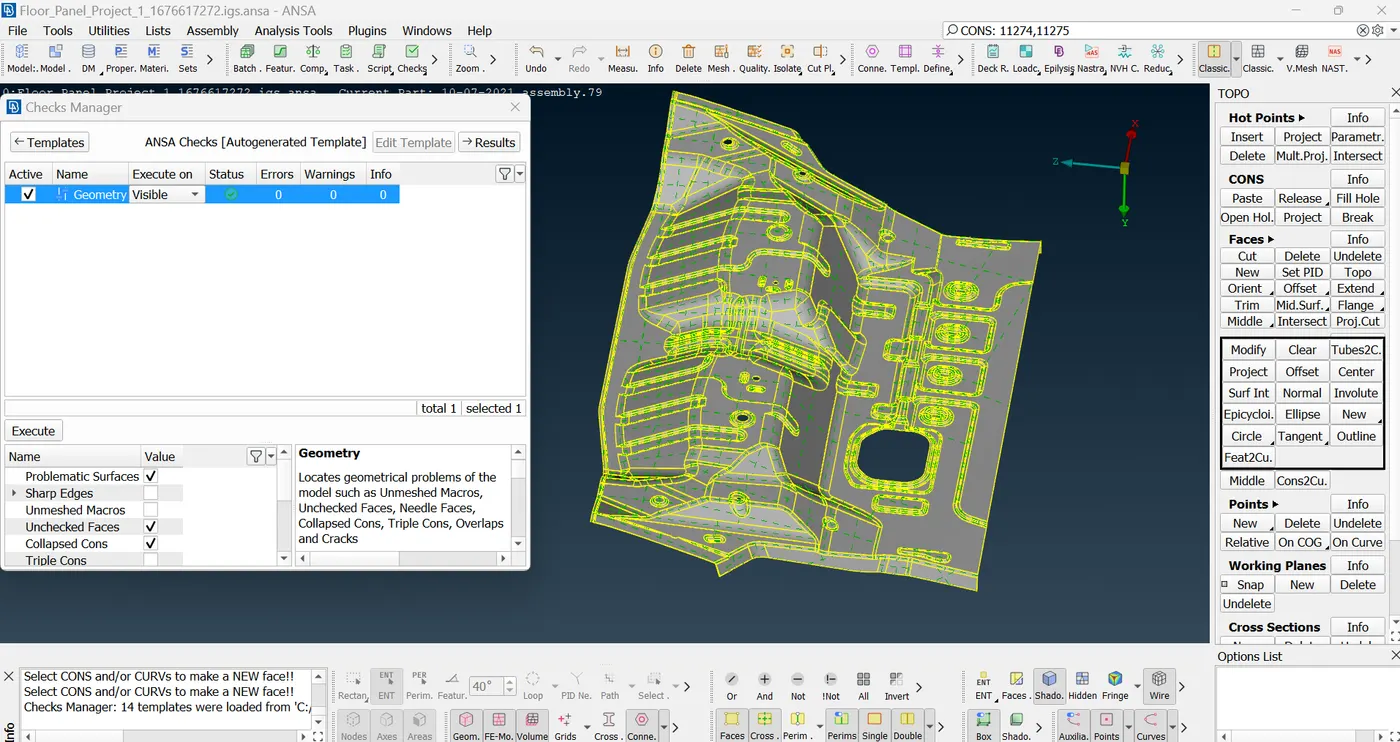
, to identify Above geometry Check to be performed by Choosing Check manger & selecting Geometry Check.
before Executing geometry check, the option like triple Con & Single Cons to be selected apart from Default geometry checks that ASNA reads, these two option gives us better Chance to identify most errors as bellow.
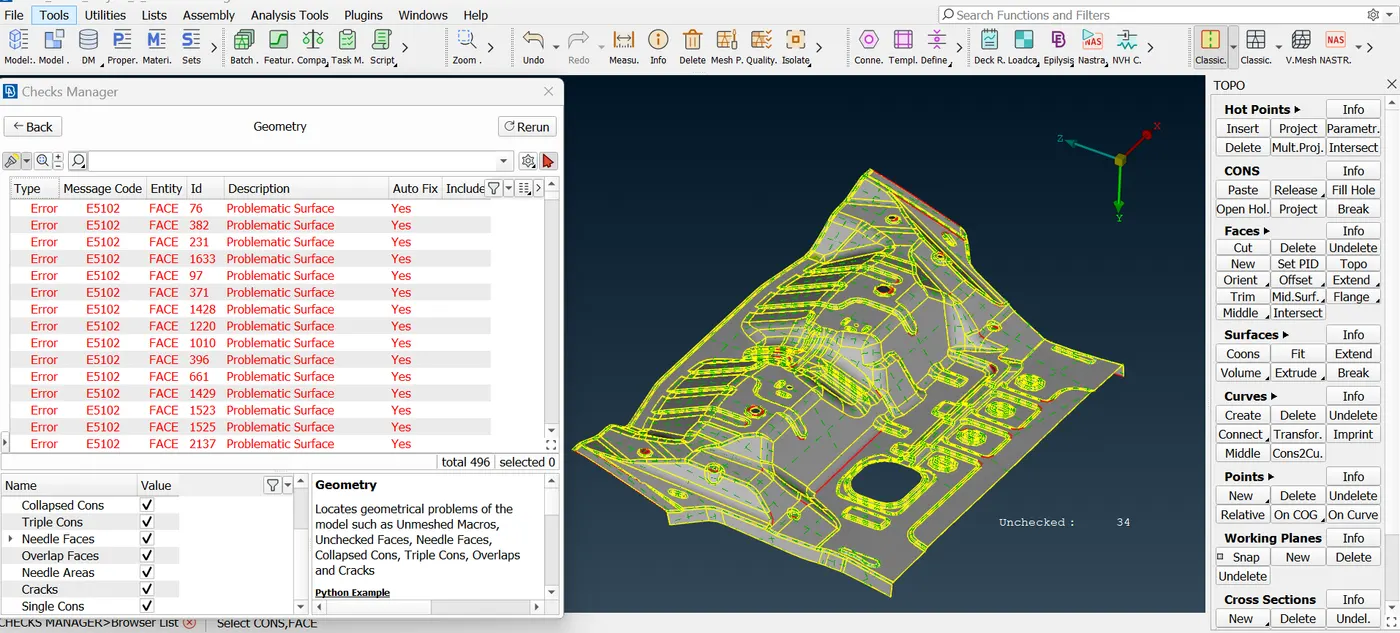
d) After ANSA Executes it would give us errors in geometry to be corrected by Using show only with combinations of Boolean options at bottom side of UI of ANSA, kind Error can be identified & it can be corrected by using Topo modules.
after part would look like below where its error free, ready for mid-surfacing and later meshing.
e) Now, Mid Surface to be generated with below steps.
before that measure the part at all over to ensure that it is uniform Thickness as like below.
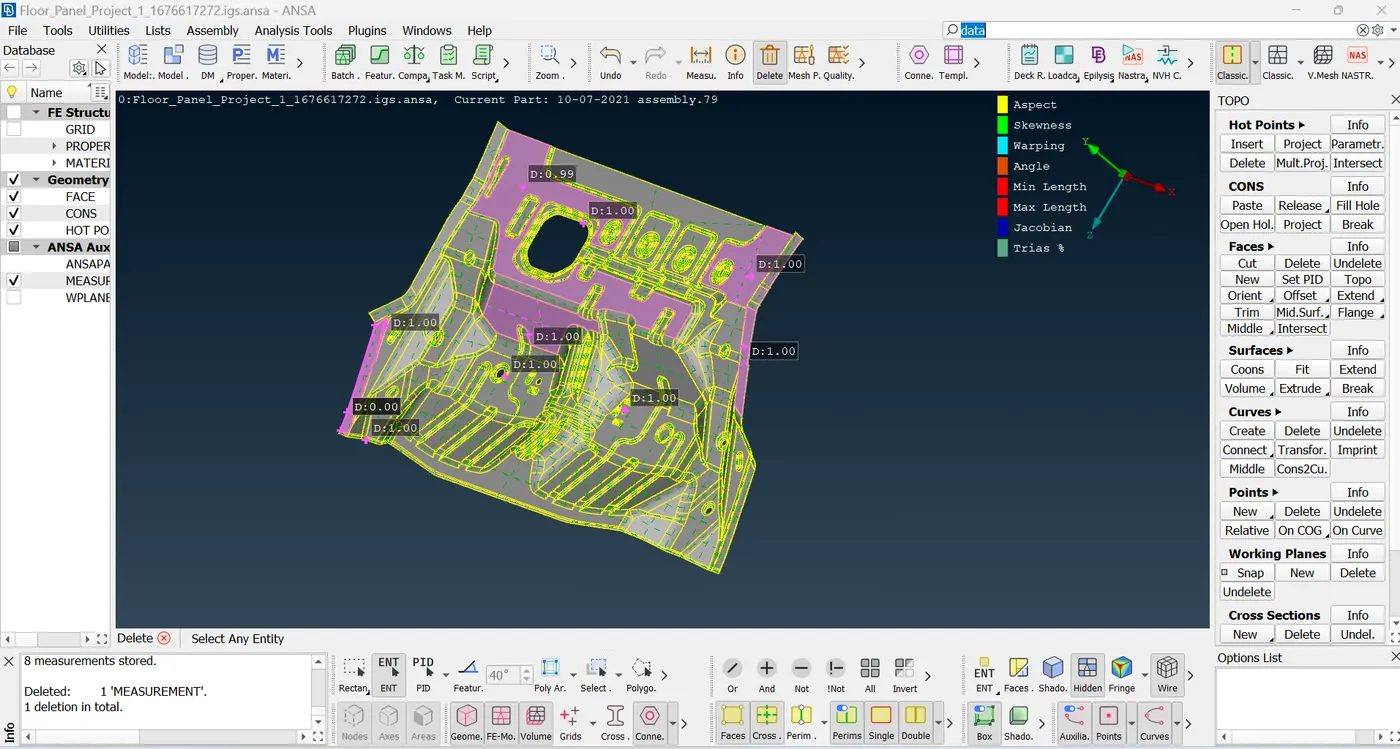
after Making it Ensured that it is uniform thickness follow bellow Steps Extracting Mid Surface
2) Extract Mid surface Where mesh to be generated on and Set PID give it a property & material
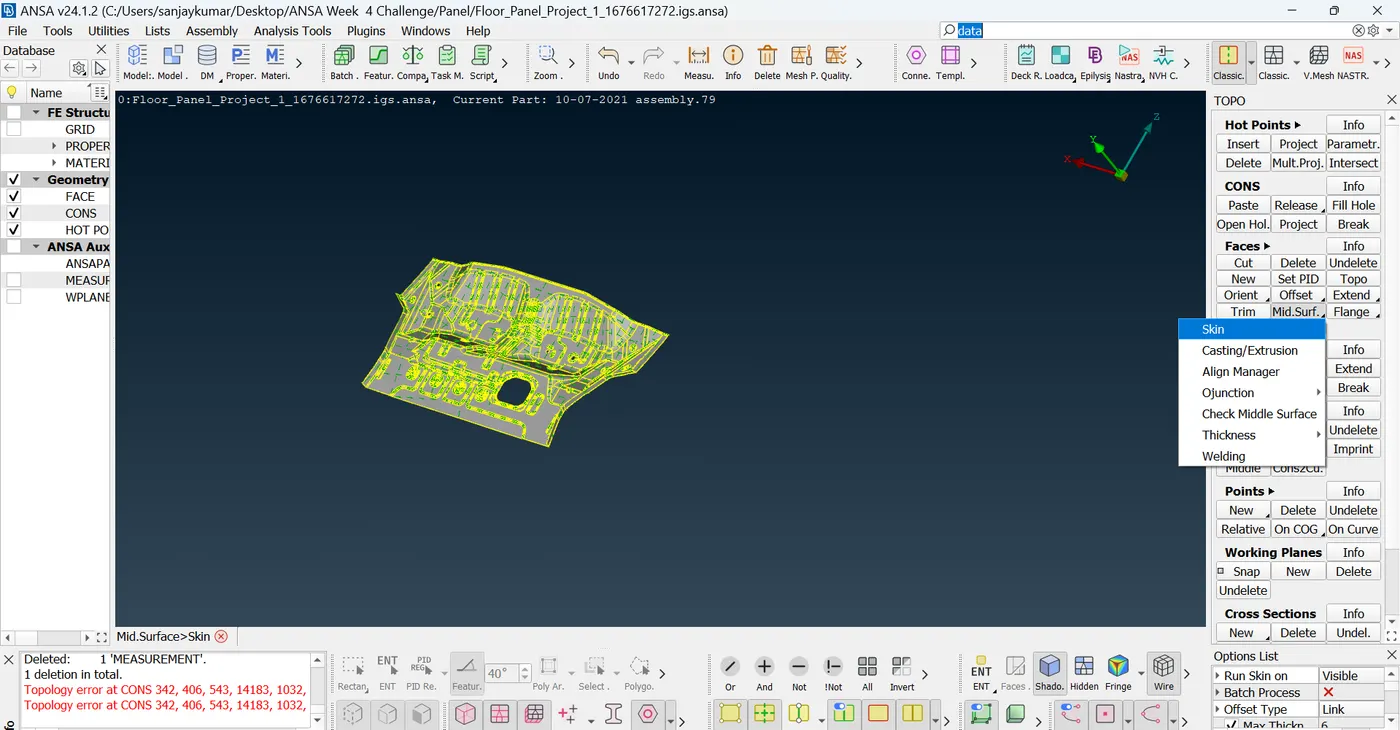
1) In Faces option go to Mid surface select Skin Option
2) Select entire model, the pop up will give Red, blue, Green faces - select any one side faces of geometry as red & other side for green, Blue for thickness
3) After that execute click offset, define offset value for half its thickness, define the thickness as 1, as this component its 1mm thick
4) execute by not selecting Remove original geometry in option module, keep original Geometry
after all above mid looks like below.
after above conduct geometry check Again & measure the mid distance from original geometry to make sure the Mid is perfect.
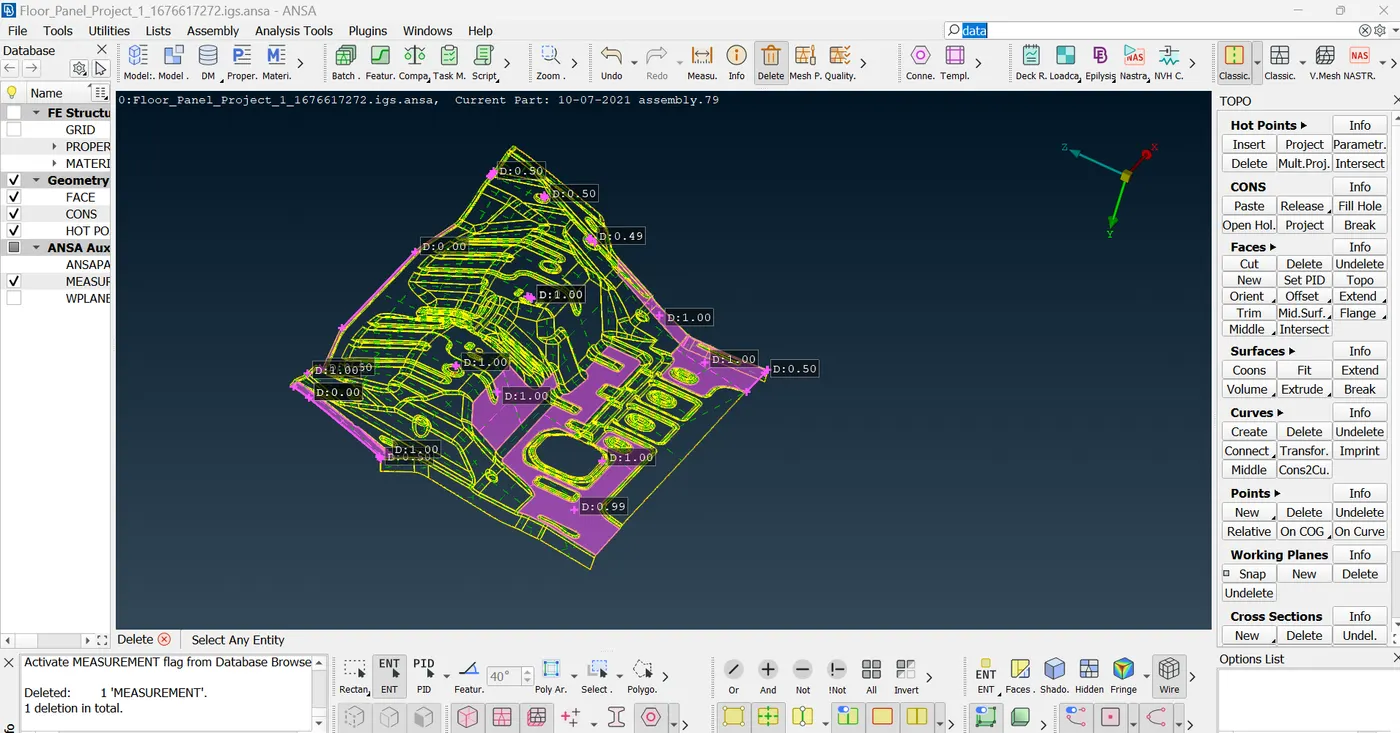
measurements should be half of the thickness all over as its uniform thickness components
3) Generate Mesh on Mid Geometry - use Mesh models such as classic or Shell mesh
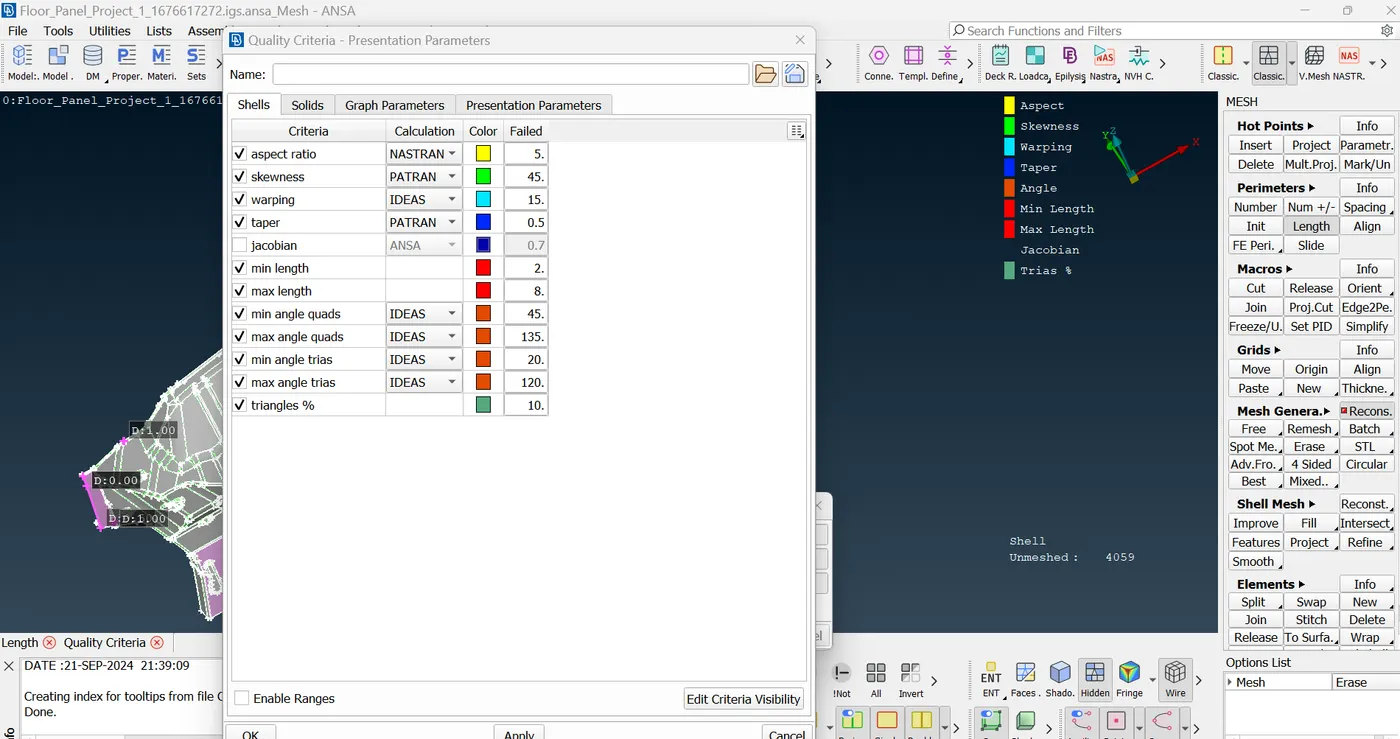
a) before generating mesh Define the quality criteria for mesh generation as below,
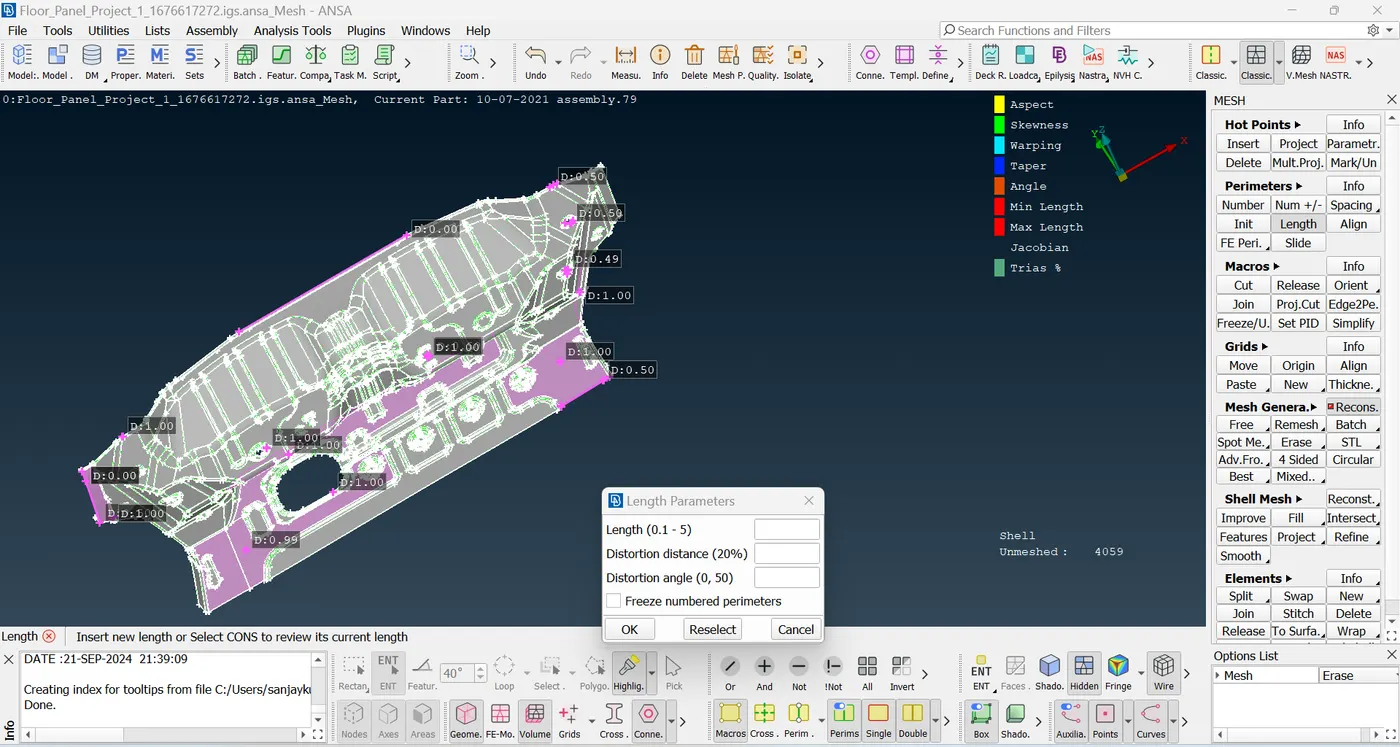
b) under perimeter set perimeter and macros value to be 5mm due to mesh Average length to be 5mm, shown below
C) Mesh modules such as surface --> best mesh/free mesh can be used which would give the better mesh pattern & Quality.
mesh can be remodified using Regenerate/ reshape/smooth/ split/ in the modules such as mesh Generation & Shell mesh
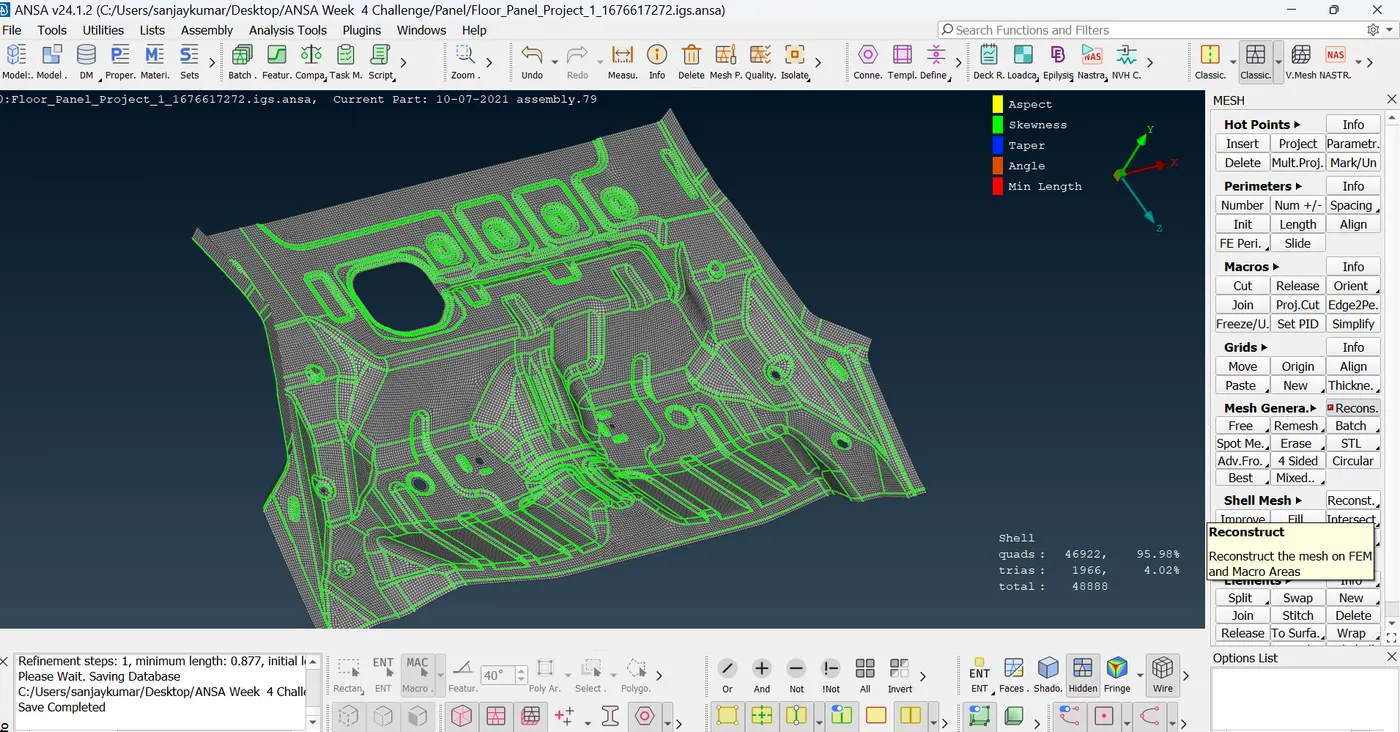
After completion, the the errors identified in the mesh to cleared using cut/project cut/ join Simplify option under Macros and Element options
4) Release the mesh Which will be our FEM model for the given CAD component & which will be solved & preprocessed.
Final result
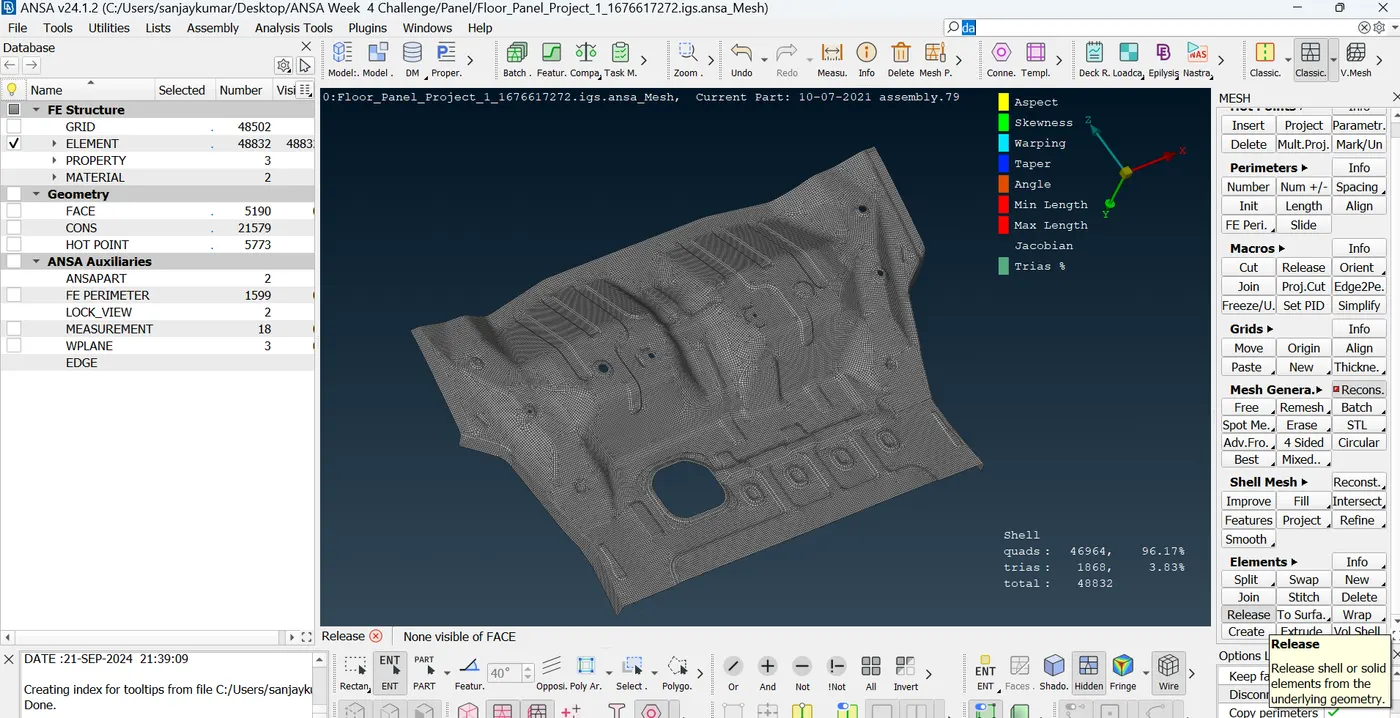
Results :
Mesh Generated with less with Tria % of only 3.83 and all quality issues are cleared.
Conclusion:
By attending above project, it made lot easer to operated on ANSA, got more clarity & understand on how ANSA works.
ANSA has good options and Comprehensives models for Net generation on Sheet metal Components.
Files attached
1) Mesh file
below two files failed to upload, see below
2) ANSA file
3) Mid & geometry file - IGS