Project 1 - Interfacing a 16*2 LCD with Arduino using I2C protocol..
Objective:
To achieve I2C communication between Arduino and display the message from the master on the 16*2 LCD connected with the slave.
Requirements:
- Arduino UNO R3 (2 units)
- LCD
- Potentiometers (2 units) (optional, alternatives can be used)
Circuit :
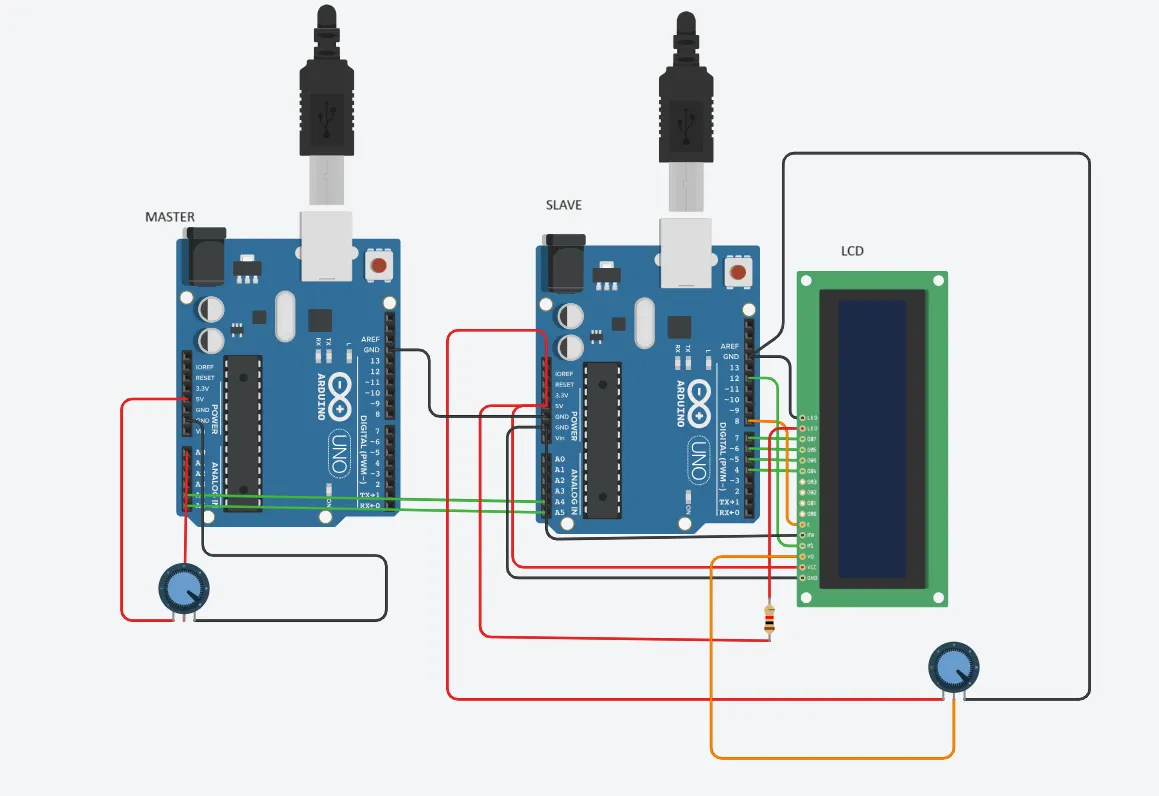
Circuit diagram:
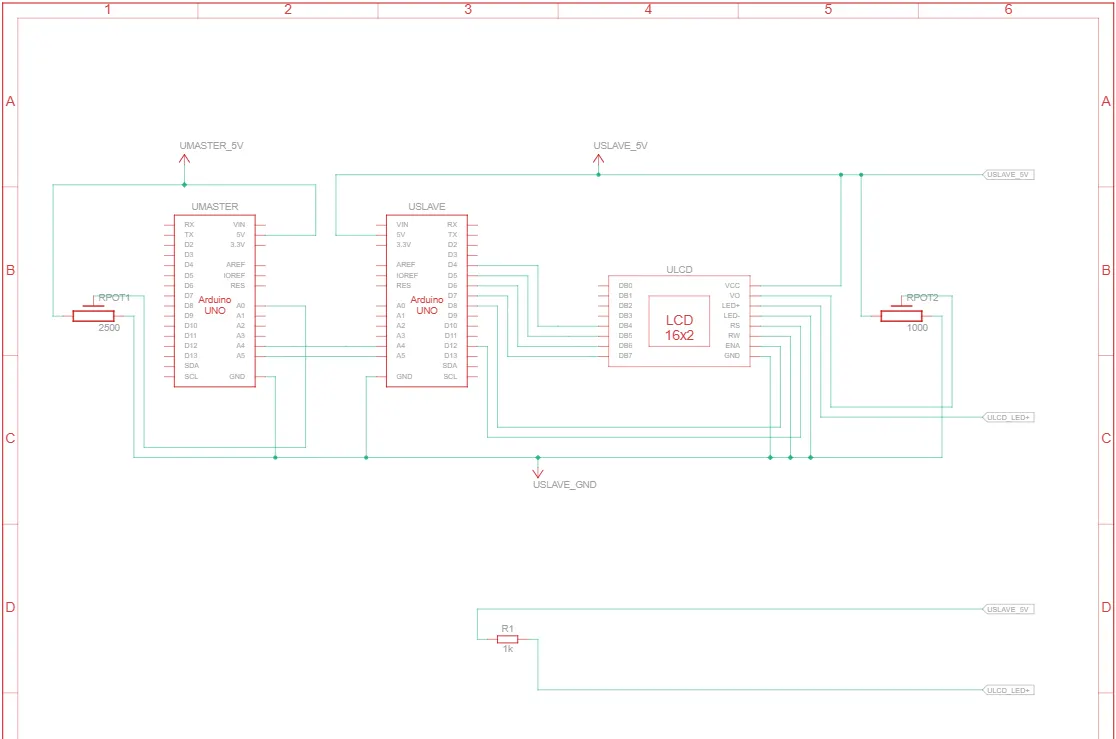
Code for the master Arduino:
//master code
//i2c protocol
#include <Wire.h>
void setup()
{
Wire.begin(); // join i2c bus (address optional for master)
Serial.begin(9600);
}
void loop()
{
int a = analogRead(A0);
int x = map(a,0,1023,0,255);
Wire.beginTransmission(4); // transmit to device #4
Wire.write(x); // sends one byte
Wire.endTransmission(); // stop transmitting
delay(500);
}
Code for the slave Arduino:
//slave code
//i2c protocol
#include <Wire.h>
#include <LiquidCrystal.h>
LiquidCrystal lcd(12,8,4,5,6,7);
byte x = 0;
void setup()
{
Wire.begin(4); // join i2c bus with address #4
Wire.onReceive(receive_request); // register event
Serial.begin(9600);
lcd.begin(16,2);// start serial for output
lcd.print("slave here");
delay(2000);
lcd.clear();
}
void loop()
{
delay(100);
lcd.setCursor(10,1); // print the integer
lcd.print(x);
delay(1000);
lcd.clear();
}
// function that executes whenever data is received from the master
void receive_request(int z)
{
x = Wire.read(); // receive byte as an integer
}
Output:
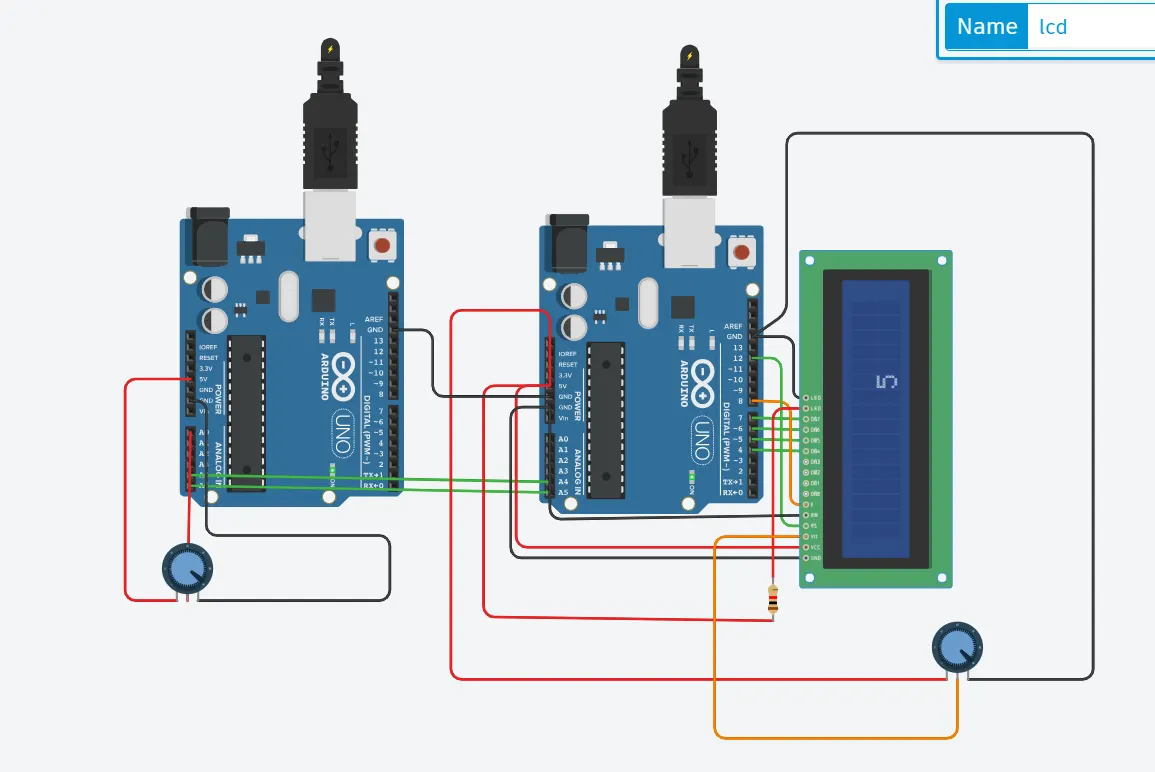
The output of 5 is displayed which is an input to the analog pin of Master.
The attached file has the model.