Project 1 - Interfacing a 16*2 LCD with Arduino using I2C protocol
Overview of the Project:
In this project implementing the Code for “Interfacing a 16*2 LCD with two Arduino’s (one for Master and one for Slave) using Inter-Integrated Circuit (I2C) communication protocol” by sending the message to LCD using I2C communication protocol and display the message on LCD screen.
Goals:
- Communication between Arduino and 16*2 LCD using I2C protocol.
- Displaying the message sent by Master and received by slave i.e. LCD display.
Key Highlights of the Project:
- Using the inter-integrated circuit communication protocol, transferring the data i.e. the message we want to display is sent to the LCD.
- Two Arduino’s connected to the LCD display and the communication is executed using I2C protocol between Arduino and the LDC display.
Deliverables of this project:
- Communication between the Arduino’s and LCD using I2C.
- The message passed from master to slave and displayed on the 16*2 LCD.
Expected Outcomes:
- Students will get the Knowledge of I2C communication Protocol and the Arduino.
- The Hardware connection of all components used in this project.
- Displaying the message sent by master (Arduino) and received by the slave (16*2 LCD display).
-> Firstly we take two ardino in tinkercad
-> connect both by SDC , SCl and ground than connect LCD to slave .
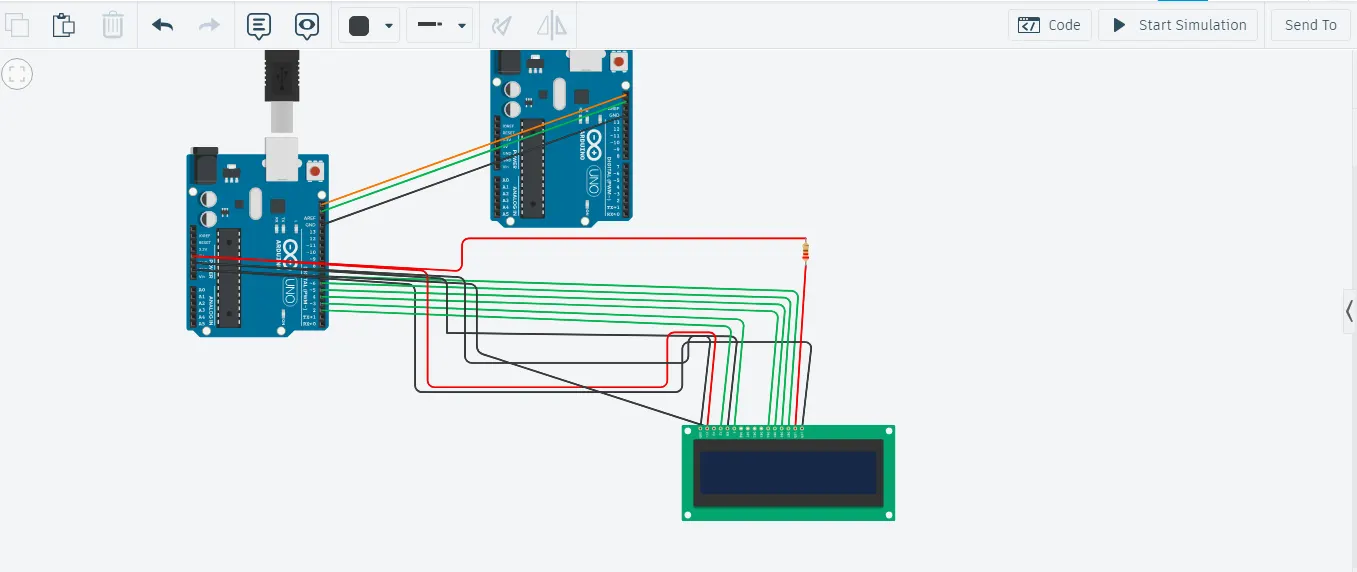
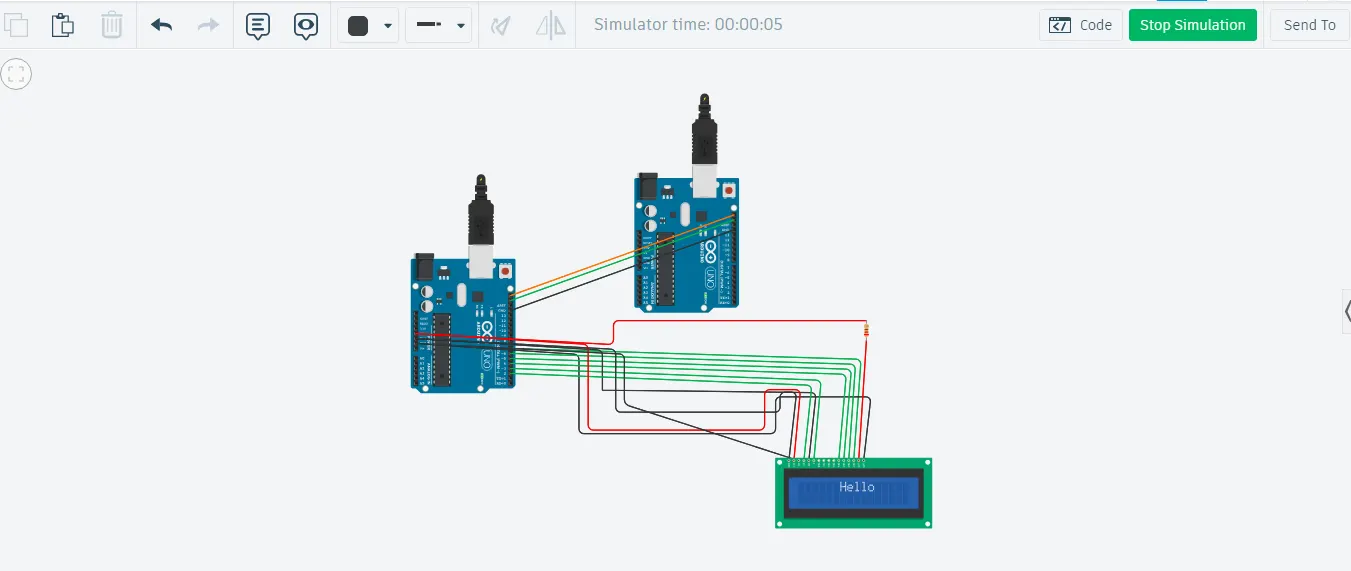
CODE for MASTER
// For master
#include <Wire.h> // I2C library
void setup() {
Wire.begin(); // join i2c bus (address optional for master)
Serial.begin(9600); // start serial for output
}
void loop() {
Wire.requestFrom(8, 6); // request 6 bytes from slave device #8
while (Wire.available()) { // slave may send less than requested
char c = Wire.read();// receive a byte as character
Serial.println(c); // print the character
}
delay(500);
}
For Slave
// FOR slave
#include <Wire.h> // I2c protocol library
#include <LiquidCrystal.h> // LCD library
LiquidCrystal lcd(2,3,4,5,6,7);// to connect LCD pins to ardino pins
void setup() {
Wire.begin(8); // join i2c bus with address #8
lcd.clear();
lcd.begin(16,2);
Wire.onRequest(requestEvent); // register event
}
void loop() {
// lcd.setCursor(6,0);
//lcd.print("Hello");
delay(100);
}
// function that executes whenever data is requested by master
// this function is registered as an event, see setup()
void requestEvent() {
Wire.write("hello "); // respond with message of 6 bytes
// as expected by master
lcd.setCursor(6,0);
lcd.print("Hello");
delay(100);
}