Project 1 - Interfacing a 16*2 LCD with Arduino using I2C protocol
Project 1 - Interfacing a 16*2 LCD with Arduino using I2C protocol
Overview of the Project:
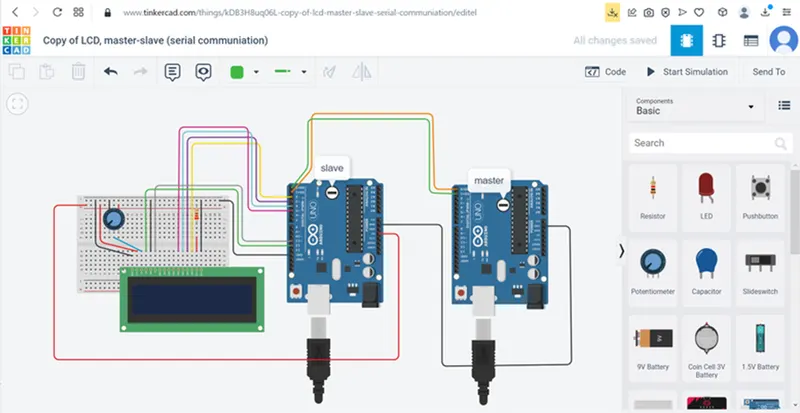
In this project implementing the Code for “Interfacing a 16*2 LCD with two Arduino’s (one for Master and one for Slave) using Inter-Integrated Circuit (I2C) communication protocol” by sending the message to LCD using I2C communication protocol and display the message on LCD screen.
Program:
MASTER
#include
#include
LiquidCrystal lcd(12,11,5,4,3,2); // set pin for lcd
void setup()
{
lcd.begin(16,2); // to enable lcd
Serial.begin(9600); // to enable serial monitor
Wire.begin(8); // to enable i2c communication
Wire.onReceive(display); //receive data from master
}
void loop()
{
delay(30); // Wait for 1000 millisecond(s)
}
void display(int x)
{
int y=Wire.read(); // read value from master
Serial.println(y); // print value in serial monitor
lcd.setCursor(0,0); // set cursor first row and first column
lcd.print("the volt is");
lcd.print(y); //print received data in lcd
delay(1000);
}
SLAVE:
#include
void setup()
{
Wire.begin(); // to enable i2c communication
pinMode(A2,INPUT); // set A2 as input
}
void loop()
{
float x=analogRead(A2); // get value from temperature sensor
float value=((x*5)/1024); // convert adc value into voltage level and stored in it
signed int temp=((value-0.5)*100);//convert voltage level into temperature
Wire.beginTransmission(8); // transmission begin
Wire.write(temp); //send temperature value to slave
Wire.endTransmission(); // end transmission
delay(1000);
}
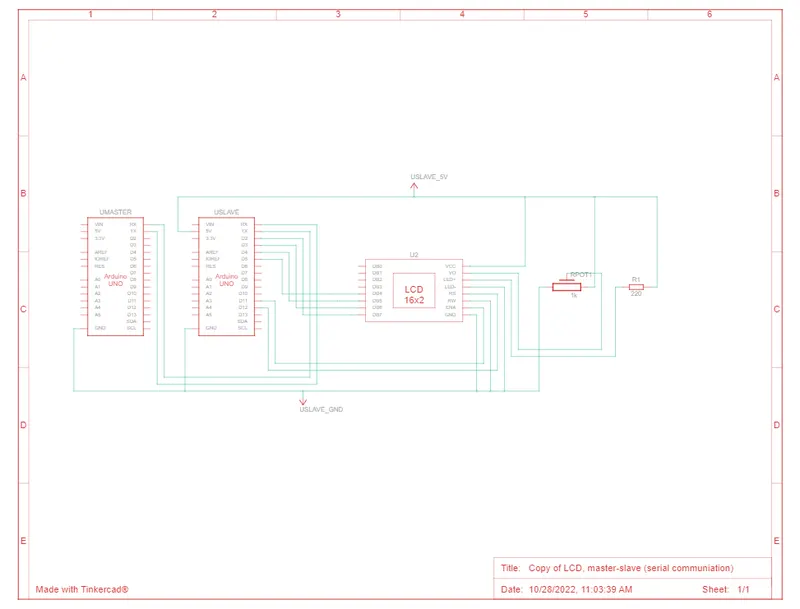
Circuit Diagram:
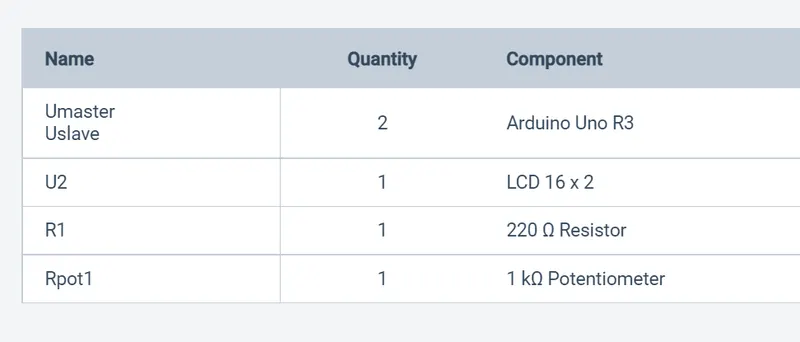
Components Used:
SCHEMATIC VIEW: