Project 1 - Interfacing a 16*2 LCD with Arduino using I2C protocol
CIRCUIT DIAGRAM:
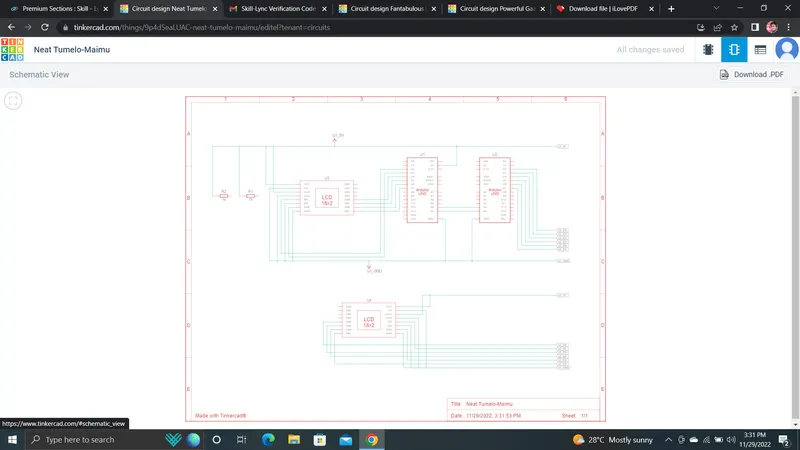
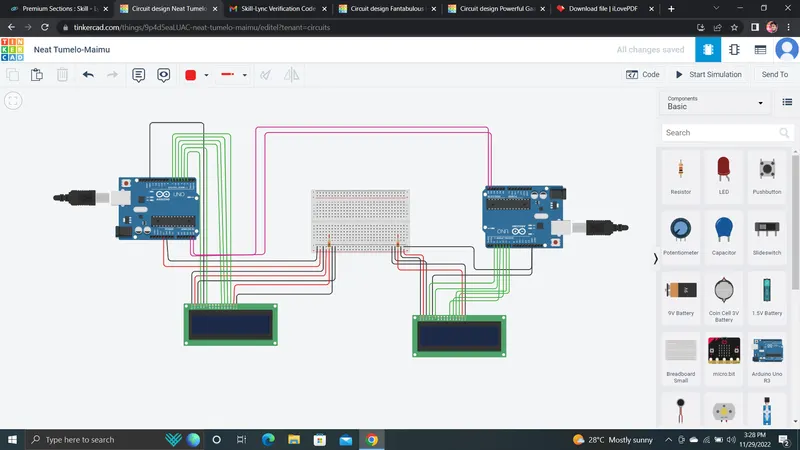
The analog pins A4 and A5 in arduino are used for used for I2C communication. The digital pin LCD is connceted to the resistor of the postive node. The Digital pins 4, 5, 6, 7 are connected to DB4,DB5,DB6,DB7of LCD. Input supply 5v and Gnd are connected to the LCD from arduino.
MASTER:
#include<LiquidCrystal.h> // LCD Library
#include<Wire.h> // Wire Library
LiquidCrystal lcd(2,3,4,5,6,7); // Initialisation of LCD
char msg[15];
void setup()
{
Serial.begin(9600); // For serial monitor
Wire.begin();
lcd.begin(16,2);
lcd.clear();
}
void loop()
{
Wire.requestFrom(2,4); // Requesting from arduino 2
lcd.setCursor(0,0); // LCD Cursor
lcd.print("MASTER");
lcd.setCursor(0,1);
int i=0;
while(0<Wire.available()) // Receiving the message through i loop and printing
{
msg[i]= Wire.read();
i++;
}
lcd.print(msg); // Printing message
delay(1000);
Wire.end();
}
SLAVE CODE:
#include<LiquidCrystal.h>
#include<Wire.h>
LiquidCrystal lcd(2,3,4,5,6,7);
void setup()
{
Serial.begin(9600);
lcd.begin(16,2);
lcd.clear();
Wire.begin(2); // declaring Arduino as number 2
Wire.onRequest(message); // Sending message on request
}
void loop()
{
lcd.setCursor(0,0);
lcd.print("SLAVE"); // Printing message on LCD
lcd.setCursor(0,1);
lcd.print("message sent");
delay(50);
}
void message() // message function to send a message
{
char message[12] = "Hello World";
Wire.write(message);
}
OUTPUT:
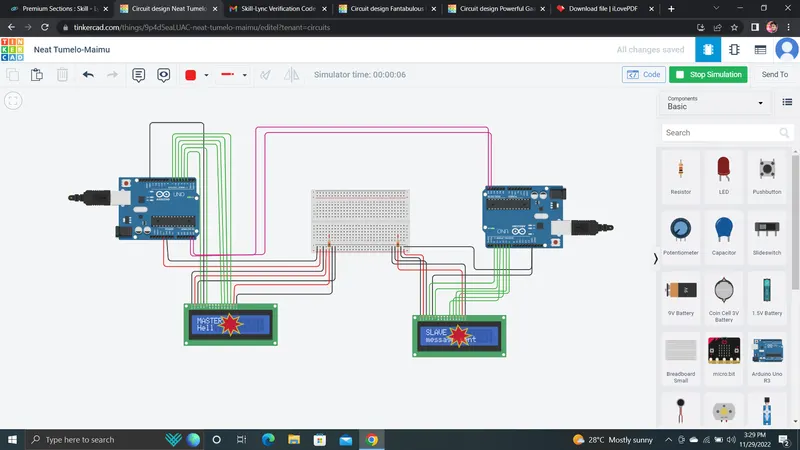
The message sent from slave is received by master and displayed in 16*2 LCD. The communication between the master and slave arduino was implemented using I2C protocol.