Project 1 _Creating an Architectural plan for the provided plot size and develop relevant basic structural drawings
AIM
TO DRAW ARCHITECTURAL DRAWING OF
- Plan of a residential building.
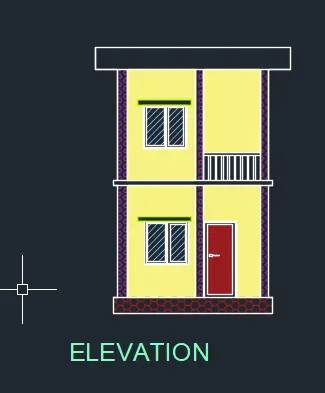
- Elevation of a residential building.
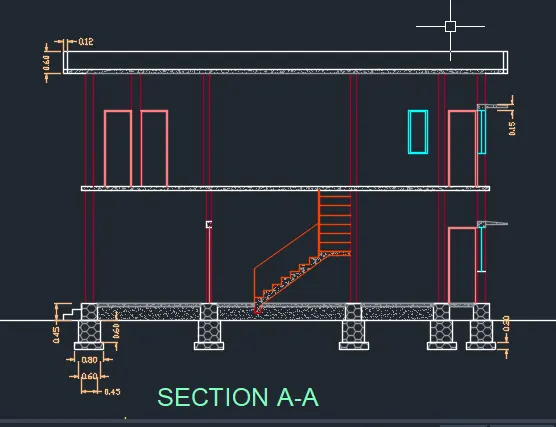
- Section of a residential building.
STRUCTURAL DRAWING OF
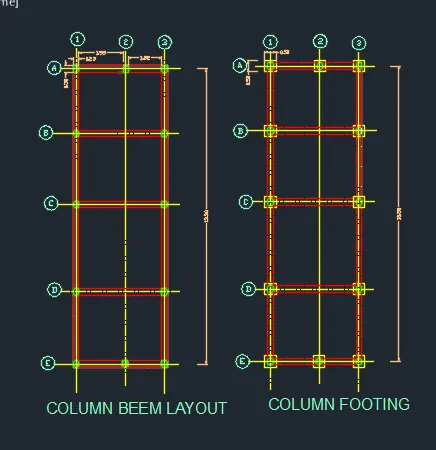
- Column plan layout of the building.
- Footing plan layout of the building.
- Beam plan layout of the building.
INTRODUCTION
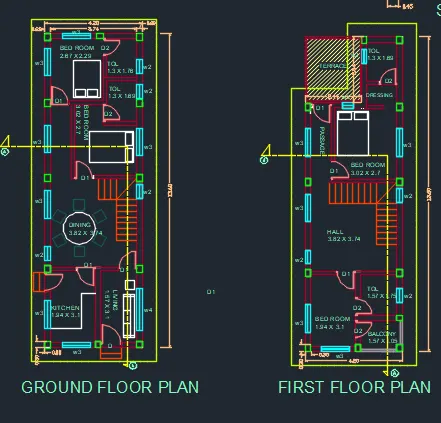
The residential building to be drawn with plot dimensions 6m X 18 m.
The G+1 floor is designed with stairs inside the house. The plot is east facing. The building is designed with following rooms
- Ground Floor Living Room
- Kitchen (Open)
- Main Bedroom
- Staircase to first floor
- First Floor Living room
- Bedroom-2
- Guest Bedroom
- Balcony
Building is designed with main door at the EAST facing .
The dimensions of the components of house are as follows
Walls
- Thickness of main walls is taken as 0.23m
- Internal wall thickness is taken as 0.15m
Columns and Beams
- All the columns are of size0.23m x0.3 and one columnsize is 0.23m x 0.23 respectively
- All the beams are of size 0.23 m x 0.23m
Commands used:
- Line ,
- Offset ,
- Rectangle,
- Trim ,
- Extend ,
- Block ,
- Block edit ,
- Dimension ,
- Layer , Hatch ,
- Design centre.
- Explode
PROCEDURE
STEP 1
- First set the units in decimel meters .
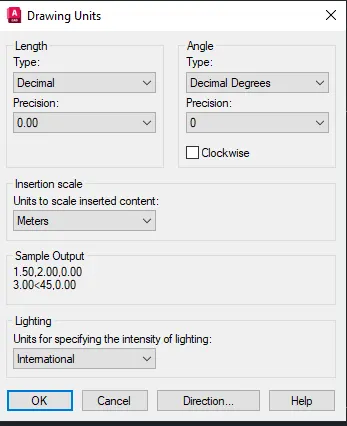
- Set the limits and zoom all (Command -Z-a).
Set the dimension to decimal units and set the precision.
- Drawing the plot, and giving setback.
- Given plot size as 6m x18m.
- Mark the direction N, S, E, W.
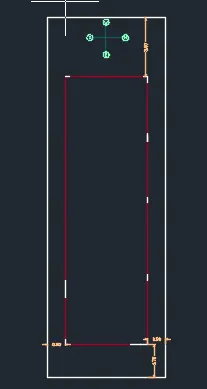
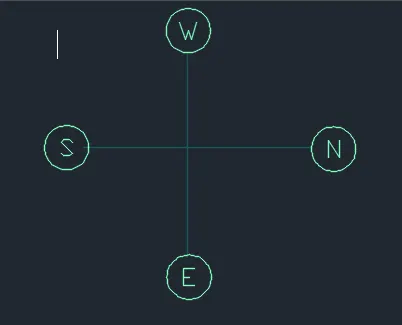
- By rectangle, draw the plot giving dimensions as 6 and 18.3 m.
- Next give setback from the plot, 3m , 1.7m ,0.9m,0.9m for the sides.The proposed building should come inside the setback drawn.
- Drawing wallOffset 0.23 m from the boundary after the setback is taken for the wall thickness.
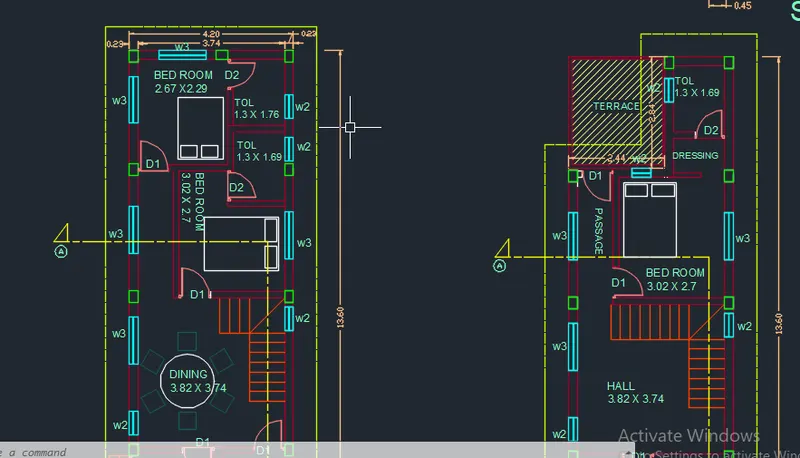
- As the orientation is given as East, main door should face East.For living room, give 1,57m offset horizontally from the West side and size of the room will be 1.57mx3.1m.
- As per Vaastu Shastra, North-East is favourable for living room and the entrance should face North or East.
- Same the dining room Again offset 3.82m from the living wall for dining room.Width will be 3.74m
- Offset 1.94m horizontally from living wall towards south side and 3.1m vertically.The size of kitchen is1.94 x 3.1 m.Trim 0.8 m for the door opening.
- According to Vaastu Shastra the ideal position for kitchen is South-East ,with cooking place facing East.
- Drawing Master bedroom and toilet From the South wall .offset 3.02m and width of 2.7m joining the dining wall.
- Next bedroom size is 2,67m x2.29 offset from first bedroom
- Stair is drawn having tread size o.25m and rise size is 0.18m
- Column created in all the corners and intersection where we want to it and ssize of column is 0.23 m x 0.3m.
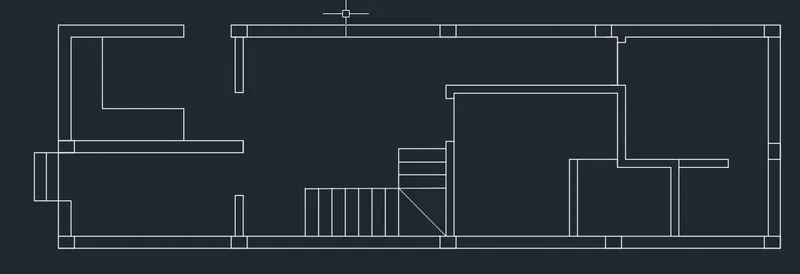
create door and windows
- We have to draw the windows and doors with the sizes are shown below,
-
W1 - 1800 X 1200mm W2 - 600x 500mm W3 - 1200x 1200mm -
D - 900 X 2100mm D1 - 800 x 2100mm D2 -750mm x 2100mm
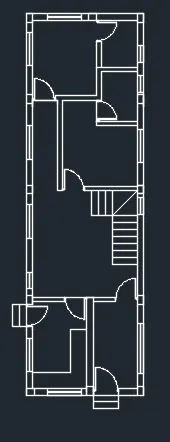
Similarly draw 1st floor rooms are drawn
Passage is provided having width 0.9m
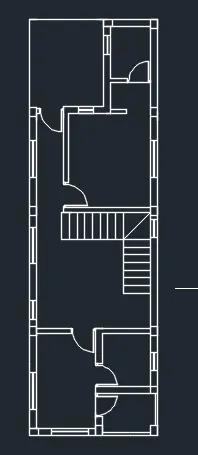
section line mark.
layers created and the walls windows doors ets ...are created according to the layer
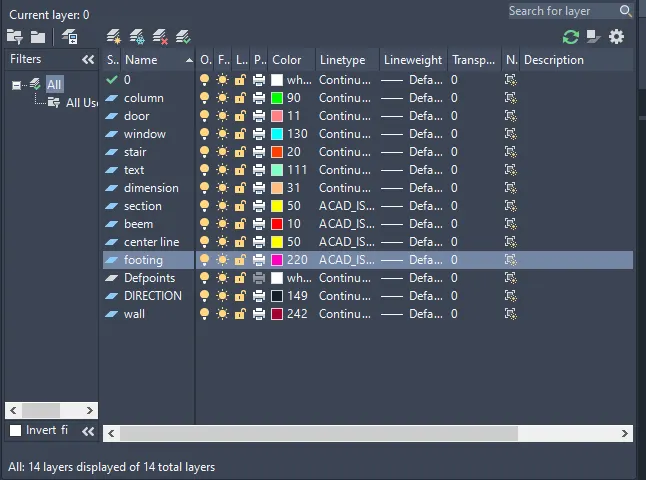
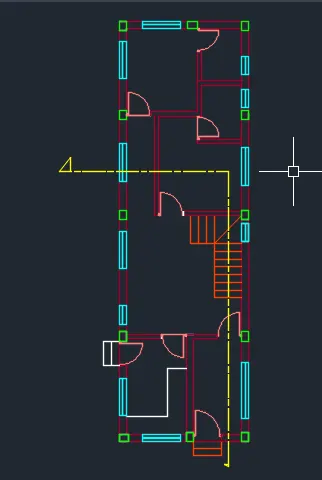
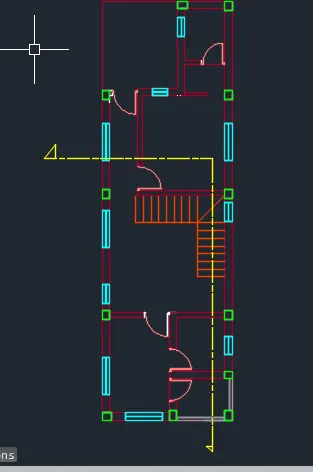
- With multiline text, draw the text box, text height as 0.2m and style as ariel greek.and dimensioning using command DIM
SECTION A-A
- Draw walls hawing thickness 0,23 and 0.15m
- mark the center line
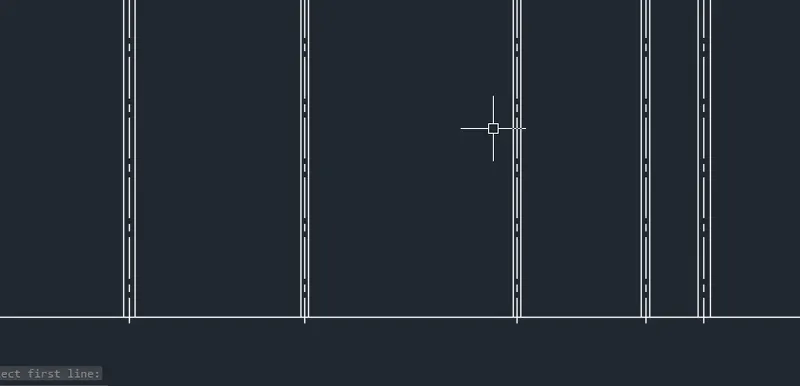
- draw pcc, RR ,flooring, plinth from the center line at the base of the wall
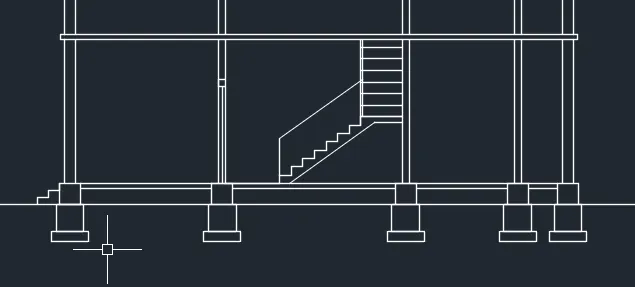
draw the section of the 1st floor similarly .
Then draw parapet having hight 0.6m
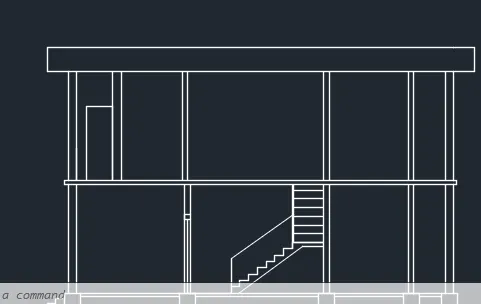
Then draw doors and windows
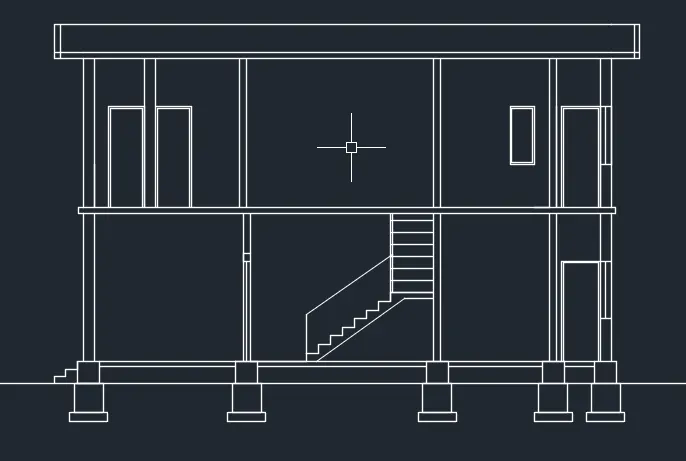
Select the object and convert in to corresponding layers.
Using hatch hatch the foundation with the concrete hatch
dimension and text are done.
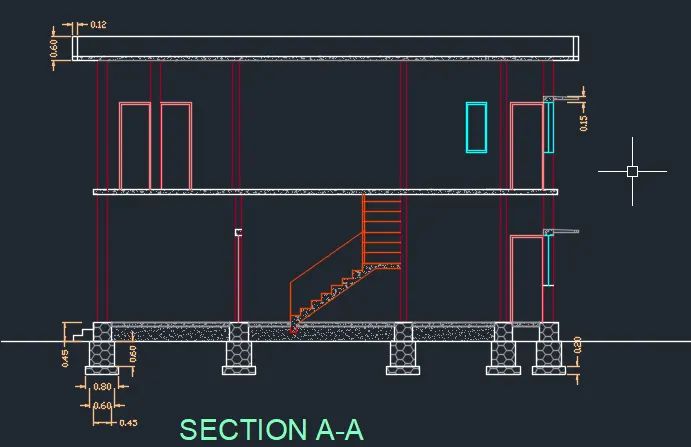
ELEVATION
- Project the lines from the section and the plan for getting elavation of the building
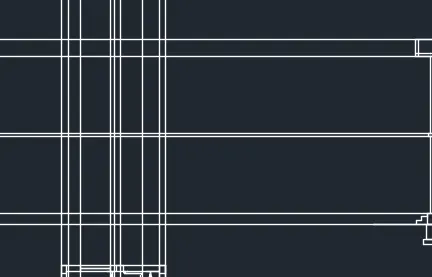
- Trim unwanted lines
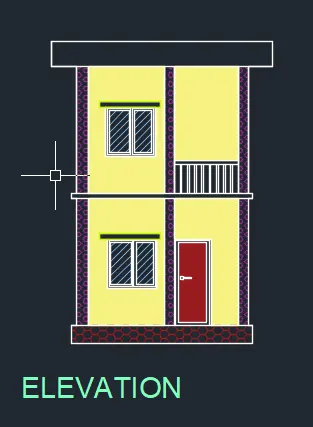
- create plinth groung floor and first floor .draw window and doors
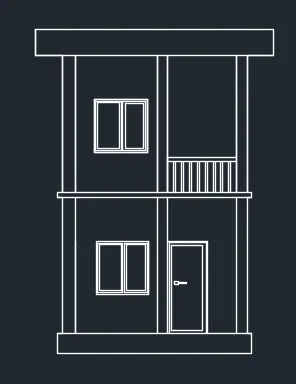
Hach the walls windows and doors
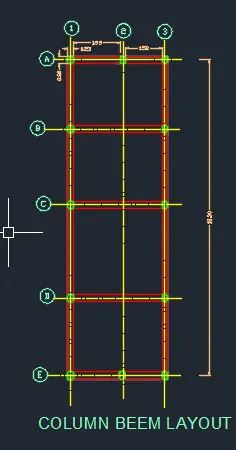
COLUMN AND BEAM LAYOUT
Change the current layer to wall layer
- Draw all the walls of the plan view excluding doors and windows
Change the current layer to column layer
- At the bottom left corner draw a rectangle using column layer
- All the columns are of size 0.23 m x 0.3
- Columns are placed along the direction of wall in some cases
- Draw the columns at all necessary points
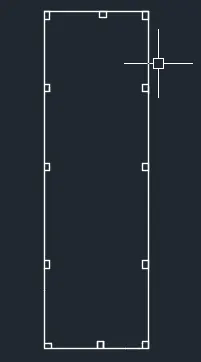
- change the colour to the layer
- Beam is drawn using beam layer as current.
- Then center line of the column is drawn using center line layer as current
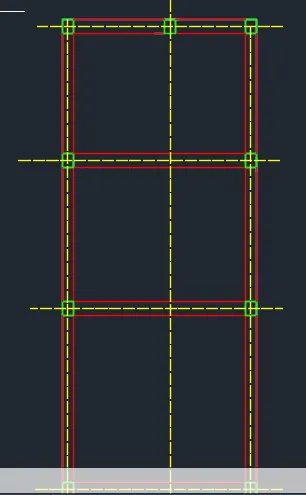
- text is done using command mtext and Mleader
- dimensioning is done using command dim
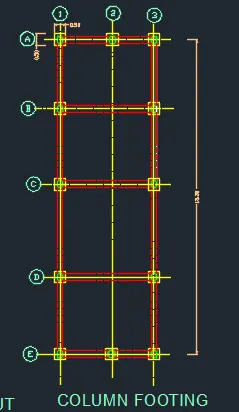
Footing Layout
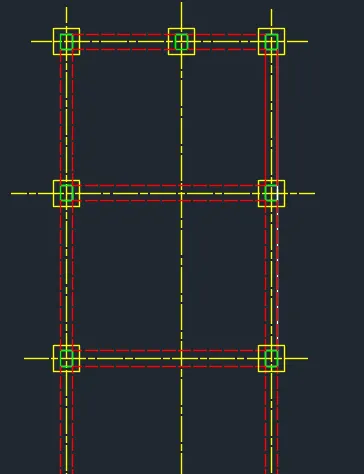
- Draw the column layout again
- Change the current layer to ‘Footing_Foundation’
- Dimension of all footings drawn is 0.5m x o.5m
RESULT
Residential G+1 floor design consists of plot drawing, plan view, center line drawing, column and beam layouts, elevation view and section views are drawn. The house consists of 4 bedrooms, 2 living rooms,1 Dining room, kitchen and balcony. Layers are created and assigned accordingly. After drawing plan view section is drawn. Required components and furniture to the house are added . Step by step procedure for all components is shown in respective steps.