Project 1 _Creating an Architectural plan for the provided plot size and develop relevant basic structural drawings
Design and draft a layout of a residential building with the following details:
a. Plot Size: 60’x20’ (18.3m x6m)
b. Orientation- Facing East
c. Develop the following: 1. Architectural Drawing (Floor Plan, Elevations, and Sections) 2. Structural Drawing (Column, Bean, Footing Plan)
Aim: - To Design and Draft a layout of a residential building with plot size 60’x20’ (18.3m x6m).
Introduction: -Plan and Sections are different types of drawings used by architects to graphically represent a building design and construction.A plan drawing is a drawing on a horizontal plane showing a view from above.An Elevation drawing is drawn on a vertical plane showing a vertical depiction.A section drawing is also a vertical depiction but one that cuts through space showing what lies within.
Commands used: -Limits command , Line command , Offset command , Hatch command , Dimlinear command , Dimstyle command , Units command , Extend command , Fillet command , Trim command , Join command , Line weight command , Line type command , Object snap command
PROCEDURE:
STEP1: -In the command prompt type Units , In the command prompt type limmax >250',250' , In the command prompt type zoom >a , In the command prompt type xl to draft the infinite lines. , In the command prompt type offset, to offset it to the desired lines. , In the command prompt type trim to remove the extra lines , In the command prompt type ADC(design center) to add the components , In the command prompt type arc (to draw the doors) , In the command prompt type lines (to draw the windows) , The architectural plan is completed , After that, use dim linear to give the dimensions. , In the command prompt type mtext type the specified rooms.
RESULT: -
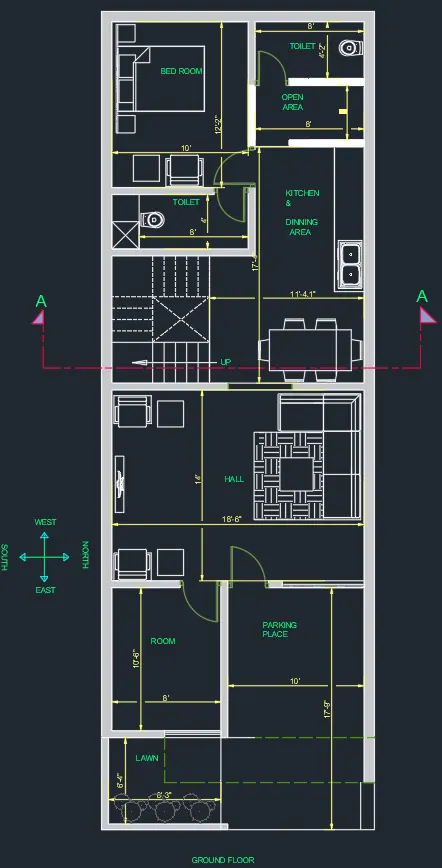
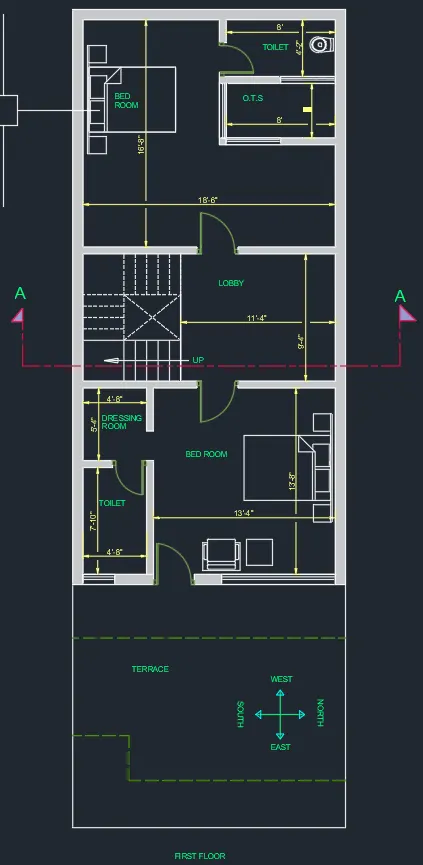
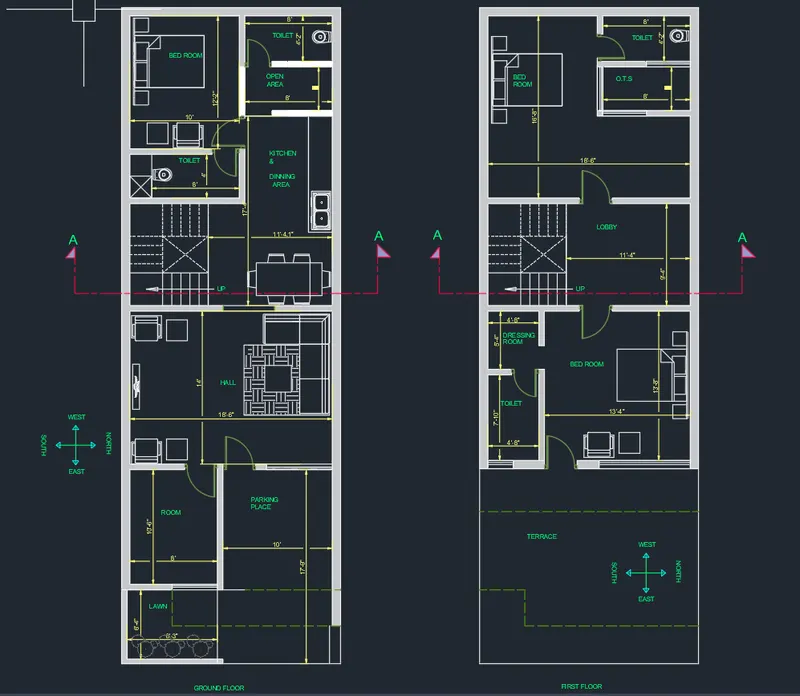
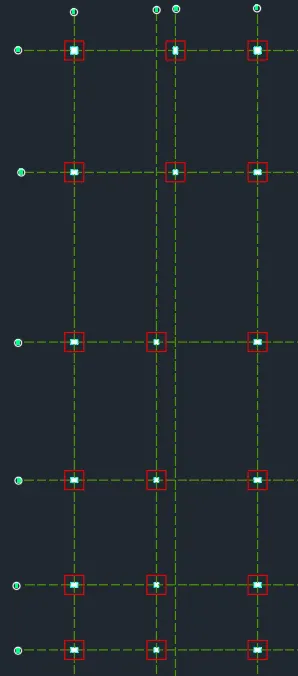
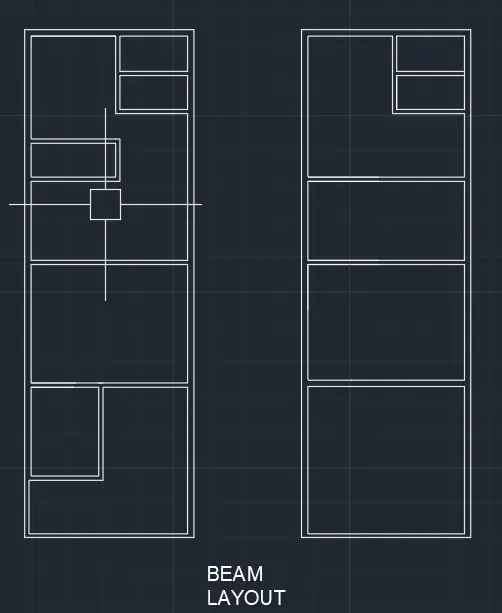
Step 2:(structural drawings):- In the command prompt type line to draw the grid lines , In the command prompt type LT (to get the dotted lines ) to get the dotted lines , In the command prompt type rec of for columns , In the command prompt type rec of for footings , In the command prompt type line to draw the beam layout\
RESULT:-
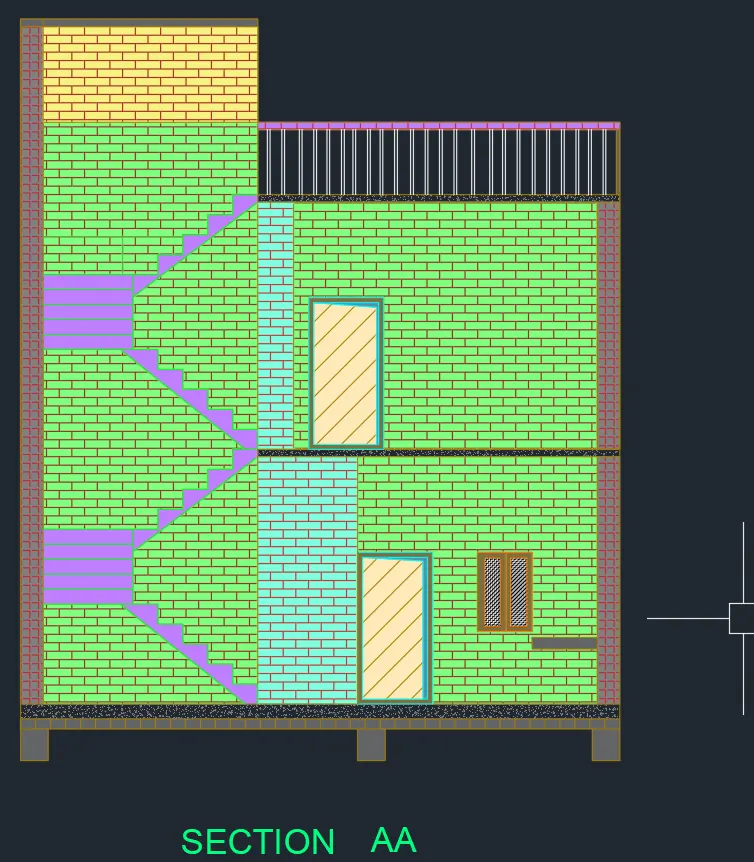
Step 3: (to give section views) :- using dotted lines, sections are created. , In the command prompt type hatch, Use hatch.
RESULT:-
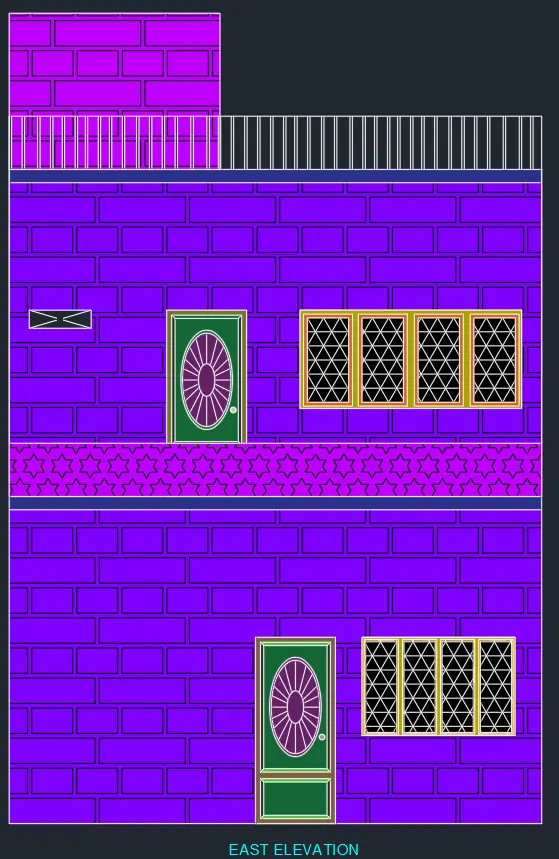
Step 4( to create elevation) :- In the command prompt type L to draft the lines , In the command prompt type Hatch > solid to give the desired annotations, color to the elevation.
RESULT: -