Project 1_Comparative study of different storey buildings for Seismic forces
To analyze the Effect. of mass on T: Compare fundamental natural. periods of buildings H, J, and K. Have the buildings become more flexible or stiff due to changes in mass?
Aim:
To Compare. fundamental natural. periods of buildings H, J, and K. using ETABS
Procedure:
Building H:
Step 1:
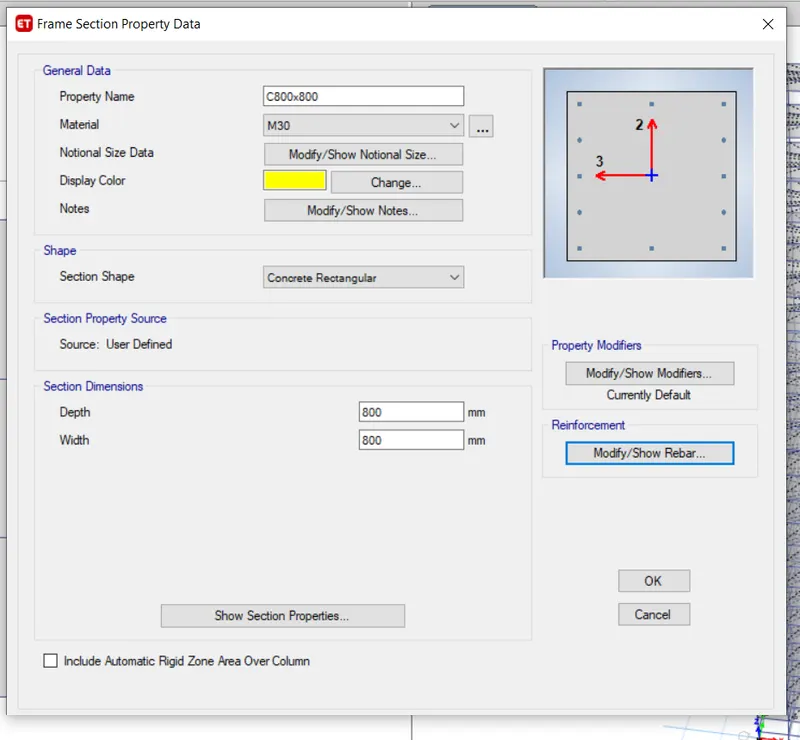
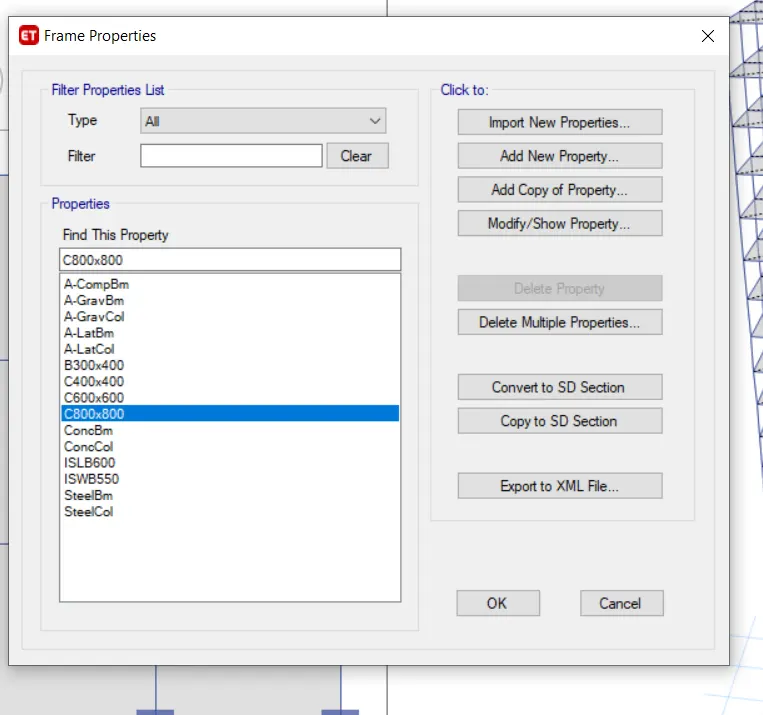
1) Click the Define tab and click section properties
2) Select Add new property and choose Rectangular
3) Add the new column dimension of 800 x 800
4) click ok
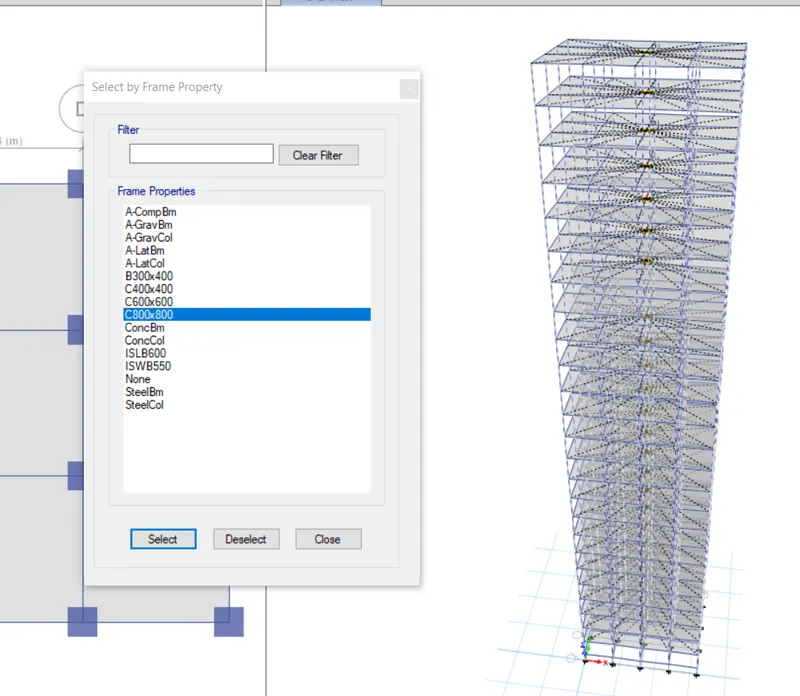
- Click, the Select tab and select the columns
- Click the Assigned tab and choose frame assignment as 800 x 800 dimension column
- Click ok
- After assigning loads of each frame run the analysis
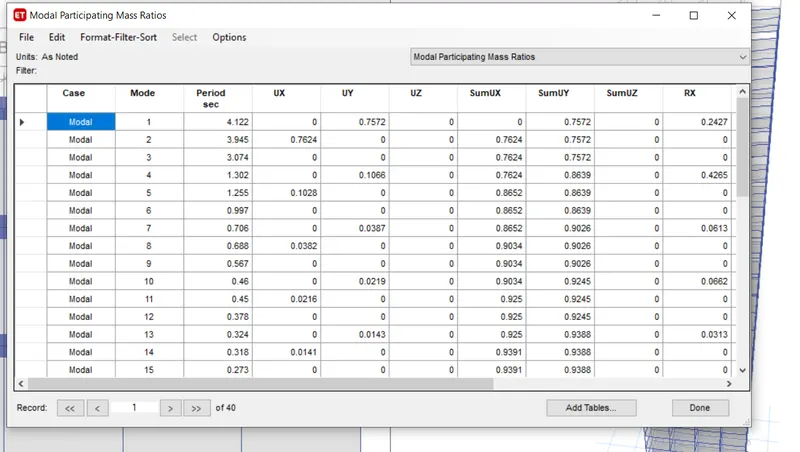
- Click Display and choose the show table option
- The modal participating ratio from Structural output and then click ok
Building J:
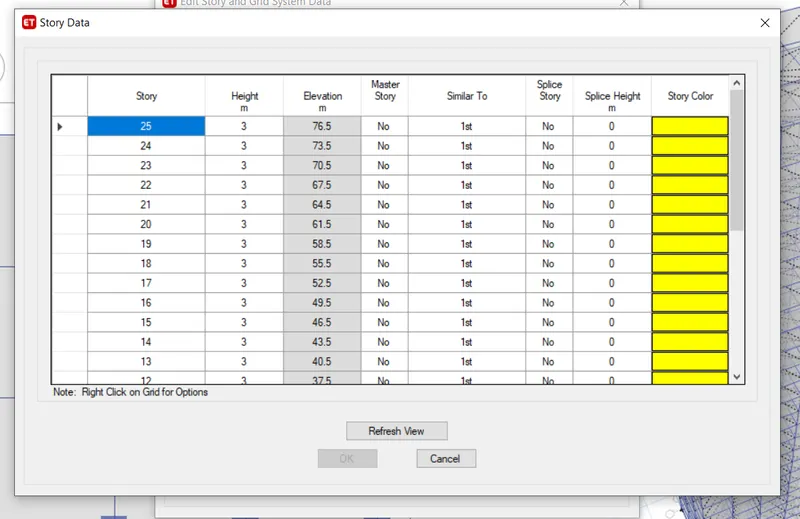
- Click, the Edit tab and choose edit story
- Add 25 stories and make 1st story Master and all others similar to 1st story
- Click ok
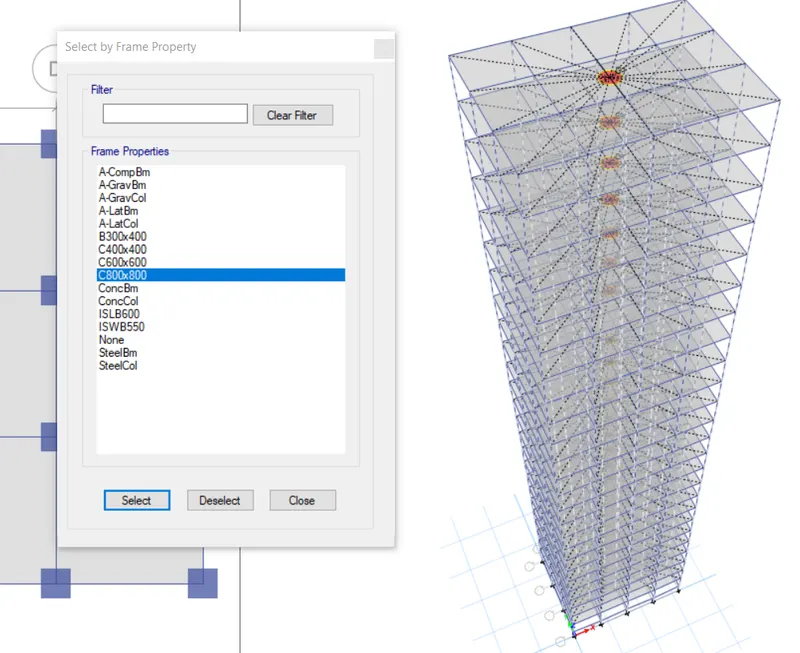
- Click, the Select tab and select the columns
- Click, the assigned tab and choose frame assignment as an 800 x 800 dimension column
- Click ok
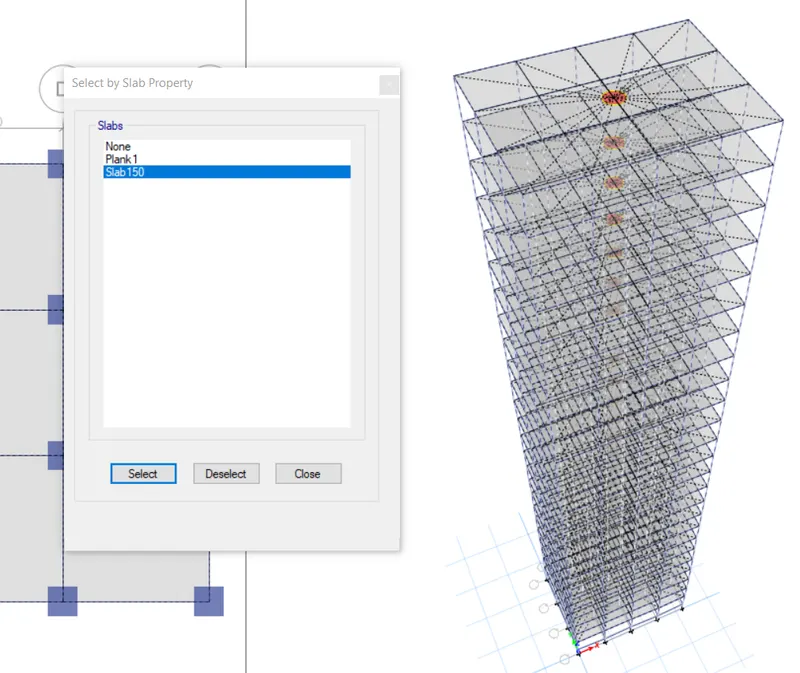
- Click the Select tab and choose Slab
- Click the Assigned tab and choose shell loads then uniform load
- Make live load and load pattern name and input 3.3kn/sq.m for load value
- Click Ok
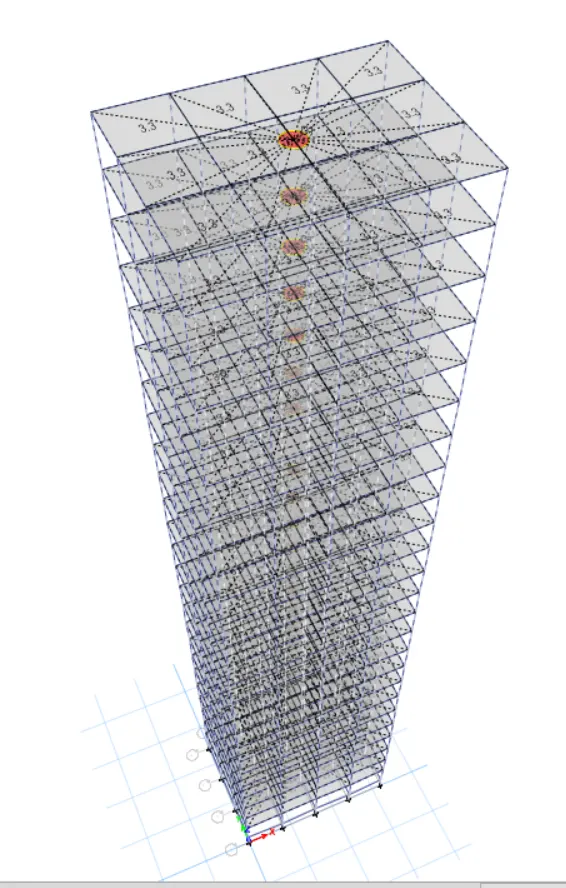
- Click, the Select tab and choose beams
- Click, the assigned tab and choose frame loads then distribute
- Make, wall load as input 10kn/sq.m for load value
- Click Ok
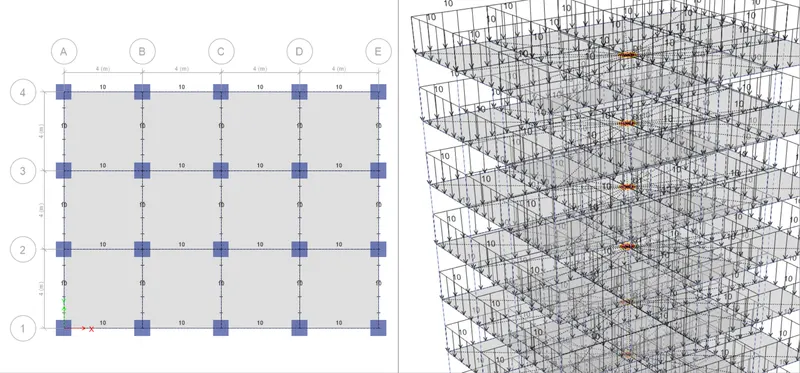
- After. assigning loads of each frame run the analysis
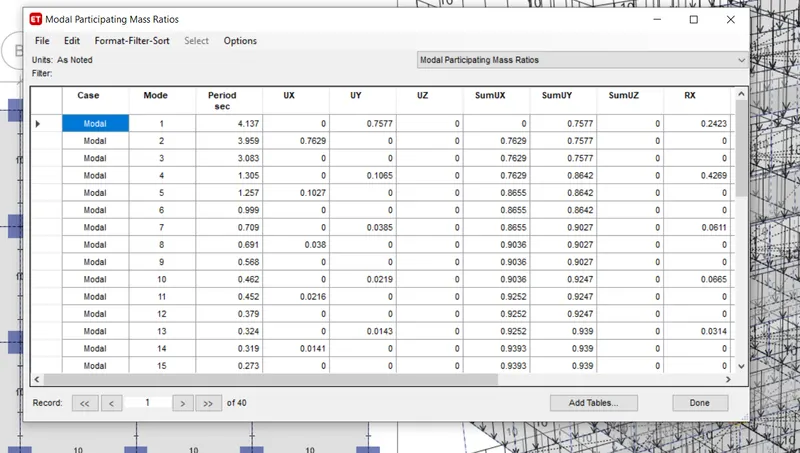
- Click, Display and choose the show table option
- Select the Modal participating ratio from the Structural output
- Click ok
Building K:
- Click, the select tab and assign the column dimensions as 800 x 800
- Click, the Select tab and choose floors
- Click, the assigned tab and choose shell loads then uniform load
- Make live load and load pattern name and input 3.6 kN/sq.m for load value
- Click Ok
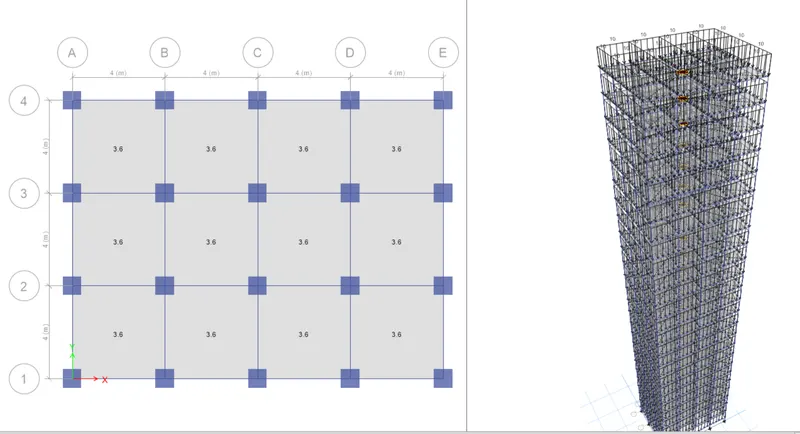
- After, assigning loads of each frame run the analysis
- Click, Display and choose the show table option
- Select, Modal participating ratio from the Structural output
- Click ok
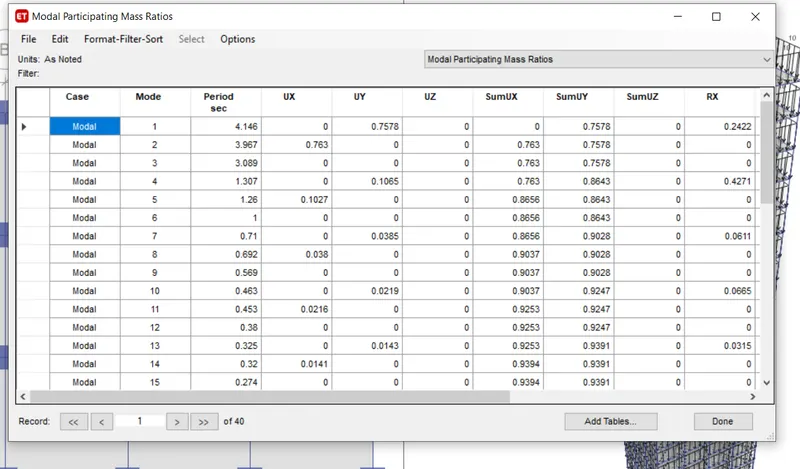
Conclusion:
1) For building H, J, and K are the same 25 stories but the load increases gradually like 10% and 20%, because of this the building becomes more
Flexible due to an increase in the weight of the building.
2) time period of H is 4.122, j is 4.137 and k is 4.176.
Comparison 2:
Building A:
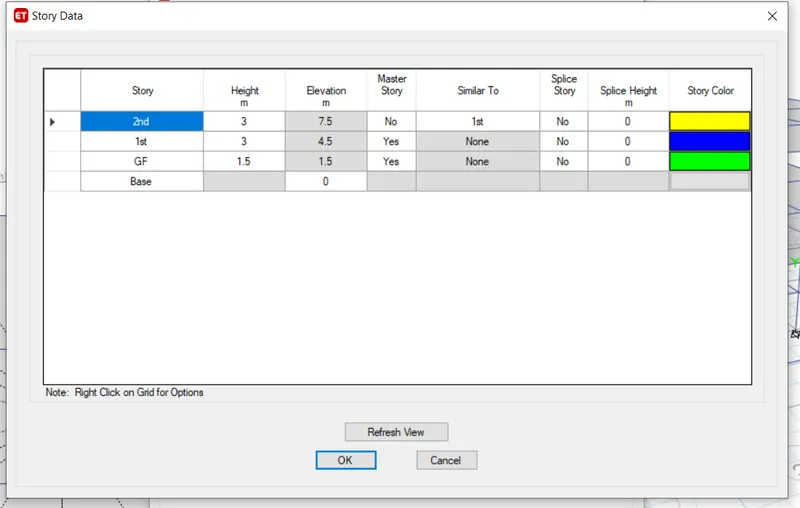
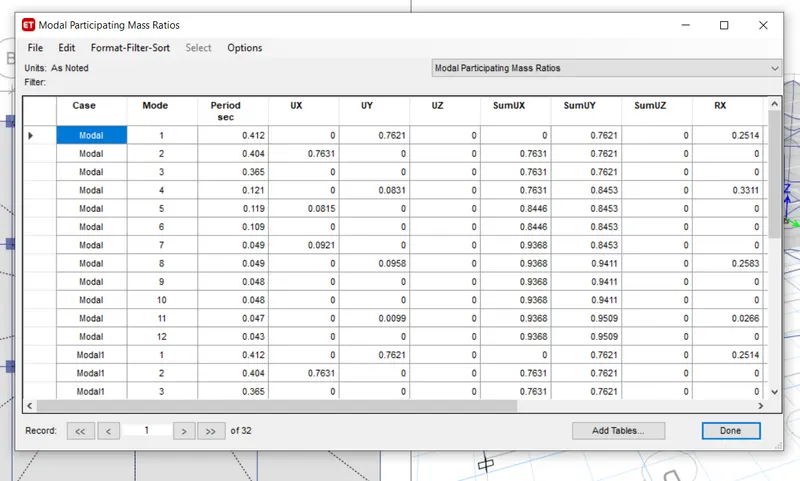
- Click the Edit tab and choose edit story
- Add 2 stories and make 1st story Master and all others similar to 1st story
- Click ok
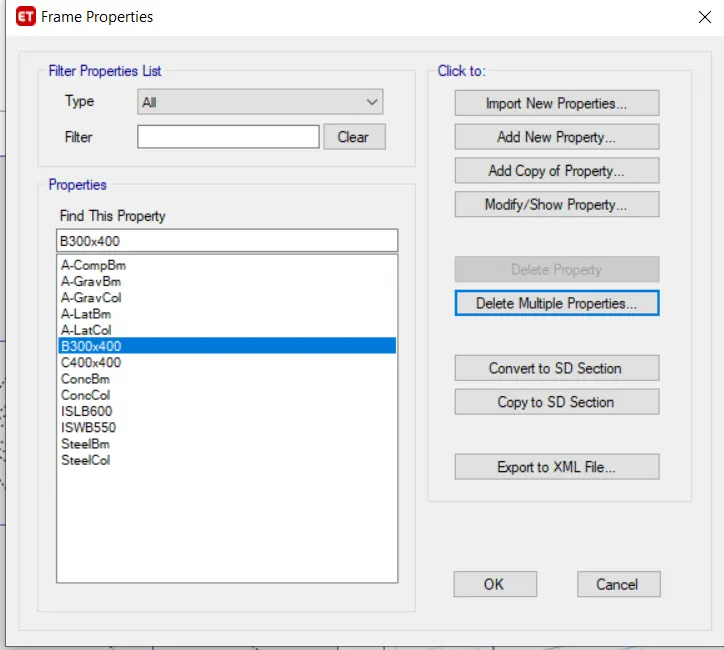
- Click, the Select tab and select the columns
- Click, the assigned tab and choose frame assignment as a 400 x 400 dimension column
- Click ok
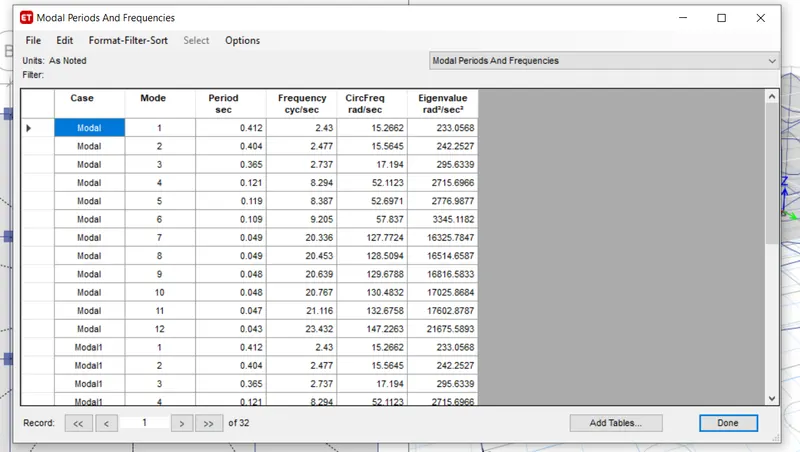
- After, assigning loads of each frame run the analysis
- Click, Display and choose the show table option
- Select the Modal participating ratio from the Structural output
- Click ok
Building B:
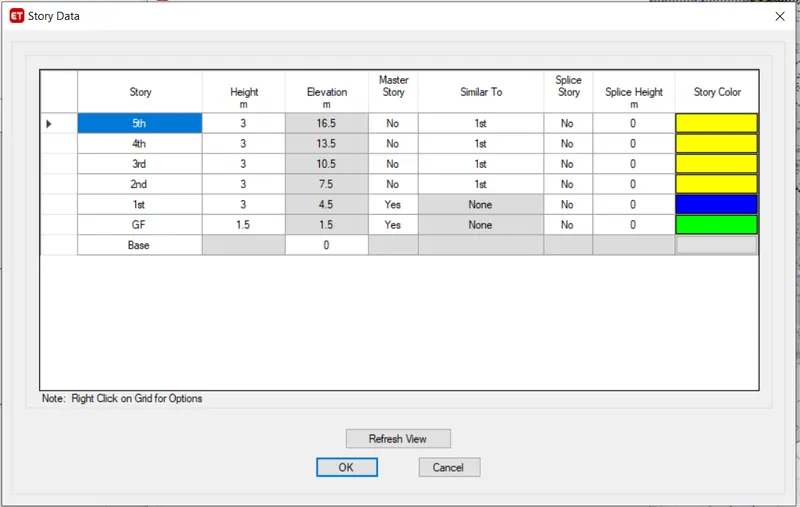
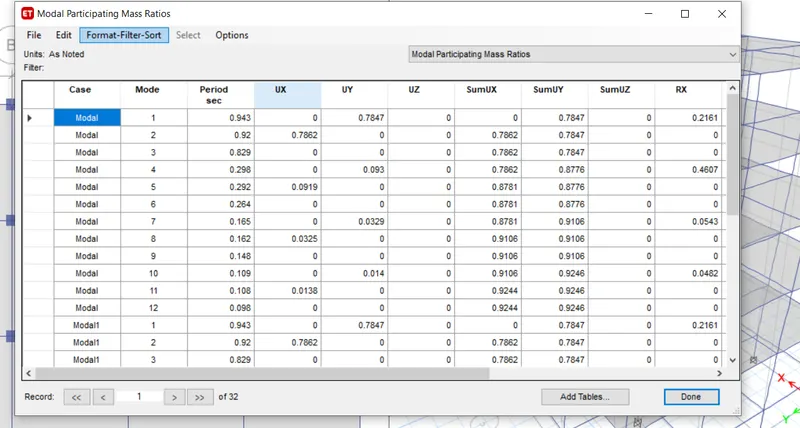
1) Click the Edit tab, choose edit story, or use the replicate command.
2) Add 5 stories and make 1st story Master and all others similar to 1st story
3) Click ok
- Click, the Select tab and select the beam and slab
- Click, the assigned tab and choose frame assignment as a 300 x 400 dimension of the beam, and slab one by one after that assign the load
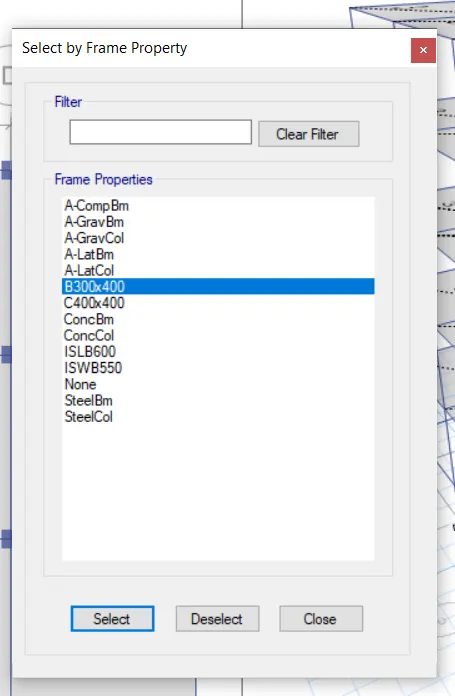
- Click, the select tab and assign the beam dimensions as 300 x 400
- Click, the Select tab and choose floors
- Click, the assigned tab and choose shell loads then uniform load
- Make live load and load pattern name and input 3 kN/sq.m for load value and brick wall load as 10 kN/sq.m
- Click Ok
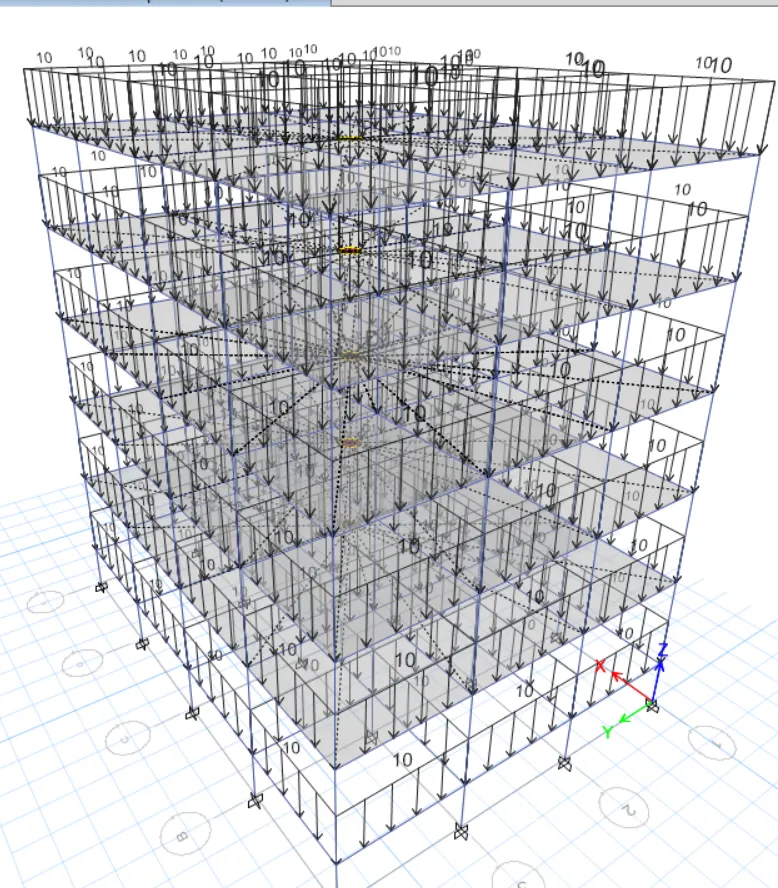
- After assigning loads of each frame run the analysis
- Click Display and choose the show table option
- Select the Modal participating ratio from the Structural output
- Click ok
Building F:
- Click the Select tab and select the columns
- Click the Assigned tab and choose frame assignment as a 600 x 600 dimension column
- Click ok
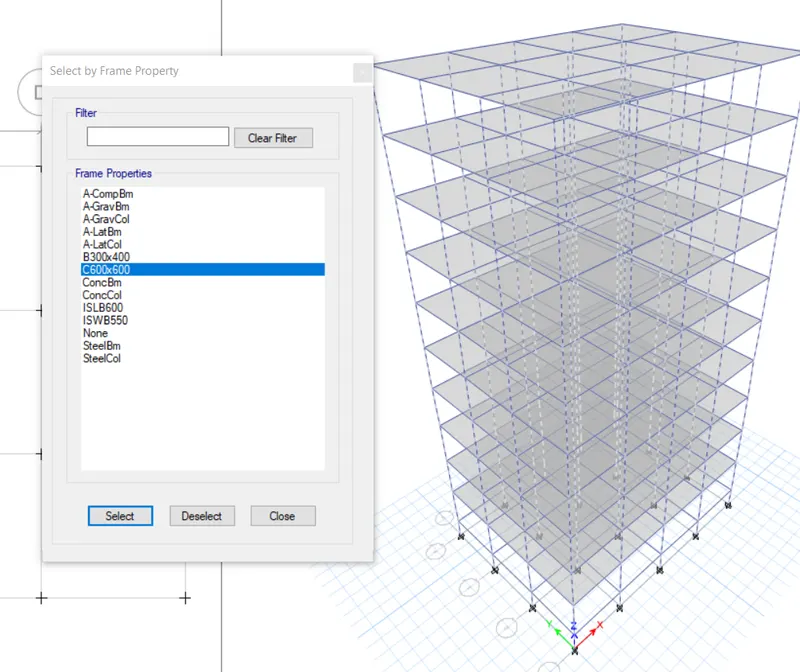
- After, assigning loads of each frame run the analysis
- Click, Display and choose the show table option
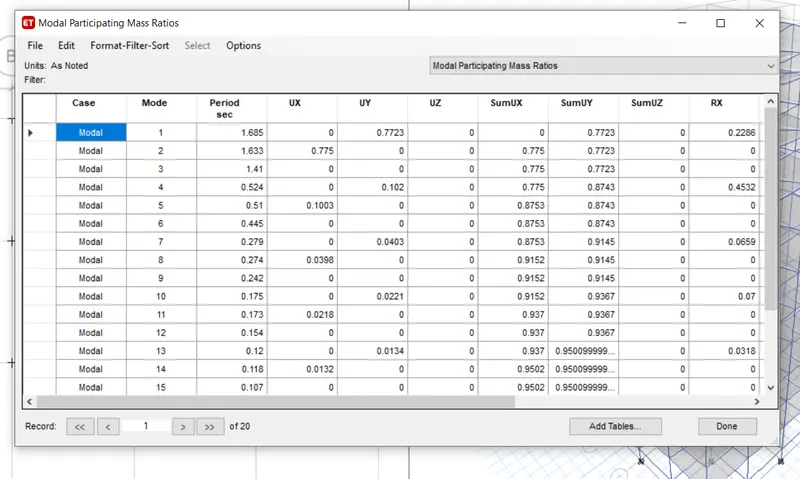
- Select the Modal participating ratio from the Structural output
- Click ok
Result:-
Due to the changing in building height the fundamental natural period varies gradually i.e... for A is 76.31% at 0.4, for B is 78% at 0.92, for F is 77% at 0.1.685 and finally for H is 76% is 3.95.
Comparison 3:
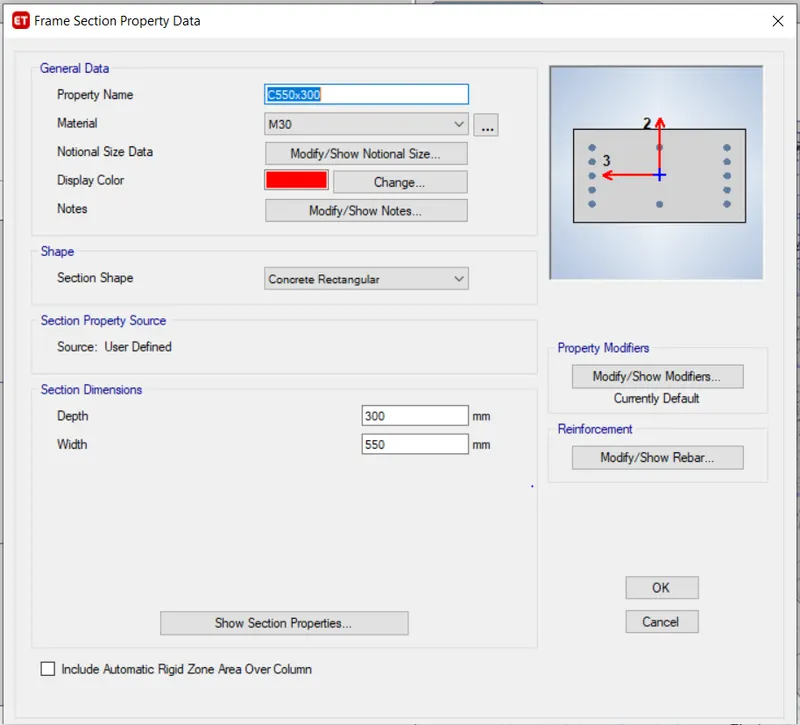
Building C:
- Click, the Select tab and select the columns
- Click, assign tab and choose frame assignment as a 550 x 300 dimension column
- Click, ok
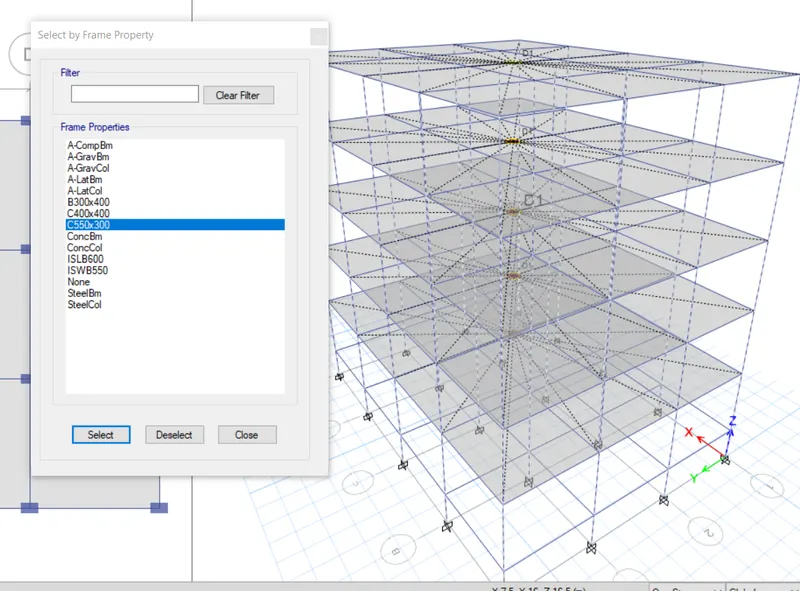
- After, assigning loads of each frame run the analysis
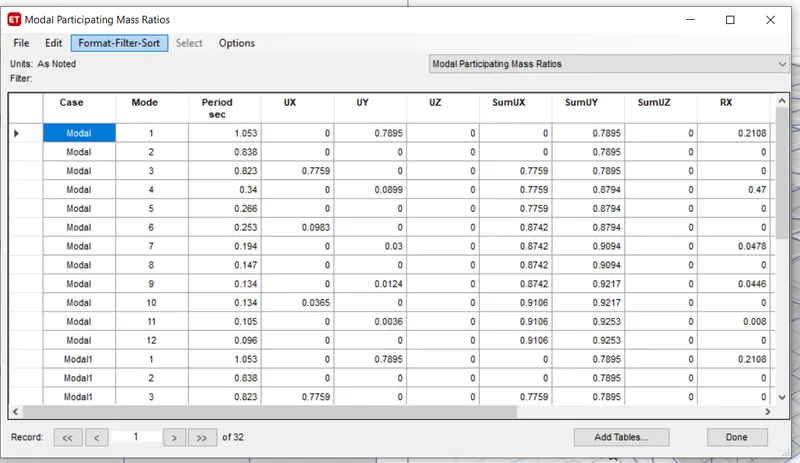
- Click Display and choose the show table option
- Select the Modal participating ratio from the Structural output
- click, ok
Building D:
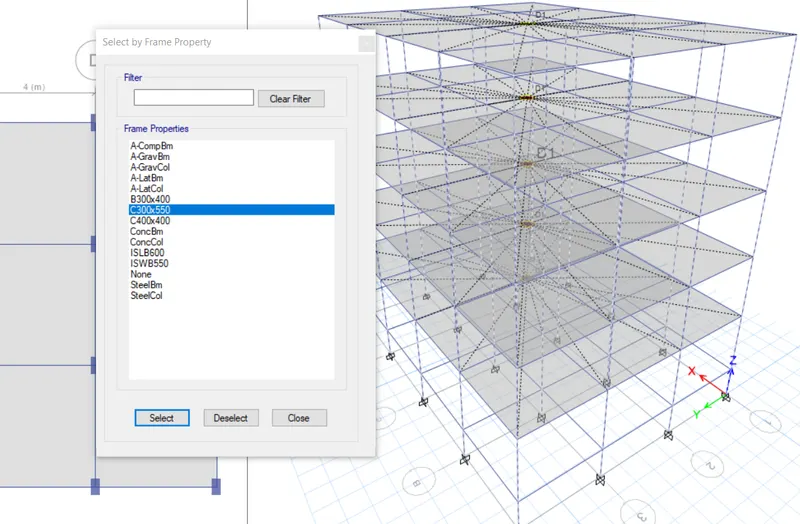
- Click, the Select tab and select the columns
- Click, assign tab and choose frame assignment as a 300 x 550 dimension column
- Click, ok
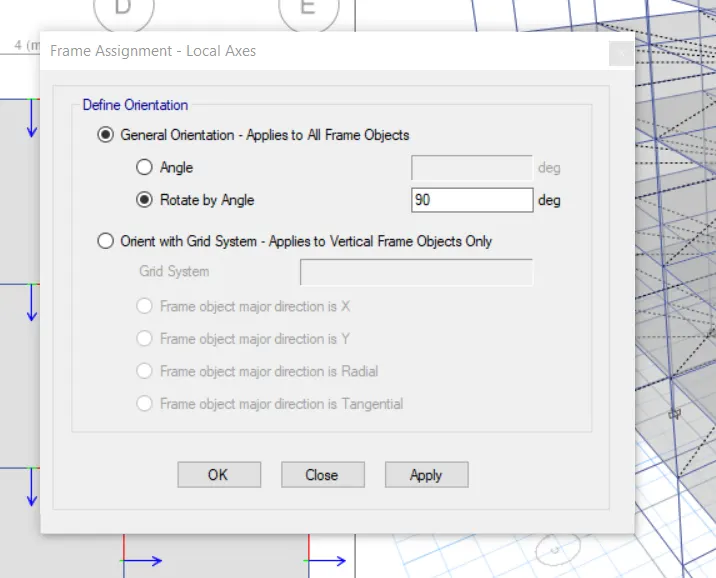
- Select, the column object
- Click, the Assign tab and choose frame sections then local axes
- Select, the rotation angle and enter the degree of 90
- Click, Ok
- After, assigning loads of each frame run the analysis
- Click, Display and choose the show table option
- Select, the Modal participating ratio from the Structural output
- Click, ok
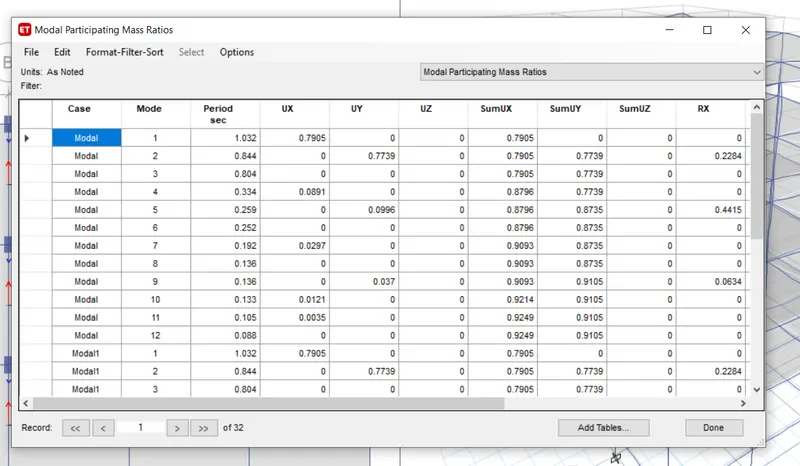
Result:-
Due to changing orientation, the fundamental of the natural period varies each building i.e. for C is 0.823 and for D is 1.032 then for B is 0.823
Comparison 4:
For Building E:
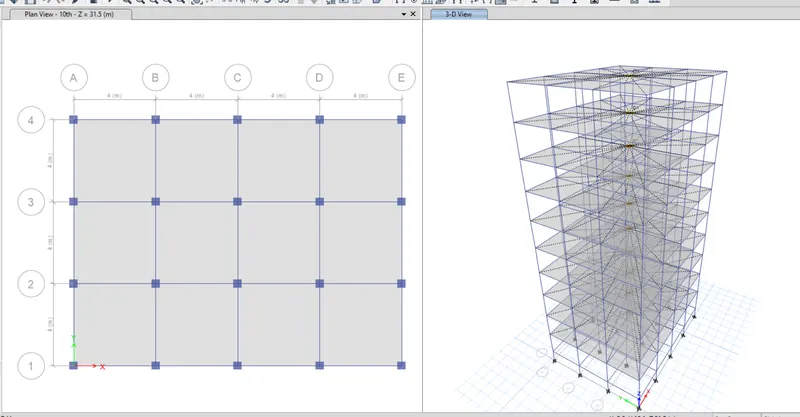
- Click, the Edit tab and choose edit story
- Add 10 stories and make 1st story Master and all others similar to 1st story
- Click, ok
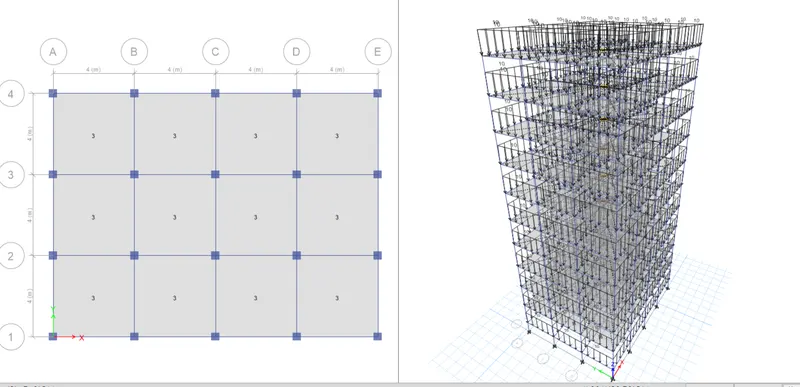
- After, assigning loads of each frame run the analysis
- Click, Display and choose the show table option
- Select, the Modal participating ratio from Structural output
- click, ok
Building G:
- Click the Edit tab and choose edit story
- Add 25 story and make 1st story, 11th story and 21st story as Master and all other as similar to 1st, 11th, 21st story
- Click ok
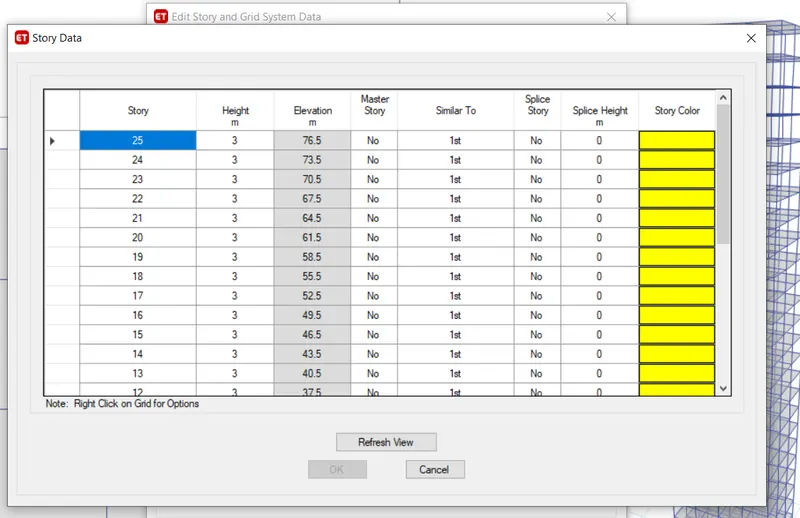
- Click, the Select tab and select the columns of the 11th story ( make sure story selection must be in similar story mode)
- Click, assign tab and choose frame assignment as a 600 x 600 dimension column
- Click, ok
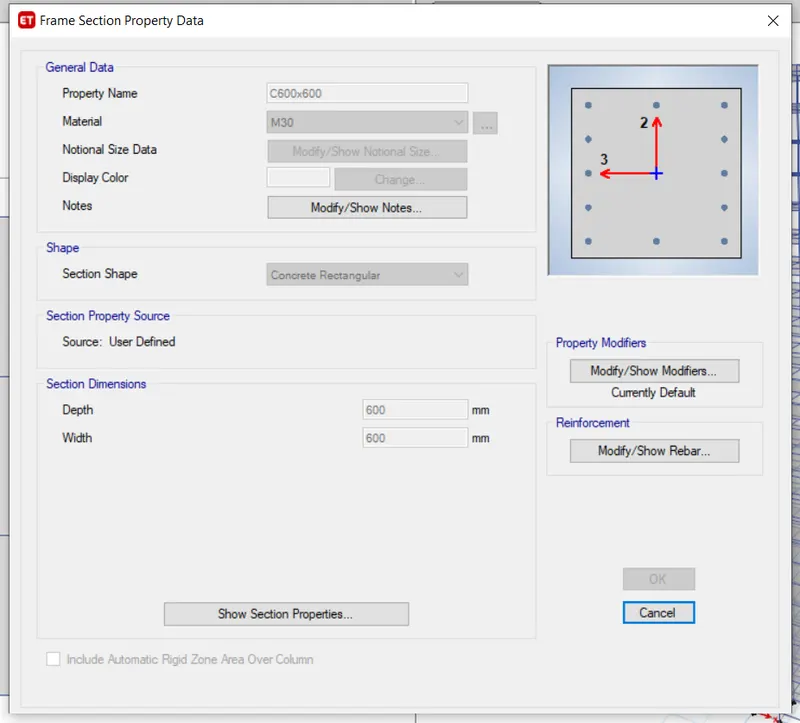
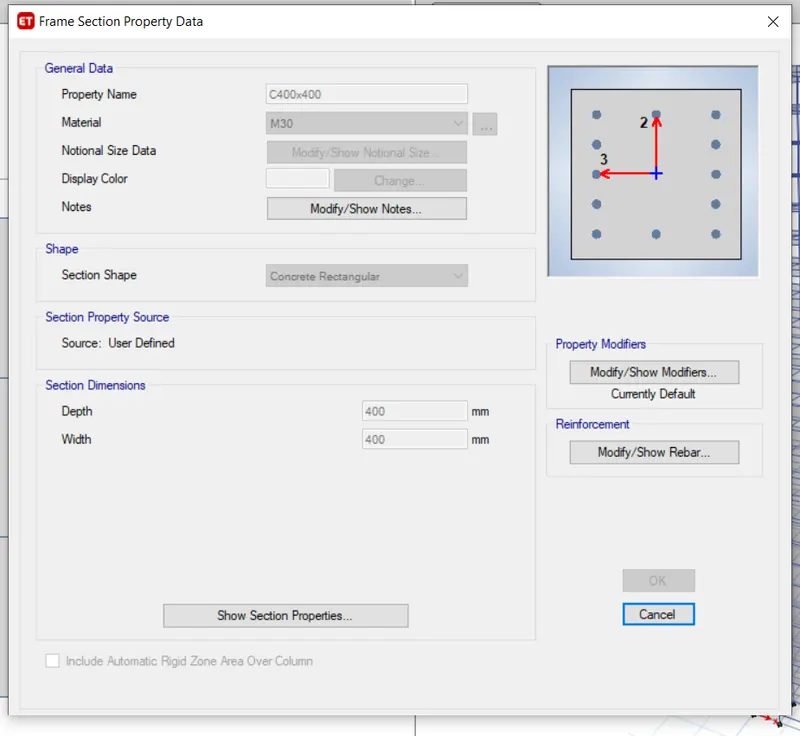
- Click, Select the tab and select the columns
- Click, assign tab and choose frame assignment as a 400 x 400 dimension column
- Click, ok
- After, assigning loads of each frame run the analysis
- Click, Display and choose the show table option
- Select, the Modal participating ratio from the Structural output
- Click, ok
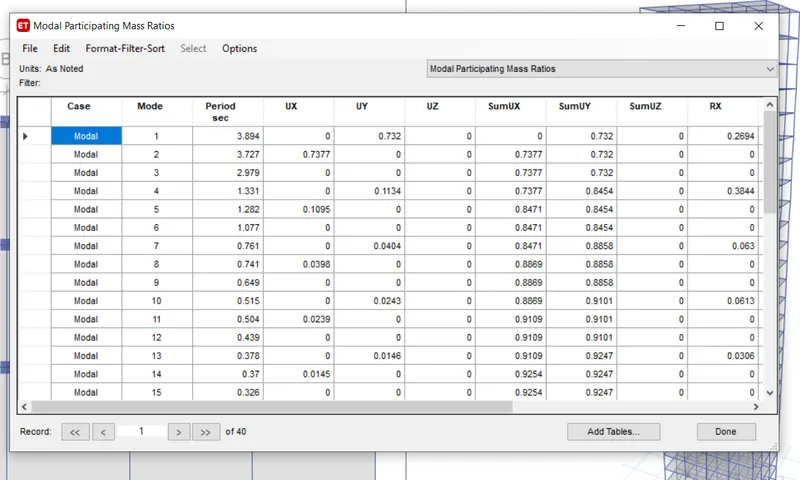
Result:-
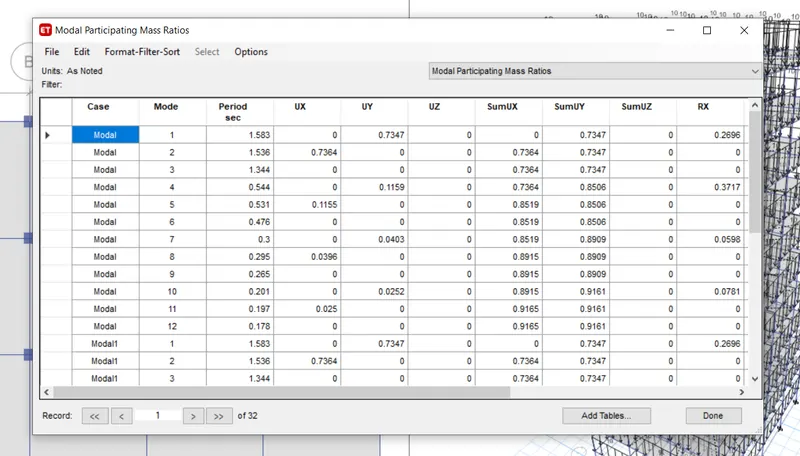
When comparing these buildings there is a significant difference due to different column sizes. The fundamental period of building E is 1.583 and for F is 1.685. similarly for building G is 3.894 and for building, H is 3.95.