Project 1 : CFD Meshing for Tesla Cyber Truck
CFD Meshing for Tesla Cyber Truck
Aim:
For the given model, check and solve all geometrical errors and Assign appropriate PIDs. Perform meshing with the suitable Target length and element Quality criteria.
Steps involved:
- Topo clean-up.
- PIDs assign.
- Surface meshing with different mesh length
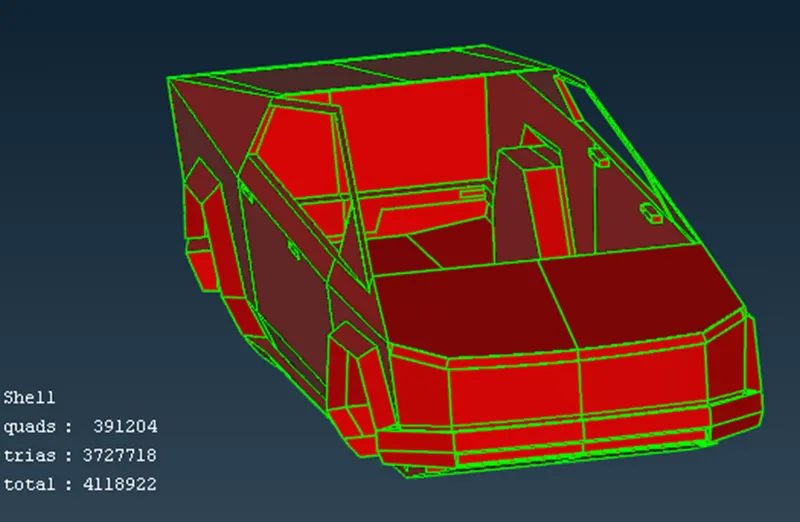
- Body mesh = 4mm.
- Windows = 4mm
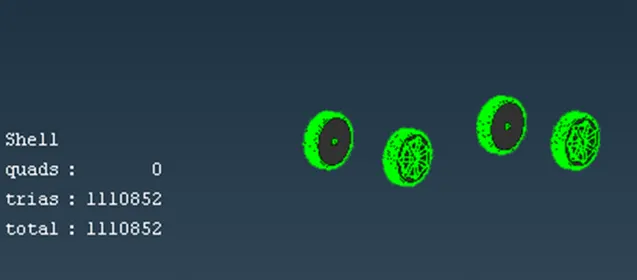
- Tyres = 5mm.
- Wind tunnel creation.
- Volumetric meshing.
Procedure:
- Topo/geometry clean-up:
- Upload the ANSA file onto screen to perform the topo clean-up process.
- Go to the mesh and choose length and enter 1mm under perimeters to smooth the sharp curves of the car and give it a fine look.
- Since the car is symmetry from the middle to any end, we can delete one side of the car perform the necessary operation on the car and use symmetry option to produce the complete car.
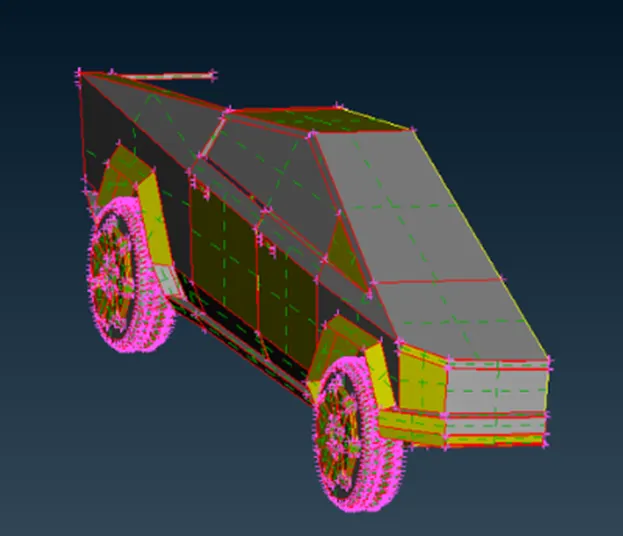
- We can now start with the topo clean-up removing the single and unnecessary triple cons. First click on topo and box select the entire to identity or joins any enjoined single cons or triple cons so that we can identify the required clean-up accordingly.
- After checking and performing topo clean-up for the entire half car model. We need to perform geometry checks to find small cracks are unchecked faces extra which is not good for the geometry, therefore we need to perform checked and clean the geometry accordingly.
- Once the geometry is checked and has no errors, we can now assign names to different components using PIDs.
- After assigning the names, we now to choose the quality method. Choose open FOAM solver next to volumetric mesh and choose the given quality criteria below.
- Using the measure tool we can calculate the smallest distance between to cons or hot points and depending on that, we can assign our minimum and maximum length accordingly in the mesh parameters, if we don’t do this we can get failed mesh.
surface meshing:
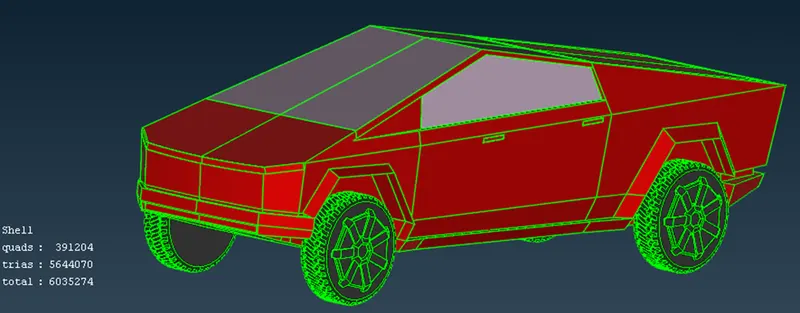
- We need to mesh the components individually since the given mesh targets are different for each PIDs regions.
- Assign the mesh parameters and quality parameters for each PIDs accordingly, assigning the correct min and max length will reduce mesh failure and off elements.
- After meshing, we can choose re-construct under shell mesh to reduce the off element. And later the reaming off elements can be edited manually.
Tyres:
Body:
Windows:
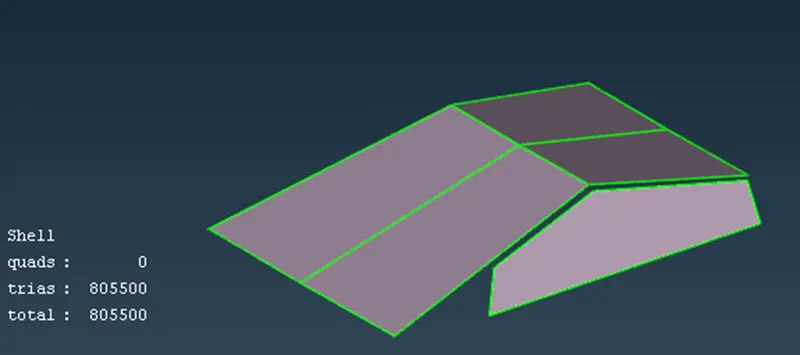
Creating wind tunnel and surface meshing:
- We need to create reference points to create wind tunnel surfaces.
- Selected relative under points in topo mode, create a point below the car taking one reference point and entering the correct values.
- And calculating the wind tunnel dimensions appropriately, we can create the wind tunnel accurately.
Front surface distance = 11008mm
Back surface distance = 18000mm
Top surface distance = 5093mm
Bottom surface distance = 452mm
- Create all the other wind tunnel surfacing using the new surface option.
- Then we need to apply surface meshing depending the mesh length near the car and regions for away from it.
- Therefore we need to apply different mesh length at the bottom and top wind tunnel surfaces.
- We need to use spacing option to have a mesh length varying from the small mesh length size to larger mesh length.
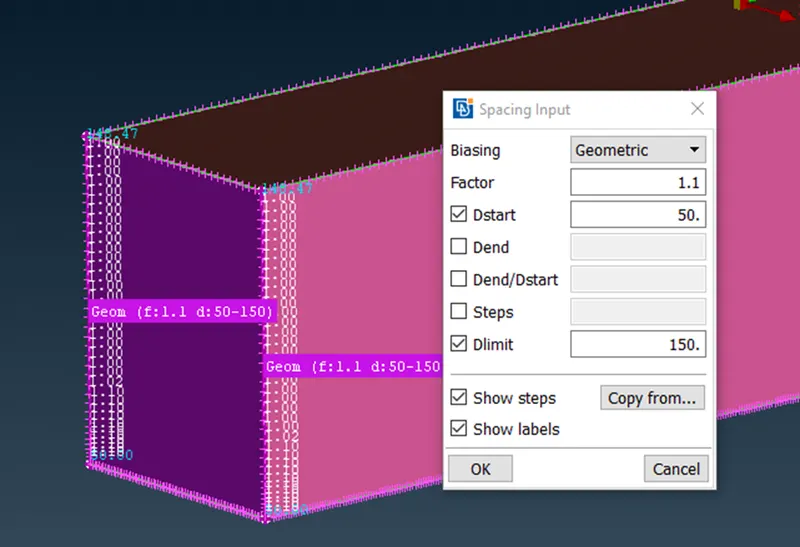
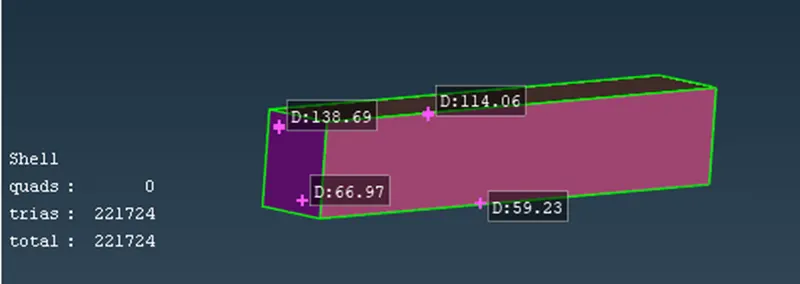
- Surface meshing can be achieved by doing this accordingly length.
Volumetric mesh of wind tunnel:
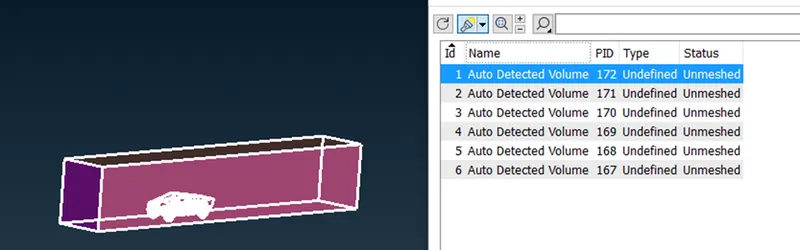
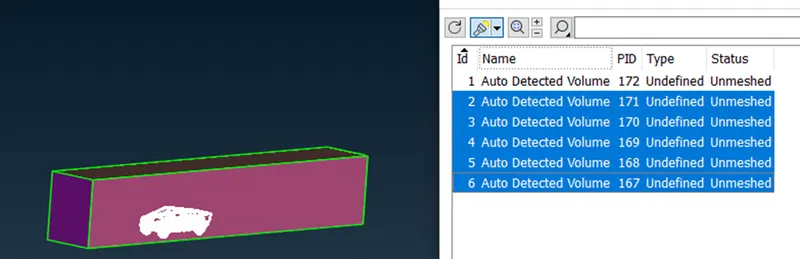
- Since we are interested only the volume between the car model and wind tunnel, we can delete other volumes of the car model which is not necessary.
- Since performing the volumetric mesh takes 2-3 days, volumetric mesh is not performed as given by the challenge question
Conclusions:
- Cyber truck model is topo – cleaned and surface meshed appropriately.
- Wind tunnel is created and surface meshed with reference to the car model size.
- Different volumes of the car model is created since the tyres are not connected to the truck body.
- Required physics tests can be performed on the wind tunnel volume model after volumetric meshing successfully.
Results:
Complete cyber truck model with wind tunnel ANSA file.
https://drive.google.com/file/d/1FvKw4_YnQyEc4uASvZf9aWo9jm_Yar4Y/view?usp=sharing