Project 1 - 2D meshing on the instrumental Panel
AIM: The meshing has to be done for the given instrumentation model by using the any method either by manual method, Casting and batch meshing.
PROCEDURE:
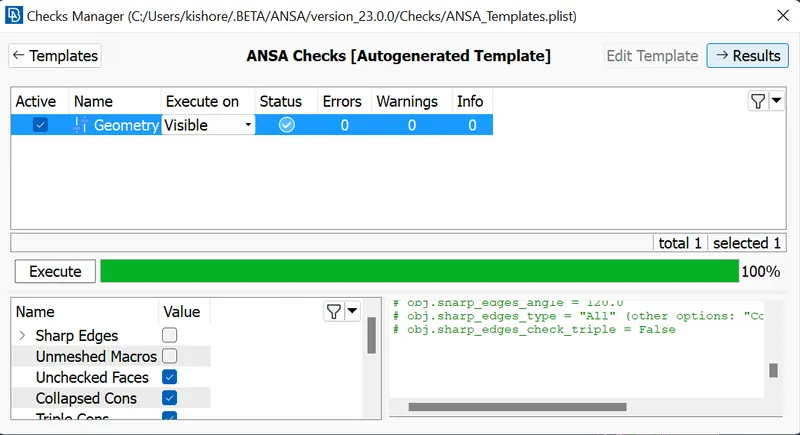
- The instrumentation panel is imported into the ANSA and check for any geometry errors.
- Clear the geometry errors and then do the topo clean up.
- After the geometry clean up is done i have the casting option to create the FE model for given instrumentation panel.
- After creation of FE open the align manager and check whether any EMPTY areas are there. If there are any EMPTY area clear those empty areas by properly aligning the mid FE by using the align manager.
- Most of the Doghouses are not properly captured by using this Casting process so delete the macros of dog houses and clean the base first by properly assigning the middle surface to the FE so that the no any misalignment should be present, create the cylinders as the plus symbol.
- After creating the doghouses the surfaces has to be given either middle surface or plane surface.
- After clearing all the EMPTY areas in the ALIGN MANAGER module, clear the EMPTY perimeters, If the some of the construction lines are not aligned properly then use the GRIDS module ALIGN option and align those constuction lines.
- Based on the quality criteria the meshing quality has to be improved.
- Select the particular area either by selecting entity mode or by selecting the whole macro and reconstruct to reduce the number of OFF elements.
LEARNING OUTCOMES:
I have learned how to model using the casting process and remodel using the ALIGN MANAGER, i have learned how to create the doghouses and assign the surfaces for them. i have improved on creating the meshing.
CONCLUSIONS:
I have done the meshing for the given instrumentation panel using the Casting process and remodified using the Align manager.