Project 1 - 2D meshing on the instrumental Panel
AIM :
- For the given component, check for the geometrical errors and mesh with the given element Quality criteria. After meshing the component the thickness has to be assigned.
|
S.No |
Quality Criteria |
Value |
|
1 |
Target/Average length |
4 |
|
2 |
Minimum Length |
2 |
|
3 |
Maximum Length |
6 |
|
4 |
Aspect |
3 |
|
5 |
Warpage |
15 |
|
6 |
Skewness |
45 |
|
7 |
Jacobian |
0.7 |
|
8 |
Minimum Quad Angle |
45 |
|
9 |
Maximum Quad Angle |
135 |
|
10 |
Minimum Tria Angle |
30 |
|
11 |
Maximum Tria Angle |
120 |
|
10 |
Tria Percentage |
15 |
- Write a detailed report on your meshing process
- Mention which method you used to extract the mid-surface along with the reason
PROCEDURE :
- Import the Instrumentel Panel Model in ANSA
- Check for geometrical Errors using Geometry check manager.
- Fix the errors.
After Geometrical Check-up
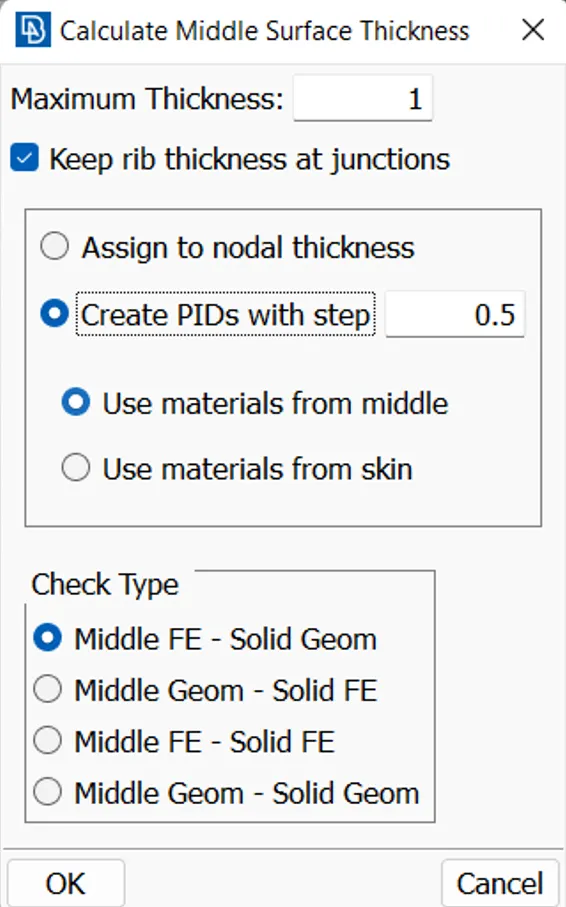
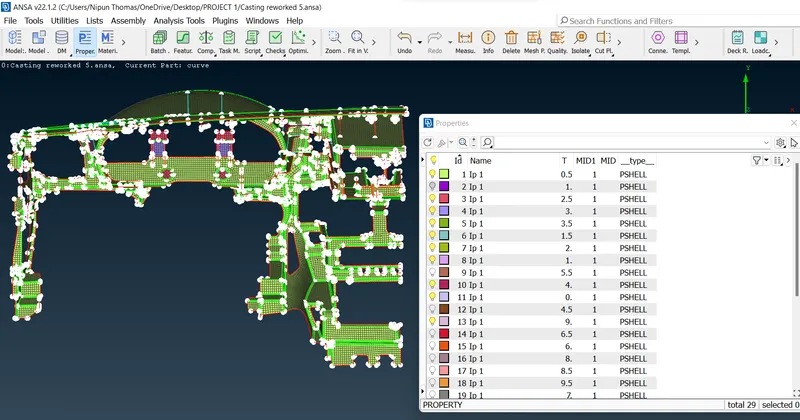
- Measure the thickness for each components by using Automatic thickness tool
(Topo>Midsurface>Thickness>
- By using Automatic Thickness tool we will get thickness of each PID and automatically with seperate PID's.
- Assign the quality criteria as mentioned.
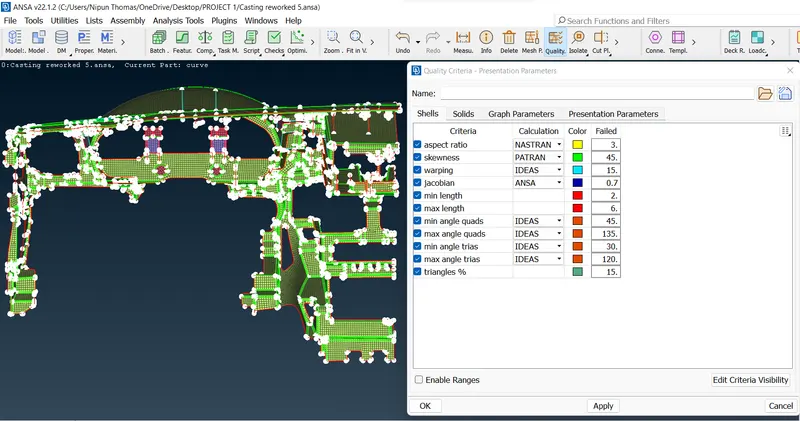
- Define Mesh Parameters.
(F11-Quality criteria)
- Assign element size by selecting LENGTH>TOOL>PERIMETERS.
- Select entities and give element size.
(classic mesh>perimeters>length).
- Since we are using CASTING METHOD for meshing purpose,we can directly get MESHED MIDSURFACE without actual generation of mid surface.
(Topo>Midsurface>castin
- Result of CASTING has failed to recognise and create proper Meshed Midsurafce with reference to the PARENT GEOMETRY,which has to be checked individually and fix manually.
- Set the base elements in accordance to the PARENT GEOMETRY using the three given tools in Align Manager.
- Areas
- Perimeter
- Direct
(Topo>Midsurface>
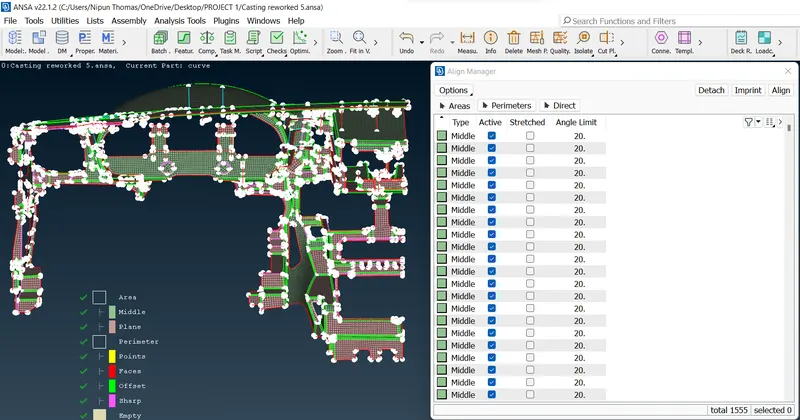
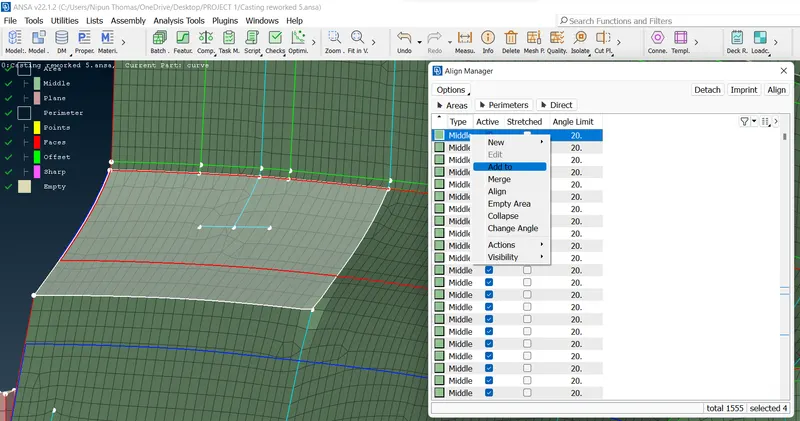
- To Merge two surfaces. (Topo>Midsurface>Align Manager>select the required area>right click on selected area>Add to)
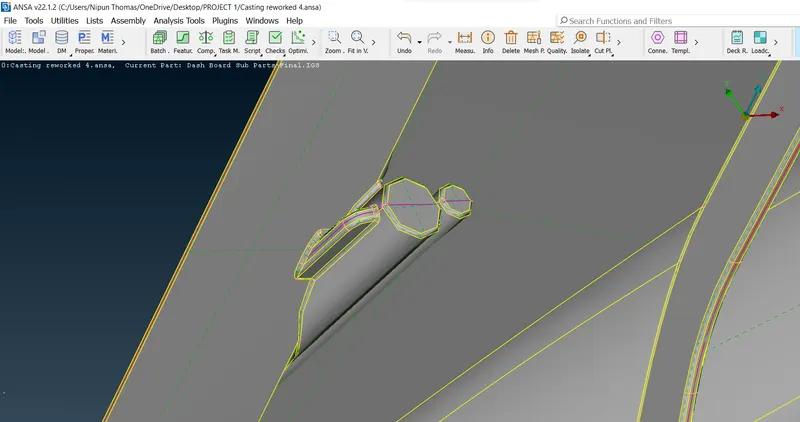
- Some of the Dog House and Ribs have not been captured properly, which has to be deleted and recreate using CURVE tool from TOPO Module.
- Create a curve using Cons2curve tool
(Topo>curve>Cons2curve)
- Project this curve to the below surface using project tool.
(Classic mesh>shell mesh>project)
- Use Fill option to fill the hole between the CURVE and Projected Curve(classic mesh>shell mesh>Fill)
- After creating the elements Add them to their respective features (Middle OR Plane) using Align Manager.
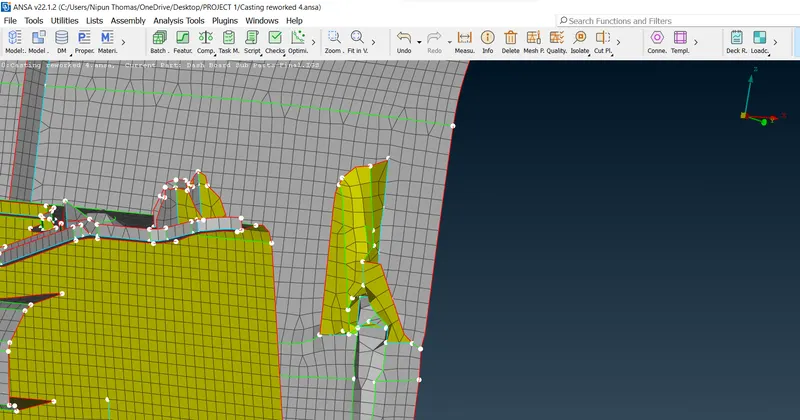
BEFORE
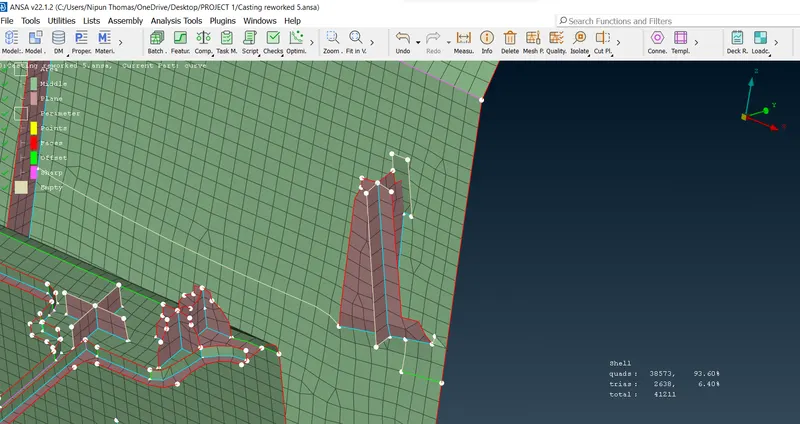
AFTER
- Using PERIMETERS in Align Manager.
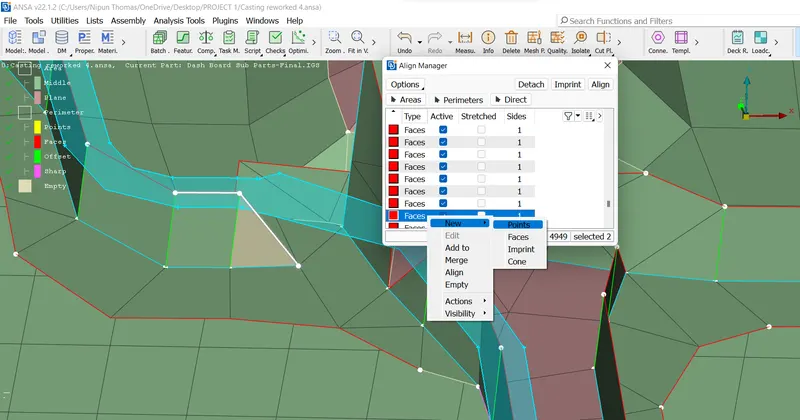
BEFORE
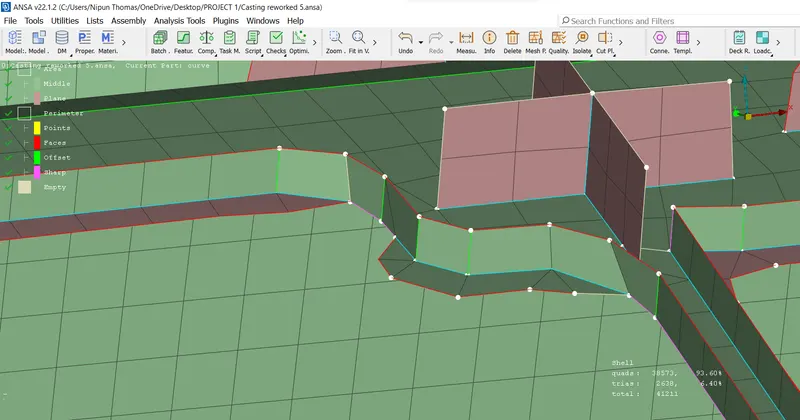
AFTER
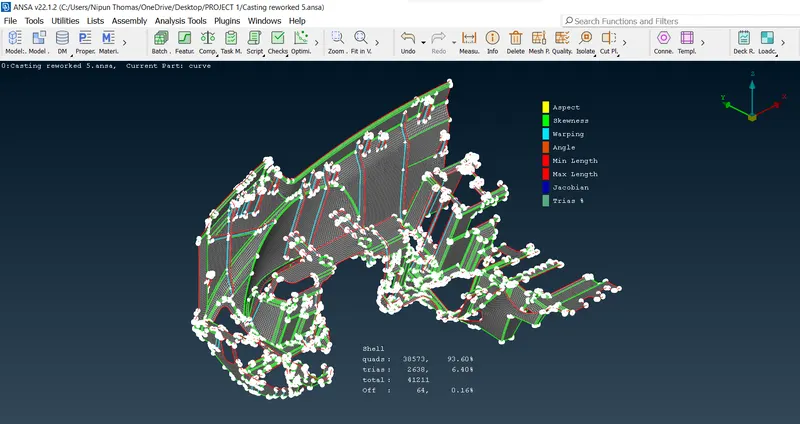
To fix Failed Elements in Quality Criteria, Use :
- Reconstruct
- Smooth
- Fix Quality
- Moving Grids
- Pasting Grids
- Splitting
- Swaping
- (Classic mesh>Shell Mesh>Reconstruct/Smooth/Improve)
- (Classic mesh>Grids>Move/Paste)
- (Classic mesh>Elements>Split)
LEARNING OUTCOMES :
- Mesh the component using casting method
- To Use Align Manager.
- To assign thickness for each PID's automatically.
- To identify and rectify the failed elements after Casting for complex parts.
- To improve mesh flow and minimise the number of tria elements to achieve better mesh flow.
CONCLUSION :
- Tried to create Midsurface and Mesh it using Manual method and as well as Auto Midsurface Method.
- Casting method can be used for meshing complex models which results in minimum time and effort which may contain collapsed components.
- Plastic models require considerable effort for modelling the mid surfaces and mesh generation.
- Its very important to know how to use different tools in Align manager while using CASTING method to finish the job within given time frame.