Project 1 - 2D meshing on the instrumental Panel
Study -
For the given component, check for the geometrical errors and mesh with the given element Quality criteria. After meshing the component the thickness has to be assigned.
Write a detailed report on your meshing process and also mention which method you used to extract the mid-surface along with the reason.
|
S.No |
Quality Criteria |
Value |
|
1 |
Target/Average length |
4 |
|
2 |
Minimum Length |
2 |
|
3 |
Maximum Length |
6 |
|
4 |
Aspect |
3 |
|
5 |
Warpage |
15 |
|
6 |
Skewness |
45 |
|
7 |
Jacobian |
0.7 |
|
8 |
Minimum Quad Angle |
45 |
|
9 |
Maximum Quad Angle |
135 |
|
10 |
Minimum Tria Angle |
30 |
|
11 |
Maximum Tria Angle |
120 |
|
10 |
Tria Percentage |
15 |
1. Title – Mid surfacing and quality mesh generation of given CAD model.
2. Objective –
- To import CAD file, check and fix geometrical errors.
- To mid surface component and mesh the imported component, according to quality criteria.
- To improve mesh using ANSA features and assign thickness.
3. Introduction –
ANSA is a multidisciplinary tool to prepare CAD model for solver, so basically it is a preprocessor. ANSA is a single solution to CAE means it deals with various fields like CFD, FEA etc. We need to follow a procedure to build solver ready model. The procedure begins with geometry clean up then mid surface generation and finally mesh generation with specific quality. ANSA provides various commands to prepare model, so ANSA is very easy to use and update.
4. Procedure –
1. First, Open the CAD geometry from option open in file menu.
2. Use option topo to perform topology, which connects cons to near by cons, if any.
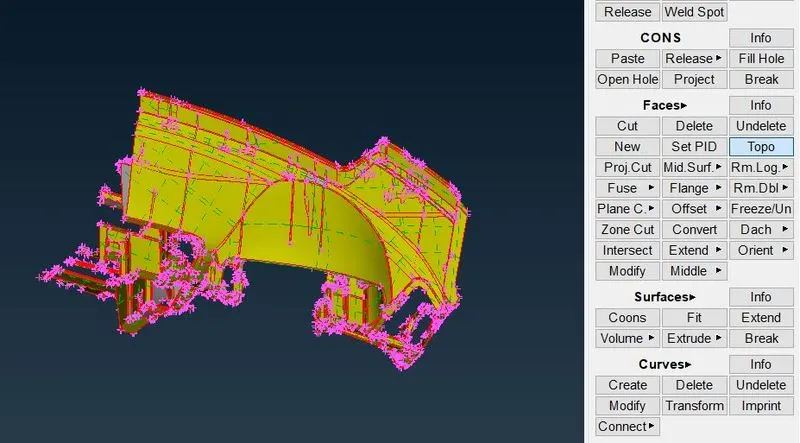
Fig. - Imported Model
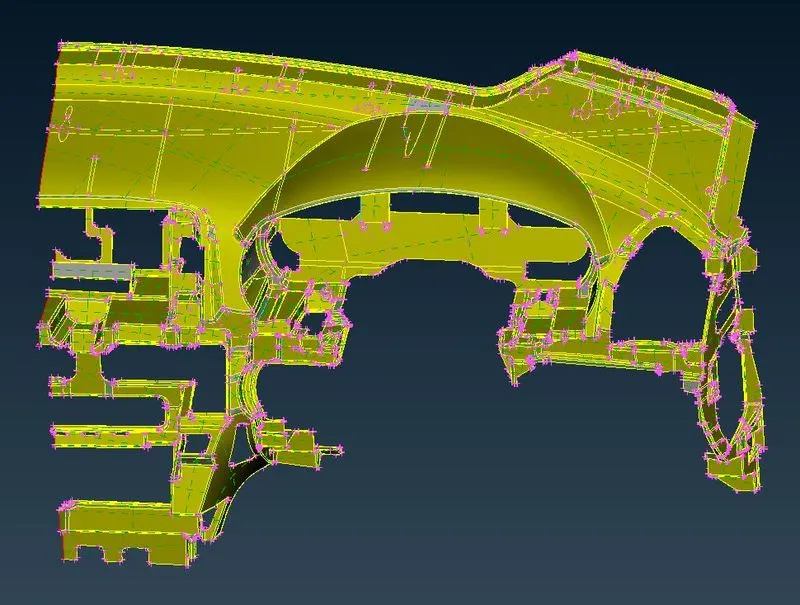
Fig. Model after Topology
3. Now use check geometry option and look for errors. Most error can be fixed by auto fix ANSA and others can be fixed manually.
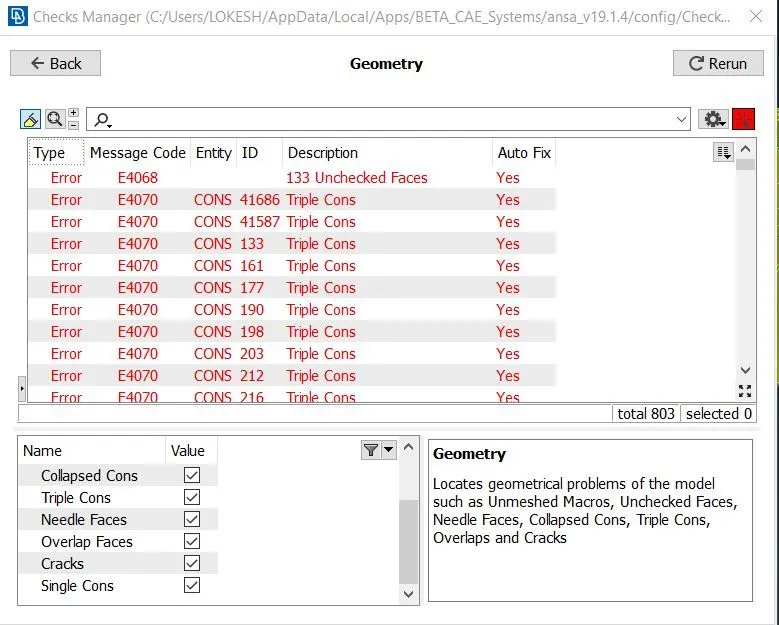
Fig. Checking Geometry
4. After fixing errors use check geometry option again, If, it is showing green line, means we can proceed further.
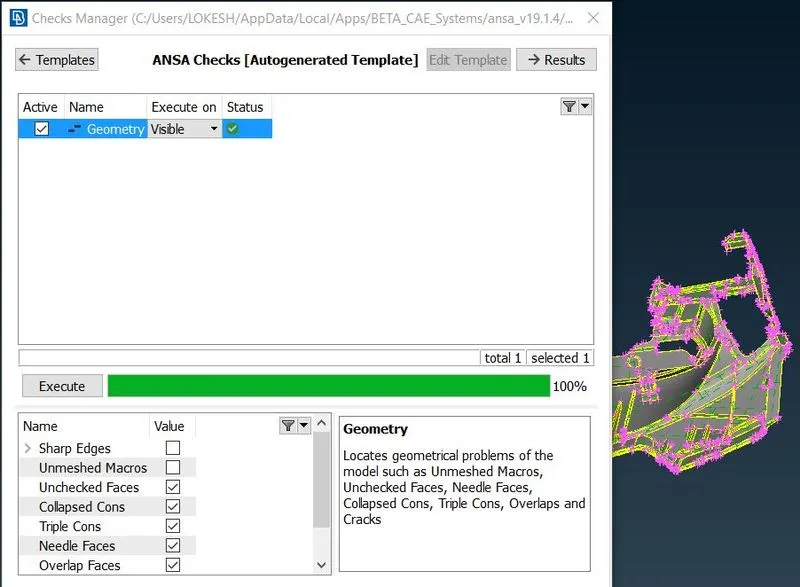
Fig. Check Geometry menu
5. Our model is ready for mid surfacing. For mid surfacing offset, auto mid, middle options can be used. Offset option offsets existing surface by indicated distance whereas middle option does not required distance, it automatically detects and creates middle surface. Auto mid option creates mid surface of whole component in one shot.
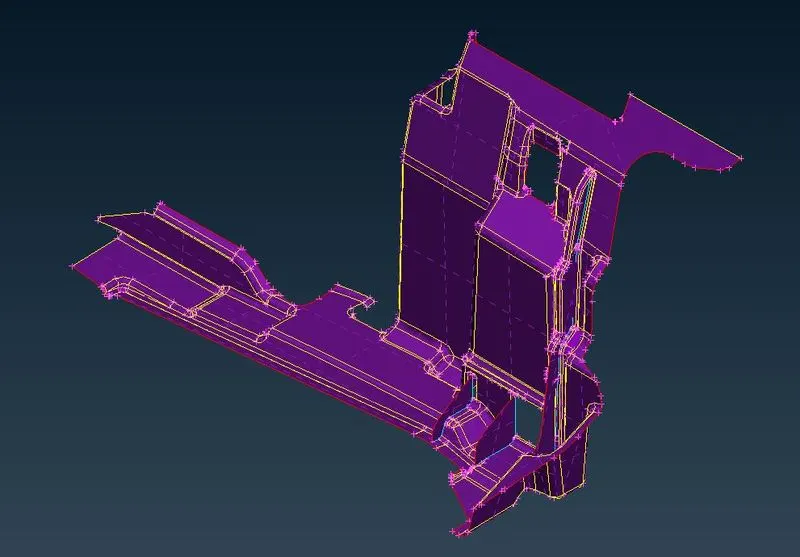
Fig. Midsurfaced Part
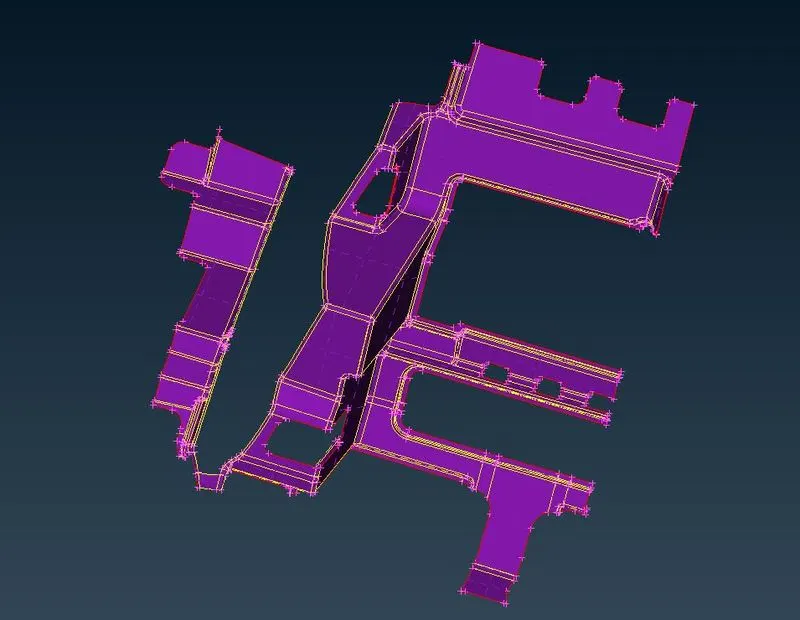
Fig. Mid Surfaced Part
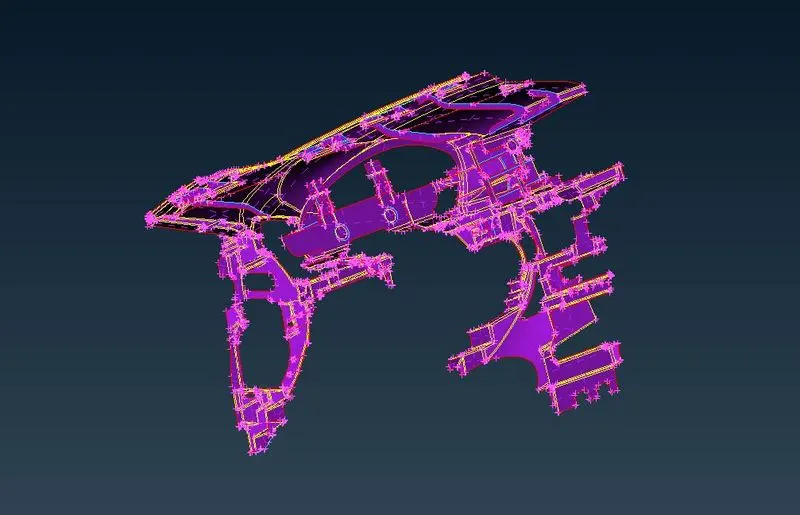
Fig. Mid Surfaced Model
6. If model is huge then different property ids can be created for different parts and they can be set into one property id after work is done.
7. After generation of mid surface, use length option from mesh deck and set shell element length as 4.
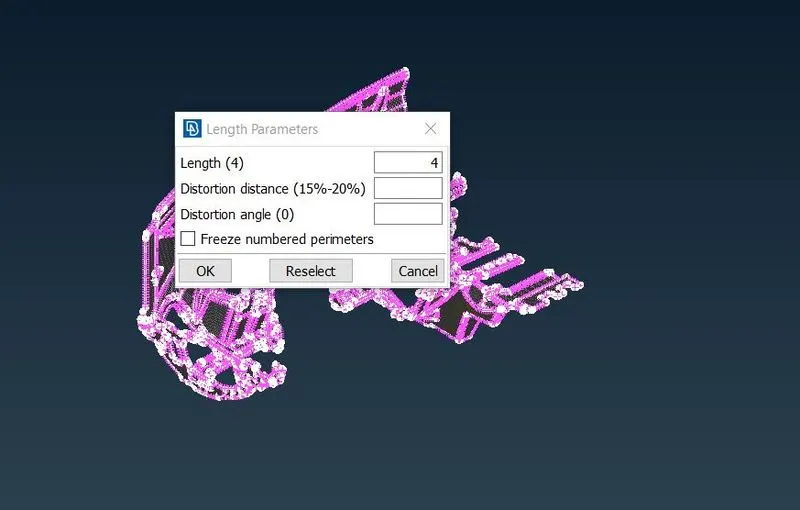
Fig. Assigning Shell Element Length
8. Now, Set mesh parameters and quality parameters.
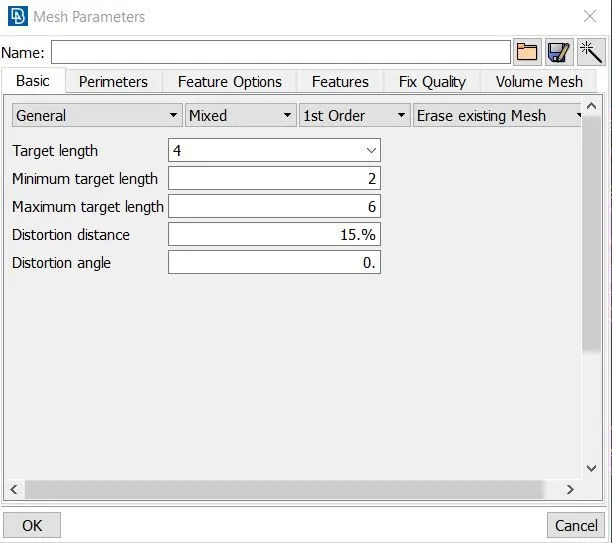
Fig. Mesh Parameters
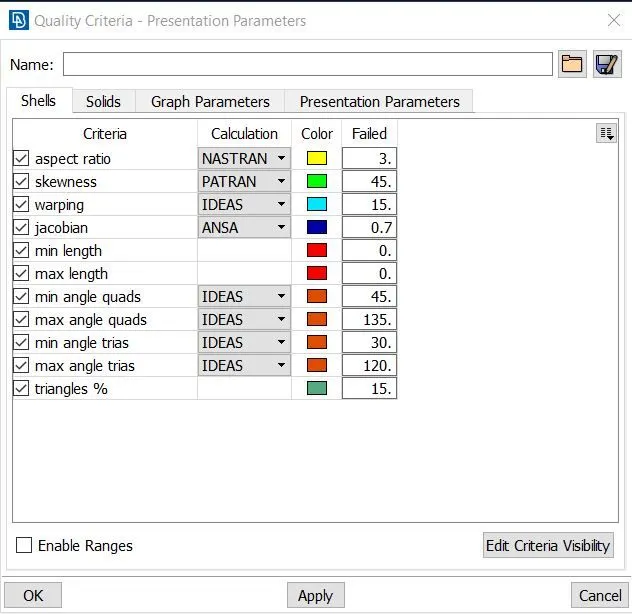
Fig. Quality Parameters
9. There are many option ANSA provides to generate mesh like spot mesh, best mesh, batch mesh etc. one can use according to requirement. After generating mesh reconstruction option can be used to regenerate mesh.
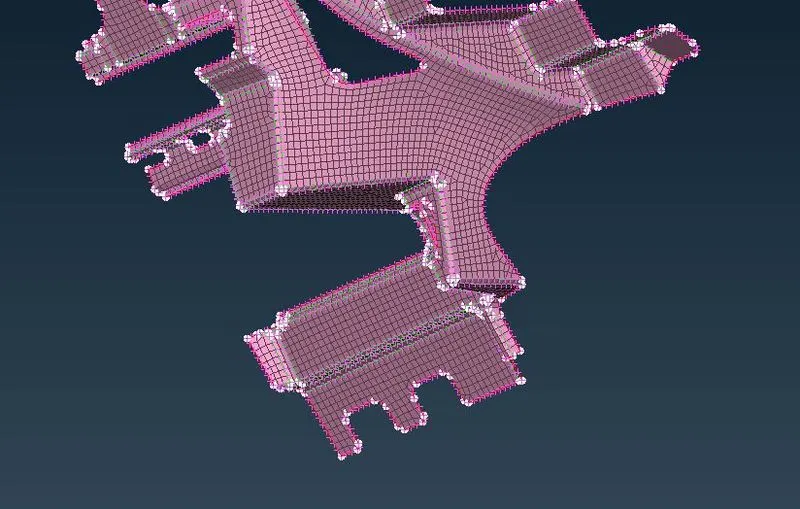
Fig. Generated Mesh
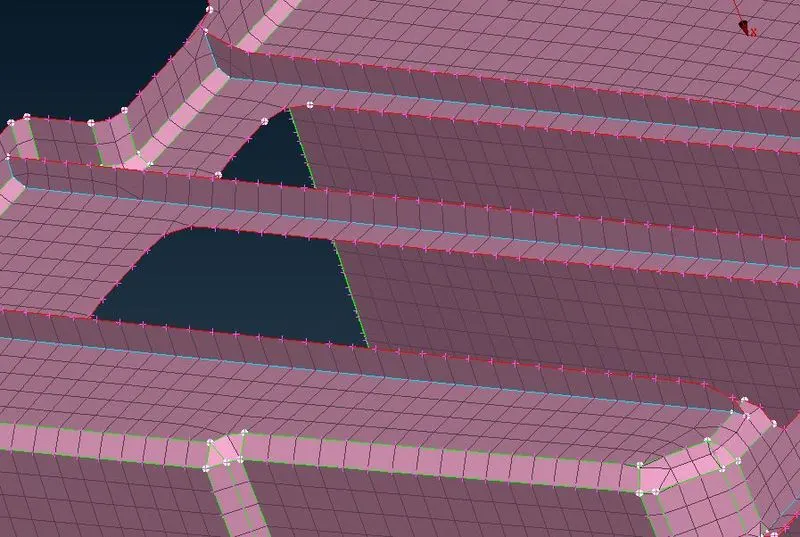
Fig. Generated Mesh
10 .Cut option can be used from macros section to separate complex area from other one in order to get good mesh flow. These cut can be removed later without affecting mesh flow. No user cut should be there.
11. Split, swap, join, move free, improve can be used to improve mesh. Use hidden mode to see elements, which are defying quality criteria. Improve every bad element to get under quality. Eliminate trias near holes, model perimeter and remove rotating quads also.
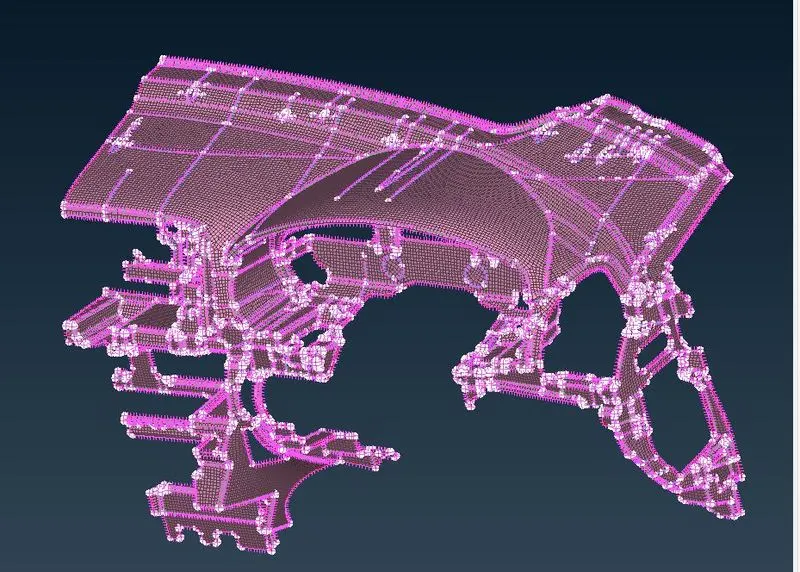
Fig. Meshed Model
12. Assign single property id for whole component and open it. Put the value of thickness under column T.
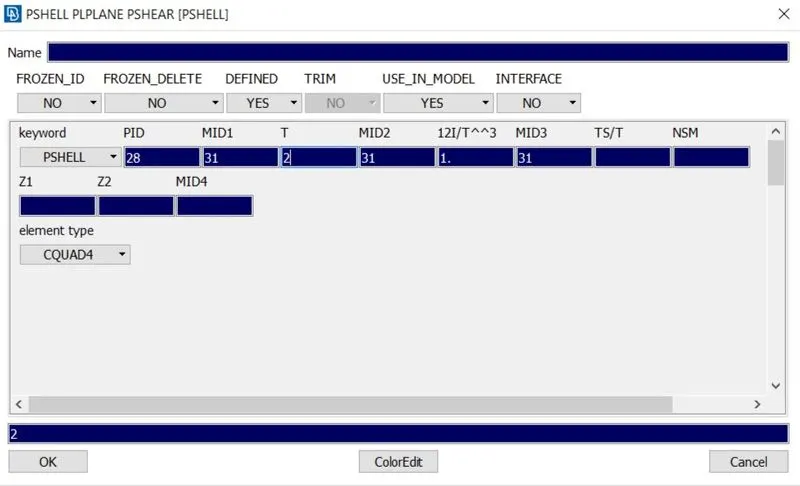
Fig. Assigning Thickness
13. Enable option draw shell as solid to see thickened elements.
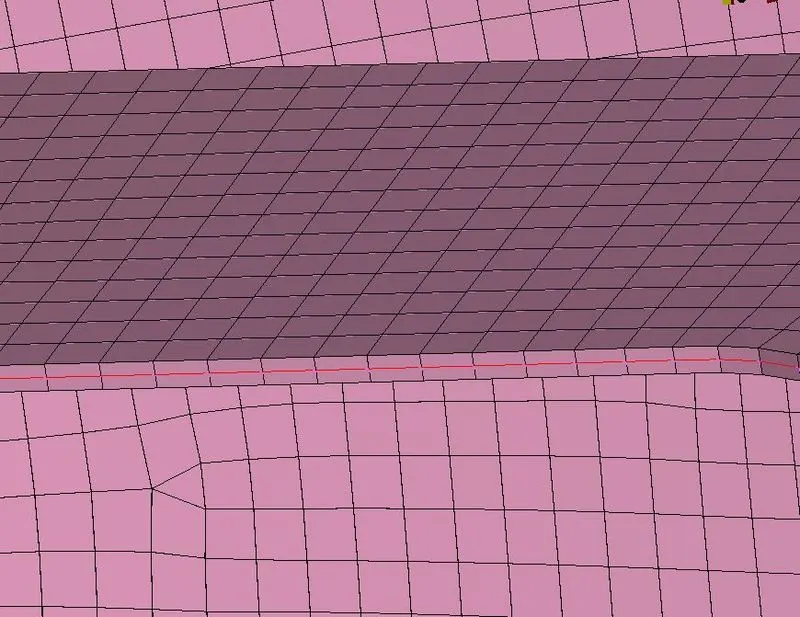
Fig. Thickened Elements
4. Conclusion -
ANSA is a very important tool in CAE domain, because it is easy to use and simple to update.We worked on dashboard model, which had some complex areas but some beautiful option ANSA made the task easy. We followed the procedure from geometry check to thickness assignment. In simple areas auto mid generation option can be used it will save a lot of time. We came across some important quality criteria and learned how to maintain best mesh for the imported model.
Model - https://drive.google.com/file/d/19foT_cBrrP6SkV6QSbKRpxeHem5n7Gjj/view?usp=sharing