Project 1 - 2D meshing on the instrumental Panel
AIM:
To check for the geometrical errors and mesh the given component with the given element quality criteria and also after meshing the component the thickness has to be assigned.
OBJECTIVE:
ANSA pre-processor is used to generate mid surface using various option like offset, middle, skin etc... Extended mid surfaces in order to connect all the generated mid surfaces.
Mesh the component using spot and best mesh options with given quality criteria also tried to clear off elements present with any raised edges.
PROCEDURE:
STEP-1: IMPORTING
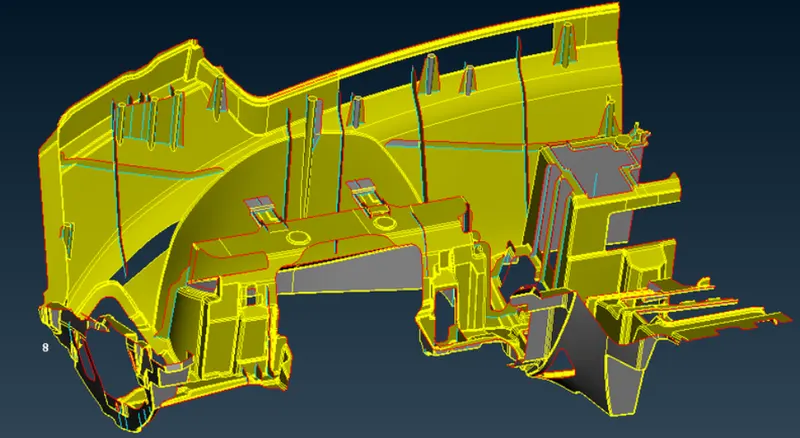
1.Import the geometry into ANSA and do topo to the surfaces.
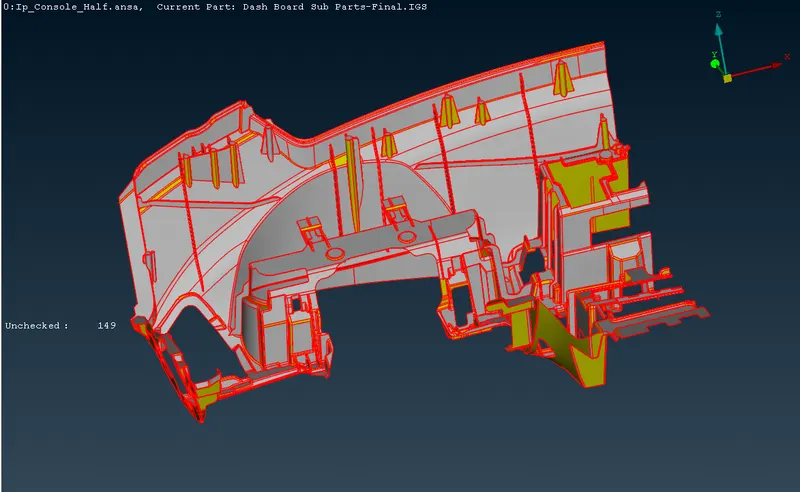
2.Now go to the Mesh Module > Parameters > Length to 1 from 5 to fine the resolution and make the model geometry to look proper.
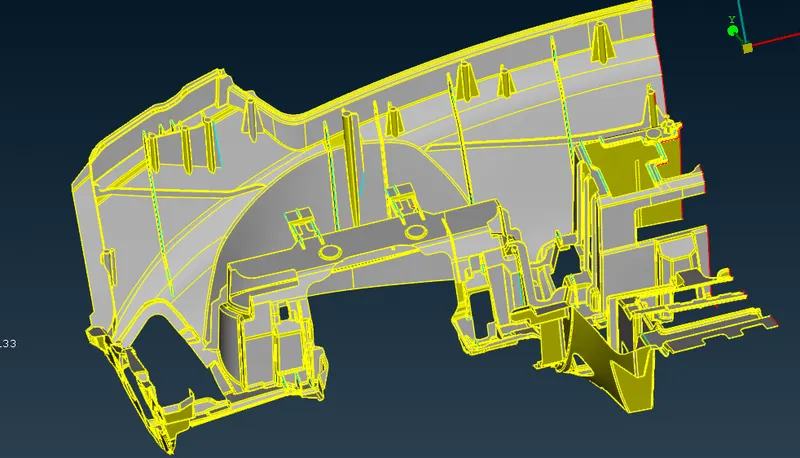
STEP-2: GEOMETRY CHECKUP
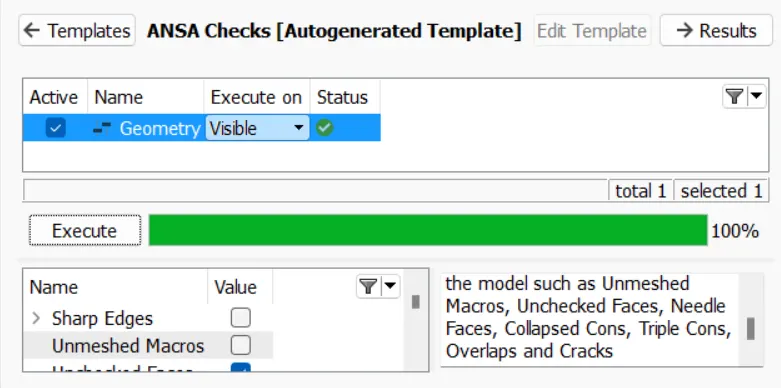
1.Check for any error present in the geometry using checks manager and resolve them either by autofix or manually.
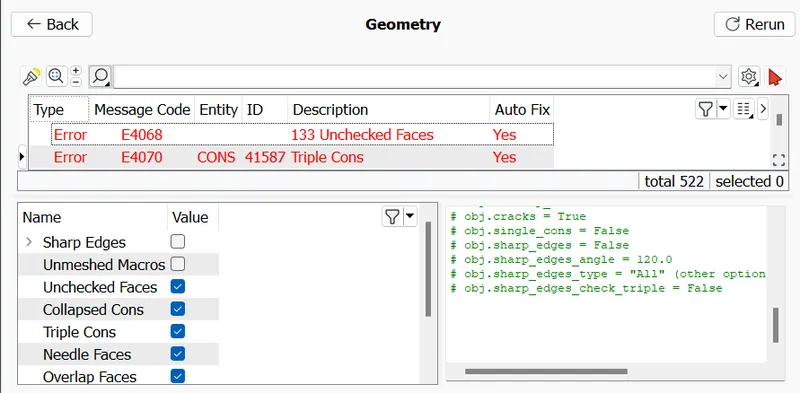
2.Fix the issues.
STEP-3: THICKNESS MEASURE
1.Measure the feature thickness at different regions of the geometry and store them for reference.
STEP-4:EXTRACTING MID SURFACE
1.Extract the mid surface of the model geometry and features like ribs and dog houses using suitable approaches respectively.
2.For extracting the mid-surface Goto Topo > Module > Faces > Offset > Faces option is used to offset the every part of instrument panel substrate model to create mid surface in it by assigining half of the totale thickness values of every parts.
3.After creating a mid surface of every part of instrument panel substrate model every parts need to seperate from the mid surface of every parts of instrument panel substrate model by applying Not function.
4.Every model parts mid surface need to be assigned with property separately by applying Topo modules > Faces > Set PID > Faces/Shells command.
5.After assiging the PID Topo > Module > Faces > Topo command is applied to perform topology on every parts of instrument pane model.
6.Due to which many geometrical errors will appear like triple cons, unchecked faces etc... That will be removed by the Checks > Geometry > Execute > Auto Fix command.
STEP-5: MESHING PARAMETERS AND QUALITY CRITERIA
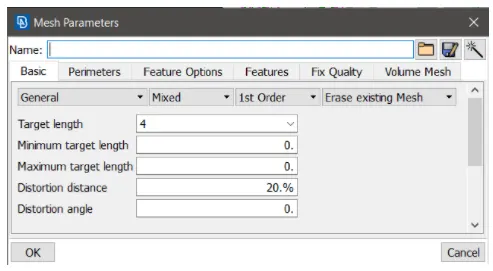
1.Setup mesh parameters given for the meshing of the mid surface extracted.
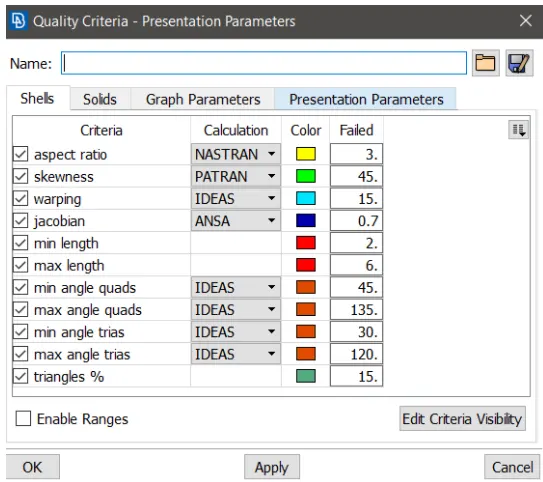
2.Setup quality criteria given for the meshing of the mid surface extracted.
STEP-6: MESHING
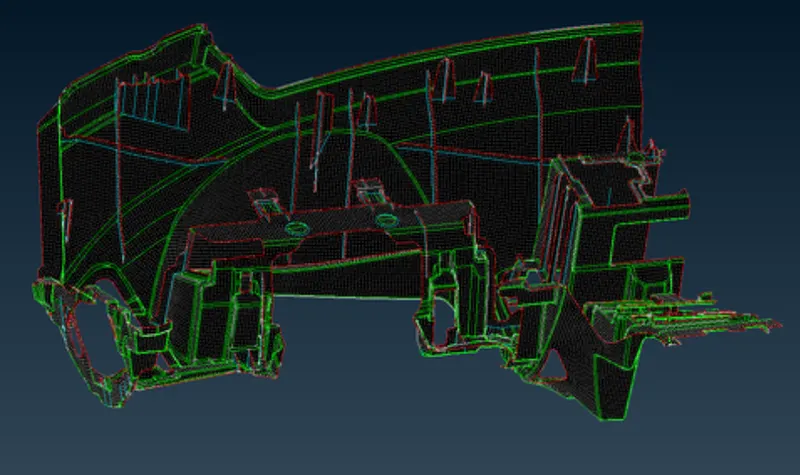
1.In this process Mesh module > Mesh Generation > Best command is applied to all the parts of instrument panel substrate model to develop the mesh.
2.As meshing is applied irregular elements will form in every parts of instrument panel substrat model like triangular element, rotationg and quadrilateral element which prevents model from obtaing the high quality mesh.
3.Goto Mesh Module > Element > Split command is applied to convert triangular and quadrilateral element into smaller one.
4.Goto Mesh module > Element > Swap command is used to rotates the shell edge inside the two shells which have that edge as common.
5.Goto Mesh module > Grid > Paste command is used pull triangular element backward in order to present element as minimum a possible in faces of every parts of model.
6.Goto Mesh module > Shell mesh > Reconstruct command is used to examine a given mesh and performs re-meshing to correct problematic areas and optimize the overall quality of the mesh according to the mesh parameters.
7.Goto Mesh module > Shell mesh > Smooth command is used to visible meshed macros areas.
OBSERVATION:
We learned how to handle the bigger component like front instrument panel substrate in ANSA.
RESULT:
Thus the extraction of mid surface for given model, assigned thickness and PID'S for different parts and meshed it as per given qulatiy criteria sucessfully.
DRIVE LINK : https://drive.google.com/file/d/16fxer9P6bF2yosh_sZEzgsdBwuQipZXV/view?usp=sharing