Project 1 - 2D meshing on the instrumental Panel
DRIVE LINK: https://drive.google.com/file/d/1dCiPmZxWDUtC9-S0hd-LxA3yq-i6vqxH/view?usp=sharing
Aim-
For the given component, check for the geometrical errors and mesh with the given element Quality criteria. After meshing the component the thickness has to be assigned.
Given Data-
1) CAD File
2) Quality Criterias
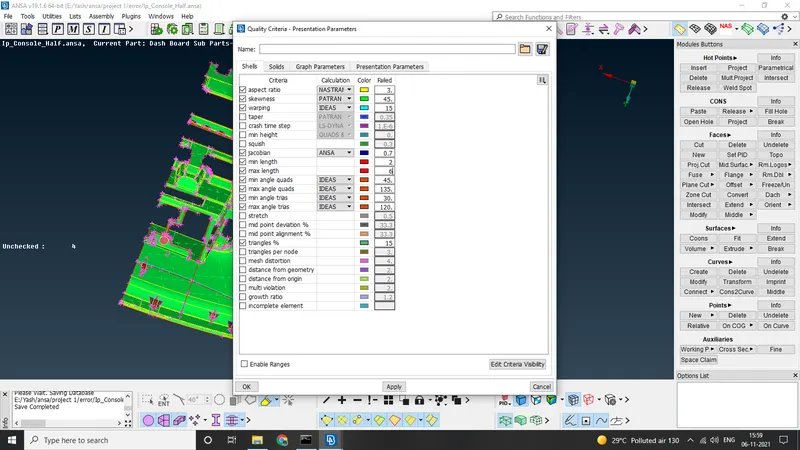
Target/Average length
4
Minimum Length
2
Maximum Length
6
Aspect
3
Warpage
15
Skewness
45
Jacobian
0.7
Minimum Quad Angle
45
Maximum Quad Angle
135
Minimum Tria Angle
30
Maximum Tria Angle
120
Tria Percentage
15
Procedure
1) Importing the geometry and performing geometry checkup
2) Mid Surfacing And Assigning Thickness to all
3) Assigning Quality Criterias And Meshing The whole components then seperating the FE form CAD
1) Importing the geometry and performing geometry checkup
First import The CAD into ANSA and give it a quick topo by TOPO>>FACES>>TOPO and selecting the whole CAD, now We go to MESH MODULE>>PERIMETERS>>LENGTH , here again we select whole geometry and give it a perimeter length of 4.
Now go to CHECKS>>GEOMETRY, here select every option except Sharp Edges And Unmeshed Macros and execute.
Many errors were found and most of them were fixed automatically by SELECTING ALL ERRORS>>RIGHT CLICK>>FIX
2) Mid Surfacing And Assigning Thickness to all
Since most of the component have same thickness we can use manual offset with FEATURE SELECTION>>FEATURE AREA and select the surfaces
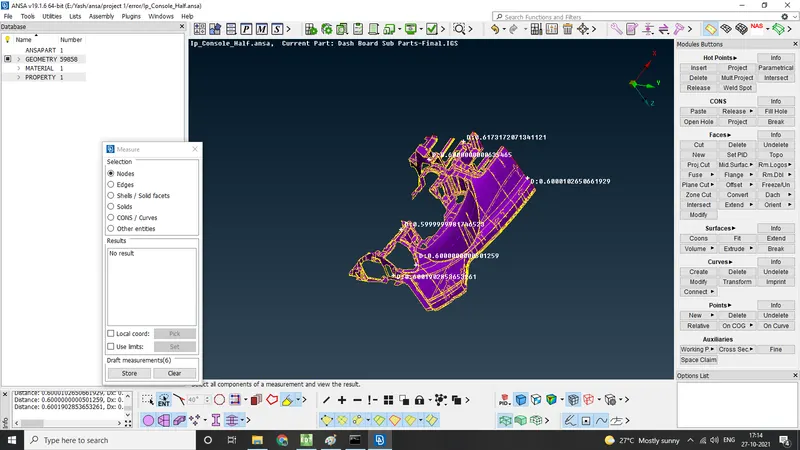
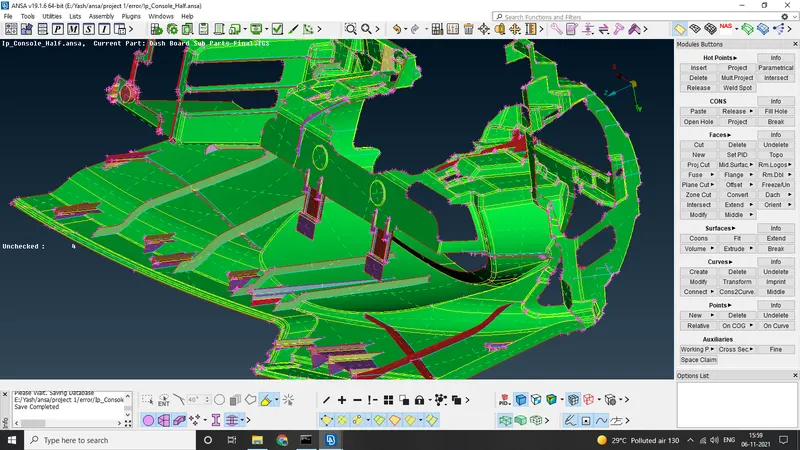
for remaining features we used combination of commands such as TOPO>>FACES>.OFFSET>>FACES, TOPO>>FACES>>MIDDLE, TOPO>>CURVES>>MIDDLE, TOPO>>CURVES>>CONS2CURVES, TOPO>>CONS>>PROJECT.
Now we assign the thickness to each mid surface by using TOPO>>FACES>>SET PID
3) Assigning Quality Criterias And Meshing The whole components then seperating the FE form CAD
now press F11 and assign quality criterias , also go to PRESENTATION PERAMETERS, activate %ELEMENTS and details on demand to all details
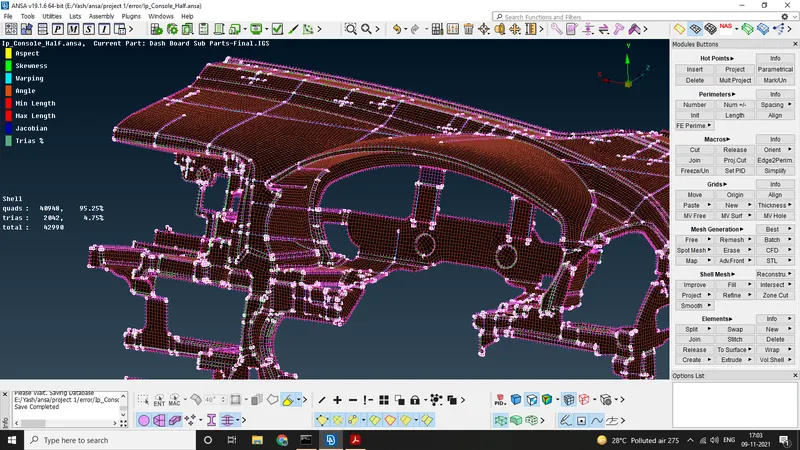
Now we start meshing the mid surfaces by using MESH MODULE>>MESH GENERATION>>BEST, MESH MODULE>>GRIDS>>MV FREE/MV SURF/MV HOLE, MESH MODULE>> SHELL MESH>>RECONSTRUCT/SMOOTH , MESH MODULE>>ELEMENTS>>SLPIT
and when we are done we use MESH MODULE>>ELEMENTS>>RELEASE to seperate the FE from CAD
Conclusion-
Tri % is 4.75% only which passes the quality criteria, could have used diffrent approch for mid surfacing but manual way gives more accuracy .