Project 1 - 2D meshing on the instrumental Panel
Aim :- To make geometric check along with midsurfacing and meshing within given quality criteria of given model including all the features in the given model.
Procedure :-
- After downloading the component first step we have to do is to make topo on whole component by using (Topo module - Faces - Topo).
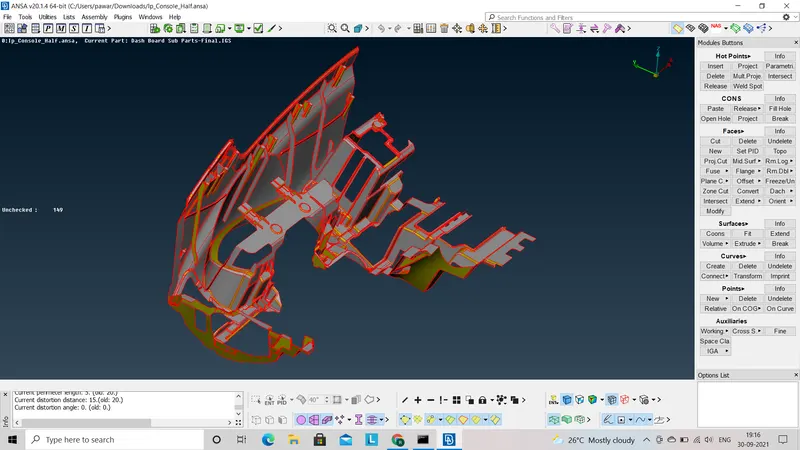
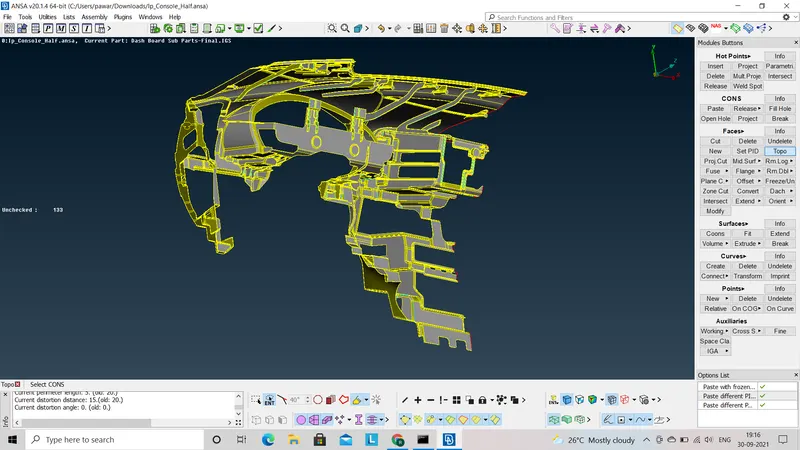
- After topo we have to check geometry to know whether given geometry has any errors or not, if yes then we have to remove all the errors and after removing all the errors again we have to go for geometry check and then we get clean geometry.
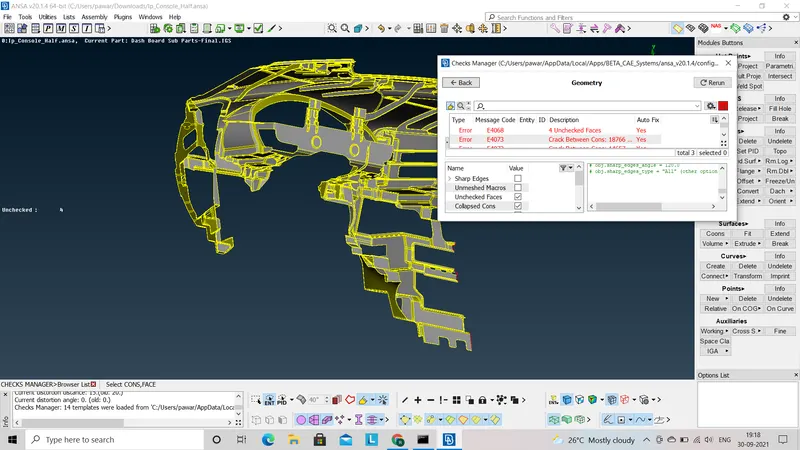
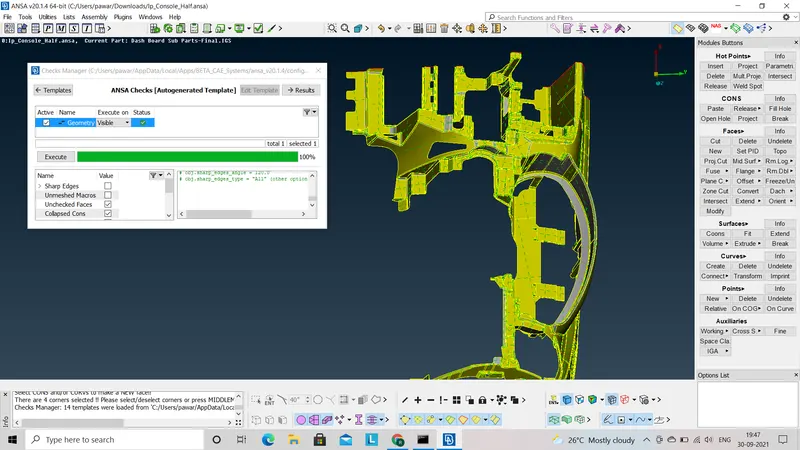
- As we get clean geometry we will go for midsurfacing of given component. As given component have very complex geometry so we go for midsurfacing by trial and error method within auto midsurfacing and manual midsurfacing.
- Initially, I go with auto midsurfacing (skin) but ANSA software crashes and it restart the software because their are large no. of small features within the component.
- So, We have to go with manual midsurface for given component. In this we can use offset method and faces middle as per given surface.
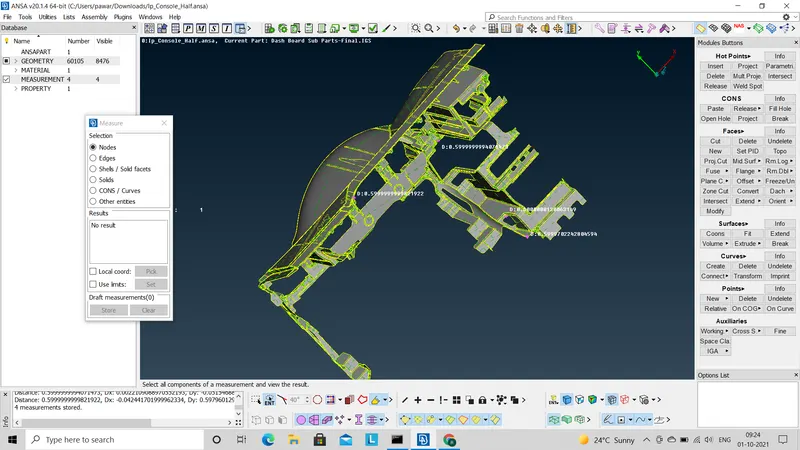
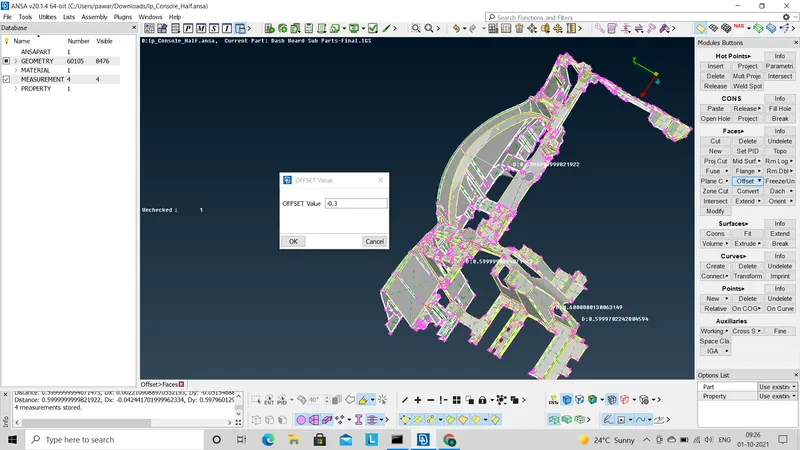
- To use offset method we have to measure first thickness of given part. After measuring thickness we have to offset given face by using (Topo module - Faces - Offset). after offseting or extracting midsurface by using offset we have to observe whether midsurface extraction is correct or not. By observing whole component we conclude that exceeding ribs and dog house whole components midsurface extracted properly.
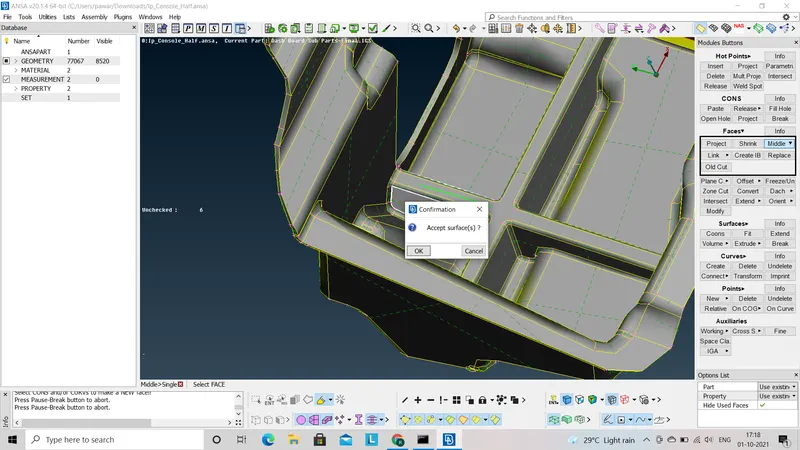
- Now to midsurface Ribs we can use faces middle method by using ( Topo module - Faces - Middle ). After extracting midsurface of rib we have to extend rib surface to bottom surface by using (Topo module - Faces - Extend ).
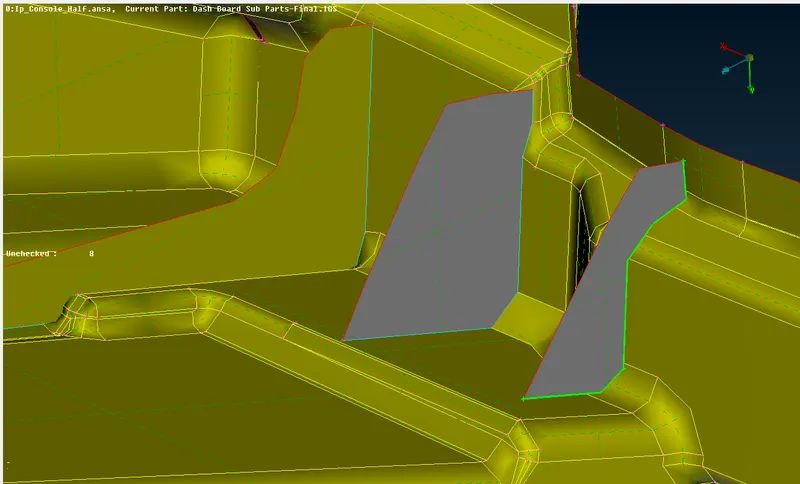
- Now we have to midsurface one of the complex part of given model is Dog house. To extract midsurface of dog house we have to follow following process :
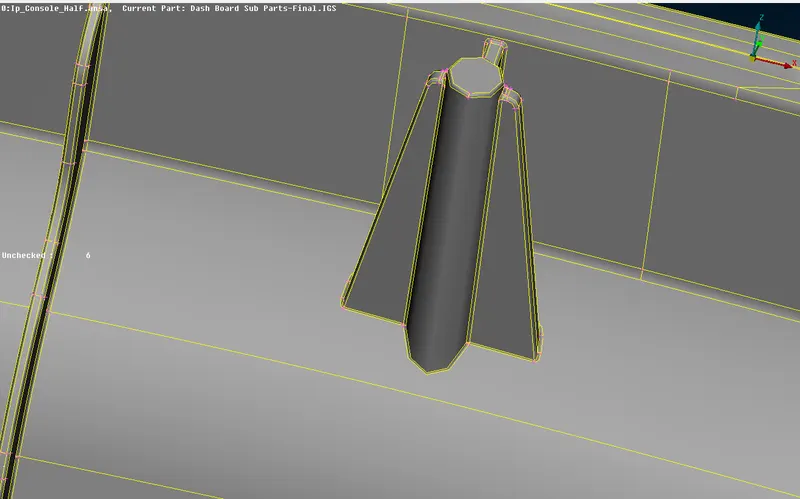
Dog house
1) To midsurface the dog house we have to divide dog house in different parts, one is rib and another is cylindrical part.
2) For Rib we can use faces middle method or offset method to extract midsurface.
3) Now to midsurface cylindrical part we have to cut cylinder in two rectangle crossing each other perpendicularly. To midsurface this we use curve middle by using (Topo module - Curves - Middle) Then intersect both the rectangle by using (Topo module - Faces - Intersect ). Now then extend both the rectangle to bottom surface.
4) Now extend the ribs to the cylinder part and bottom surface. In this way we can extract midsurface of dog house.
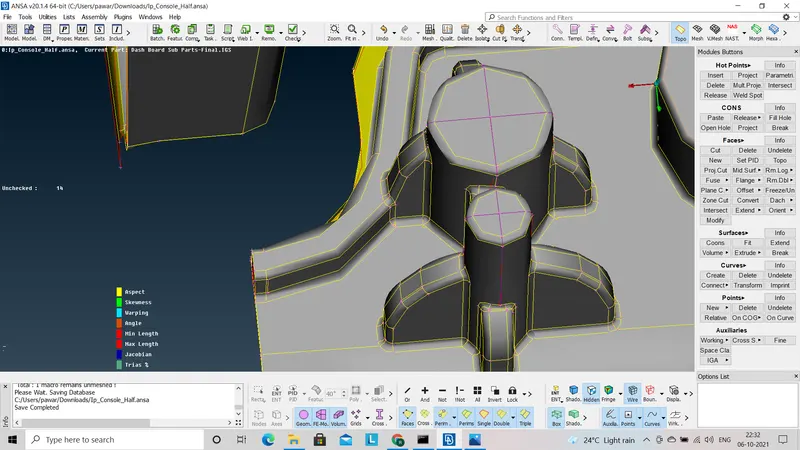
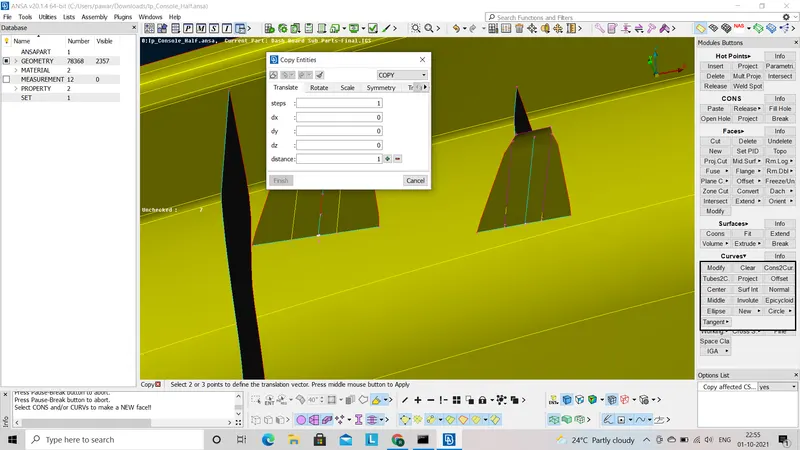
Midsurfaced Dog house
- After completing midsurface of whole part we have to assign thickness for given midsurface by using ( Topo module - Faces - Set PID - select part - middle click - new PID).
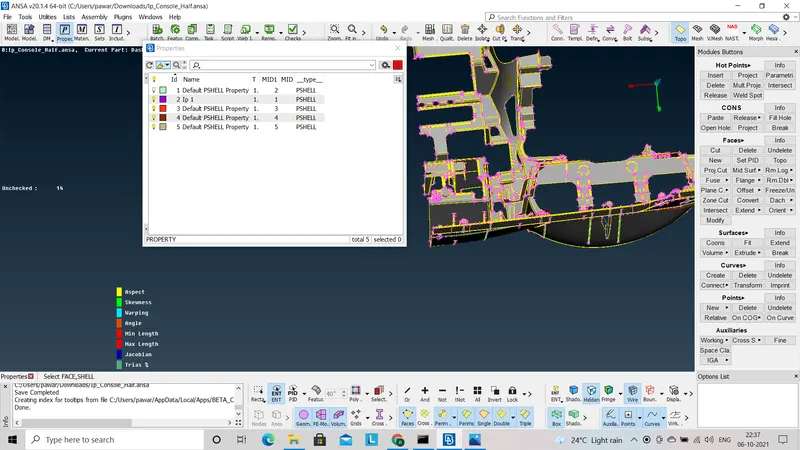
Assign PID to the part
- Before going to the meshing we have to re-generate (By deleting the extra corns) the whole surface according to the given quality criteria i.e. min. length and max. length throuout the component.
- Now we have to go for meshing of whole part. To mesh the given component we have to mesh all the parts seperately. Before meshing we have to assign quality criteria as per given requirement.
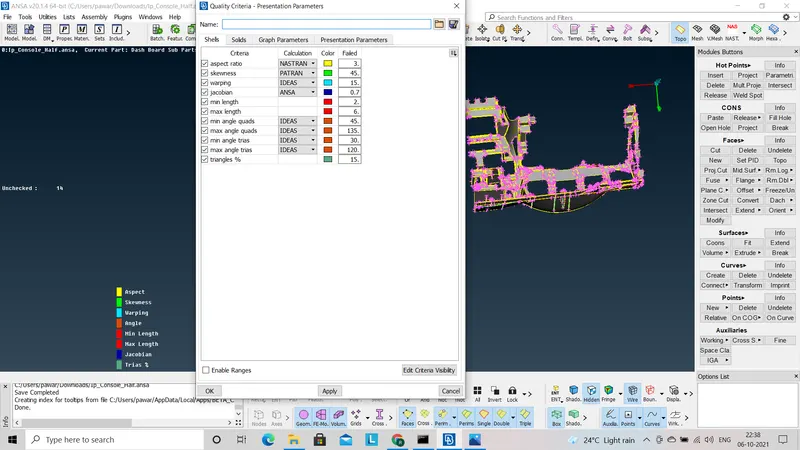
Assign quality criteria
- Then first we will mesh flat surface in given component and then check whether it is within given quality criteria or not in Hidden option. Then remove failed meshed part by using (Mesh module - Shell mesh - Reconstruct ) after reconstruct we can use smooth option as (Mesh module - shell mesh - smooth).
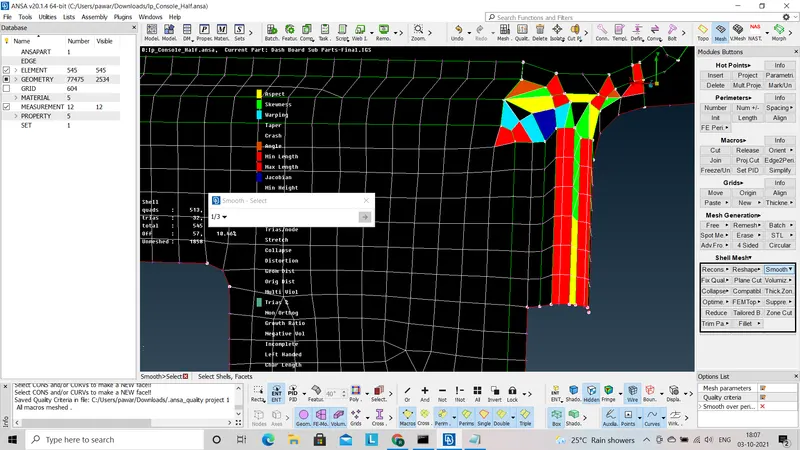
Smooth option
- There should not be rotating trias and trias to the edges, we can remove all this error by using split/Swap option as (Mesh module - Element - Split / Swap).
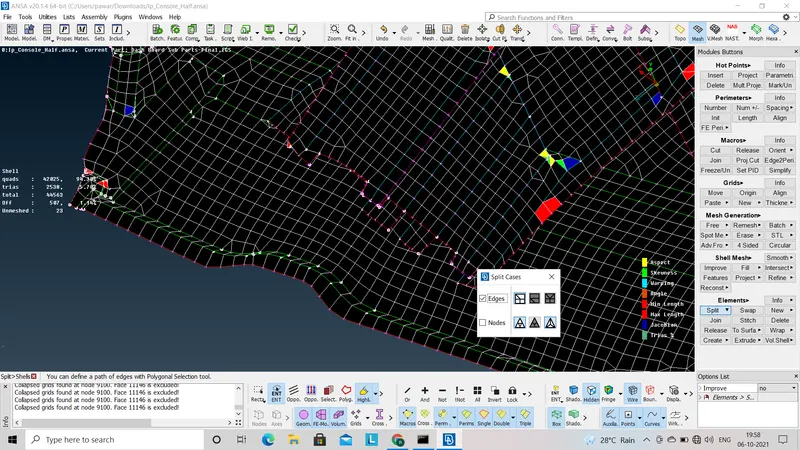
Split option
- Simillarly, We can use this method for whole part to mesh. and reconstruct the mesh if it fails to given quality criteria.
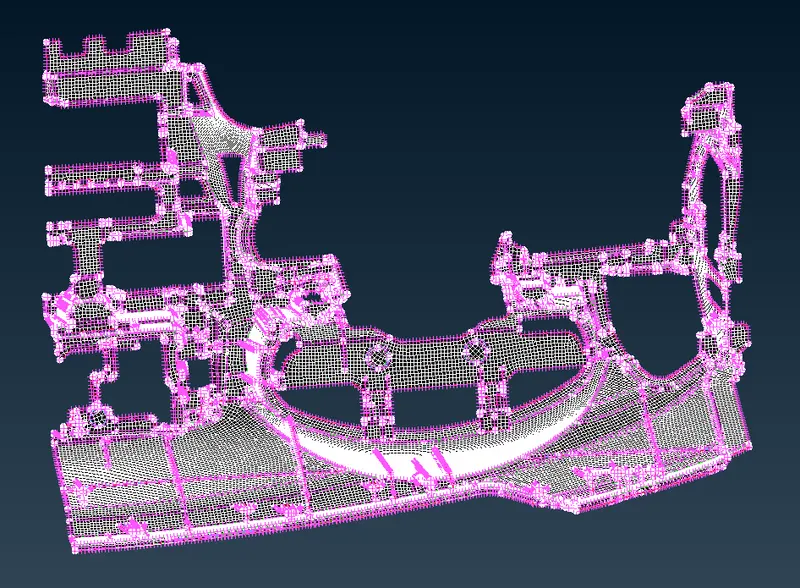
Meshed part
Learning Outcome :-
- To make geometry check and how to correct the errors found in geometry.
- To make midsurface by using different methods like manual and auto mid.
- To make midsurface of complex parts like features.
- To mesh the complex component.
Conclusion :-
According to the requirement we have to use different methods of midsurfacing and meshing so to increase our productivity.