Project 1
Aim- To route the wiring harness on the given Engine and flatten the view drawing in CATIA V5.
Objective- The objective of the project is to route the wiring harness on the given V16 Engine and prepare to flatten the view drawing in CATIA V5. All types of packaging rules have to be considered while routing the harness. Also, Industry best practices should be demonstrated in design. All the necessary details like clearance, clipping/clamping selection, harness fixing requirements, and harness continuity should be provided to design the wiring harness.
Step 1- First we have to define the points and plane of the mechanical part then we have to define them electrically
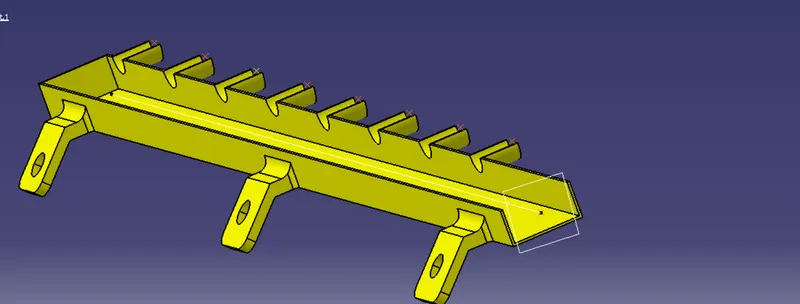
After that, we use the symmetry option for that by which we get the second bottom channel and place them on the engine
Mounting of a plastic guiding channel
We have to add plastic guiding channel now because Bugatti V16 engine has 8 injectors on the right side and 8 on the left side which is very close to each other. Hence plastic guiding channel is the best option for proper and easy routing of the wiring harness. It will reduce the complex wiring harness routing. We will require two different guiding channels for the both the right and left side of the engine. Now, before placing the guiding channel, we have to define the geometrical parameters as below.
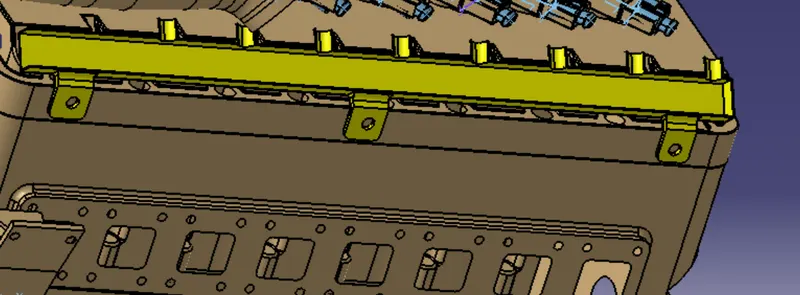
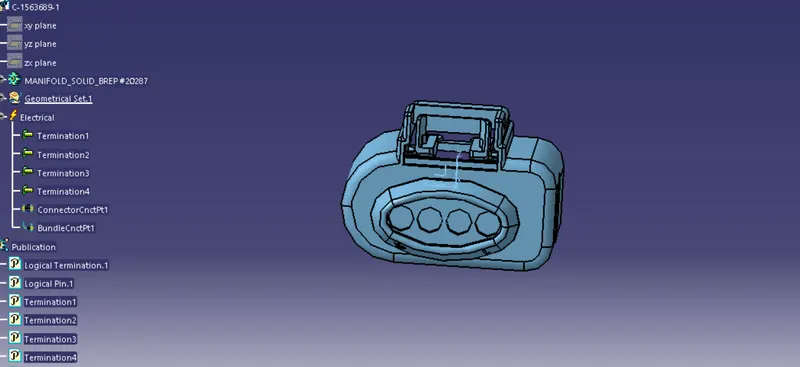
Then we use 4 pole connectors,2 pole connectors for oil pressure,3 pole connector for temp coolant
For 4 pole connector
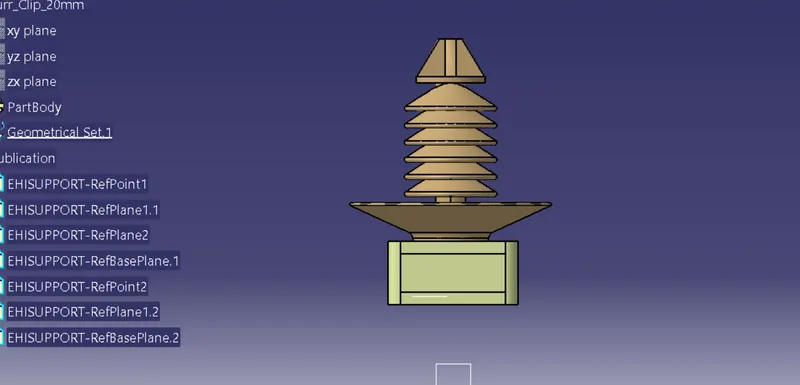
For Firr tree clip
For P clamp
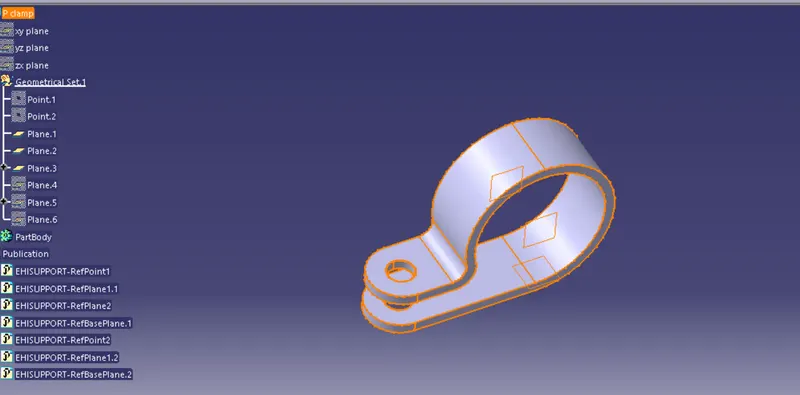
For L clip
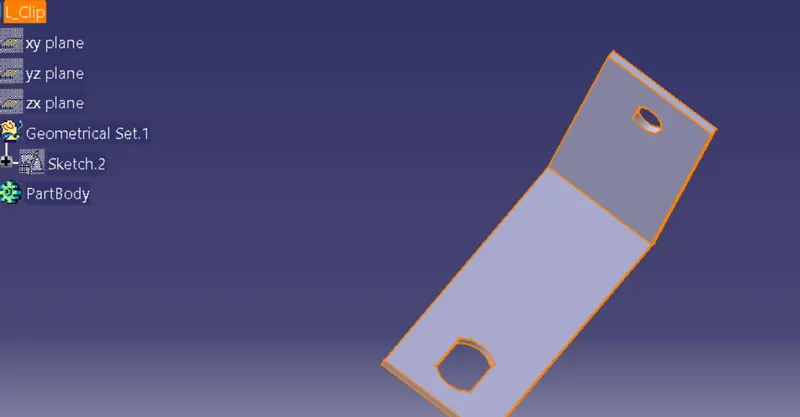
Beacuse we assume chassis connection are from right so we starting our connection point from right
for that
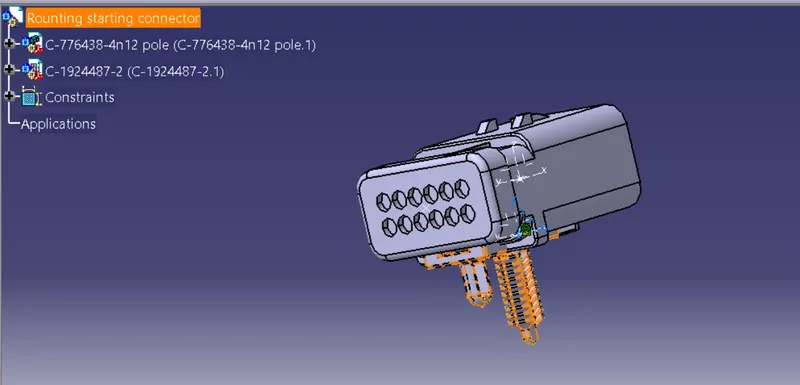
then we placed connectors at defined locations
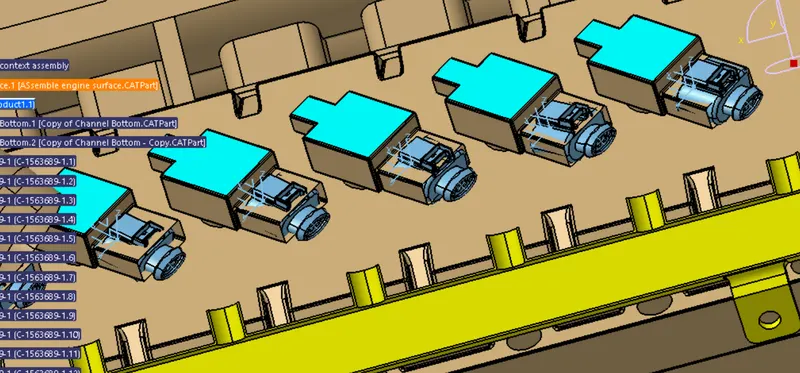
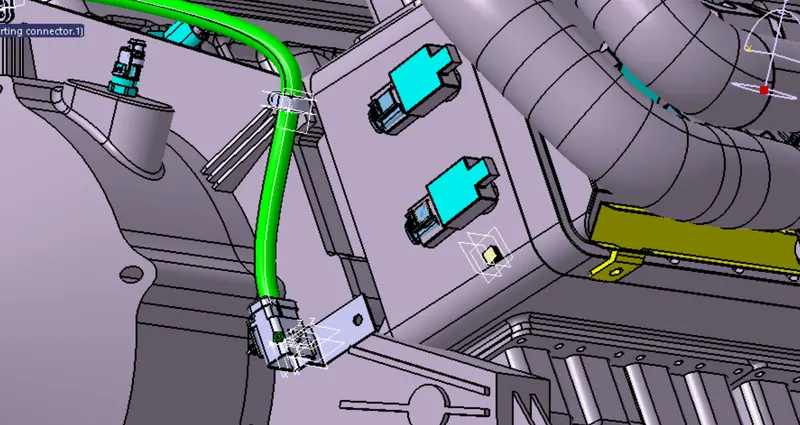
In the above pic we place fir tree clip and all p clamps to support the routing bundle .
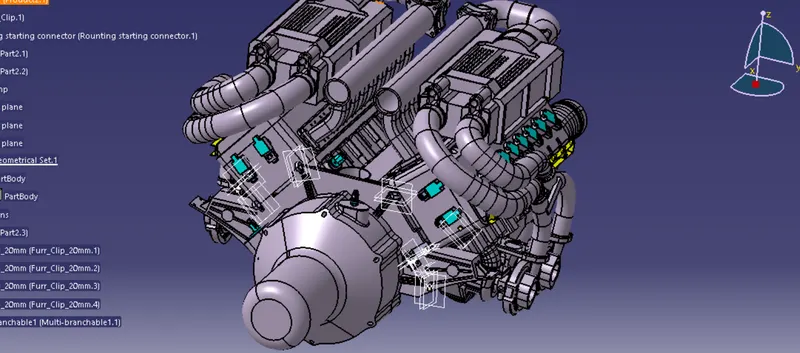
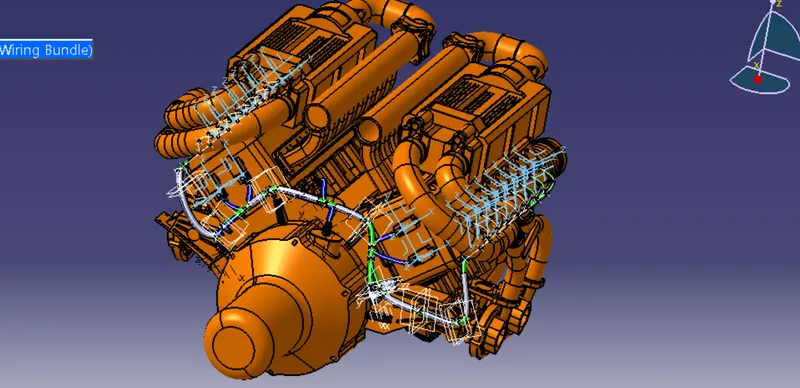
In the above pic, we place all the components and we are ready to start routing,we take chasis routing from right side soo we started routing from right side
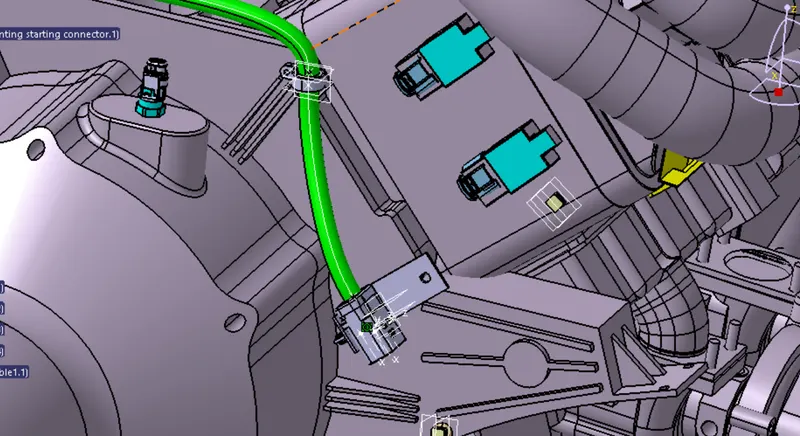
Here, we are routing the bundle segment from interconnection connector to 3 P-clamps. The diameter for this routing path is 12mm and bend radius ratio is assumed to
be 1.4
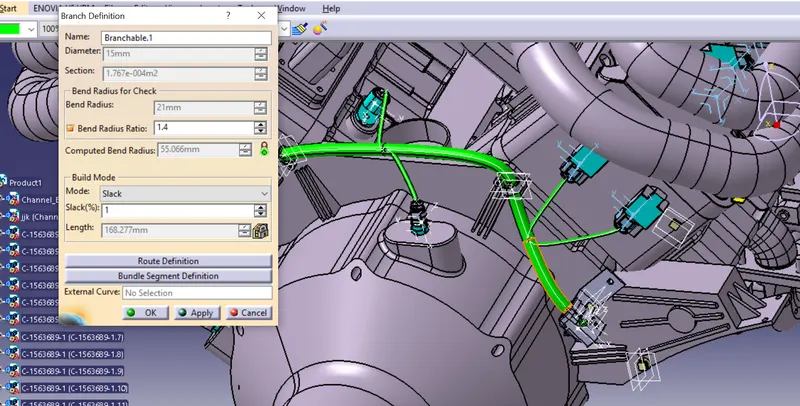
Adding branch point to the bundle segment at distance of 55mm from P-clamp as shown in above figure & In above figure, two branches are added from the created branch point to cam-shaft sensors.
Now we are routing through channel bottom through external curves and firr tree clip
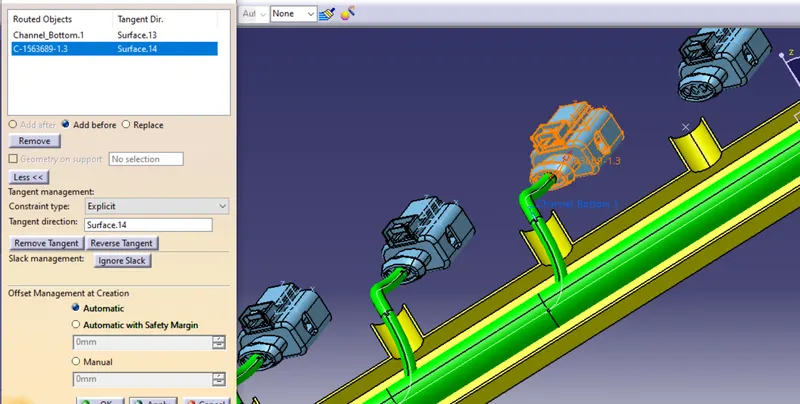
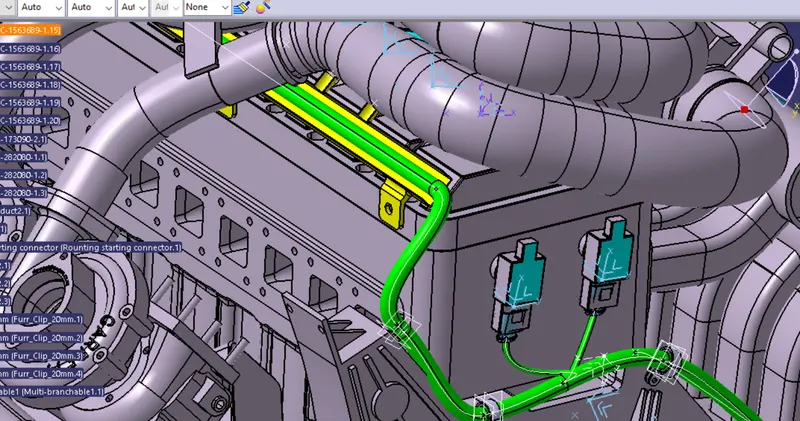
Second side External curve routing
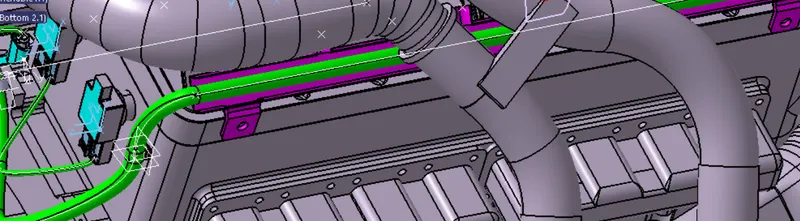
- Similarly, we have done routing for the left side guiding channel also as shown in above figure.
Adding protective coverings and guiding channels top shell to harness bundle
Here in below figure, we have done with whole wiring harness routing for the Bugatti V16 Engine. Now, we have to add protective coverings to all bundle segments and top shell of the guiding channel.
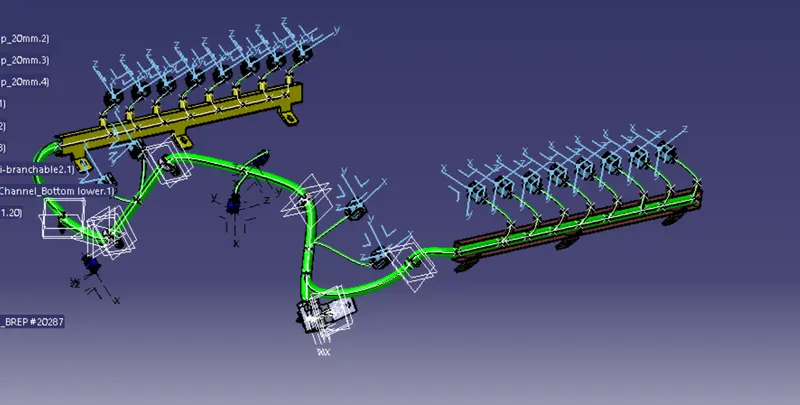
Checking bundle continuity
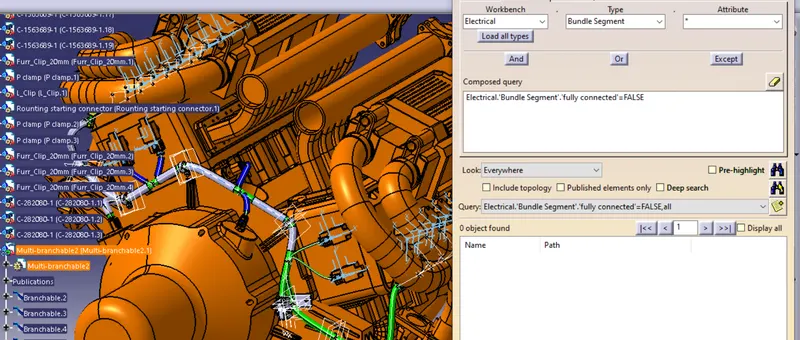
In this step, first we have to make sure that multi-branchable is selected then we have to go in Edit>Search>Advanced>Workbench-Electrical>Type-Bundle Segment>Attribute-Fully Connected
- By selecting 'True' option will show all the connected bundle segments while selecting 'False' option will show all the non-connected bundle segments.
- Here, we have selected for the 'True' option and searched for results. All the bundle segments are highlighted found showing that all the bundle segments are electrically connected as shown in below figure.
Creating flatten view of the engine harness geometrical bundle assembly
In this step, for creating flatten view we have to work in Electrical Harness Flattening workbench of Catia V5. We should also make sure that the flattening file is saved in the same folder where other files of harness assembly are saved.
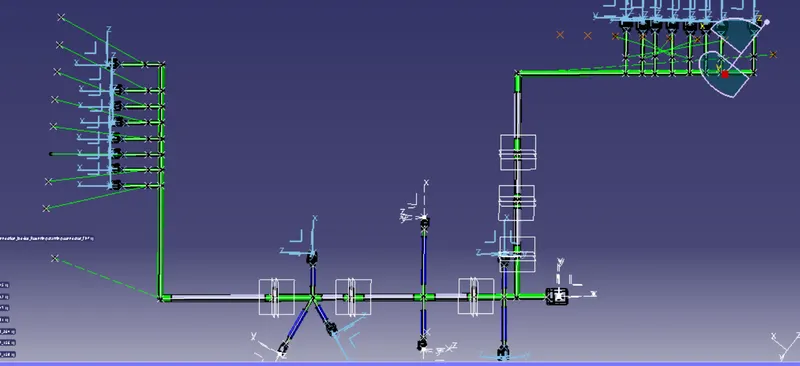
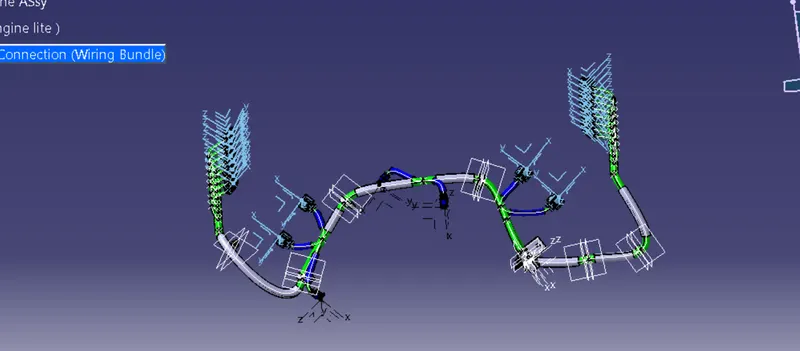
- We have extracted the bundle assembly into Engine Harness Flattening Product file and then flattened the file along face of the interconnection connector as shown in above figure.
- At this stage, for clarity, we have been hidden the flattening diagram of the plastic guiding channels from the drawing view.
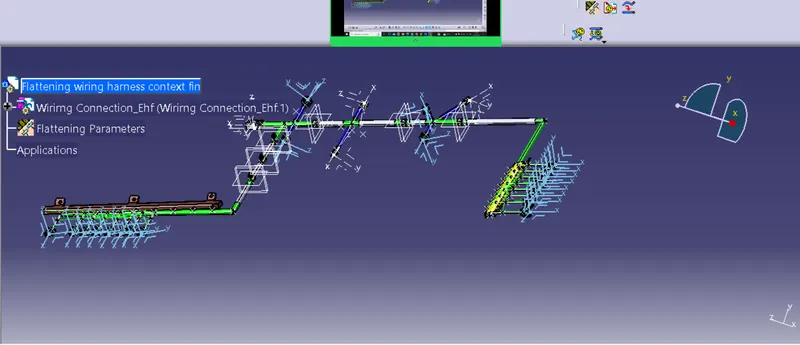
while trying to place channel bottom it will create issue so i hide them and done Drawing
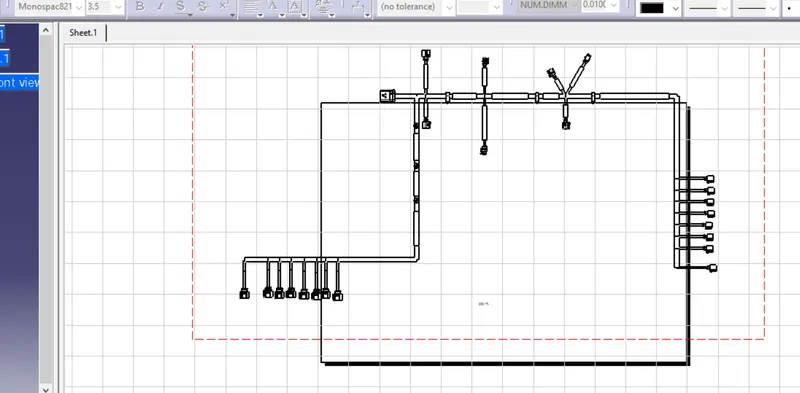
- In above figure, we are creating new drawing file and defined all the necessary drawing parameters. We have to insert the front view of the Engine Harness Flattening Product file into the Drawing file.
Conclusion:
In this way, we have routed wiring harness for the V16 Engine. Also, prepared flatten view drawing with proper sheet in CATIA V5
PRoject 01 rar is compressed file