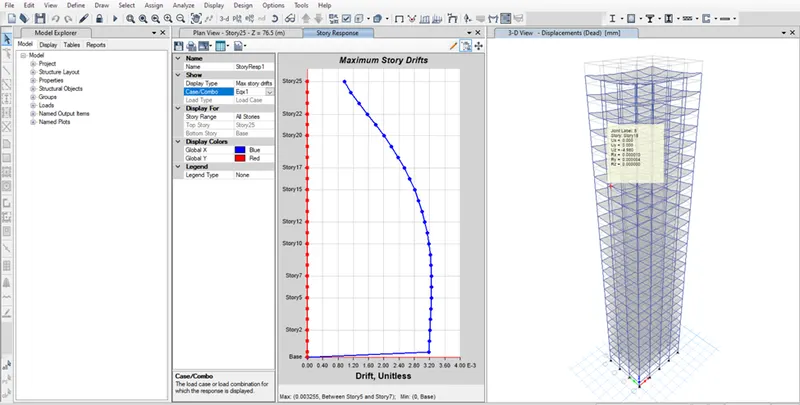
Modelling of 25 storey building with the specified properties using ETABS
ANS:-
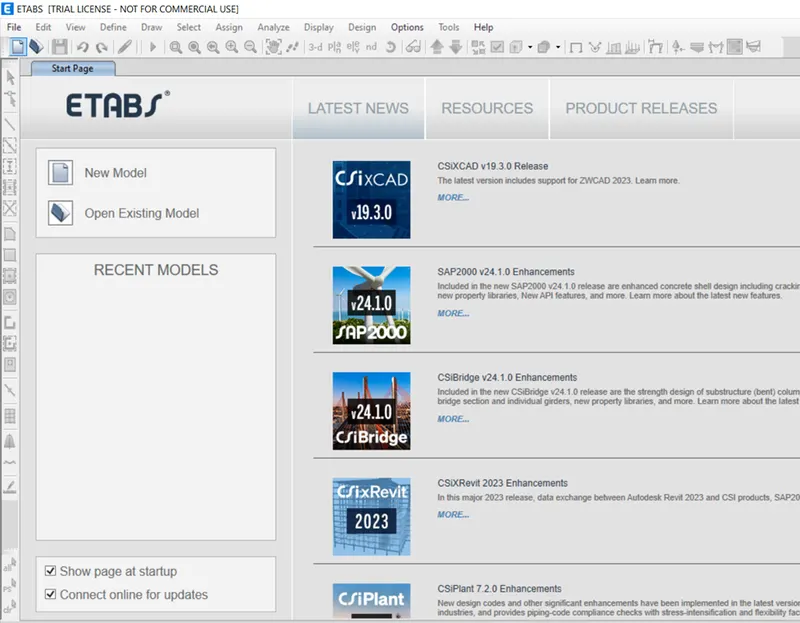
- Open ETABS software.
- Click New model.
- Give model initialization setting as follow
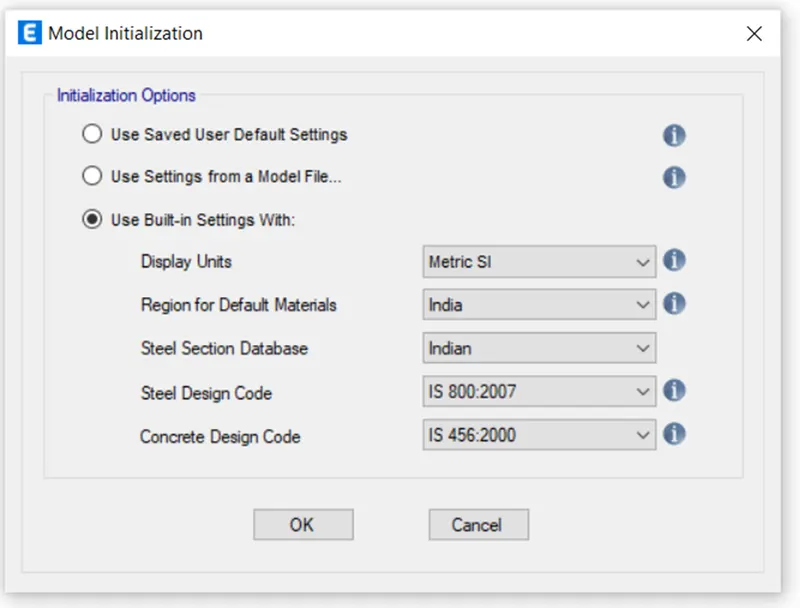
- Click ok
- In the new model quick template dialog box , select custom grid spacing and click Edit grid data
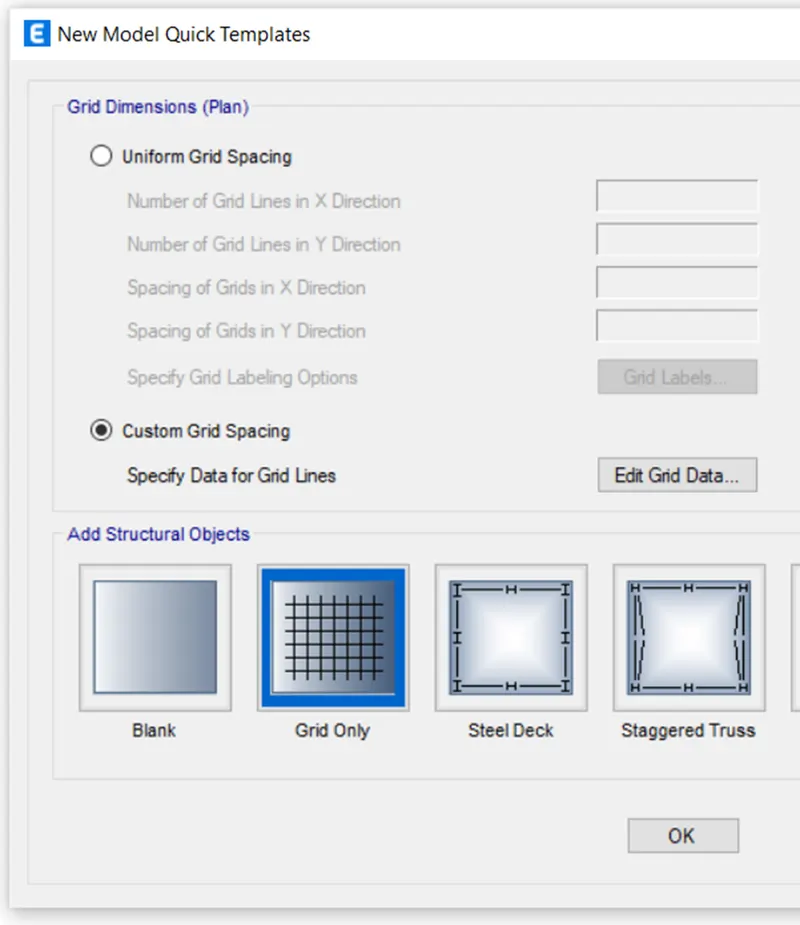
- Give the following settings in grid system data dialog box.
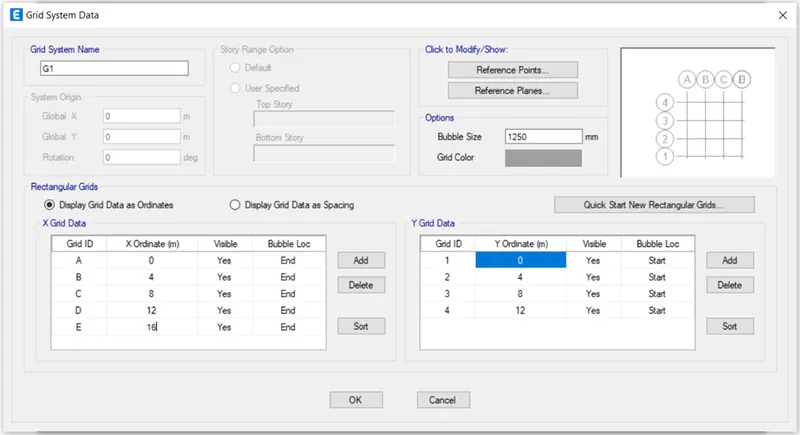
- Click ok.
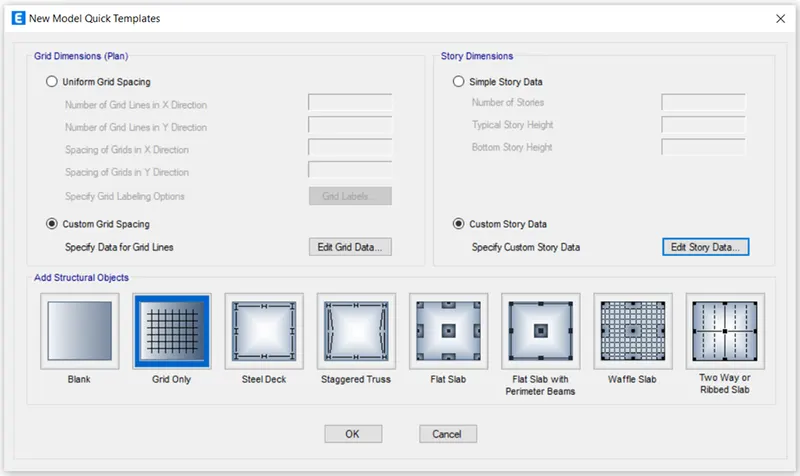
- Select custom story data under story dimension and click edit story data.
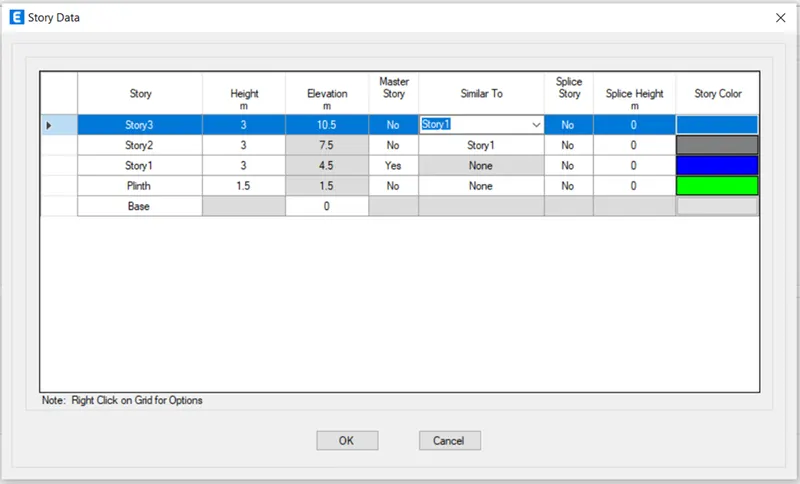
- Give the story data for first- three story as follow having story 1 as master story.
- Write click on the first column and select add story and click keep existing story heights.
- Give number of added story as 22.
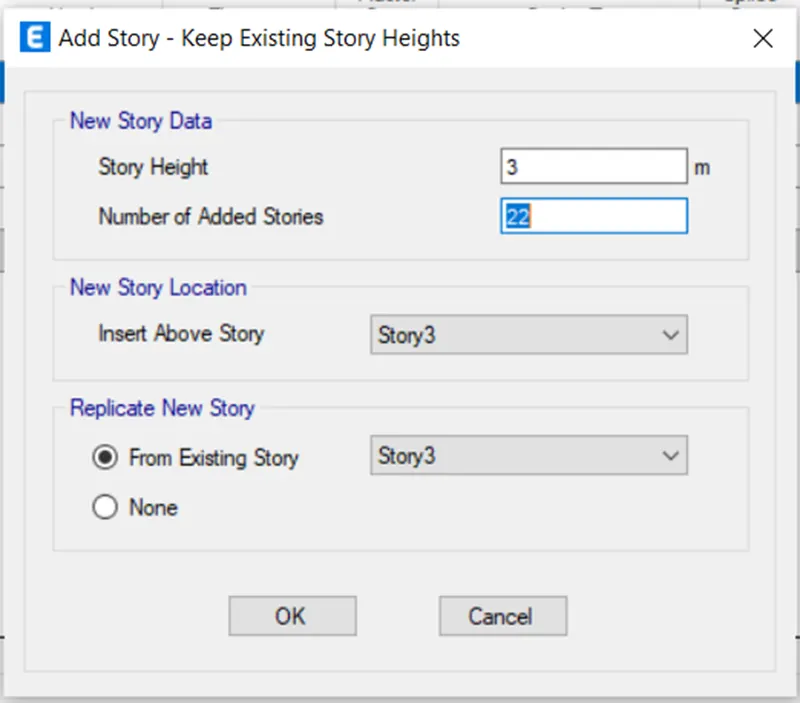
- Click ok
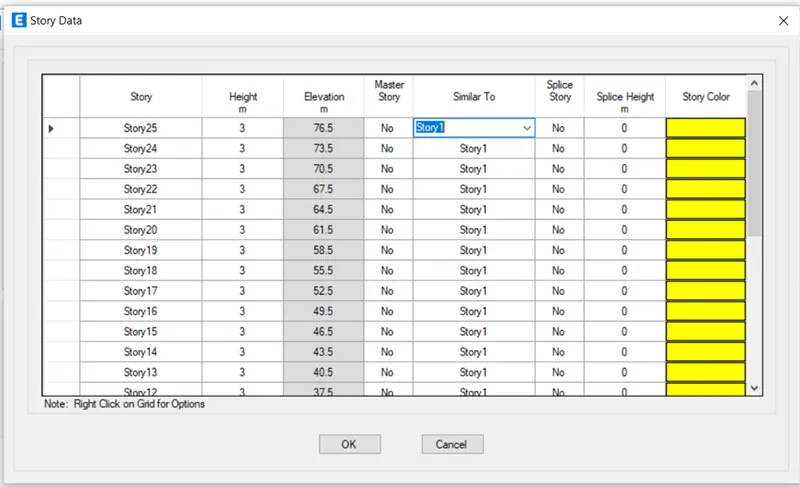
- The following page opens
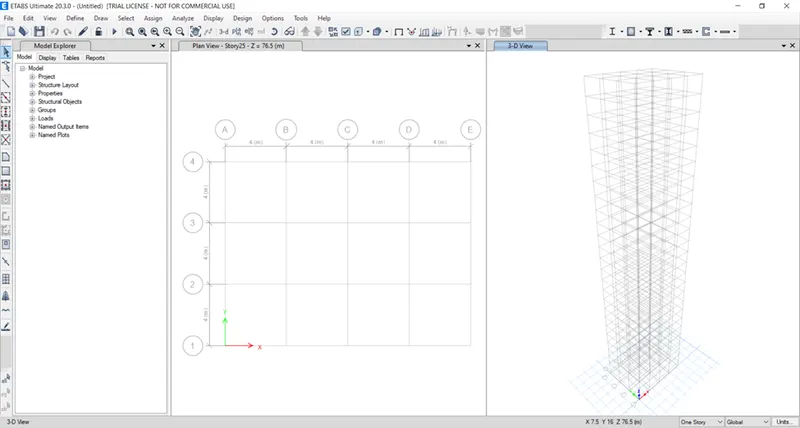
- Click Define--> Material properties
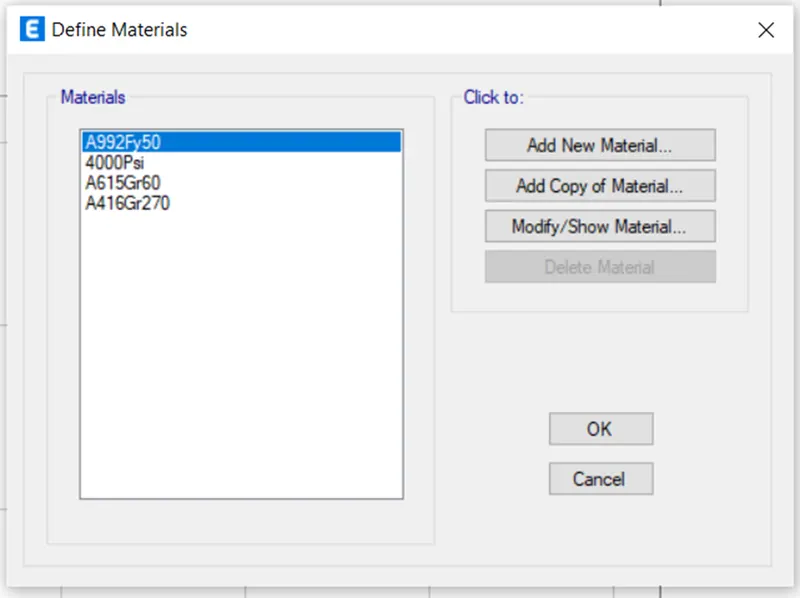
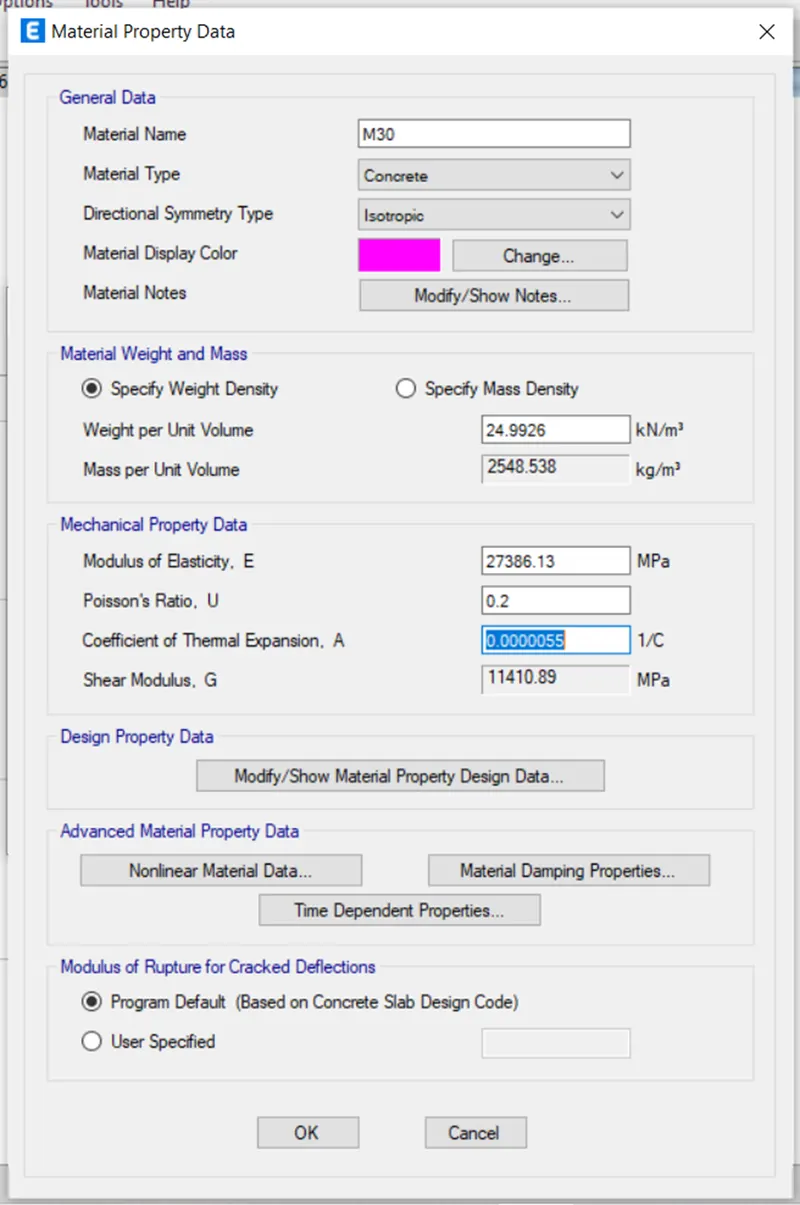
- Click Add new material for assigning concrete
- .
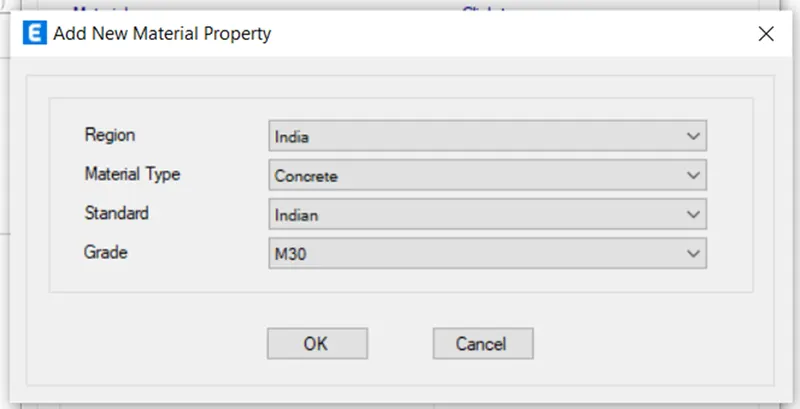
- Click Add new material for assigning Rebars
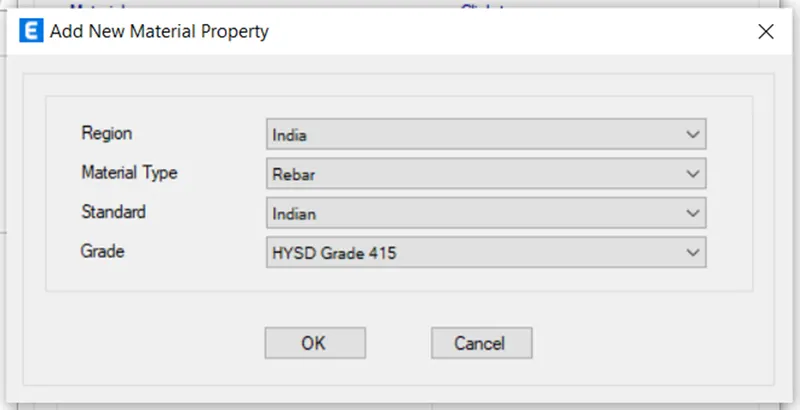
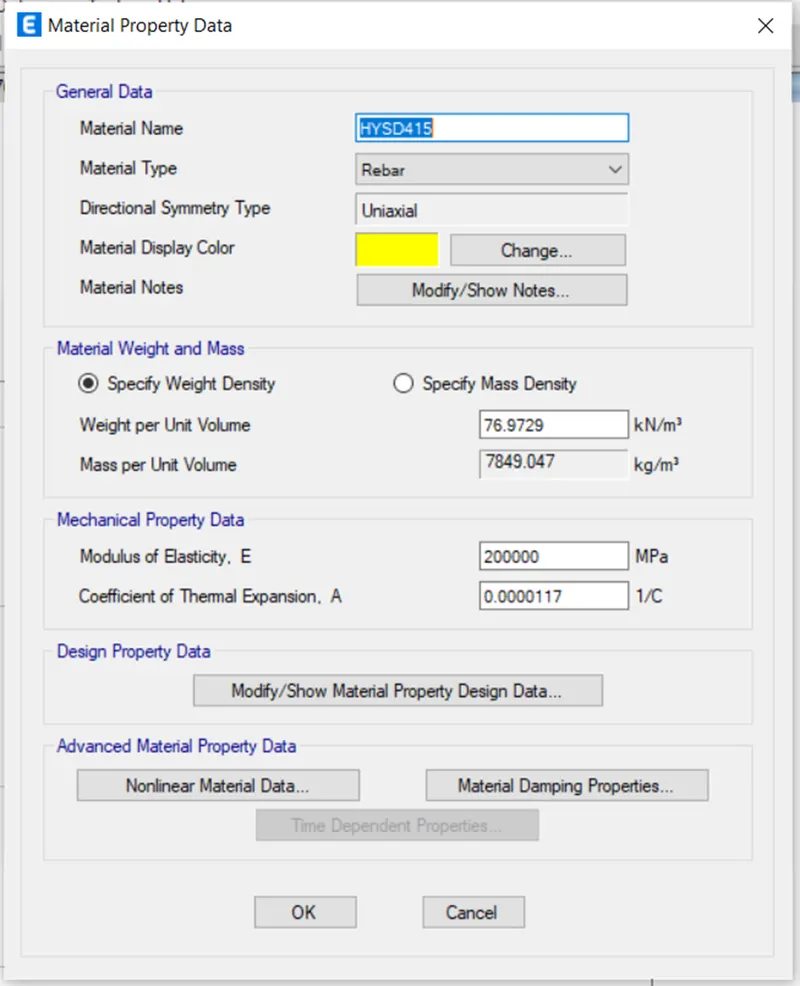
- Click ok
- Click Define--> Section properties--> Frame sections.
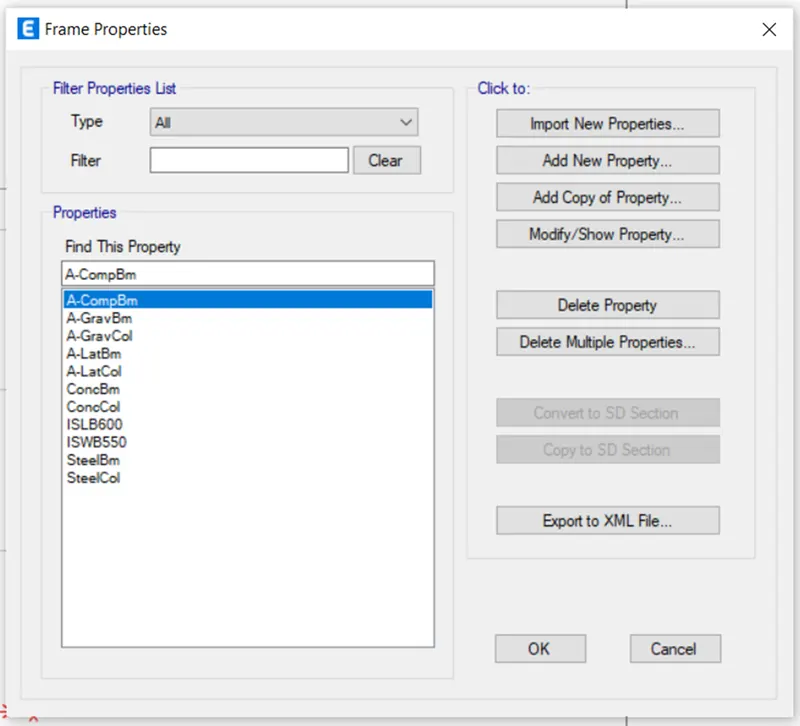
- Select Add new property in the dialog box.
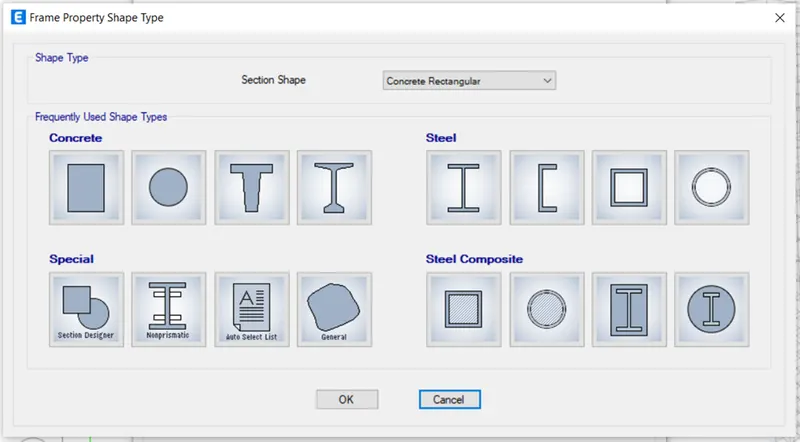
- Select the concrete shape as rectangular and give the following settings for the Beam
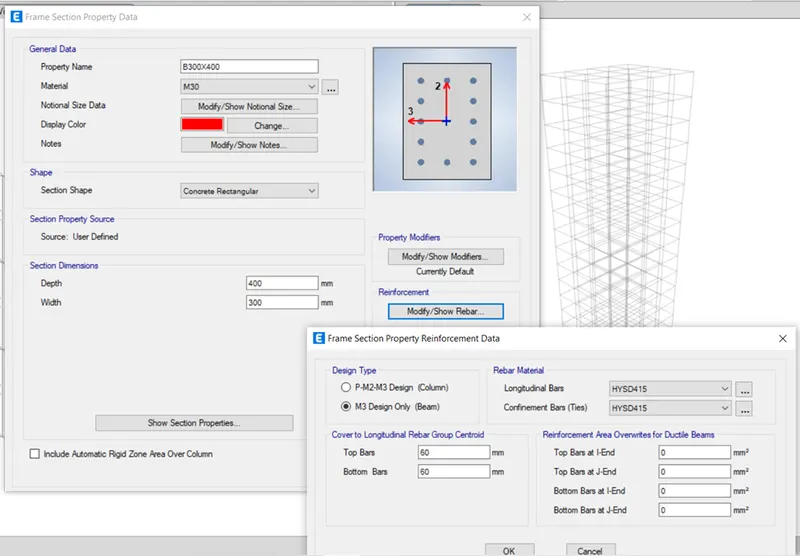
- Beam property is added.
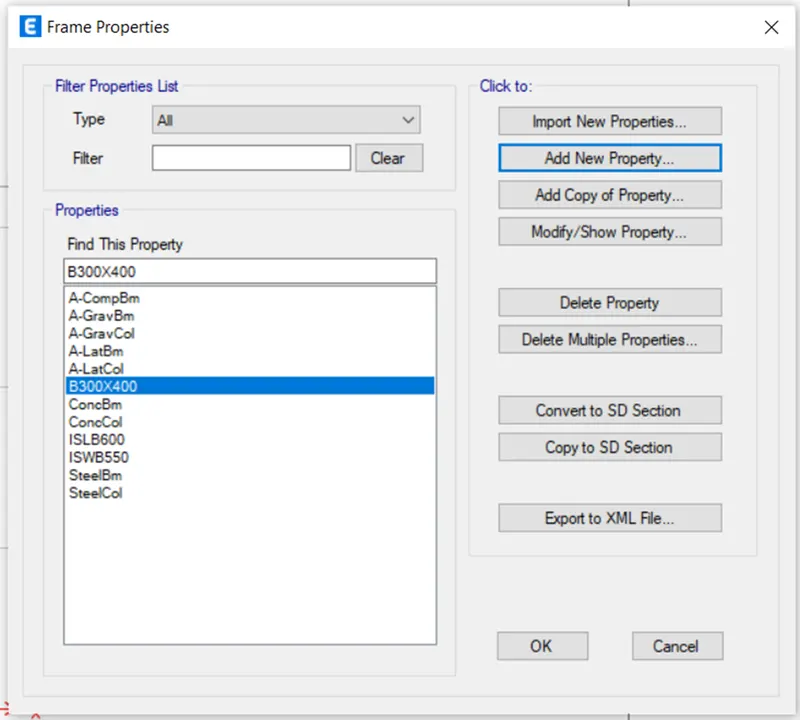
- Again, click Add new property for creating property for column.
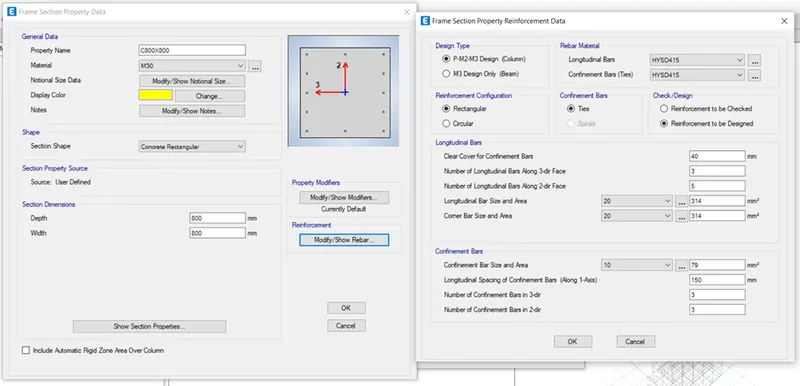
- Column property is added.
- Click--> Section properties--> Slab section
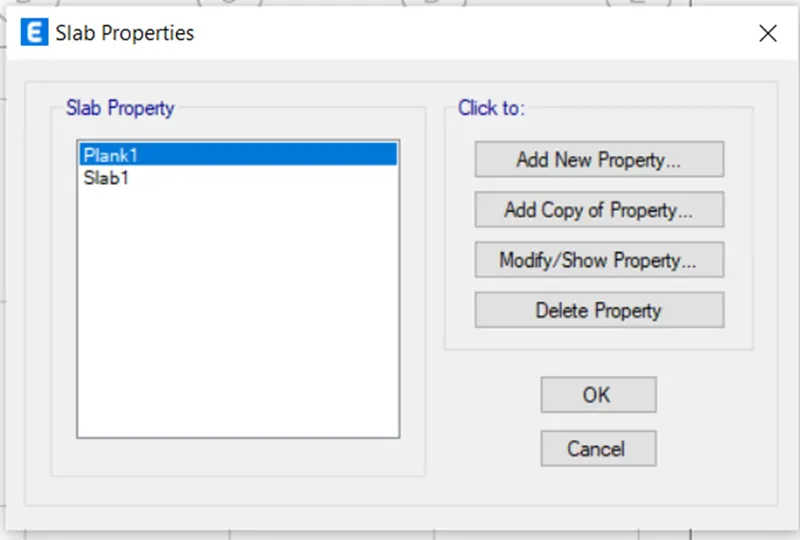
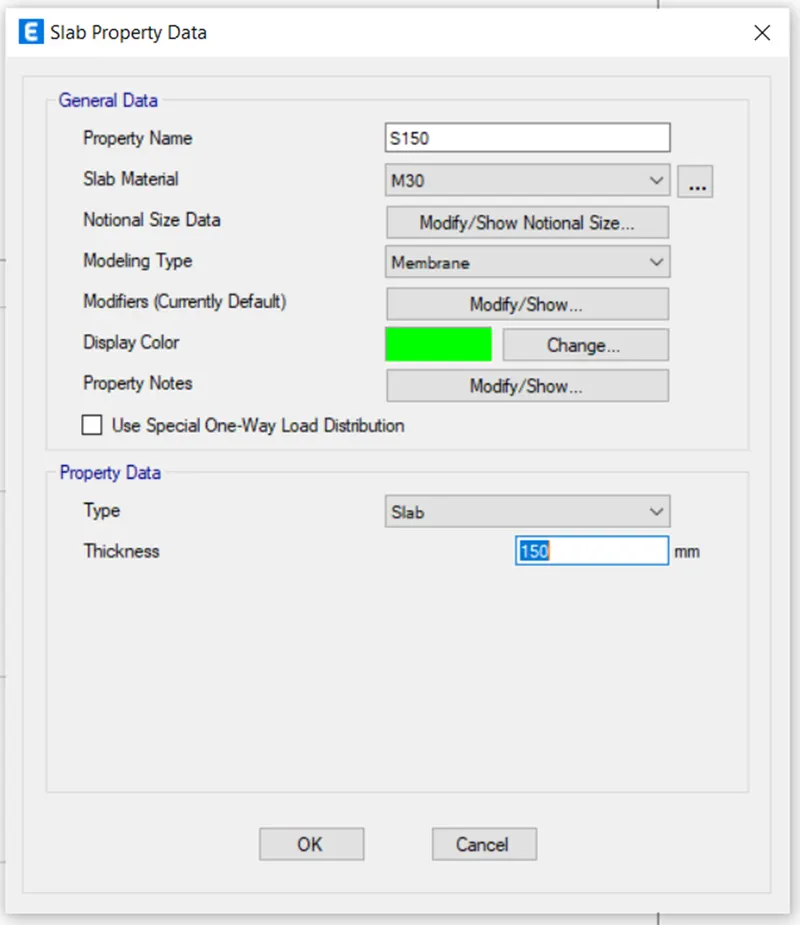
- Select Add new property and give the following settings.
- Clickà Define--> Load pattern
- Define load patterns by its name
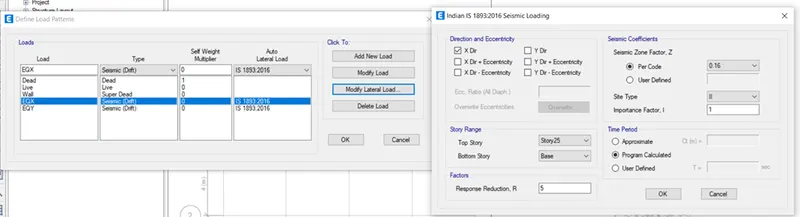
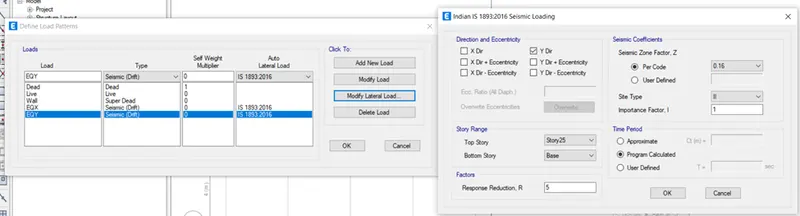
- Click Define--> Mass source
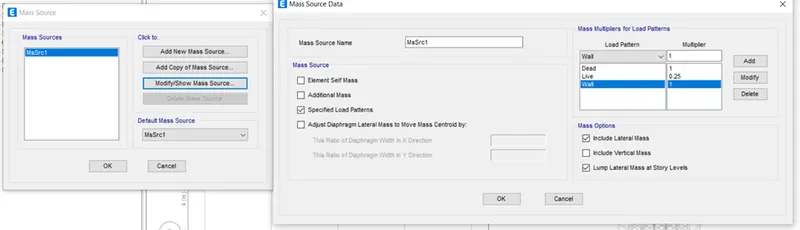
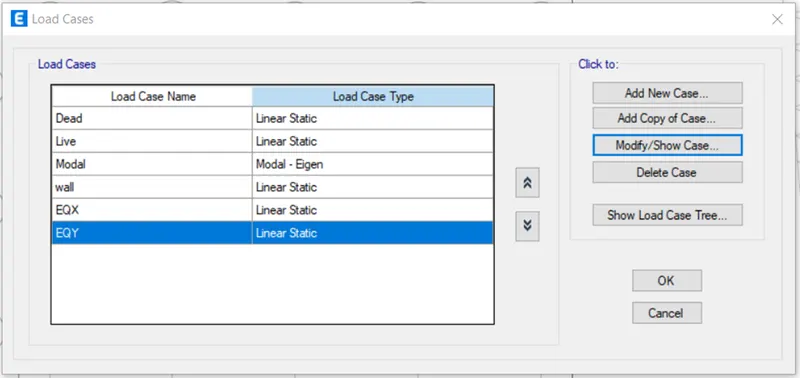
- Check load cases by click Define-->Load cases.
- Create load combinations, Define--> Load combinations
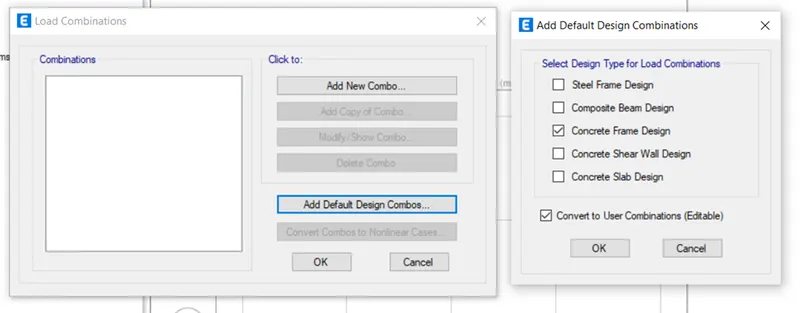
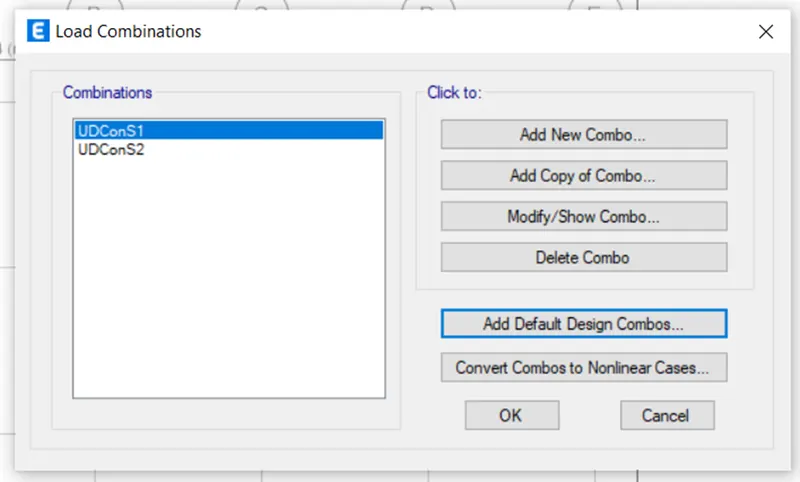
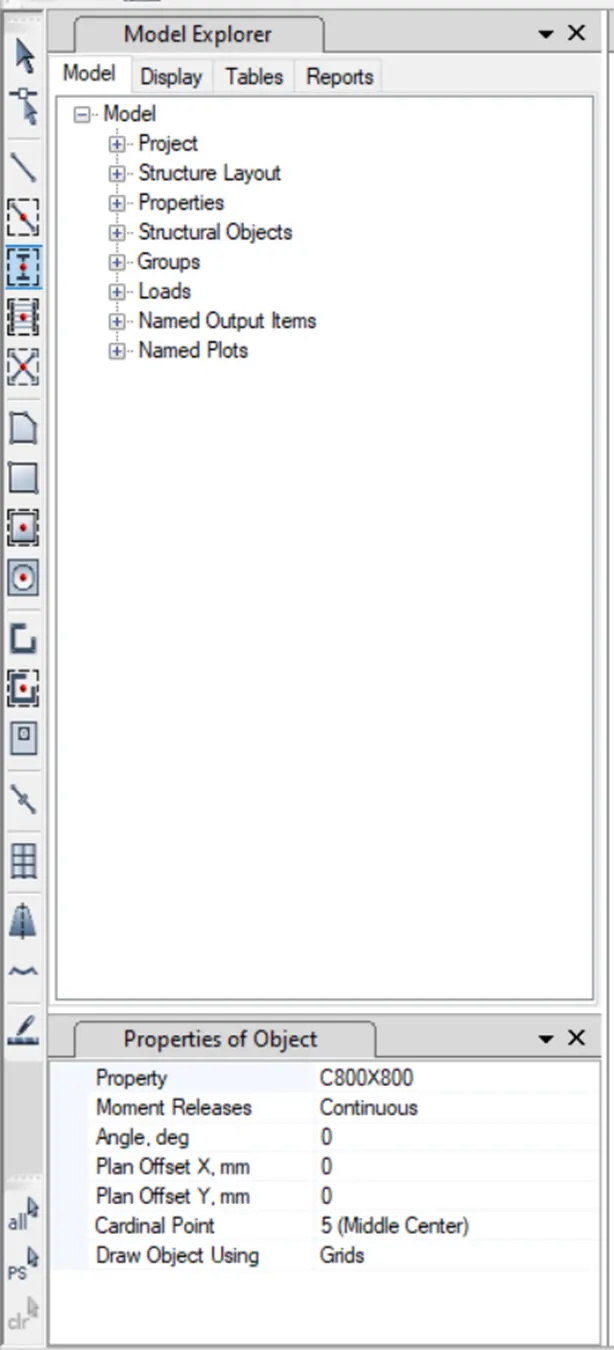
- Create Columns by Quick draw column.
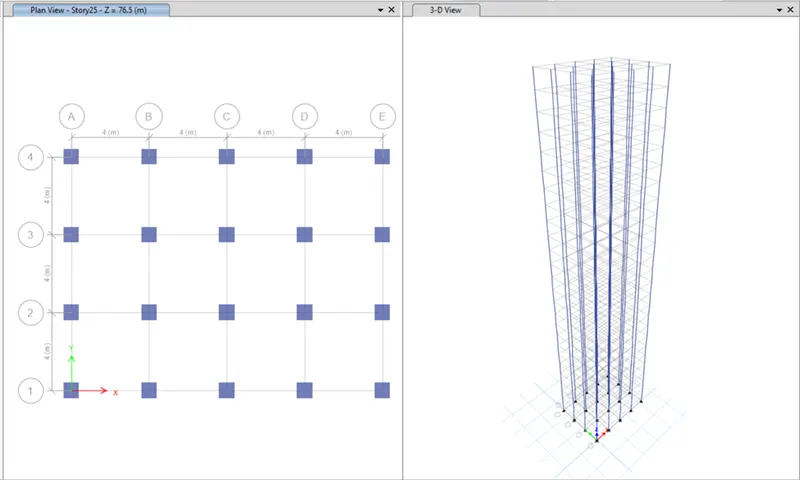
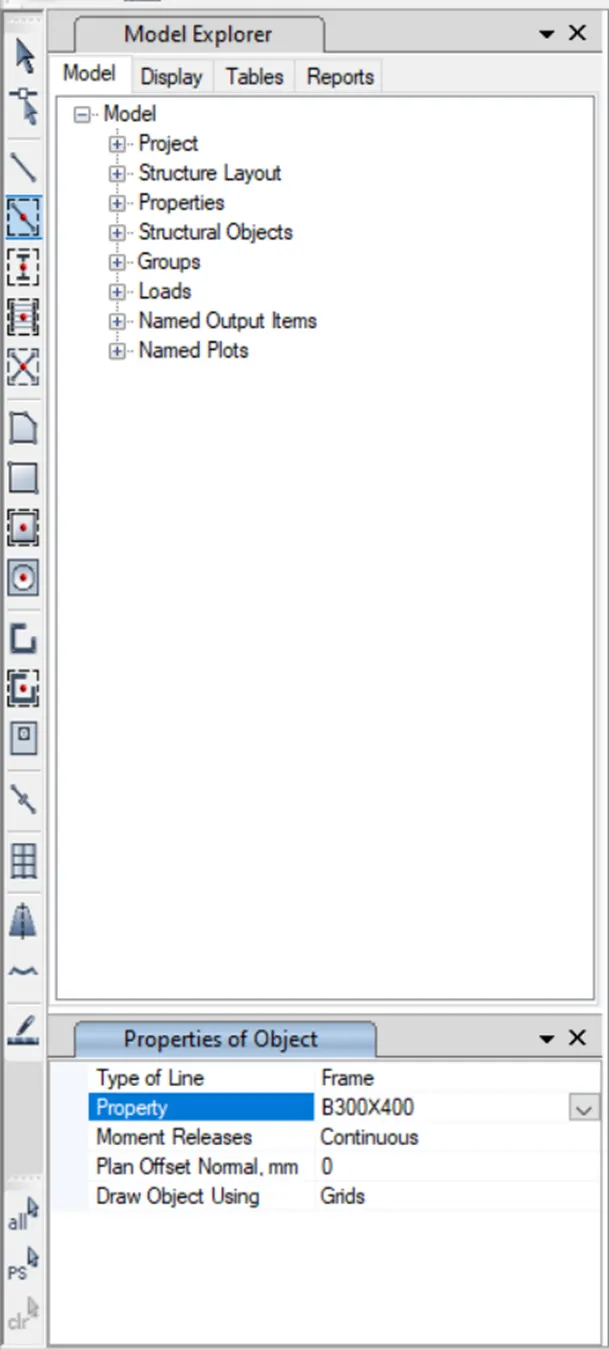
- Select quick draw beams.
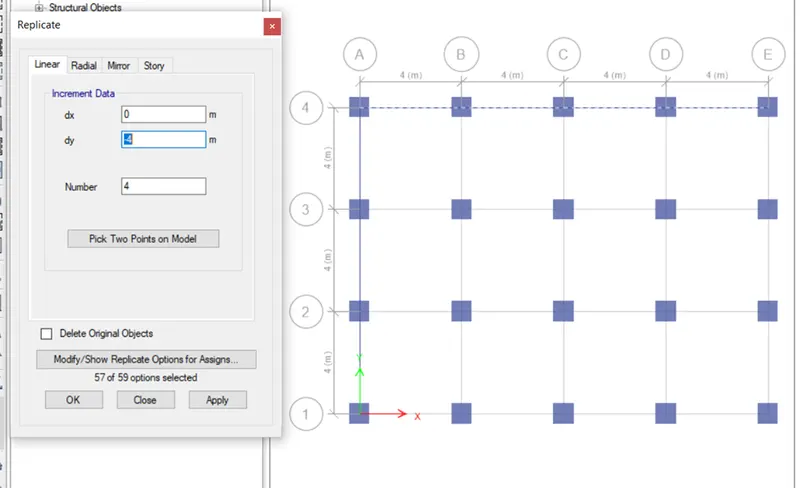
- Select the first horizontal and vertical beams and go to edit and select replicate.
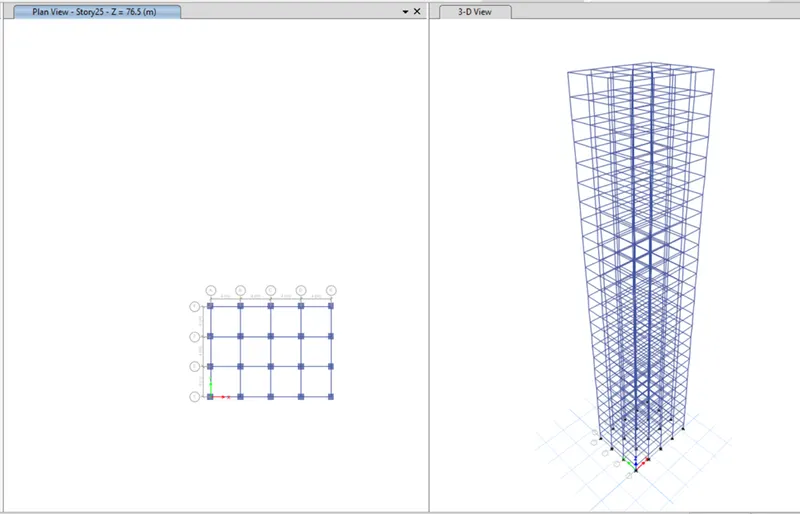
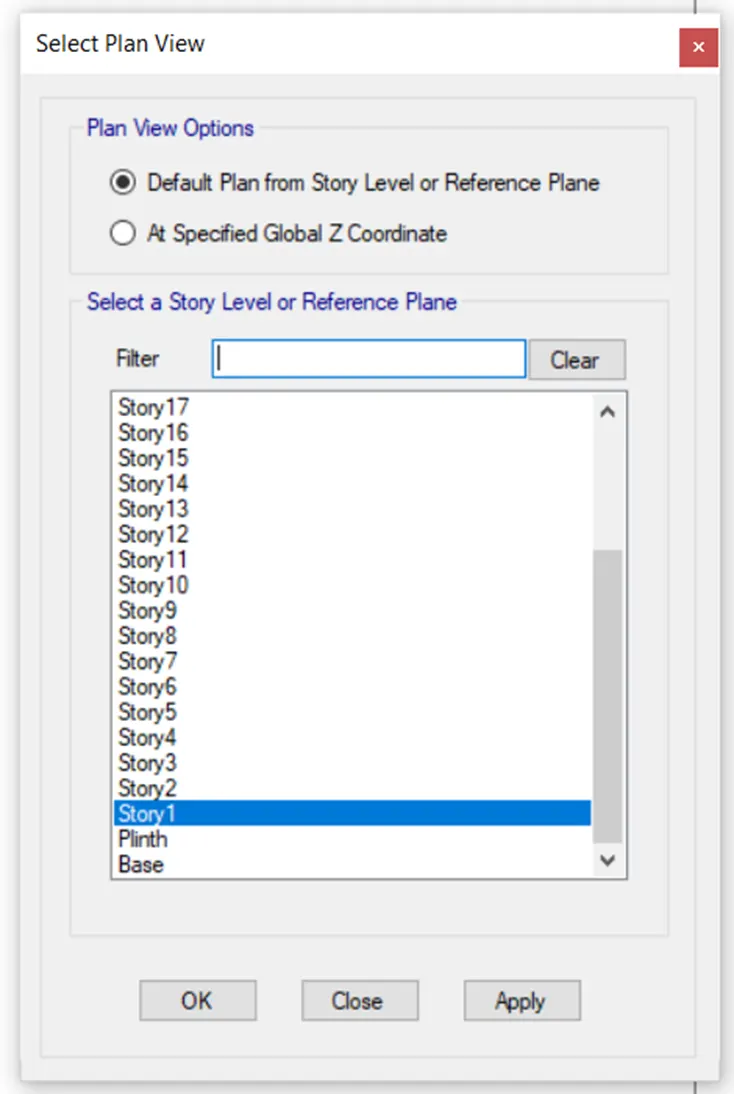
- Select first floor in plan view
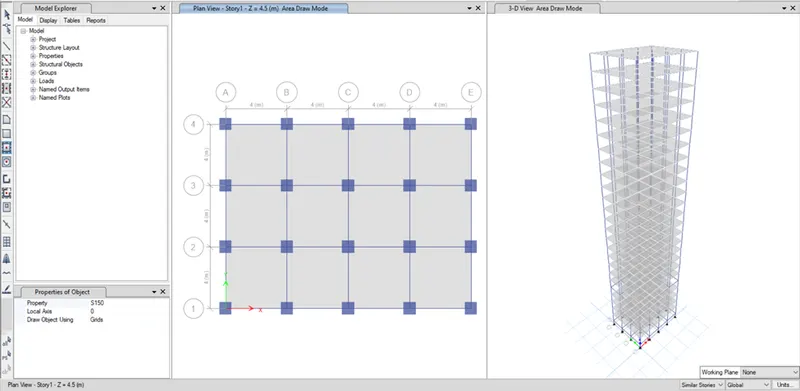
- Draw slab using quick slab by having similar stories in the status
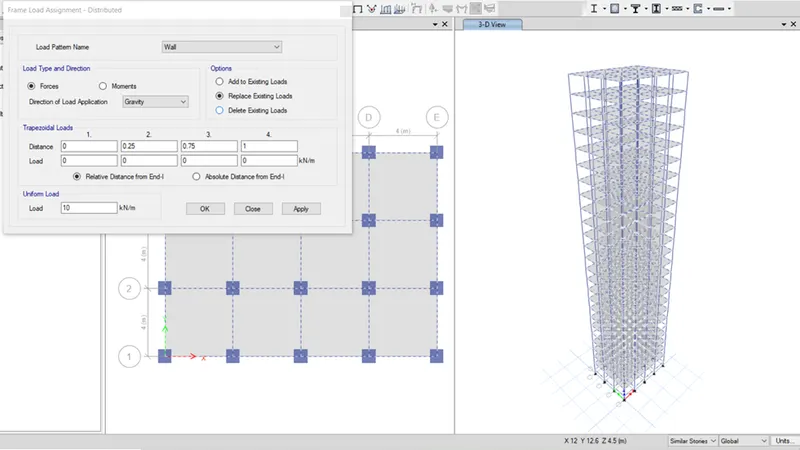
- Select all the beams from select tab
- Assign frame loads as distributed from assign tab.
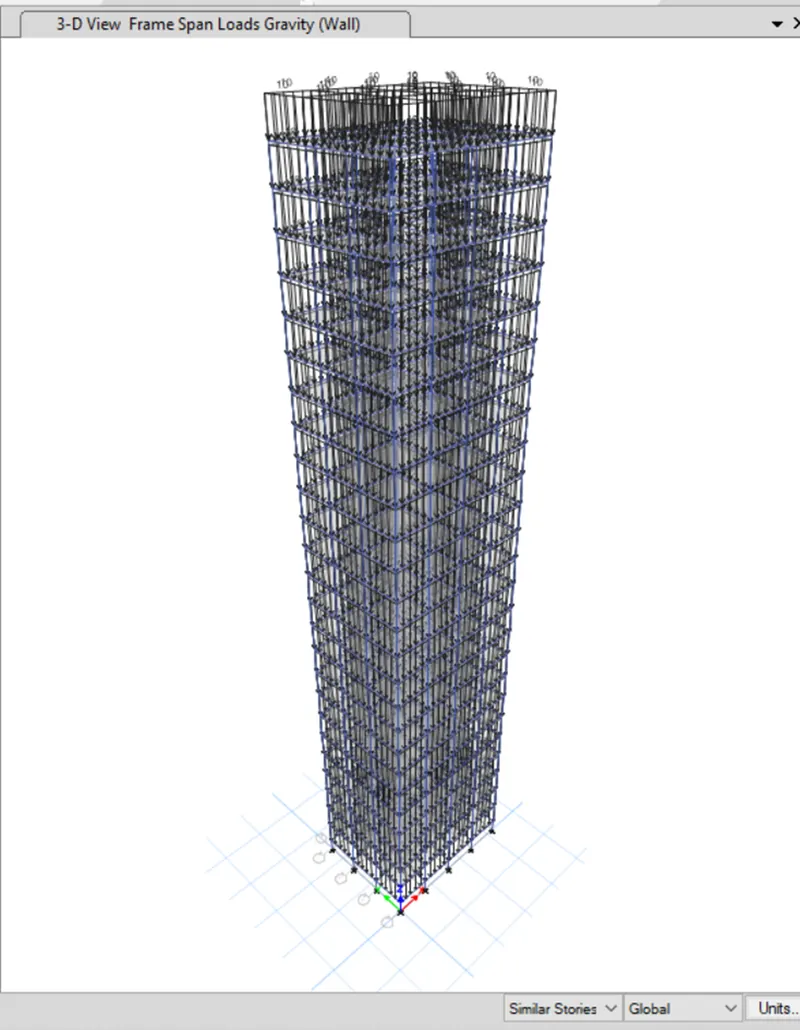
- Select the slabs
- Assign shell loads as uniform
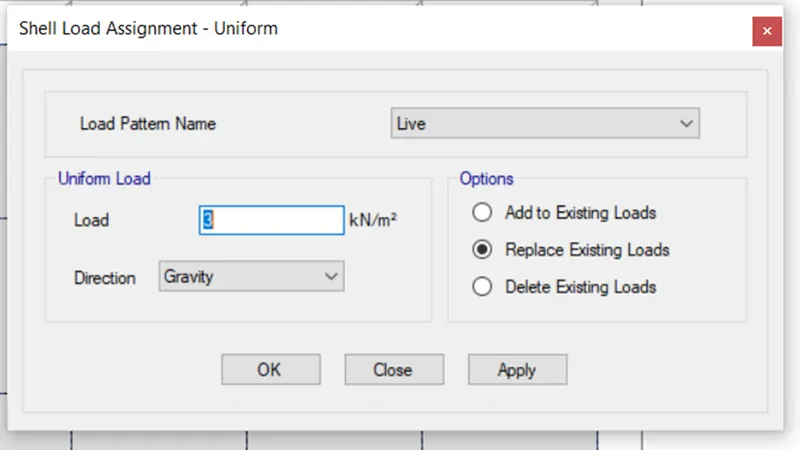
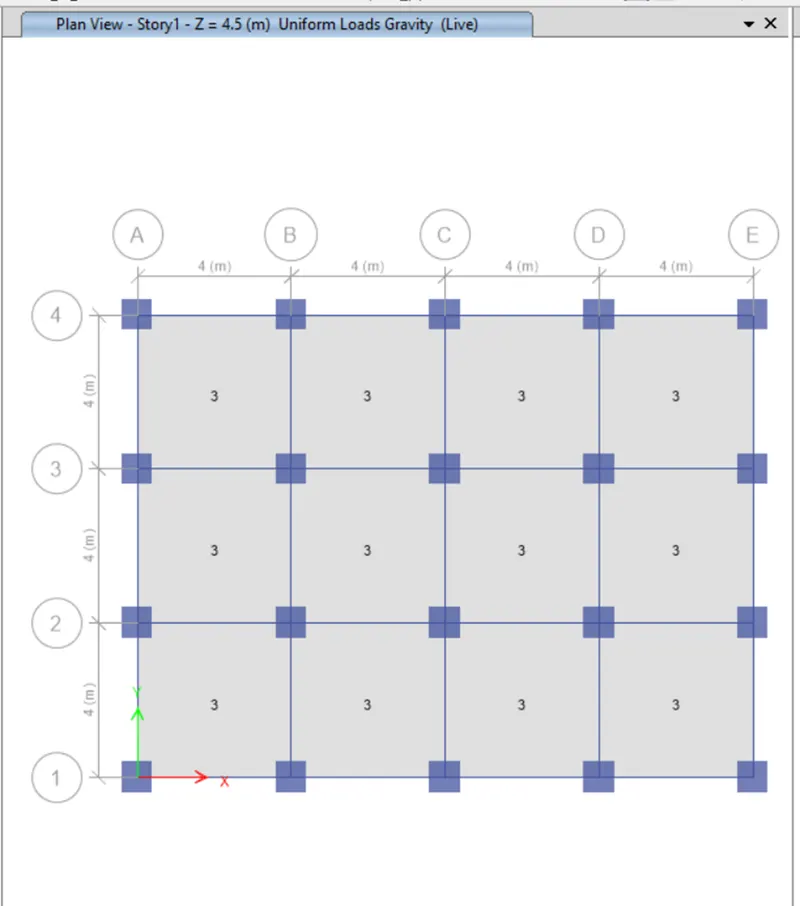
- Select the slabs from select tab and assign as diaphragm from assign tab.
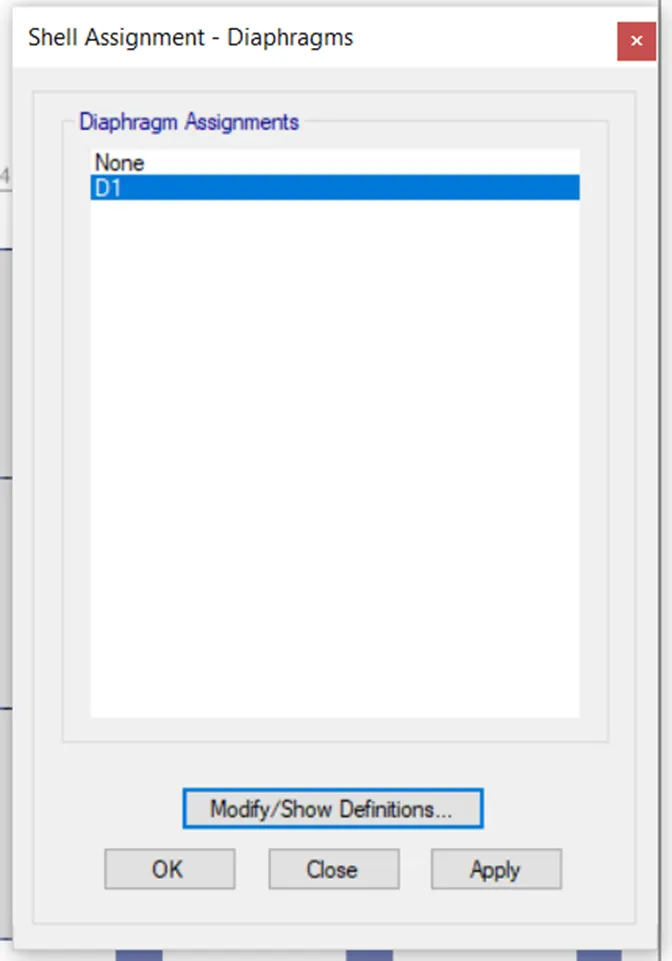
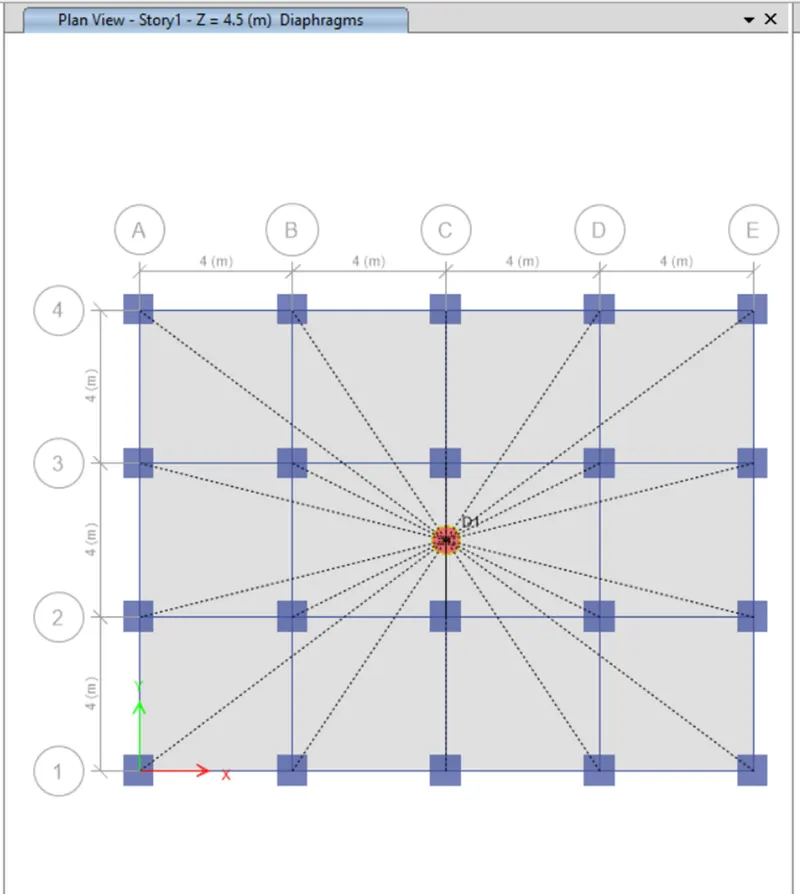
- Click run analysis in the panel after saving the file.
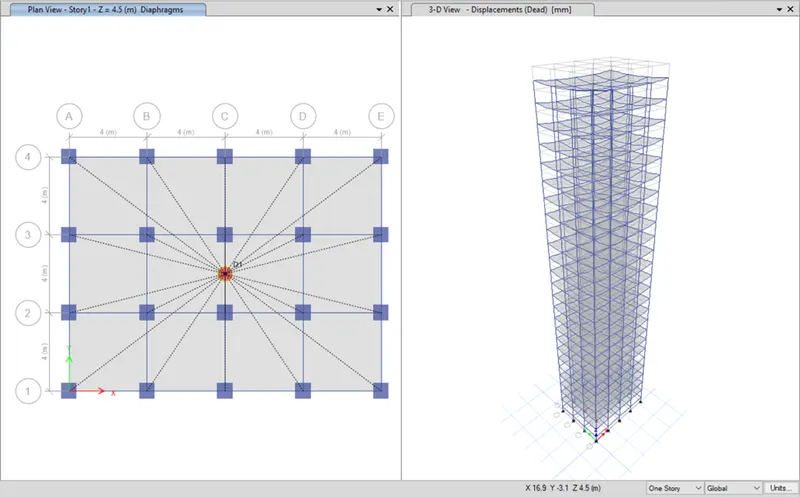
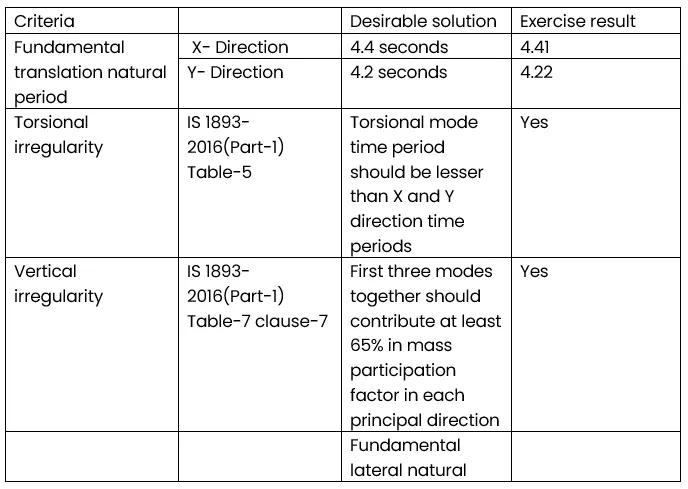
Result:
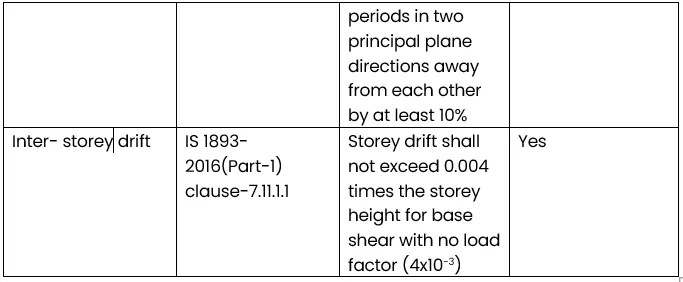
- Click Display -->Story response plot. Change the display type to Maximum storey drift and desired combo to see the plots.